


Henry Meds
Cancel subscription
How to Cancel Henry Meds: Official Steps & Timing
Cancel Henry Meds through the correct billing account. Follow current official steps, check when access or service ends, and understand refund limits.
- 1 cancellation path matched to the billing owner
- Renewal timing and access outcome explained
- Refund requests routed to the company that billed you
- Confirmation steps included for every path
Choose the Henry Meds cancellation path that matches who bills you
Henry Meds patient portal · verify the billing owner
Henry Meds patient portal cancellation steps
 1
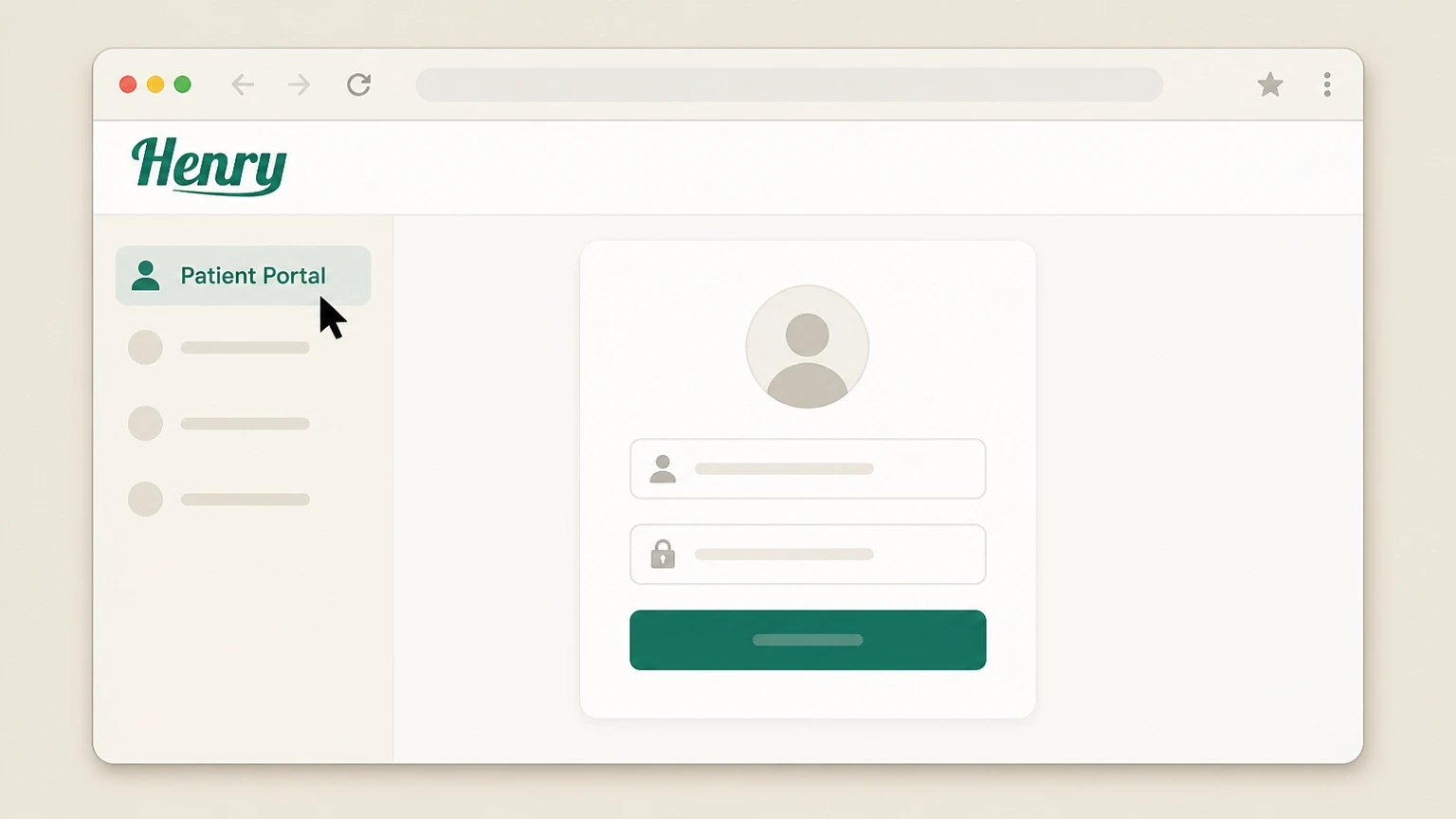
1Open the patient portal
Open the Henry Meds patient portal and sign in to the account with the active subscription.
 2
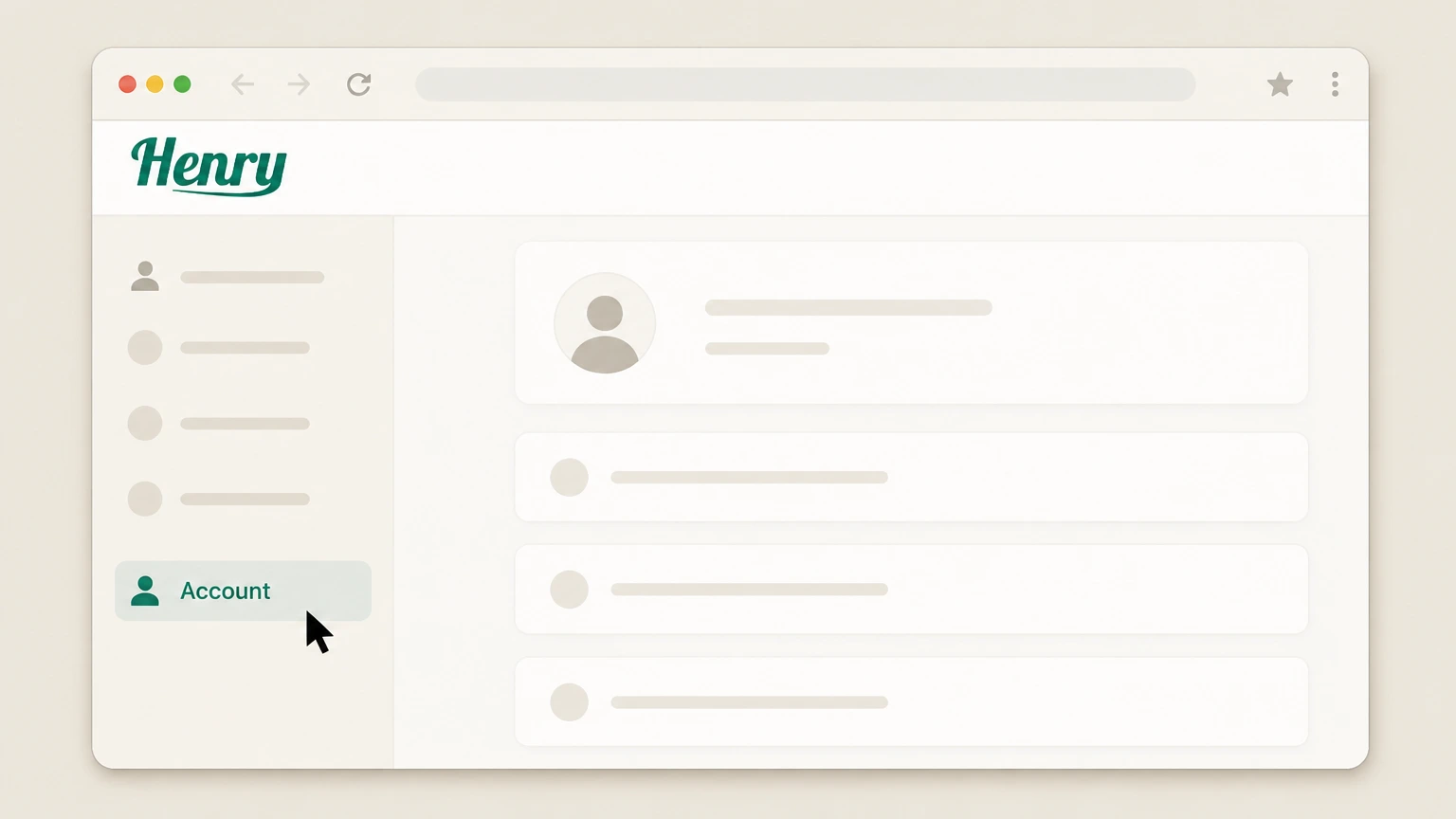
2Open the account page
From the portal homepage, open the account page where Henry Meds makes subscription cancellation available.
- Let Pine handle it
Pine can help
Too many steps?
Pine can find the right Henry Meds patient portal path and handle the cancellation for you.
 3
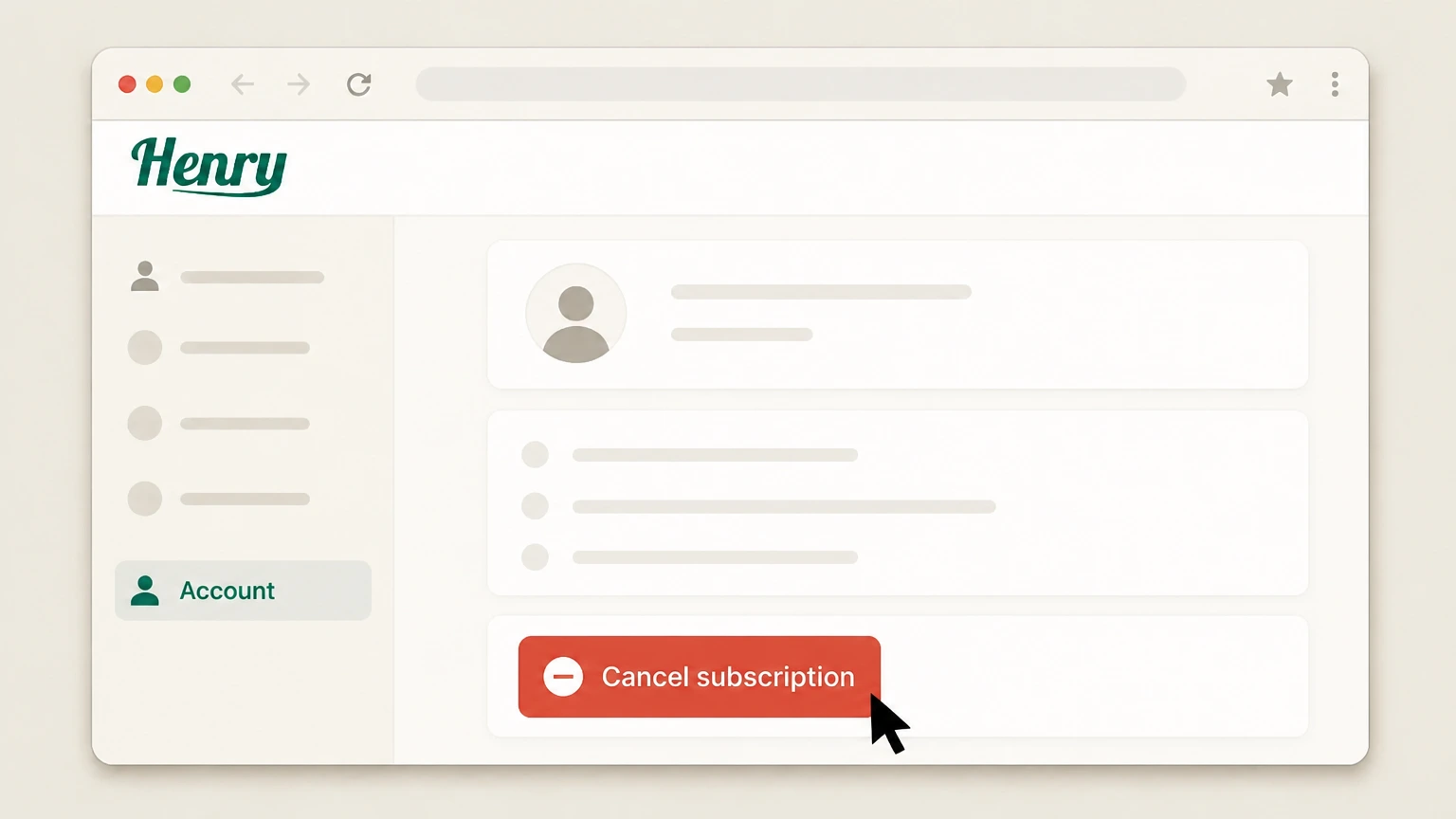
3Cancel the subscription
Use the available cancellation method and review the effective date before completing the request.

Refund policy
Henry Meds cancellation and refunds
The subscription remains active through the paid period and partially used periods generally are not refunded. Medical ineligibility and billing errors have separate rules.
Check my refund options- Subscription fees are generally non-refundable
- The refund policy allows correction of duplicate or erroneous billing but does not promise a routine cancellation refund.
- Prescription products have separate limits
- Prescription products are final sale and are not made refundable merely by canceling the subscription.
Use the current Henry Meds source below if your account shows a different plan, merchant, or effective date. Review Henry Meds cancellation terms
Choose the right account
Henry Meds billing ownership and cancellation route
Henry Meds bills the treatment subscription directly. The patient portal and Henry Meds support routes control the subscription; prescription fulfillment and clinical care remain separate medical matters.
The service is directly billed
Henry describes a monthly bill that includes provider visits, medication, supplies, and ongoing care.
Three cancellation channels are published
The provider lists the patient portal account page, support email, and phone.
Before the next charge
Timing that matters for Henry Meds
Henry Meds says you can cancel from the patient portal account page, by emailing support, or by phone. Submit the request at least 48 hours before renewal to meet the current terms.
Renewal has a 48-hour cutoff
The Terms say to cancel at least 48 hours before the end of the current subscription term.
Multi-month plans can retain a balance
Henry warns that some multi-month plans may require payment of the remaining balance unless a provider determines a medical reason to stop.
After you submit
Check the final Henry Meds status
Cancellation takes effect at the end of the current billing period when submitted before renewal, subject to plan-specific balance obligations. Reopen the account used for this route and compare its displayed status with that result.
Check Cancel subscription
In the Henry Meds patient portal, verify the subscription effective date separately from any treatment, prescription, or shipment status.
Compare the next billing event
The subscription remains active through the paid period and partially used periods generally are not refunded. Medical ineligibility and billing errors have separate rules. Use that rule when reviewing the next charge, access date, shipment, or contract event shown for this account.
Henry Meds cancellation FAQ
Answers about Henry Meds billing ownership, cancellation timing, refunds, and access after cancellation.
How do I cancel my Henry Meds subscription?
Does Henry Meds charge a monthly fee?
When should I cancel Henry Meds?
Can I get a refund after canceling Henry Meds?
Untangle this Henry Meds issue.
Let Pine handle the provider follow-up and keep the confirmation in one place.
