You can cancel your OnlyFans subscription in exactly five clicks, and I'm going to show you where every single one of them lives. There's no reason to let auto-renew eat your budget when you're done with a creator's content. I'm Millie, and I personally went through the 2026 OnlyFans billing process to verify what actually works right now. This OnlyFans subscription guide provides the direct path to subscribing safely, stopping unwanted charges instantly, and the cold, hard truth about getting an OnlyFans refund. By the end of this three-minute read, you'll know exactly how to toggle off that renewal setting and walk away with your access intact until the billing cycle ends. No guesswork, just verified, actionable steps to take back control of your wallet.
OnlyFans Subscription Guide (2026)

OnlyFans is built around paid creator subscriptions. At the basic level, you subscribe to an individual creator's page, get access for the billing period you paid for, and then either let that subscription renew or turn off auto-renew before the next charge.
This is the bit most people miss: canceling an OnlyFans subscription usually means stopping future renewals, not reversing the access you already paid for. If your billing date is next week and you cancel today, you'll generally keep access until that paid period ends.
A few practical points matter in 2026:
- Subscriptions are tied to specific creators, not one all-access OnlyFans plan.
- Many creators use monthly pricing, though the exact amount varies by account.
- Some offer free accounts with optional paid content, while others require a subscription upfront.
- Auto-renew can stay on unless you manually switch it off.
If you searched does OnlyFans actually let you cancel easily, the answer is: yes, but you need to do it from the correct account and on the active subscription itself. It's not difficult once you know where the setting lives. It's just not especially memorable, which is why people end up searching for it later while staring at a statement.
How to subscribe to OnlyFans creators
The subscription process is fairly direct. I'll be honest, I went in expecting very little, but this part is not where the friction is.
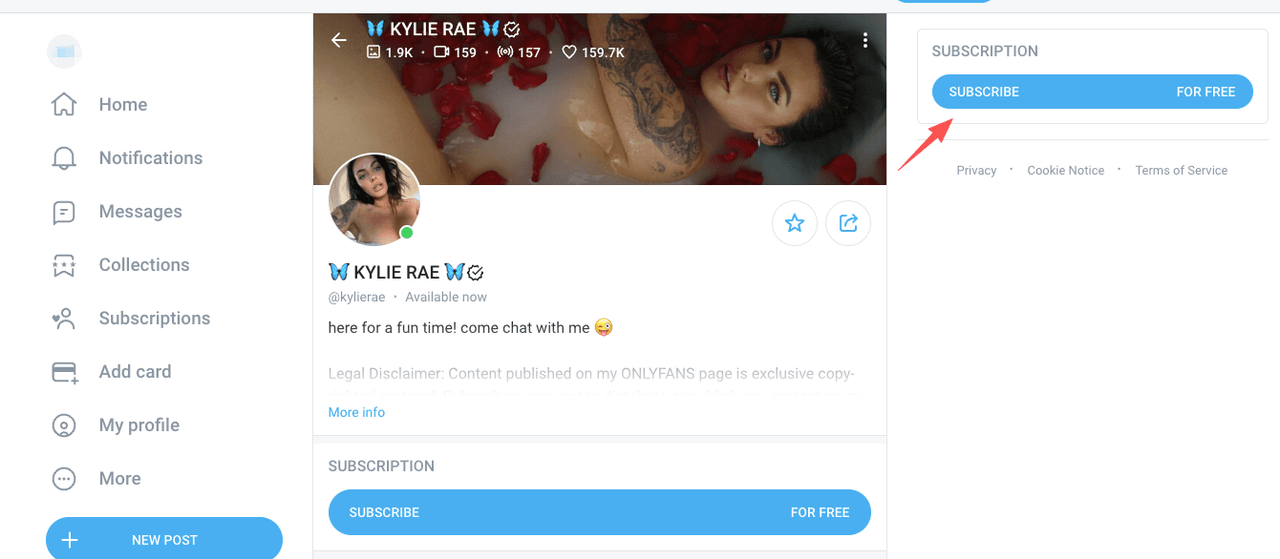
To subscribe to an OnlyFans creator, you typically:
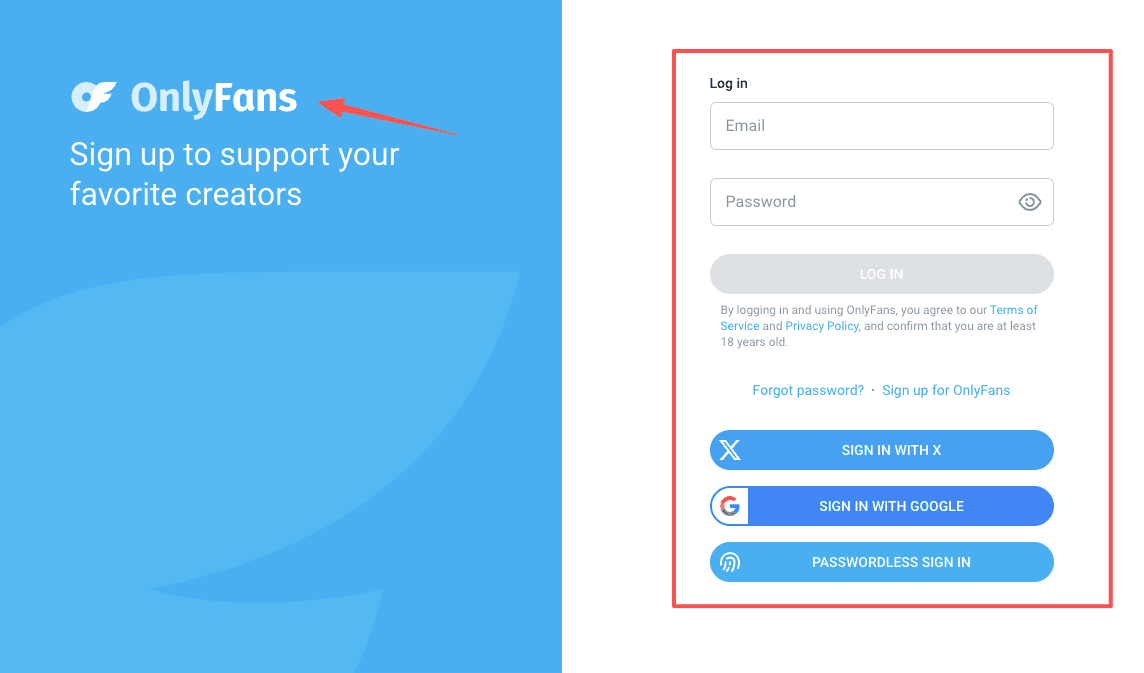
- Sign in to your OnlyFans account.
- Go to the creator's profile.
- Select the Subscribe button.
- Confirm your payment method and billing details.
- Complete the purchase.
If the creator offers a promotional rate, you may see that before you confirm. Some pages also have bundles or discounted intro offers. That can be useful in the moment, but it's also worth checking what the renewal price will be after the promotion ends. I have an inbox permanently in the triple digits: I don't need surprise pricing joining the chaos.
Also worth knowing: following a creator and subscribing to a creator are not the same thing. A free follow doesn't automatically become a paid membership, but a paid subscription can renew if auto-renew stays enabled.
So if your real question is how to cancel OnlyFans later if I only wanted one month, the answer starts here: check whether renewal is turned on right after you subscribe. It takes about ten seconds and saves you from having to remember three weeks later between video calls.
OnlyFans subscription cost & billing
When people search OnlyFans subscription cost, they usually want one of two things: the price itself, or the reason they were charged again.
OnlyFans creator subscription prices vary by creator. Many paid accounts use monthly pricing, and individual creators set their own rates within platform rules. You can review the full details in the OnlyFans Terms of Service. On top of the base price, there may be:
- promotional discounts for first-time subscribers
- optional tips
- pay-per-view messages or locked content
- bundles or multi-month offers
That last part matters. Your total spend may be higher than the base subscription if you buy extra content on top of the monthly fee.
For billing, the important thing is simple:
- A paid subscription is usually billed in advance.
- If auto-renew is on, you'll be charged again at the next renewal date.
- Canceling stops the next renewal, but doesn't usually undo the current billing period.
If you spotted a charge and thought, I'm pretty sure I already handled this, the first thing I'd check is whether you turned off renewals for the right creator account. People with multiple subscriptions can easily assume they canceled everything when they only canceled one.
And yes, timing matters. If you wait until after the new billing cycle starts, you're usually dealing with a refund question, not a cancellation question. Different problem. Less pleasant.
How to cancel your OnlyFans subscription
If your goal is simply OnlyFans cancel subscription, here's the clean version.
To cancel your OnlyFans subscription:
- Log in to your OnlyFans account.
- Go to the creator profile you're subscribed to.
- Find the subscription or auto-renew setting.
- Turn Auto-Renew off.
- Confirm the cancellation if prompted.
We’ve outlined the manual steps on how to cancel OnlyFans, but if you'd rather not manage settings yourself, Pine AI can help. As an autonomous AI agent, we complete the process for you. Try it today—you only pay when the task is done.
What happens after you cancel
In most cases, you keep access until the end of the current paid period. Your subscription just won't renew on the next billing date.
What to double-check
Before you close the tab and move on with your life, I'd verify three things:
- Auto-renew actually shows as off
- You canceled the correct creator subscription
- You still have access only until the displayed end date
If you're asking how to cancel OnlyFans in 2026 and want the shortest answer possible: don't look for a big red "cancel account" button if all you want is to stop paying one creator. You usually need to switch off renewal on that specific subscription.
If you want to avoid future billing headaches
For users managing subscriptions through the Apple App Store or Google Play, cancellation steps may differ slightly — those platforms have their own subscription management interfaces. This is where I'd normally use a tool like Pine AI for subscription cancellations and billing disputes for more traditional subscription fights, phone bills, service cancellations, the things that somehow eat an entire afternoon. OnlyFans doesn't involve a phone negotiation in the same way, so this one is mostly about checking the renewal setting yourself and documenting it. A screenshot after cancellation is not overkill. It's admin self-defense.
Can you get a refund from OnlyFans?
Short version: an OnlyFans refund is possible in limited cases, but you should not assume it's automatic.
OnlyFans generally treats subscriptions and digital content purchases as final once processed, especially if access was delivered immediately. That's common with digital platforms, even if it's frustrating.
You may have a stronger case for an OnlyFans refund if:
- you were charged in error
- there was a duplicate charge
- there was unauthorized activity on your account
- a technical issue prevented access after payment
You usually have a weaker case if:
- you forgot to turn off auto-renew
- you changed your mind after subscribing
- you consumed paid content and then decided it wasn't worth it
I gave it a fair shot. I always give it a fair shot. And from a practical standpoint, the best move is to contact support quickly, explain the issue clearly, and attach any evidence you have — billing screenshots, timestamps, account email, whatever helps establish what happened.
If your concern is OnlyFans refund after renewal, speed matters. The longer you wait, the harder it is to argue that the charge was an obvious mistake rather than a standard renewal you noticed later.
If you believe a charge was unauthorized, you can also file a credit card dispute through the CFPB's guidance or submit a complaint to the Better Business Bureau to have a record of the issue on file.
How to contact OnlyFans support
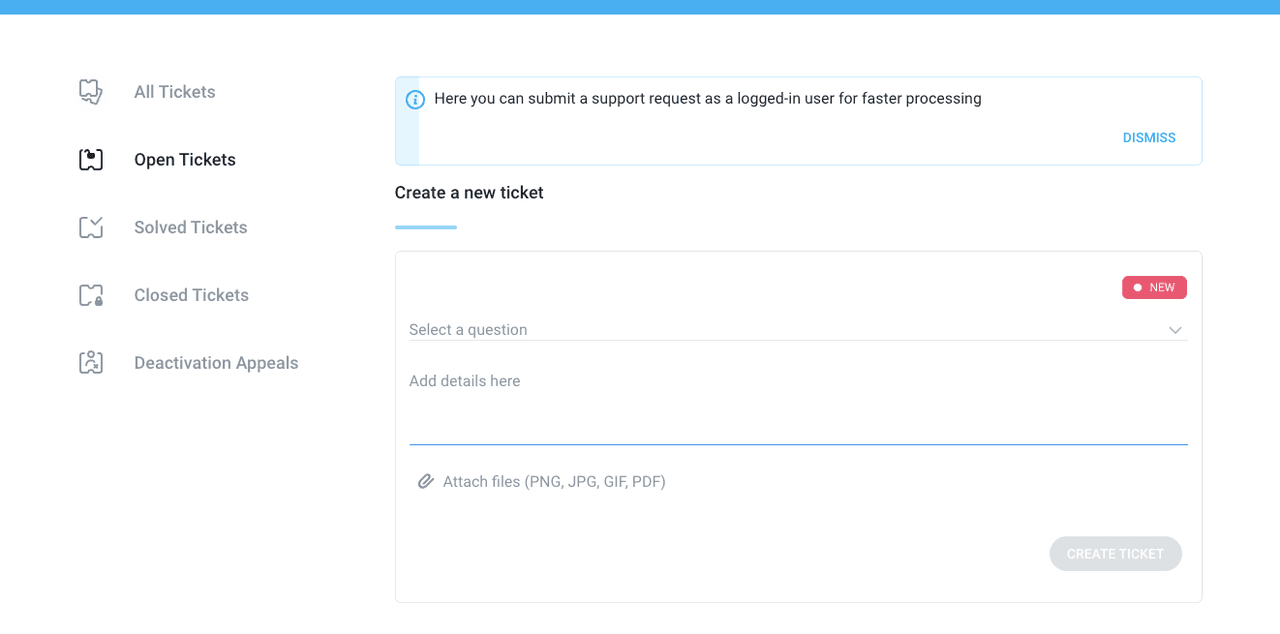
If cancellation didn't stick, a charge looks wrong, or you need help with account access, support is the next step.
The usual path is through the OnlyFans Help Center while logged into your account. You can also use the OnlyFans contact page to submit your issue directly. If you'd like guidance on the fastest way to reach a real person, this breakdown of how to contact OnlyFans support service covers current options. Look for the support or help center option and submit your issue with as much detail as possible.
I'd include:
- the email tied to your account
- the creator subscription involved
- the date and amount of the charge
- what you already did, such as turning off auto-renew
- screenshots if you have them
Keep the message boring and specific. Not angry. Not theatrical. Just factual. Customer support tends to move faster when they don't have to decode the story.
If I were doing this between deadlines — which is usually when these things happen — I'd also save a copy of the request I submitted. If there's a follow-up later, you won't have to reconstruct the timeline from memory.
For billing complaints that go unresolved, you can also file a complaint against OnlyFans via 19pine.ai to escalate the issue through a structured channel.
My clear verdict: if you want to cancel OnlyFans 2026 style with the least friction, go straight to the creator subscription, turn off auto-renew, and confirm it stuck. If you're already dealing with a charge, support may help, but refunds look limited unless there's a clear billing problem. In other words: cancellation is straightforward, refunds are the murkier part. I've laid out everything you need. The rest is up to you.
Frequently Asked Questions About Canceling an OnlyFans Subscription
How do I cancel an OnlyFans subscription?
To cancel an OnlyFans subscription, log in to your account, open the creator’s profile, find the subscription or auto-renew setting, and switch auto-renew off. In most cases, that stops future billing but does not remove access right away from the current paid period.
When you use OnlyFans cancel subscription settings, do you lose access immediately?
Usually no. When you use the OnlyFans cancel subscription option, you normally keep access until the end of the billing period you already paid for. Canceling typically prevents the next renewal charge rather than reversing the current subscription term.
Why was I charged again after I thought I canceled OnlyFans?
The most common reasons are that auto-renew was still on, you canceled the wrong creator subscription, or the new billing cycle had already started. Since subscriptions are tied to individual creators, it’s important to confirm auto-renew is off for the exact account involved.
Can I get an OnlyFans refund after renewal?
An OnlyFans refund is usually limited to cases like duplicate charges, unauthorized activity, billing errors, or technical issues that blocked access. If you simply forgot to turn off auto-renew or changed your mind after subscribing, a refund is generally less likely.
How much does an OnlyFans subscription cost?
OnlyFans subscription cost varies by creator because there is no single all-access plan. Many creators charge a monthly fee, but you may also see promo pricing, bundles, pay-per-view messages, tips, or locked content that increase the total amount you spend.