


AdaptedMind Math
Cancel subscription
How to Cancel Your AdaptedMind Math Subscription
Learn how to cancel AdaptedMind Math through the right billing provider. Follow official steps, understand access timing, refunds, and the confirmation to keep.
- Official AdaptedMind Math and billing-owner sources
- 3 provider-specific cancellation paths
- Refund and post-cancellation effects separated from renewal
- Verified August 16, 2026
Choose the AdaptedMind Math cancellation path that matches who bills you
Cancel on AdaptedMind.com (website billing) · verify the billing owner
 1
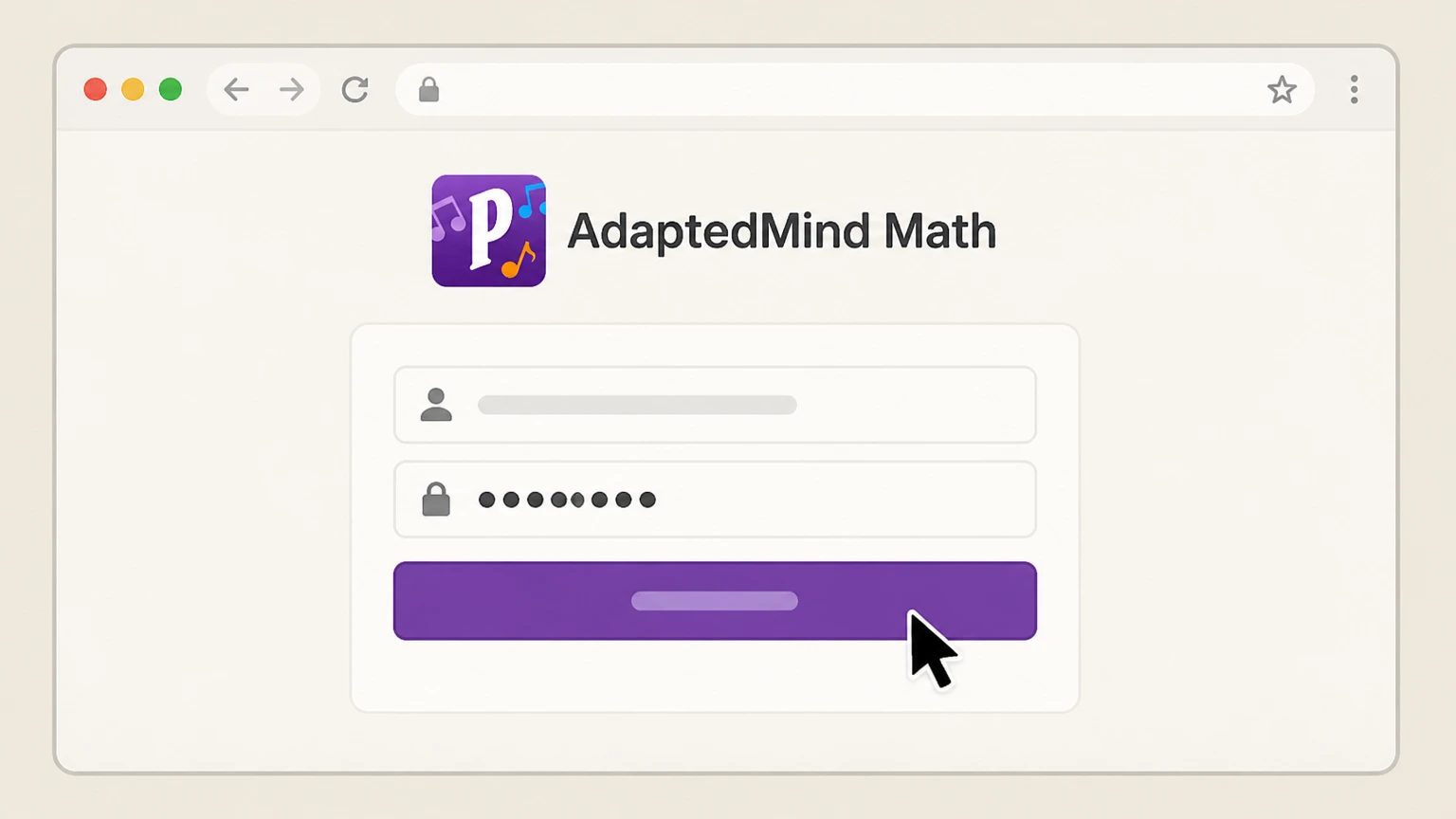
1Sign in to your AdaptedMind parent account
Open a web browser, go to AdaptedMind.com, and sign in using the parent email address and password you used when you enrolled.
 2
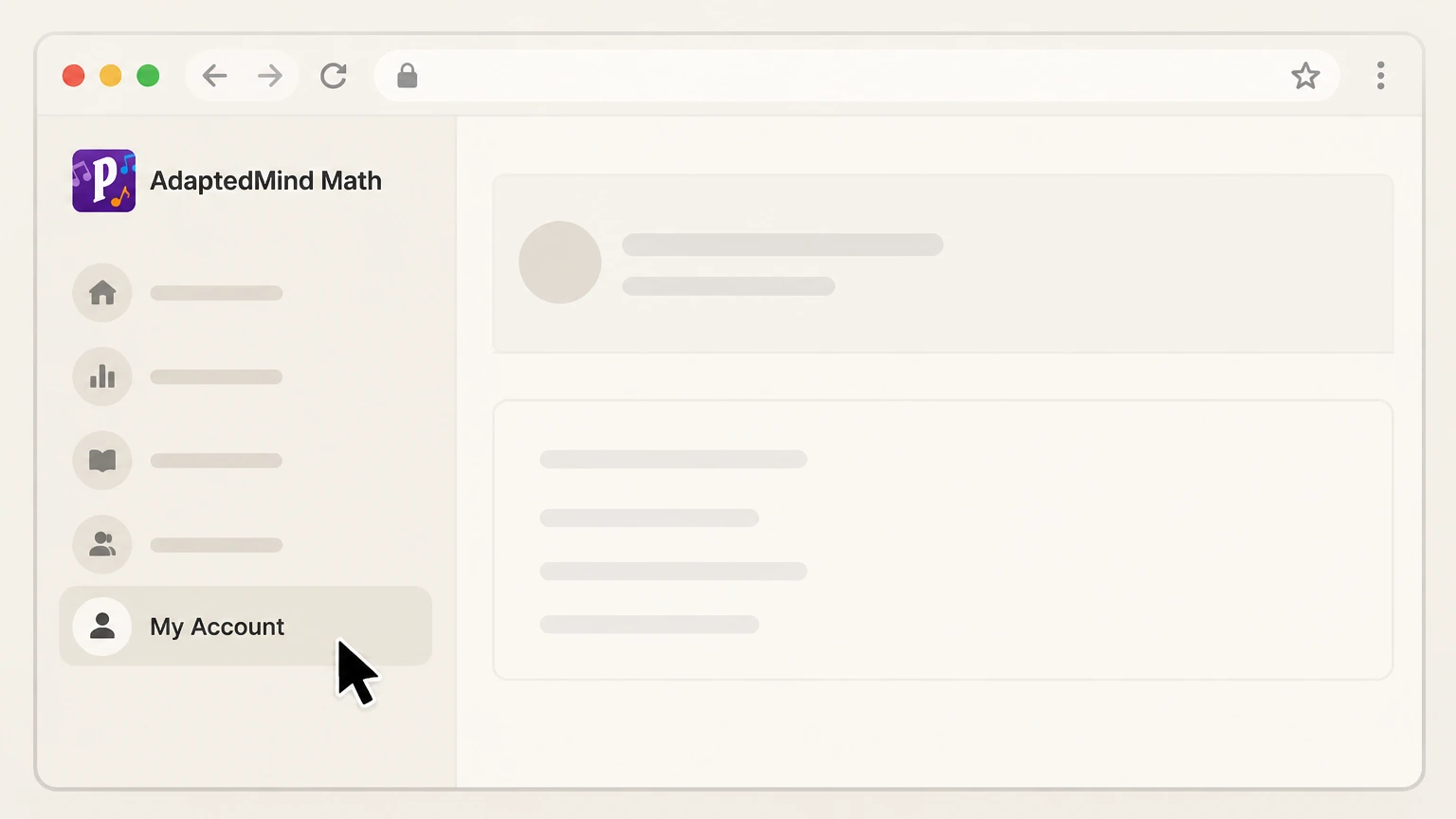
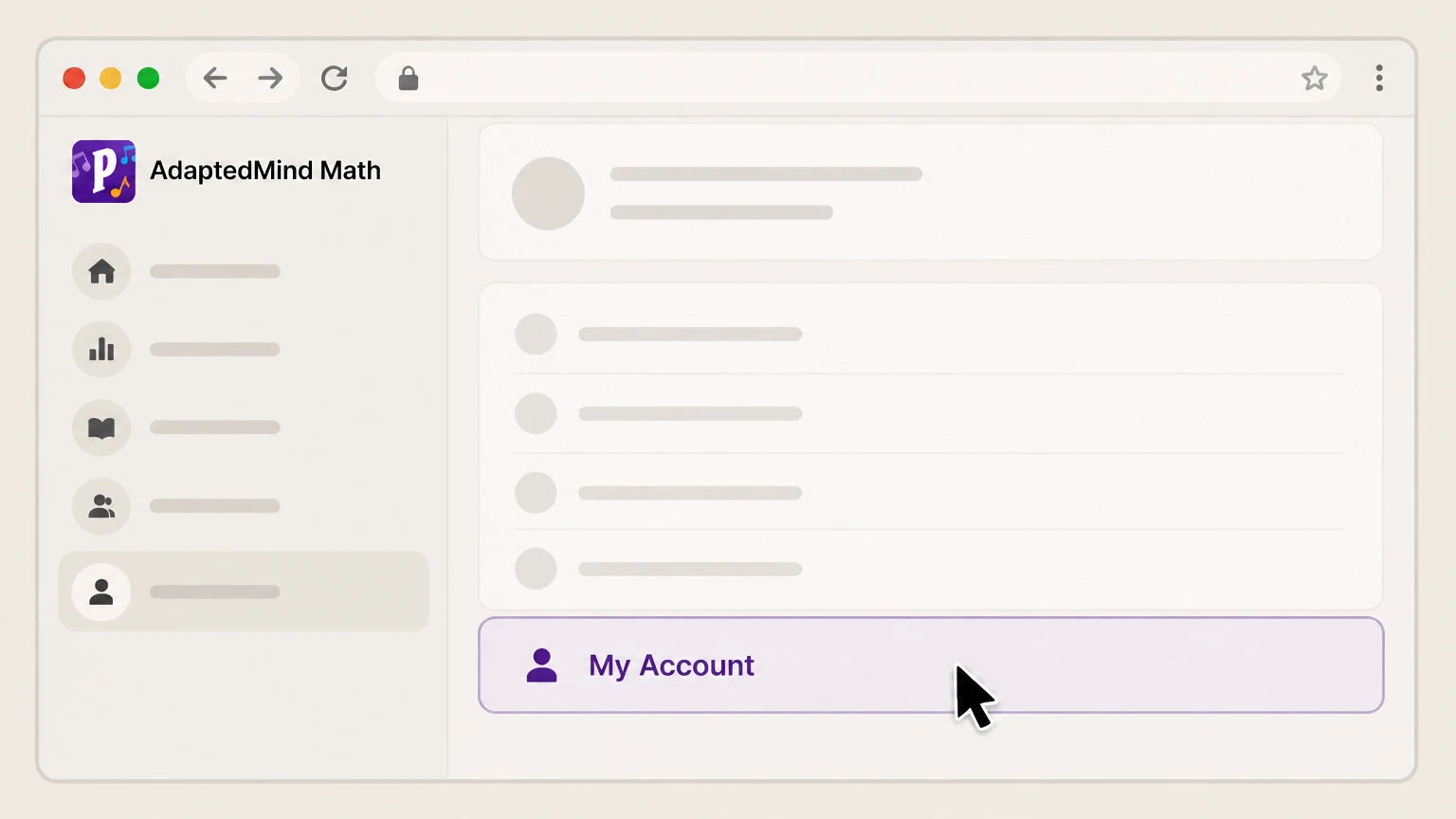
2Open the My Account page
From your signed‑in homepage, navigate to your My Account page where your membership and billing details are displayed. Use the AdaptedMind Math account named on your receipt, and continue only after the next status in this cancellation path is visible.
- Let Pine handle it
Pine can help
Too many steps?
Pine can find the right Cancel on AdaptedMind.com (website billing) path and handle the cancellation for you.
 3
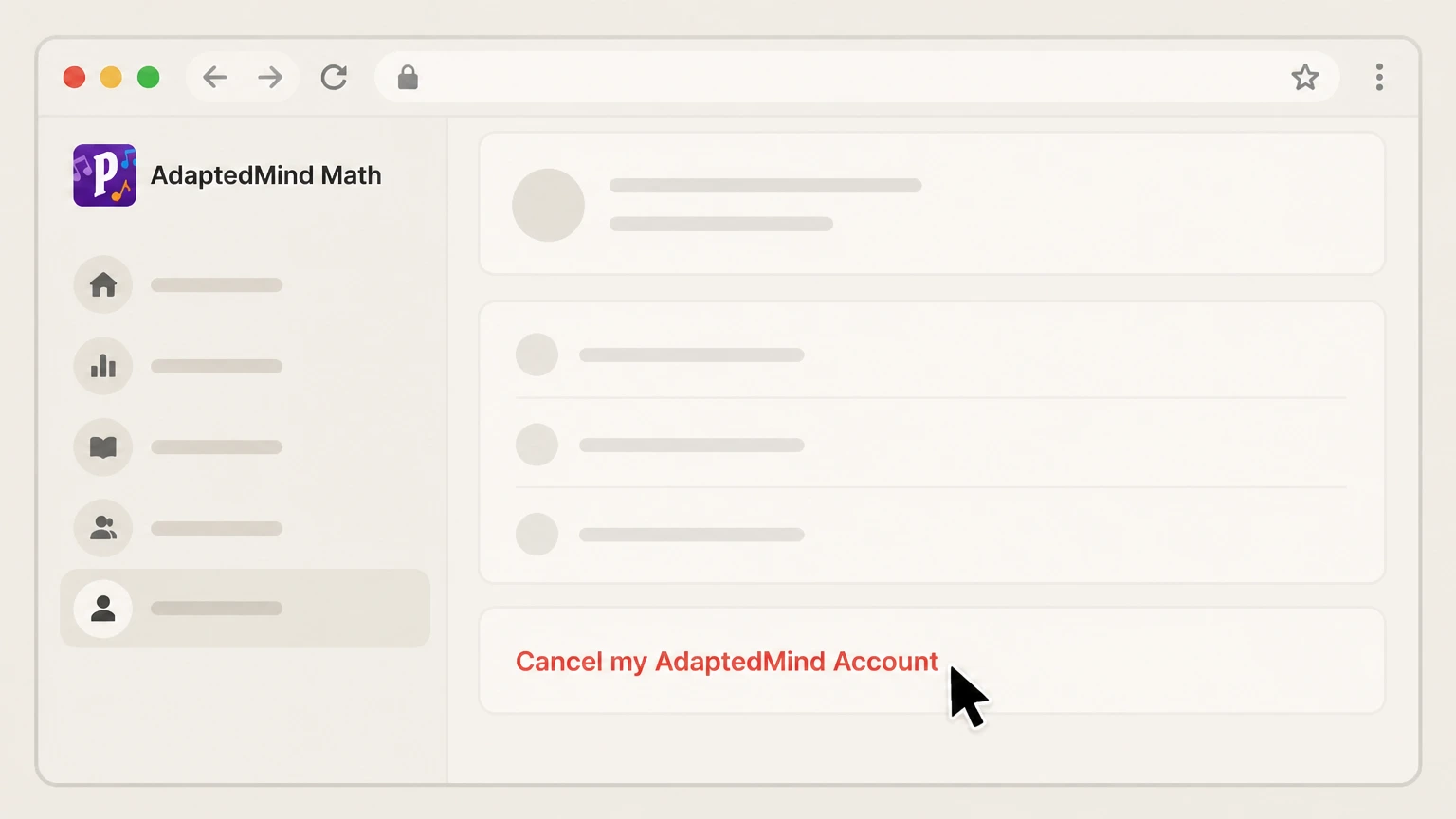
3Find the cancel link for your membership
On the My Account page, locate the option labeled “Cancel my AdaptedMind Account” associated with your active subscription. Use the AdaptedMind Math account named on your receipt, and continue only after the next status in this cancellation path is visible.
 4
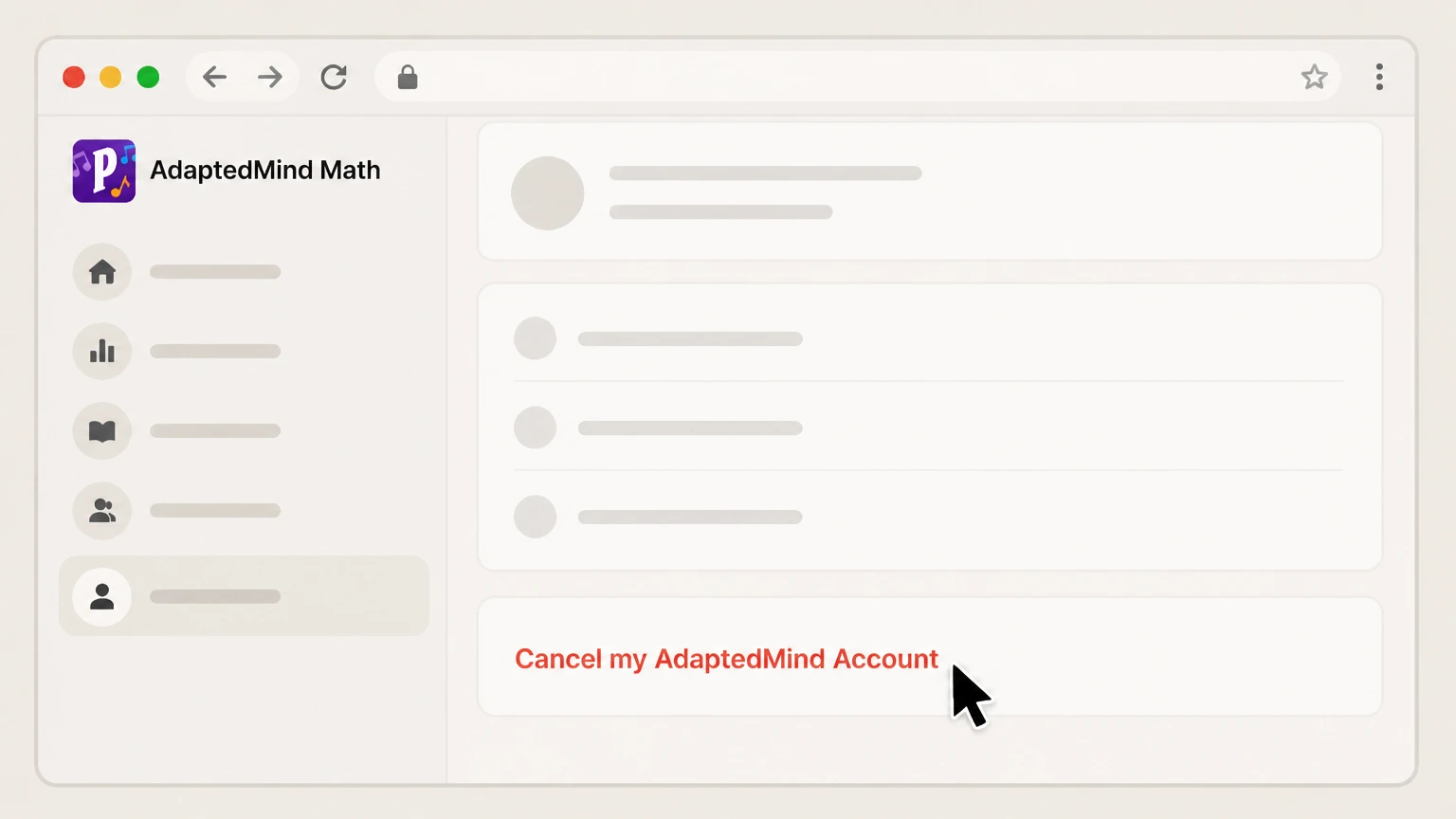
4Follow the on‑screen cancellation instructions
Click “Cancel my AdaptedMind Account” and complete any confirmation questions or prompts until the website confirms that your membership is canceled.
 5
5Confirm your renewal date is removed or updated
Return to the My Account page and check that the next renewal date is no longer scheduled or clearly shows the subscription will end, then save or print the page for your records.

Cancel AdaptedMind Math billed through Apple (iOS) · verify the billing owner
 1
1Open Settings on your iPhone or iPad
Unlock your iPhone or iPad and open the Settings app to manage your Apple ID and subscriptions. Use the AdaptedMind Math account named on your receipt, and continue only after the next status in this cancellation path is visible.
 2
2Tap your name at the top of Settings
In Settings, tap your name banner at the top to open your Apple ID account settings. Use the AdaptedMind Math account named on your receipt, and continue only after the next status in this cancellation path is visible.
- Let Pine handle it
Pine can help
Too many steps?
Pine can find the right Cancel AdaptedMind Math billed through Apple (iOS) path and handle the cancellation for you.
 3
3Open the Subscriptions screen
In your Apple ID settings, tap Subscriptions to see all active and expired subscriptions billed through your Apple ID. Use the AdaptedMind Math account named on your receipt, and continue only after the next status in this cancellation path is visible.
 4
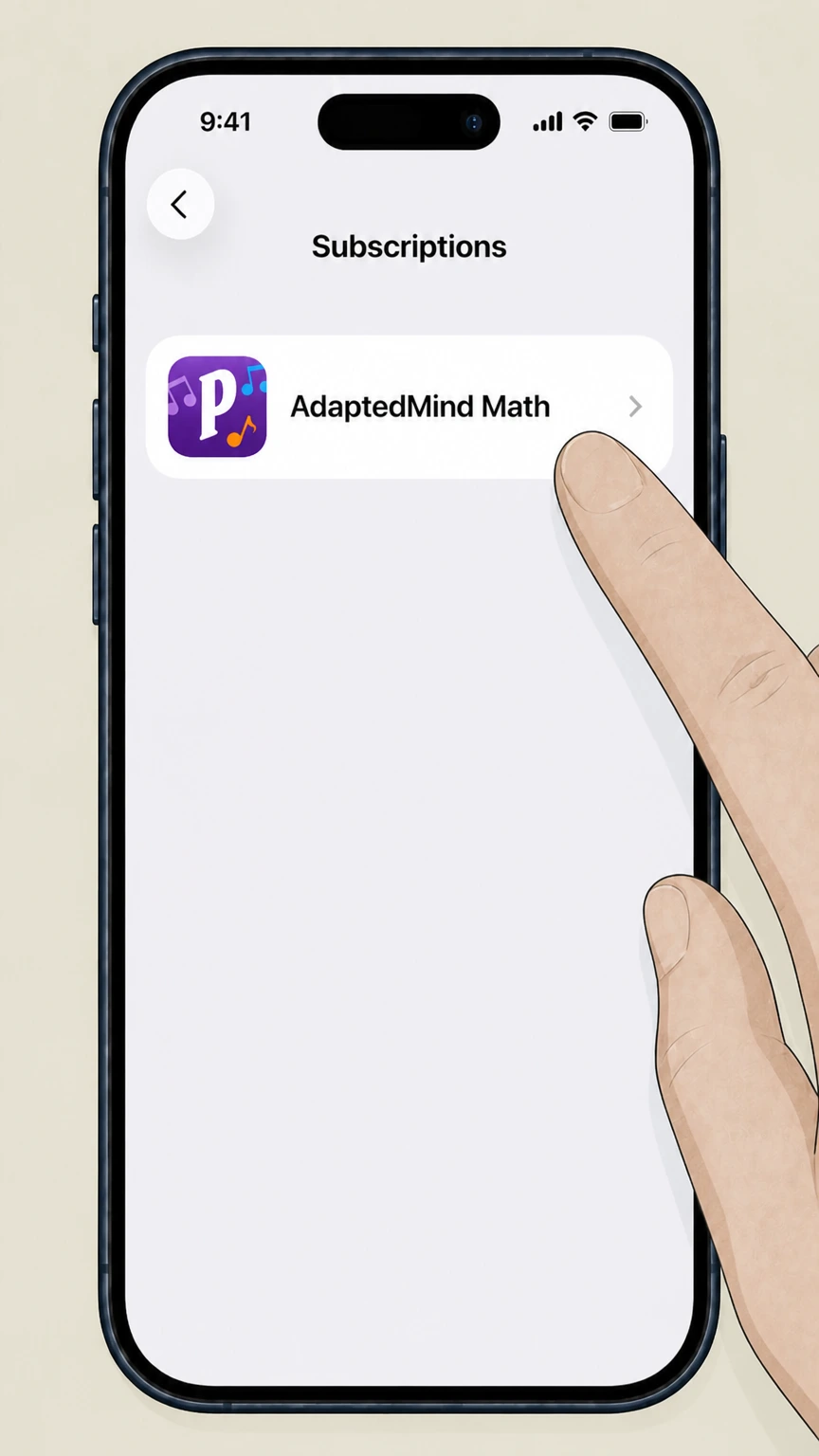
4Select the AdaptedMind Math subscription
In the subscriptions list, tap the AdaptedMind Math entry to open its subscription details. Use the AdaptedMind Math account named on your receipt, and continue only after the next status in this cancellation path is visible.
 5
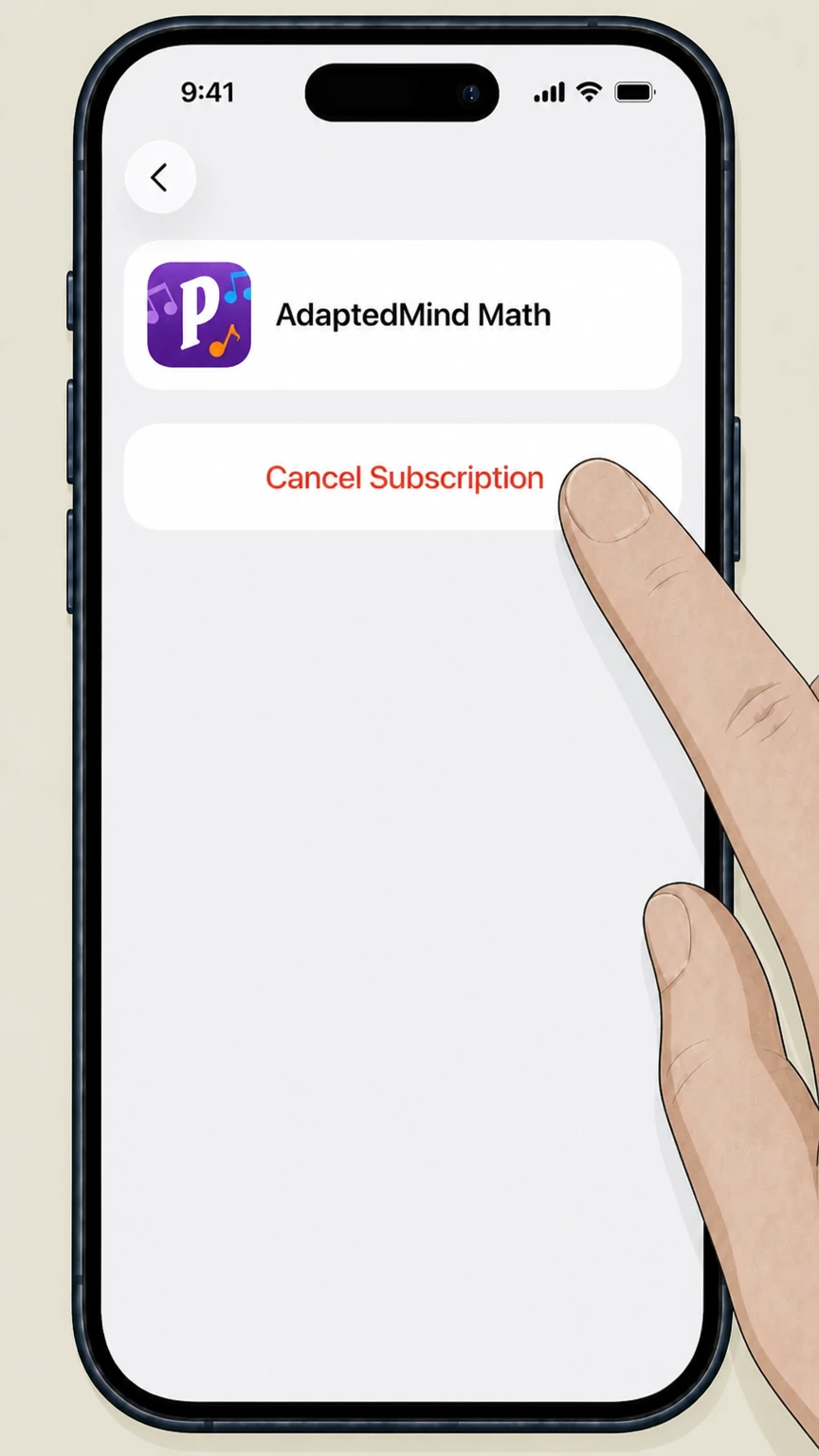
5Cancel the subscription
On the AdaptedMind Math subscription screen, tap Cancel Subscription (or a similar cancel option) and follow any prompts until the status shows that it will expire instead of renew.
Cancel AdaptedMind Math billed through Google Play · verify the billing owner
 1
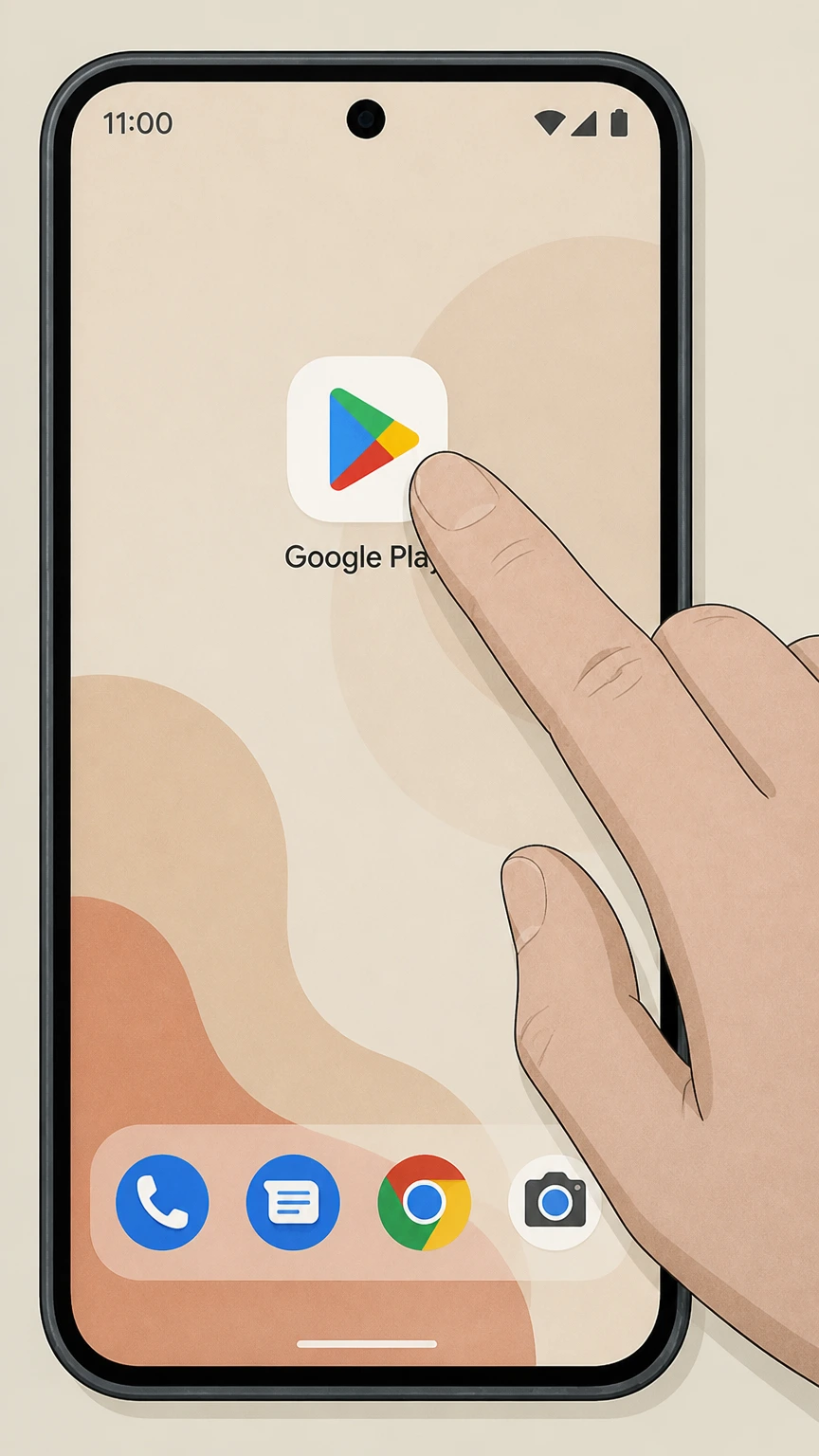
1Open the Google Play Store app
On your Android device, open the Google Play Store app while signed into the Google Account that was used to start the AdaptedMind Math subscription.
 2
2Go to your subscriptions in Google Play
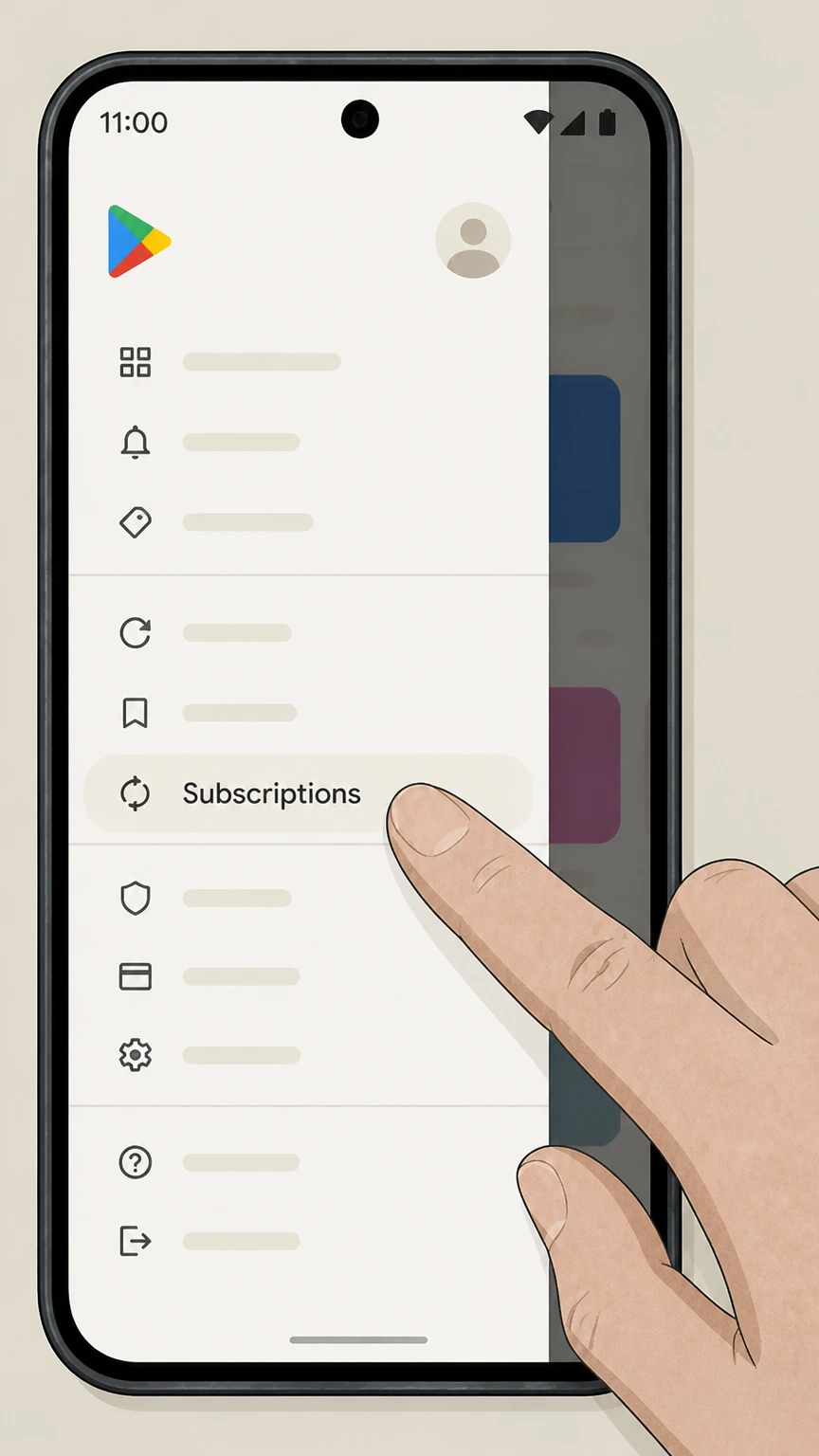
In the Google Play Store, open the menu or profile menu and choose Subscriptions to see all active subscriptions on this Google Account.
- Let Pine handle it
Pine can help
Too many steps?
Pine can find the right Cancel AdaptedMind Math billed through Google Play path and handle the cancellation for you.
 3
3Select the AdaptedMind Math subscription
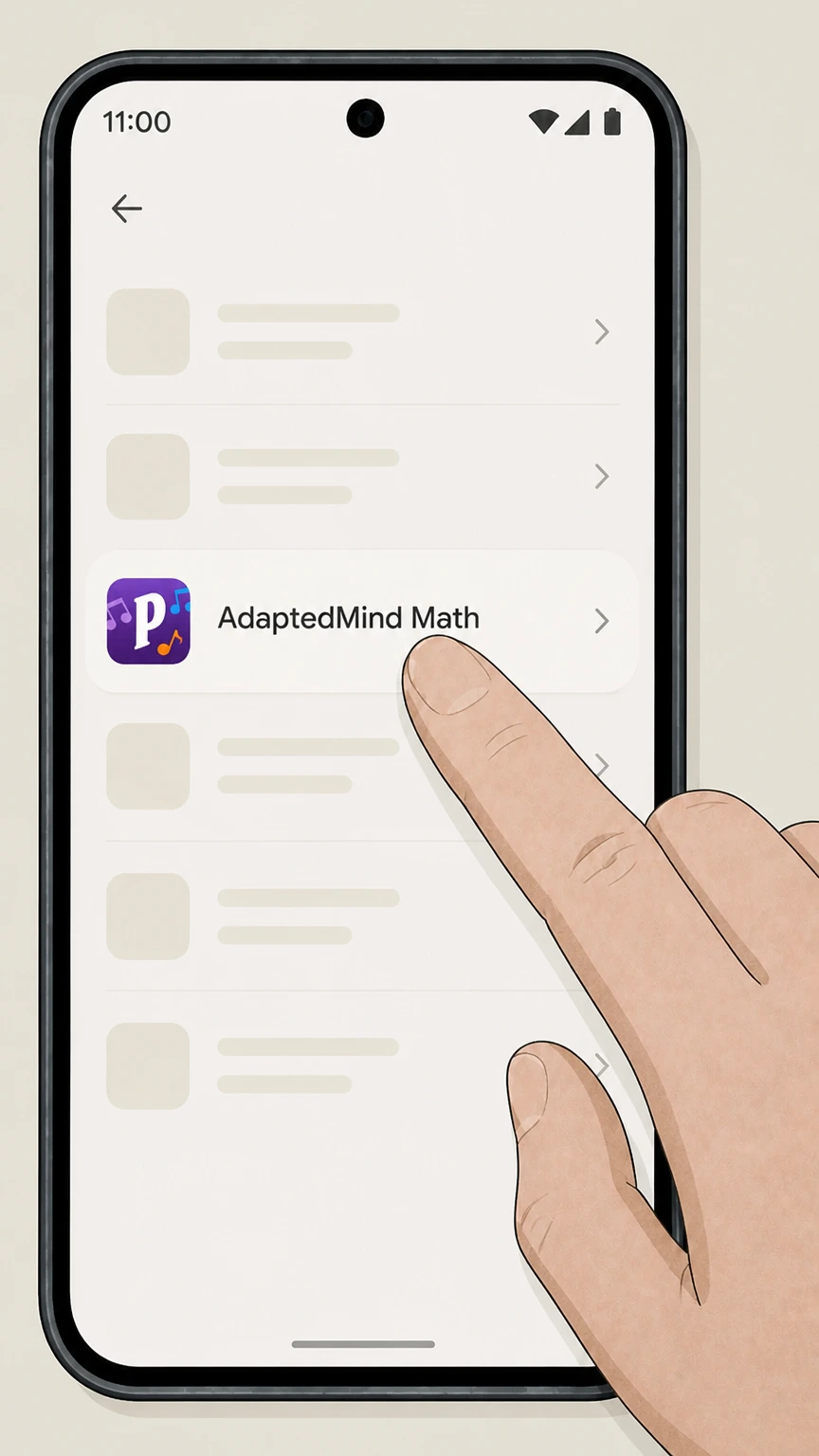
In the subscriptions list, tap the AdaptedMind Math subscription you want to cancel to open its details screen. Use the AdaptedMind Math account named on your receipt, and continue only after the next status in this cancellation path is visible.
 4
4Tap Cancel subscription
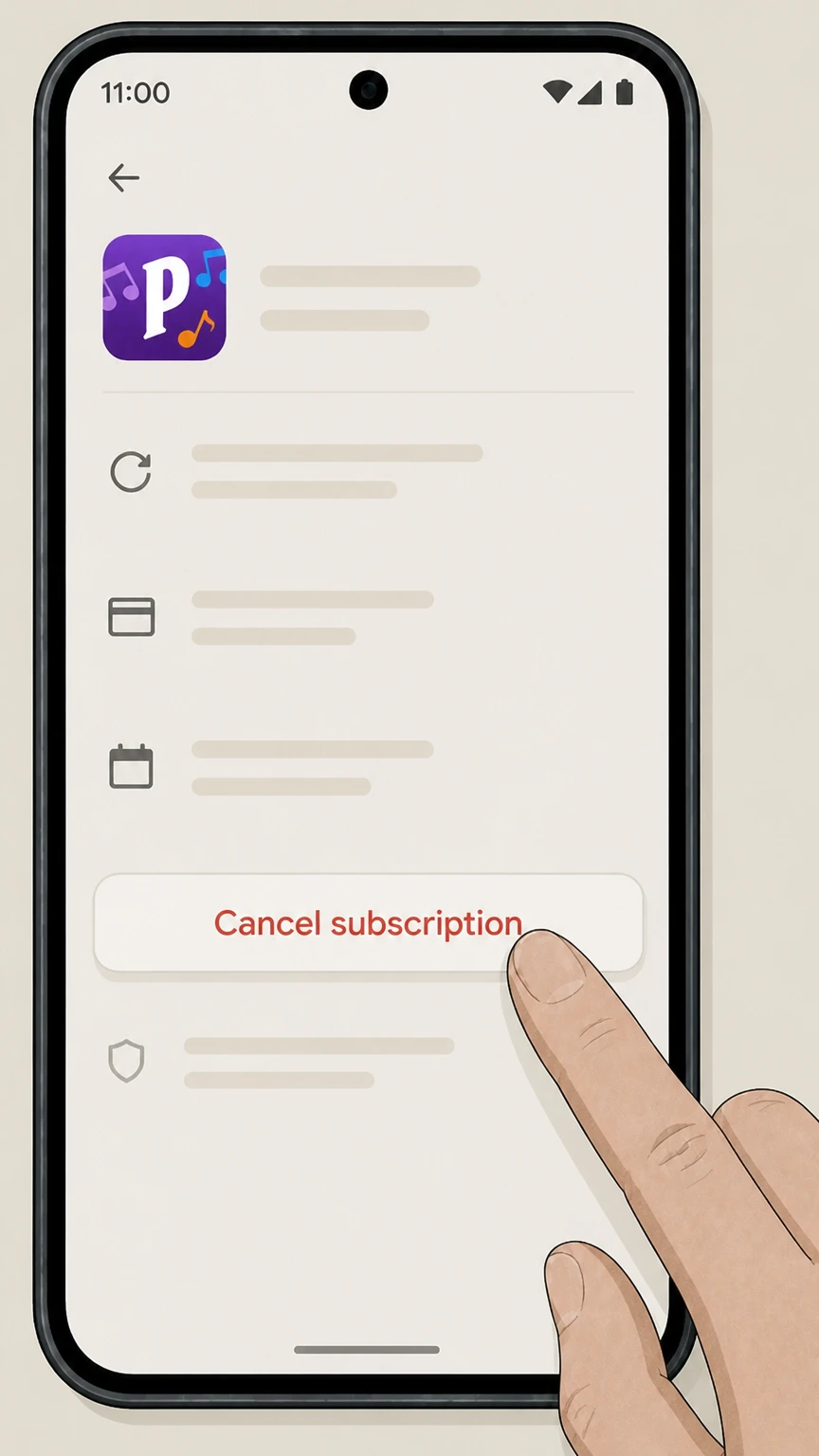
On the AdaptedMind Math subscription detail page, tap Cancel subscription and follow the on‑screen instructions to confirm the cancellation. Use the AdaptedMind Math account named on your receipt, and continue only after the next status in this cancellation path is visible.
 5
5Verify the subscription end date
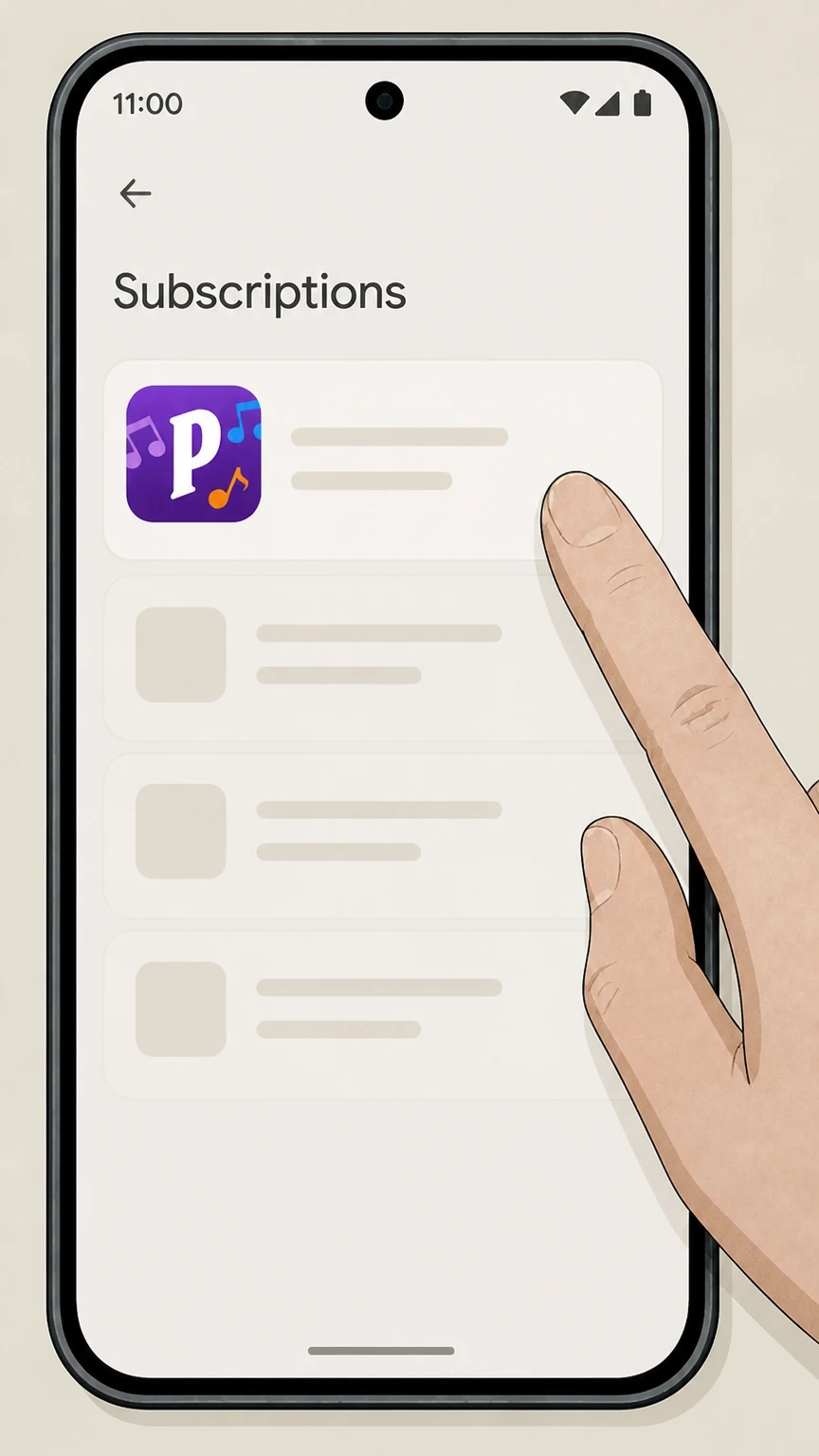
After canceling, confirm that the AdaptedMind Math entry in Subscriptions now shows an expiration date instead of a future renewal date, and save a screenshot or email receipt if available.
Refund policy
Refunds, the 30‑day guarantee, and disputes
AdaptedMind’s guarantee, its standard billing terms, and the policies of Apple, Google, and your card issuer all influence if and how you can get money back after canceling AdaptedMind Math.
Check my refund options- 30‑day enrollment guarantee for AdaptedMind
- AdaptedMind’s guarantee page states that if you cancel your subscription within the first 30 days of enrollment because you are not satisfied, you will not be charged; if a charge still appears, contact AdaptedMind billing support with your enrollment and cancellation dates so they can review the guarantee.
- Website billing refunds after the first 30 days
- The AdaptedMind legal terms emphasize that website memberships are billed automatically and that there are no refunds or credits for partial‑month subscription periods, but the billing page notes that support can help cancel accounts and/or refund payments, so outcomes after the guarantee window are discretionary.
- Apple‑billed subscription refunds
- If your AdaptedMind Math subscription is billed by Apple, you typically must use Apple’s tools to review charges and request refunds; Apple’s help pages direct you to sign in with your Apple Account, view your purchase history, and submit a refund request when appropriate.
- Google Play‑billed subscription refunds
- For Google Play billing, Google’s subscription and refund help pages describe when you can request a refund and how to submit it; AdaptedMind cannot override Google’s refund decisions for subscriptions that Google bills, but support may still help clarify your subscription status.
- Card‑issuer disputes for unresolved problems
- If you cannot resolve a clearly incorrect or unauthorized charge with AdaptedMind, Apple, or Google Play, FTC and CFPB guidance explains that you may dispute the charge with your credit‑card issuer, usually by sending a written notice within 60 days of the statement that first showed the error.
If you are unsure whether the 30‑day guarantee, a discretionary refund, or a card‑issuer dispute is the right path for your situation, start by contacting AdaptedMind’s billing support with your account details, receipts, and cancellation timeline. Go to AdaptedMind billing support
Billing source
Who bills your AdaptedMind Math subscription
Understanding who actually charges you—AdaptedMind, Apple, or Google Play—determines where you must cancel.
Website subscriptions billed by AdaptedMind
If you start a subscription on AdaptedMind.com, AdaptedMind charges your stored payment method on a recurring monthly basis under its subscription terms and cancellation policy, and you must cancel from your AdaptedMind My Account page.
Apple‑billed app subscriptions
If you start AdaptedMind Math in the iOS app with in‑app purchase, charges appear under your Apple ID (often as apple.com/bill), and Apple manages renewal, cancellation, and primary refund options through Apple’s subscription system.
Google Play‑billed app subscriptions
If you subscribe from the Android app, Google Play charges your Google Account and controls renewals; AdaptedMind’s privacy policy notes that such subscriptions must be canceled separately with the service where you initially subscribed, such as Google Play.
How to confirm the billing owner
Check your email receipt and card or bank statement: AdaptedMind or its processor usually indicates website billing, apple.com/bill indicates Apple, and Google Play receipts or a Google Play descriptor indicate Android billing; cancel with that party’s subscription tools first.
After you cancel
What changes after you cancel AdaptedMind Math
Cancellation affects renewals, access length, and refund options differently depending on where you subscribed.
Stopping future renewals on the website
AdaptedMind’s terms state that you must cancel before your renewal date to avoid the next monthly charge, and the My Account page shows your next renewal date so you can verify it updates or disappears after cancellation.
No partial‑month refunds for website billing
The legal terms for AdaptedMind explain that memberships are billed automatically and that the company does not provide refunds or credits for partial‑month subscription periods once a monthly charge has processed.
Access after cancelling on app stores
Google Play’s subscription help explains that after you cancel a subscription, you are not charged on the next renewal date and can continue accessing your content until the current paid period ends; Apple’s system similarly shows your subscription as expiring rather than renewing when cancellation succeeds.
Third‑party cancellations are separate from data deletion
AdaptedMind’s privacy policy notes that when you subscribe through a third‑party service such as Google Play or the Apple App Store, canceling the subscription with that third‑party service is a separate step from any request to delete your AdaptedMind data.
30‑day terms
AdaptedMind’s 30‑day guarantee and trial
AdaptedMind promotes a 30‑day onboarding window that affects your first charge and potential guarantee coverage.
30‑day enrollment guarantee
AdaptedMind’s guarantee page states that if you cancel your subscription at any time in the first 30 days of your enrollment because you are not satisfied, you will not be charged, making timely cancellation during that window critical.
Free trial and first charge timing
Current signup pages describe a 30‑day free trial that converts into an automatically renewing monthly subscription after the trial period; they note that you can cancel before the recurring charge through your account settings or in line with the cancellation policy.
Documenting enrollment and cancellation dates
Because the guarantee hinges on canceling within 30 days of enrollment, it is important to keep your original signup confirmation and a record or screenshot of the date on which you canceled or requested cancellation.
Guarantee versus later refunds
After the initial 30‑day enrollment window, refunds are governed by AdaptedMind’s standard billing terms and any discretionary help from support; the guarantee language does not promise automatic refunds for subscriptions that have renewed beyond that period.
Support help
Using AdaptedMind support for billing and cancellation
AdaptedMind offers billing support that can assist with cancellations, refunds, or account lookups when self‑service tools are not enough.
Billing support for website subscriptions
AdaptedMind’s billing page invites families with billing questions or refund needs to contact support and states that the team can help cancel accounts and/or refund payments when appropriate.
Contact details and hours
The billing and contact pages list a support email address and a customer service phone number, along with weekday support hours, which you can use if you cannot access your account or have trouble finishing a cancellation online.
When to involve support instead of self‑service
If the My Account page does not show a cancel option, if you forgot which email owns the parent account, or if a charge appeared after you thought you canceled, AdaptedMind support is the right escalation path to investigate and correct the account.
Information to include in support requests
For faster resolution, include your parent account email, student name, approximate enrollment date, billing platform (website, Apple, or Google Play), the charge date, approximate amount, and any receipts or screenshots showing previous cancellation attempts.
Account data
Account and data deletion versus subscription cancellation
Stopping billing and deleting AdaptedMind data are related but distinct actions, especially for app‑store subscriptions.
Subscription cancellation is separate from data deletion
AdaptedMind’s privacy policy clarifies that cancelling your subscription through services like Google Play or the Apple App Store is a separate action from any request you make to delete your AdaptedMind records or account data.
Effect of deleting records on service access
The same privacy policy warns that a request to delete your records may lead to termination of your AdaptedMind account, membership, or other services, so you should confirm billing is stopped before requesting deletion.
Recommended order of operations
Best practice is to first cancel your active subscription with AdaptedMind, Apple, or Google Play, then verify that no future renewal date appears, and only then request deletion of account data if you no longer want AdaptedMind to retain your information.
App‑store data and billing controls
Even if AdaptedMind deletes its copy of your data, Apple and Google retain their own billing records and subscription histories under their respective privacy and billing policies, which you manage through your Apple ID or Google Account.
Proof of cancellation
How to confirm your AdaptedMind Math subscription is canceled
Retaining clear evidence of cancellation and understanding confirmation signals reduces the risk of unexpected renewal charges.
Using the My Account page for website billing
AdaptedMind’s legal terms say your My Account page displays the next renewal date; after canceling via the “Cancel my AdaptedMind Account” link, confirm that the renewal date is removed or indicates that your membership will expire instead of renew.
Apple subscription status indicators
Apple’s subscription help article explains that on the subscription detail screen, the absence of a Cancel Subscription button or the presence of an expiration message in red text indicates that the subscription is already canceled or will not renew.
Google Play subscription status indicators
Google’s subscription help notes that after you cancel a subscription in the Google Play app, you will not be charged on the next renewal date and can access content until that date, so the listing should show an expiration date rather than an upcoming charge.
Saving receipts, emails, and screenshots
Keep copies of app‑store receipts, AdaptedMind emails, renewed‑or‑canceled status messages, and any correspondence with support; these documents are useful if a later charge appears or if you need to dispute a billing error with your card issuer.
Disputes
Handling unexpected AdaptedMind charges
If a charge appears after you believed you had canceled, there is a sequence of steps to resolve it, including card‑issuer protections under federal law.
Confirm who processed the charge
Compare the billing descriptor on your card or bank statement with your AdaptedMind account, Apple receipts, and Google Play receipts to identify whether AdaptedMind, Apple, or Google Play actually processed the disputed charge.
Work with AdaptedMind or the app store first
Use the appropriate cancellation path to ensure no active subscription remains, then contact AdaptedMind billing support or the relevant app‑store support if you believe the charge conflicts with the guarantee or your cancellation timing.
Use credit‑card billing error rights if needed
FTC and CFPB guidance explains that you generally must send a written billing‑error notice to your credit‑card issuer within 60 days after the first statement with the disputed charge was sent in order to invoke dispute protections under the Fair Credit Billing Act.
Keep a complete dispute file
Maintain a file with your cancellation proof, support emails, relevant policy pages, and your card‑issuer dispute letter or online case confirmation so you can respond quickly if the issuer or merchant requests more information.
What official sources do not confirm
Limits of the public AdaptedMind Math cancellation guidance
These points are intentionally qualified because the official sources reviewed on August 16, 2026 do not publish a complete answer.
Documented limitation 1
The exact on‑screen layout and wording of the AdaptedMind My Account page, including where the “Cancel my AdaptedMind Account” link appears, could not be directly inspected beyond what is described in the current legal terms, so step ordering assumes a conventional account layout.
Documented limitation 2
Detailed answer text for AdaptedMind’s contact‑page FAQs (for example, “How do I cancel my membership?” and app‑specific management questions) was not visible in search snippets and could not be fully verified; guidance instead relies on the legal, privacy, guarantee, and billing pages that describe cancellation and support roles explicitly.
Documented limitation 3
Apple and Google Play documentation were used for generic subscription‑management steps, but neither names AdaptedMind Math specifically; the guide assumes AdaptedMind’s app uses standard in‑app subscription handling and that users will see it listed among other subscriptions.
Documented limitation 4
Pricing, free‑trial offers, and guarantee terms are accurate only as of the August 16, 2026 checks against AdaptedMind’s official signup and guarantee pages and may change; readers should always rely on the live signup screen and current legal pages at the time they enroll.
Documented limitation 5
Some nuances of refund discretion (for example, how AdaptedMind evaluates refund requests after the 30‑day guarantee period) are not fully described in public documents; users may receive different outcomes case‑by‑case from billing support.
AdaptedMind Math cancellation FAQ
Questions people search about canceling AdaptedMind Math, answered with official provider or billing-platform sources checked on August 16, 2026.
How do I cancel my AdaptedMind subscription?
Can I cancel AdaptedMind Math on the website?
How do I cancel AdaptedMind Math on my iPhone or iPad?
How do I cancel AdaptedMind Math on Android through Google Play?
Does AdaptedMind charge my credit card?
How much does an AdaptedMind subscription cost?
Can I get one free month of AdaptedMind?
Can I cancel AdaptedMind Math by phone or email?
What happens to my AdaptedMind account and data after I cancel?
Where do I sign in to manage my AdaptedMind Math subscription?
Untangle this AdaptedMind Math issue.
Let Pine handle the provider follow-up and keep the confirmation in one place.
