


Plex Pass
Cancel subscription
How to Cancel Plex Pass: Official Steps & Timing
Cancel Plex Pass through the correct billing route. Follow official steps, understand renewal timing and refunds, and keep proof of the final result.
- 3 verified cancellation routes
- Billing ownership and renewal timing explained
- Provider-specific refund boundaries included
- A confirmation check follows every route
Choose the correct Plex Pass cancellation route
Plex Web App (Plex-billed Plex Pass) · verify the billing owner
Cancel Plex Pass through Plex Web App (Plex-billed Plex Pass)
 1
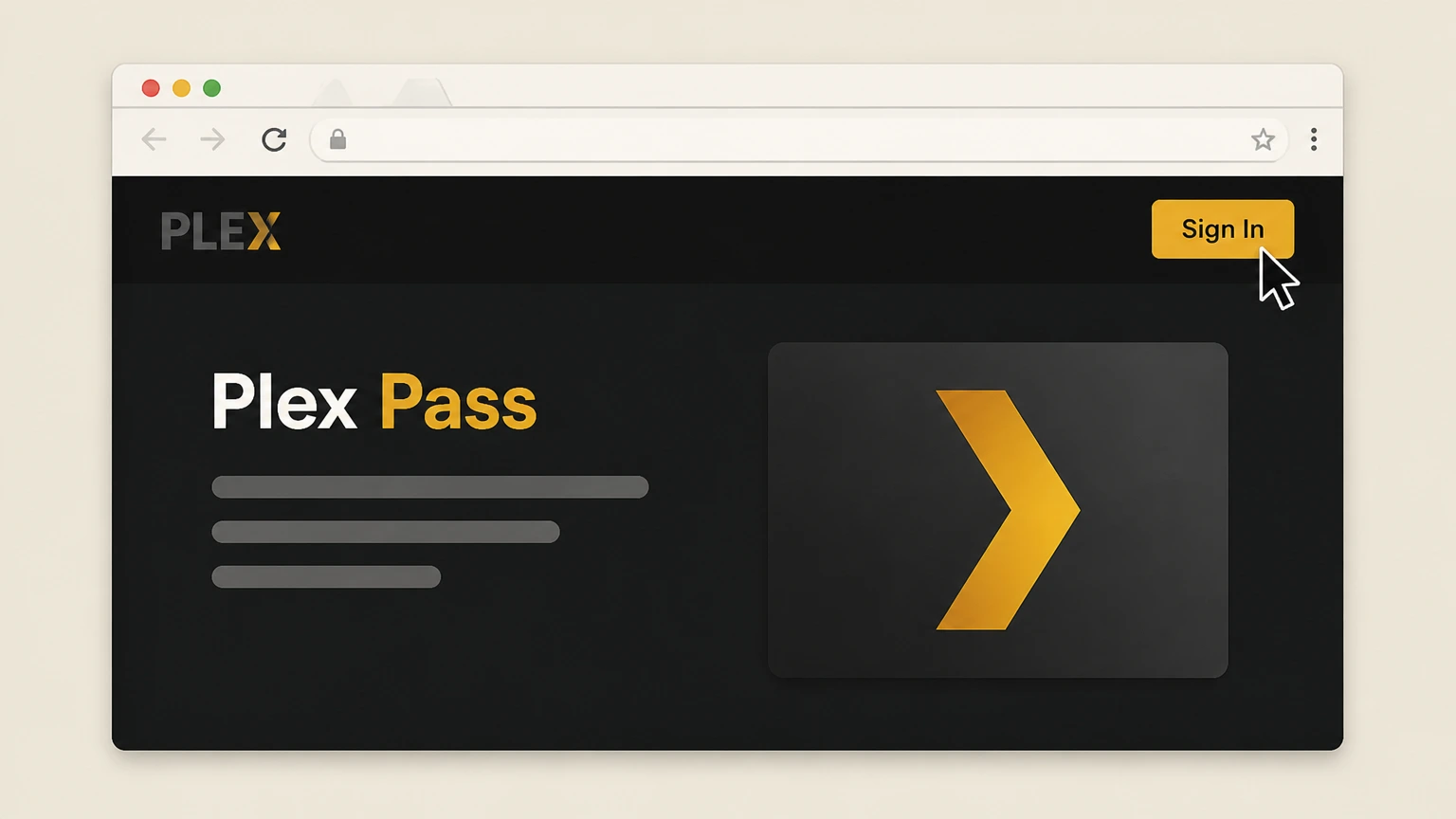
1Sign in to Plex Web App
In a web browser, go to the Plex website and sign in to your Plex account.
 2
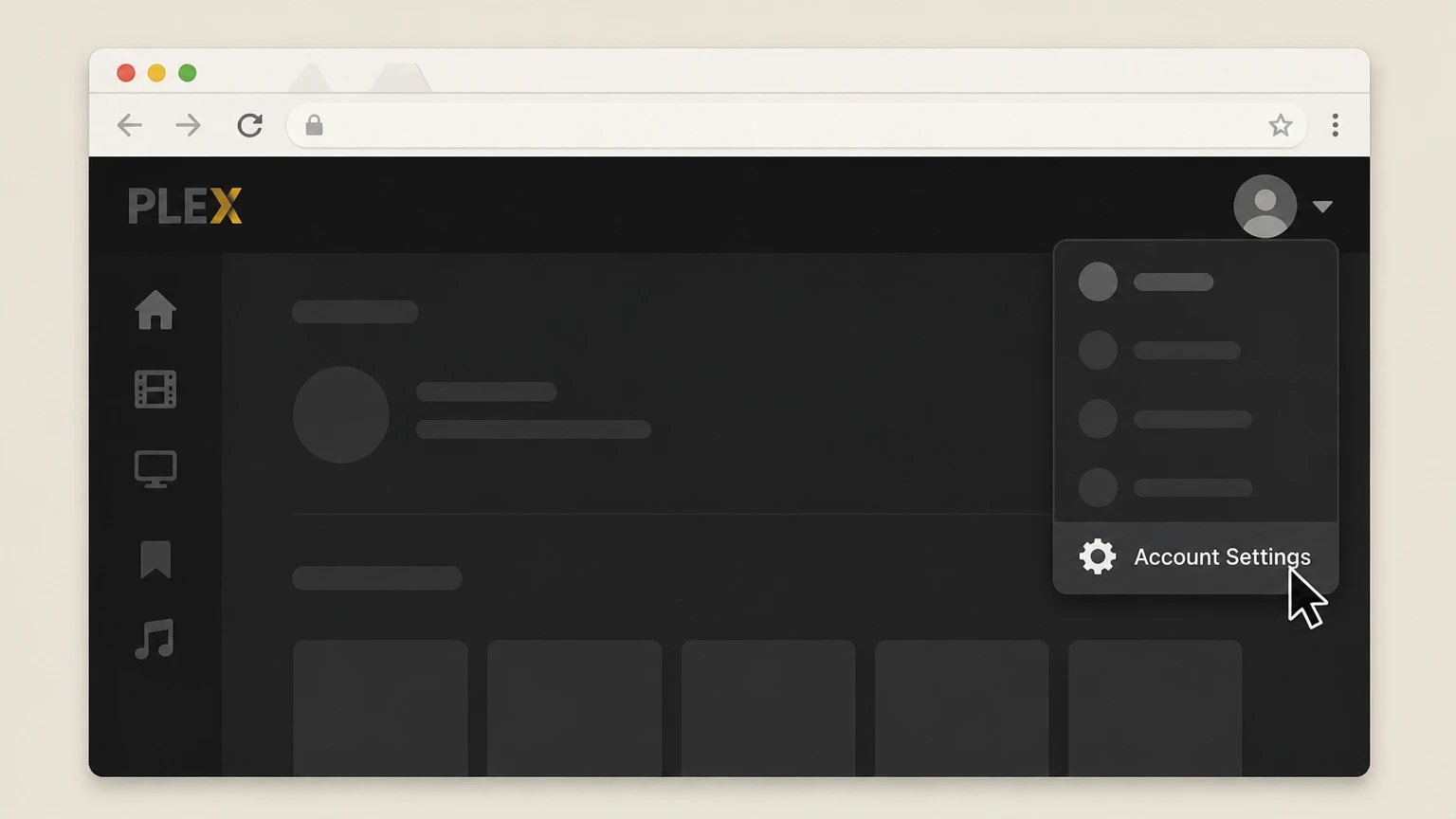
2Open your Account settings
Select your profile menu in the top right of Plex Web App and choose Account Settings or Account.
- Let Pine handle it
Pine can help
Too many steps?
Pine can find the right Plex Web App (Plex-billed Plex Pass) path and handle the cancellation for you.
 3
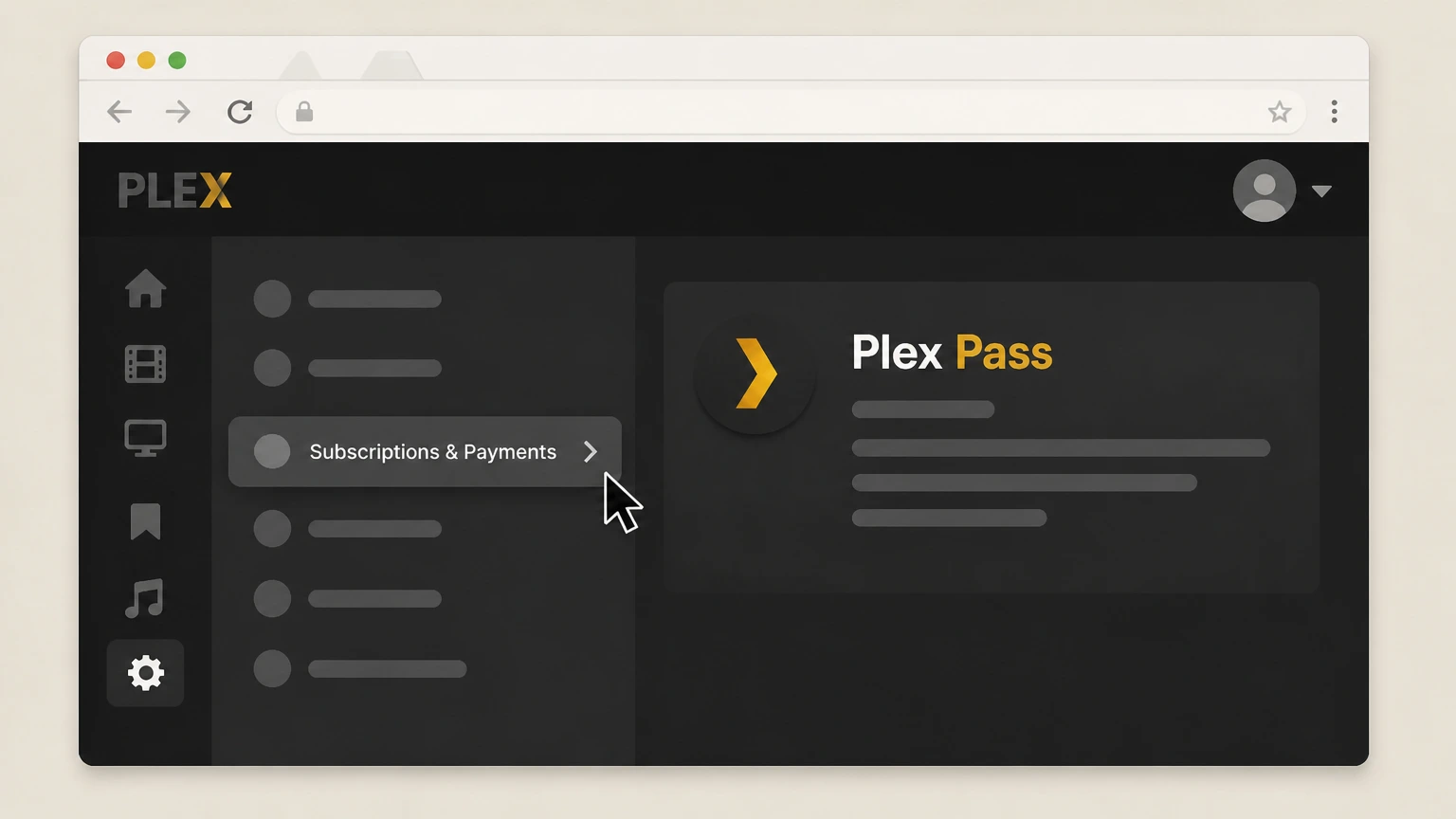
3Go to Subscriptions & Payments
In the account settings sidebar, select the Subscriptions & Payments or Subscriptions section to view your Plex Pass details.
 4
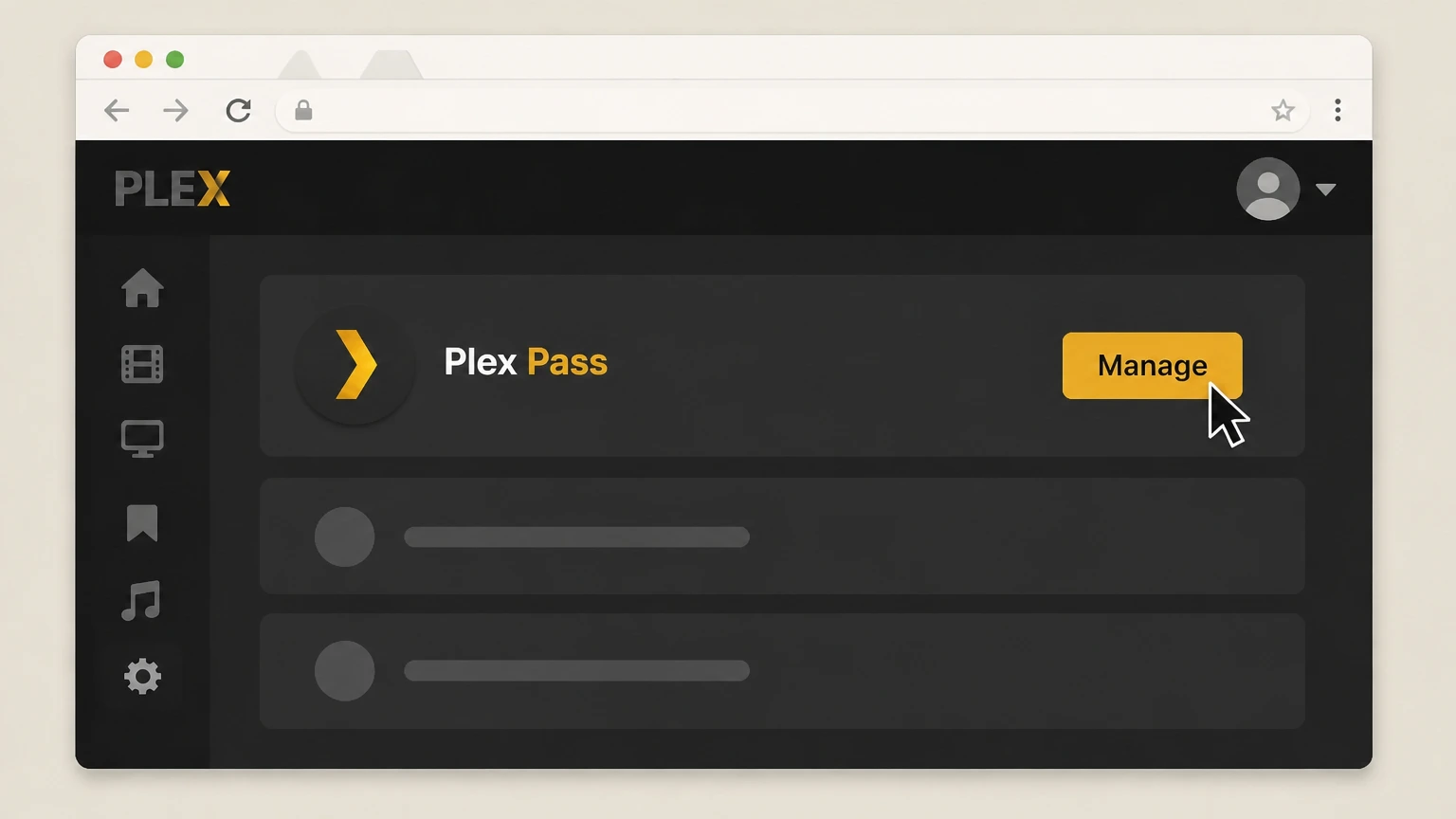
4Open Plex Pass management
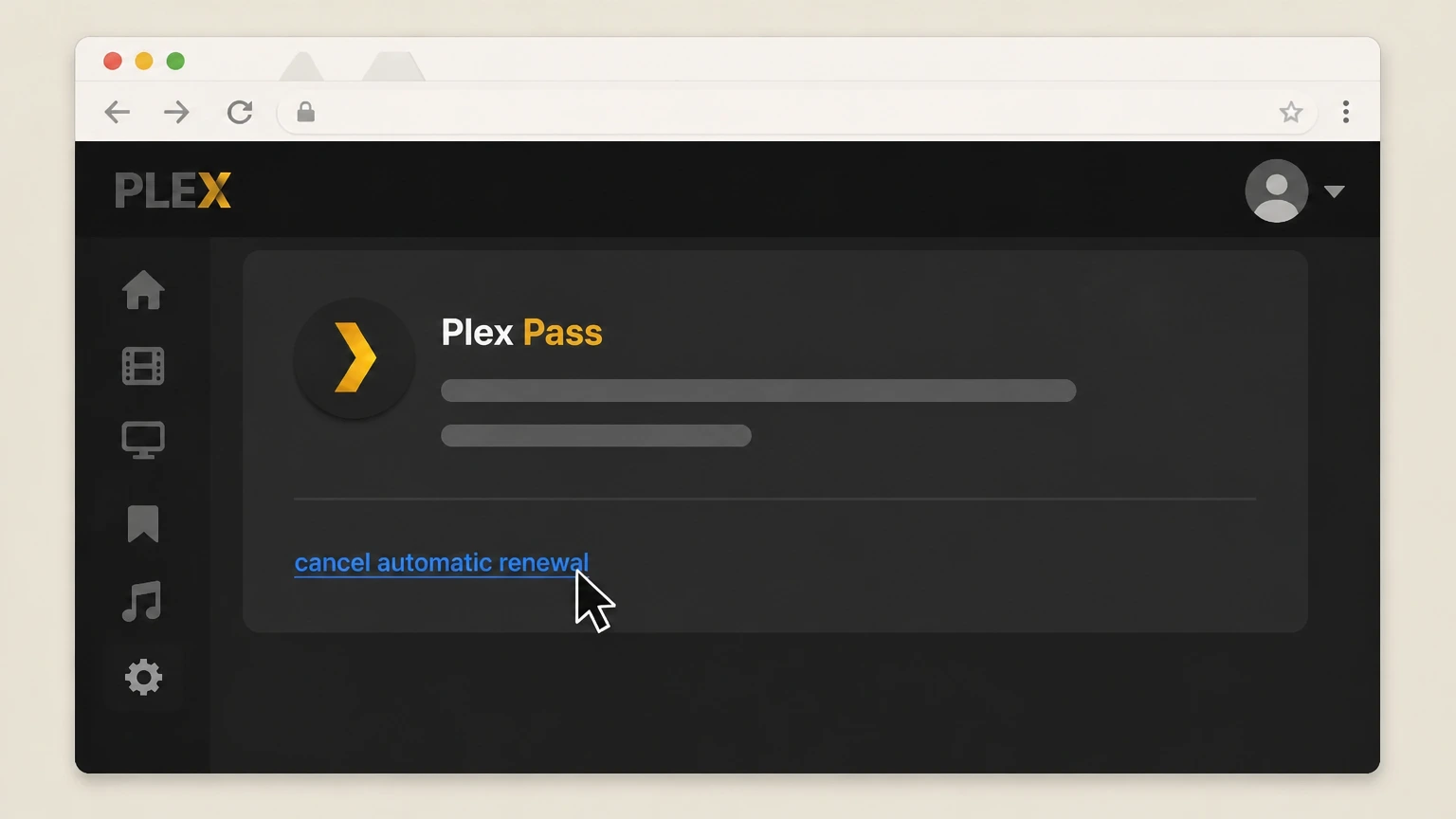
In the Subscriptions & Payments page, find your Plex Pass subscription and click the Manage button next to it.
 5
5Turn off automatic renewal
In the Plex Pass management panel, click the cancel automatic renewal link to stop future charges for Plex Pass.

Apple-billed Plex Pass on iPhone or iPad · verify the billing owner
Cancel Plex Pass through Apple-billed Plex Pass on iPhone or iPad
 1
1Open Settings
On your iPhone or iPad, open the Settings app.
 2
2Tap your name
At the top of Settings, tap your name to open Apple Account settings.
- Let Pine handle it
Pine can help
Too many steps?
Pine can find the right Apple-billed Plex Pass on iPhone or iPad path and handle the cancellation for you.
 3
3Open Subscriptions
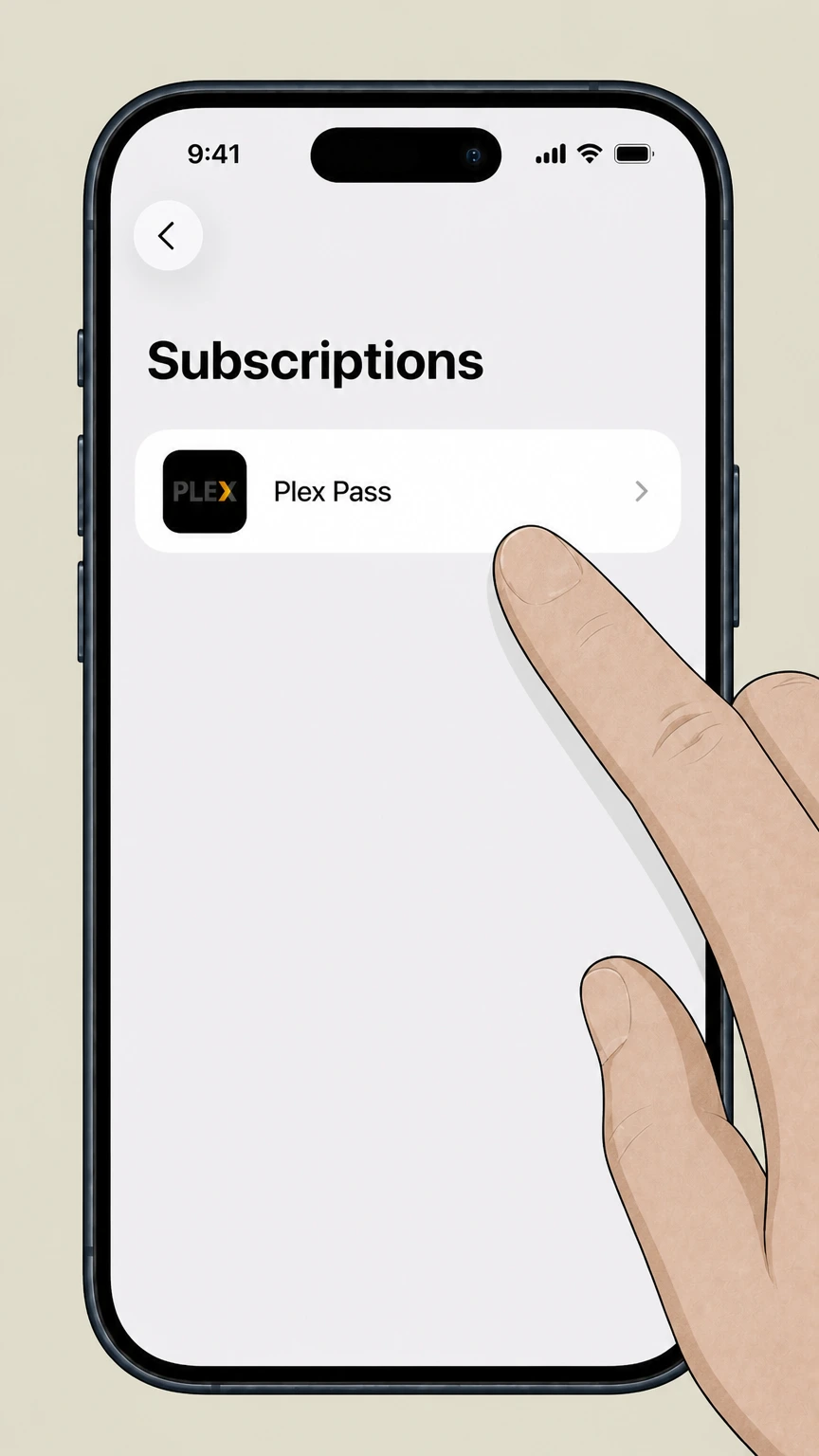
In Apple Account settings, tap Subscriptions to see your active and expired subscriptions.
 4
4Select Plex Pass
In the list of subscriptions, tap the Plex Pass entry to view its details.
 5
5Cancel the subscription
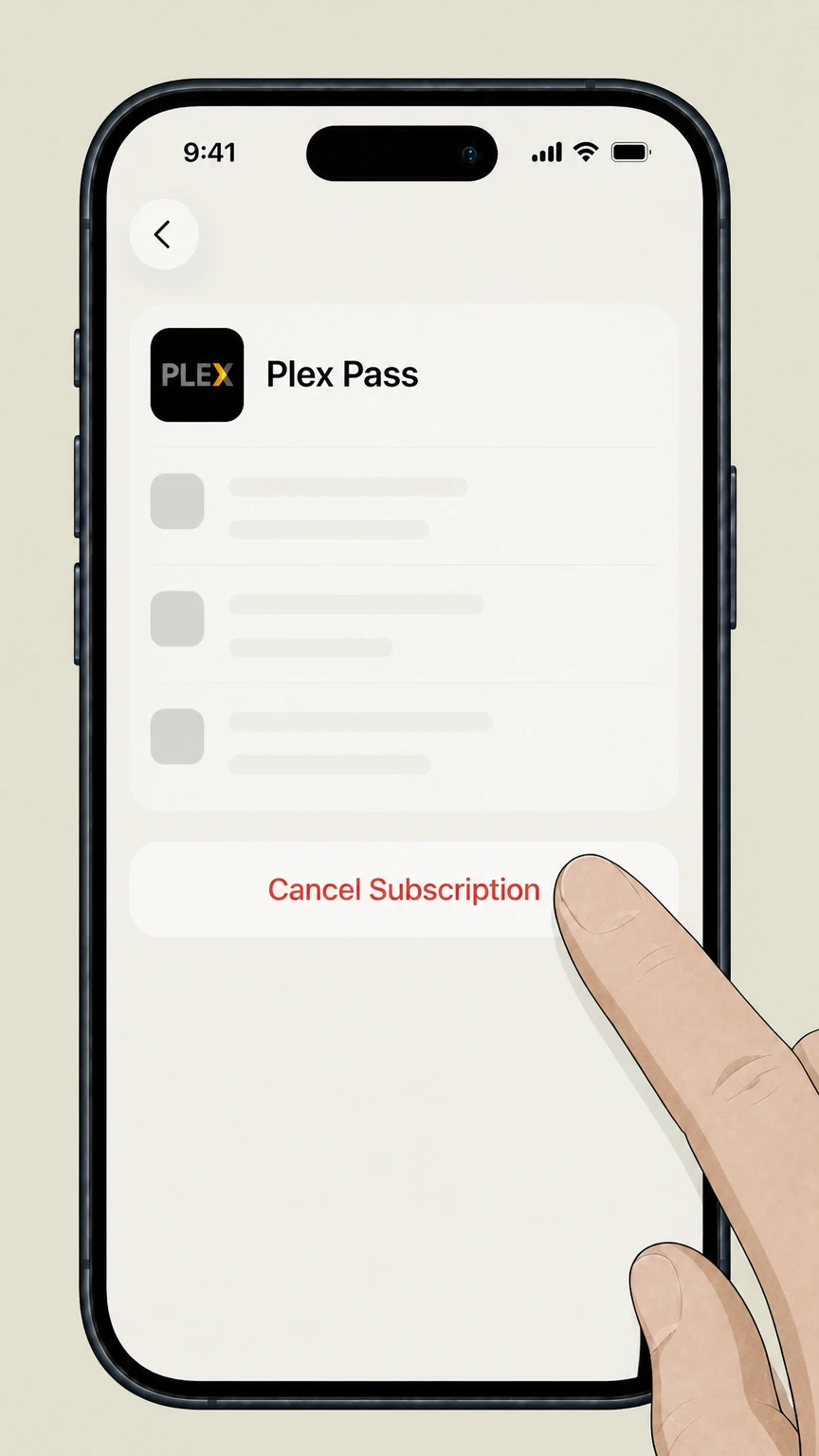
On the Plex Pass details screen, tap Cancel Subscription and follow any on‑screen prompts to confirm.
Google Play–billed Plex Pass on Android · verify the billing owner
Cancel Plex Pass through Google Play–billed Plex Pass on Android
 1
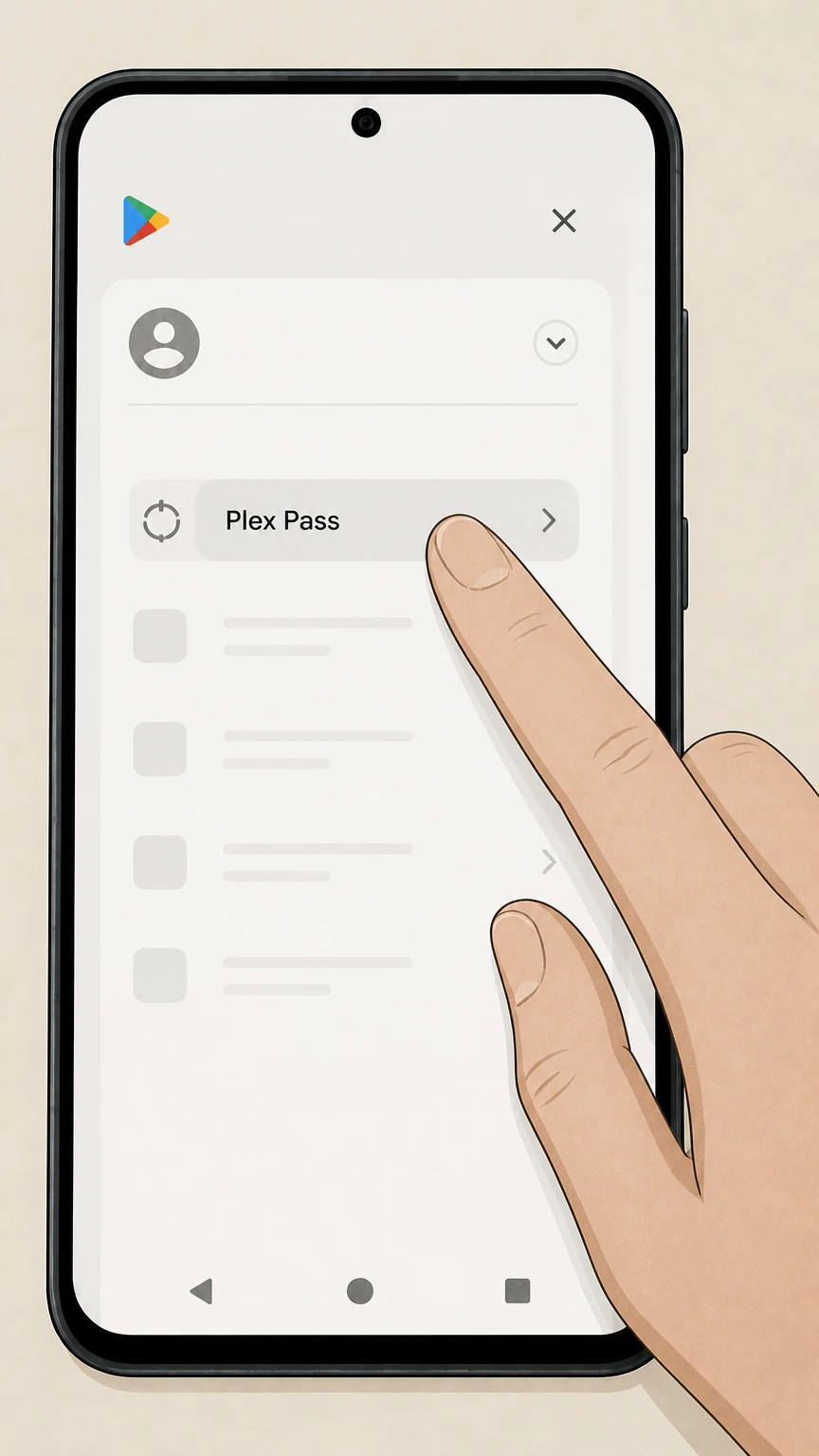
1Open subscriptions in Google Play
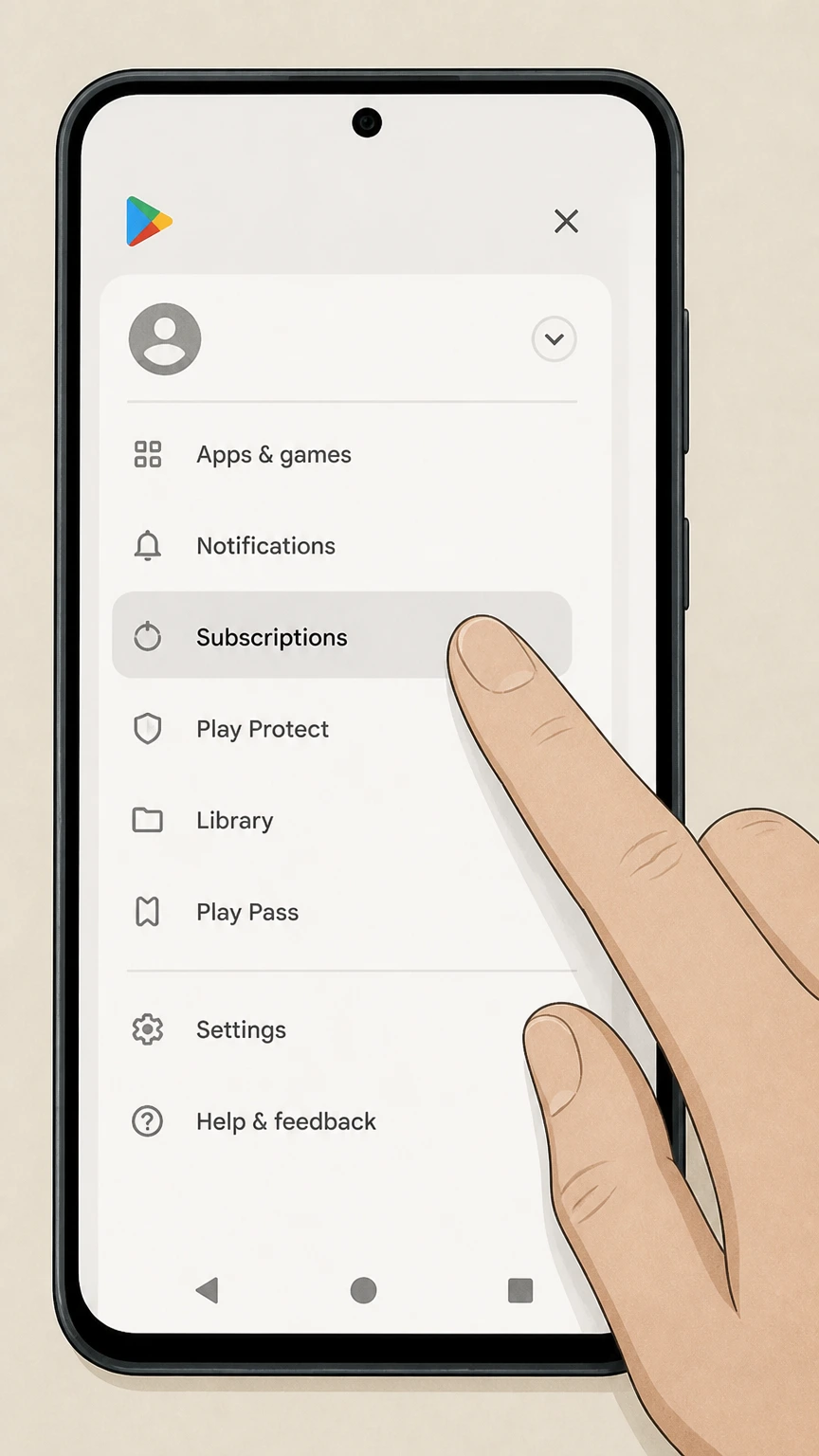
On your Android device, open the Google Play app and go to the Subscriptions section from the account menu or subscriptions link.
 2
2Select the Plex Pass subscription
In the subscriptions list, tap the Plex Pass subscription you want to cancel.
- Let Pine handle it
Pine can help
Too many steps?
Pine can find the right Google Play–billed Plex Pass on Android path and handle the cancellation for you.
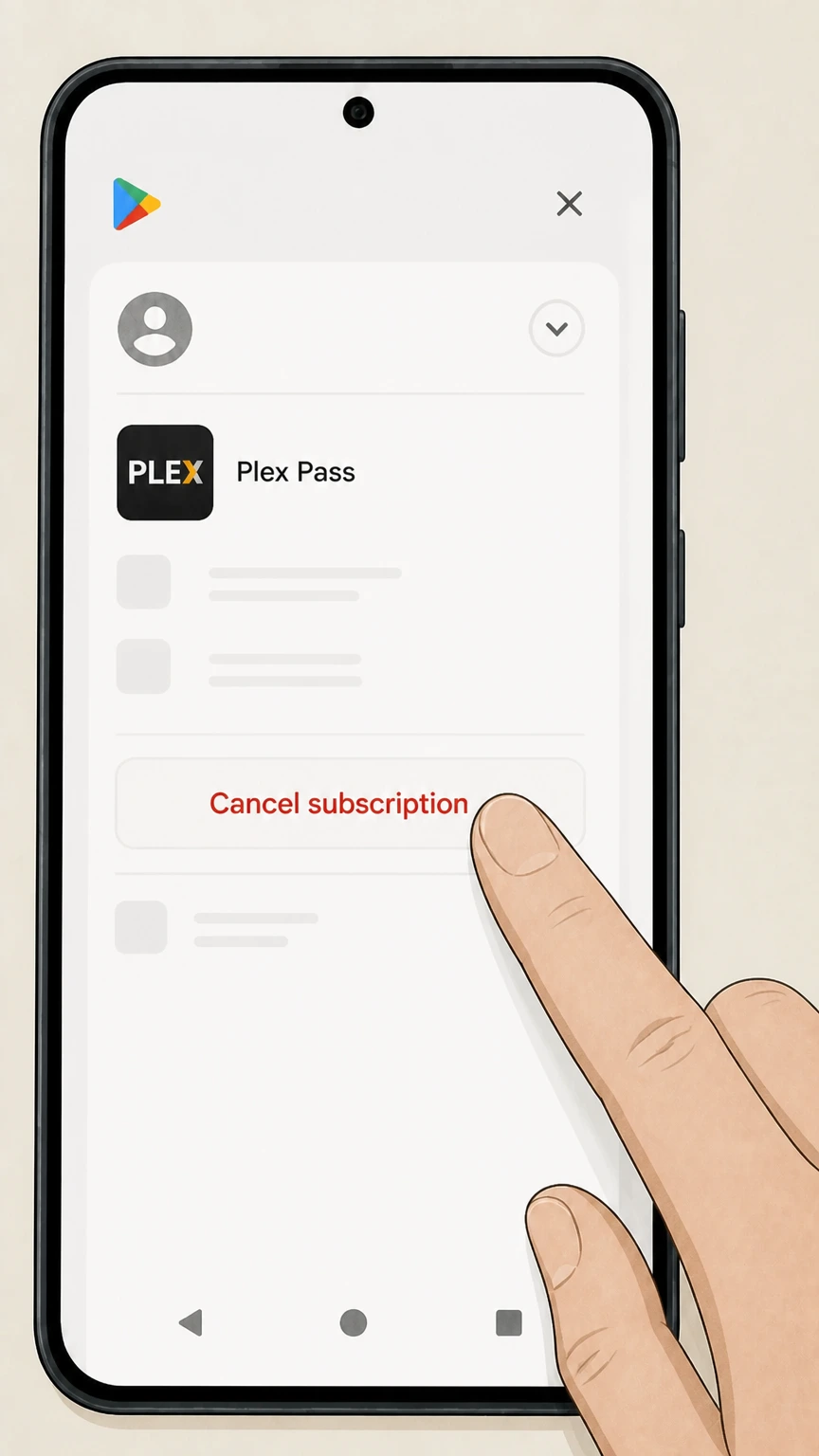 3
3Tap Cancel subscription
On the Plex Pass subscription screen, tap Cancel subscription to start turning off auto‑renew.
Refund policy
Plex Pass refunds and billing corrections
Cancelling Plex Pass mainly stops future renewal; refunds are limited and depend on who billed you and local law. Treat cancellation and refund as separate processes.
Check my refund options- Plex-billed subscriptions are non-refundable for remaining term
- Plex’s Subscription Management article states that cancelling a recurring Plex‑billed subscription only cancels future renewal and does not provide a refund for an existing subscription transaction. You continue to access Plex Pass features until the end of the paid period.
- App-store refunds follow store policies
- If your Plex Pass is billed through Apple, Google Play, Amazon, or Roku, refund requests must be made to that store under its own refund policies. Plex’s app‑store articles direct users to those platforms for billing questions and do not promise refunds of unused time.
If you believe you were wrongly charged after cancelling, first confirm who billed you (Plex, Apple, Google Play, Amazon, or Roku), then use that platform’s refund or dispute process, attaching screenshots that show your cancellation and renewal dates. Identify the biller and use its refund process
Billing owner
Who actually bills you for Plex Pass
Understanding who bills you determines where you must cancel; Plex cannot directly cancel app‑store–billed subscriptions.
Plex-billed subscriptions
If you started Plex Pass on plex.tv with a card or PayPal, your subscription is billed directly by Plex and is managed on the Subscriptions & Payments section of your Plex account in the Plex Web App.
Apple/iTunes billing
If you subscribed via Plex for iOS or Apple TV, Apple bills you through the App Store. Plex’s iTunes support article notes that cancellation and other management must occur via your Apple subscription settings, not Plex.
Google Play billing
If you subscribed in Plex for Android or Android TV via Google Play, Google bills you. Plex states these subscriptions are managed through Google Payments/Google Play, though you may also send a non‑renewal request from Plex’s account Subscriptions page.
Amazon Appstore billing
Plex explains that Plex Pass started inside the Amazon Appstore version of Plex for Android is billed through Amazon and must be managed and cancelled in your Amazon account’s subscription settings, not on plex.tv.
Roku Channel Store billing
Plex indicates Roku Channel Store subscriptions are managed through Roku. Roku’s support site confirms that Roku‑billed subscriptions are cancelled via my.roku.com/subscriptions or the Manage subscription option on your Roku device.
Access & features
What changes after you cancel Plex Pass
Cancelling affects Plex Pass features and companion apps but does not remove your Plex account or servers.
Access through end of term
Plex’s Subscription Management article states that cancelling a recurring Plex‑billed subscription only stops future renewal; you retain Plex Pass features and benefits until the current subscription period ends, when the subscription expires.
Reverting to free Plex
After expiration, your account continues as a free Plex account. You can still run Plex Media Server, stream personal media on your local network, and use Plex’s free Movies & Shows and Live TV features, but Plex Pass‑only perks stop working.
Loss of Plex Pass features
Once Plex Pass expires, features listed as Plex Pass benefits—such as hardware transcoding optimizations, advanced downloads, some DVR capabilities, select Plexamp features, Plex Dash access, and certain remote streaming options—are no longer available.
Remote streaming impact
For remote streaming of personal video, Plex’s plans page explains you need either an active Plex Pass on the server admin or your own Plex Pass/Remote Watch Pass. When your Plex Pass ends and no Remote Watch Pass covers you, remote streaming privileges tied to that subscription end.
Servers and libraries remain
Cancelling Plex Pass does not delete your Plex account, servers, or media libraries. Your personal media and server configuration stay in place and continue working under the free feature set unless you separately delete the Plex account.
Plan types
Lifetime Plex Pass versus recurring plans
Lifetime and recurring Plex Pass plans behave differently when you want to stop paying or change plans.
Lifetime has no auto-renew
Plex’s plans page and Plex Pass FAQ describe lifetime Plex Pass as a one‑time payment granting ongoing access to the same Plex Pass features as recurring plans, but without a renewal date, so there is no auto‑renew toggle to cancel.
Cancelling recurring plans
Monthly or yearly Plex‑billed passes can have renewal cancelled from the Subscriptions & Payments page. App‑store‑billed recurring plans (Apple, Google Play, Amazon, Roku) must have renewal cancelled via their respective subscription management tools.
Upgrading from recurring to lifetime
Plex’s Subscription Management and Upgrading Subscriptions articles explain that users on recurring Plex‑billed plans can upgrade to higher tiers such as lifetime, with prorated credit for unused time when upgrading via plex.tv, but upgrades for app‑store‑billed plans are more limited.
Switching off app-store billing
Plex’s Google Play and iTunes articles explain that to move from app‑store billing to direct Plex billing, you must first cancel renewal in the app store, wait for that subscription to expire, and then start a new Plex‑billed Plex Pass on plex.tv.
Plex Pass cancellation FAQ
Provider-specific answers about billing, timing, refunds, and confirmation.
What happens to my Plex account and media if I cancel Plex Pass?
Can I restart Plex Pass after cancelling?
Can I cancel a Plex Pass lifetime subscription?
How do I cancel Plex Pass purchased through Roku or Amazon?
How do I know if my Apple-billed Plex Pass is cancelled?
Untangle this Plex Pass issue.
Let Pine handle the provider follow-up and keep the confirmation in one place.
