


Epicurious
Cancel subscription
How to Cancel Your Epicurious Subscription Safely
Learn how to cancel an Epicurious recipe subscription step by step, including website account cancellations and iOS App Store billing, plus key refund rules.
- Official Epicurious and billing-owner sources
- 2 provider-specific cancellation paths
- Refund and post-cancellation effects separated from renewal
- Verified August 16, 2026
Choose the Epicurious cancellation path that matches who bills you
Epicurious website subscription (Condé Nast billing) · verify the billing owner
 1
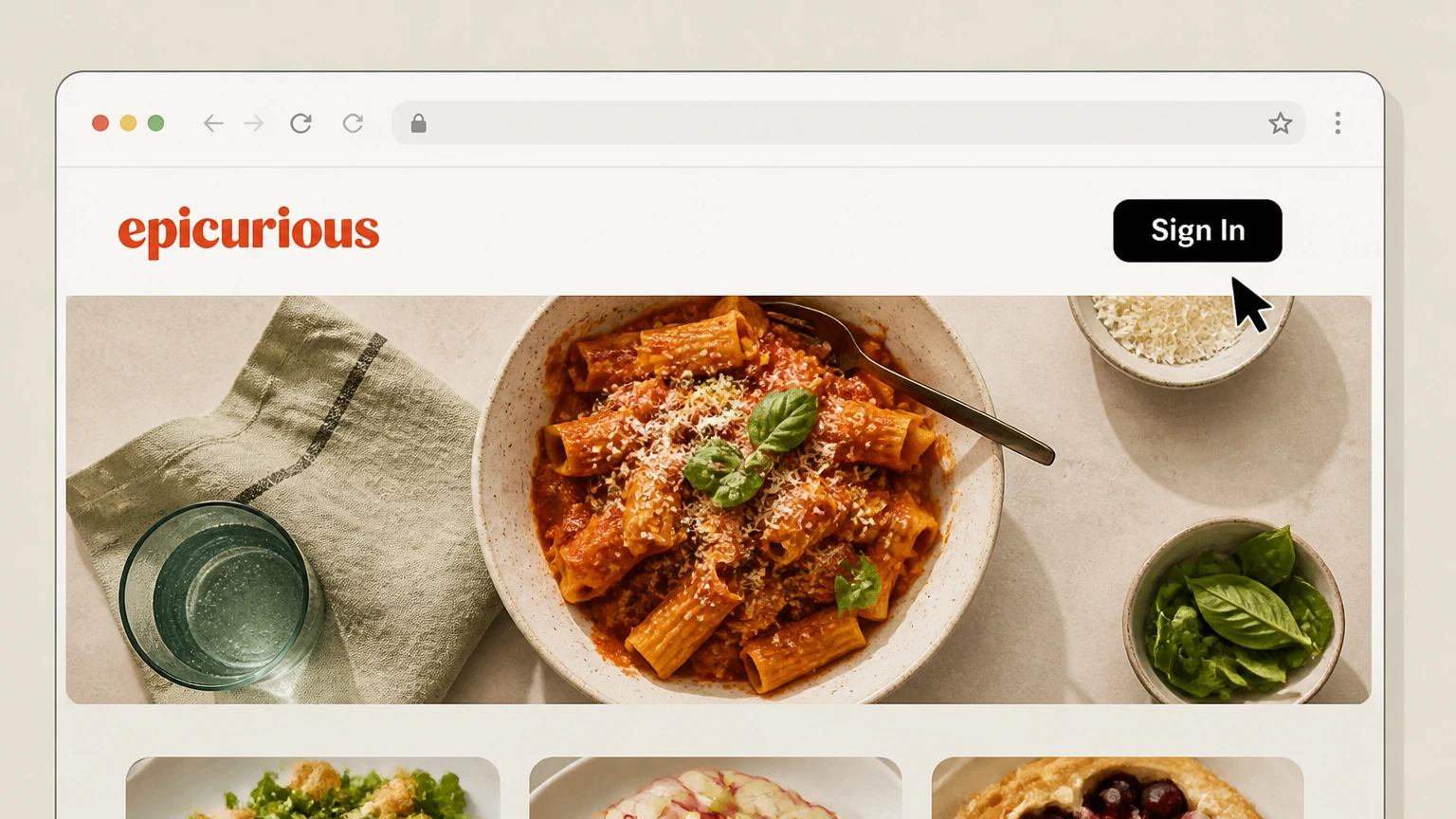
1Sign in to Epicurious
Go to epicurious.com and click the “Sign In” button in the upper-right corner, then sign in with the email and password associated with your subscription.
 2
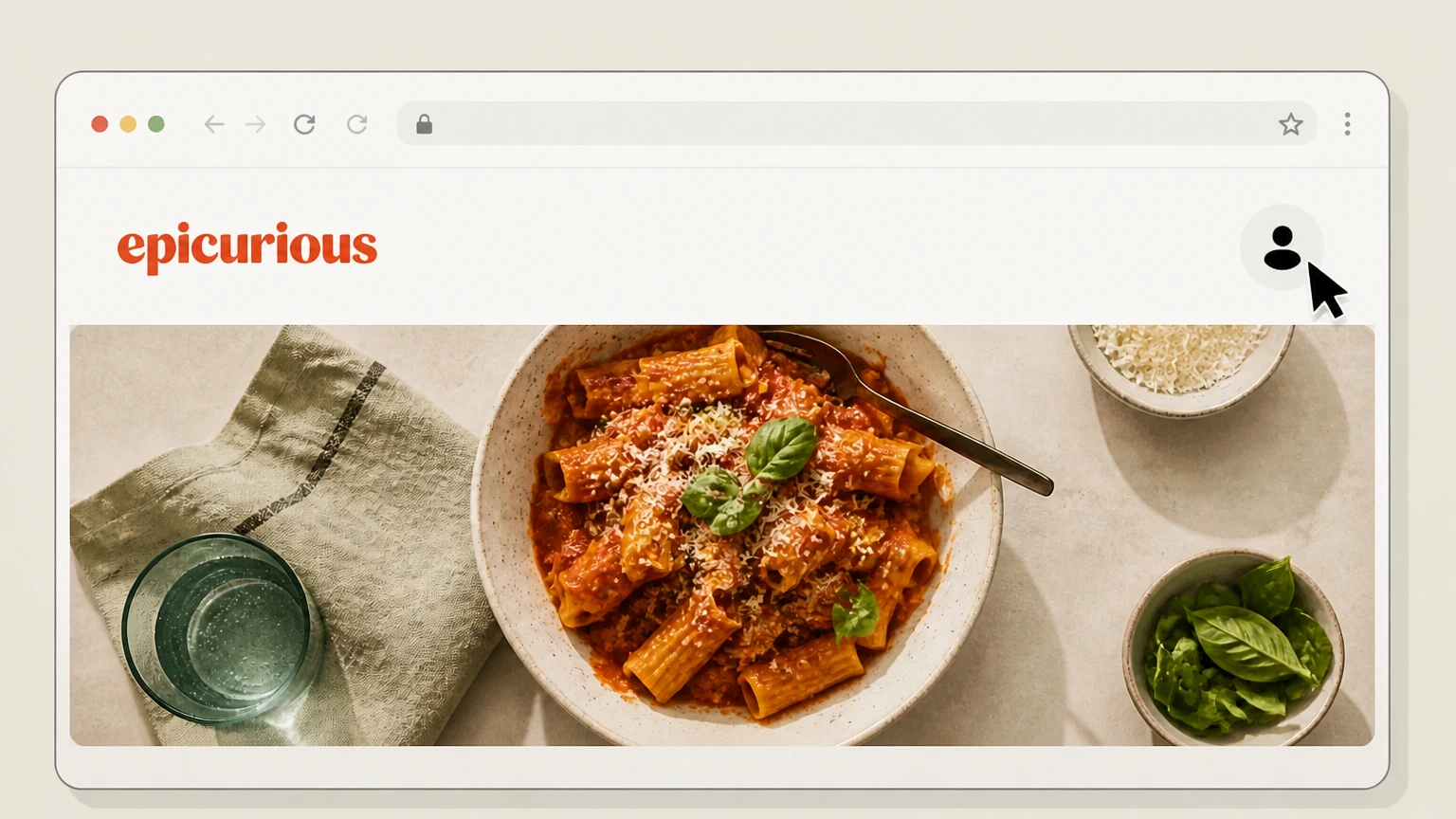
2Open your account page
After signing in, open your account area (for example by clicking your profile icon) to reach the account management or customer portal link.
- Let Pine handle it
Pine can help
Too many steps?
Pine can find the right Epicurious website subscription (Condé Nast billing) path and handle the cancellation for you.
 3
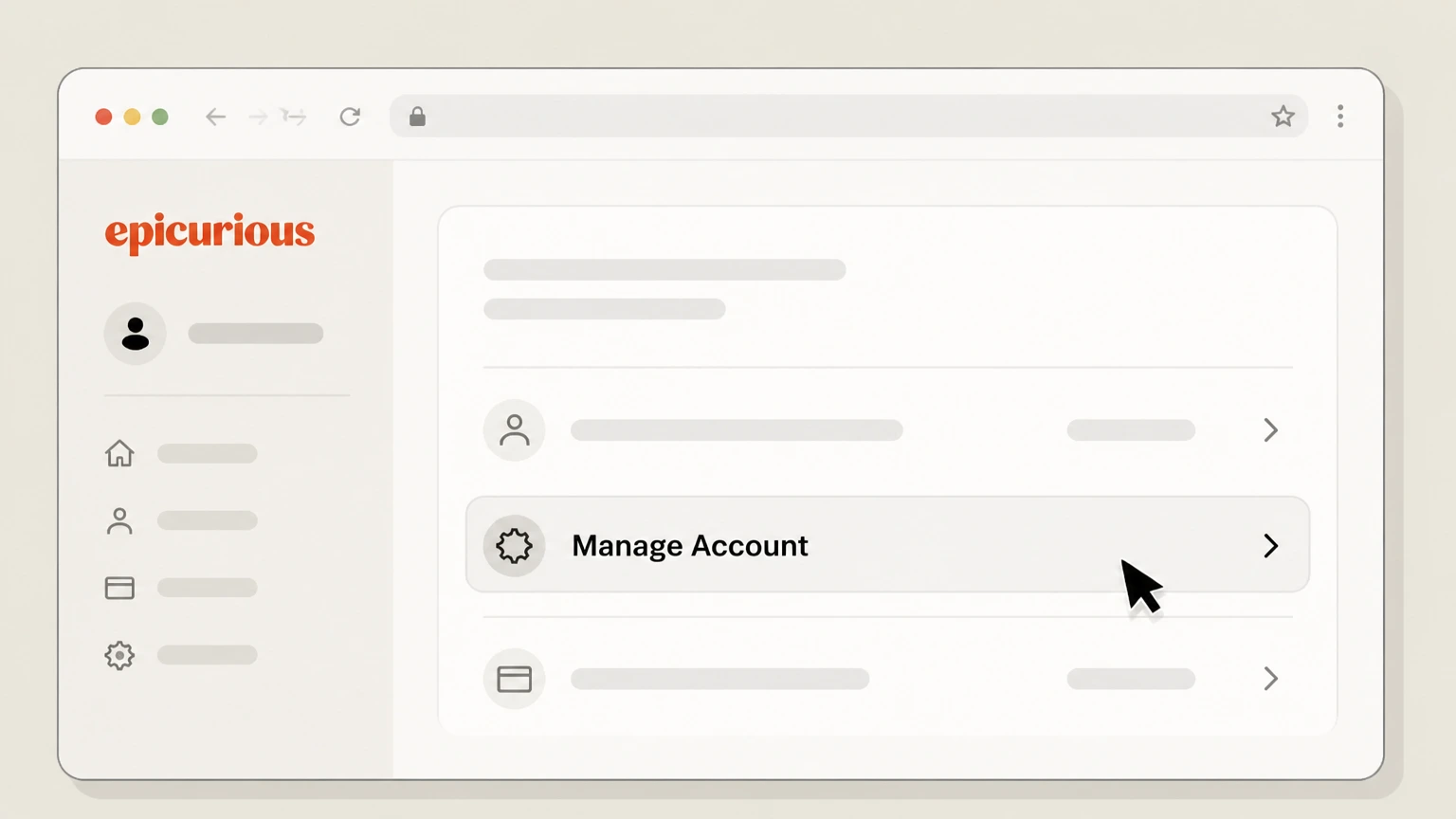
3Go to Manage Account or subscription settings
In the customer portal, select the “Manage Account” or similar account-management link that leads to your subscription details. Use the Epicurious account named on your receipt, and continue only after the next status in this cancellation path is visible.
 4
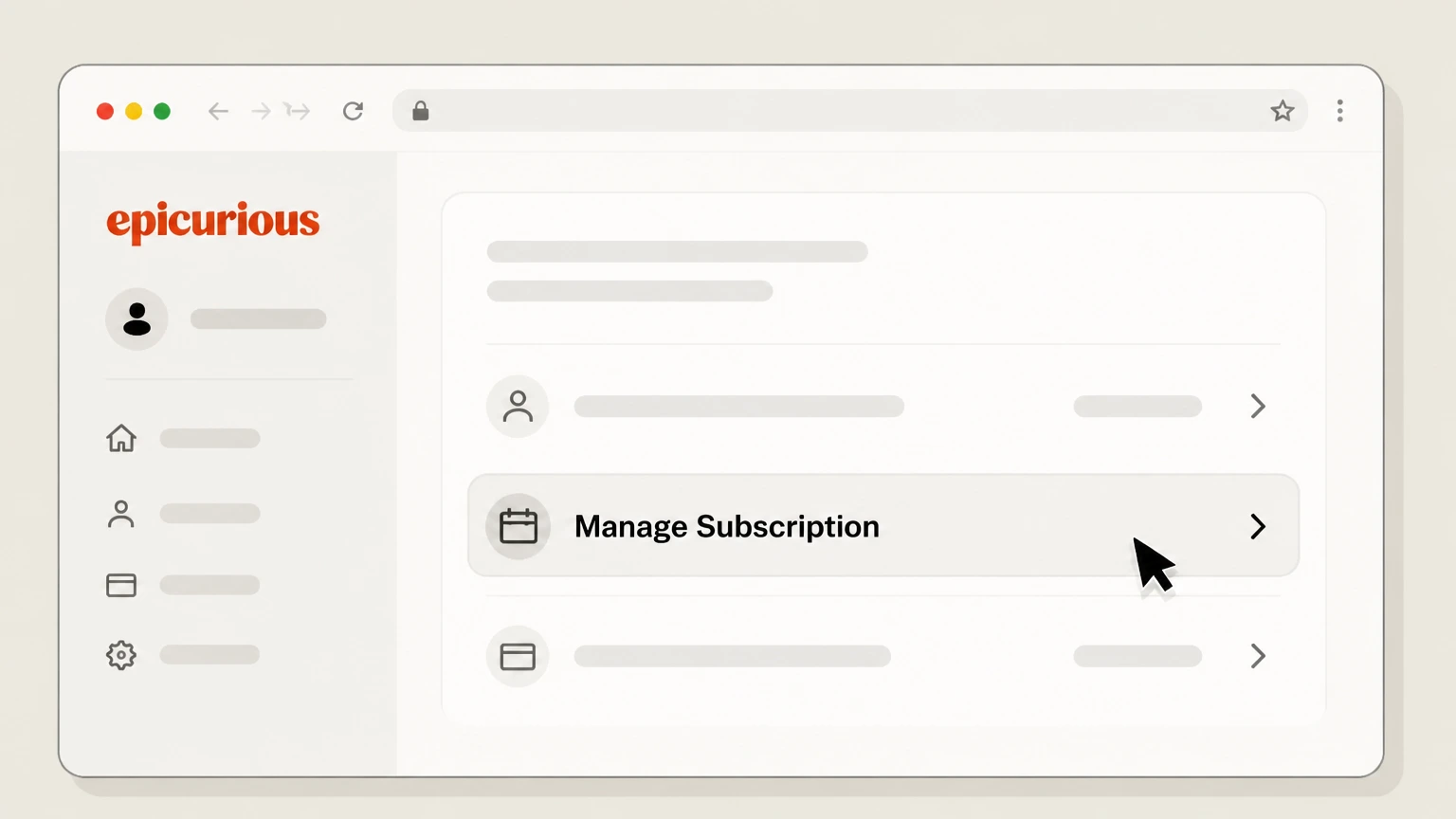
4Open the Manage Subscription section
Within your account portal, locate the “Manage Subscription” section that lists your Epicurious and Bon Appétit recipe subscription and open it.
 5
5Cancel the Epicurious subscription
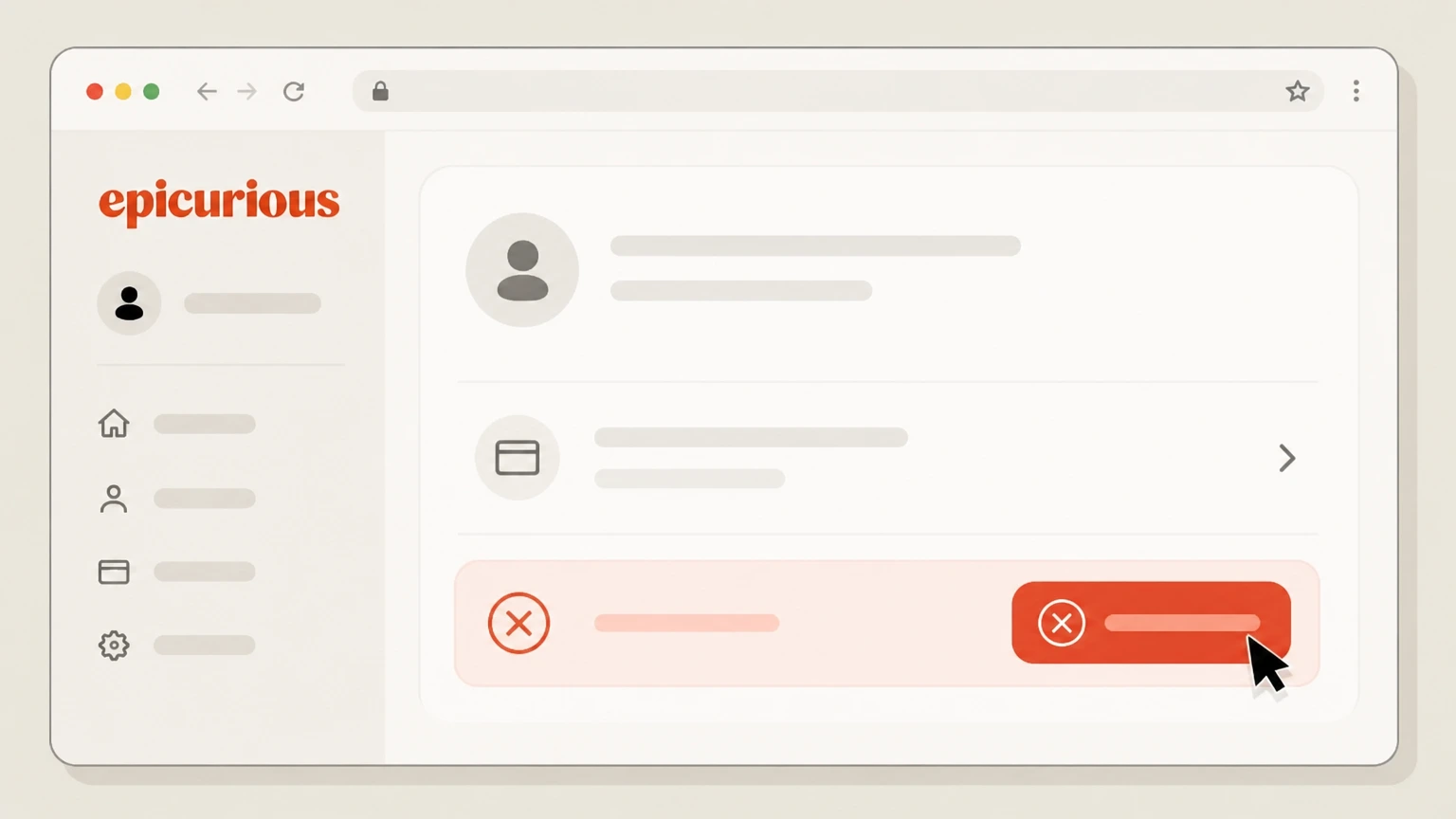
In the subscription details, choose the option to cancel your subscription (for example, a “Cancel Subscription” button) and follow the prompts until the portal confirms that auto‑renewal has been turned off.

Apple App Store subscription on iPhone or iPad · verify the billing owner
 1
1Open Settings
On your iPhone or iPad, open the built‑in Settings app. Use the Epicurious account named on your receipt, and continue only after the next status in this cancellation path is visible.
 2
2Tap your name
At the top of Settings, tap your name to open your Apple ID account settings. Use the Epicurious account named on your receipt, and continue only after the next status in this cancellation path is visible.
- Let Pine handle it
Pine can help
Too many steps?
Pine can find the right Apple App Store subscription on iPhone or iPad path and handle the cancellation for you.
 3
3Open Subscriptions
In your Apple ID settings, tap “Subscriptions” to view the list of active and expired subscriptions linked to your Apple ID.
 4
4Select Epicurious
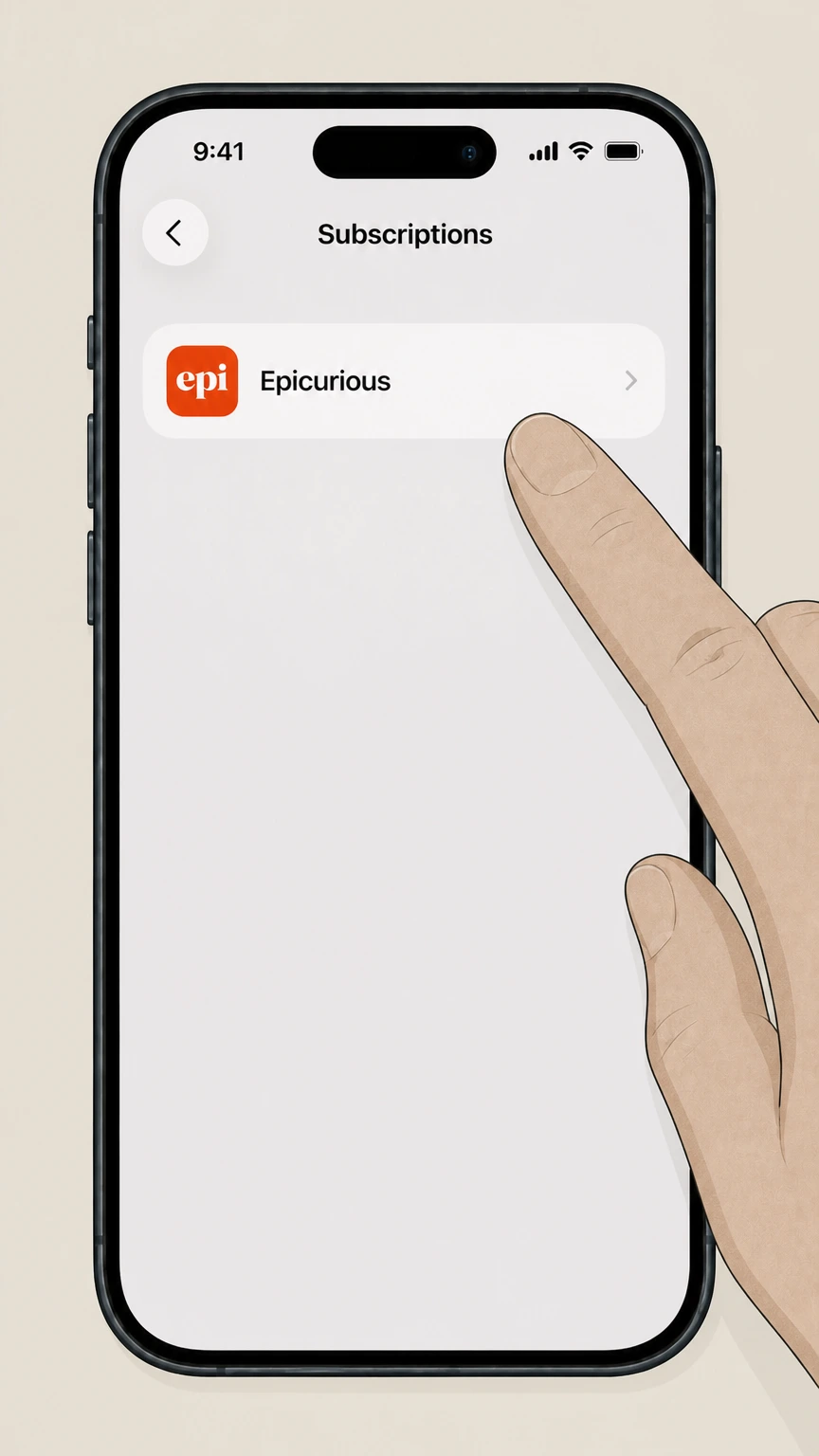
In the Subscriptions list, tap the Epicurious subscription entry to open its details. Use the Epicurious account named on your receipt, and continue only after the next status in this cancellation path is visible.
 5
5Cancel the subscription
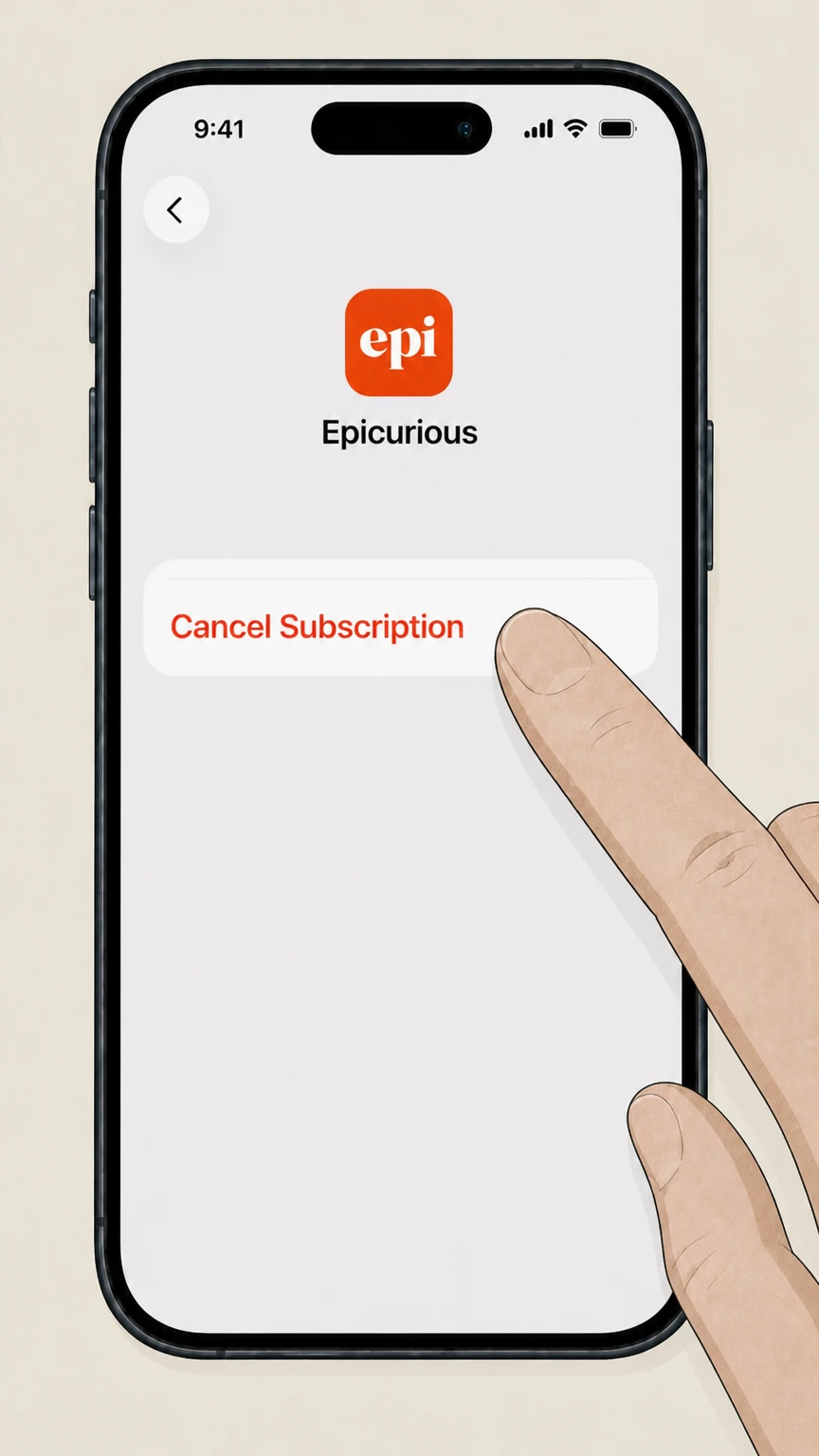
On the Epicurious subscription detail screen, tap “Cancel Subscription” and confirm when prompted; if no Cancel button appears or it shows an expiration date in red, the subscription is already canceled.
Refund policy
Epicurious refunds and unwanted charges
Epicurious generally does not refund unused time when you cancel, but limited exceptions and external refund paths may exist depending on how you were billed.
Check my refund options- No standard pro‑rated refunds on cancellation
- Epicurious’s cancellation policy states that they do not offer refunds when you cancel your subscription. Instead, your subscription remains active until the end of the current billing term and then simply does not renew.
- Refunds only for eligible order types via Customer Care
- In the Billing & Refunds section, Epicurious notes that if your order type is eligible for a refund, you must request it by contacting Customer Service through live chat; approved refunds are processed to the original payment method within 5–7 business days.
- Apple‑billed subscriptions use Apple’s refund rules
- If you purchased Epicurious through the iOS app, Apple bills the subscription. Apple’s Subscriptions & Billing help center explains that some App Store and iTunes purchases may be eligible for refunds, which you must request through Apple’s online refund process, not Epicurious support.
- Stopping card, bank, or PayPal debits
- If Epicurious continues charging you after you believe you’ve canceled, you may be able to stop automatic payments through your bank, card issuer, or PayPal while you work with Epicurious or Apple. Federal consumer guidance confirms your right to revoke authorization for automatic bank debits, though this does not itself cancel what you owe under the subscription agreement.
If you think you qualify for an exception or need to dispute a recent Epicurious charge, contact Customer Care first through the official chat channel so they can review your order type and advise you on any refund or billing options. Epicurious Contact Us page
Account & login
Finding and accessing your Epicurious subscription
Epicurious and Bon Appétit manage recipe subscriptions through a shared Condé Nast customer portal tied to your email address.
Shared Epicurious–Bon Appétit subscription
Epicurious describes its recipe subscription as a single service that gives unlimited access to more than 50,000 recipes across Epicurious.com and BonAppetit.com under one paid account.
How you receive login details
When you subscribe, Epicurious emails you a login link and any additional instructions; you can also sign in with the email and password you have previously created for Epicurious or Bon Appétit.
If you’re unsure which email is on file
If you see an error that your email is already associated with another account or you’re unsure which address holds the subscription, Epicurious instructs you to contact Customer Service for help before trying to cancel.
Policies
Epicurious cancellation rules and timing
Epicurious outlines cancellation, renewal, and access rules for its recipe subscription in its official Subscription FAQ.
Self‑service or Customer Care cancellation
Epicurious states that you can cancel your subscription in the Manage Subscription section of your account page, or by contacting Customer Service through the live‑chat widget at the bottom‑right corner of their help and contact pages.
Effective date of cancellation
When you cancel—whether you have digital‑only access or print plus digital—Epicurious keeps the subscription active through the end of your current billing term and then stops future renewals.
No automatic refunds for cancellations
Epicurious explicitly notes that it does not offer refunds when you cancel your subscription. Instead, cancellation only prevents future renewals; any refund exceptions depend on your specific order type and must be handled by Customer Care.
Monthly vs. annual membership access
If you are a monthly member, you keep benefits and any scheduled perks until the end of that month; annual members retain access and member benefits until the end of their annual subscription period after canceling.
Access changes
What changes after you cancel Epicurious
Canceling Epicurious stops future charges but does not immediately remove your existing subscriber access.
What your subscription includes
Epicurious explains that a paid recipe subscription gives unlimited access to over 50,000 recipes across Epicurious and Bon Appétit, and, for subscribers, access to the Epicurious app as part of the same subscription.
Access until the end of your term
Under Epicurious’s cancellation policy, you keep recipe access and member perks through the end of your current monthly or annual term after canceling; at that point, subscriber‑only recipe access and perks end unless you subscribe again.
Content that typically remains available
Epicurious’s subscription announcement notes that all users, including non‑subscribers, continue to have unlimited access to non‑recipe content such as articles, videos, and newsletters; canceling mainly affects access to paywalled recipe content.
Saved recipes and app access
Epicurious states that saved recipes from previous app versions remain tied to your account when you sign in with the same email, and subscribers have unlimited app access while their subscription is active; after expiration, app access is limited to whatever non‑subscriber functionality Epicurious offers.
Billing owners
Epicurious app vs. website billing responsibilities
Epicurious subscriptions can be billed either directly by Condé Nast or by Apple, depending on where you started your subscription.
Website and bundle purchases
If you subscribed via epicurious.com or bonappetit.com, including print‑plus‑digital bundles, Condé Nast bills you directly and tells you to cancel via the Manage Subscription section of your account or by contacting Customer Service chat.
Epicurious iOS app subscriptions
The Epicurious app’s App Store listing explains that in‑app subscriptions are auto‑renewing and that users can turn off auto‑renewal and cancel from App Store settings, which are controlled by Apple, not Epicurious.
When Epicurious subscription covers the app
Epicurious’s app introduction notes that existing site subscribers can simply download the app and log in with the same email for full access, meaning the web subscription remains the billing source even if you primarily use the app.
Determining who bills you
If you can’t find an Apple invoice for Epicurious in your email or purchase history, Apple’s guidance indicates that the subscription is likely billed by another company; in that case, you must cancel directly with Epicurious rather than through Apple.
Support options
Getting cancellation help from Epicurious Customer Care
Epicurious emphasizes its Customer Care team and live chat as primary support channels for subscription issues, including cancellations and refunds.
Live chat as the preferred channel
Epicurious’s Contact Us page calls live chat, available via the widget at the bottom‑right of the page, the fastest and most effective way to reach Customer Care for subscription assistance, including cancellation.
When to contact Customer Service
The Subscription FAQ advises contacting Customer Service through chat if you need to change your term, update your email, fix login issues, adjust your address for print deliveries, request certain refunds, or if you can’t manage the subscription yourself.
Refund requests via Customer Care
Epicurious states that if your order type is eligible for a refund, you must request it through Customer Service chat, and that approved refunds are processed back to the original form of payment within 5–7 business days.
Finding additional contact information
The Subscription FAQ links to a separate contact information page from the Cancellation and Epicurious App sections; users who need more than chat support are directed there to view current contact methods maintained by Condé Nast.
Payments
How Epicurious charges and renews your subscription
Epicurious discloses the payment methods it accepts and how recurring billing works for monthly and annual plans.
Accepted payment methods for web subscriptions
Epicurious lists Visa, Mastercard, American Express, and Discover, along with PayPal, Apple Pay, and Google Pay, as accepted payment methods when you buy a subscription on its sites.
Automatic renewal of monthly and annual plans
Epicurious explains that monthly subscriptions automatically renew each month, and annual subscriptions renew each year, with a reminder notice sent before annual renewal stating the then‑current term and rate to be charged.
Stopping a renewal before it bills
If you decide not to continue your monthly or annual subscription before the next charge, Epicurious instructs you to contact Customer Service through the chat widget so they can help you avoid the upcoming renewal.
Digital wallet address and username usage
When you pay with PayPal, Apple Pay, or Google Pay, Epicurious may receive limited information from the provider; the email address from your digital wallet becomes your account username, and any physical products are shipped to the wallet’s delivery address.
Accounts & data
Saved recipes, login details, and account data
Epicurious gives limited but important information about how saved items and account credentials work with its subscription.
Saved recipes from older app versions
Epicurious confirms that if you used a previous version of the Epicurious app, your saved recipes remain available in the new app when you sign in using the same email address associated with your prior account.
Changing your account email address
If you want to update the email linked to your subscription, Epicurious directs you to reach out to Customer Service rather than changing it yourself in the portal, which is important to know before canceling or resubscribing.
Resetting a forgotten password
To reset your password, Epicurious instructs you to click “Sign In” at the upper‑right of the website, enter your account email, choose “Continue With Email,” then click “Reset it” under the password field and follow the link sent by email.
Limited visibility into data retention
Epicurious does not publicly detail how long it retains account data or saved recipes after cancellation; subscribers who are concerned about data retention or deletion should raise this with Customer Care or consult Condé Nast’s User Agreement and Privacy Policy.
Related brands
How Bon Appétit and Epicurious subscriptions work together
Epicurious closely links its recipe subscription to Bon Appétit and, in some offers, to print magazine delivery.
One subscription, two recipe sites
Epicurious explains that a single recipe subscription provides unlimited access to both Epicurious.com and BonAppetit.com’s recipe databases, which are operated jointly under Condé Nast. For your Epicurious account, compare this point with the billing owner and effective date shown in the signed-in account or latest receipt.
Epicurious app included for subscribers
Epicurious’s app introduction and App Store listing emphasize that if you already subscribe on Epicurious or Bon Appétit, you get unlimited access to the Epicurious iOS app by signing in with the same email.
Print plus digital bundles
Some Bon Appétit offers bundle print magazine delivery with digital recipe access on Epicurious and Bon Appétit; although managed by the same Customer Care team, canceling the bundle can affect both your print delivery and digital recipe access.
Gift subscriptions limitations
Epicurious’s FAQ notes that at this time you can only gift Bon Appétit print or print‑plus‑digital subscriptions; they do not yet offer digital‑only Epicurious recipe gift subscriptions.
What official sources do not confirm
Limits of the public Epicurious cancellation guidance
These points are intentionally qualified because the official sources reviewed on August 16, 2026 do not publish a complete answer.
Documented limitation 1
The internal Condé Nast customer portal used for Manage Account and Manage Subscription could not be crawled directly, so specific button labels and page layouts are inferred from Epicurious’s written help text rather than observed screenshots.
Documented limitation 2
Epicurious does not publish a detailed data‑retention schedule for canceled accounts or saved recipes; guidance about what may remain after cancellation is based on limited public statements and should not be treated as a formal retention policy.
Documented limitation 3
The Epicurious digital offers and checkout flows behind certain subscription promotions may be region‑ or campaign‑specific and, in some cases, not directly accessible to crawlers, so this dossier avoids relying on exact pricing or promotion language.
Documented limitation 4
Epicurious’s public materials do not describe any phone or email‑only cancellation channels beyond what is reachable through the Contact Us and live‑chat entry points, so additional non‑web options (if any) cannot be documented safely.
Documented limitation 5
Apple’s subscription and refund rules can vary by country or change over time; this guide relies on Apple’s current global support articles but does not cover every region‑specific nuance mentioned in Apple’s legal schedules.
Documented limitation 6
PayPal and bank‑level guidance about stopping automatic payments is general and not Epicurious‑specific; users should treat it as complementary to, not a substitute for, canceling directly with the actual billing owner.
Epicurious cancellation FAQ
Questions people search about canceling Epicurious, answered with official provider or billing-platform sources checked on August 16, 2026.
How do I cancel my Epicurious subscription?
How do I completely cancel Epicurious if I subscribed through Apple on my iPhone?
How do I sign in to manage my Epicurious subscription?
Is my Epicurious subscription the same as my Bon Appétit subscription?
What happens to my Epicurious access after I cancel?
Will cancelling Epicurious delete my saved recipes or account?
Can I get a refund from Epicurious if I forgot to cancel?
Can I cancel Epicurious through live chat or customer service?
What can I do if Epicurious keeps charging me after I cancel?
How does the Epicurious app subscription work with my web account?
Untangle this Epicurious issue.
Let Pine handle the provider follow-up and keep the confirmation in one place.
