I've lost count of how many times I've opened my phone, fully intending to cancel a subscription on iPhone, only to end up three menus deep wondering why the service I'm paying for is invisible. Usually, this happens between back-to-back calls when my inbox is already in the triple digits and my patience is thin. You go straight to the App Store, see nothing, and assume the system is broken. It's not—you're likely just looking in the wrong place. As someone who tests AI tools for a living, I've learned that the fastest way to stop a rogue charge isn't tapping around randomly; it's identifying who actually owns the billing. I've gone through this headache myself, and today I'm showing you exactly how to find the "billing owner" so you can stop the leak before the next month rolls by.
Why most people cancel in the wrong place
Most cancellation headaches start with one bad assumption: I signed up on my iPhone, so I must be able to cancel it on my iPhone. Sometimes that's true. Often enough, it's not.
What matters isn't the device you used. It's who processes the billing.
I see this constantly with streaming apps, design tools, and productivity services. You download the app on your phone, use it there, maybe even upgrade there, and still the actual charge may come from somewhere else. That's why people search does Pine AI actually work or can AI negotiate bills for you in the first place. They're already tired, already paying for too many things, and the last thing they need is a scavenger hunt.
Three places subscriptions can be billed from
In practice, subscriptions usually come from one of three places:
1. Apple App Store billing This is the cleanest version. If you subscribed through Apple, you can usually cancel inside your iPhone settings under your Apple account.
2. The brand directly You created the account on the company's website or inside the app, but payment is handled by the company itself. In that case, Apple won't be able to cancel it for you.
3. A third-party platform This is where people get tripped up. Some subscriptions are billed through another service entirely, think a marketplace, device bundle, or retail platform tied to the app.
If the subscription isn't listed in your iPhone subscriptions menu, that doesn't automatically mean you canceled it already. It often just means Apple was never the one charging you.
Real example: canceling Hulu in App Store when Amazon bills you
A very normal mistake: someone tries to cancel Hulu through the App Store because they watch Hulu on their iPhone, but the subscription is actually billed through Amazon. Hulu's own support page on how to manage your Hulu subscription billed through Amazon confirms this is a separate process entirely — one that Apple settings cannot touch.
So they open Settings, tap Subscriptions, don't see Hulu, and assume one of two things:
- Hulu somehow disappeared
- Apple is hiding it
Usually neither is true. The billing source is just Amazon, not Apple. In fact, Amazon's help page on managing your Prime Video and third-party subscriptions explains exactly how to cancel from your Amazon account — a step that has nothing to do with your iPhone.
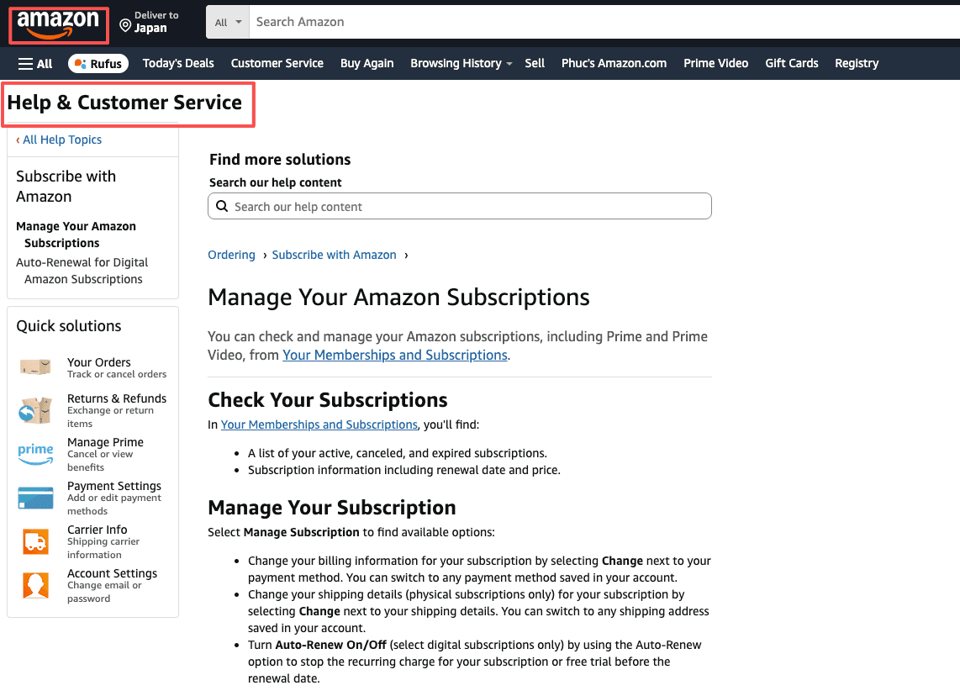
I've seen versions of this with streaming services, VPNs, note-taking apps, and design platforms. The app icon on your phone tells you almost nothing about who gets your money each month. And that's why cancellation can feel weirdly harder than it should.
If you remember only one thing from this article, make it this: before you try to cancel, identify the billing source.
Step 1 — Identify your billing source
This is the five-minute check that saves you from spending 25 minutes in the wrong account.
When I test anything related to subscription management, I go straight to the part that matters most, the charge itself. Not the app. Not the login screen. The billing trail.
Check App Store (Settings → Apple ID)
On iPhone, the path is:
Settings → your name → Subscriptions
On some setups, you may also reach it through:
Settings → Apple Account → Subscriptions
Apple also provides a direct link — you can go straight to your Apple account subscriptions page to see everything Apple is currently billing you for, without navigating through Settings at all.
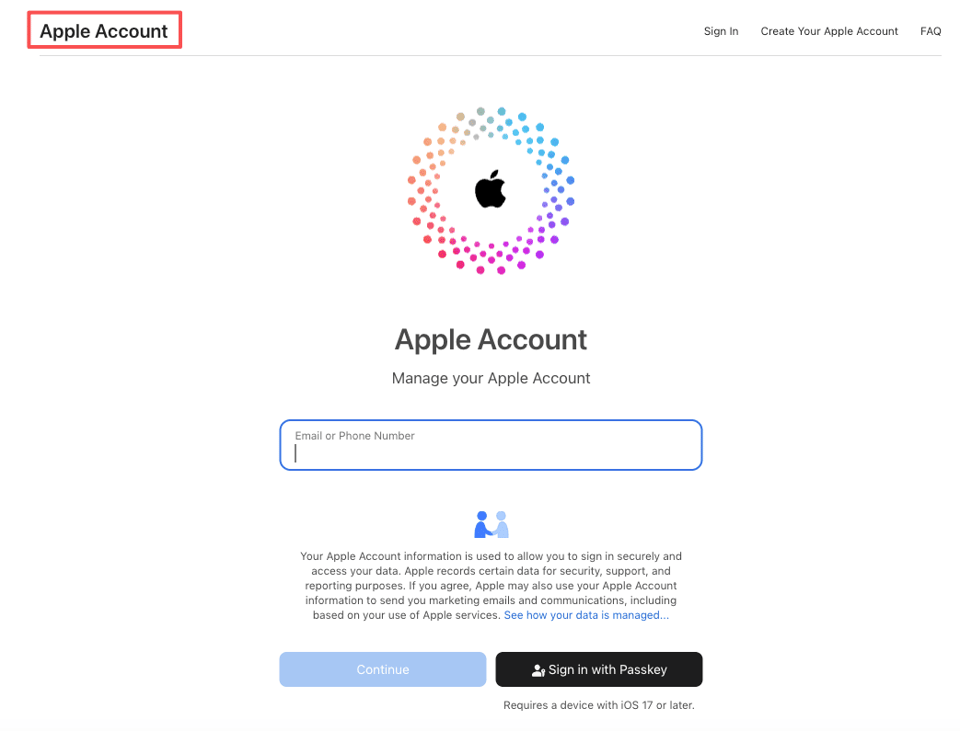
Once you're there, look for the subscription name in your Active list.
If it's there, good. Apple is billing you, which means you can cancel it from your iPhone directly.
If it isn't there, pause before you do anything dramatic. Don't assume the charge is fake. Don't assume the company is impossible. It may simply be billed elsewhere.
A quick note: if you have more than one Apple ID floating around, work, personal, old family account, whatever happened during a rushed setup years ago, check that too. This is more common than people think.
Check email receipts and the app's own settings
If the subscription doesn't appear under Apple subscriptions, I check two places next:
- Email receipts
- The app or brand account settings
Search your email for the app name plus terms like:
- receipt
- subscription
- renewal
- invoice
- Apple
- billing
You're looking for who sent the receipt. If the message came from Apple, that points back to App Store billing. If it came from the brand itself, that usually means direct billing. If it came from another platform, there's your answer.
Then open the app and check areas like:
- Account
- Settings
- Membership
- Billing
- Manage subscription
Sometimes the app will tell you very plainly: This subscription is managed through Apple or Manage your plan on our website. Other times it's less helpful than it should be.
I'll be honest, I went in expecting very little from some of these billing menus. But occasionally they do save time, especially when there's a clear "manage on web" note instead of making you guess.
And yes, if this sounds annoyingly indirect, that's because it is. But once you verify the billing source, you stop wasting time trying to cancel in the wrong ecosystem.
Cancel App Store subscriptions
If you confirmed Apple is the billing source, canceling the subscription on iPhone is actually straightforward. Apple's official support page on how to cancel or change an App Store subscription walks through this in detail, and it's the most reliable reference I've found for edge cases.
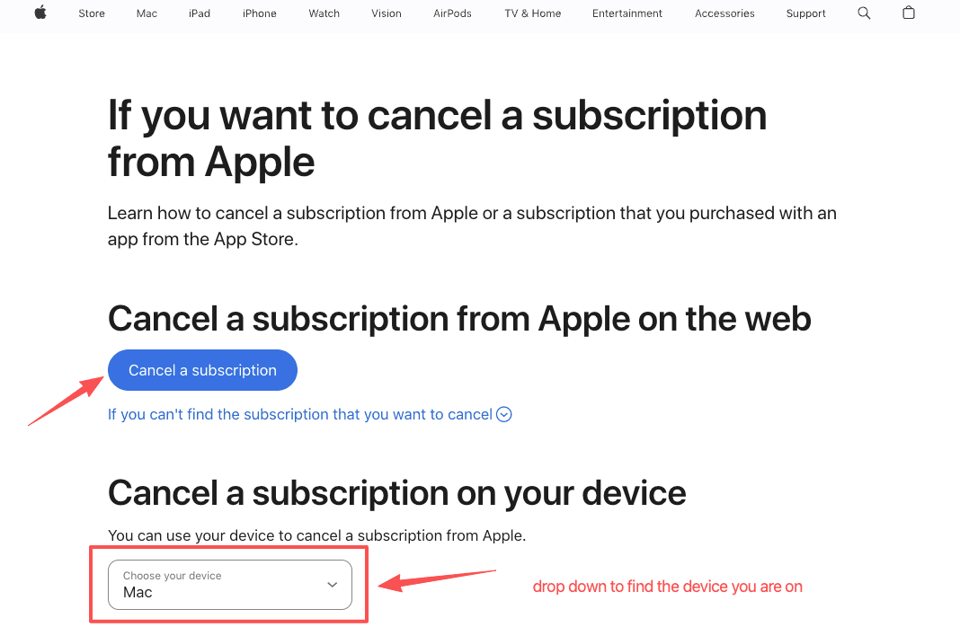
Exact path and what 'expires' date means
Here's the exact path again:
Settings → your name → Subscriptions
Then:
- Tap the subscription you want to cancel
- Tap Cancel Subscription
- Confirm the cancellation
If you don't see a cancel button, you may already have canceled it, or the subscription may already be inactive.
After canceling, you'll usually see an expires date. This matters.
The expires date does not mean the cancellation failed. It usually means you've already paid through the current billing period and will keep access until that date.
For example, if your renewal date is the 30th and you cancel on the 12th, you'll often still be able to use the service until the 30th. That's normal.
This is where people panic and cancel twice, or contact support unnecessarily. If the status shows that the plan expires on a certain date, the cancellation is typically in place. If you're ever unsure about a charge, Apple's billing and subscription support page is the right place to dispute or verify.
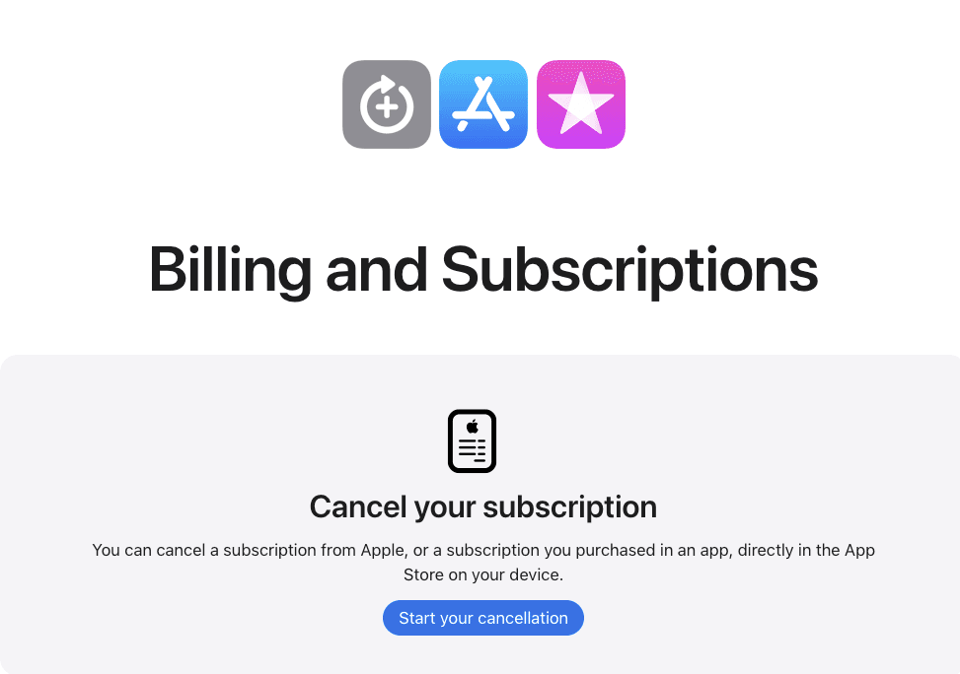
App not in list, what to do
If the app isn't listed under Subscriptions, here's what I do next:
- Check a second Apple ID if you've ever used another one
- Search your email receipts for the billing sender
- Open the app's account settings and look for billing details
- Visit the brand's website and log in there
And if you still can't find it, don't keep circling the same Apple menu. That's how 10 minutes turns into 40.
At that point, the subscription is probably:
- billed directly by the company
- tied to a third-party account
- expired already, with a different charge appearing on your statement
This worked better than it had any right to, honestly, once I stopped treating the iPhone subscriptions page like it had all the answers. It doesn't. It only shows what Apple manages.
When the app bills you directly
If the app charges you directly, you generally need to cancel through the brand's own website, not through your iPhone settings.
That's the part that annoys people most, because it feels like the phone should be able to handle it. But Apple can only control subscriptions processed through Apple.
Now that you know how to find your billing owner, let us handle the actual execution. We designed Pine AI as a "one-and-done" completion agent that makes the calls and sends the emails you’ve been avoiding. Explore how Pine AI can clear your subscription list without you ever picking up the phone.
Cancel through brand's website instead
The usual process looks like this:
- Go to the brand's website
- Sign in to your account
- Open Account, Billing, Subscription, or Plan settings
- Find the cancellation option
- Confirm and save any cancellation email you receive
Take Netflix as a concrete example. If you signed up on Netflix's website, Netflix's official cancel plan page is where you go — not your iPhone. Their help article on how to cancel Netflix also clarifies exactly what happens to your access after you cancel. Similarly, if you pay for YouTube Premium directly through Google, Google's support page on canceling YouTube Premium is the correct cancellation path, not your iPhone settings.
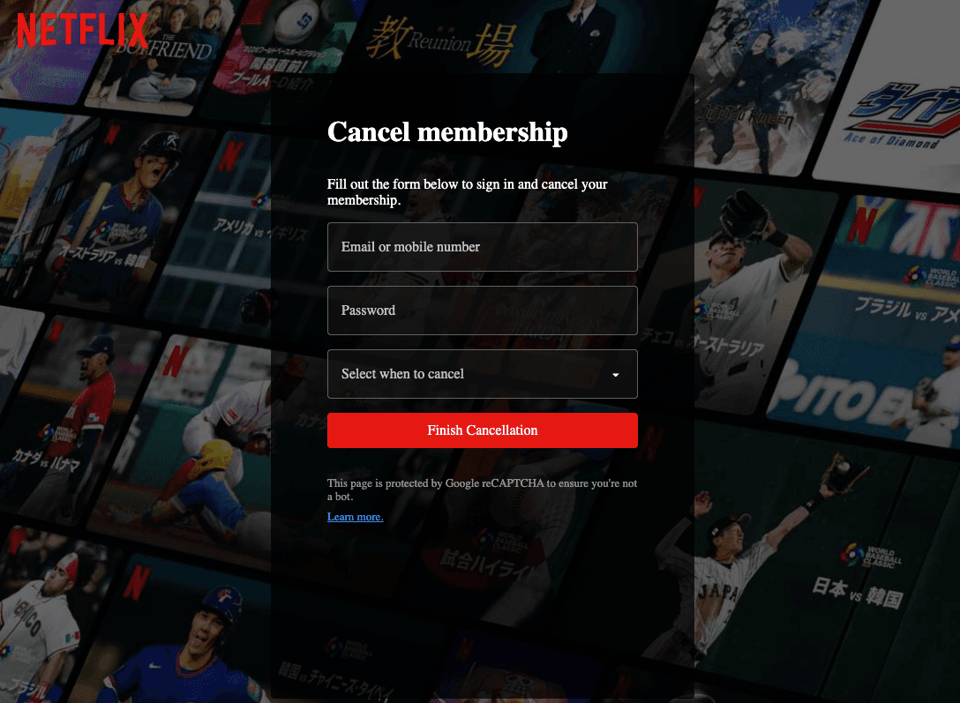
I always recommend keeping the confirmation email or taking a screenshot of the final page. Not because every company is trying to make this difficult, though some definitely don't go out of their way to make it easy, but because proof is useful if a renewal still goes through.
If your bigger question is less how to cancel a subscription on iPhone and more can something else just handle this for me, that's where a service like Pine AI becomes relevant. So I finally tried Pine AI last week, between back-to-back calls, because I wanted to know whether it could actually take the annoying customer service part off my plate.
The part I cared about wasn't the novelty. It was whether it could save time on customer service calls and deal with the sort of subscription mess people put off for months. That includes cancellations, billing follow-ups, and those situations where you know the charge is wrong but also know fixing it will eat your lunch break.
I don't guess. I verify. So I looked at whether it could handle the practical bits: identifying what kind of issue I had, helping direct the next step, and reducing the amount of phone or chat time I had to personally absorb. That's the standard I use for any tool now. Not "is this clever," but "did this spare me from a task I was actively avoiding?"
If your subscription is billed directly by the brand, the answer is usually not hidden inside iPhone settings. It's on the company's site, in their billing system, under your login.
Common errors and brand guide links
A lot of cancellation problems are less about the cancellation itself and more about mismatch, wrong billing source, wrong account, wrong expectation.
'Subscription not found', why this happens
If you see something like subscription not found, one of these is usually going on:
- You're signed into the wrong Apple ID
- The subscription is billed directly by the app, not Apple
- The subscription is billed through a third party
- The plan already expired or was canceled earlier
- The charge on your statement uses a different business name than the app name
That last one gets people more often than it should. The name on your bank statement may not perfectly match the app icon you recognize, which sends you hunting in the wrong place.
Worth noting: if you suspect a charge is truly unauthorized and can't trace it to any subscription, the Consumer Financial Protection Bureau's guide on stopping automatic payments from your bank account outlines your rights and the steps to take with your bank directly. That's a separate lever from canceling through an app, and sometimes the right one.
The result is usually fine once you sort the billing source out. Not dramatic. Just: done. Which, honestly, was all I needed the last few times I dealt with this stuff.
Quick-access links to brand cancel guides
If you already know the service you're trying to cancel, going straight to a brand-specific guide can save time. Here are a few useful examples:
- How to cancel Fubo subscription
- How to cancel Hulu subscription — also see Hulu's official cancellation page for the direct path through their site
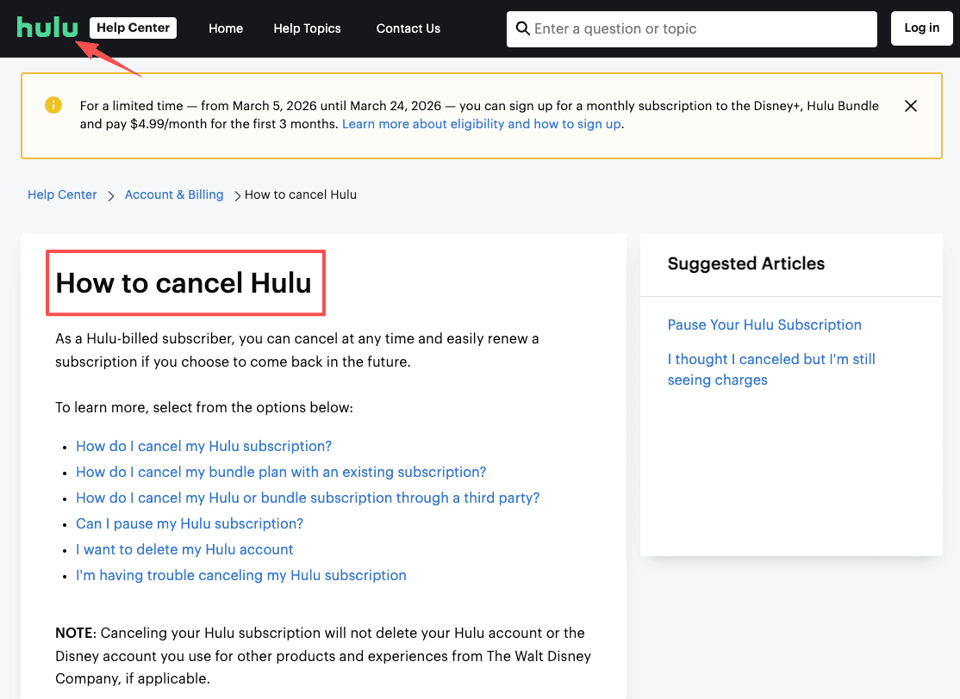
Those are especially helpful when the subscription exists across multiple billing paths, Apple, direct web billing, or another platform, because that's where most confusion starts.
My clear verdict
If you want to know how to cancel a subscription on iPhone, start by checking whether Apple is actually the one billing you. If yes, the cancellation takes about a minute. If no, don't keep poking at the App Store hoping it will suddenly reveal a hidden button.
That's the whole game, really. Find the billing source first. Then cancel in the place that actually controls the charge. It's less satisfying than it should be, but it works.
Frequently Asked Questions
How do I cancel a subscription on iPhone if Apple is billing me?
To cancel a subscription on iPhone billed through Apple, go to Settings, tap your name, then tap Subscriptions. Select the subscription, tap Cancel Subscription, and confirm. If you see an expiration date afterward, that usually means the cancellation worked and access continues until the current billing period ends. Apple's subscription management page lets you view and cancel all active subscriptions in one place.
Why can’t I find my subscription in iPhone Settings?
If a subscription does not appear under Settings > your name > Subscriptions, Apple is often not the billing source. It may be billed directly by the brand, through a third-party platform like Amazon, or under a different Apple ID. Check email receipts and the app's billing or account settings next.
What does the expiration date mean after I cancel a subscription on iPhone?
After you cancel a subscription on iPhone, the expiration date usually shows when your paid access will end, not that the cancellation failed. In most cases, you can keep using the service until the current billing cycle finishes, and you will not be charged again after that date. See Apple's billing support page if a charge still appears after the expiration date.
Can I cancel any app subscription from my iPhone?
No, only subscriptions processed through Apple can be canceled in your iPhone subscription settings. If the app charges you directly through its website or uses a third-party billing platform, you need to cancel through that company's account, billing, or subscription page instead — for example, Netflix's cancel plan page or YouTube Premium's cancellation page.
How can I tell who is billing my subscription?
The fastest way is to check your email receipts and look at who sent the charge confirmation. If it came from Apple, manage it on your iPhone. If it came from the brand or another platform, cancel there. You can also review the app’s Account, Billing, or Membership settings for clues.