


Hightail
Cancel subscription
How to Cancel Hightail
Learn how to cancel Hightail using verified current routes, confirm who bills you, understand timing and refunds, and keep proof that future renewal stopped.
- 1 current, source-verified cancellation route
- Billing ownership is explicit for each route
- Refund and access timing are separated from cancellation
- Account-specific confirmation is still required
Choose the correct Hightail cancellation route
iOS (Apple in‑app subscription billing) · verify the billing owner
Cancel a Hightail Pro subscription billed through Apple
 1
1Open Settings
Open the Settings app on your iPhone or iPad.
 2
2Tap your name
At the top of Settings, tap your name to open your Apple Account settings.
- Let Pine handle it
Pine can help
Too many steps?
Pine can find the right iOS (Apple in‑app subscription billing) path and handle the cancellation for you.
 3
3Open Subscriptions
Tap Subscriptions to view subscriptions billed by Apple for this Apple Account.
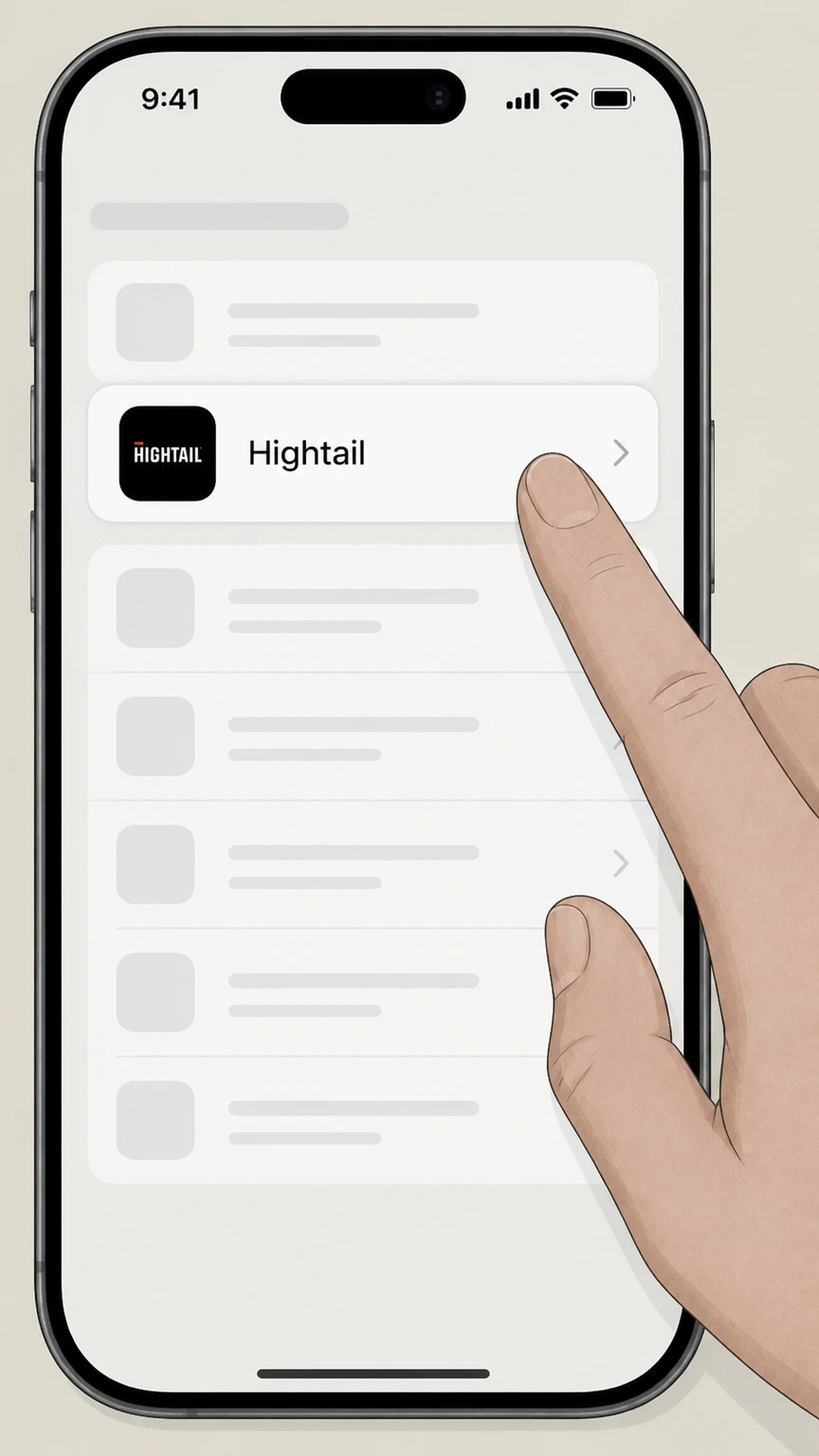 4
4Select Hightail
In the Subscriptions list, select the Hightail subscription you want to stop renewing.
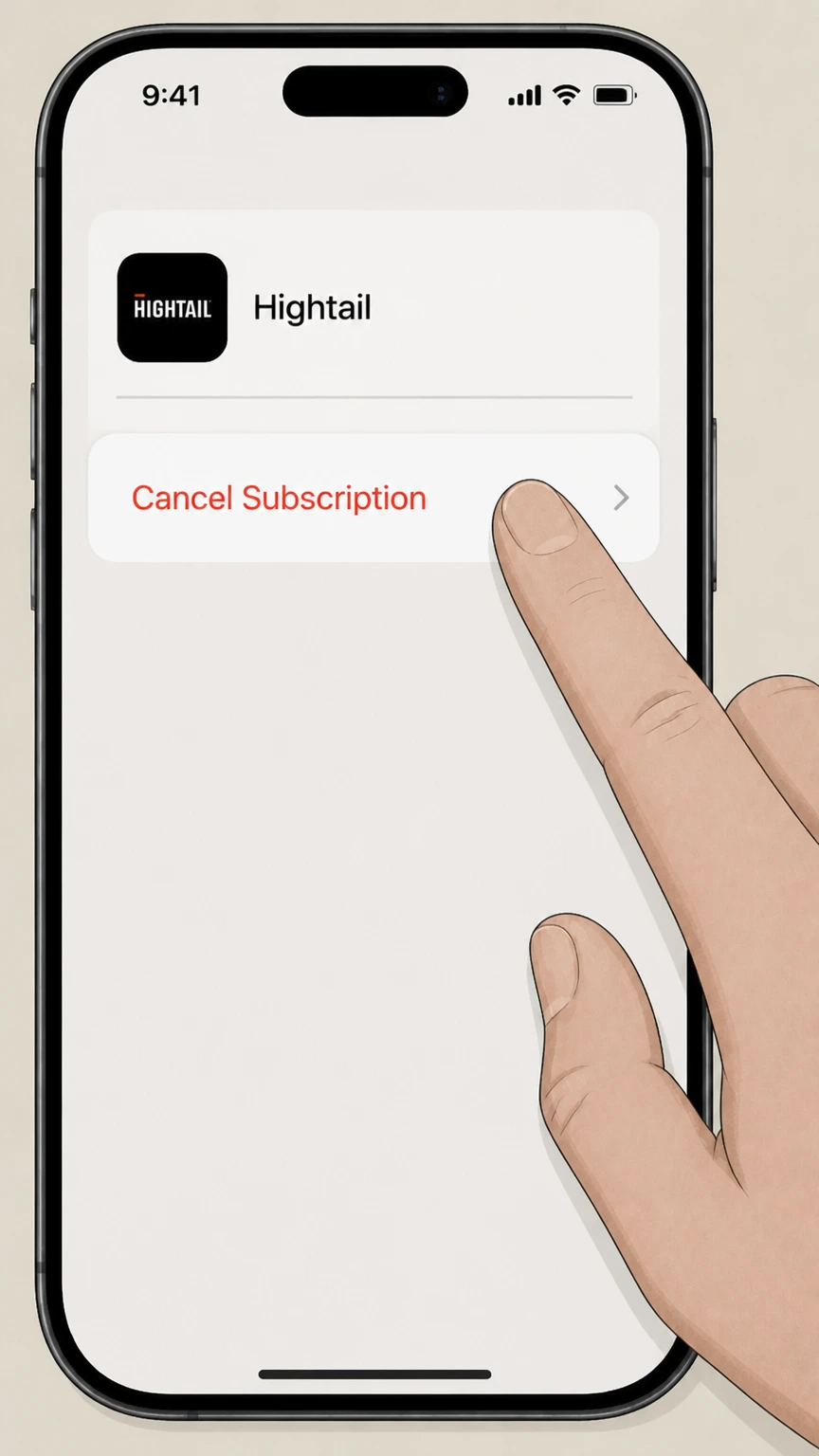 5
5Tap Cancel Subscription
Tap Cancel Subscription and follow the confirmation prompt. If no cancel button appears or an expiration message is shown, Apple says the subscription is already canceled.

Refund policy
Refunds, renewal, and trial considerations for Hightail
Official Hightail and Apple documents emphasize automatic renewal and advance notice; refunds are not guaranteed and depend on the billing owner’s policies and any Service order you agreed to.
Check my refund options- Automatic renewal and 30‑day notice for Hightail direct billing
- Hightail’s Additional Information terms specify that all paid Service subscriptions automatically renew for additional periods equal to the original term at the then‑current OpenText price unless either party gives the other notice of non‑renewal at least 30 days before the end of the current subscription period, and that customers may cancel a subscription at any time by giving thirty days’ written notice, subject to any different terms in their Service order.
- Effect of web cancellation on future charges and access
- Using the Cancel Plan control in your Hightail account stops your paid subscription from renewing; Hightail explains that you keep your current plan’s features until the end of the billing cycle and are then downgraded to Lite, which also triggers the stricter storage and deletion rules for Lite accounts. Any refunds or proration beyond this are governed by your specific order terms and OpenText’s policies and are not promised in public documentation.
- Apple-managed subscriptions and trials
- Apple’s subscription support article notes that canceling via Settings › [Your Name] › Subscriptions › Hightail › Cancel Subscription stops future renewals, and that for free or discounted trial subscriptions you should cancel at least 24 hours before the trial ends; any refunds or adjustments for Hightail in‑app subscriptions are handled under Apple’s rules.
For questions about specific charges, potential credits, or legal rights, users should review their OpenText Hightail Service order and local consumer law, and then contact either Hightail support or Apple Support depending on who billed the subscription. Check your order and contact the billing owner
Scope
What this Hightail cancellation guide covers
This draft focuses on canceling recurring paid Hightail subscriptions (Pro, Teams, Business) for individual and small‑team accounts, distinguishing between OpenText‑billed and Apple‑billed subscriptions.
Product and corporate ownership
Hightail is a secure file sharing and creative collaboration service that is now part of the OpenText family, and OpenText operates the Hightail service and site.
Which subscriptions are in scope
Hightail’s pricing page currently lists Lite (free), Pro, Teams, and Business plans as available offerings, confirming the existence of recurring paid subscriptions that can be upgraded or downgraded through the same Hightail account.
Hightail vs. Apple billing
Direct purchases on hightail.com or via OpenText sales are governed by OpenText’s Hightail Service terms, while Hightail Pro Monthly and Pro Yearly plans purchased inside the iOS app are in‑app purchases billed by Apple under App Store subscription rules.
After cancellation
What happens to your Hightail access and files after canceling
Canceling a paid Hightail plan does not immediately delete your account, but it does change your plan level and how your files are retained.
Access through the end of the billing cycle
Hightail’s cancellation article specifies that after you cancel your paid subscription, you retain access to all features of the plan you were on until the end of your current billing cycle, at which point your account is downgraded to a free Lite plan.
Downgrade to Lite and storage limits
Hightail’s Additional Information terms state that when a user downgrades from a paid plan to the free Lite plan, file expirations longer than seven days are reset to seven days, the storage limit reverts to 2 GB, and after 30 days all but the most recent 2 GB of user files are permanently deleted and cannot be retrieved.
Effect on your team or business content
Because downgrade to Lite enforces lower storage and much shorter expiration periods, organizations using Hightail for ongoing collaboration may need to export or migrate important content before canceling or downgrading to avoid automatic deletion under the Lite limits.
Help
Troubleshooting Hightail cancellation and special cases
If the standard online controls are missing or you have a more complex contract, these points outline next steps supported by official sources.
If Manage or Cancel Plan is missing
Hightail’s cancellation article links to contact options and notes that users can submit a ticket or use live chat, and the terms page lists support@hightail.com for various account and privacy requests; use these channels if you cannot see billing controls in your account.
Enterprise or sales-managed accounts
Hightail’s pricing page invites organizations with higher user counts to contact sales, and its OpenText Cloud terms state that specific Service orders may override the general cancellation clause, so large enterprise or custom‑contract accounts should review their order form or contact sales/support before canceling.
Distinguishing Apple vs. OpenText billing
The Hightail iOS App Store page lists Pro Monthly and Pro Yearly as in‑app purchases, which Apple’s support article treats as subscriptions managed under your Apple ID; if your Hightail plan does not appear under Apple Subscriptions, Apple advises that it may be billed by another company, meaning you likely need to cancel through OpenText instead.
Hightail cancellation FAQ
Current, source-backed answers about cancellation, billing ownership, refunds, and access timing.
How do I cancel my Hightail subscription if I signed up on the website?
What happens to my Hightail files when my paid plan is canceled or downgraded to Lite?
How can I tell whether my Hightail subscription is billed by Apple or by OpenText?
Can Hightail support cancel an Apple in‑app subscription for me?
Untangle this Hightail issue.
Let Pine handle the provider follow-up and keep the confirmation in one place.
