


eharmony
Cancel subscription
How to Cancel Your eharmony Premium Membership
Learn how to cancel eharmony through the right billing provider. Follow official steps, understand access timing, refunds, and the confirmation to keep.
- Official eharmony and billing-owner sources
- 3 provider-specific cancellation paths
- Refund and post-cancellation effects separated from renewal
- Verified August 16, 2026
Choose the eharmony cancellation path that matches who bills you
Website (eharmony bills you directly) · verify the billing owner
 1
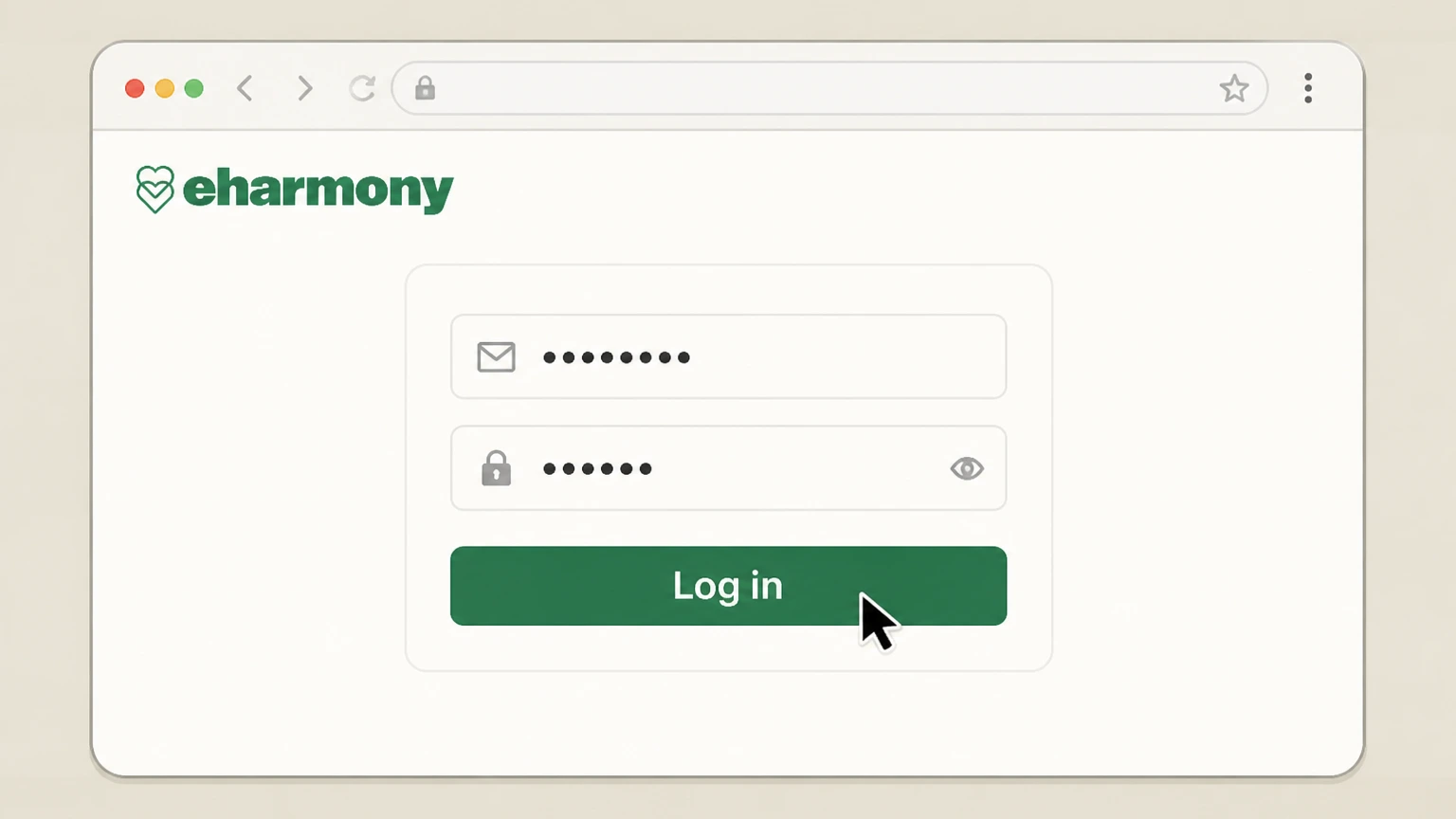
1Log in to your eharmony account
Go to eharmony.com and sign in with the email and password for the account that has the Premium Membership. Use the eharmony account named on your receipt, and continue only after the next status in this cancellation path is visible.
 2
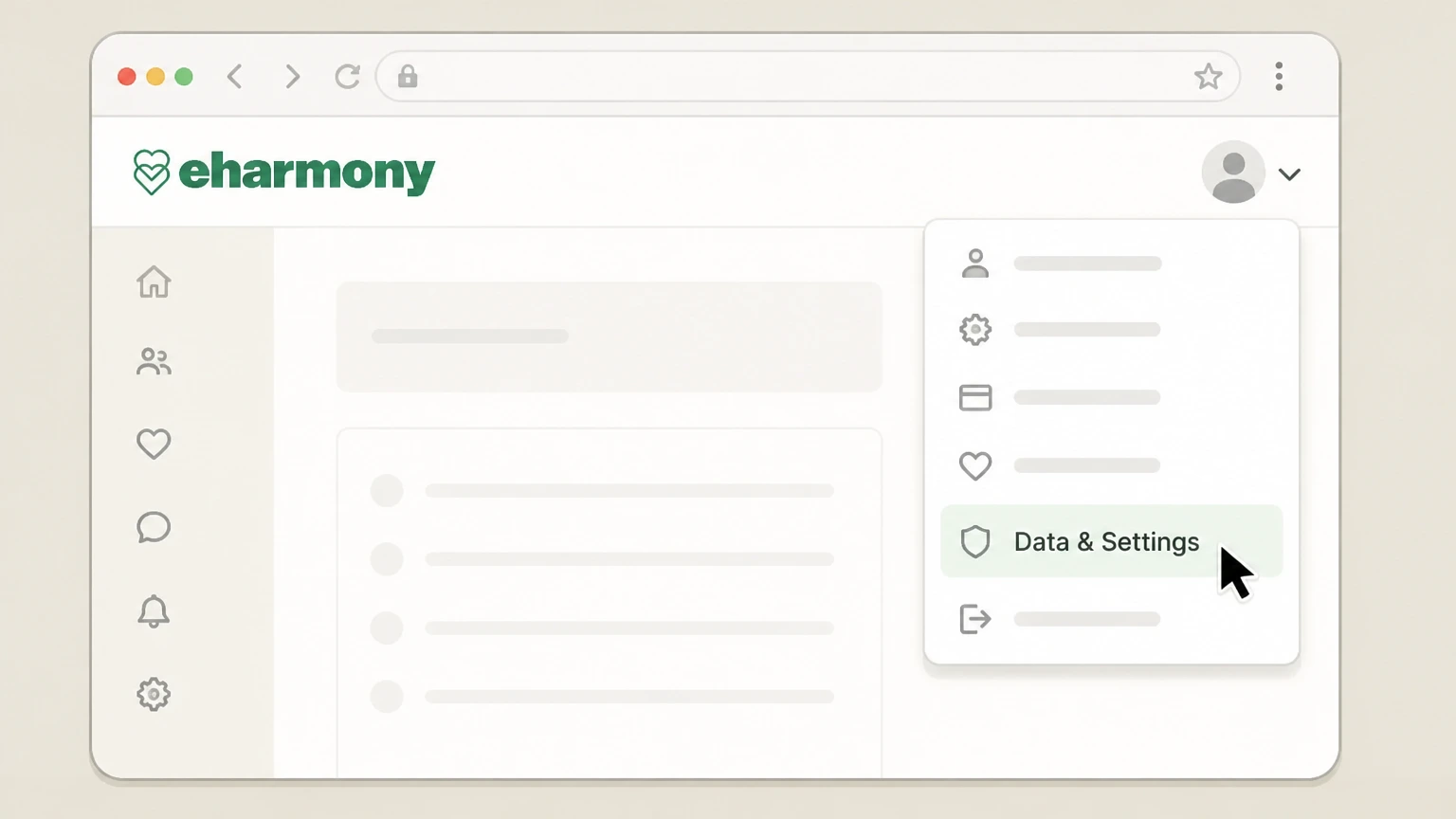
2Open Data & Settings
Click the arrow next to your profile picture in the top-right corner and select Data & Settings from the dropdown menu.
- Let Pine handle it
Pine can help
Too many steps?
Pine can find the right Website (eharmony bills you directly) path and handle the cancellation for you.
 3
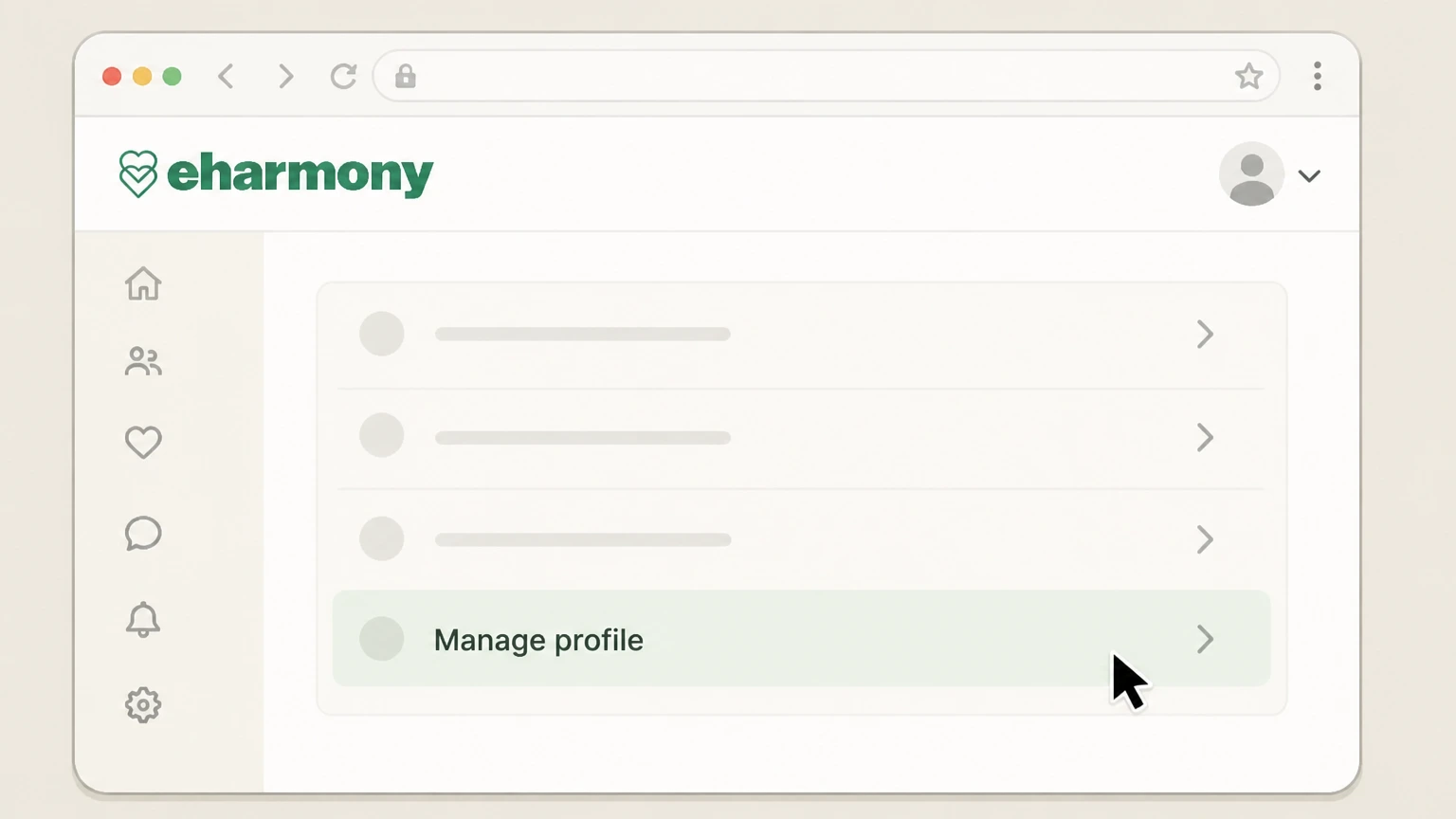
3Go to Manage profile
In Data & Settings, choose Manage profile to access your subscription management options. Use the eharmony account named on your receipt, and continue only after the next status in this cancellation path is visible.
 4
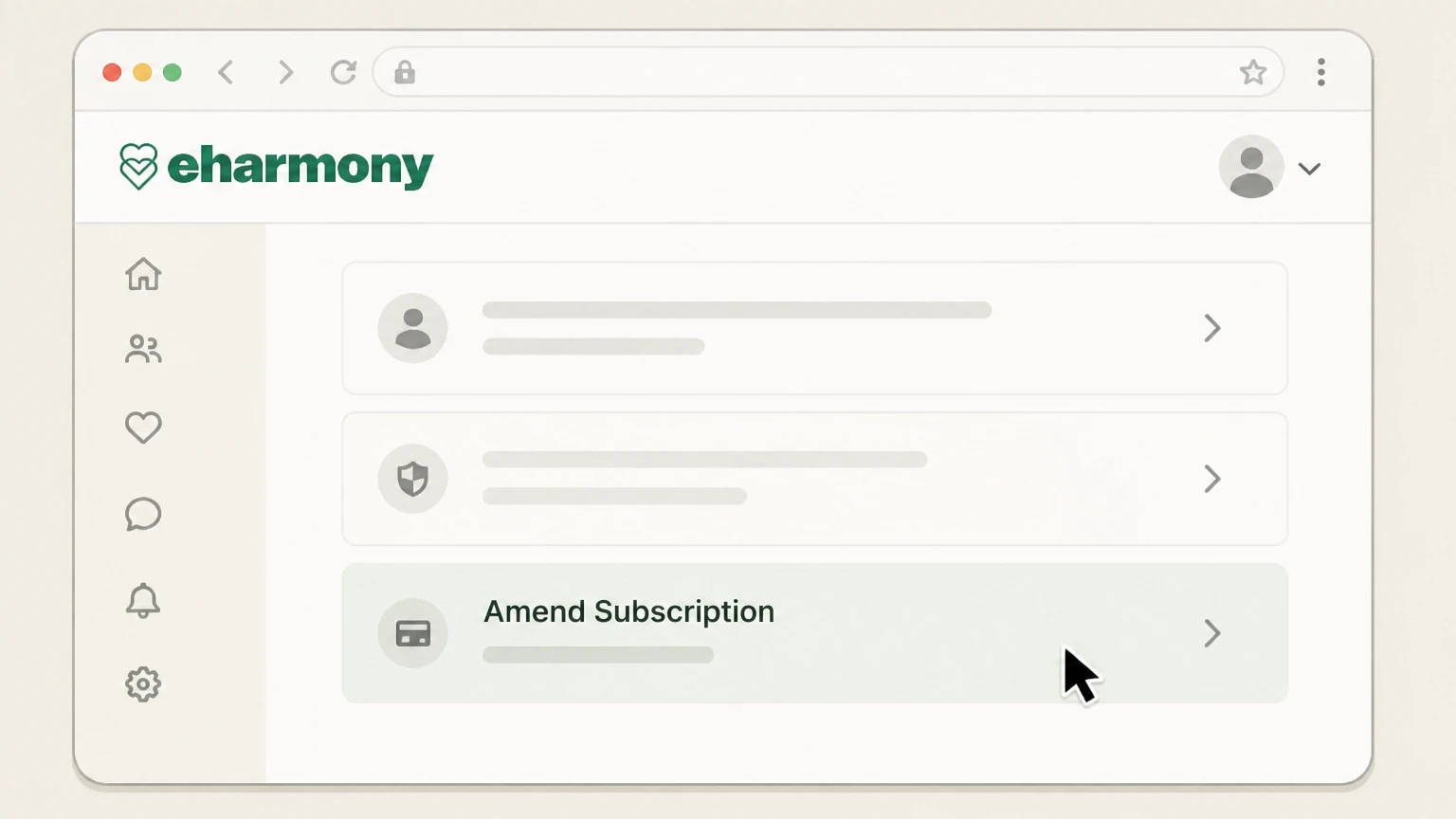
4Select Amend Subscription
Click Amend Subscription to open the details of your current Premium Membership. Use the eharmony account named on your receipt, and continue only after the next status in this cancellation path is visible.
 5
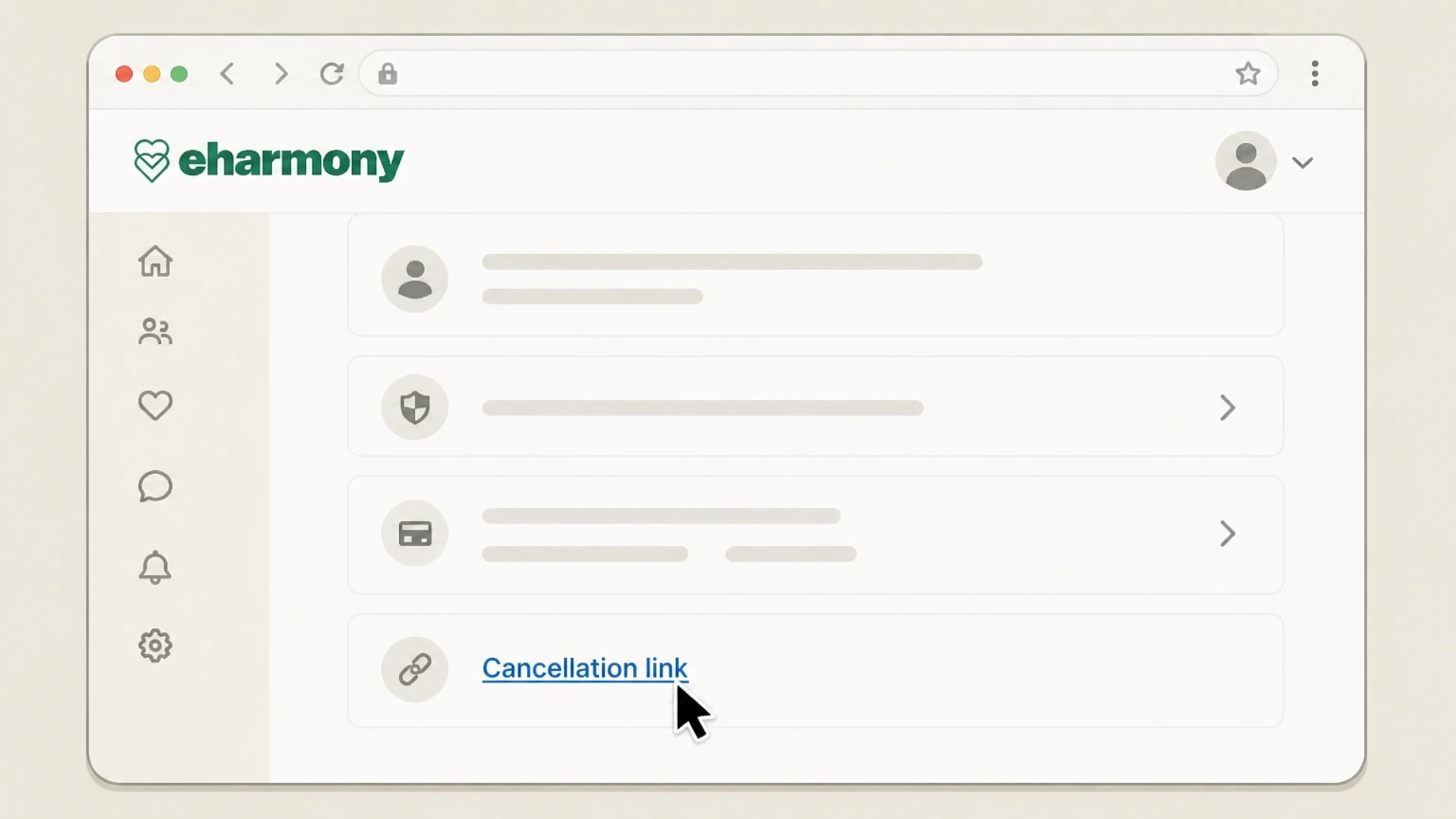
5Use the cancellation link
On the subscription page, click the cancellation link for your Premium Membership and complete the on-screen steps to turn off auto-renew.

iPhone or iPad (Apple in‑app purchase) · verify the billing owner
 1
1Open Settings
On your iPhone or iPad, open the Settings app. Use the eharmony account named on your receipt, and continue only after the next status in this cancellation path is visible.
 2
2Tap your name
At the top of Settings, tap your name to open your Apple ID account settings. Use the eharmony account named on your receipt, and continue only after the next status in this cancellation path is visible.
- Let Pine handle it
Pine can help
Too many steps?
Pine can find the right iPhone or iPad (Apple in‑app purchase) path and handle the cancellation for you.
 3
3Open Subscriptions
In your Apple ID settings, tap Subscriptions to see your active and expired subscriptions. Use the eharmony account named on your receipt, and continue only after the next status in this cancellation path is visible.
 4
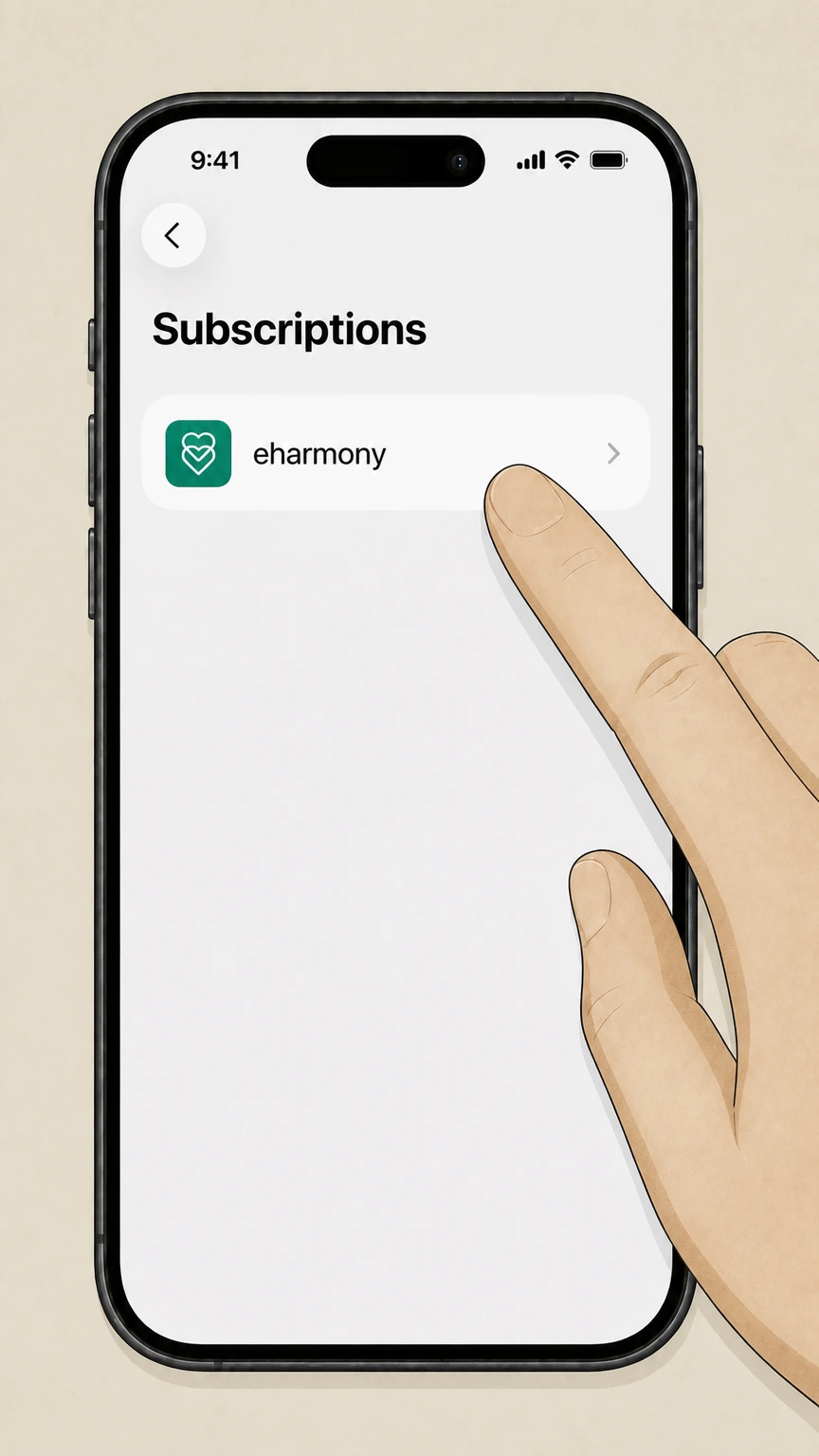
4Select eharmony
In the list of active subscriptions, tap eharmony to open its subscription details. Use the eharmony account named on your receipt, and continue only after the next status in this cancellation path is visible.
 5
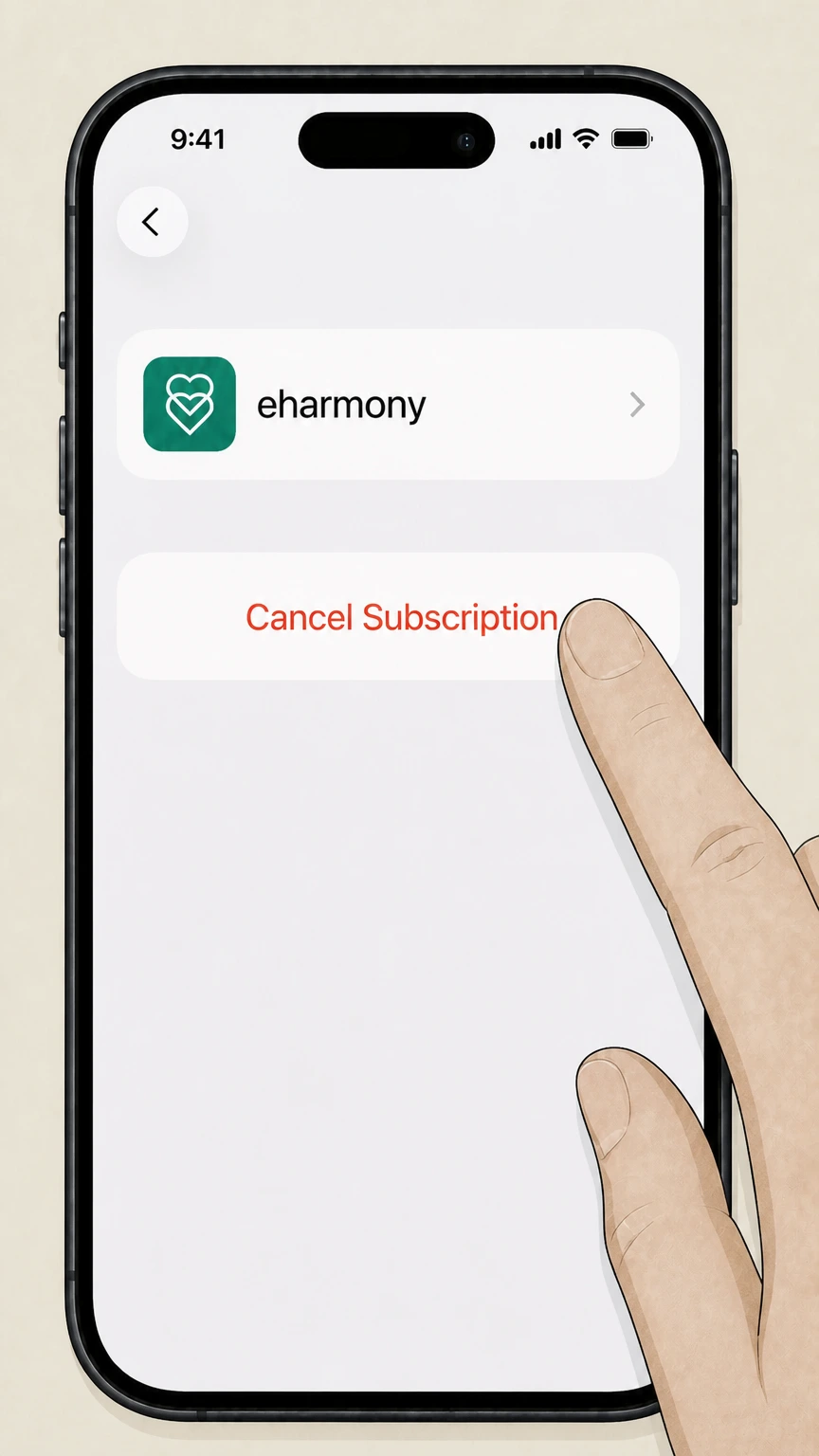
5Cancel the subscription
Tap Cancel Subscription and follow any on‑screen prompts so Apple stops renewing your eharmony subscription. Use the eharmony account named on your receipt, and continue only after the next status in this cancellation path is visible.
Android (Google Play billing) · verify the billing owner
 1
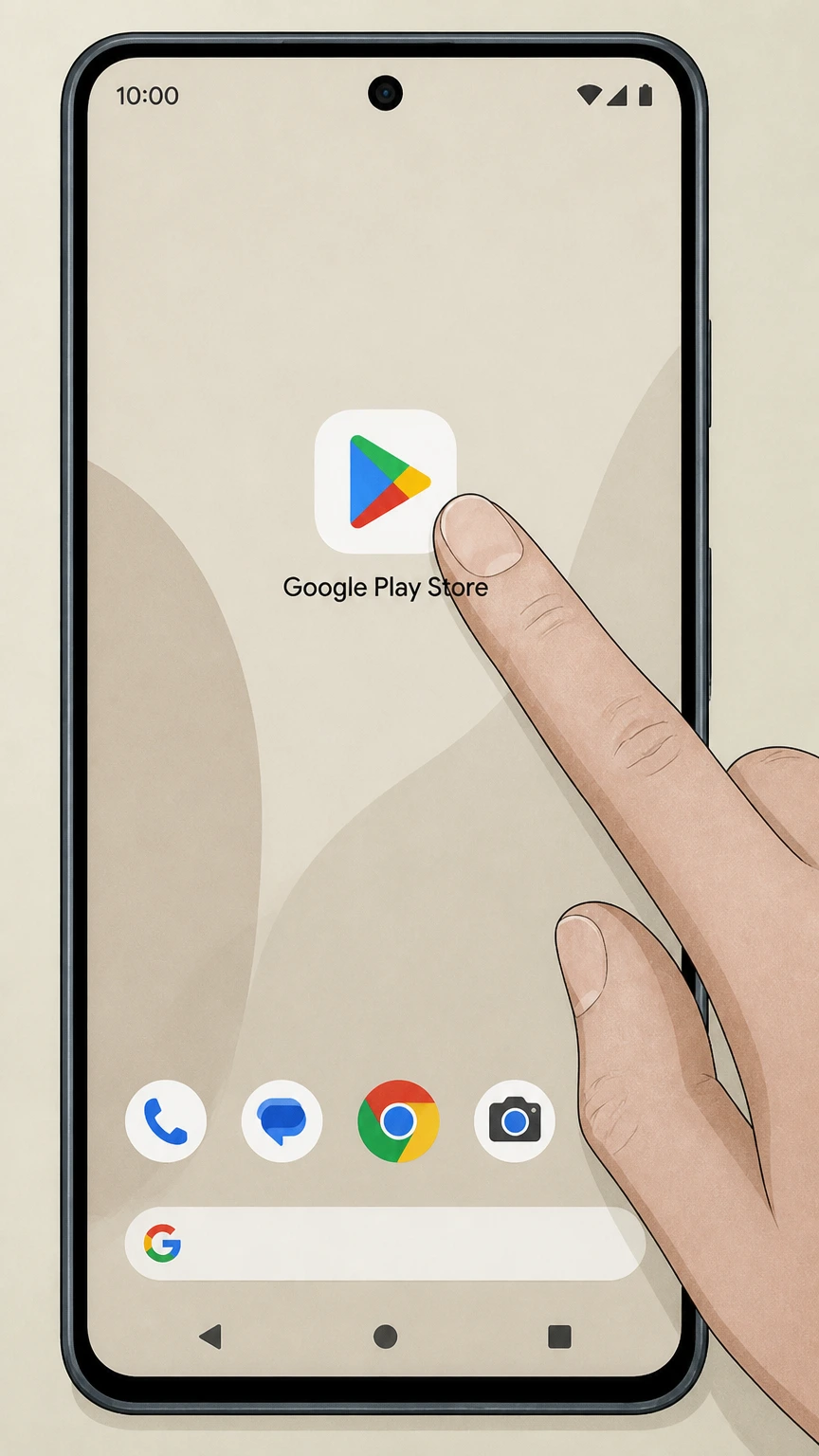
1Open Google Play Store
On your Android device, open the Google Play Store app while signed in with the account that pays for eharmony.
 2
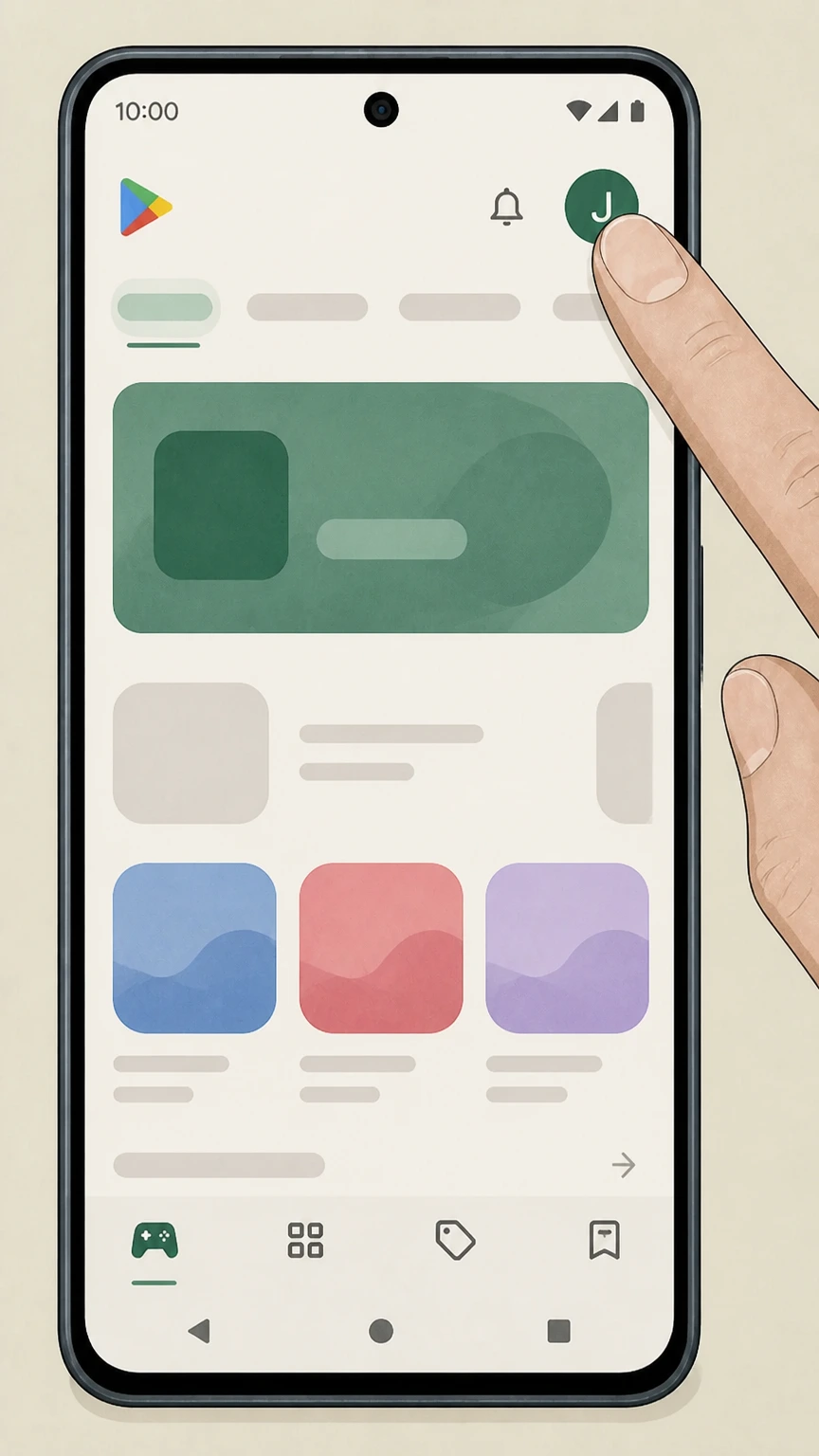
2Tap your profile icon
In the top-right corner of Google Play, tap your profile picture or initial. Use the eharmony account named on your receipt, and continue only after the next status in this cancellation path is visible.
- Let Pine handle it
Pine can help
Too many steps?
Pine can find the right Android (Google Play billing) path and handle the cancellation for you.
 3
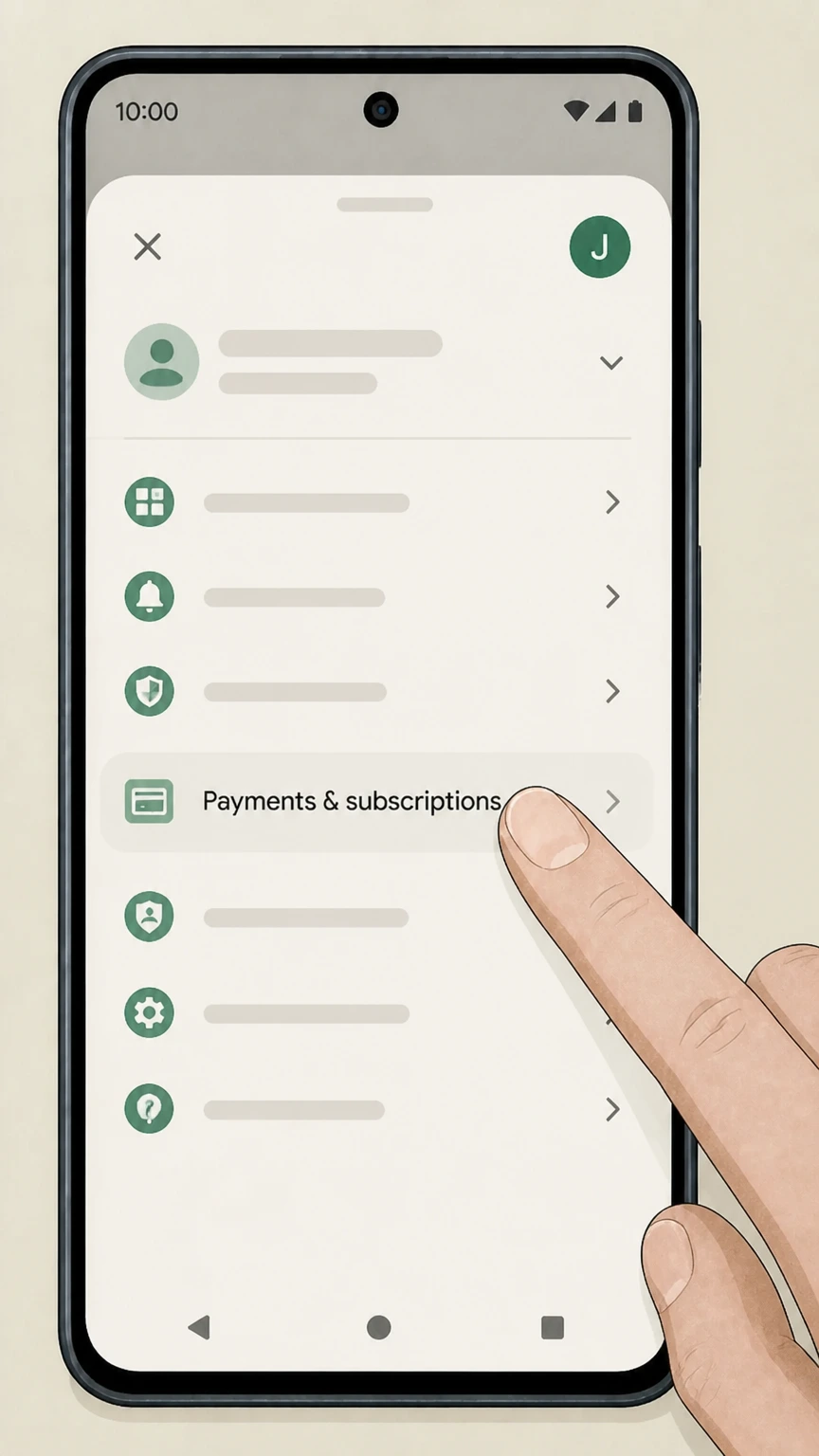
3Open Payments & subscriptions
From the menu, tap Payments & subscriptions to manage your payment settings and recurring charges. Use the eharmony account named on your receipt, and continue only after the next status in this cancellation path is visible.
 4
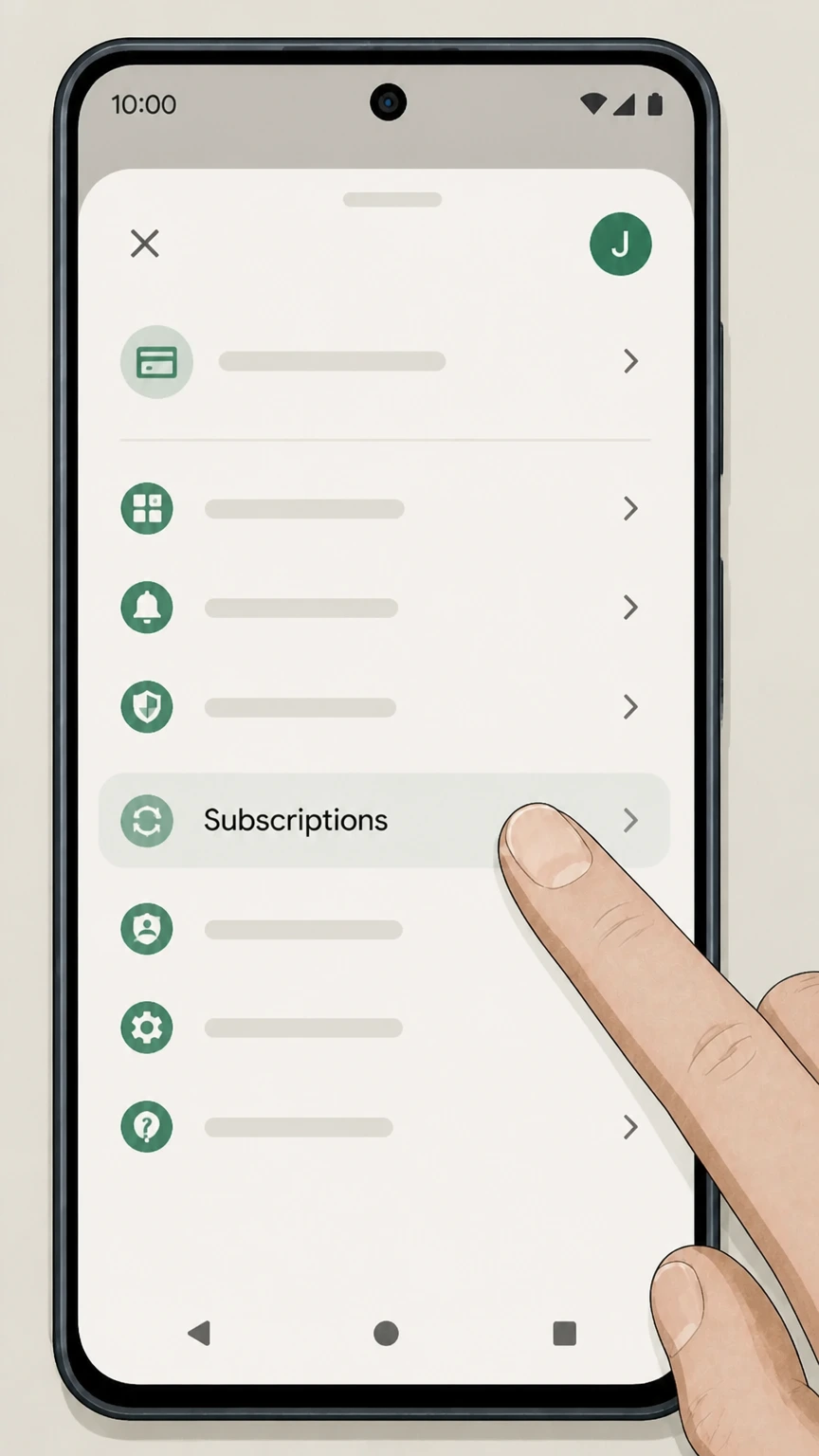
4Open Subscriptions
Tap Subscriptions to view the list of subscriptions associated with your Google Account. Use the eharmony account named on your receipt, and continue only after the next status in this cancellation path is visible.
 5
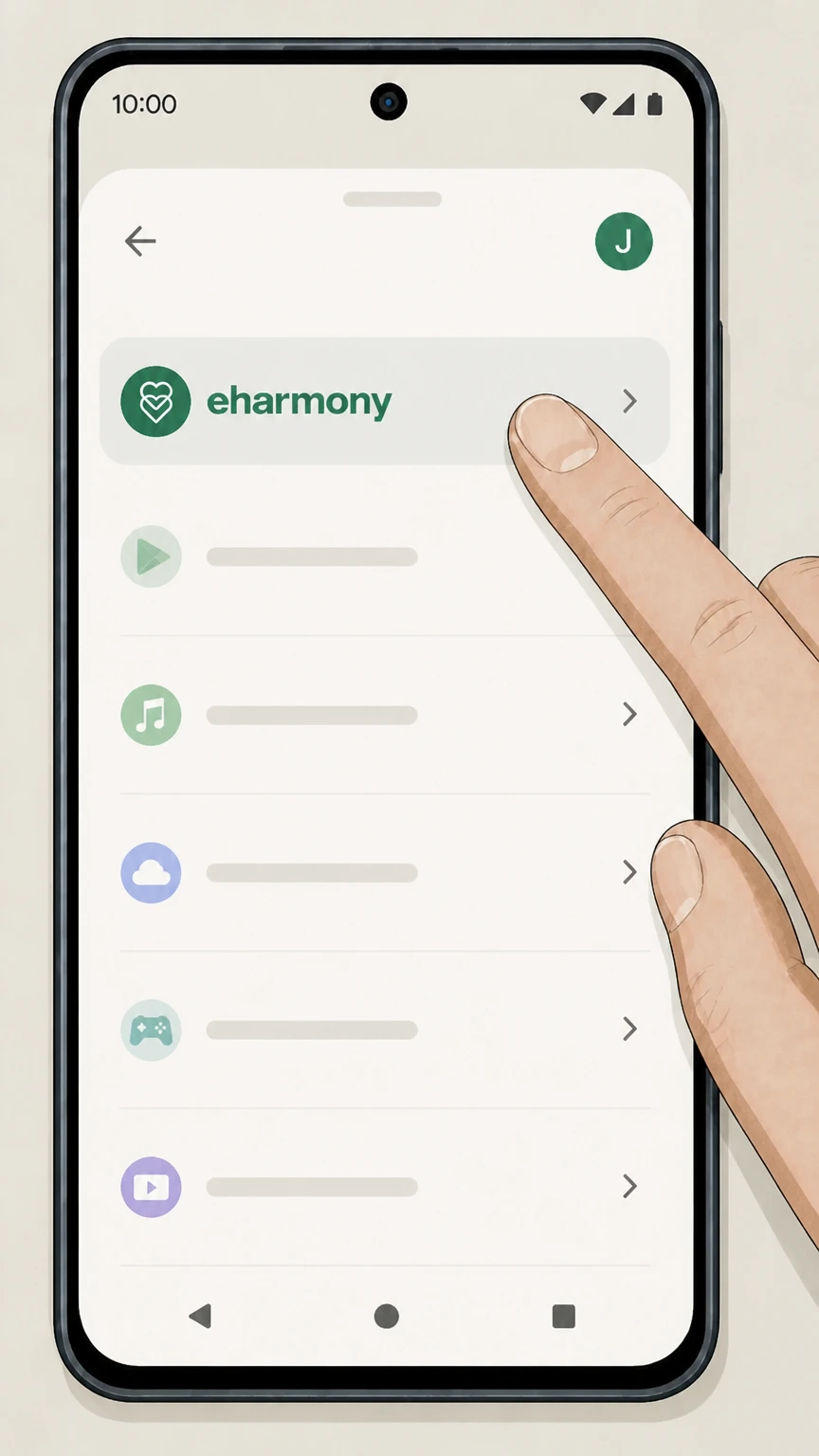
5Select eharmony
In the subscriptions list, tap eharmony to open its subscription management screen. Use the eharmony account named on your receipt, and continue only after the next status in this cancellation path is visible.
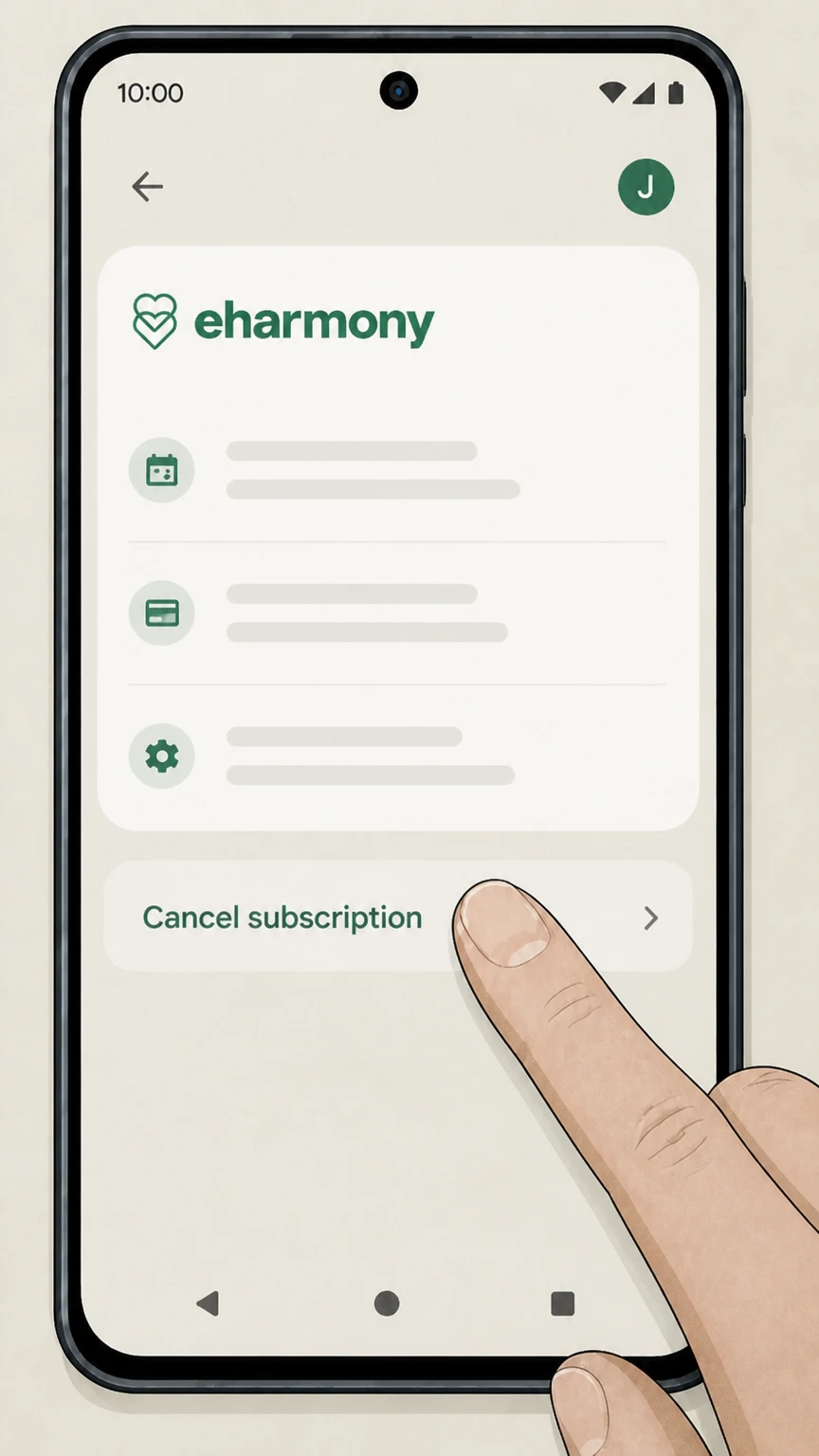 6
6Tap Cancel subscription
Tap Cancel subscription and complete the brief cancellation flow so Google Play stops renewing your eharmony subscription. Use the eharmony account named on your receipt, and continue only after the next status in this cancellation path is visible.
Refund policy
Refunds after cancelling an eharmony membership
Refunds for eharmony subscriptions are limited and depend on where you bought the membership, when you cancel, your state of residence, and whether special circumstances like death or disability apply.
Check my refund options- No refunds for ordinary early cancellation
- If you cancel a Premium Membership under section 12(a) (direct with eharmony) or section 12(b) (through a Non‑eharmony Service), your subscription typically runs to the end of the paid term without a refund for unused days.eharmony.com
- Three‑business‑day cooling‑off in specific states
- Residents of certain states (including Arizona, California, Colorado, Connecticut, Illinois, Iowa, Minnesota, New York, North Carolina, Ohio, Rhode Island, and Wisconsin) can cancel within three business days and receive a refund, provided they send timely written notice as described in section 12(c).eharmony.com
- Refund handling for Apple and Google Play
- eharmony states that it cannot directly process refunds for purchases made via Apple’s iOS app or Google Play; if you subscribed through those platforms, any eligible refund is handled exclusively under Apple or Google’s own refund policies.eharmony.com
- Refunds in cases of death or disability
- Under section 12(d), if death or qualifying disability prevents you from using the service, you or your estate may request to be relieved of future payments and receive refunds of prepaid amounts for unused services, subject to providing required documentation.eharmony.com
- Google Play information on refunds
- Google Play materials explain that users who experience issues with purchases made through Play’s billing system can request refunds through Google Play, which then applies its own criteria to approve or deny the request.play.google.com
For unusual situations or to confirm how the contract and state‑specific rights apply to you, review the latest eharmony US Terms & Conditions and, if needed, contact eharmony Customer Care. Read the eharmony Terms & Conditions
Who controls your payments
Billing ownership: eharmony vs Apple vs Google
Where you first purchased Premium determines who can cancel and who may issue any refund.
Direct eharmony purchases
Premium Memberships bought on eharmony.com or in the app with a card billed by eharmony are cancelled only through the Data & Settings > Manage profile > Amend Subscription path in your account, not through Apple or Google.eharmony.com
Apple as billing owner
If you subscribed via an iOS in‑app purchase, Apple bills you and controls renewal. eharmony’s terms require you to cancel via your Apple ID subscription settings, and Apple handles any eligible refunds.eharmony.com
Google Play as billing owner
If the subscription appears in Google Play, Google bills you under its own subscription and refund rules. eharmony’s agreement directs you to cancel and manage renewal only through your Google Play subscriptions page.eharmony.com
Non‑eharmony Services definition
eharmony treats Apple and Google Play as “Non‑eharmony Services.” Purchases through these channels are charged by the platform, and any refunds for those payments must come from Apple or Google, not from eharmony directly.eharmony.com
Effects of ending Premium
What eharmony cancellation changes—and what it doesn’t
Cancelling primarily stops future auto‑renew; it doesn’t usually end your access immediately or erase your profile.
Access continues to term end
When you cancel a Premium Membership under section 12(a) or 12(b), service continues until the end of the subscription term you already paid for; unused days are not refunded.eharmony.com
Auto‑renew is turned off
Cancellation prevents your Premium Membership from automatically renewing for another term, so no new renewal charges should occur if you cancel in time.eharmony.com For your eharmony account, compare this point with the billing owner and effective date shown in the signed-in account or latest receipt.
Installment payments still due
If you chose an installment payment plan, cancelling does not cancel remaining installments. You remain obligated to pay the total contractual amount for the current term.eharmony.com
Profile and matches remain
Ending Premium does not automatically delete your profile, messages, or matches. Your account typically reverts to Basic access unless you separately hide or delete your profile.eharmony.com
Account termination is different
Either you or eharmony can terminate your account entirely under section 11, which is separate from simply turning off Premium auto‑renew and may involve data removal.eharmony.com
Renewal timing
Auto‑renew deadlines and timing on eharmony
Timing your cancellation correctly helps you avoid another renewal charge while keeping access you’ve already paid for.
24‑hour renewal rule
eharmony’s terms state that paid subscriptions renew automatically unless you cancel at least 24 hours before the end of your current term, so last‑minute changes may be too late.eharmony.com
Apple subscription timing
Apple indicates you should cancel more than 24 hours before renewal; after cancellation, an “Expires” date replaces “Renews,” and access continues until that date.support.apple.com For your eharmony account, compare this point with the billing owner and effective date shown in the signed-in account or latest receipt.
Google Play billing cycle
Google Play subscriptions are charged at the start of each billing cycle until you unsubscribe; once cancelled, you keep access until the next renewal date shown in Google Play.support.google.com
Prepaid and payment plans
Google explains that prepaid and split‑payment subscription plans may not allow cancellation of remaining payments after a charge, though you can stop future renewals; eharmony’s own installment terms operate similarly.support.google.com
When money comes back
Refunds, cooling‑off rights, and special cancellations
Refunds are limited; most cancellations simply stop future renewals. Certain US states and life events may create extra rights.
Standard no‑refund rule
Under section 12(a) and 12(b), cancelling a Premium Membership generally does not entitle you to a refund for unused days; service continues until the current term ends.eharmony.com
3‑business‑day cooling‑off states
For residents of specified states (including California, New York, and others), section 12(c) allows cancellation of the agreement without penalty within three business days, with refunds processed by eharmony after written notice.eharmony.com
Apple and Google refunds
eharmony’s terms clarify it cannot directly process refunds for purchases made via Apple or Google; any eligible refunds for those payments must be requested from the respective app store.eharmony.com
Death or disability cancellations
Section 12(d) allows a subscriber or estate to be relieved of future payments, with refunds of prepaid amounts for unused services, when death or qualifying disability prevents use of the Premium Membership.eharmony.com
New York account holds
New York–specific terms in section 12(e) let eligible members pause a Premium Membership for up to one year instead of cancelling, which affects timing but not the basic refund rules.eharmony.com
Extras and add‑ons
Virtual goods, Basic membership, and cancellation
eharmony distinguishes between Premium Memberships and virtual goods such as Match Unlocks attached to a Basic membership.
Virtual goods tied to Basic
The terms explain that virtual goods (like Match Unlocks) are associated with your Basic Membership rather than a Premium term, and different termination rules may apply.eharmony.com
Terminating Basic with virtual goods
If your Basic Membership has active virtual goods and you terminate it in writing, previously purchased virtual goods are deleted, although payment obligations for them remain subject to applicable cancellation rights.eharmony.com
Premium cancellation doesn’t delete goods
Stopping Premium auto‑renew under section 12(a) does not by itself delete virtual goods; those are affected when you delete or terminate the underlying Basic Membership.eharmony.com
Written communication channel
Where written communication is required for terminating Basic with virtual goods, the specific contact methods and addresses are set out in eharmony’s Terms & Conditions rather than in the app interface.eharmony.com
Managing your profile
Deleting or hiding an eharmony account vs cancelling
Subscription cancellation, profile hiding, and permanent deletion are different actions with different consequences.
Profile hiding for a break
eharmony lets you hide your profile in Data & Settings so new members cannot see you, while still keeping your account and any active subscription intact.eharmony.com
Mid‑subscription deletion requires support
If you are in the middle of a paid subscription and want to delete your account entirely, eharmony’s deletion FAQ requires contacting Customer Care to start the deletion process.eharmony.com
Self‑service deletion without subscription
If there is no active subscription, you can permanently delete your profile from the Data & Settings page by following the profile status deletion link and confirming with your password.eharmony.com
Deletion is irreversible
After deletion, matches and messages are no longer accessible and the profile cannot be restored, unlike a simple cancellation where the account remains and can be used on a Basic plan.eharmony.com
Customer Care support
For complex situations—such as deleting during a subscription, or questions about how cancellation interacts with deletion—eharmony directs users to contact Customer Care via its official help page.eharmony.com
Verifying it worked
How to confirm your eharmony cancellation
You can use both eharmony’s own tools and app‑store records to confirm that auto‑renewal has actually been stopped.
Check membership status on eharmony
eharmony’s Membership Status FAQ explains that you can see your Premium term details, including how to cancel, on the Data & Settings page after logging in.eharmony.com
Look for expiration instead of renewal
In Apple’s subscription settings, a cancelled subscription typically shows an expiration date instead of a future renewal date, indicating auto‑renew has been stopped.support.apple.com For your eharmony account, compare this point with the billing owner and effective date shown in the signed-in account or latest receipt.
Use Google Play subscription view
In Google Play, the subscription detail screen shows the next renewal or end date; after successful cancellation, it indicates when access will stop instead of listing a future charge.support.google.com
Email receipts and notices
Apple, Google, and eharmony may send email receipts or notifications for renewals and cancellations, which you can keep as proof alongside screenshots of the subscription screen.support.apple.com
Customer Care escalation
If your account still shows an upcoming renewal after following the correct cancellation steps, eharmony’s Customer Care page is the official channel to escalate and document the issue.eharmony.com
State-specific options
New York account holds vs cancelling
Some New York residents have the option to pause instead of cancelling, which changes timing but not core payment obligations.
New York pause option
Section 12(e) of the US Terms lets New York subscribers pause a Premium Membership for up to one year by providing written notice, instead of immediately cancelling.eharmony.com
No guarantee of match volume
The same New York‑specific section reiterates that eharmony does not guarantee a particular number of matches, which affects expectations but not the ability to pause or cancel.eharmony.com
Pause vs cancellation
Pausing extends the contract by freezing use rather than ending it, while cancellation under section 12(a) or 12(b) stops renewal but leaves the current term and any installments in place.eharmony.com
Written notice channels
The precise mailing and email details for exercising New York pause rights are provided in the Terms & Conditions; users should follow those official instructions for compliance.eharmony.com
What official sources do not confirm
Limits of the public eharmony cancellation guidance
These points are intentionally qualified because the official sources reviewed on August 16, 2026 do not publish a complete answer.
Documented limitation 1
The primary step-by-step cancellation guidance for direct eharmony subscriptions comes from the US Terms & Conditions rather than a dedicated, user-friendly support article, so some in-product button labels may differ slightly from the legal wording.
Documented limitation 2
Support.eharmony.com’s specific article on cancelling subscriptions could not be accessed via the available tools, so this guide relies on the Terms & Conditions and general FAQ navigation instead of that page’s exact language.
Documented limitation 3
Apple and Google may change the layout or wording of their subscription screens over time; the high-level flows here follow current official support documents but minor interface differences on individual devices are possible.
Documented limitation 4
State-specific cooling-off and consumer-rights provisions are summarized at a high level from eharmony’s contract and are not individualized legal advice; users should consult the full Terms & Conditions or a lawyer for detailed interpretation.
eharmony cancellation FAQ
Questions people search about canceling eharmony, answered with official provider or billing-platform sources checked on August 16, 2026.
How do I cancel my eHarmony auto-renewal?
Why can't I delete my eHarmony account?
Can I cancel my eHarmony subscription and get a refund?
Can I cancel eHarmony after 1 month?
How to cancel eHarmony subscription and get a refund
Cancel eHarmony subscription early
How to cancel eHarmony within 3 days
Delete eharmony account on phone
Can you cancel eharmony if you subscribed through Apple or Google Play?
Untangle this eharmony issue.
Let Pine handle the provider follow-up and keep the confirmation in one place.
