

The Dallas Morning News
Cancel subscription
How to Cancel The Dallas Morning News Subscription
Learn how to cancel The Dallas Morning News, whether billed directly, through Apple, or Google Play. See steps, what changes after cancellation, and refund.
- Official The Dallas Morning News and billing-owner sources
- 3 provider-specific cancellation paths
- Refund and post-cancellation effects separated from renewal
- Verified August 17, 2026
Choose the The Dallas Morning News cancellation path that matches who bills you
Phone (direct-billed Dallas Morning News subscriptions) · verify the billing owner
 1
1Find the Customer Care phone number in your subscription confirmation or on the Dallas News Help or Contact Us page
Open your original order confirmation email or visit DallasNews.com and use the Subscriber Services links (such as Help Center or Contact Us) to locate the official Customer Care phone number for subscriptions.
 2
2Call Dallas Morning News Customer Care
Place a call to the listed Customer Care number during its published support hours to reach a representative who can handle subscription changes.
- Let Pine handle it
Pine can help
Too many steps?
Pine can find the right Phone (direct-billed Dallas Morning News subscriptions) path and handle the cancellation for you.
 3
3State that you want to cancel your Dallas Morning News subscription
When a representative answers, clearly request cancellation of your Dallas Morning News subscription rather than a temporary delivery hold or vacation stop.
 4
4Verify your subscriber and billing details
Provide any information the representative requests, such as your name, delivery address or email, and the last four digits of the payment method, so they can locate the correct subscription record.
 5
5Confirm the effective cancellation date and request written confirmation
Ask the representative to confirm that your subscription will end at the close of the current billing period with no further recurring charges, and request an email or other written confirmation for your records.

Apple App Store (iPhone and iPad in-app subscriptions) · verify the billing owner
 1
1Open Settings
On your iPhone or iPad, open the Settings app on your home screen to access your Apple ID account controls.
 2
2Tap your name
At the top of Settings, tap your name to open your Apple ID account page. Use the The Dallas Morning News account named on your receipt, and continue only after the next status in this cancellation path is visible.
- Let Pine handle it
Pine can help
Too many steps?
Pine can find the right Apple App Store (iPhone and iPad in-app subscriptions) path and handle the cancellation for you.
 3
3Open Subscriptions
On the Apple ID page, tap Subscriptions to see the list of active and expired subscriptions linked to your Apple ID.
 4
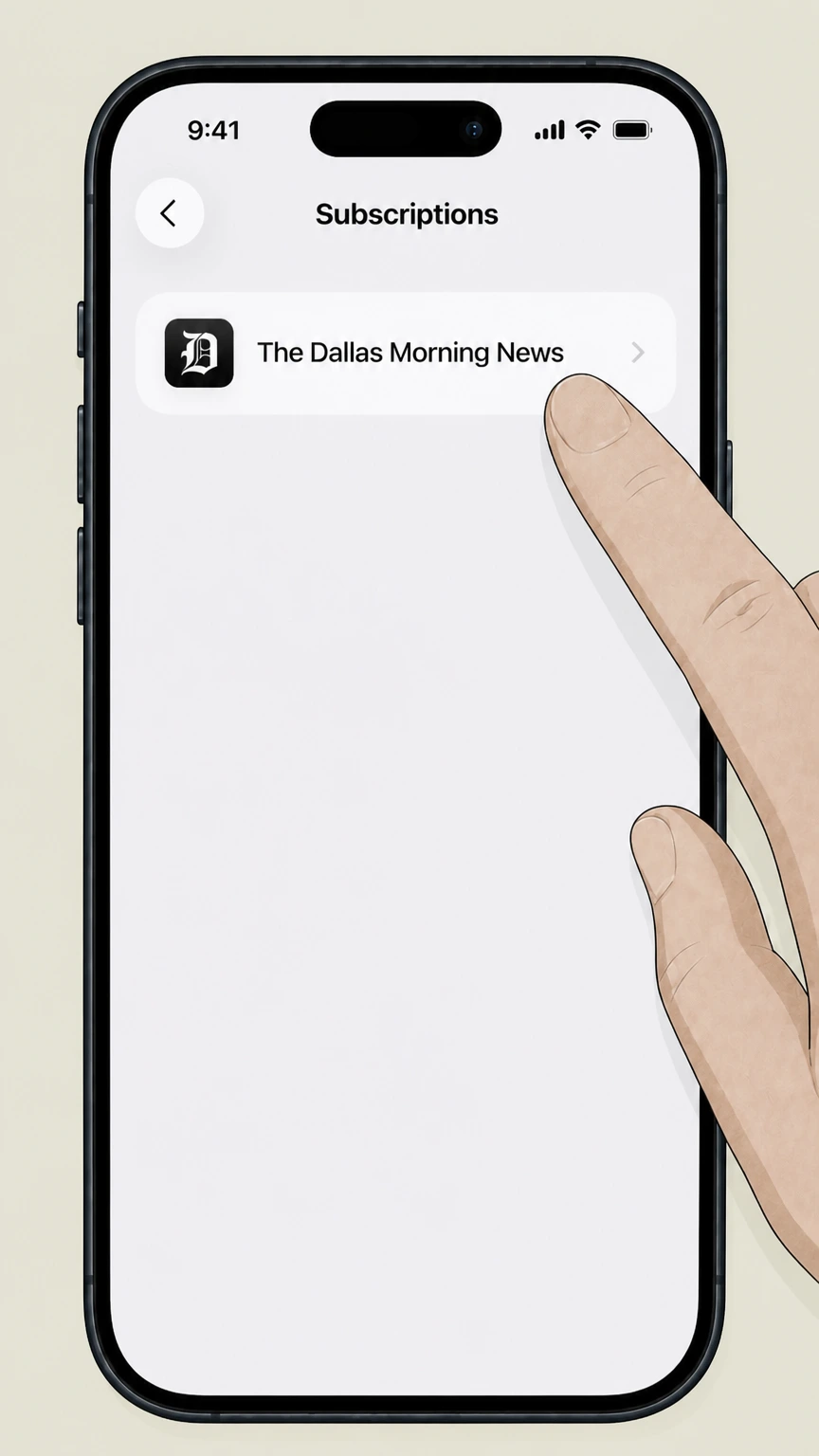
4Select The Dallas Morning News
In the list of subscriptions, tap The Dallas Morning News entry to open its subscription details screen. Use the The Dallas Morning News account named on your receipt, and continue only after the next status in this cancellation path is visible.
 5
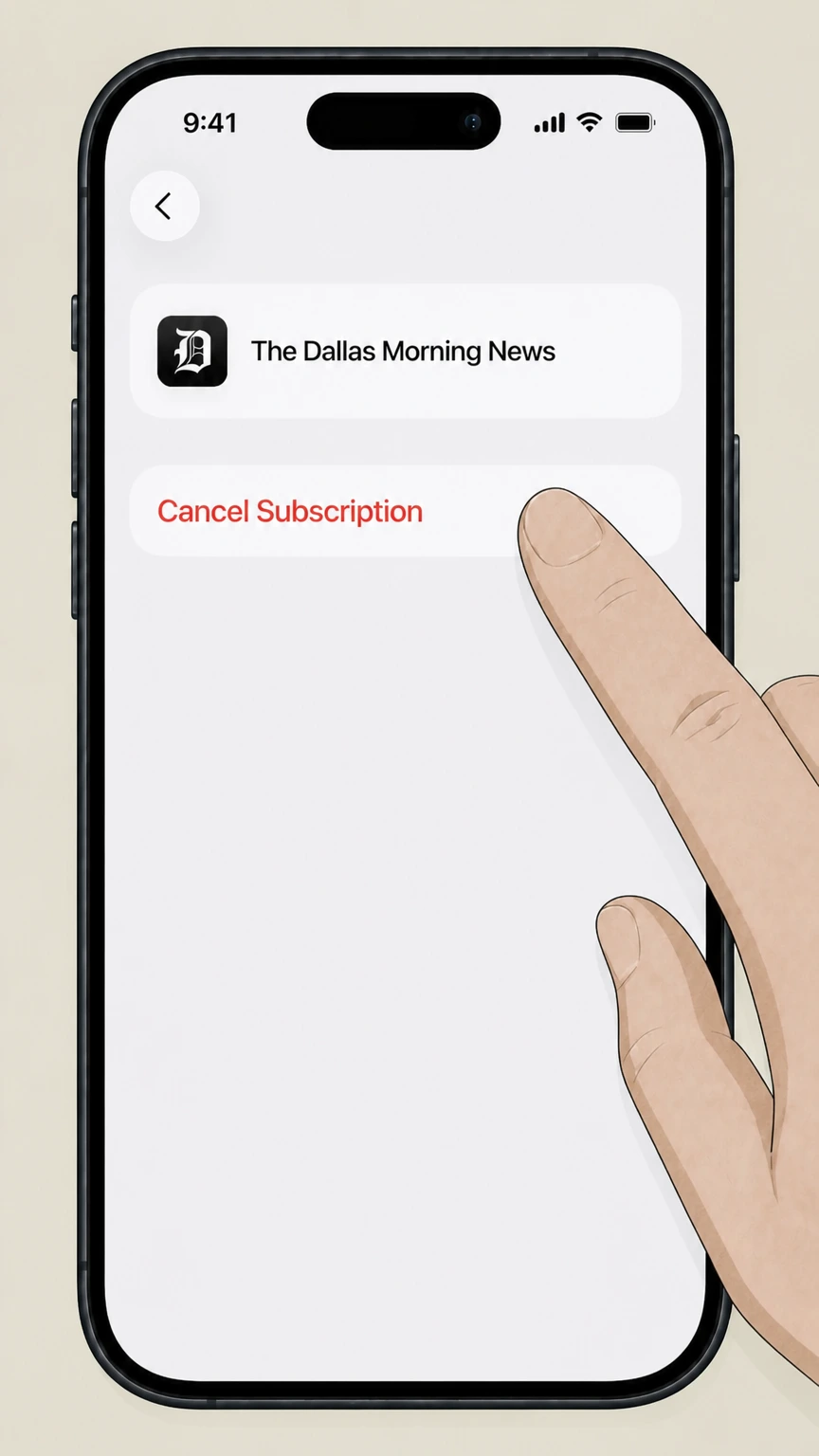
5Cancel the subscription
On The Dallas Morning News subscription screen, tap Cancel Subscription (or Cancel Free Trial) and follow any prompts until the status shows that auto‑renew has been turned off.
Google Play (Android in-app subscriptions) · verify the billing owner
 1
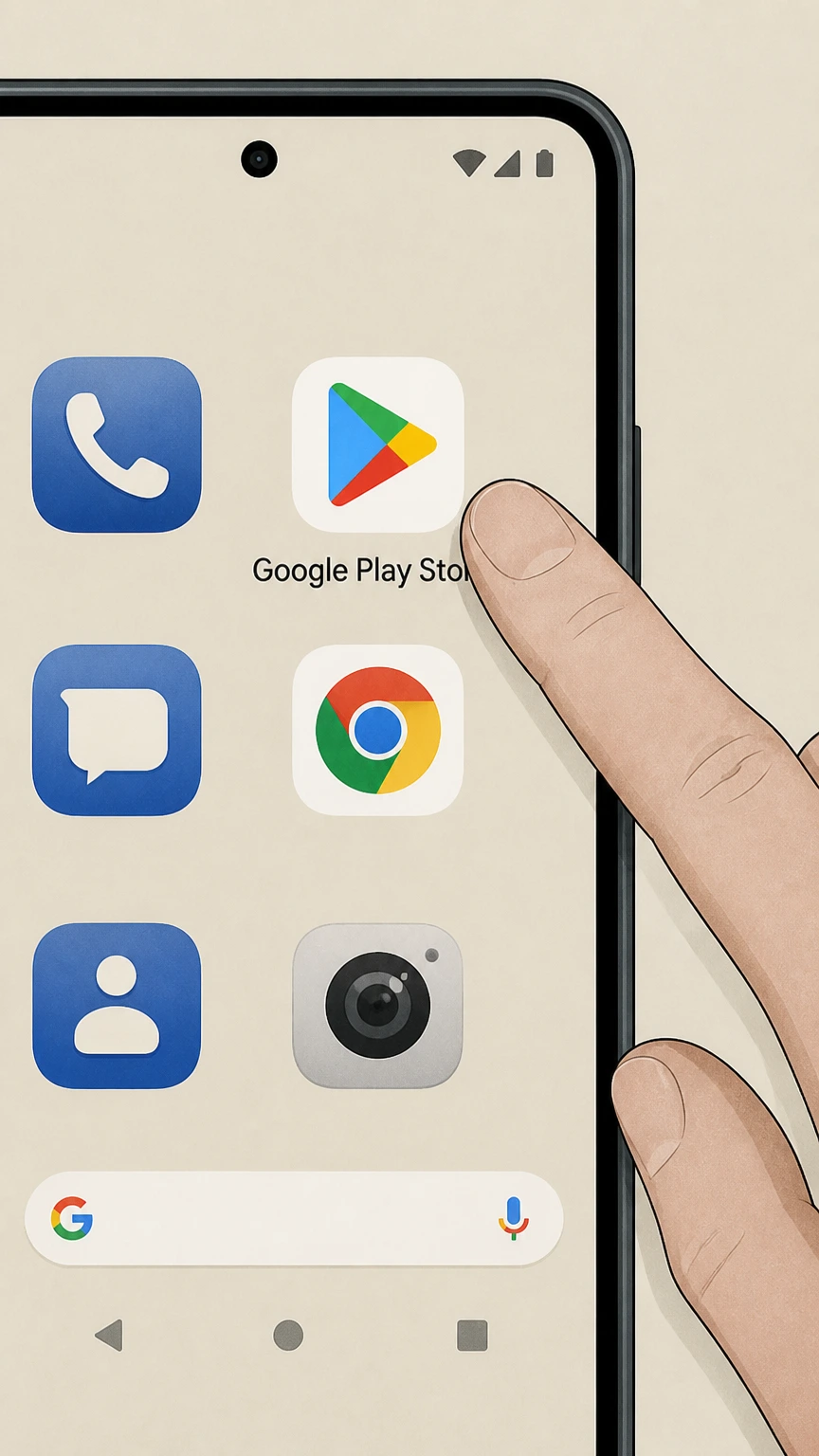
1Open the Google Play Store app on your Android device
On your Android phone or tablet, launch the Google Play Store app that you use for installing apps and managing purchases.
 2
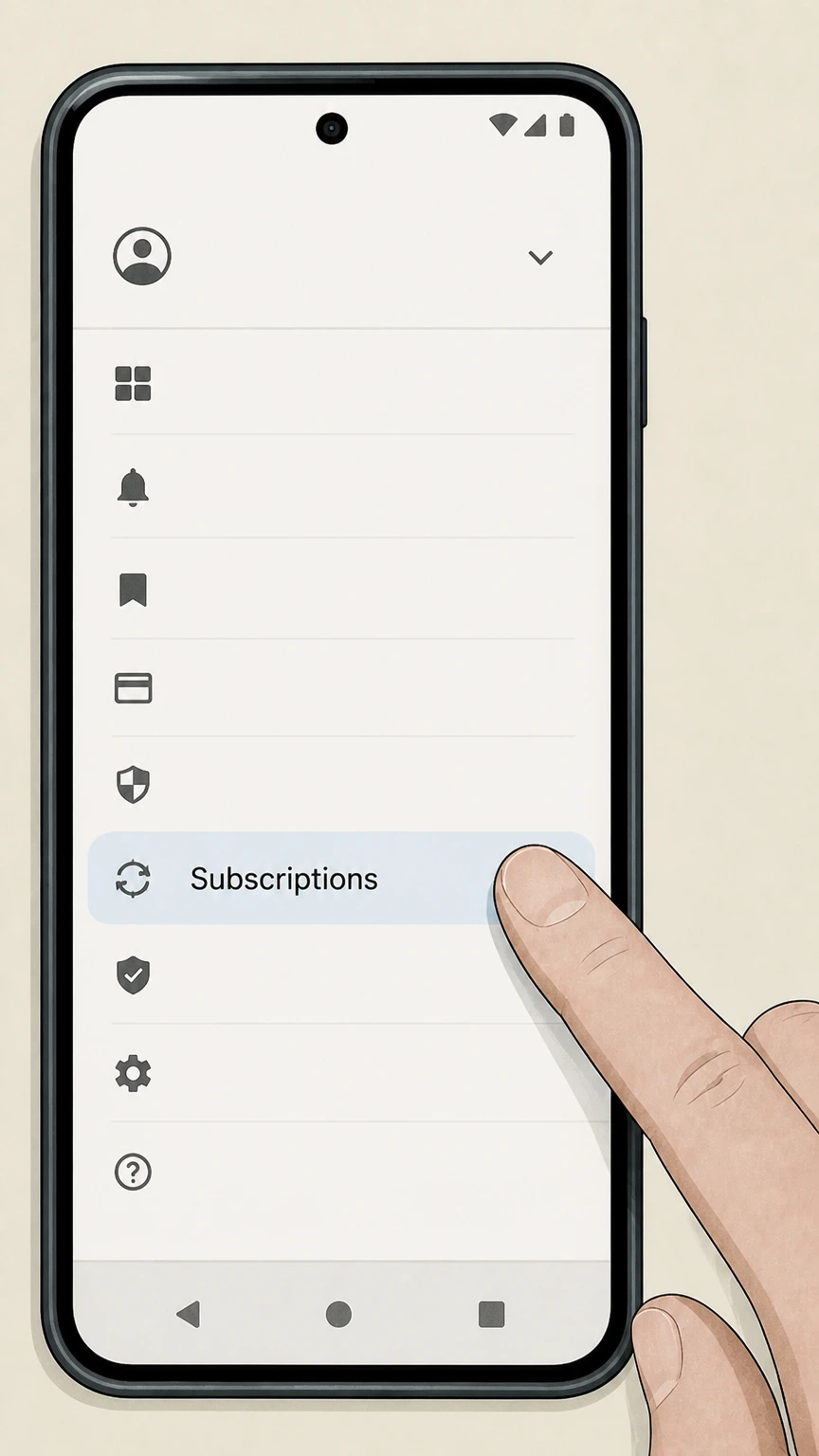
2Open the subscriptions section for your Google Account
In Google Play, open the menu for your account and go to the Subscriptions area to see all active subscriptions tied to that Google Account.
- Let Pine handle it
Pine can help
Too many steps?
Pine can find the right Google Play (Android in-app subscriptions) path and handle the cancellation for you.
 3
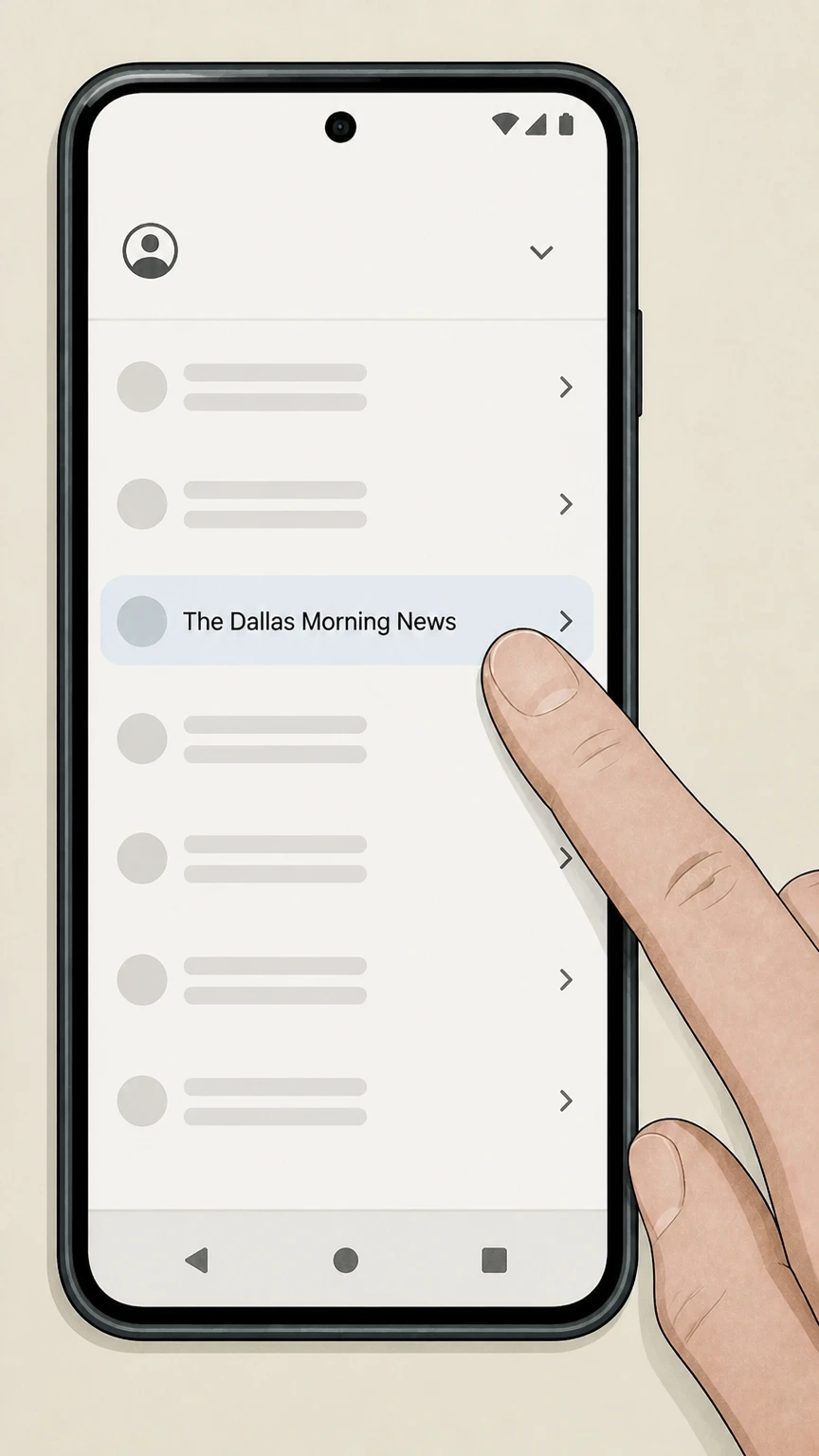
3Select The Dallas Morning News subscription
In the Subscriptions list, tap The Dallas Morning News entry to open its subscription management screen. Use the The Dallas Morning News account named on your receipt, and continue only after the next status in this cancellation path is visible.
 4
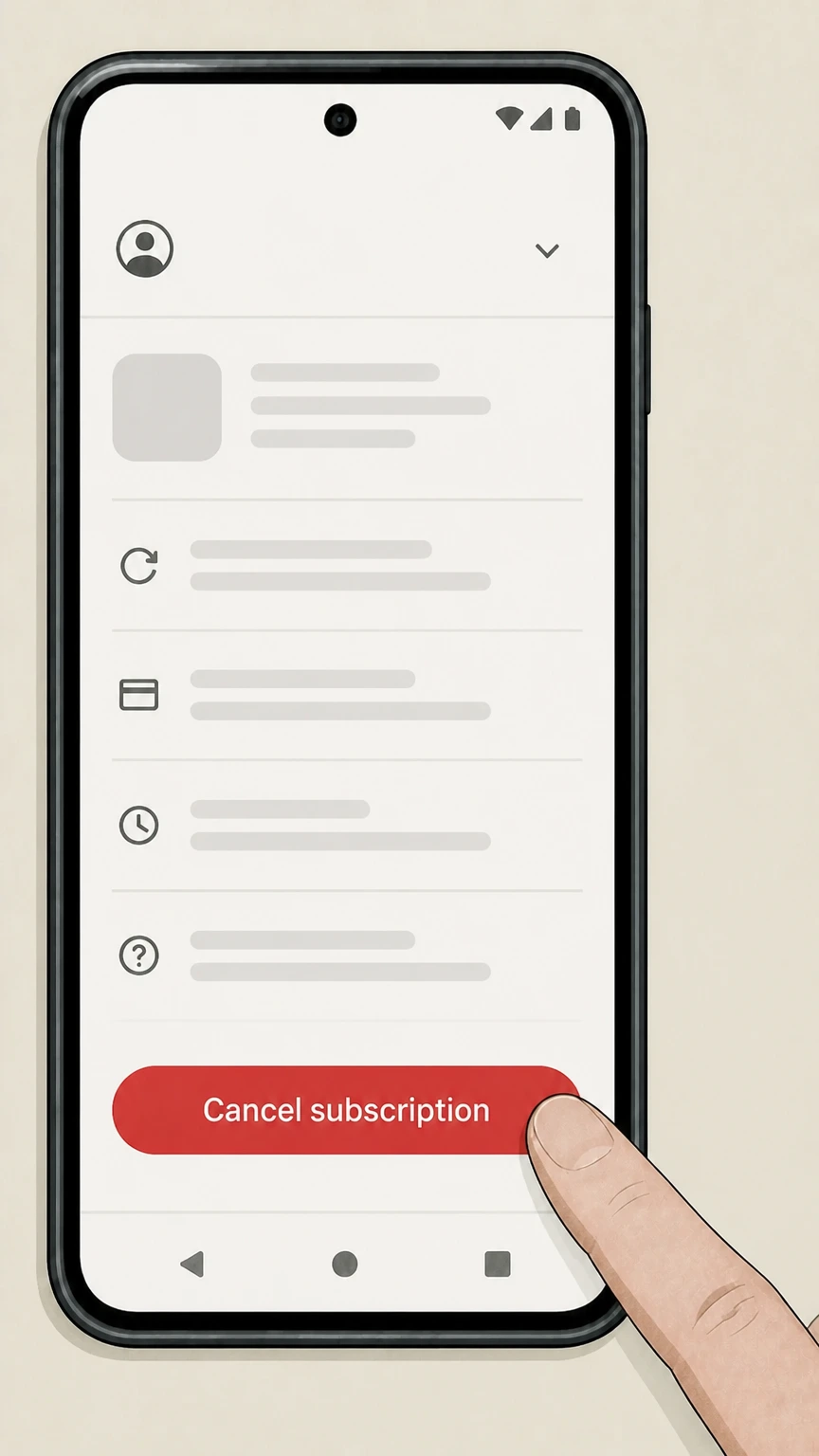
4Tap Cancel subscription
On the subscription screen, tap Cancel subscription and follow the on‑screen instructions to confirm that you want to end auto‑renew for The Dallas Morning News.
 5
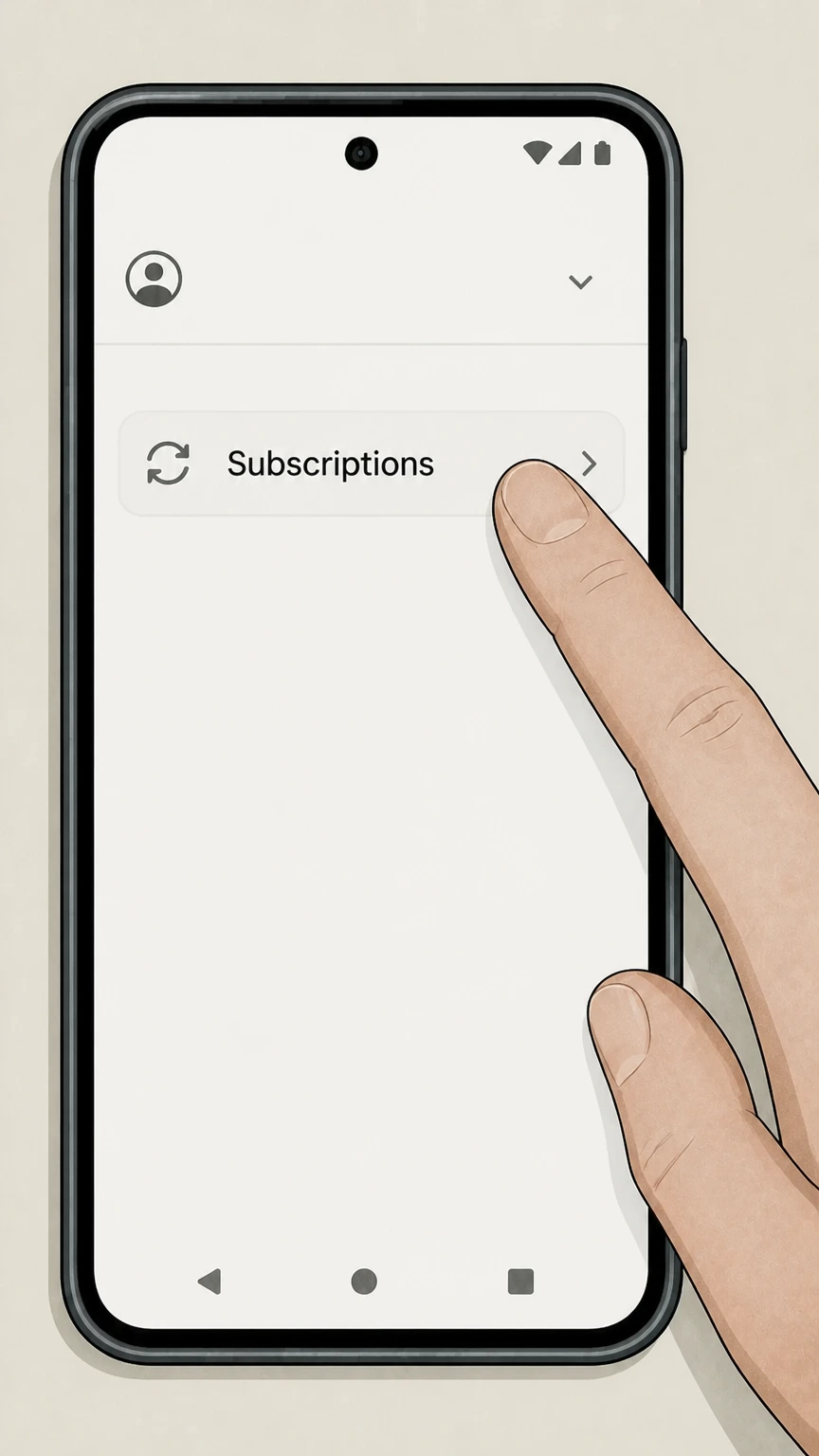
5Verify that the renewal date shows cancellation at period end
After completing the flow, check that Google Play now shows a validity date after which the subscription will not renew, confirming cancellation of future charges.
Refund policy
Dallas Morning News cancellation and refund rules
Dallas Morning News and its platform partners treat cancellation and refunds separately. Cancelling usually stops only future renewals while leaving access in place through the current paid period, and refunds are granted only under limited store‑specific or publisher policies.
Check my refund options- No pro-rated refunds for cancelled direct subscriptions
- Dallas Morning News’ Terms of Use state that when you cancel a subscription product, you cancel only future charges and that refunds or credits are not provided for any cancelled subscription product, so mid‑cycle refunds are not standard for direct‑billed plans.
- Access continues until the end of the billing period
- For both digital and print subscription products, the Terms explain that access or delivery continues until the end of the current billing period after a cancellation request, meaning you typically keep service but will not be renewed beyond that date.
- Apple subscription refunds handled by Apple
- For subscriptions purchased through the iOS App Store, Apple documentation notes that some content and app purchases may be eligible for refunds via Apple’s refund request tools, and subscribers must work with Apple rather than Dallas Morning News to seek those refunds.
- Google Play subscription refunds follow Google policy
- Google Play Help explains that Google does not give refunds for most in‑app purchases and subscriptions, but outlines limited circumstances and short timeframes where refunds may be granted, all managed through Google Play or by contacting the app developer.
- Print suspension is different from refund
- The Terms distinguish between cancellation, which stops future subscription charges without a refund of the current period, and temporary suspension of print delivery, which pauses papers without cancelling the underlying subscription or generating a refund.
If you believe you qualify for an exception to the standard no‑refund policy—for example because of a billing error—contact Dallas Morning News Customer Care (for direct subscriptions) or use Apple or Google’s official refund request tools for in‑app purchases. See official terms and refund tools
Dallas Morning News basics
How Dallas Morning News subscriptions are structured
Key facts about the types of subscriptions Dallas Morning News sells and how they tie into its digital products.
Active print and digital products
Dallas Morning News continues to publish a daily print edition and a suite of digital products, including DallasNews.com, an e‑Edition, newsletters, and mobile apps, all promoted as part of its core subscription offering.
Digital-only and print+digital plans
The publisher markets both digital‑only access and combined print plus digital memberships. Store and promotional pages describe print and digital subscriptions that share access rights to the website, e‑Edition, and apps.
App-linked subscriptions
Official App Store and Google Play listings describe a Dallas Morning News subscription sold through each store that unlocks unlimited digital access to the app, dallasnews.com, the e‑Edition, and newsletters with recurring monthly billing.
Subscriber services portal
Dallas Morning News operates a subscriber services portal at subscription.dallasnews.com, described as a place to manage your subscription; this is typically where direct‑billed customers review account and delivery settings.
Billing terms
Auto-renewal and EZPay for direct subscriptions
Dallas Morning News subscriptions usually auto‑renew under a continuous service program until you cancel.
Continuous subscription model
Digital and print subscriptions sold directly by Dallas Morning News are described in checkout language as continuous subscriptions that automatically renew under EZPay billing until you cancel using the method specified in your offer or confirmation message.
Recurring charges each billing period
The Terms of Use explain that subscription products are billed on a recurring basis at the start of each billing period, and that by enrolling you authorize automatic charges to the payment method on file until you cancel.
Offer-specific cancellation instructions
For continuous offers, Dallas Morning News states that you may cancel by following the methods indicated in your email or other subscription correspondence; one digital offer explicitly instructs customers to cancel by calling the listed customer care number.
Price changes and renewal notices
The Terms note that subscription fees, billing periods, and the number of print issues may change. The publisher will notify you if the regular subscription fee changes and allows you to cancel before being billed at the new rate.
After you cancel
What changes when you cancel a direct Dallas Morning News subscription
How cancellation affects future charges, access, and delivery for direct‑billed subscribers.
Cancellation stops only future charges
The Terms specify that when you cancel a subscription product, you are cancelling only future charges. Existing payments for the current billing period generally are not refunded or credited.
End-of-period access to digital content
For digital subscriptions, the publisher explains that access to digital products ends at the close of your current billing period after you cancel, meaning you usually retain website and app access until that date.
End-of-period print delivery
For print subscription products, delivery of the newspaper also ends at the conclusion of the current billing period following cancellation, consistent with the rule that only future charges are stopped.
Temporary suspension versus cancellation
The Terms describe a temporary suspension option for print delivery, available on request, which pauses delivery without cancelling the underlying subscription; customers must explicitly request cancellation if they want charges and service to stop.
Where to initiate cancellation
The publisher directs subscribers to use the methods listed in their confirmation email or on the Frequently Asked Questions or Customer Service page of the applicable publication to notify it of an intent to cancel.
Apple billing
Dallas Morning News subscriptions through the Apple App Store
How Dallas Morning News works when you subscribe via Apple’s in‑app purchase system.
App Store in-app subscription
The iOS App Store listing offers an auto‑renewing Dallas Morning News subscription sold through Apple, providing unlimited digital access to the app, dallasnews.com, e‑Edition, and newsletters with a monthly fee after any free trial.
Apple as billing owner
The App Store product page explains that payment is charged to your Apple account and that the subscription automatically renews each month unless you cancel at least 24 hours before the end of the period, indicating Apple controls billing.
Managing via Apple ID settings
Apple’s in‑app purchase guidance instructs users to manage or cancel subscriptions by going to Settings, tapping their name, opening Subscriptions, choosing the subscription, and selecting Cancel Subscription to stop renewal at the end of the billing cycle.
Access through end of billing period
Apple documentation clarifies that after cancelling an auto‑renewing subscription, you retain access to the content through the current billing period; the subscription simply does not renew afterward.
Refunds handled under Apple policies
Requests for refunds on App Store subscriptions, including news apps, are handled through Apple’s refund tools and media service policies rather than through Dallas Morning News directly.
Google Play billing
Dallas Morning News subscriptions through Google Play
How Dallas Morning News subscriptions behave when purchased with Google Play billing on Android.
Android app with in-app purchases
The official Google Play listing for The Dallas Morning News app describes in‑app purchases and a subscription that grants unlimited digital access to the app, website, e‑Edition, and newsletters, with recurring monthly billing managed through Google Play.
Google as subscription billing owner
The Play Store page explains that payment is charged to your Google account and automatically renews each month unless cancelled at least 24 hours before period end, and notes that subscriptions may be managed by the user in account settings.
Self-service cancellation in Google Play
Google Play Help describes cancelling subscriptions by going to the Subscriptions section in Google Play, selecting the subscription, tapping Cancel subscription, and following instructions; uninstalling the app alone does not cancel billing.
Access through current billing period
Google Play’s subscription help and developer documentation state that, after cancellation, users typically keep access to subscription content until the end of the current billing period, and further renewals are stopped without a pro‑rated refund.
Refunds follow Google Play policies
Google’s refund policy pages explain that refunds for in‑app purchases and subscriptions are limited, time‑sensitive, and handled primarily through Google Play’s own refund request process, not by the app publisher.
Print membership
Managing and cancelling print home delivery
How print subscribers manage delivery and what differs between a delivery stop and full cancellation.
Managing print subscriptions online
Dallas Morning News directs subscribers to a subscriber services portal described as a way to manage your subscription, and help content links to instructions for managing print delivery online, such as changing addresses or vacation stops.
Vacation stop versus cancellation
The Terms of Use distinguish temporary suspension of print delivery, which pauses newspaper delivery on request, from cancellation of the subscription product, which stops future recurring charges at the end of the billing period.
Using customer service for print cancellation
Because the Terms point subscribers to Customer Service methods to cancel subscription products, print customers who want to end home delivery entirely should contact Dallas Morning News customer care rather than rely solely on vacation-stop tools.
Digital access bundled with print
Print subscribers are typically granted unlimited digital access to DallasNews.com and the apps; mobile apps and help pages explain that print customers can activate digital access via an activation link and then use the same credentials across products.
Subscriber services as single account hub
Links from the DallasNews home page and store materials emphasize Subscriber Services and the subscriber portal as the central place to handle print and digital account changes, even though detailed help articles are hosted on a separate support system.
Proof & access
Confirmation, access, and accounts after cancellation
What evidence you should keep and what happens to your Dallas Morning News account once you cancel.
Rely on confirmation communications
Dallas Morning News’ terms emphasize that cancellation methods and key details are communicated in your email or other subscription correspondence, so you should keep copies of confirmation messages or notes from any customer care calls.
End-of-cycle access norms
Both Dallas Morning News and the major app stores describe cancellations as taking effect at the end of the current billing period, so you can normally keep using your digital access or receiving print papers until that cycle closes.
No automatic account deletion
The publisher’s privacy policy and terms focus on cancelling subscription products and recurring charges, not on deleting DallasNews.com user accounts, suggesting your login and basic registration data may remain unless you pursue separate account or privacy requests.
Separate handling of one-time purchases
Dallas Morning News distinguishes one‑time purchases, such as certain archive articles, from subscriptions. Cancelling a subscription stops future subscription billing but does not retroactively revoke unrelated one‑time purchases already completed.
Platform receipts as secondary proof
For Apple and Google Play subscriptions, store receipts and subscription screens provide an additional record of cancellation status and remaining access dates; these are authoritative for how long platform‑billed access will continue.
Company context
What happened to The Dallas Morning News building
Background on the newspaper’s former headquarters, reflecting a common reader question.
Relocation from the old headquarters
Dallas Morning News previously occupied a headquarters building in downtown Dallas, but it has since moved its newsroom and offices, leaving the former complex available for redevelopment.
Sale of the former building
A 2025 Dallas Morning News real‑estate report explains that the developer who had purchased the old headquarters site decided to sell the property to a data‑center company as broader convention‑center redevelopment plans shifted.
Abandoned hotel and entertainment plans
The same report notes that earlier concepts for a modern hotel and entertainment complex on the former headquarters site were effectively abandoned when the planned sale to the data‑center buyer moved forward.
No impact on subscriptions
These property changes concern only the company’s former physical headquarters and do not alter how Dallas Morning News subscriptions are sold, billed, or cancelled; current subscriptions continue under the standard terms and service infrastructure.
What official sources do not confirm
Limits of the public The Dallas Morning News cancellation guidance
These points are intentionally qualified because the official sources reviewed on August 17, 2026 do not publish a complete answer.
Documented limitation 1
Detailed self‑service options in the Dallas News Help Center are hosted on a Zendesk subdomain that falls outside the allowed domains, so this guide cannot confirm whether additional online cancellation tools exist beyond phone and app‑store methods documented here.
Documented limitation 2
Subscriber services portal pages beyond the public landing text could not be inspected in depth, so specific on‑screen labels for any internal cancellation buttons within subscription.dallasnews.com are not described.
Account-specific qualification 3
The public The Dallas Morning News sources reviewed on August 17, 2026 cannot determine account-specific contract terms, promotions, regional rules, or interface variations. Confirm those details in the signed-in account or with the company that posts the charge before acting.
The Dallas Morning News cancellation FAQ
Questions people search about canceling The Dallas Morning News, answered with official provider or billing-platform sources checked on August 17, 2026.
How do I cancel my Dallas Morning News subscription?
Can I cancel The Dallas Morning News without calling?
How do I completely cancel my Dallas Morning News subscription so I’m not billed again?
What happens to my Dallas Morning News access after I cancel?
Does The Dallas Morning News give refunds when I cancel?
How do I cancel The Dallas Morning News on iPhone or iPad?
How do I cancel The Dallas Morning News on Android?
How do I cancel home delivery of The Dallas Morning News?
How do I contact Dallas Morning News customer service about my subscription?
What happened to The Dallas Morning News building?
Untangle this The Dallas Morning News issue.
Let Pine handle the provider follow-up and keep the confirmation in one place.
