


Bumble
Cancel subscription
How to Cancel Your Bumble Subscription Safely
Learn how to cancel Bumble through the right billing provider. Follow official steps, understand access timing, refunds, and the confirmation to keep.
- Official Bumble and billing-owner sources
- 3 provider-specific cancellation paths
- Refund and post-cancellation effects separated from renewal
- Verified August 16, 2026
Choose the Bumble cancellation path that matches who bills you
Apple App Store (iPhone/iOS) · verify the billing owner
 1
1Open Settings
Open the Settings app on your iPhone to access your Apple ID and subscriptions. Use the Bumble account named on your receipt, and continue only after the next status in this cancellation path is visible.
 2
2Tap your name
Tap your Apple ID name at the top of the Settings screen to open account options. Use the Bumble account named on your receipt, and continue only after the next status in this cancellation path is visible.
- Let Pine handle it
Pine can help
Too many steps?
Pine can find the right Apple App Store (iPhone/iOS) path and handle the cancellation for you.
 3
3Open Subscriptions
Tap Subscriptions to view all active subscriptions billed by Apple. Use the Bumble account named on your receipt, and continue only after the next status in this cancellation path is visible.
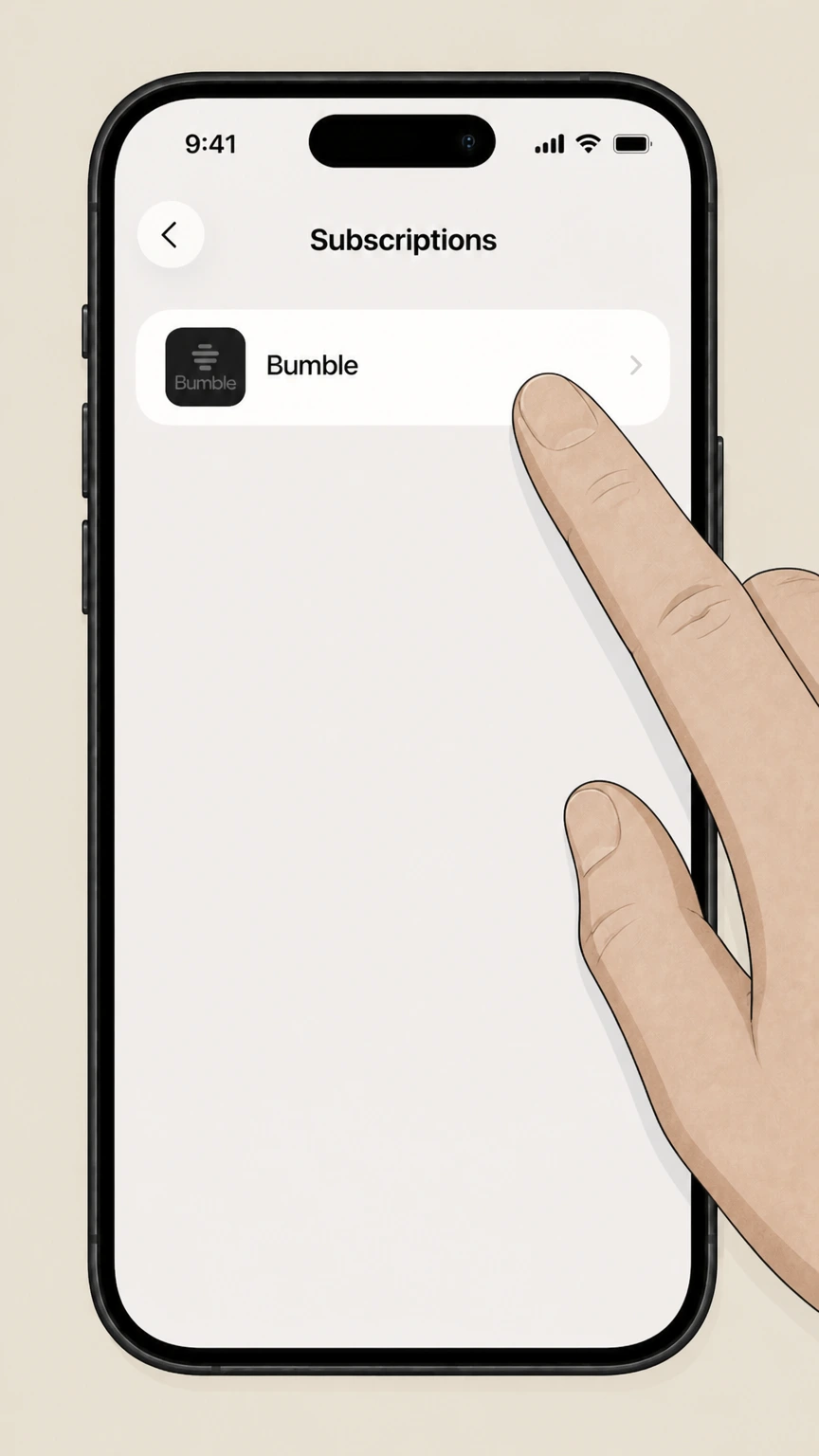 4
4Select Bumble
Find and tap Bumble in the list of subscriptions to open its details. Use the Bumble account named on your receipt, and continue only after the next status in this cancellation path is visible.
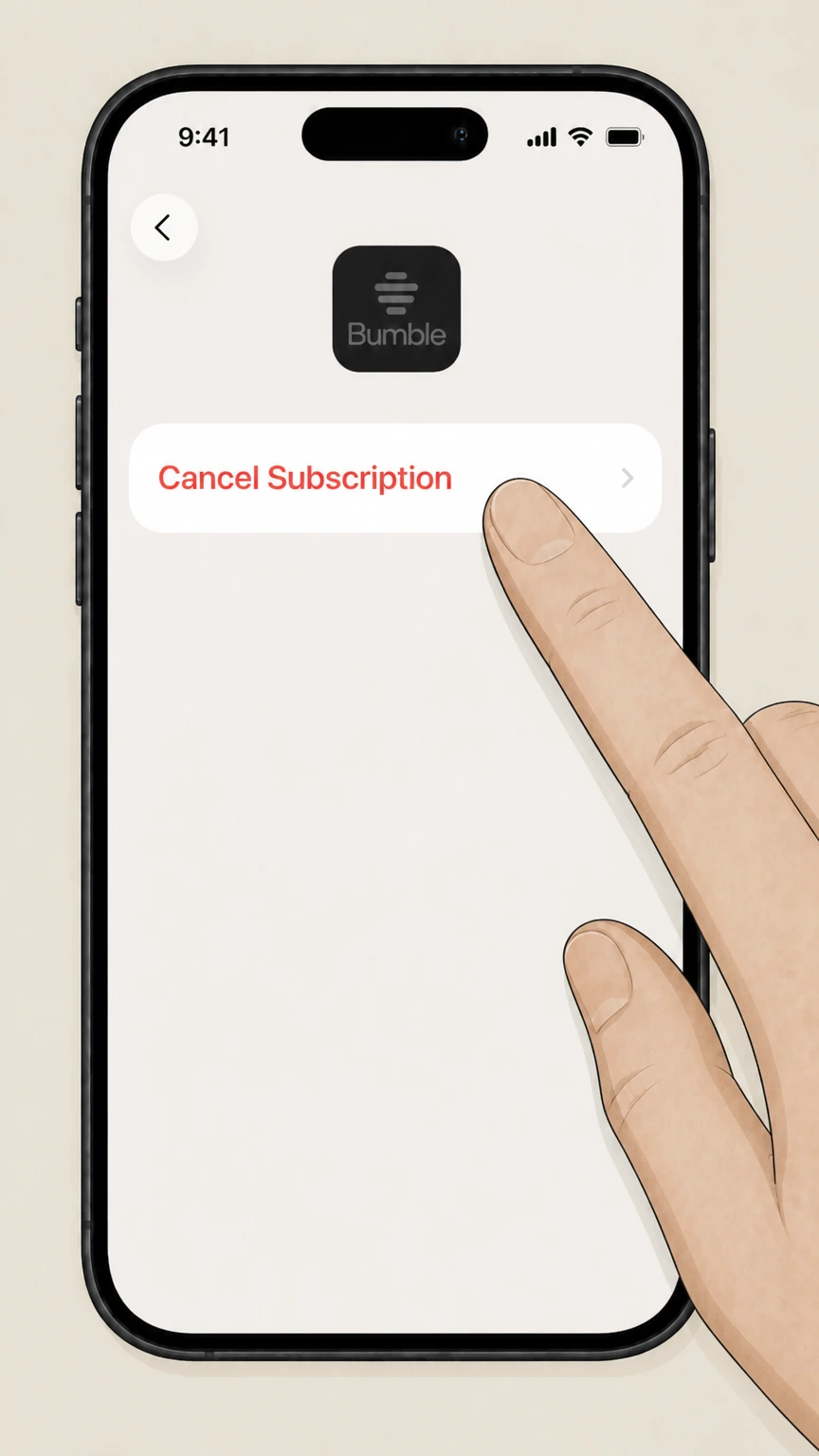 5
5Cancel the subscription
Tap Cancel Subscription and follow any prompts to confirm; if you see an expiration message instead, it is already canceled.

Google Play Store (Android) · verify the billing owner
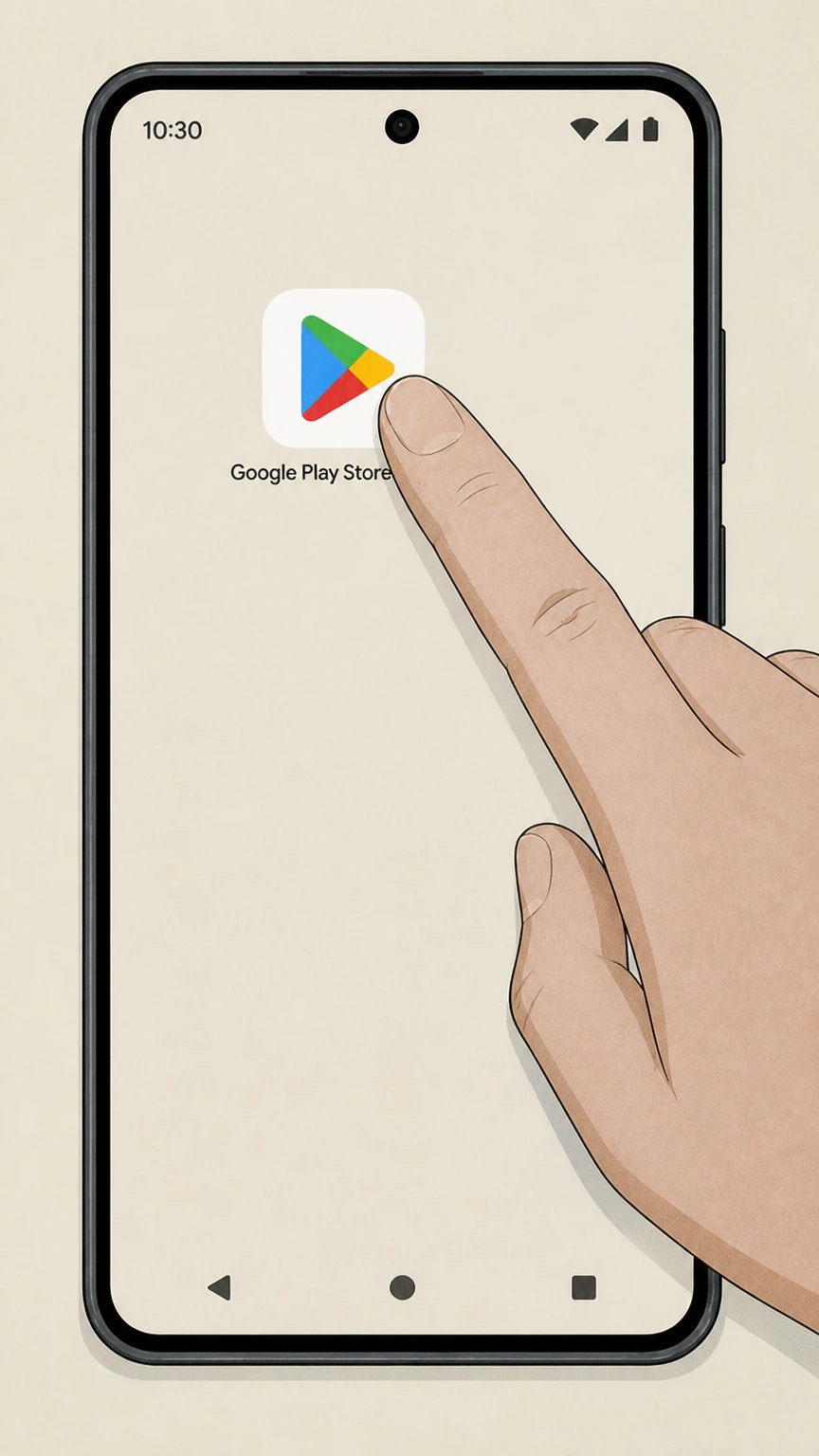 1
1Open Google Play Store
Open the Google Play Store app on the Android device linked to your Bumble subscription. Use the Bumble account named on your receipt, and continue only after the next status in this cancellation path is visible.
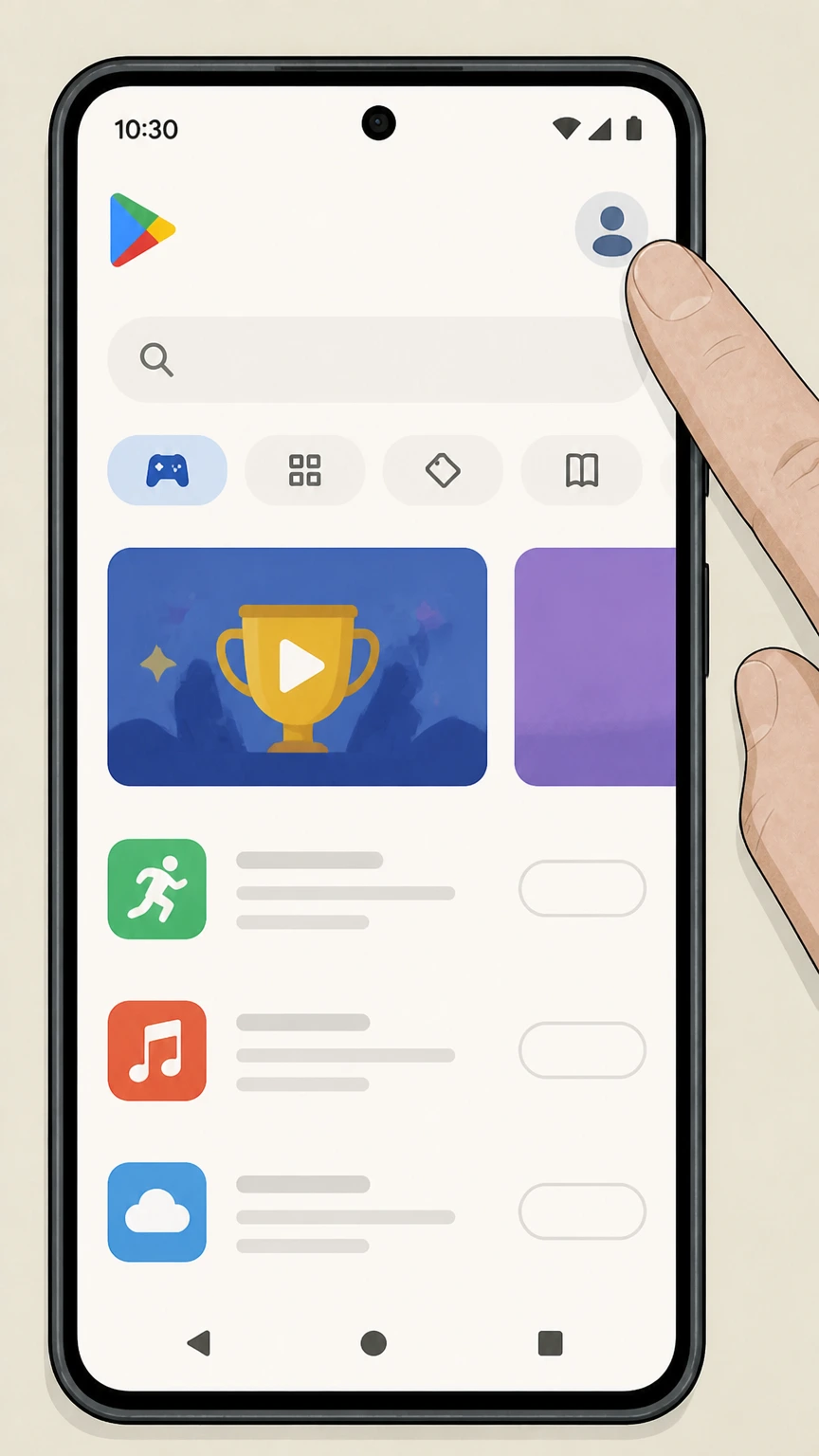 2
2Tap your profile icon
Tap your profile icon in the top-right corner of the Google Play Store screen. Use the Bumble account named on your receipt, and continue only after the next status in this cancellation path is visible.
- Let Pine handle it
Pine can help
Too many steps?
Pine can find the right Google Play Store (Android) path and handle the cancellation for you.
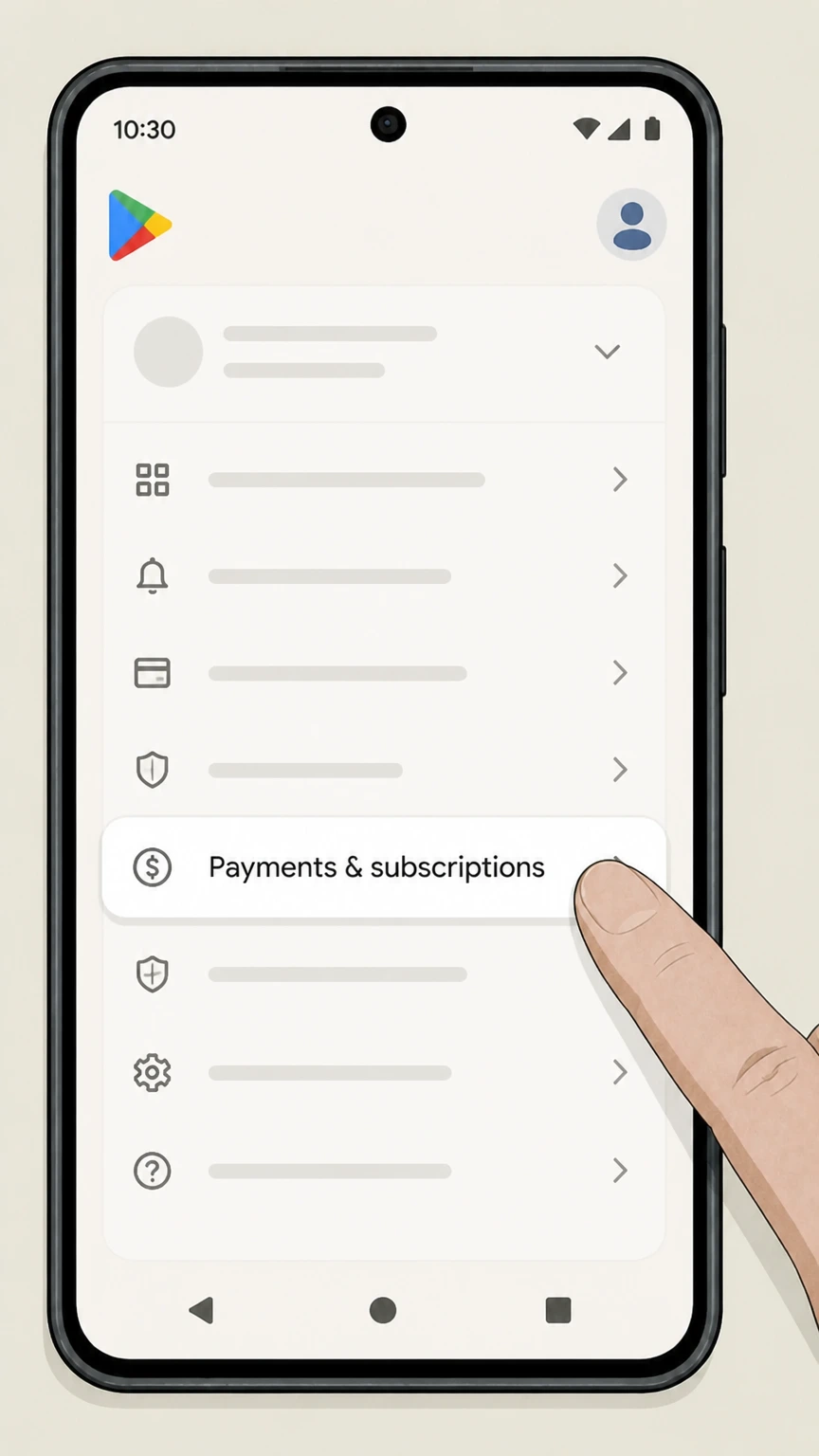 3
3Open Payments & subscriptions
Tap Payments & subscriptions to see your payment methods and subscriptions. Use the Bumble account named on your receipt, and continue only after the next status in this cancellation path is visible.
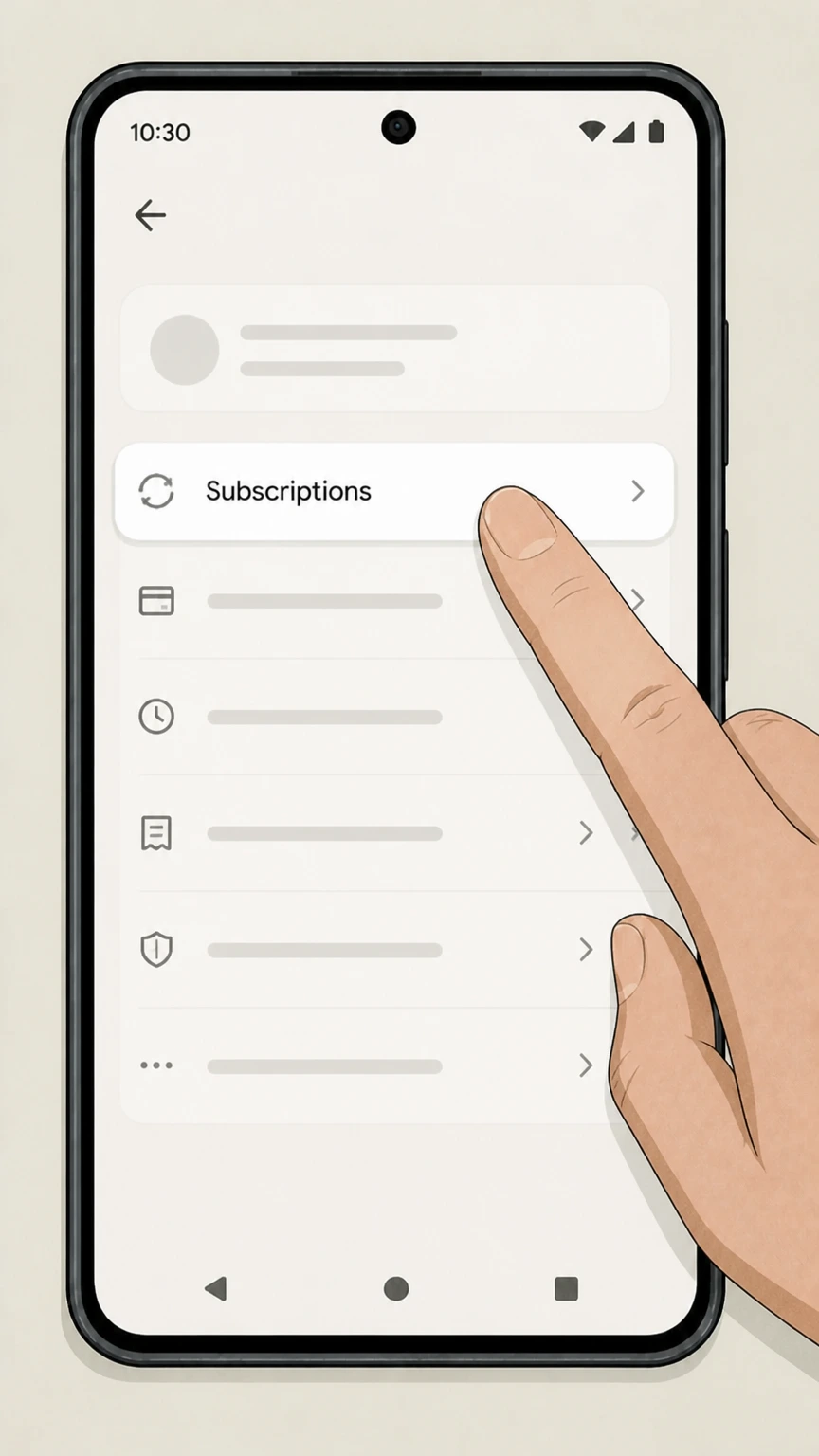 4
4Open Subscriptions
Tap Subscriptions to display all active Google Play subscriptions tied to this Google account. Use the Bumble account named on your receipt, and continue only after the next status in this cancellation path is visible.
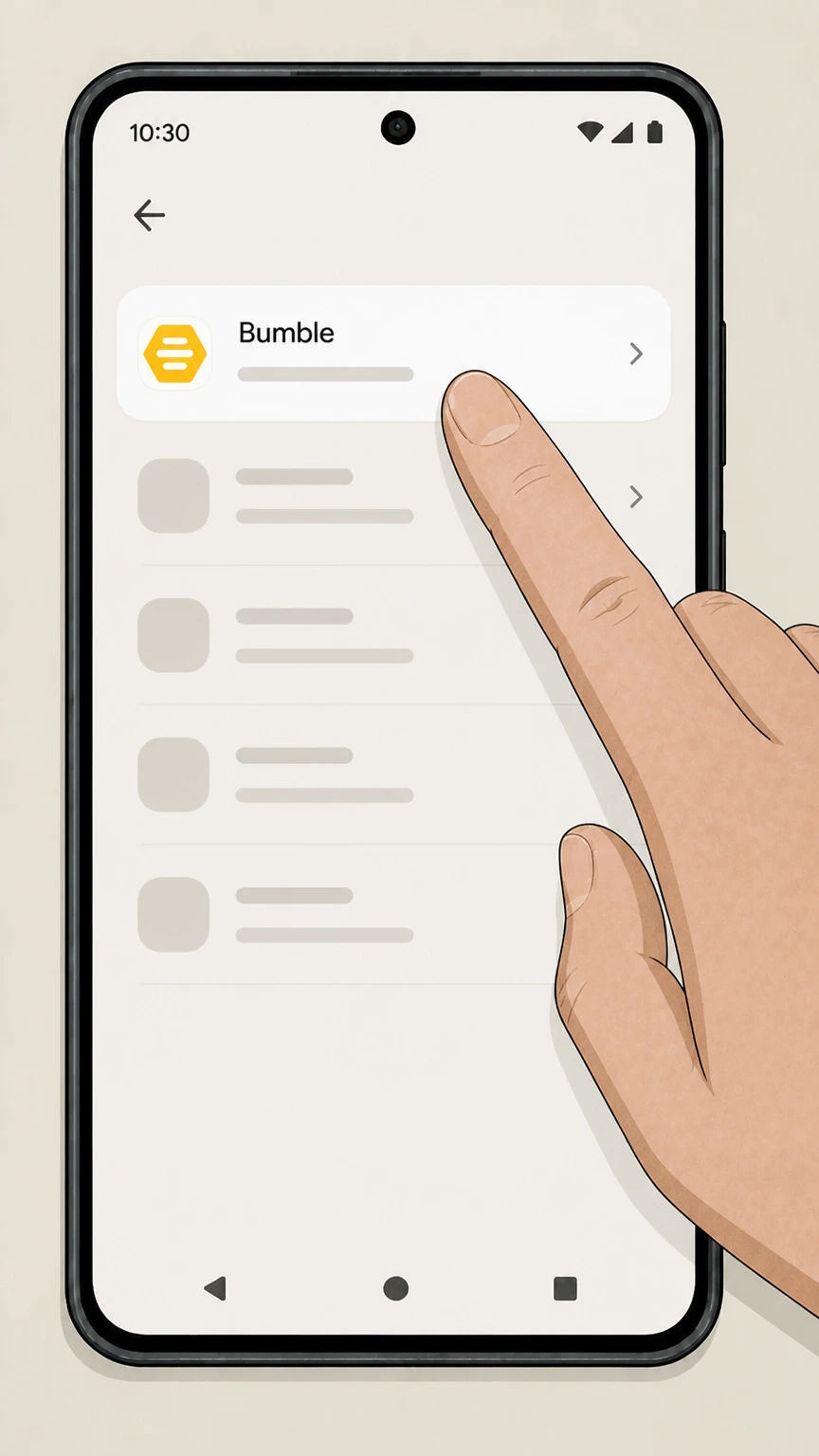 5
5Select Bumble
Tap Bumble in the list of subscriptions to open its subscription details. Use the Bumble account named on your receipt, and continue only after the next status in this cancellation path is visible.
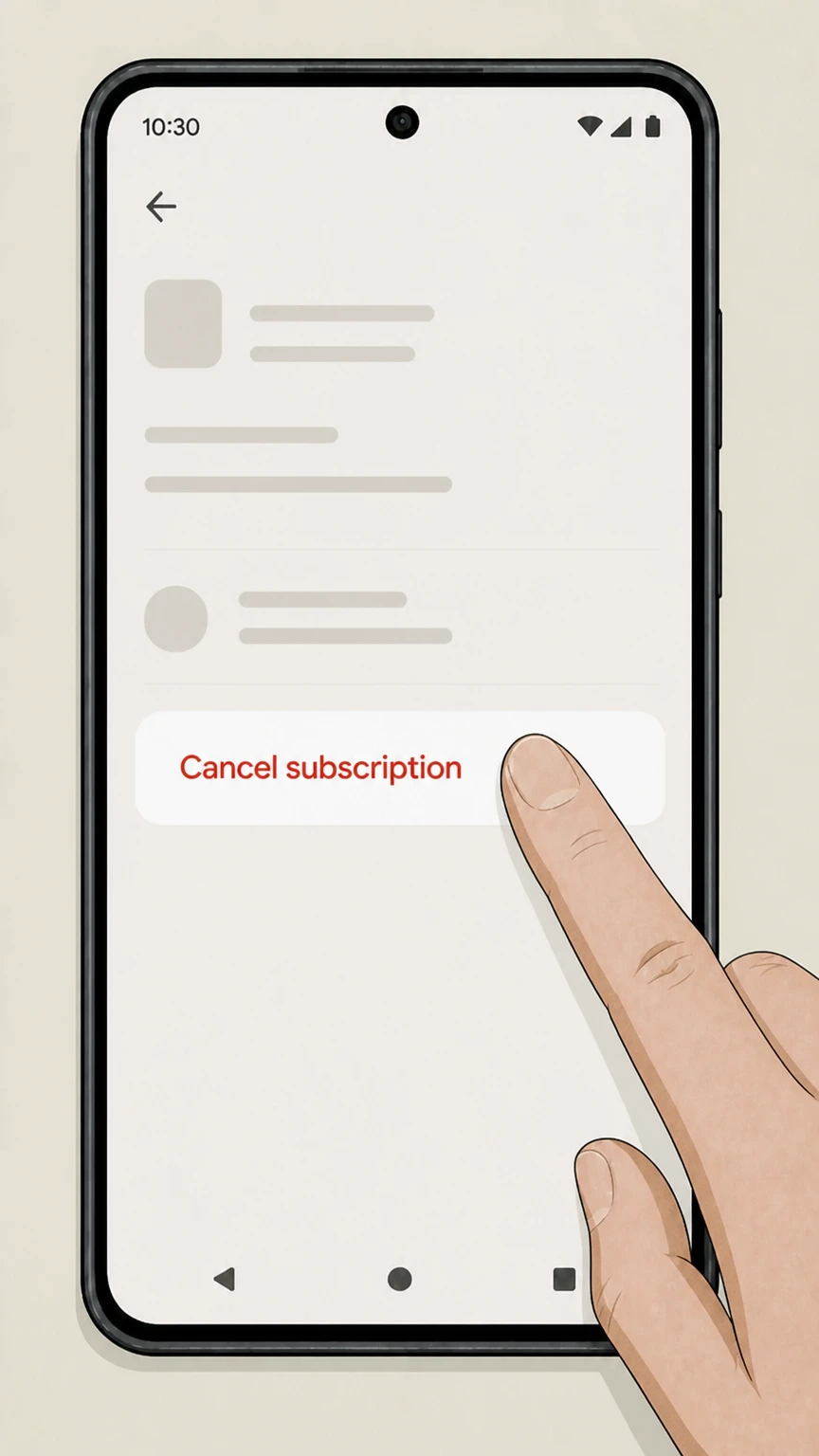 6
6Cancel the subscription
Tap Cancel subscription and complete the prompts to confirm cancellation. Use the Bumble account named on your receipt, and continue only after the next status in this cancellation path is visible.
Bumble website (card, PayPal, Apple Pay, Bumble Web) · verify the billing owner
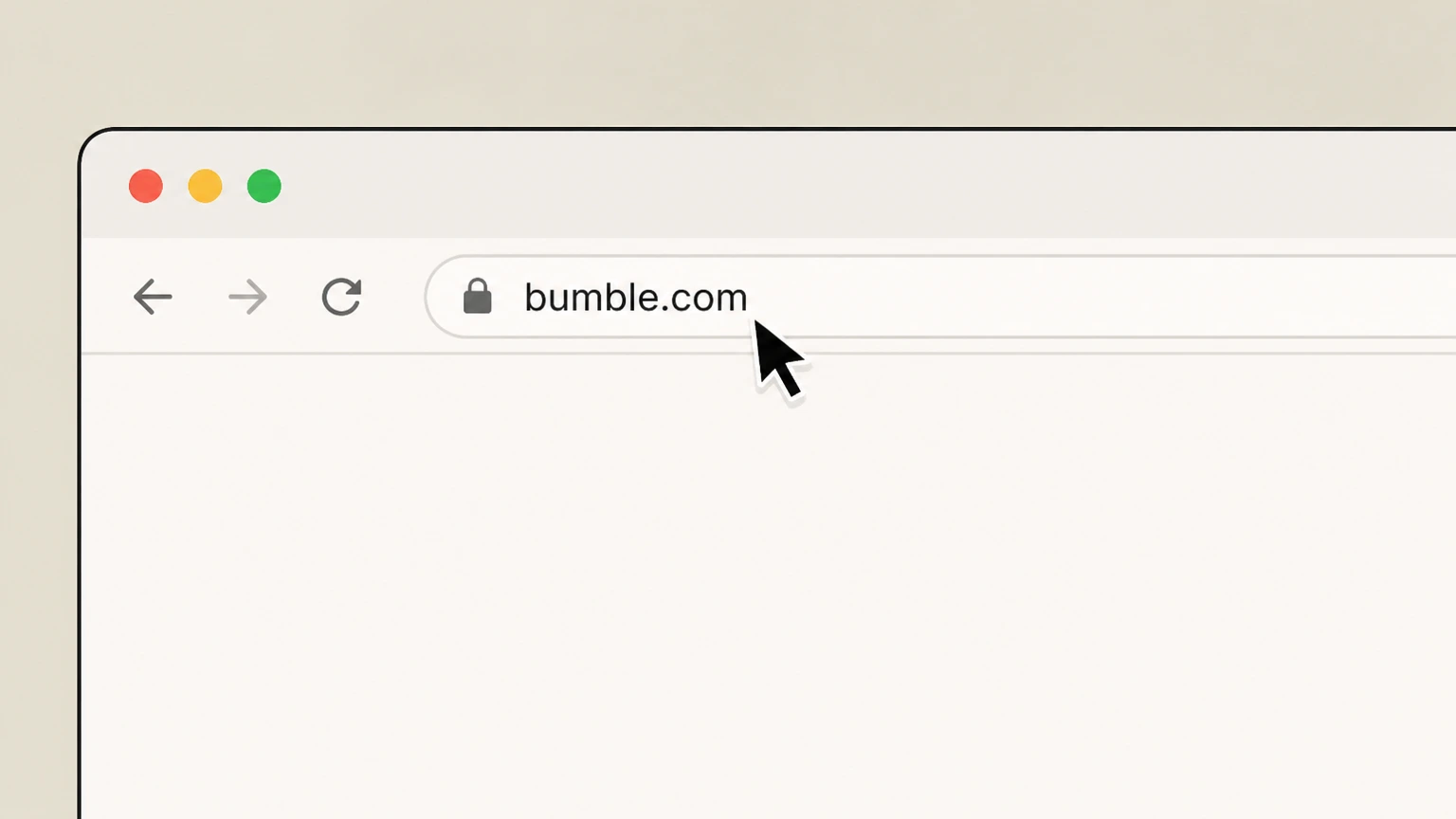 1
1Open bumble.com
Go to bumble.com in a web browser on your computer or mobile device. Use the Bumble account named on your receipt, and continue only after the next status in this cancellation path is visible.
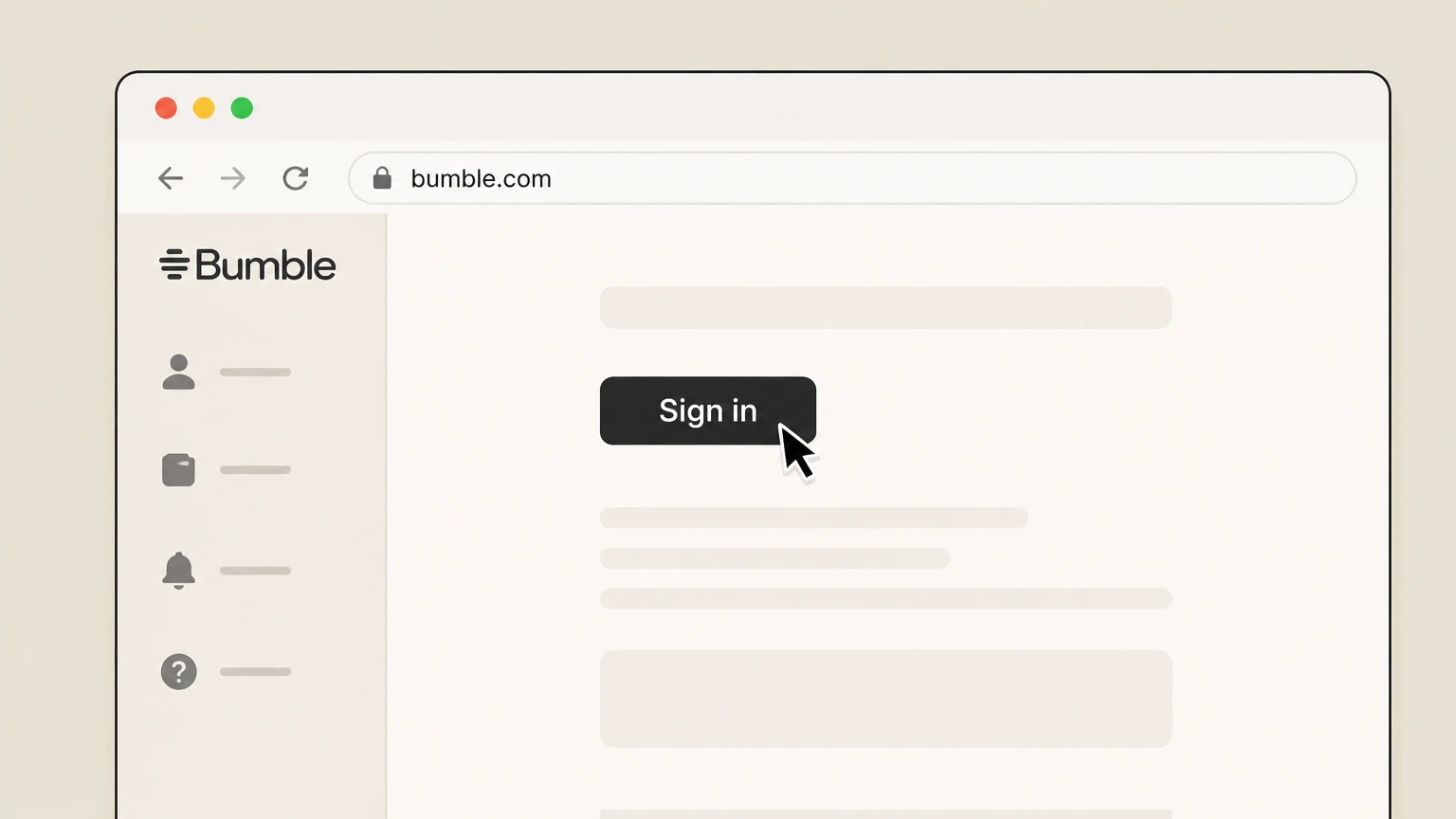 2
2Sign in to your account
Click Sign in and log in with the same credentials you use in the Bumble app. Use the Bumble account named on your receipt, and continue only after the next status in this cancellation path is visible.
- Let Pine handle it
Pine can help
Too many steps?
Pine can find the right Bumble website (card, PayPal, Apple Pay, Bumble Web) path and handle the cancellation for you.
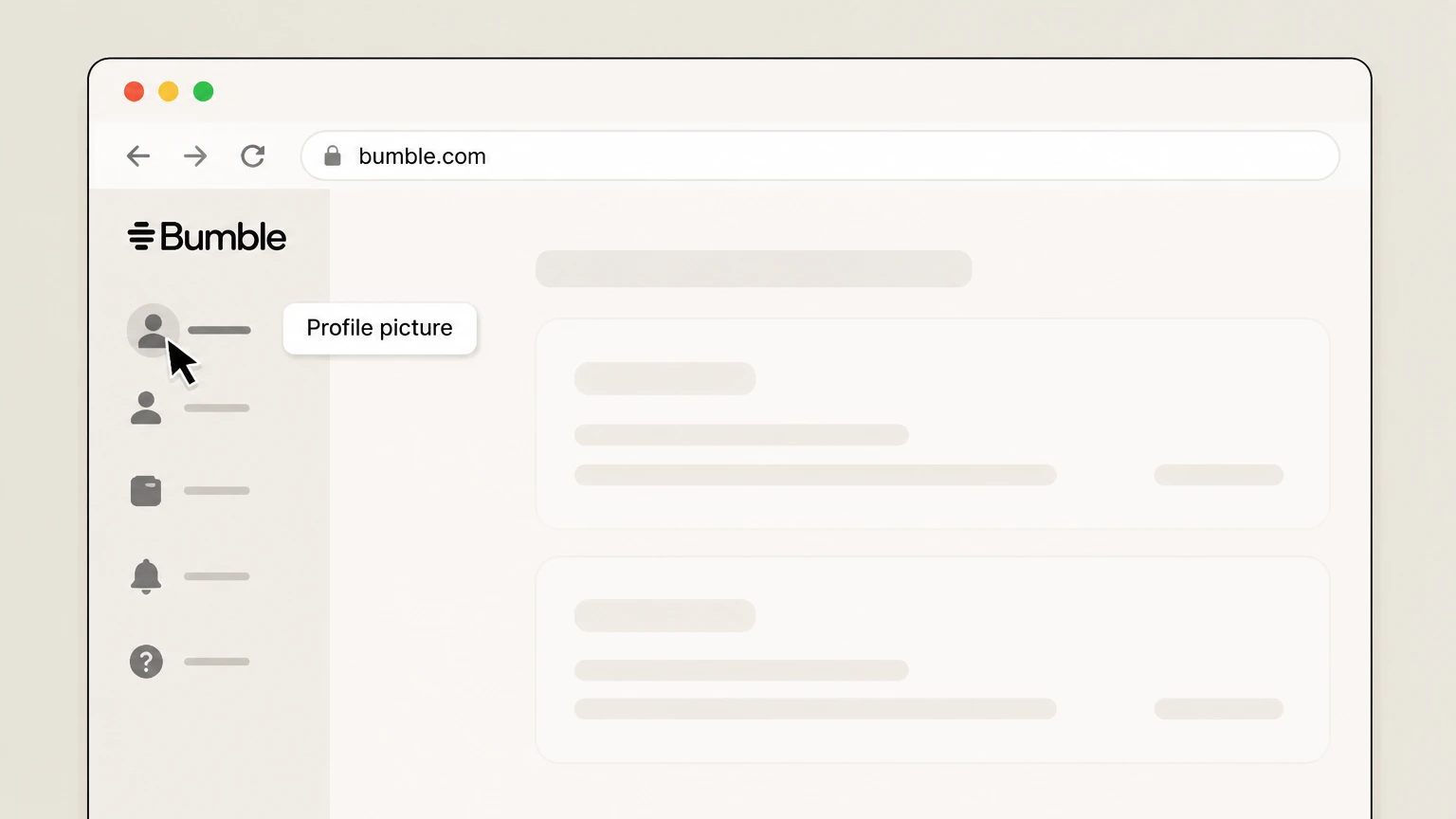 3
3Open your profile menu
Click your profile picture in the top-left corner to open the profile menu. Use the Bumble account named on your receipt, and continue only after the next status in this cancellation path is visible.
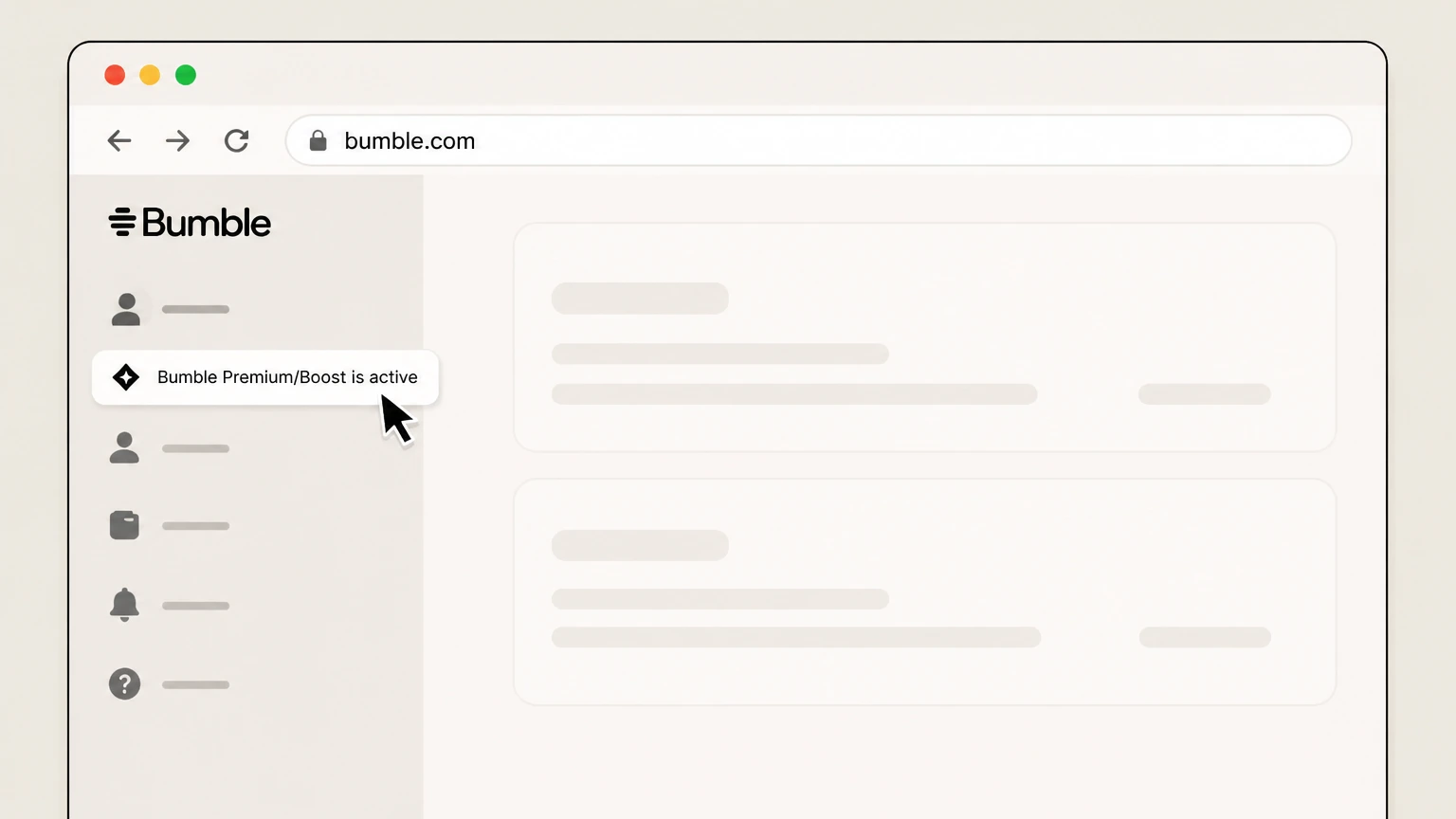 4
4Open your subscription details
In the left panel, click the active plan label such as “Bumble Premium/Boost is active” to view subscription details. Use the Bumble account named on your receipt, and continue only after the next status in this cancellation path is visible.
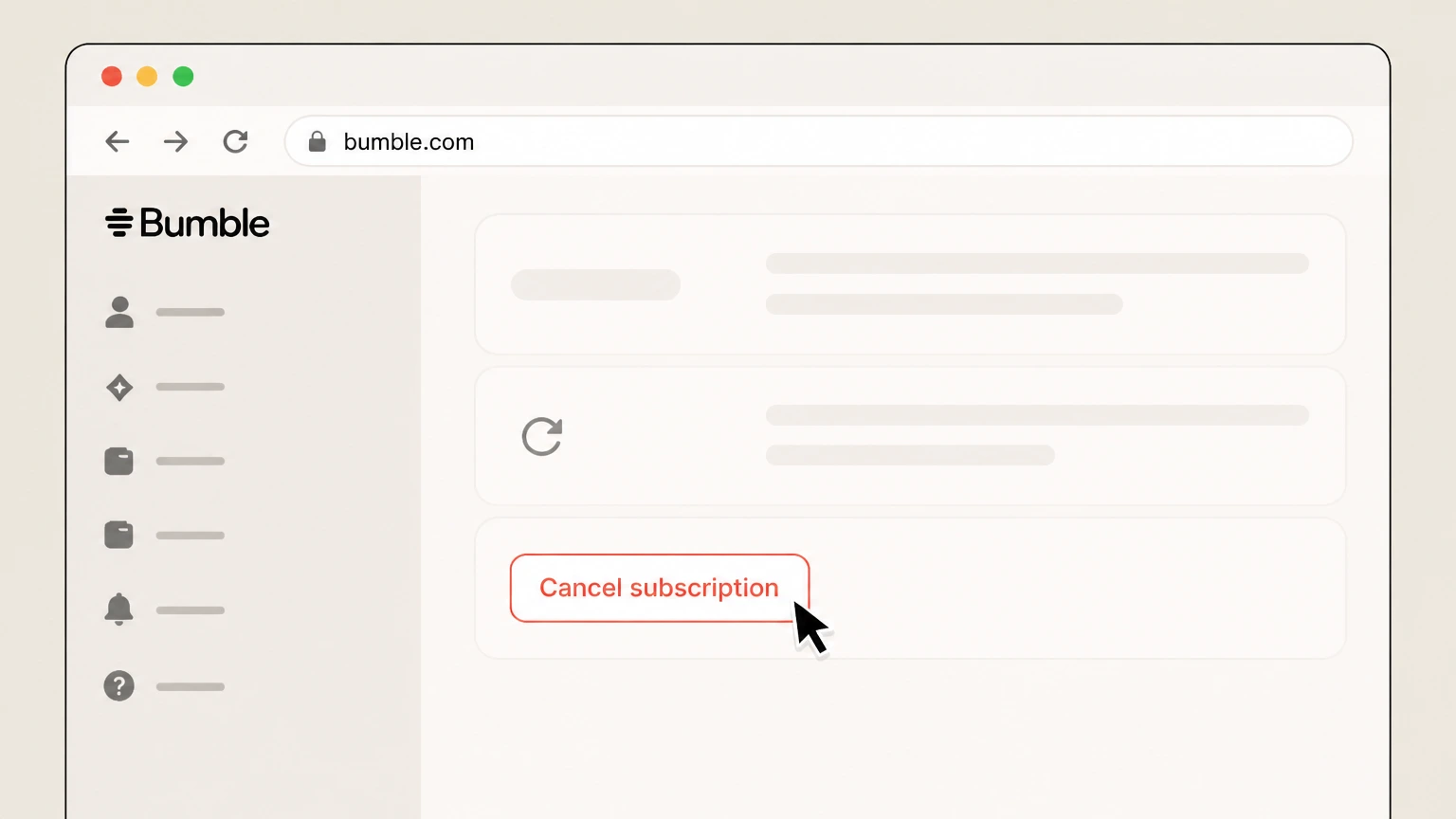 5
5Cancel the subscription
Choose the option to cancel your subscription and confirm when prompted. Use the Bumble account named on your receipt, and continue only after the next status in this cancellation path is visible.
Refund policy
Bumble refund expectations after cancellation
Bumble treats most subscription and in‑app purchase charges as nonrefundable, but limited refunds may be available through Apple, Google Play, or Bumble itself under its Terms and regional laws. Canceling stops future renewals but is separate from requesting a refund.bumble.com
Check my refund options- Cancellation vs refund
- Stopping auto‑renew for your Bumble subscription prevents future charges but does not by itself refund any amount you already paid for the current term. Refunds, where available, require a separate request through Apple, Google Play, or Bumble support depending on who billed you.support.bumble.com
- App Store and Google Play refunds
- Apple manages payment and refund decisions for Bumble purchases billed through Apple, while Google Play offers a Request a refund option from the subscription’s details in the Play Store. Bumble directs you to use those flows for store-billed purchases.support.bumble.com
- Direct Bumble refunds
- For payments made via card, Apple Pay, PayPal, or Bumble Web, Bumble asks you to contact its support team with your order number, account details, and reason for requesting a refund so the team can review under the Terms.support.bumble.com
- General no-refund policy with exceptions
- Bumble’s Terms say that charges are generally nonrefundable and there are no prorated credits for partial periods, but they also describe specific statutory rights in some U.S. states and regions that may entitle you to a time‑limited refund.bumble.com
- Effect of refunds on access
- Bumble explains that if Apple or Google Play approves a subscription refund, you may lose access to the refunded Bumble subscription immediately, even if time remained in the original billing period.support.bumble.com
For the most accurate eligibility information and to start a request, review Bumble’s refund help article and then follow the Apple, Google Play, or Bumble support process that matches how you originally paid. Open Bumble’s refund help
Billing ownership
Where to cancel Bumble based on how you paid
Bumble’s cancellation path depends on whether Apple, Google, or Bumble itself is billing you.
Apple App Store purchases
If your Bumble subscription appears in your Apple ID Subscriptions list, Apple bills you and you must cancel from iOS Settings, not inside Bumble.support.bumble.com For your Bumble account, compare this point with the billing owner and effective date shown in the signed-in account or latest receipt.
Google Play Store purchases
If you see Bumble as an active subscription in the Google Play Store, Google owns billing and you must use the Google Play subscription settings to cancel.support.bumble.com
Card, PayPal, Apple Pay, or Bumble Web
If you paid with a credit/debit card, PayPal, Apple Pay, or on bumble.com, Bumble is the merchant of record and cancellation happens through your Bumble subscription details in the app or on the website.support.bumble.com
Third-party stores vs Bumble
Bumble’s Terms make clear that subscriptions purchased through a third-party store (like Apple or Google) can only be changed or canceled via that store, while direct purchases are managed with Bumble.bumble.com
Post-cancellation
What changes after you cancel Bumble
Cancelling Bumble changes your billing and premium access but does not by itself remove your profile.
Auto-renewal stops going forward
When you successfully cancel through the correct billing owner, your Bumble subscription will not renew for the next term, but charges already made for the current period remain in place.support.bumble.com
Access usually continues until period end
Bumble states that after you cancel you keep paid perks (Boost, Premium, Premium+) until the end of the subscription date you have already paid for.support.bumble.com
Refunds can cut access short
If Apple or Google Play approve a refund on a Bumble subscription, Bumble notes that you may lose access to premium features immediately after the refund is processed.support.bumble.com
Account and profile remain active
Canceling a subscription does not delete your Bumble account or profile; you must separately delete your account if you want your profile removed.bumble.com For your Bumble account, compare this point with the billing owner and effective date shown in the signed-in account or latest receipt.
Account deletion doesn’t cancel store billing
Bumble’s Terms explain that deleting your account does not cancel recurring subscriptions purchased via Apple or Google; you still need to manage those in the relevant app store.bumble.com
Renewals
Renewal timing and how to avoid extra charges
Understanding when to cancel helps you avoid unexpected Bumble renewals.
Auto-renew by default
Bumble subscriptions renew automatically for the same duration as the initial term at the then-current fee, unless you cancel in line with the Terms.bumble.com For your Bumble account, compare this point with the billing owner and effective date shown in the signed-in account or latest receipt.
Cancel before the renewal date
Bumble and Apple both highlight that you should cancel a subscription before the renewal date (Apple recommends at least one day before) to prevent the next charge.support.bumble.com
Deleting the app is not enough
Neither uninstalling the Bumble app nor deleting your Bumble profile automatically stops third‑party store billing; you must cancel in the store’s subscription settings.bumble.com For your Bumble account, compare this point with the billing owner and effective date shown in the signed-in account or latest receipt.
Check renewal dates in subscription screens
You can view your upcoming renewal or expiration date in Apple’s Subscriptions screen, the Google Play subscriptions list, or Bumble’s own subscription details page.support.bumble.com For your Bumble account, compare this point with the billing owner and effective date shown in the signed-in account or latest receipt.
Refunds
Refund rules for Bumble subscriptions and add-ons
Refund eligibility for Bumble depends on who billed you, what you bought, and where you live.
General non-refundability
Bumble’s Terms say that charges for purchases are generally nonrefundable, and there are no credits for partially used periods, except where specific refund rights apply.bumble.com
App store payments handled by Apple or Google
Bumble’s refund article explains that Apple manages payments and refund decisions for Apple-billed Bumble purchases, while Google Play offers its own in‑app refund flow for Android purchases.support.bumble.com
Direct Bumble payments reviewed by support
If you paid through card, Apple Pay, PayPal, or Bumble Web, Bumble asks you to contact support with order details; they review the request under the Terms and your local rules.support.bumble.com
State cooling-off rights for some U.S. users
For subscribers in certain U.S. states, Bumble’s Terms describe a three‑business‑day cancellation and refund right following subscription, subject to the conditions in the contract.bumble.com For your Bumble account, compare this point with the billing owner and effective date shown in the signed-in account or latest receipt.
Refunds may end access immediately
Bumble notes that if Apple or Google Play grant a refund on your Bumble subscription, you may lose access to those premium features as soon as the refund is processed.support.bumble.com
Account status
Difference between canceling Bumble and deleting your account
Subscription cancellation and account deletion are separate actions in Bumble.
Canceling stops billing only
Canceling your Bumble subscription through Apple, Google, or Bumble itself stops future renewals but leaves your Bumble account and profile active.support.bumble.com For your Bumble account, compare this point with the billing owner and effective date shown in the signed-in account or latest receipt.
Deleting removes your profile
Bumble explains that deleting your account from the app’s Settings removes your profile and terminates the account, subject to its data handling policies.bumble.com For your Bumble account, compare this point with the billing owner and effective date shown in the signed-in account or latest receipt.
Deleting doesn’t cancel store subscriptions
Even if you delete your Bumble account, Bumble’s Terms require you to separately cancel recurring subscriptions bought through Apple or Google to avoid further billing.bumble.com
When to delete vs cancel
If you only want to stop charges, cancel the subscription; if you also want to stop appearing on Bumble, cancel first and then follow Bumble’s account deletion steps.support.bumble.com
Managing plans
Managing, checking, and restoring Bumble subscriptions
Use Bumble’s tools to confirm your plan, renewal date, and restore missing purchases.
Check plan in app or web
Bumble’s “Managing your subscription” article shows how to open your Profile and Subscription details (or Pay plan) to see your active plan and billing info.support.bumble.com
View details in app store screens
For Apple- or Google-billed subscriptions, Bumble directs you to the Apple ID Subscriptions screen or Google Play’s Subscriptions list to see the next billing date.support.bumble.com
Restore missing iOS purchases
If a Bumble purchase bought via Apple is not showing, Bumble provides a Restore purchases flow in the app that reconnects your Apple ID to your Bumble account.support.bumble.com
Transferring purchases between accounts
If you created a new Bumble account or changed email addresses, Bumble support can help transfer eligible purchases when you provide proof of payment and account details.support.bumble.com
Problems canceling
If you can’t find or cancel your Bumble subscription
Common issues when trying to cancel and what Bumble and Apple/Google suggest.
Subscription not visible in store
Apple notes that if you can’t find a subscription in your Apple ID, you may have used another Apple account or a different billing provider; Bumble also suggests checking where you originally subscribed.support.apple.com
Charged but no premium access
If you were charged but don’t see premium features, Bumble’s pricing article asks you to confirm the billing platform and then contact support with your receipt to investigate.support.bumble.com
Technical issues in the app
For bugs such as slow loading or access problems, Bumble’s troubleshooting article recommends standard app-store update and troubleshooting steps before contacting support.support.bumble.com For your Bumble account, compare this point with the billing owner and effective date shown in the signed-in account or latest receipt.
Can’t access account to cancel
If you can’t access Bumble at all to cancel a direct-billed subscription, Bumble advises reaching out to their support team for help ending renewals.support.bumble.com For your Bumble account, compare this point with the billing owner and effective date shown in the signed-in account or latest receipt.
What official sources do not confirm
Limits of the public Bumble cancellation guidance
These points are intentionally qualified because the official sources reviewed on August 16, 2026 do not publish a complete answer.
Documented limitation 1
Specific button labels or menu names inside the Bumble app or website may change slightly over time; this guide reflects the wording used in Bumble’s help articles as of August 16, 2026.
Documented limitation 2
State- and country-specific refund or cooling-off rights are summarized only to the extent Bumble’s Terms describe them; this guide does not provide legal advice or list all jurisdictions.
Documented limitation 3
Contact methods for Bumble support (such as forms or in-app chat) can change; this dossier intentionally avoids listing phone numbers or email addresses and instead links to Bumble’s support site.
Bumble cancellation FAQ
Questions people search about canceling Bumble, answered with official provider or billing-platform sources checked on August 16, 2026.
How do I stop auto pay of Bumble?
How do I stop Bumble from charging my card?
Why can't I delete my Bumble subscription?
Can I cancel Bumble and get a refund?
How to cancel Bumble subscription on iPhone
How to cancel Bumble subscription on Android
How to cancel Bumble subscription on website
Does canceling my Bumble subscription delete my account?
How do I cancel my Bumble account?
How do I cancel a Bumble subscription paid by credit card?
Untangle this Bumble issue.
Let Pine handle the provider follow-up and keep the confirmation in one place.
