


Rocket Money
Cancel subscription
How to Cancel Rocket Money Premium Subscription
Learn how to cancel Rocket Money Premium, whether you pay Rocket directly, Apple, or Google Play, what changes after you cancel, and how to stop other fees.
- Official Rocket Money and billing-owner sources
- 3 provider-specific cancellation paths
- Refund and post-cancellation effects separated from renewal
- Verified August 16, 2026
Choose the Rocket Money cancellation path that matches who bills you
Rocket Money app (direct billing) · verify the billing owner
 1
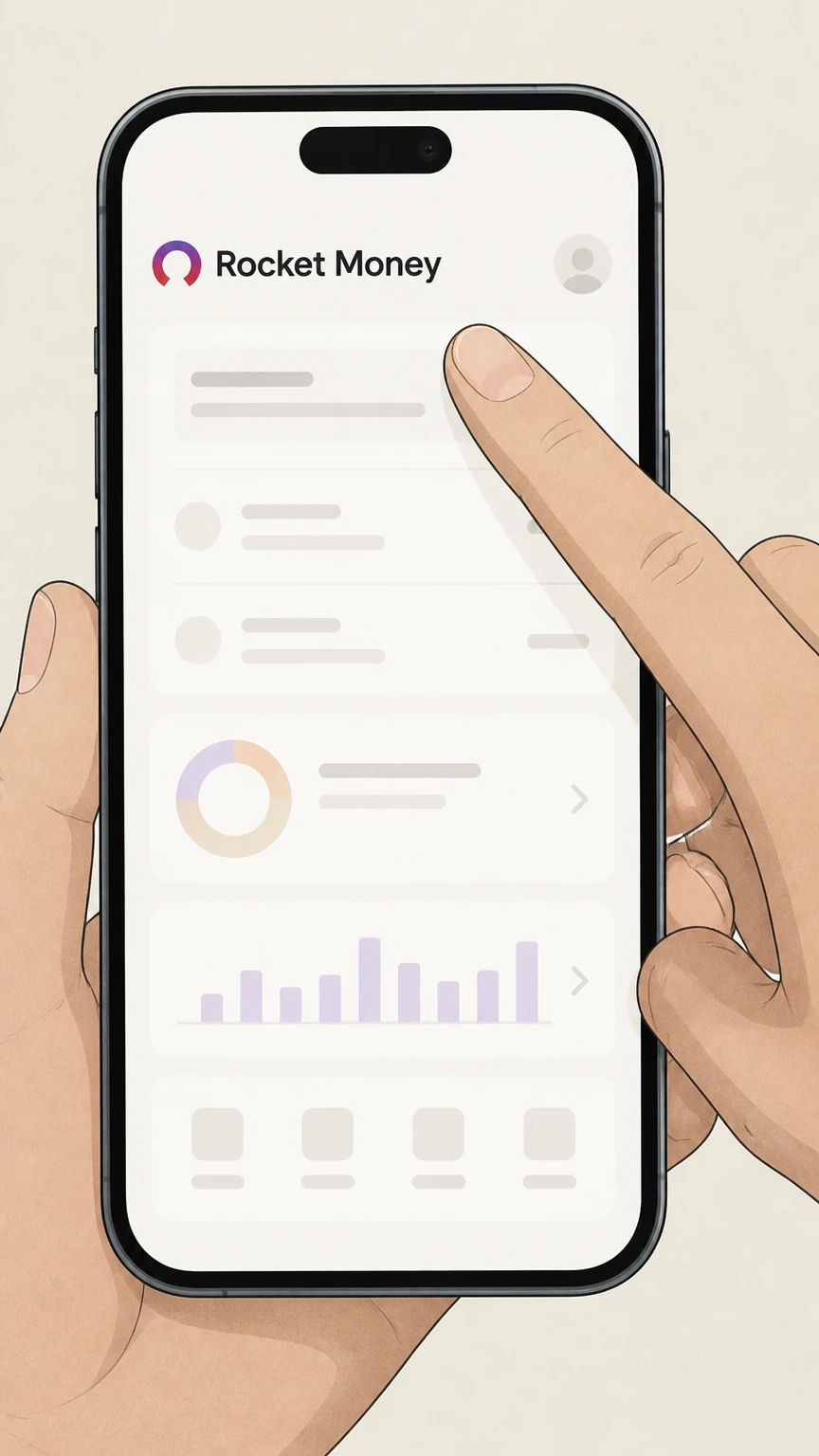
1Open the Rocket Money app
Launch the Rocket Money app on your phone and sign in to the account with the active Premium membership. Use the Rocket Money account named on your receipt, and continue only after the next status in this cancellation path is visible.
 2
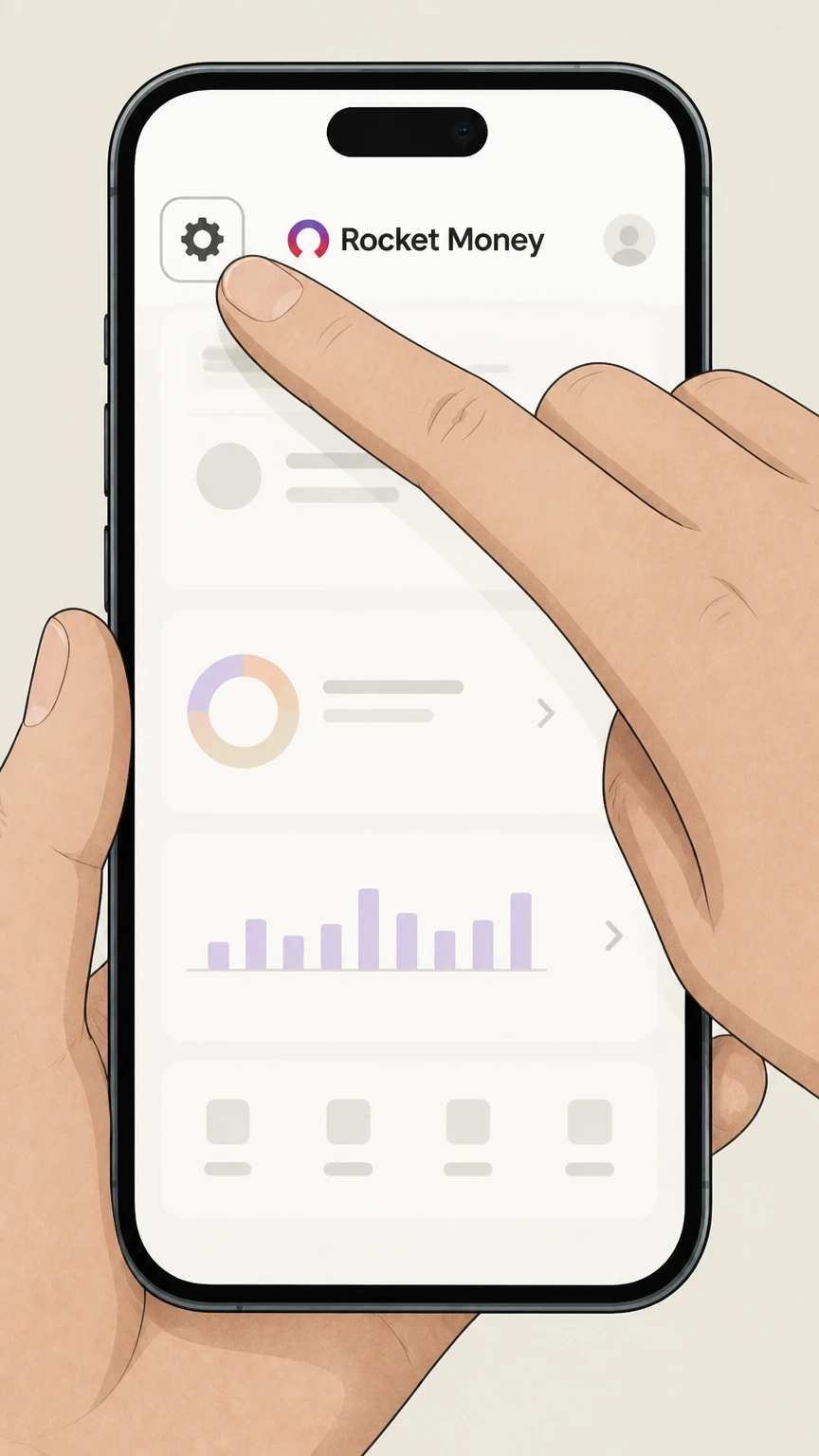
2Open Settings
Tap the Settings icon (⚙️) in the upper left corner of the dashboard. Use the Rocket Money account named on your receipt, and continue only after the next status in this cancellation path is visible.
- Let Pine handle it
Pine can help
Too many steps?
Pine can find the right Rocket Money app (direct billing) path and handle the cancellation for you.
 3
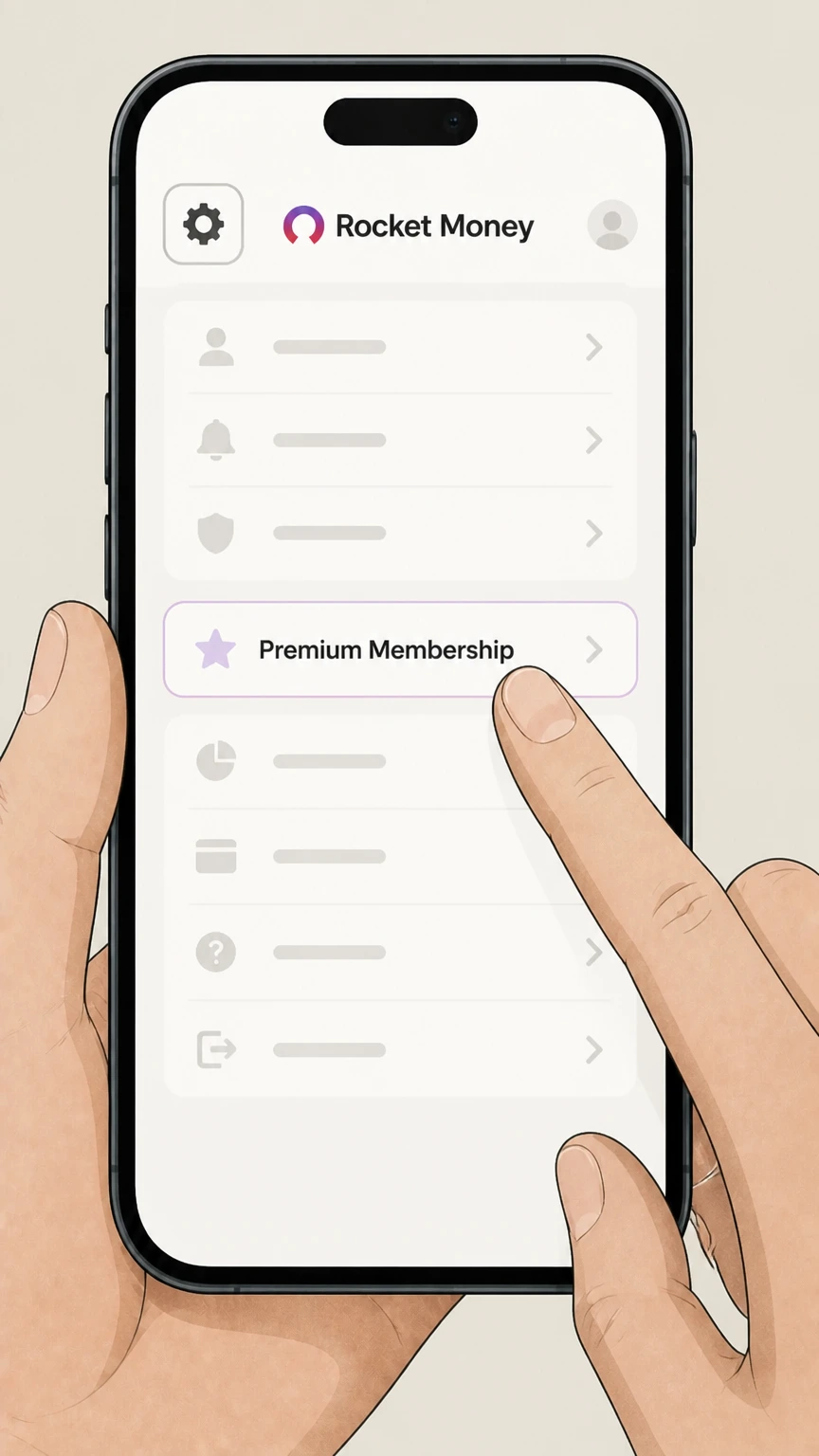
3Go to Premium Membership
In the side menu, select the Premium Membership option to open your membership details. Use the Rocket Money account named on your receipt, and continue only after the next status in this cancellation path is visible.
 4
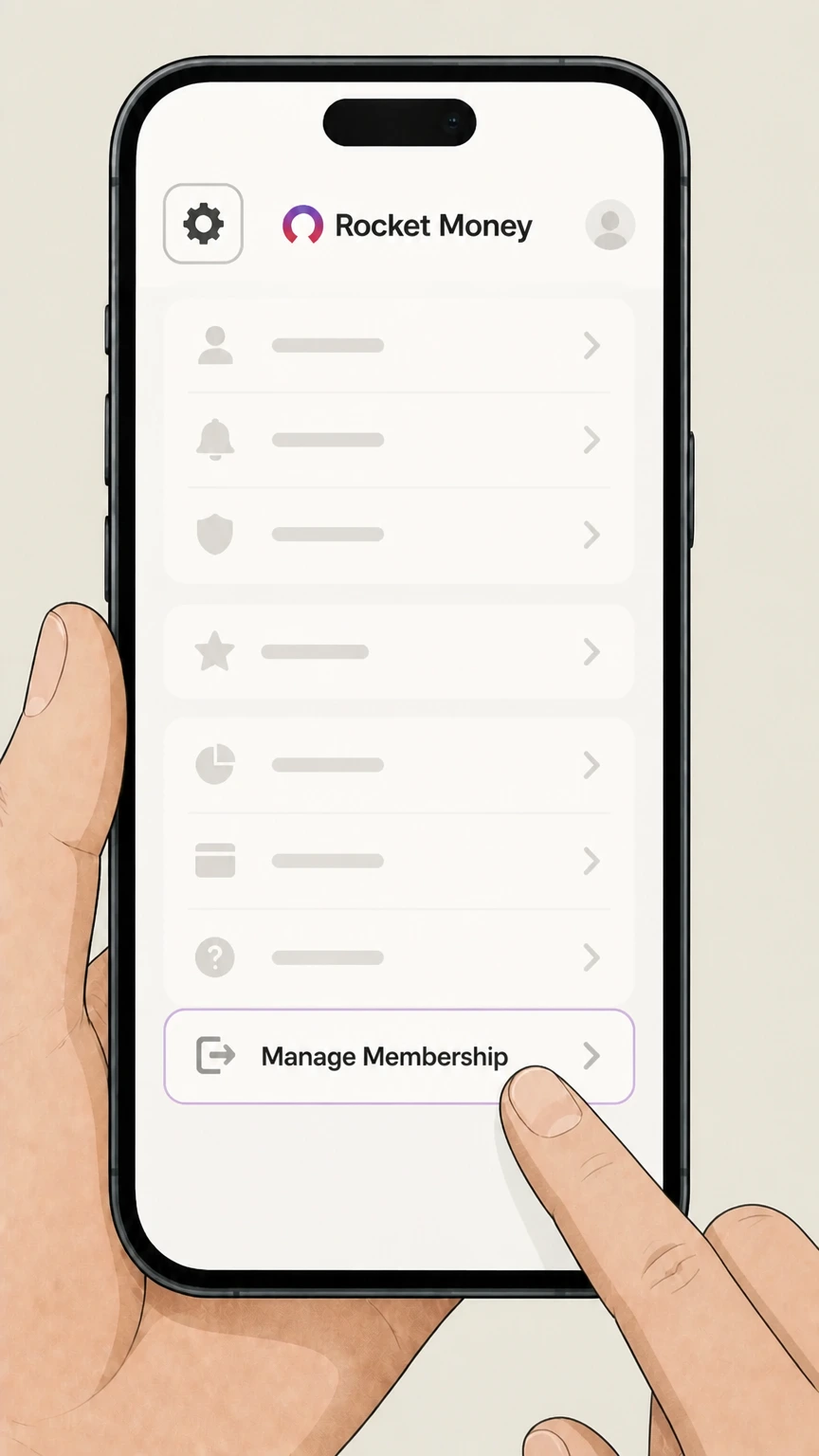
4Open Manage Membership
Scroll to the Manage Membership section and tap it to edit your Premium plan. Use the Rocket Money account named on your receipt, and continue only after the next status in this cancellation path is visible.
 5
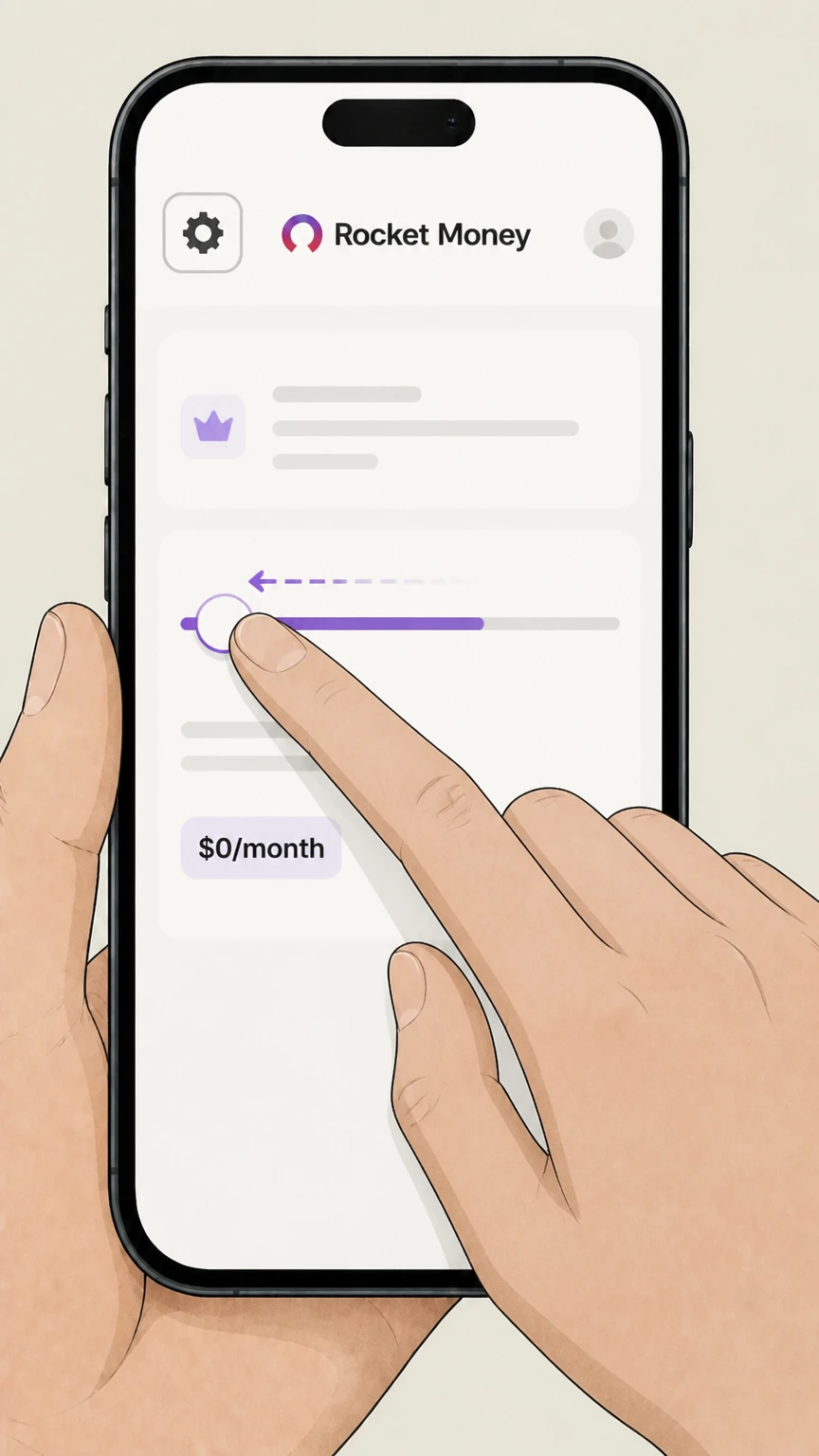
5Move price slider to $0/month
Drag the monthly price slider all the way to $0/month to indicate you want to cancel Premium. Use the Rocket Money account named on your receipt, and continue only after the next status in this cancellation path is visible.
 6
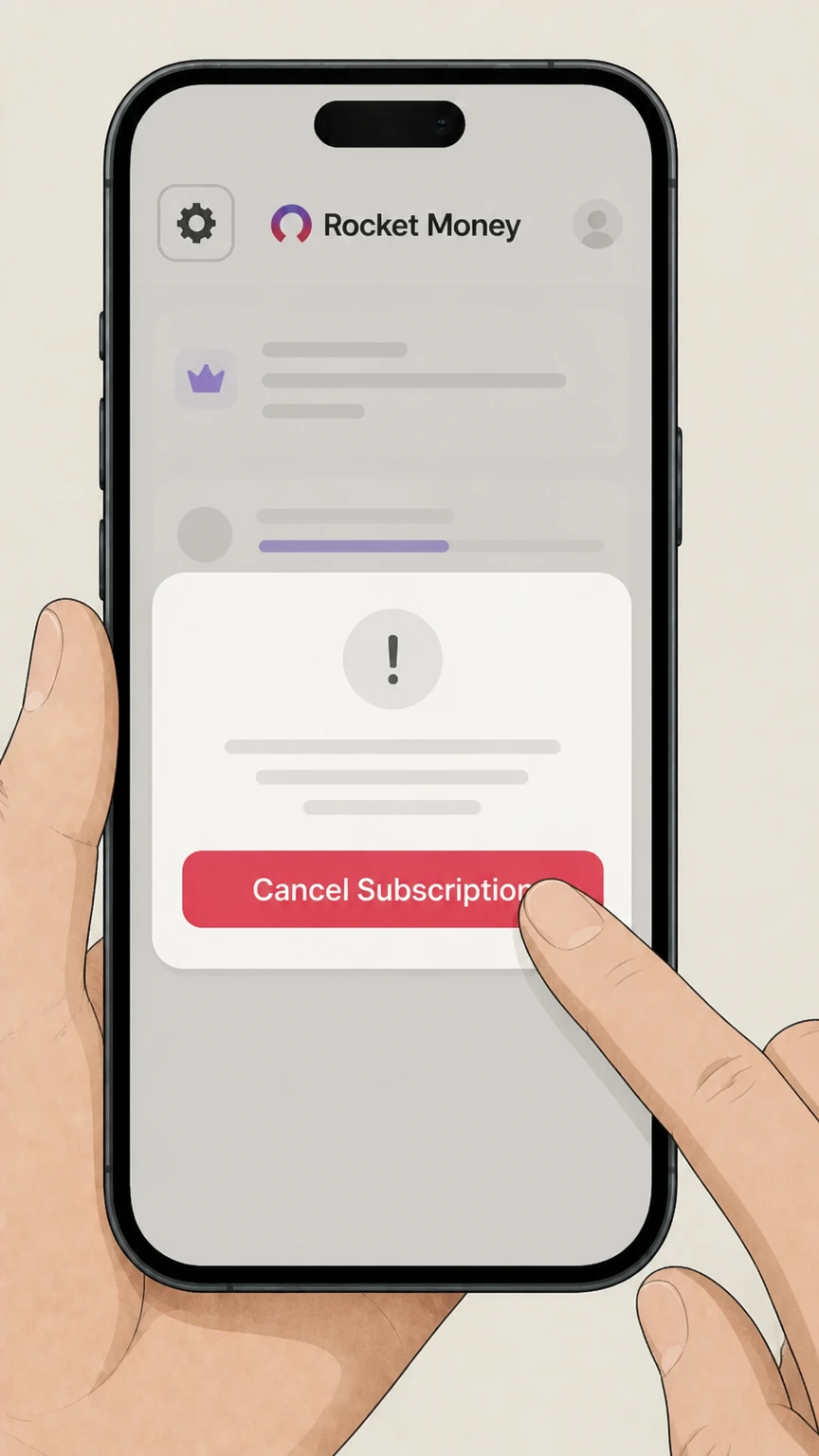
6Tap Cancel Subscription and follow prompts
Tap Cancel Subscription and complete the on‑screen prompts to finalize cancellation for the end of the current billing cycle. Use the Rocket Money account named on your receipt, and continue only after the next status in this cancellation path is visible.

Rocket Money website (direct billing) · verify the billing owner
 1
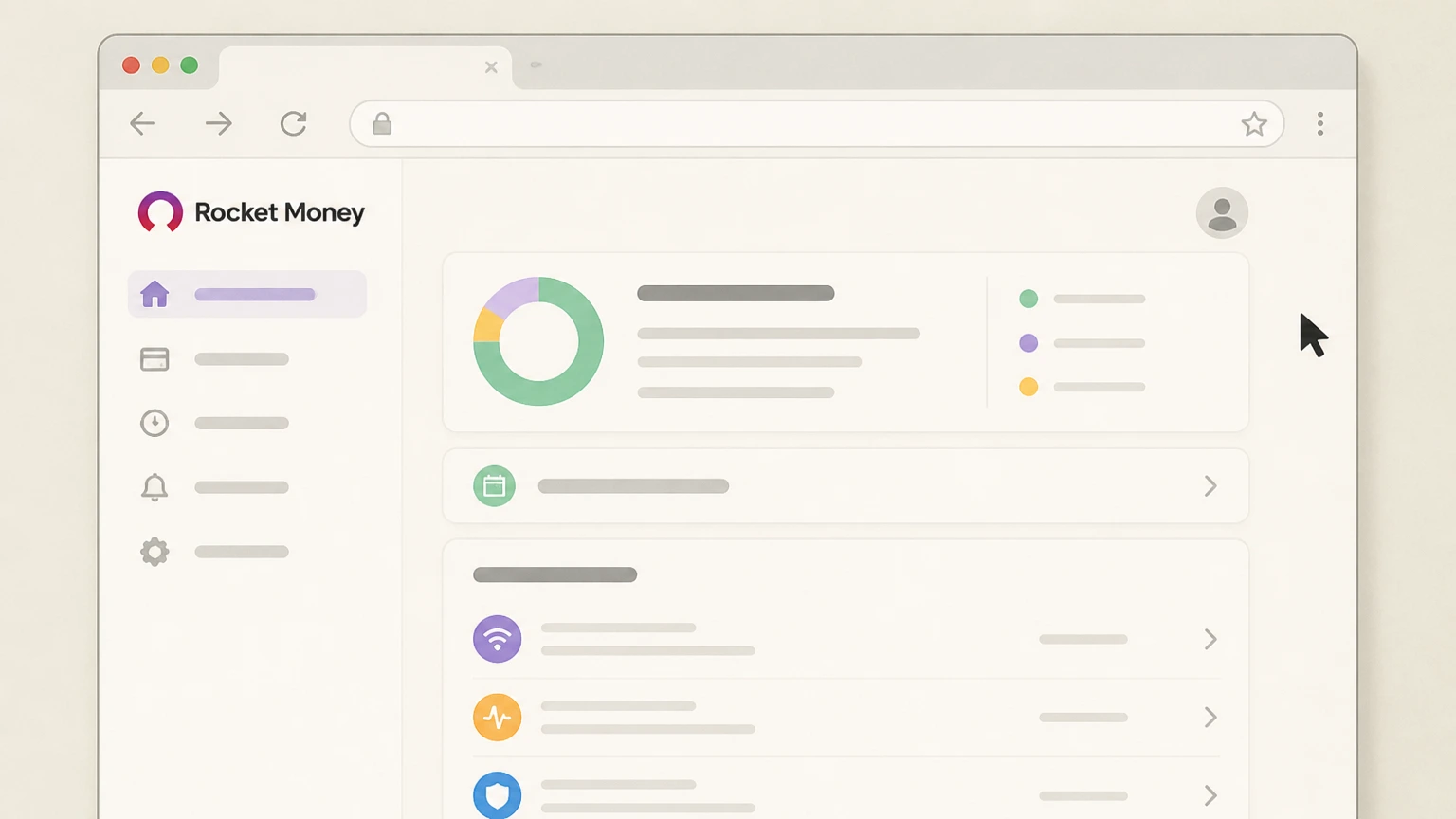
1Sign in to rocketmoney.com
Go to rocketmoney.com in a browser and sign in to the Rocket Money account that has Premium. Use the Rocket Money account named on your receipt, and continue only after the next status in this cancellation path is visible.
 2
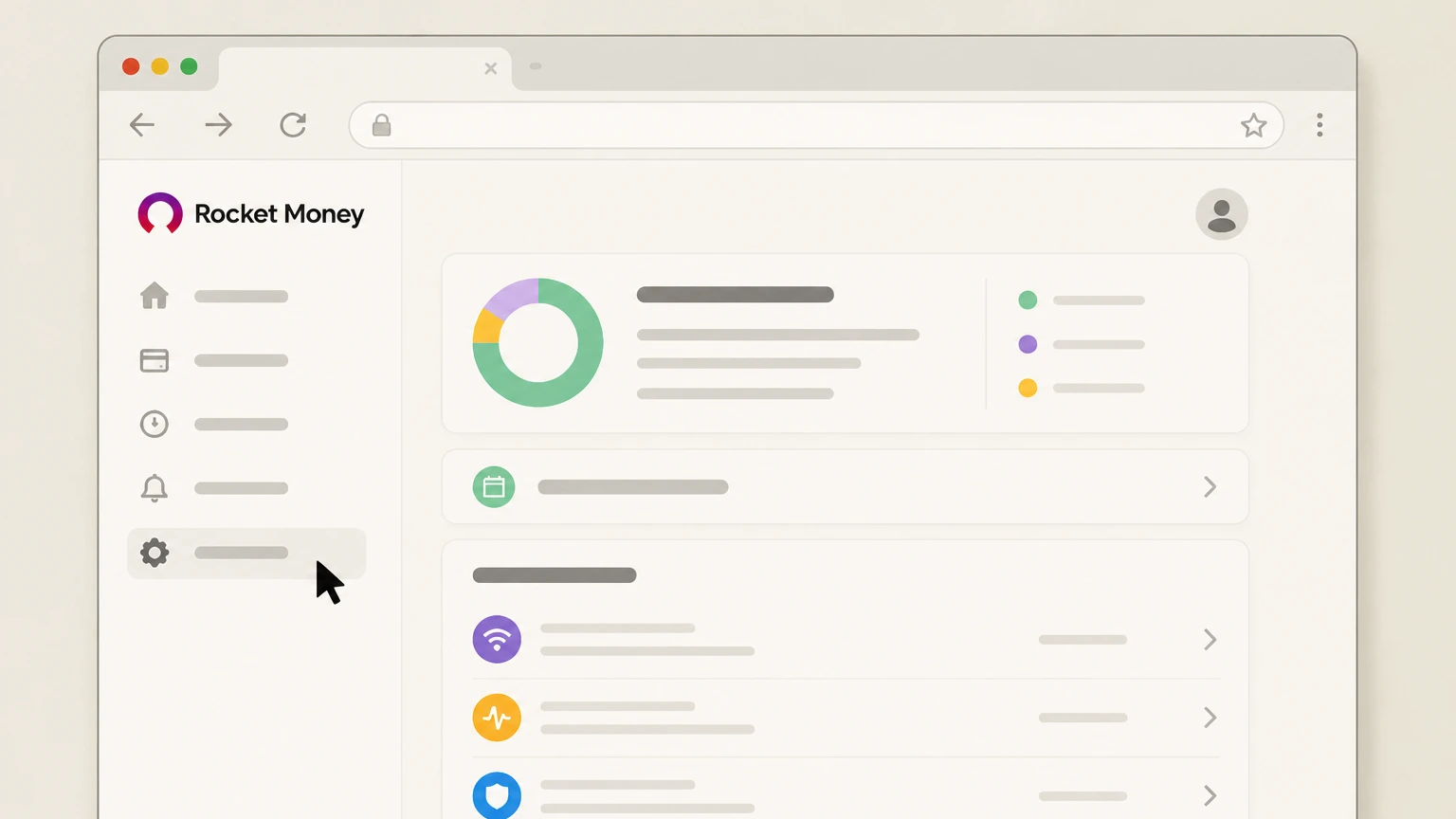
2Open Settings
Click the Settings icon (⚙️) in the left‑hand sidebar to open your account settings. Use the Rocket Money account named on your receipt, and continue only after the next status in this cancellation path is visible.
- Let Pine handle it
Pine can help
Too many steps?
Pine can find the right Rocket Money website (direct billing) path and handle the cancellation for you.
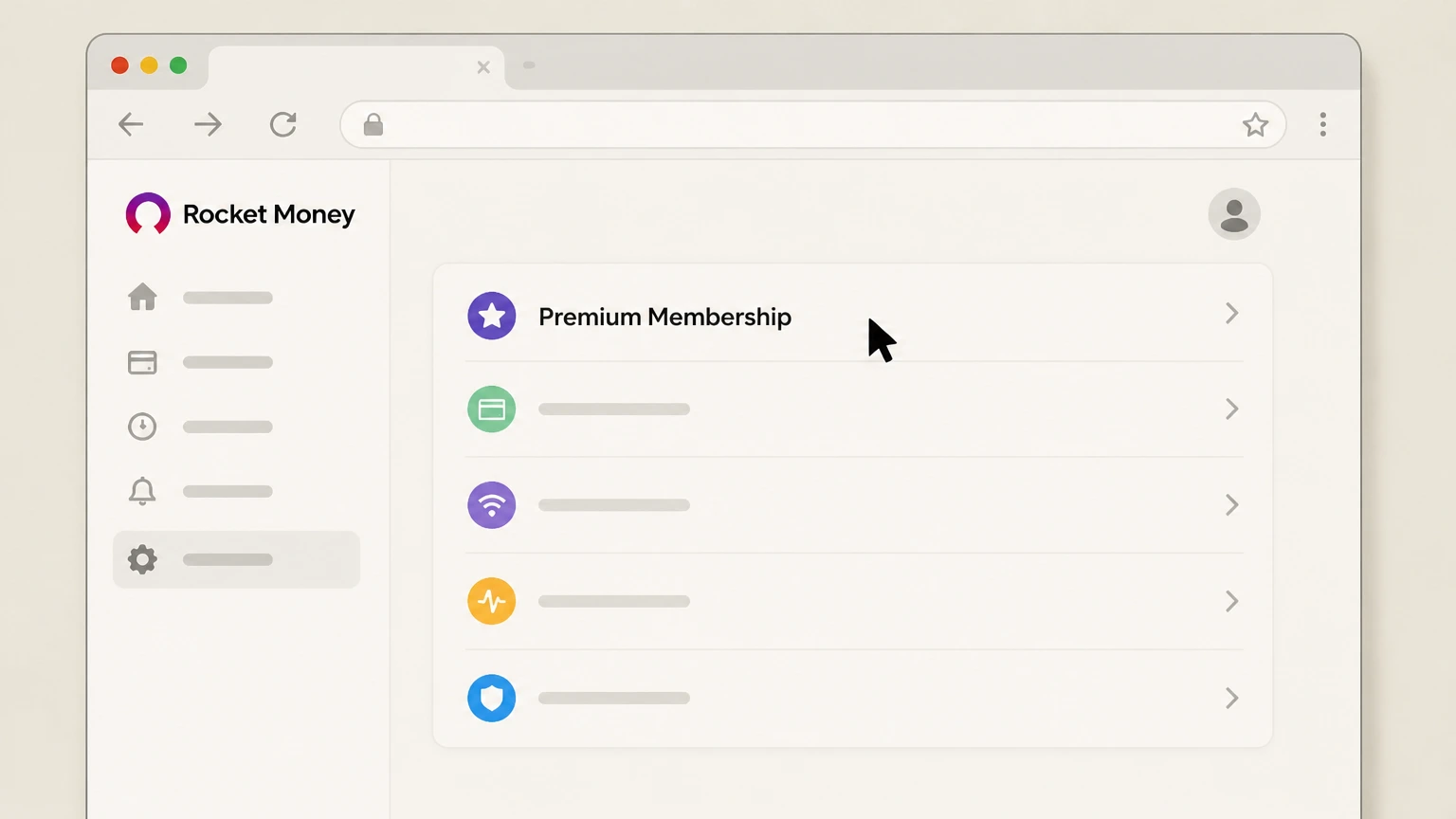 3
3Select Premium Membership
From the settings menu, choose Premium Membership to view your membership details. Use the Rocket Money account named on your receipt, and continue only after the next status in this cancellation path is visible.
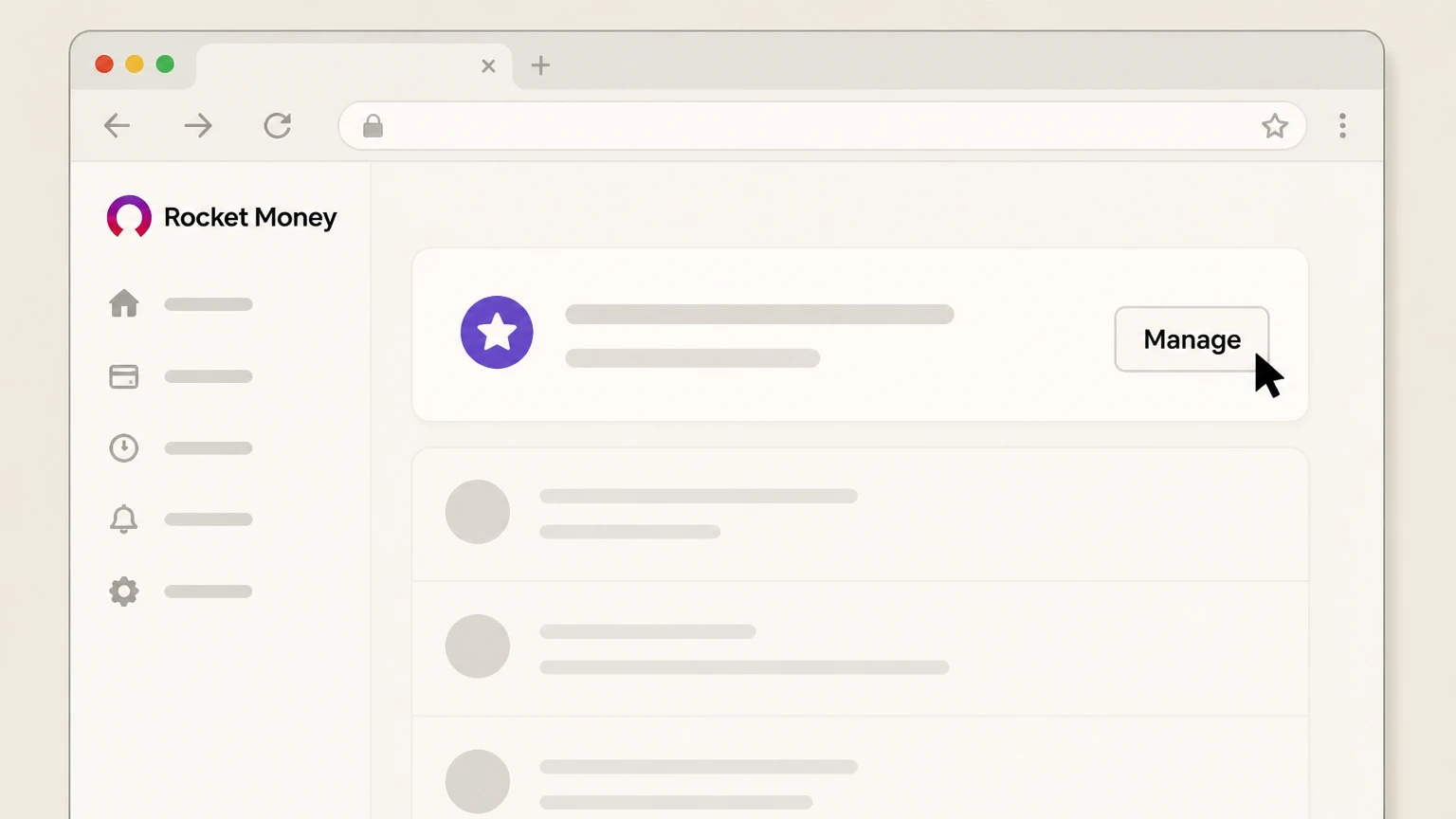 4
4Click Manage in Premium Membership
In the Premium Membership section, click the Manage button in the upper right corner. Use the Rocket Money account named on your receipt, and continue only after the next status in this cancellation path is visible.
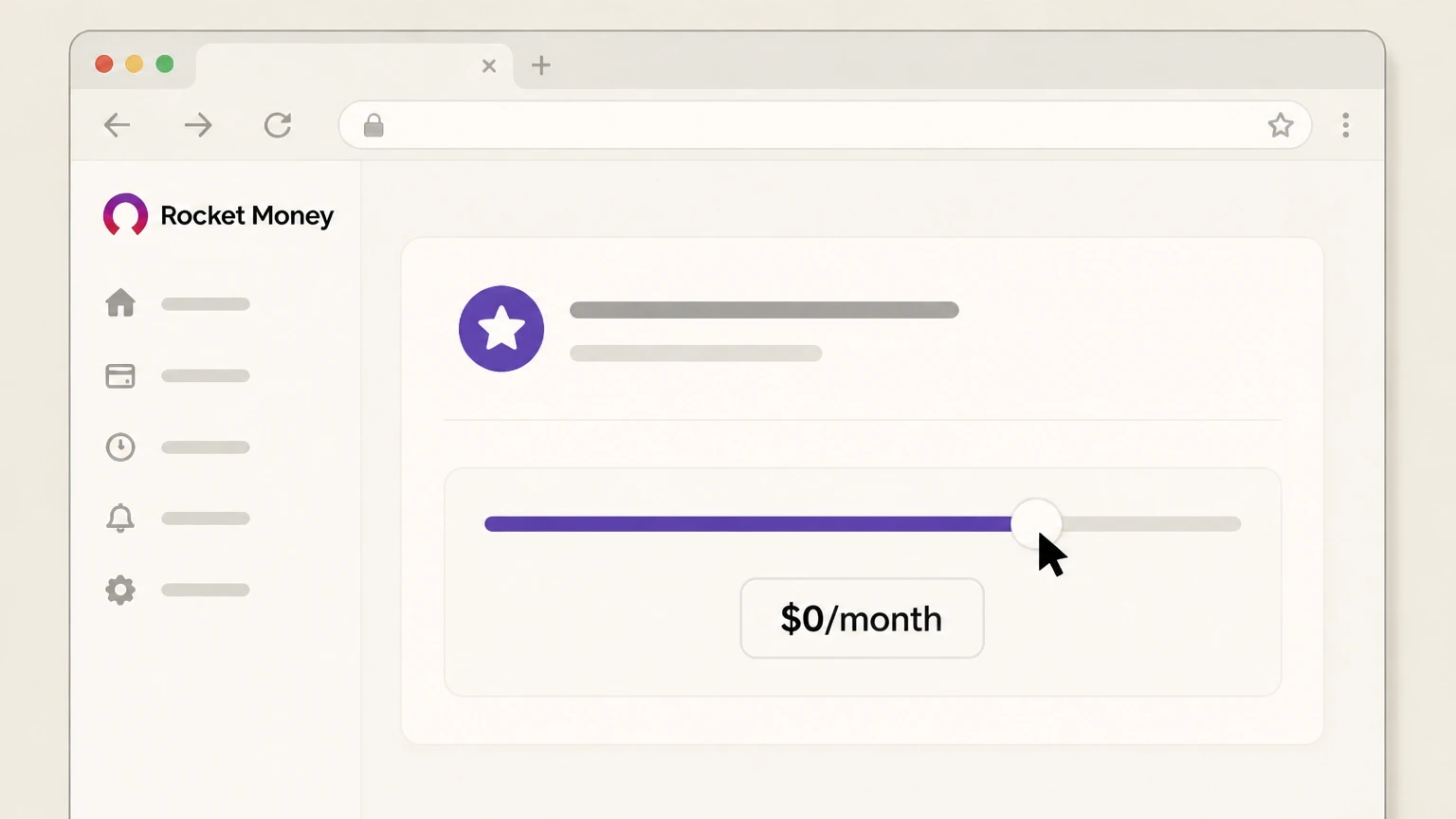 5
5Move price slider to $0/month
Drag the membership price slider all the way to $0/month to indicate you want to cancel. Use the Rocket Money account named on your receipt, and continue only after the next status in this cancellation path is visible.
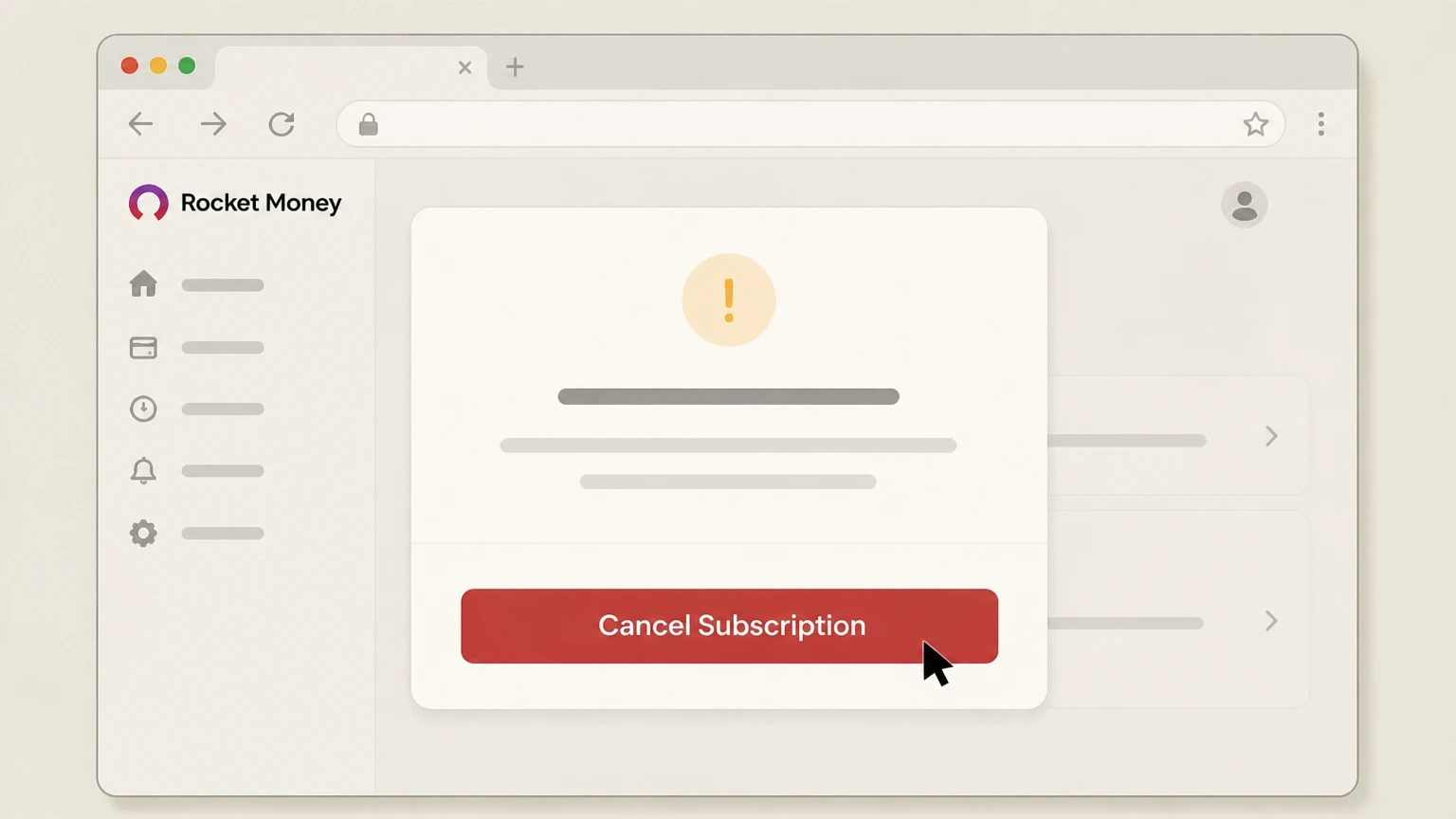 6
6Select Cancel Subscription and confirm
Click Cancel Subscription and complete the prompts to schedule cancellation at the end of the current billing period. Use the Rocket Money account named on your receipt, and continue only after the next status in this cancellation path is visible.
Apple‑billed Rocket Money on iPhone or iPad · verify the billing owner
 1
1Open Settings
On your iPhone or iPad, open the Settings app. Use the Rocket Money account named on your receipt, and continue only after the next status in this cancellation path is visible.
 2
2Tap your name
At the top of Settings, tap your name to open your Apple ID account settings. Use the Rocket Money account named on your receipt, and continue only after the next status in this cancellation path is visible.
- Let Pine handle it
Pine can help
Too many steps?
Pine can find the right Apple‑billed Rocket Money on iPhone or iPad path and handle the cancellation for you.
 3
3Open Subscriptions
In your Apple ID screen, tap Subscriptions to view your active and expired subscriptions. Use the Rocket Money account named on your receipt, and continue only after the next status in this cancellation path is visible.
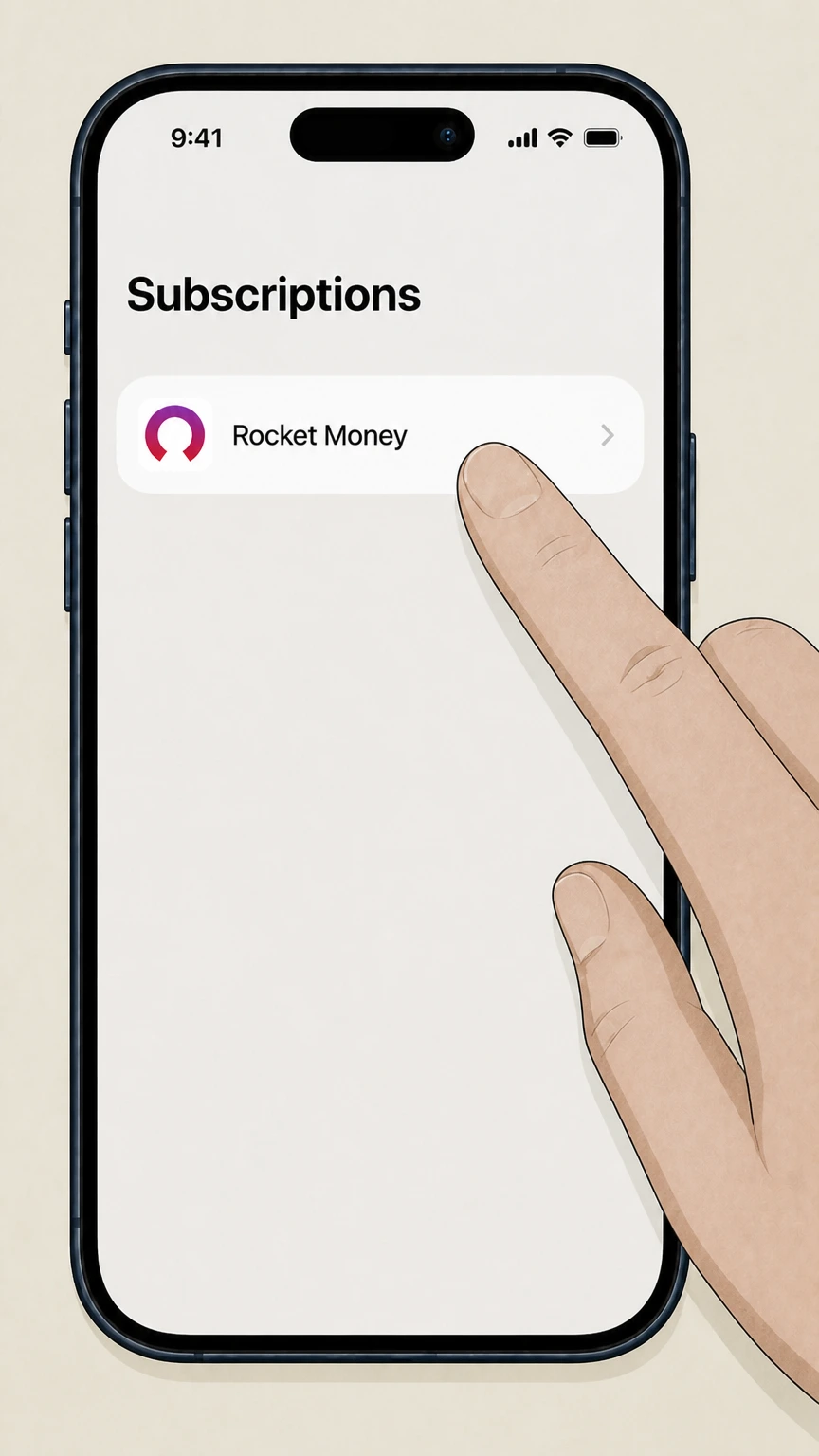 4
4Select Rocket Money
In the list of active subscriptions, tap Rocket Money to open its details. Use the Rocket Money account named on your receipt, and continue only after the next status in this cancellation path is visible.
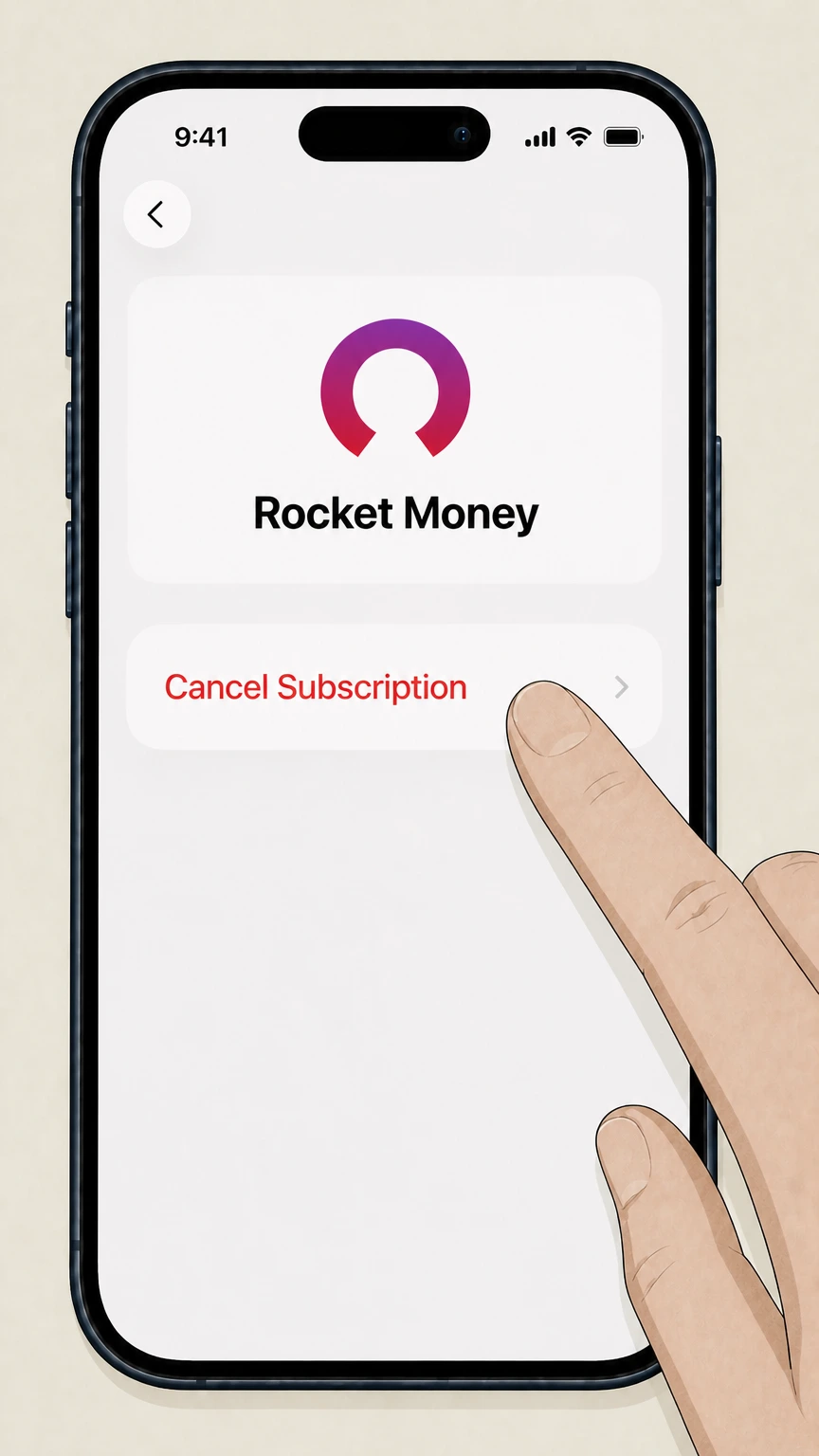 5
5Cancel the subscription
Tap Cancel Subscription and follow any on‑screen confirmation steps so Apple stops renewing Rocket Money at the next billing date.
Refund policy
Refunds, access and money movement when you cancel Rocket Money
Rocket Money’s public materials focus on when Premium access ends, how savings withdrawals work, and when bill‑negotiation fees may still apply; they do not promise automatic refunds of unused Premium time.
Check my refund options- Premium access through end of billing cycle
- Rocket Money specifies that when you cancel Premium in the app or on the website, the change takes effect at the end of your current billing cycle and you keep Premium features until then; there is no commitment to mid‑cycle refunds. help.rocketmoney.com
- Savings withdrawals remain available
- Funds in Financial Goals can be withdrawn back to your linked checking account, typically within 1–2 business days, even after you stop paying for Premium, subject to daily withdrawal limits and banking timelines. help.rocketmoney.com
- Bill‑negotiation fees may still be due
- If Rocket Money has already negotiated a lower bill for you, its success‑based fee (a percentage of first‑year savings) can still be charged even if you cancel Premium later, because the fee is tied to the completed negotiation. help.rocketmoney.com
- Third‑party subscription charges after cancellation
- If you used Rocket’s cancellation assistant and were still charged by a third‑party provider, Rocket Money advises contacting support promptly so they can investigate and, where possible, follow up with the provider; they don’t guarantee refunds. help.rocketmoney.com
- No evidence of a standing Premium refund window
- Rocket Money’s current public FAQs and help articles describe end‑of‑cycle cancellation but do not describe a general Premium refund policy or guaranteed look‑back window for mistaken renewals, so members must contact support or their billing platform on a case‑by‑case basis. help.rocketmoney.com
If you believe you were incorrectly charged for Rocket Money Premium or a Rocket‑facilitated service, cancel future renewals first, then contact Rocket Money support or, if you paid through Apple or Google Play, pursue the relevant app‑store support and refund channels. Go to Rocket Money Help Center
Rocket Money basics
What Rocket Money is and when you might cancel
Understanding how Rocket Money works helps you decide whether cancelling Premium, deleting your account, or just turning off specific features is the right move.
Free vs. Premium access
Rocket Money offers a free app with core tools like subscription tracking and basic budgeting, plus an optional paid Premium membership that unlocks advanced features and cancellation concierge. help.rocketmoney.com
What Premium adds
Premium membership adds unlimited custom budgets, Financial Goals savings plans, subscription‑cancellation services, net‑worth tracking, full credit reports, and other advanced tools not available on the free tier. help.rocketmoney.com
When cancellation is appropriate
Cancel Premium if you no longer want those added features or recurring fees but still want basic tracking; delete your account only if you want Rocket Money to erase your data and stop accessing your financial institutions entirely. help.rocketmoney.com
Other paid services remain separate
Bill negotiation success fees and Financial Goal deposits are separate from Premium dues; cancelling Premium does not retroactively remove those charges or close your savings goal. help.rocketmoney.com
Who bills you
How to tell who owns your Rocket Money billing
Correctly identifying whether Rocket Money, Apple, or Google Play is billing you is crucial, because you must cancel through the same party.
Direct billing through Rocket Money
If you upgraded inside Rocket Money and pay via a linked bank account or card, or you manage Premium in the app or on rocketmoney.com, Rocket Money itself is the billing owner and you cancel in Premium Membership settings. help.rocketmoney.com
Apple‑billed subscriptions
If your bank statement lists Apple as the merchant or Rocket Money appears under your Apple ID Subscriptions, Apple is the billing owner and you must cancel from iOS Settings or the Apple subscription page. help.rocketmoney.com
Google Play–billed subscriptions
If Google Play shows Rocket Money as an active subscription, Google Play is billing you; cancel from the Google Play Store or mysubscriptions page, not from Rocket Money’s own billing screens. help.rocketmoney.com
Free Premium from Rocket Mortgage
Rocket Mortgage–serviced clients can receive complimentary Premium while their mortgage is actively serviced; if servicing ends, the free Premium benefit ends without you needing to cancel a separate paid membership. help.rocketmoney.com
Unlinking banks vs. cancelling
Disconnecting a linked bank or card only stops Rocket Money from syncing that account; it does not cancel your Premium membership or other paid services, which must be cancelled separately. help.rocketmoney.com
After you cancel
What changes when you cancel Rocket Money Premium
Cancelling Premium changes your access level but does not automatically close your Rocket Money account or stop all Rocket‑related activity.
End‑of‑cycle cancellation
Rocket Money states that Premium cancellation takes effect at the end of your current billing cycle, and you keep Premium features until that date. help.rocketmoney.com
Account remains open
When Premium ends, your Rocket Money login and basic features remain unless you separately delete your account or exercise privacy‑rights deletion through Rocket’s privacy channels. help.rocketmoney.com
Bill negotiations continue
Any active bill negotiations continue even if you cancel Premium; you may still owe a success‑based fee if Rocket Money secures savings on your behalf. help.rocketmoney.com
Financial Goals savings remain yours
Funds in Financial Goals remain in a custodial savings arrangement and can be withdrawn to your linked checking account even if you no longer pay for Premium, subject to transfer limits and processing times. help.rocketmoney.com
Notifications and emails keep going
Cancelling Premium does not by itself stop alerts or marketing emails; you must adjust alert preferences in the app or follow privacy‑policy instructions if you want fewer notifications. help.rocketmoney.com
Apple & Google Play
Cancelling Rocket Money when app stores handle billing
When Apple or Google Play controls billing, you must cancel within those platforms using their subscription tools rather than Rocket Money’s own billing pages.
Apple’s subscription controls
For Apple‑billed Rocket Money, Apple instructs you to open Settings, tap your name, tap Subscriptions, choose the subscription, then tap Cancel Subscription; if no Cancel button appears, it’s already cancelled. support.apple.com
App Store vs. in‑app purchases
Rocket Money’s help center explains that Apple’s security model prevents Rocket from cancelling Apple‑billed charges directly; members must use Apple’s subscription settings or support portal. help.rocketmoney.com
Google Play cancellation flow
For Google Play–billed subscriptions, both Google Play Help and Rocket Money direct you to open the Google Play app, go to Payments & Subscriptions > Subscriptions, pick the subscription, tap Cancel subscription, and follow prompts. help.rocketmoney.com
No cancellation via uninstalling apps
Both Apple and Google emphasize that deleting or uninstalling an app does not cancel an underlying subscription; you must cancel in Subscriptions to stop renewal. support.google.com
Rocket Mortgage free Premium interactions
If you receive free Premium through Rocket Mortgage but previously purchased Premium via Apple or Google, Rocket Money advises cancelling the paid store subscription first so you are not double‑billed. help.rocketmoney.com
Stopping Rocket charges
How to stop other Rocket Money‑related charges
Beyond Premium dues, you may see Rocket‑related movements such as savings transfers or bill‑negotiation fees; cancelling Premium alone does not address all of these.
Premium membership charges
Premium membership is a recurring monthly fee you choose on a sliding scale; it starts after any trial and continues until you cancel in account settings or via an app store, depending on who bills you. help.rocketmoney.com
Financial Goal deposits
Transfers labeled like Rocket Money Smart Savings or Financial Goal deposits are automated savings from your linked checking account into a custodial savings plan; they’re not fees and can be withdrawn back to your account. help.rocketmoney.com
Bill negotiation fees
If Rocket Money successfully negotiates a bill, it charges a one‑time success fee based on a percentage of first‑year savings; this fee may still apply even if you later cancel Premium, because it reflects completed work. help.rocketmoney.com
Disconnecting bank accounts
Removing a linked bank or card stops new data from syncing and may cancel in‑progress subscription cancellations tied to that account, but it does not on its own cancel Premium membership. help.rocketmoney.com
When to contact support about charges
Rocket Money’s help center recommends contacting support via in‑app chat or the listed support email if you see Rocket Money charges you don’t recognize or if you were billed after they confirmed cancelling a third‑party subscription. help.rocketmoney.com
Closing your account
Deleting your Rocket Money account vs. cancelling
Cancelling Premium and deleting your Rocket Money account are separate actions with different effects on access and data.
Account deletion is permanent
Rocket Money warns that deleting your account permanently erases your Rocket Money data and cannot be undone; other Rocket‑family accounts like Rocket Mortgage are not affected. help.rocketmoney.com
Cancel Premium and goals first
Before deleting your account, Rocket Money instructs you to cancel your Premium membership, end any active bill negotiations, and close open Financial Goals, so no additional charges or transfers occur. help.rocketmoney.com
How to delete in the app
To delete in the mobile app, you open Settings, select Profile, scroll to the bottom, and tap Delete My Account, then confirm by selecting Yes, I’m Sure. help.rocketmoney.com
How to delete on the web
On rocketmoney.com, you click Settings, choose Profile, scroll to the bottom, and select Delete Rocket Money Account, then confirm the deletion. help.rocketmoney.com For your Rocket Money account, compare this point with the billing owner and effective date shown in the signed-in account or latest receipt.
Privacy‑rights deletion options
Rocket Money’s privacy‑rights guide also explains how to request access to or deletion of personal data under applicable privacy laws, including via an online request portal. help.rocketmoney.com
Using Rocket to cancel others
Rocket Money’s subscription‑cancellation assistant
Rocket Money can cancel many third‑party subscriptions for you, but these tools do not replace cancelling your own Rocket Money membership.
How the assistant works
Premium members can use the Recurring tab to pick a subscription, tap the three dots, choose Cancel, then select Cancel This For Me for concierge cancellation or View Instructions to cancel themselves. help.rocketmoney.com
When Rocket can’t cancel for you
If a provider is not supported or a subscription is billed through a third party like Apple, Google, Roku, Amazon, or PayPal, Rocket may not be able to cancel on your behalf and instead shows step‑by‑step self‑cancellation instructions. help.rocketmoney.com
Status and confirmation emails
Rocket Money sends status updates and confirmation emails for cancellation requests, and you can also check progress in the Recurring tab of the app. help.rocketmoney.com
If you’re charged after a cancellation
If you’re billed by a third‑party provider after Rocket Money confirmed a cancellation, they advise contacting support promptly with details so they can follow up with the provider and try to resolve it. help.rocketmoney.com
Free users vs. Premium for cancellations
Free users can see subscriptions but must cancel themselves, while Premium members get access to the subscription‑cancellation concierge to handle many cancellations directly. help.rocketmoney.com For your Rocket Money account, compare this point with the billing owner and effective date shown in the signed-in account or latest receipt.
Security context
Security, access and why cancelling is separate
Because Rocket Money connects to your bank data, it emphasizes security and separates access control (logins, MFA), bank links, and billing from each other.
Bank‑level encryption and Plaid
Rocket Money states that it uses bank‑level 256‑bit encryption and Plaid as a secure data‑link provider, and that your banking credentials are not stored on Rocket’s servers. help.rocketmoney.com
Multi‑factor authentication (MFA)
Rocket Money supports multi‑factor authentication using codes sent via text, phone call, or authenticator apps, adding a second verification step beyond your password. help.rocketmoney.com For your Rocket Money account, compare this point with the billing owner and effective date shown in the signed-in account or latest receipt.
Linked accounts vs. subscription status
Disconnecting a bank or credit card controls whether Rocket Money can access that institution’s data, but it doesn’t automatically change your Premium billing or delete your user profile. help.rocketmoney.com
Data‑deletion options
You can delete your account from Settings or submit privacy‑rights requests via Rocket’s privacy portal; these options are separate from cancelling Premium or unlinking banks. help.rocketmoney.com
What official sources do not confirm
Limits of the public Rocket Money cancellation guidance
These points are intentionally qualified because the official sources reviewed on August 16, 2026 do not publish a complete answer.
Documented limitation 1
Rocket Money’s public help and FAQ pages do not describe a general, time‑bound refund policy for unused portions of Premium membership, so this dossier cannot state a guaranteed refund window for mistaken renewals.
Documented limitation 2
Official materials do not provide a comprehensive schedule for how long Rocket Money retains transaction or account data after account deletion or privacy‑rights requests; only high‑level statements about permanent deletion are available.
Documented limitation 3
Some platform‑specific behaviors (for example, how Apple or Google Play handle edge‑case refunds or regional rules) depend on app‑store policies that may change and are only summarized here at a high level from current support articles.
Documented limitation 4
Rocket Money’s Terms of Service are lengthy and periodically updated; while key billing and savings behaviors are reflected here, users with complex disputes or legal questions should review the full Terms or seek legal advice.
Rocket Money cancellation FAQ
Questions people search about canceling Rocket Money, answered with official provider or billing-platform sources checked on August 16, 2026.
How do I stop Rocket Money from taking Money out of my account?
How do I cancel my Rocket Money Premium membership in the app?
How do I cancel my Rocket Money Premium membership on the website?
How do I cancel my Rocket Money subscription on iPhone?
Is Rocket Money free?
Is Rocket Money safe?
How do I permanently delete my Rocket Money account?
What happens to my bill negotiations and subscription cancellations if I cancel Premium?
How do I contact Rocket Money customer support about a charge or cancellation?
Untangle this Rocket Money issue.
Let Pine handle the provider follow-up and keep the confirmation in one place.
