If you are here to cancel your Peloton membership, let’s save you some time: clicking "cancel" on the website might not actually stop the billing. It sounds wild, but if you signed up via Apple or Google, Peloton’s main site often can't help you. As a digital efficiency expert, I see this happen constantly—people cancel the account but not the billing source. In this guide, I’m cutting through the confusion to help you distinguish between All-Access and the App subscription immediately. No fluff, no retention scripts, just the specific checklist I use to ensure the subscription is dead and buried before the next billing cycle begins.
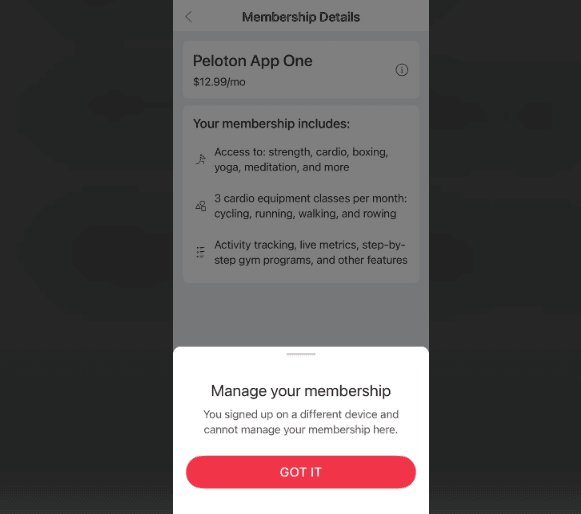
All-Access vs. Peloton App — completely different cancel paths
Peloton makes this confusing in a very specific way: "Peloton membership" can mean two different products, and the cancellation flow depends on which one you're paying for.
- All-Access Membership: Typically tied to Peloton hardware (Bike, Bike+, Tread). It's the full experience for households, with multiple profiles.
- Peloton App subscription: Just the app/digital classes (often cheaper), usually a single-user subscription.
If you cancel the wrong thing, you can end up with the same problem you started with: charges that keep coming.
How to identify which one you have
When I'm not in the mood to guess (I'm never in the mood to guess), I check it one of these ways:
Look at your bank/credit card statement descriptor
- If it clearly looks like a recurring Peloton membership charge, that's a start, but it won't always tell you which membership.
Log into your Peloton account on the web (not just the app)
- Go to onepeloton.com/login and sign in.
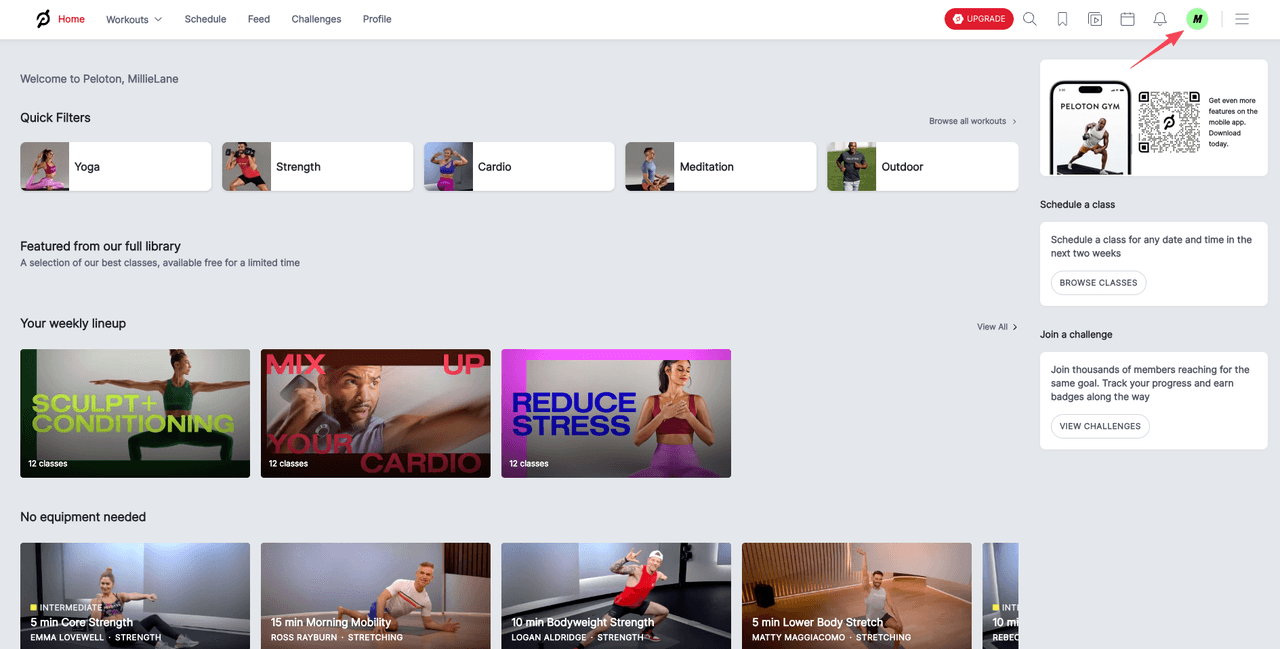
- If you see a Membership section that references All-Access, that's your answer.
Check where you originally subscribed
- If you subscribed on an iPhone/iPad, there's a decent chance it's billed through Apple (App Store).
- If you subscribed on Android, it may be through Google Play.
- If you entered payment details on Peloton's site, it's often billed directly by Peloton.
A quick rule I use:
- If Apple/Google is taking the money, Peloton usually can't cancel it for you. You have to cancel it where it's billed.
Unsure if you subscribed via Apple, Google, or direct? We can identify the source and ensure the billing stops permanently, and you only pay us when the task is successfully completed. Start your cancellation with Pine AI.
Cancel All-Access Membership
All-Access is the one most people mean when they say "cancel Peloton membership," especially if there's a Bike or Tread involved. The good news: you can do it online. No calls. No arguing with a retention script.
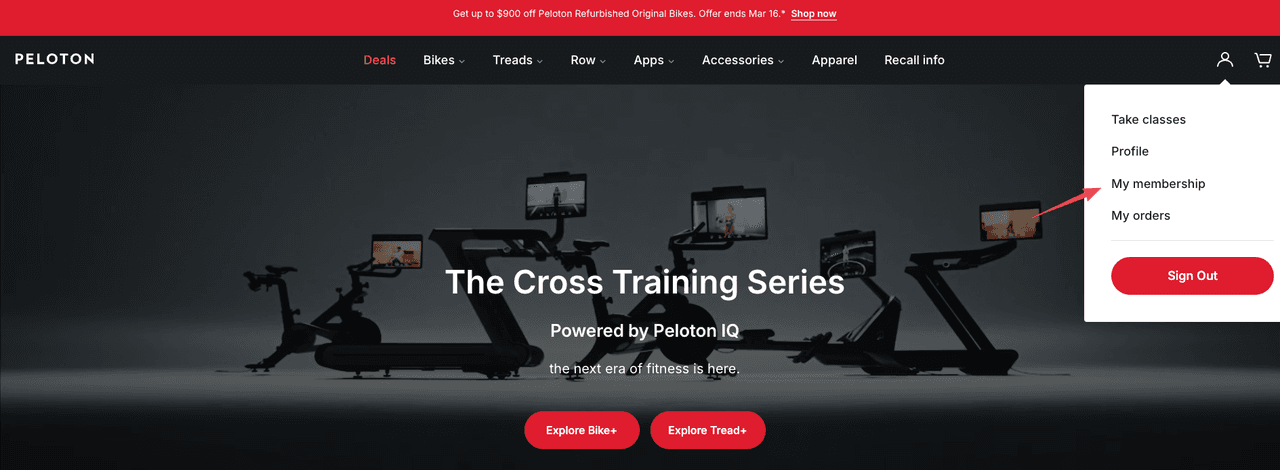
onepeloton.com → Profile → Membership → Cancel
This is the cleanest path I've found:
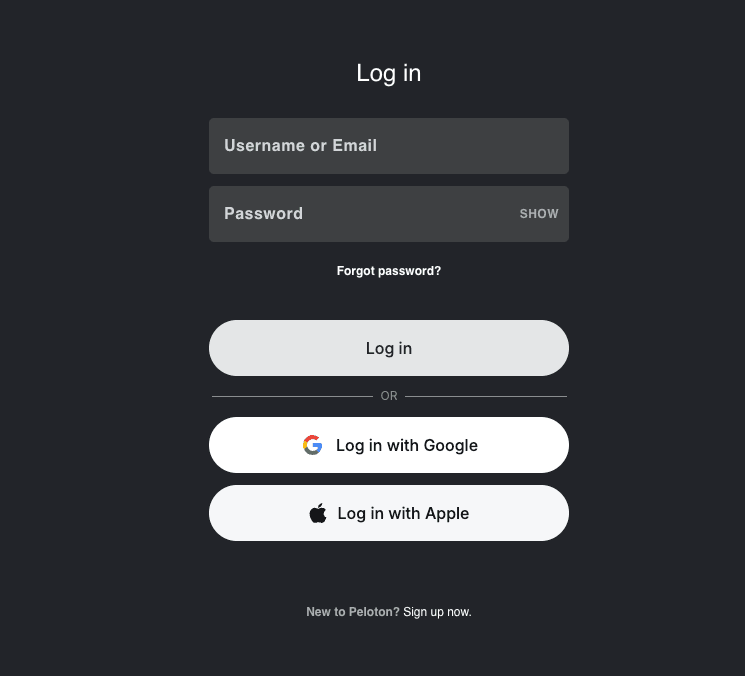
- Go to onepeloton.com and log in.
- Click your Profile (usually your name/avatar).
- Find Membership (sometimes it's under Account settings depending on layout updates).
- Select Cancel and follow the prompts.
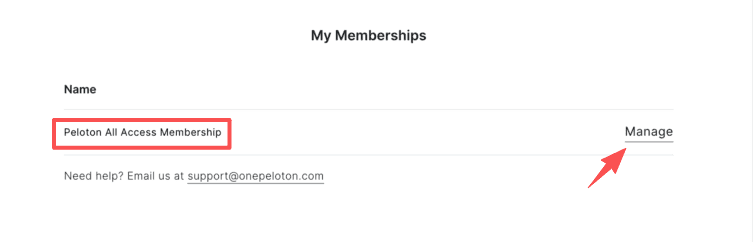
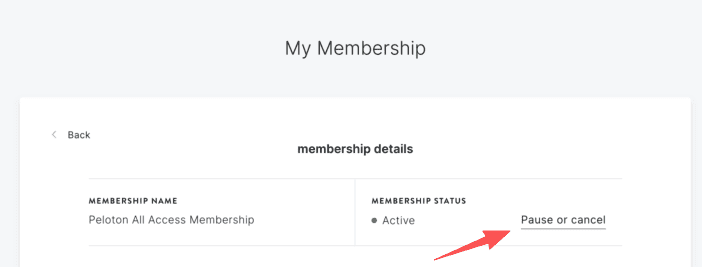
What I watch for during cancellation:
- A final confirmation screen (not just "we received your request").
- A confirmation email. If it doesn't show up within a few minutes, I search my inbox for "Peloton" + "cancel" and check spam/promotions.
If the site is being weird (it happens), I try:
- Switching browsers (Chrome → Safari/Edge).
- Logging out and back in.
- Doing it on a laptop instead of mobile.
Pause vs. cancel, when pausing makes sense
Peloton pushes the "pause" option for a reason: it reduces churn. But I'll admit, pausing is sometimes the smarter move, especially for busy professionals who might come back when life calms down.
I consider pausing when:
- I'm traveling for a few weeks and won't touch the equipment.
- I'm dealing with an injury or a schedule blow-up and don't want to rebuild everything later.
- I'm not trying to cut the cord permanently, I just need a breather.
I choose cancel when:
- I'm done-done (budget reset, routine changed, equipment not getting used).
- I've already paused once and still didn't come back.
- I want to stop the mental overhead of "remember to unpause before it bills again."
One small caution: pausing can feel like "handling it," but it's easy to forget you paused instead of canceled, then you're right back in subscription limbo.
What happens to your hardware access
This is the part people care about but don't want to research mid-workday.
If you cancel All-Access:
- Your All-Access features stop after your paid period ends (more on timing below).
- The equipment doesn't become a brick, but the Peloton class ecosystem is what changes, things like on-demand classes and membership-gated features typically won't be available the same way without an active membership.
If multiple people in your household use the device, remember: All-Access is usually the "household" style membership. Canceling it affects everyone's access, not just yours.
If you're selling the hardware or passing it on, I'd keep a screenshot of:
- Your membership status
- The cancellation confirmation
It's boring documentation… until it saves you 30 minutes later.
Cancel Peloton App subscription
If you're on the Peloton App plan, the cancellation path depends entirely on where you subscribed. And yes, that means you may never cancel it on Peloton's website at all.
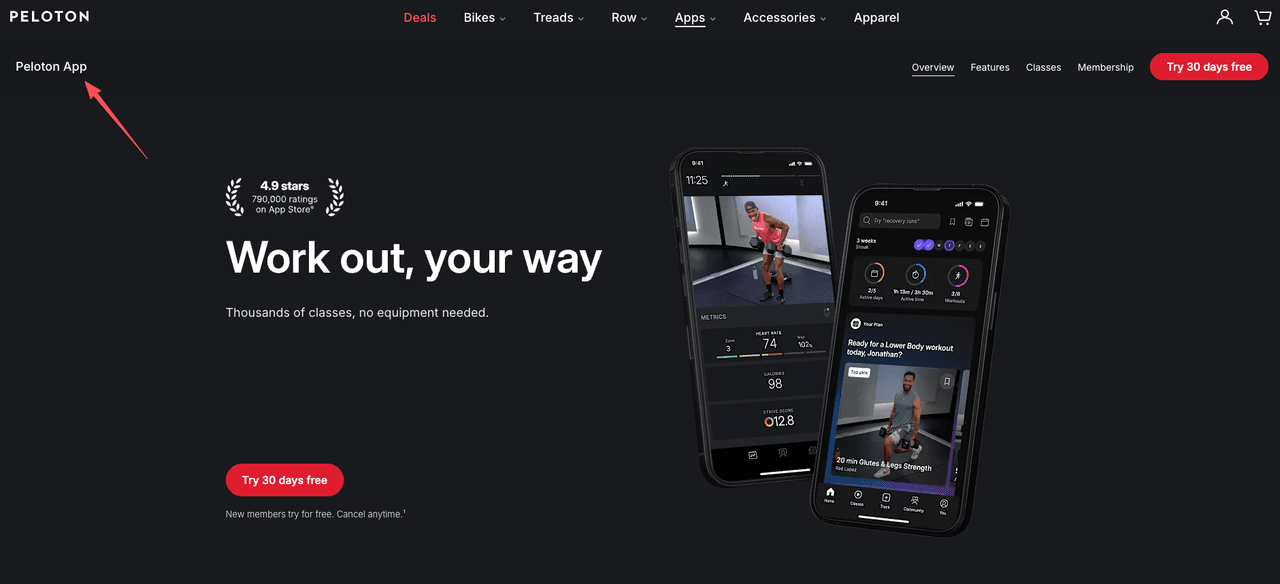
App direct / App Store / Google Play paths
Here's how I separate it:
1) If you subscribed directly with Peloton (App direct / web billing)
- Log into onepeloton.com.
- Go to your Profile / Account settings.
- Look for Subscription / Membership and follow the Cancel prompts.
2) If you subscribed via Apple (App Store)
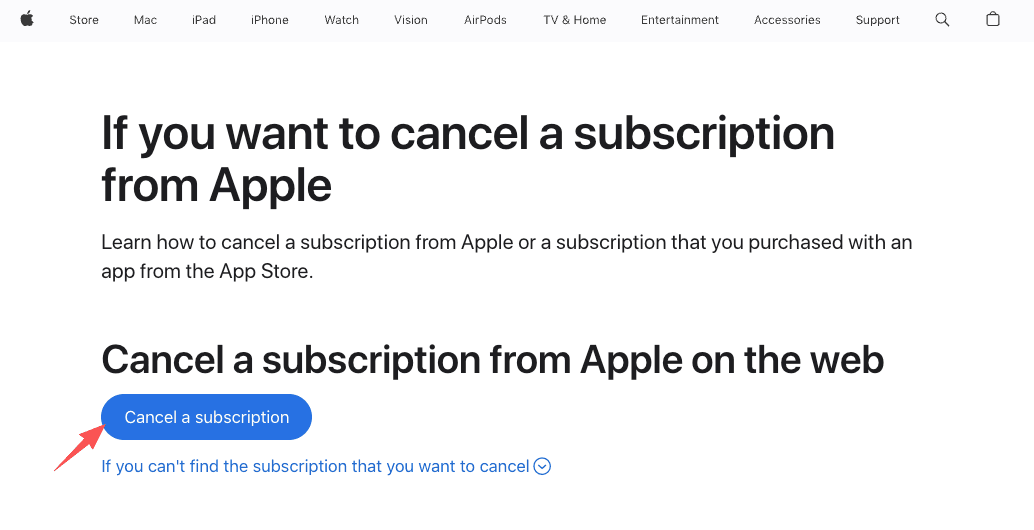
Peloton won't be the one charging you, Apple will.
- On iPhone/iPad: Settings → your name (Apple Account) → Subscriptions → Peloton → Cancel
- Or on a Mac: App Store → Account Settings → Subscriptions
I always confirm the key detail here: it should change to something like "Expires [date]" rather than renewing.
3) If you subscribed via Google Play
- Open Google Play Store
- Tap your profile icon → Payments & subscriptions → Subscriptions → Peloton → Cancel
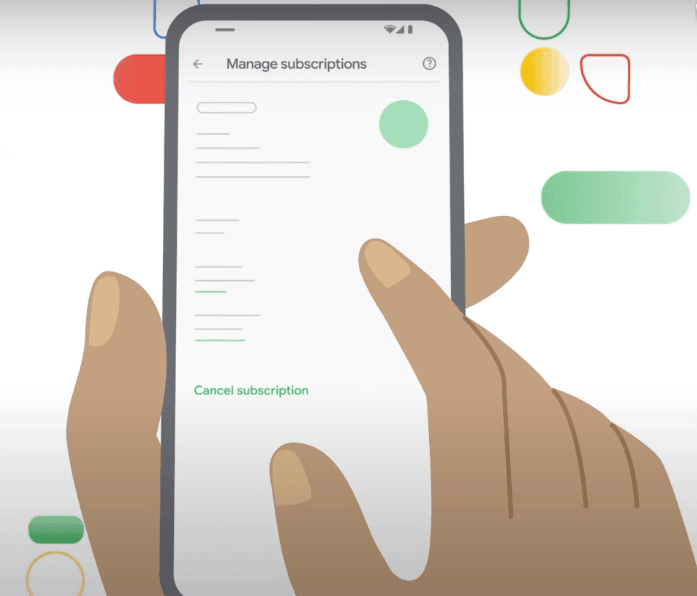
Two things I double-check:
- That I'm signed into the same Google account that created the subscription.
- That it shows an end/expiry date.
If you're thinking, "Why is this so fragmented?", because whoever processes the payment controls the subscription. It's annoying, but at least it's consistent once you know the rule.
Billing date and proof checklist
Canceling is only half the job. The other half is making sure you don't get surprised on your next statement, especially if you canceled close to your renewal date.
Here's what I do every time I cancel a subscription (Peloton included), because I've learned the hard way that "I'm pretty sure I canceled it" is not a system.
My billing + proof checklist
- Find your next billing date before you cancel (so you know how urgent this is).
- Cancel using the correct channel (Peloton direct vs App Store vs Google Play).
- Screenshot the confirmation screen.
- Save the confirmation email (or screenshot the subscription status page if there's no email).
- Set a calendar reminder for 2–3 days before the next billing date to verify it didn't renew.
- Check your statement after the expected last day of service.
If you do get charged again after canceling, the fastest dispute path usually depends on where you paid:
- Apple/Google-billed: start with the platform's subscription record.
- Direct-billed: use Peloton account history + your confirmation proof.
Access continues until end of paid period
This is the detail that prevents a lot of panic:
In most cases, when you cancel a Peloton membership (All-Access or App), you keep access until the end of the current paid billing period. You're usually turning off renewal, not instantly deleting access the second you hit cancel.
That's why I always look for language like:
- "Renews on…" (before cancel)
- "Expires on…" or "Access until…" (after cancel)
If the UI doesn't clearly show an expiry date, that's when I grab extra screenshots. I'm not trying to build a legal case, just enough proof that Future Me won't have to relive this.
I've laid out everything you need. The rest is up to you.
Frequently Asked Questions About Canceling a Peloton Membership
How do I cancel my Peloton membership (All-Access) online?
To cancel Peloton membership (All-Access), sign in at onepeloton.com, open your Profile, find Membership (or Account settings), and choose Cancel. Complete every prompt until you reach a final confirmation screen. Then save the confirmation email (and a screenshot) as proof in case charges continue.
How can I tell which Peloton membership I have before I cancel?
Check where the subscription is billed. Log into onepeloton.com and look for a Membership section that mentions All-Access, or review where you originally subscribed. If Apple or Google is charging you, you must cancel in the App Store or Google Play, not on Peloton’s site.
Can I cancel a Peloton App subscription if I subscribed through Apple or Google Play?
Yes, but you cancel through the billing platform, not Peloton. For Apple: Settings → your name → Subscriptions → Peloton → Cancel. For Google Play: Play Store → profile icon → Payments & subscriptions → Subscriptions → Peloton → Cancel. Confirm it shows an expiry date, not renewal.
When I cancel Peloton membership, does it end immediately or at the end of my billing period?
In most cases, canceling Peloton membership stops renewal but keeps access until the end of your current paid billing period. Before canceling, look for “Renews on…” and after canceling confirm it changes to “Expires on…” or shows an access-until date. Screenshot that status for backup.
Should I pause or cancel my Peloton membership?
Pause is best if you expect to return soon (travel, injury, temporary schedule overload) and want an easy restart. Cancel is better if you’re done for budget or usage reasons, or you’ve paused before and still didn’t come back. Pauses are easy to forget, which can lead to surprise renewals.
Recommended Reads
How to Cancel Planet Fitness Membership (Fast)