


Chicago Sun Times
Cancel subscription
How to Cancel Chicago Sun-Times
Learn how to cancel Chicago Sun-Times using verified current routes, confirm who bills you, understand timing and refunds, and keep proof that future renewal.
- 2 current, source-verified cancellation routes
- Billing ownership is explicit for each route
- Refund and access timing are separated from cancellation
- Account-specific confirmation is still required
Choose the correct Chicago Sun-Times cancellation route
Website (Chicago Sun-Times account) · verify the billing owner
Cancel online through the Chicago Sun-Times site
 1
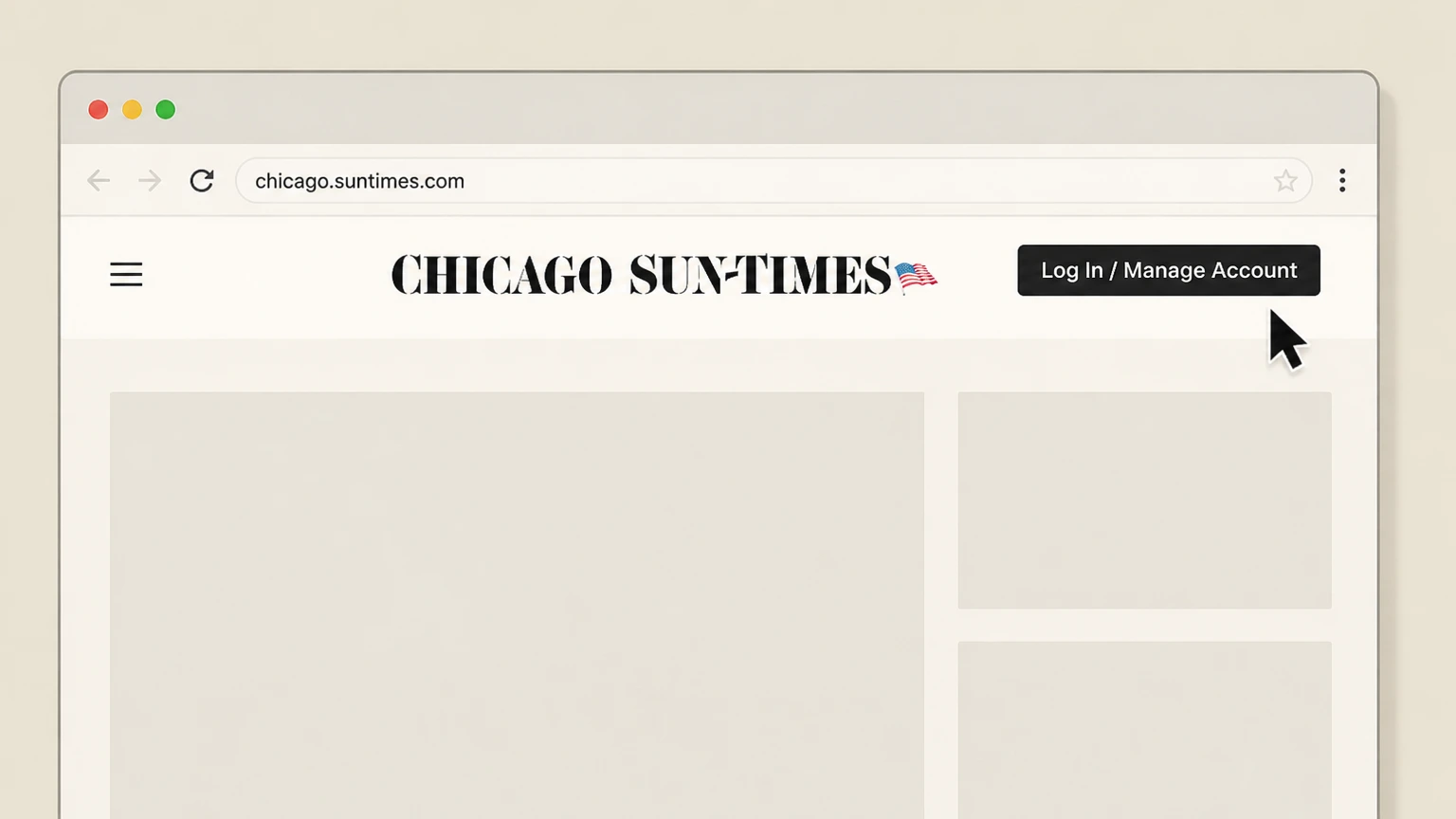
1Open chicago.suntimes.com and sign in
Visit chicago.suntimes.com in a web browser and use the Log In or Manage Account link at the top of the page to access your account before managing subscriptions.
 2
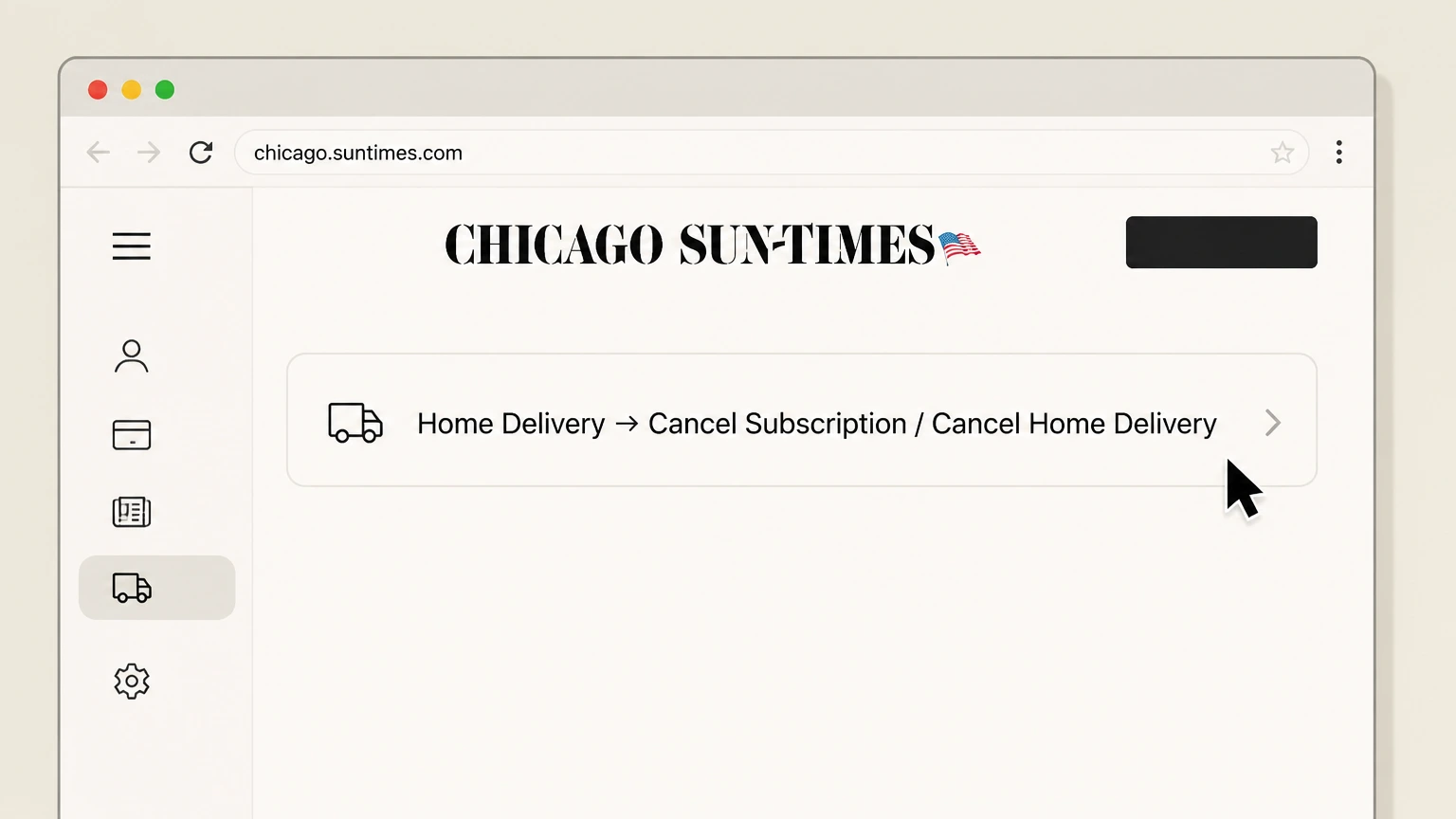
2Go to the Home Delivery cancellation tools
From the top navigation, hover over Home Delivery and choose Cancel Subscription, or scroll to the footer and select Cancel Home Delivery to open the subscription management portal.
- Let Pine handle it
Pine can help
Too many steps?
Pine can find the right Website (Chicago Sun-Times account) path and handle the cancellation for you.
 3
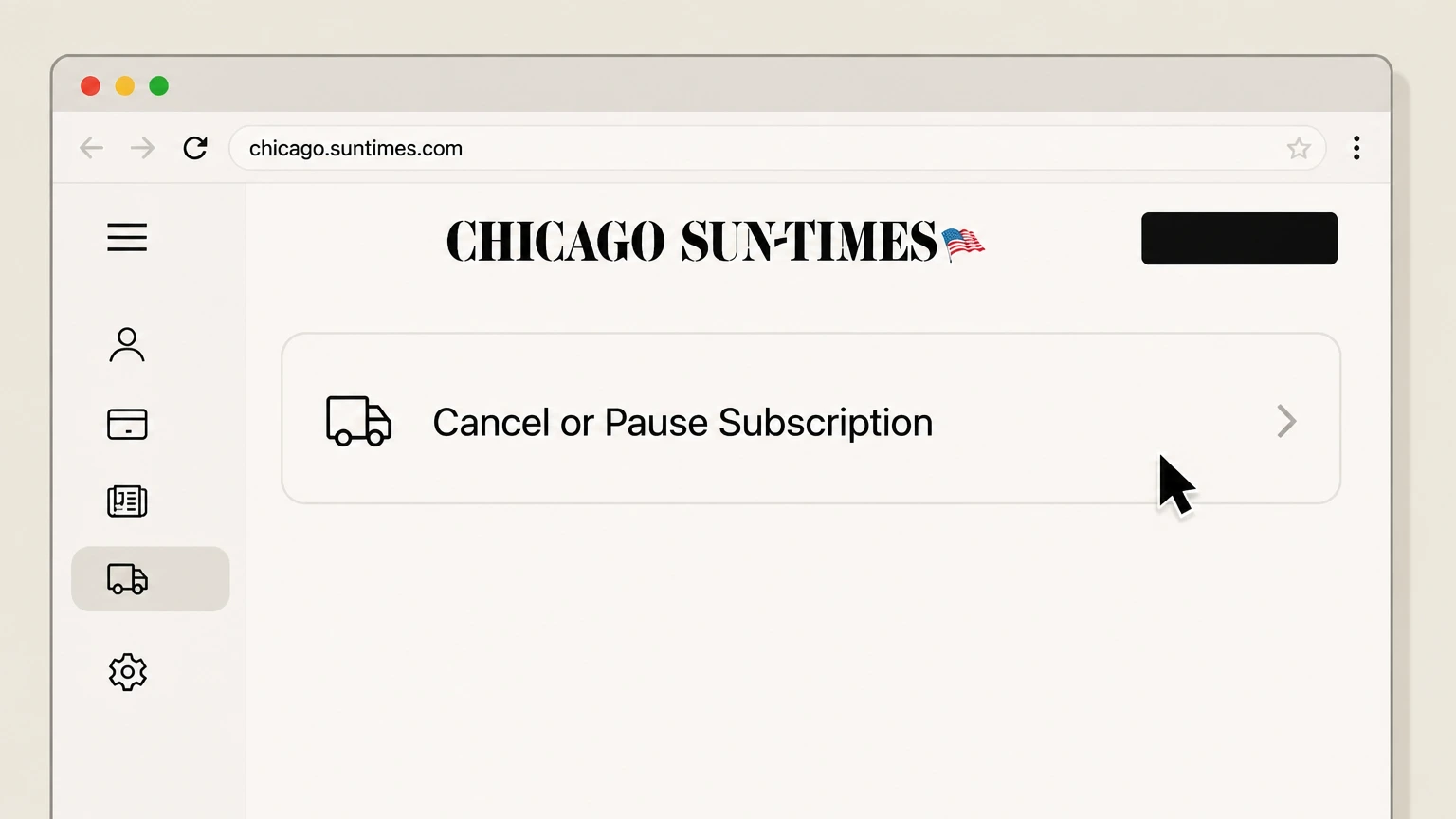
3Access the Manage My Account portal, then Select your subscription and start cancellation
If prompted, follow the Manage My Account link and sign in to the print management portal using the email address and account number associated with your Chicago Sun-Times subscription. In the account tools, locate your active Chicago Sun-Times subscription and use the available Cancel or Cancel or Pause Subscription option to begin cancelling before the next billing period renews.
 4
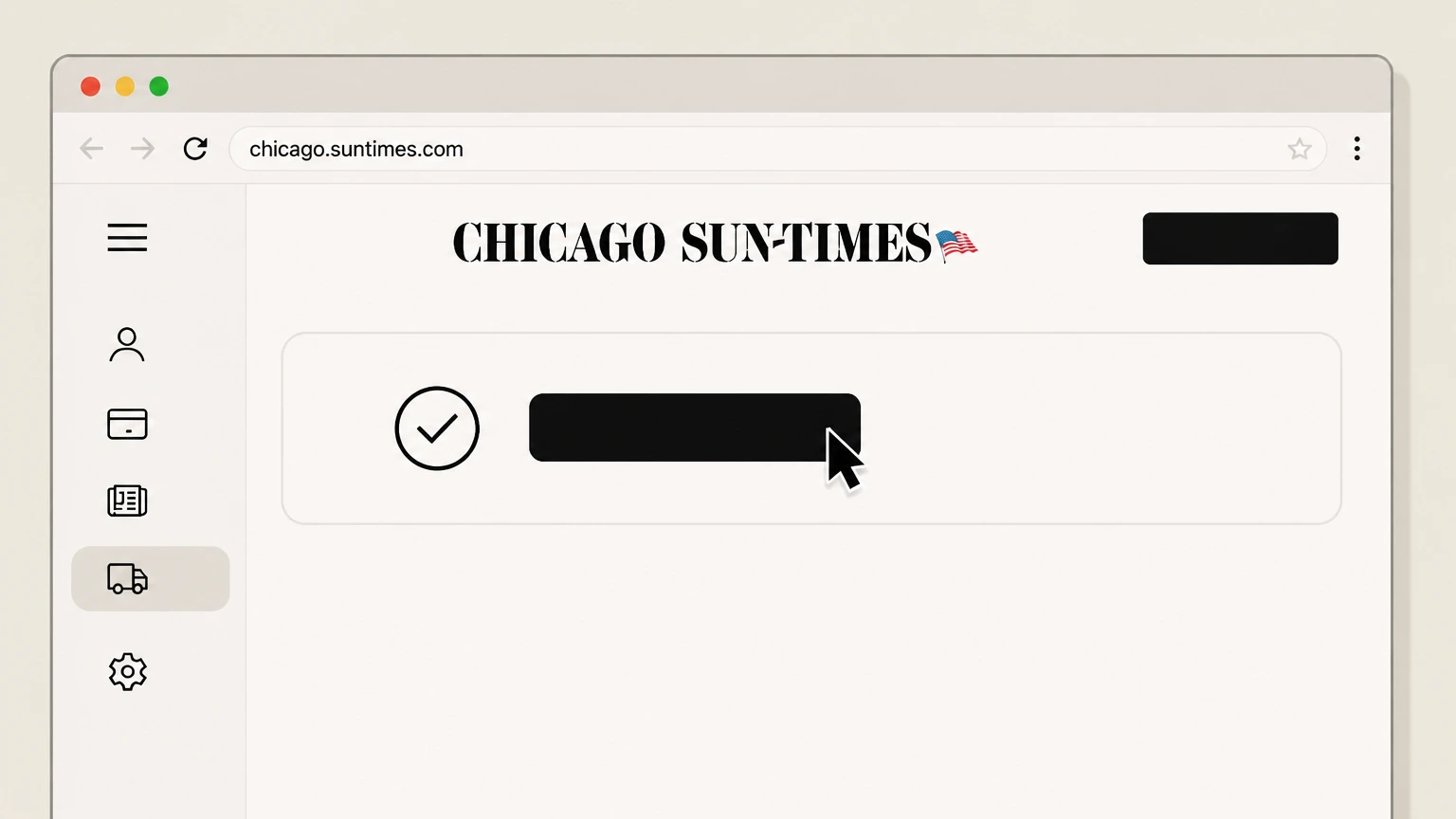
4Confirm cancellation and save proof
Complete any on-screen confirmation steps to finalize cancellation. Save a screenshot or any confirmation email from Chicago Sun-Times that shows your subscription and end date, in case of later billing questions.

Phone (Chicago Sun-Times customer service) · verify the billing owner
Cancel by calling Chicago Sun-Times customer service
 1
1Gather your subscription details
Before calling, locate a recent bill or email so you have your account number and the name and address on your Chicago Sun-Times subscription.
 2
2Call Chicago Sun-Times customer service
Dial the Chicago Sun-Times customer service number listed in the Terms of Sale and Home Delivery FAQ to reach the subscription support team.
- Let Pine handle it
Pine can help
Too many steps?
Pine can find the right Phone (Chicago Sun-Times customer service) path and handle the cancellation for you.
 3
3Request cancellation and end of auto-renewal, then Confirm final date and any remaining balance
Ask the representative to cancel your Chicago Sun-Times subscription and to turn off automatic renewal so billing stops after your current billing period ends. Confirm your subscription’s final service date, whether deliveries will continue briefly during any grace period, and whether you owe or will owe any remaining balance through that date.
 4
4Ask for written confirmation
Request that the agent send you written confirmation (for example, by email) showing that your subscription is set to end and that automatic billing has been stopped.
Refund policy
Refunds and final charges when you cancel
Chicago Sun-Times generally does not provide pro-rated refunds when you cancel. Instead, your subscription runs until the end of the current billing period or prepaid term, and you may owe for any additional print deliveries during a grace period.
Check my refund options- No pro-rated refunds for partially used periods
- Digital and Print Terms of Sale both state that subscription payments are non-refundable and that there are no refunds or credits for partially used billing periods, though Sun-Times may, at its sole discretion, choose to issue a refund or credit in specific cases without creating a precedent.
- Home Delivery FAQ reiterates no refunds
- The Home Delivery FAQ explicitly states that the Chicago Sun-Times does not issue refunds for canceled subscriptions; instead, your subscription simply stops on its scheduled expiration date.
- Responsibility for grace-period deliveries
- Print Terms of Sale and the Home Delivery FAQ describe that print deliveries may continue for a limited grace period after expiration and that you will be billed for those deliveries, which can create a negative account balance that must be paid. Canceling does not erase amounts owed for papers already delivered.
- Discretionary refunds are possible but not guaranteed
- Both digital and print refund clauses allow Sun-Times to issue refunds or credits at its discretion, but make clear that doing so in one instance does not obligate Sun-Times to offer the same adjustment in the future.
If you believe a billing error occurred or that circumstances warrant an exception to the standard no-refund policy, contact Chicago Sun-Times customer service using the Subscriber Hub or the customer service phone number in the Terms of Sale and Home Delivery FAQ. Contact Chicago Sun-Times customer service
Scope
What this Chicago Sun-Times cancellation guide covers
This guide covers recurring Chicago Sun-Times subscriptions sold and billed directly by Chicago Sun-Times Media, Inc., primarily print home delivery and digital product subscriptions such as E-Paper access, as defined in the publisher’s current Terms of Sale. It does not cover separate Chicago Public Media (WBEZ) memberships or other CPM properties, nor subscriptions purchased through outside platforms or resellers.
Print home delivery subscriptions
Print Products are defined as home delivery of the print edition of the Chicago Sun-Times newspaper, sold by Chicago Sun-Times Media, Inc. and governed by Print Products Terms of Sale that include automatic renewal and cancellation clauses.
Digital product subscriptions and E-Paper
Digital Products include digital offerings such as the website, mobile apps, and E-Paper. The Digital Products Terms of Sale describe auto-renewing digital subscriptions, payment methods, and cancellation via the Manage Account section or by phone, even though some digital content can now be accessed without a subscription.
Not covered: CPM memberships and third-party subscriptions
Chicago Public Media’s Terms of Use explain that Chicago Sun-Times Media and WBEZ are related but distinct services, and the Home Delivery FAQ states that a Chicago Public Media (WBEZ) membership does not include Sun-Times print or digital access. Subscriptions bought through third parties are also subject to those parties’ own cancellation policies.
Renewal & timing
Auto-renewal, billing periods and when cancellation takes effect
Chicago Sun-Times subscriptions typically auto-renew, and cancellations stop future renewals but do not generate pro-rated refunds. Understanding billing periods and grace periods helps set expectations after you cancel.
Auto-renewing subscriptions
Both Digital Product and Print Product Terms of Sale state that subscriptions automatically renew at the end of each billing period unless you cancel or Sun-Times terminates the subscription, and that you may not receive a separate renewal notice.
Effective date of cancellation
For both digital and print subscriptions, Sun-Times specifies that a cancellation you initiate becomes effective at the end of your then-current billing period, and that you retain access to your subscription through that date. Future billing periods are affected; the current one is not.
Need to cancel before the next billing period
The Terms of Sale explain that to avoid being charged for the next billing period, you must cancel your subscription’s automatic renewal before it renews; otherwise, the next period’s fee may still be billed.
Grace period deliveries may continue briefly
Print Terms of Sale and the Home Delivery FAQ describe a grace-period concept in which print deliveries may temporarily continue after a subscription’s nominal expiration, with charges accruing for those additional papers until your account is settled. Because source language differs on the exact number of days, this guide treats the grace period length as variable but emphasizes that you can be billed for papers delivered after your official expiration if service continues.
Access & bundles
What happens to E-Paper, app access and related services
Chicago Sun-Times print subscriptions often include access to digital products like the E-Paper and the mobile app. Physical delivery and some advertising inserts involve additional partners, but cancellation of your Sun-Times subscription is still handled by Sun-Times itself.
E-Paper and app access tied to your subscription
The Home Delivery FAQ explains that print subscribers receive E-Paper access for free once they activate their account via suntimes.com/activate, and that those credentials are used for the Chicago Sun-Times app. The Print Products Terms of Sale note that access to Digital Products is provided in connection with print subscriptions and may be modified or terminated by Sun-Times. When your subscription ends, associated E-Paper and app access provided through that subscription can also end.
Physical delivery handled by the Chicago Tribune
The Home Delivery FAQ notes that the Chicago Tribune handles physical delivery of the Sun-Times and that certain Wednesday advertising bundles (Advo Pack) come from the Tribune and may need to be stopped directly with them, separate from canceling your Sun-Times subscription. This is specific to Chicago Sun-Times’ delivery arrangement and does not affect your obligation to cancel billing with Sun-Times.
Chicago Public Media membership is separate
The FAQ clarifies that a Chicago Public Media (WBEZ) membership does not include Chicago Sun-Times print or digital products, even though both are under the same corporate umbrella. Canceling or changing a WBEZ membership does not cancel a Sun-Times subscription, and vice versa.
Chicago Sun-Times cancellation FAQ
Current, source-backed answers about cancellation, billing ownership, refunds, and access timing.
When does my Chicago Sun-Times cancellation take effect?
Can I cancel my Chicago Sun-Times subscription by email?
Does my WBEZ or Chicago Public Media membership include a Sun-Times subscription?
What happens to my E-Paper and app access after I cancel print delivery?
Untangle this Chicago Sun Times issue.
Let Pine handle the provider follow-up and keep the confirmation in one place.
