


Netflix
Cancel subscription
How to Cancel Netflix Subscription
Sign in to Netflix, open Manage your membership, select Cancel, then Finish Cancellation. If Netflix does not show the cancellation option, use the payment.
- Official Netflix cancellation steps
- Web, Android, and Apple billing paths
- Access normally continues through the billing period
- Verified July 31, 2026
Choose the Netflix cancellation path that matches your account
Web · Direct Netflix billing
Finish the cancellation in your signed-in Netflix account
 1
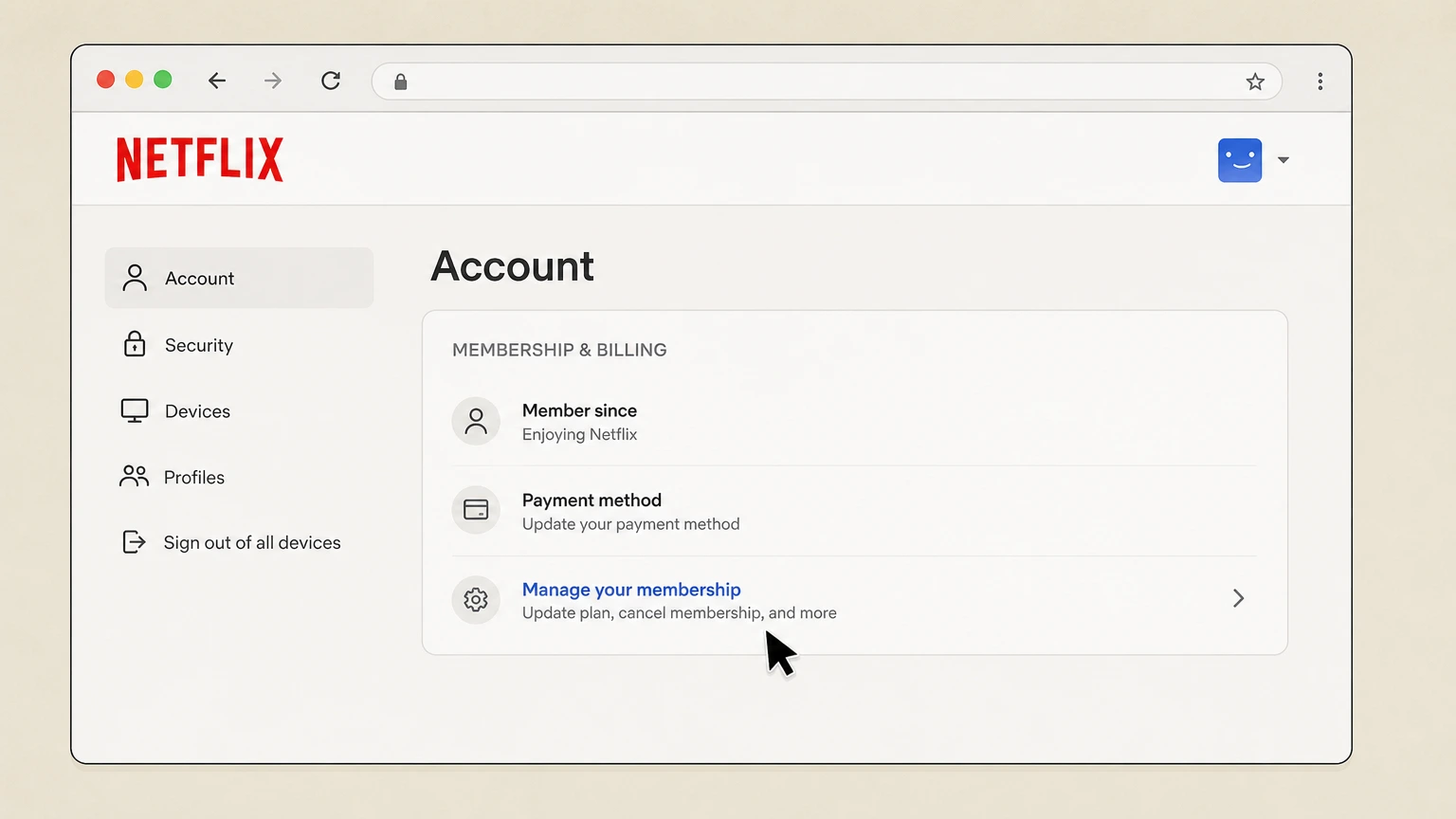
1Open Manage your membership
Sign in, then open Netflix’s Manage your membership page.
 2
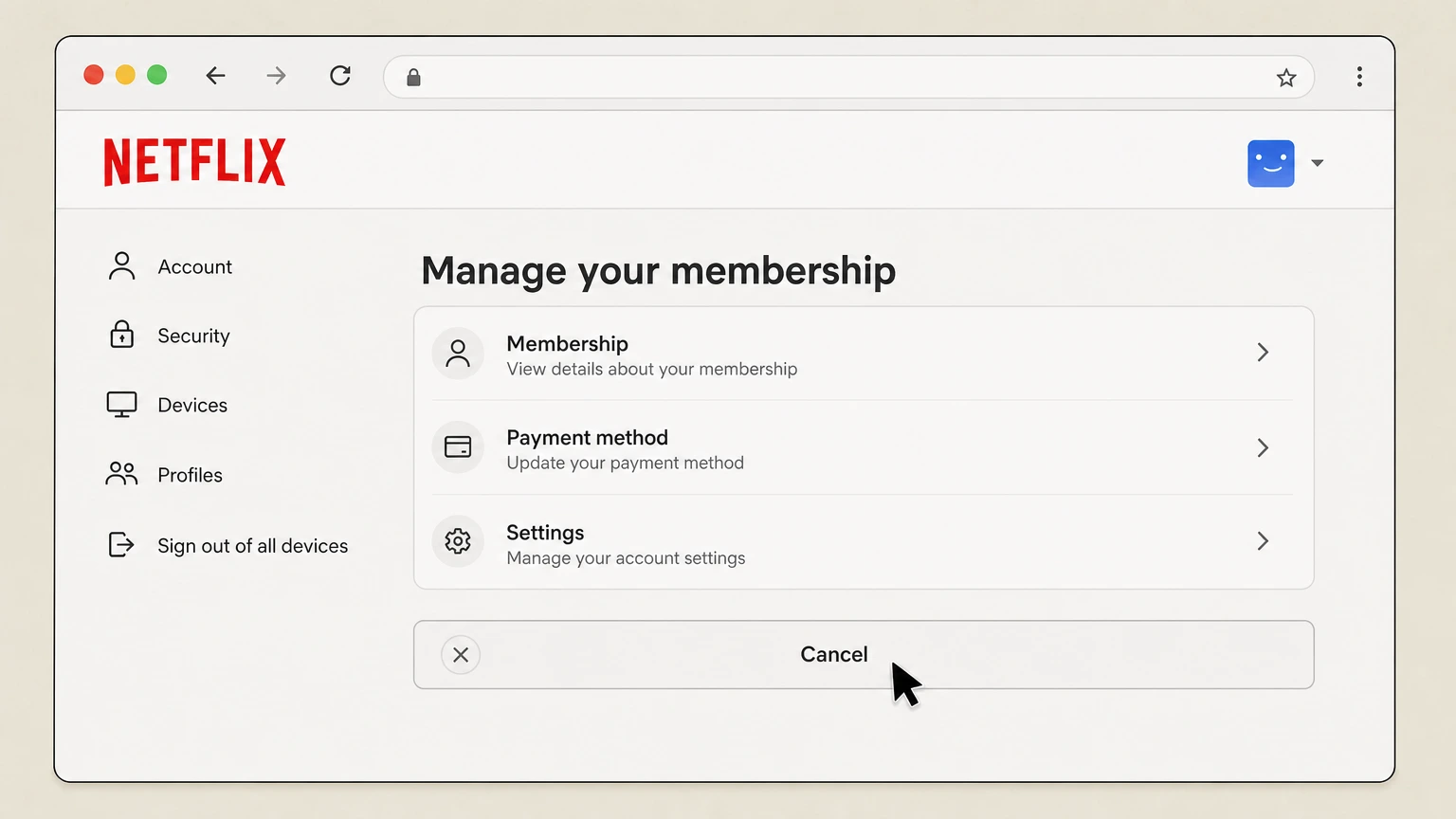
2Select Cancel
On Manage your membership, select Cancel.
- Let Pine handle it
Pine can help
Too many steps?
Pine can find the right Web path and handle the cancellation for you.
 3
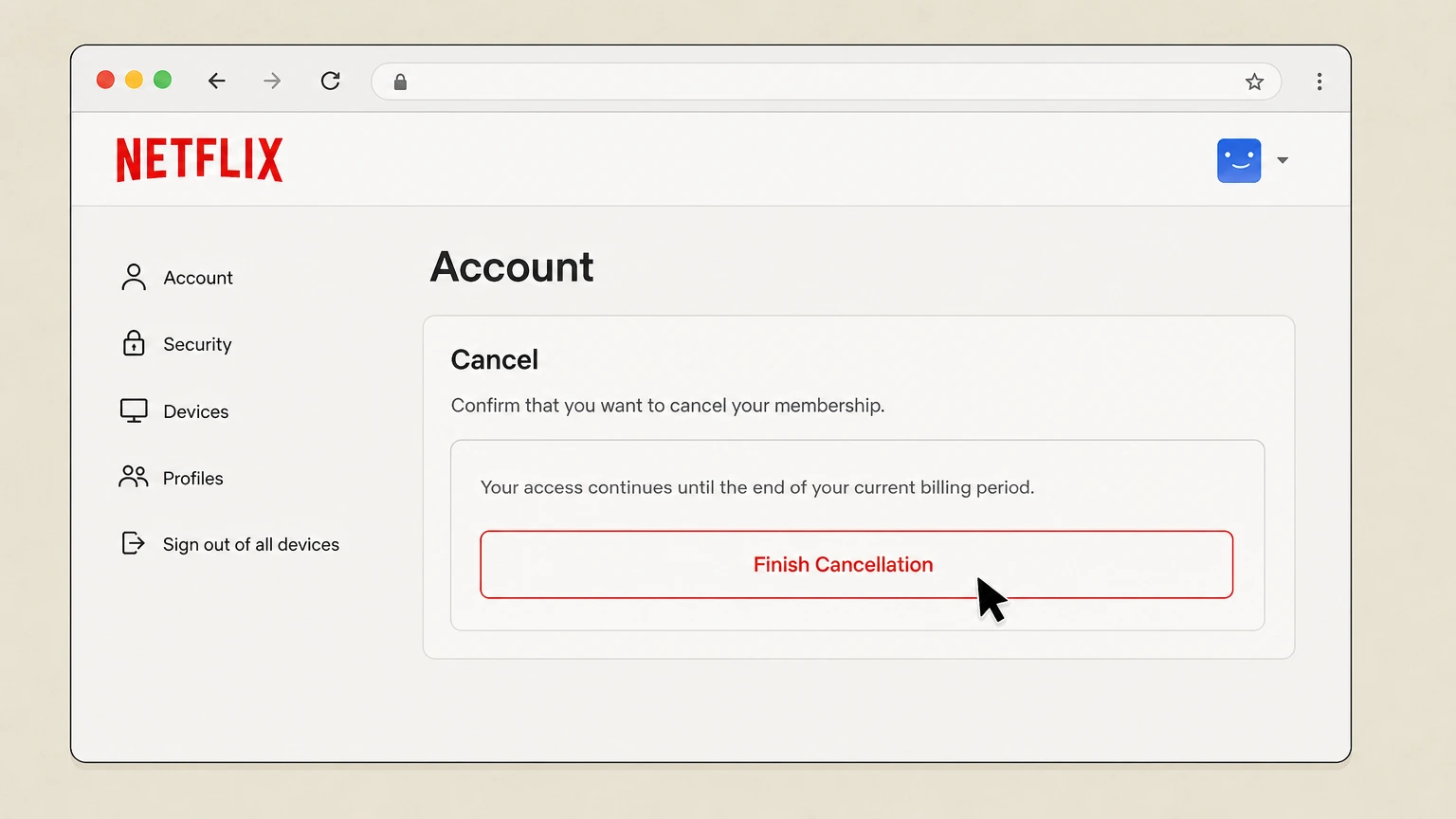
3Finish cancellation
Under Cancel, select Finish Cancellation. Netflix sends a confirmation email to the account address.

Android · Netflix direct billing
Open Account in the Netflix app, then finish in the mobile browser
 1
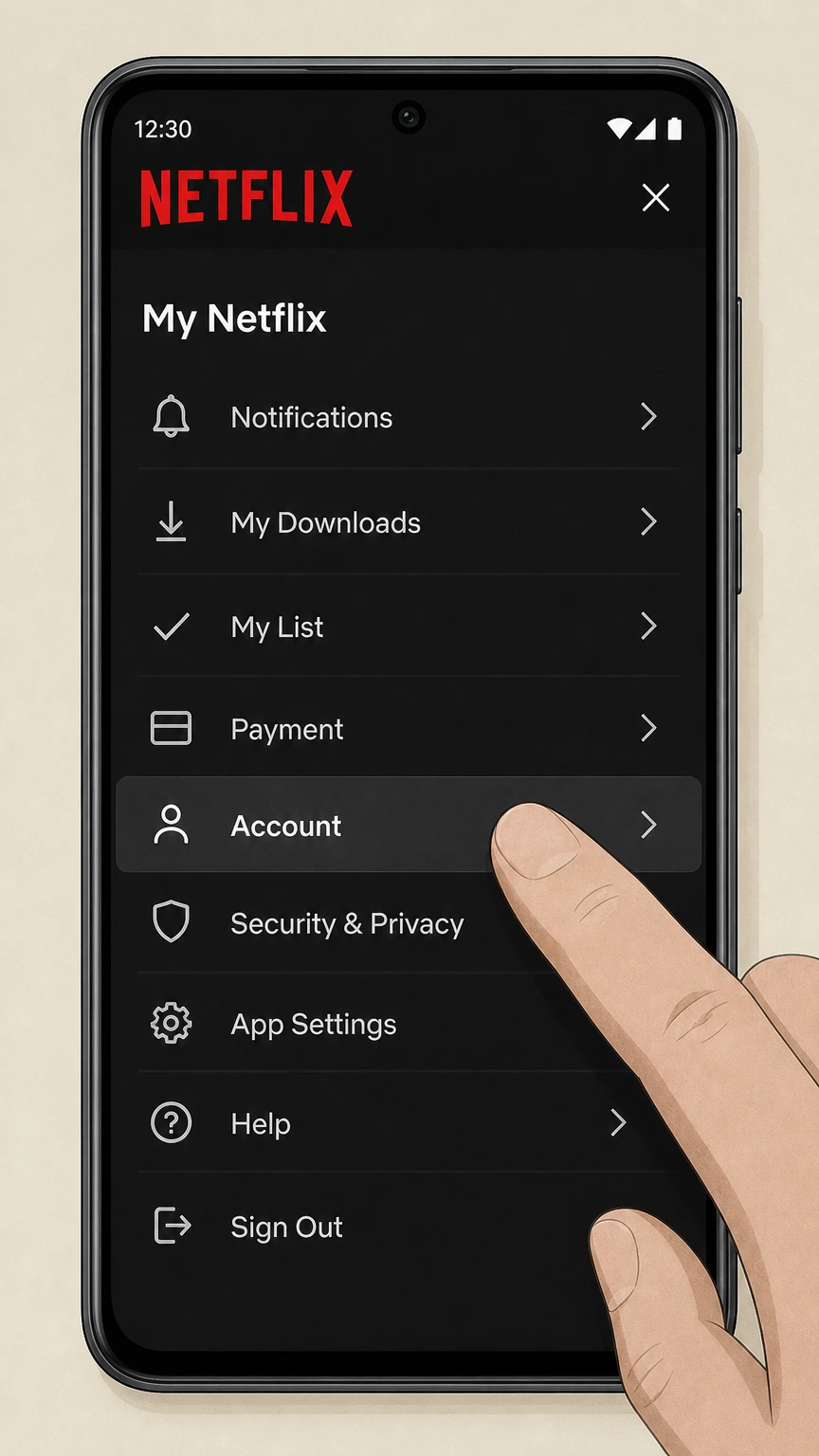
1Open Account
From My Netflix, open the Netflix menu and tap Account.
 2
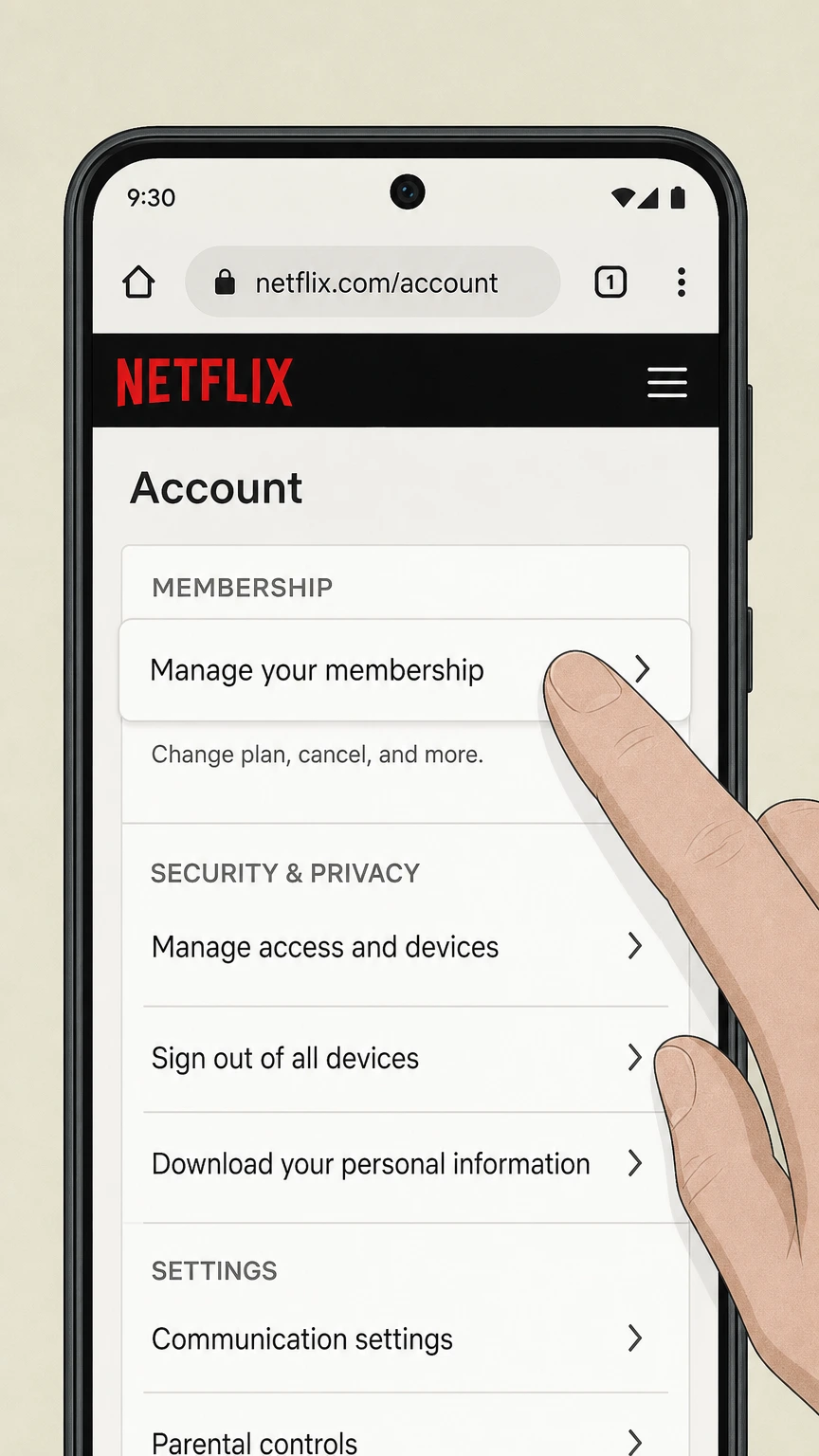
2Open Manage your membership
In the Membership section of the Netflix Account page, tap Manage your membership.
- Let Pine handle it
Pine can help
Too many steps?
Pine can find the right Android path and handle the cancellation for you.
 3
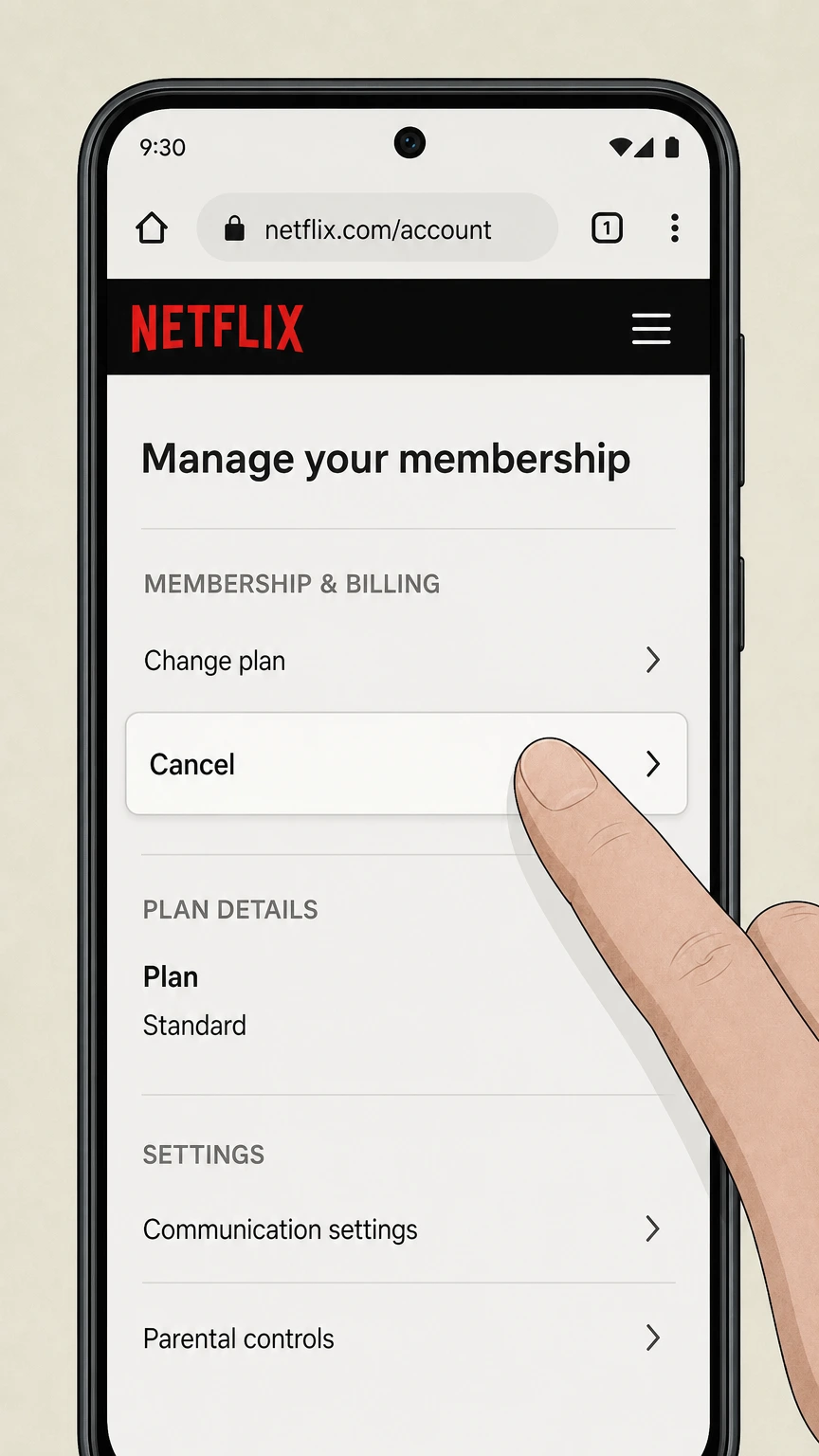
3Select Cancel
In the mobile browser, tap Cancel on Manage your membership.
 4
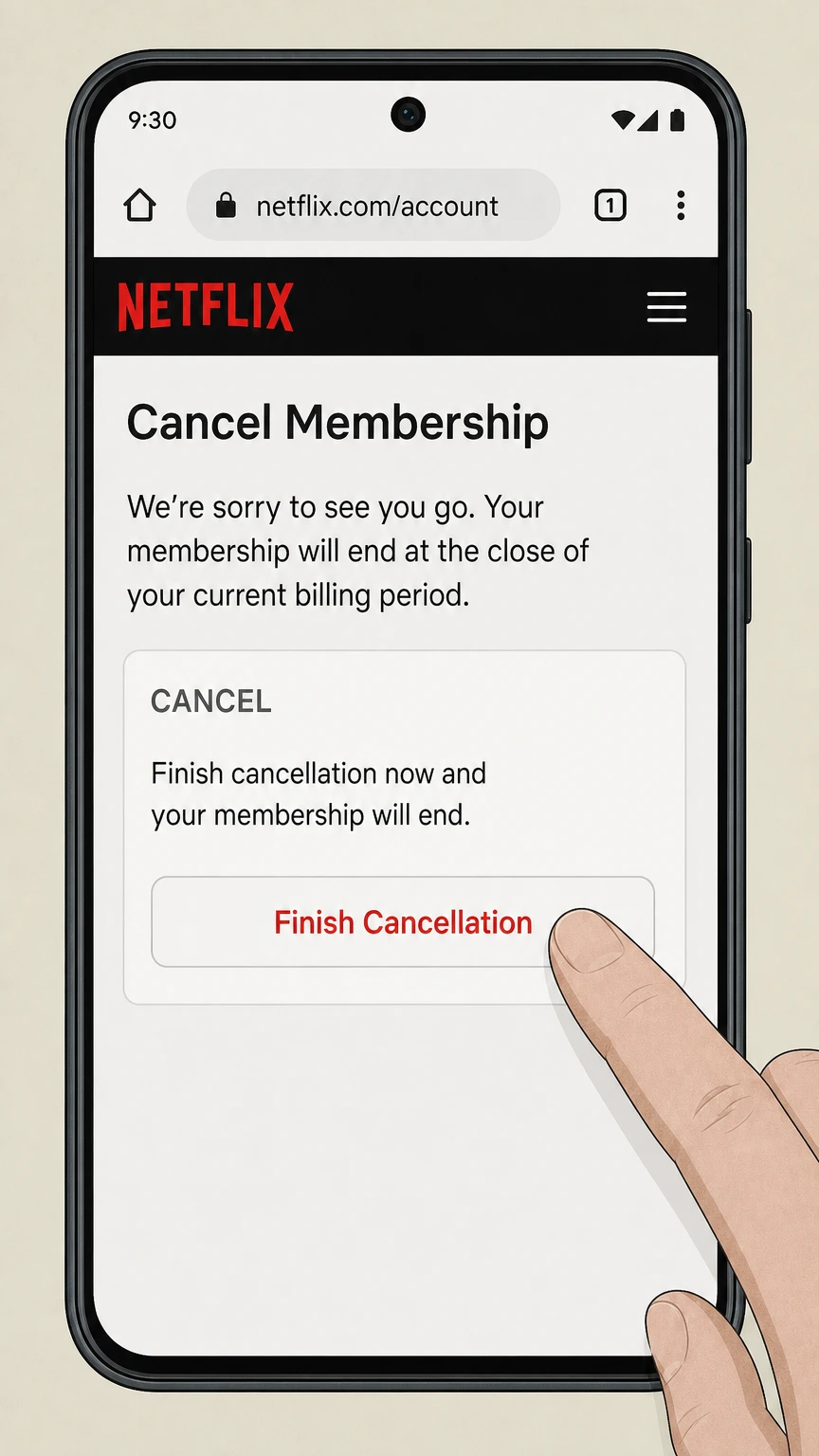
4Finish cancellation
Under Cancel, tap Finish Cancellation to end the Netflix membership.
iOS · Apple billing
Cancel a Netflix subscription that is still billed through Apple
 1
1Open Settings
Open Settings on the iPhone tied to the Apple subscription.
 2
2Tap your name
At the top of Settings, tap your name to open Apple Account.
- Let Pine handle it
Pine can help
Too many steps?
Pine can find the right iOS path and handle the cancellation for you.
 3
3Open Subscriptions
Tap Subscriptions to see plans billed by Apple.
 4
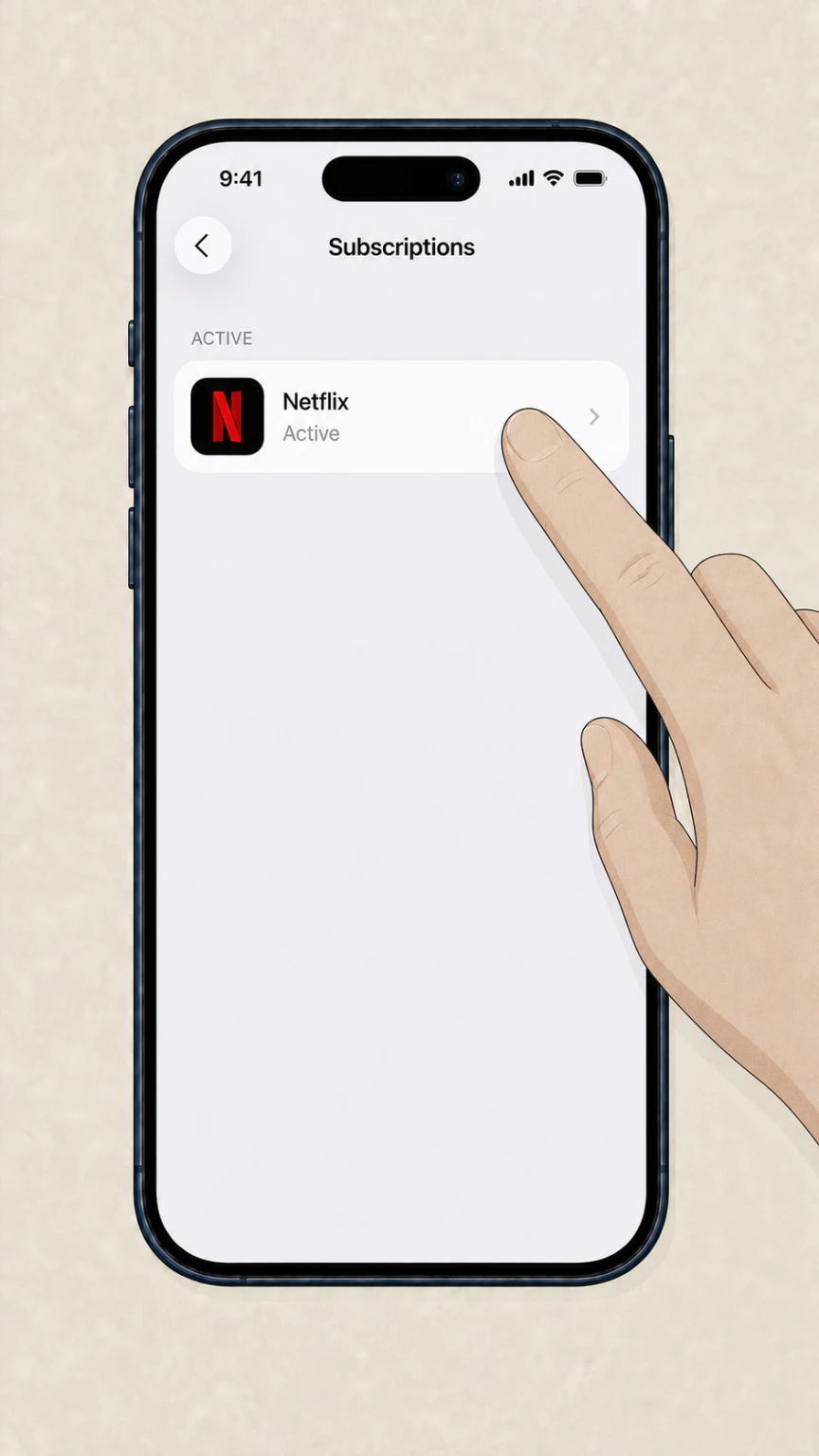
4Select Netflix
In the Apple Subscriptions list, tap Netflix.
 5
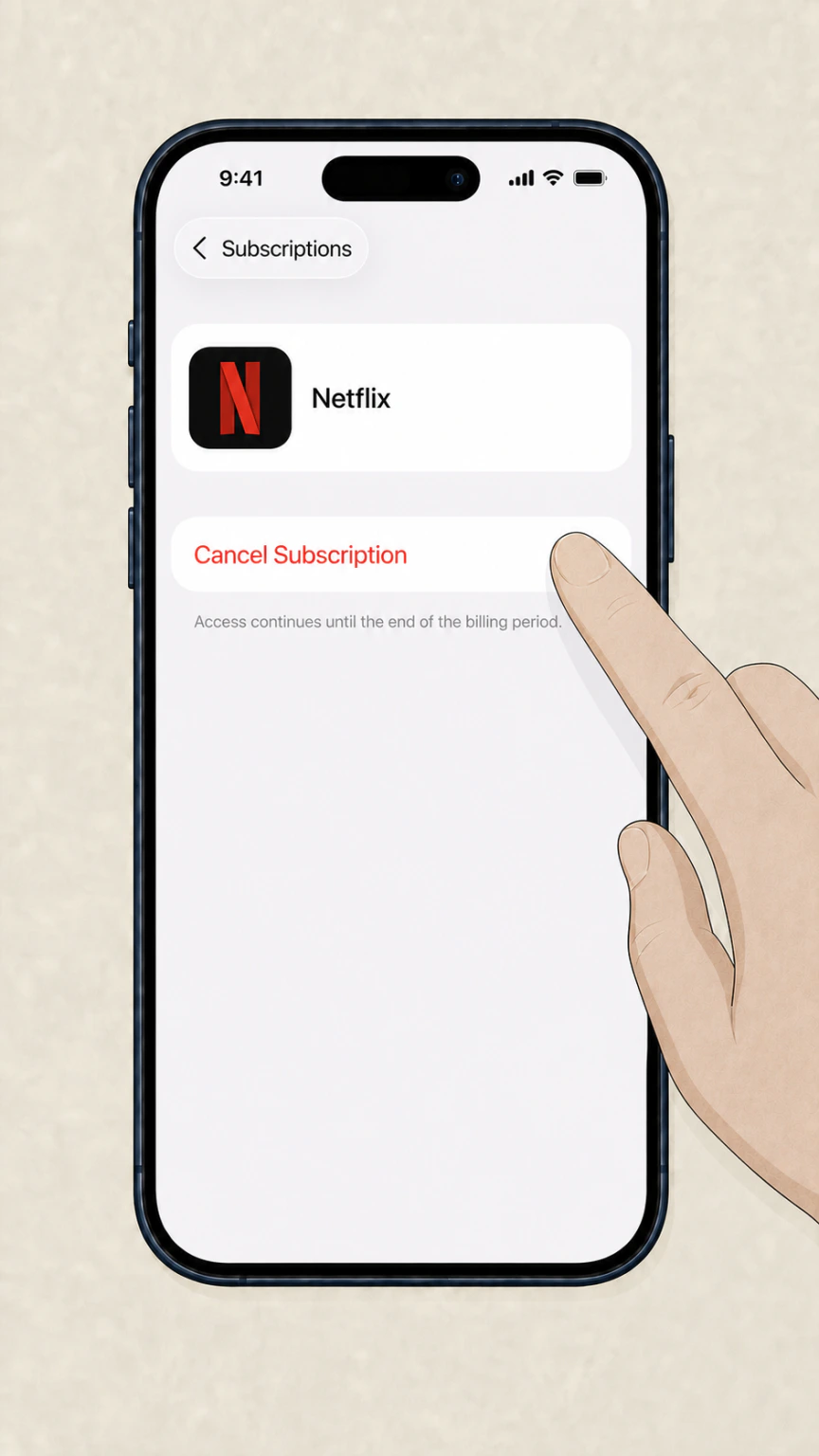
5Cancel the subscription
Tap Cancel Subscription and follow Apple’s confirmation prompt.
Refund policy
What happens after you cancel Netflix
Netflix says you will not be charged again unless the account is restarted. When time remains in the billing period, viewing normally continues until the account closes automatically at the end of that period.
Check my refund options- Partner-billed accounts
- If Netflix does not show a cancellation option, use the payment partner link or instructions shown in Membership.
- Account on hold
- Netflix says an account on hold closes immediately when it is canceled.
- Gift or promotional balance
- Access can continue while the remaining gift-card or promotional balance covers service.
Charged after a confirmed cancellation? Netflix says the account may have been restarted. Cancel again if needed, change the password, and select Sign out of all devices. Review Netflix’s charged-after-canceling guidance
Before you cancel
Confirm the account and billing owner first
Netflix can only cancel a membership it bills directly. A quick account check prevents you from following the right-looking steps in the wrong company’s system.
Match the charge to the right account
Use the email address tied to the charged Netflix membership. If you cannot identify it, use Netflix’s sign-in and account-recovery guidance before disputing the charge.
Read Membership and Billing
If the account names Apple or another payment partner, use that company’s cancellation instructions. A missing Netflix cancel control normally means another company manages billing.
Check the closing date
Netflix normally keeps access active through the current billing period. Accounts on hold can close immediately, while gift or promotional balances may extend access.
Do not rely on deleting the app
Removing Netflix from a phone, TV, or streaming device and signing out do not cancel the paid membership.
After cancellation
Keep proof and check for a completed cancellation
The final screen and Netflix email are the clearest evidence that the membership stopped renewing. Keep both until the former renewal date passes.
Save the confirmation email
Netflix says it sends a cancellation confirmation to the account email address. Save it with the date and account identifier visible.
Verify the account status
Return to Account or Payment History and confirm the closing date instead of assuming the first Cancel click completed the flow.
Protect a canceled account
If someone may restart the membership, change the password and sign out all devices after cancellation.
Investigate a later charge
A post-cancellation charge can indicate that the membership was restarted or that a different account or billing partner is involved. Match the charge before requesting a refund or dispute.
Netflix cancellation FAQ
Answers based on Netflix guidance about billing ownership, access, confirmation, and charges after cancellation.
Does deleting the Netflix app cancel the membership?
Why can't I cancel my Netflix account?
Does the Android path mean Google Play bills my Netflix account?
When should I use the Apple cancellation path?
Can I cancel my Netflix membership at any time?
How do I prove the cancellation finished?
What should I do if I am charged after canceling?
Untangle this Netflix issue.
Let Pine handle the provider follow-up and keep the confirmation in one place.
