


Highlights
Cancel subscription
How to Cancel a Highlights Subscription Safely
Learn how to cancel Highlights through the right billing provider. Follow official steps, understand access timing, refunds, and the confirmation to keep.
- 1 cancellation path matched to the billing owner
- Renewal timing and access outcome explained
- Refund requests routed to the company that billed you
- Confirmation steps included for every path
Choose the Highlights cancellation path that matches who bills you
Highlights Hidden Pictures in Apple Subscriptions · verify the billing owner
How to cancel Highlights through Highlights Hidden Pictures in Apple Subscriptions
 1
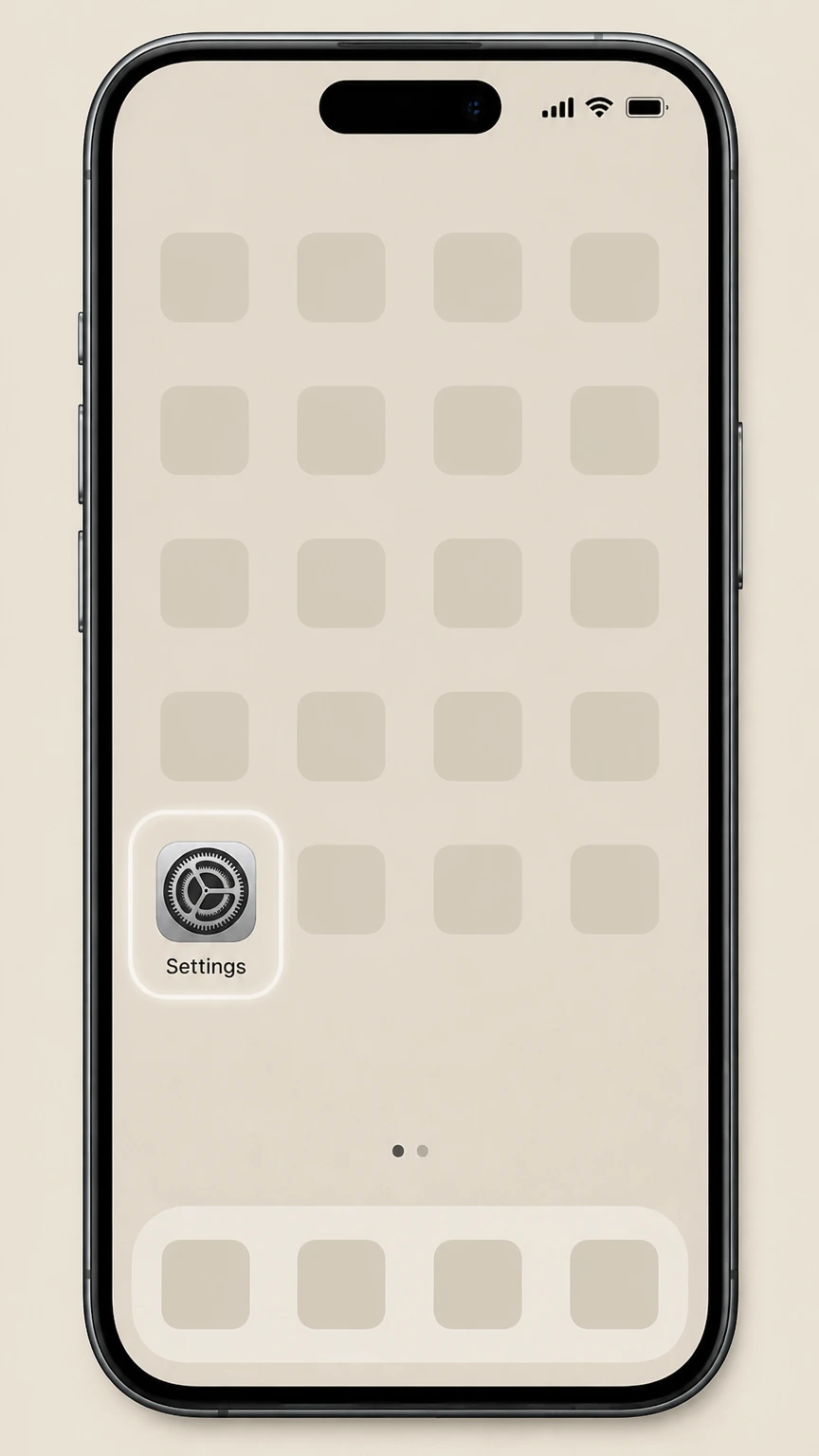
1Open Settings
Open Settings on the iPhone or iPad signed in to the Apple Account that owns the subscription.
 2
2Tap your name
Tap your name at the top of Settings to open the Apple Account controls.
- Let Pine handle it
Pine can help
Too many steps?
Pine can find the right Highlights Hidden Pictures in Apple Subscriptions path and handle the cancellation for you.
 3
3Open Subscriptions
Choose Subscriptions to display the recurring services billed to this Apple Account.
 4
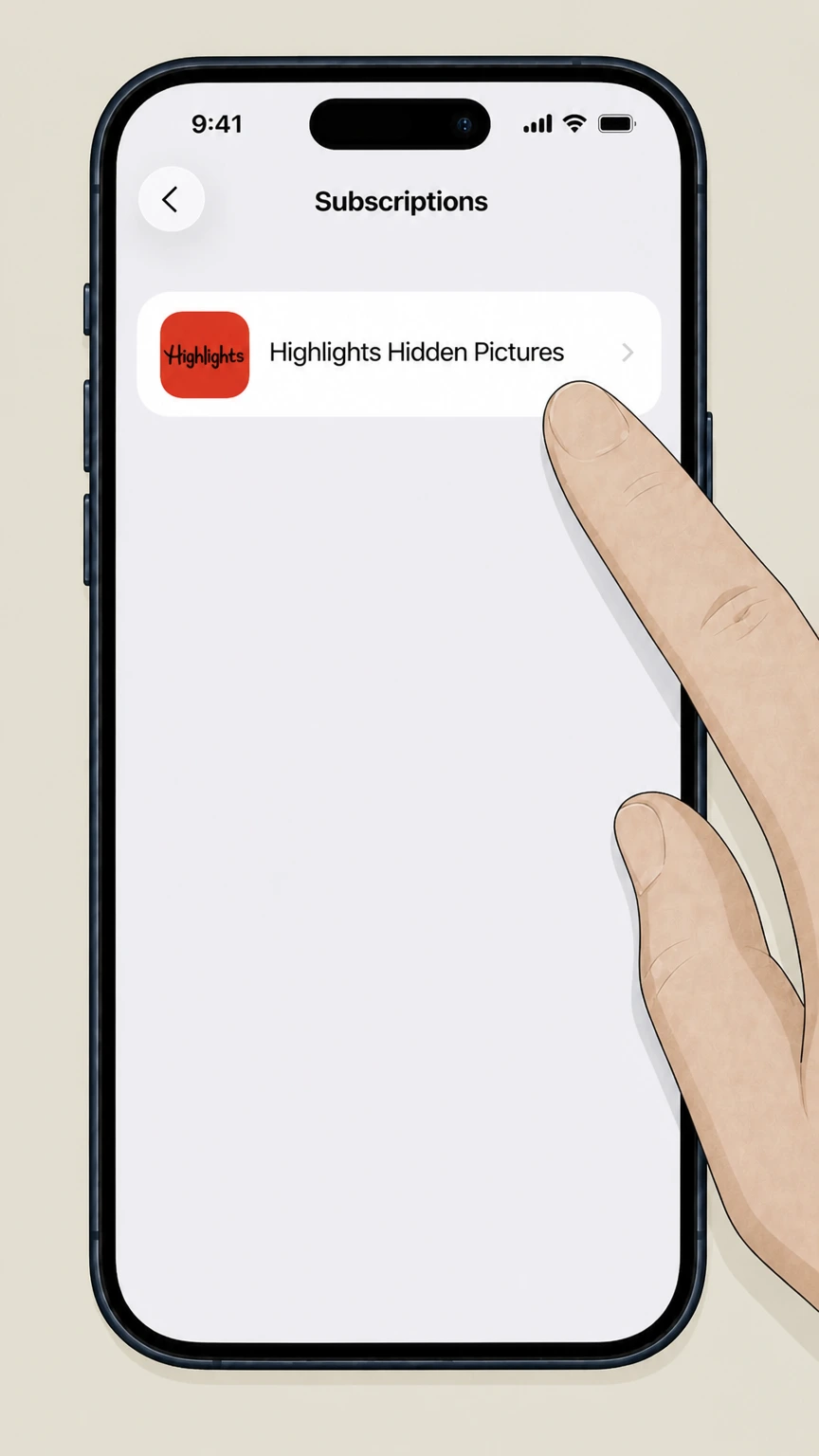
4Select Highlights Hidden Pictures
Choose Highlights Hidden Pictures from the subscription list to open its renewal details.
 5
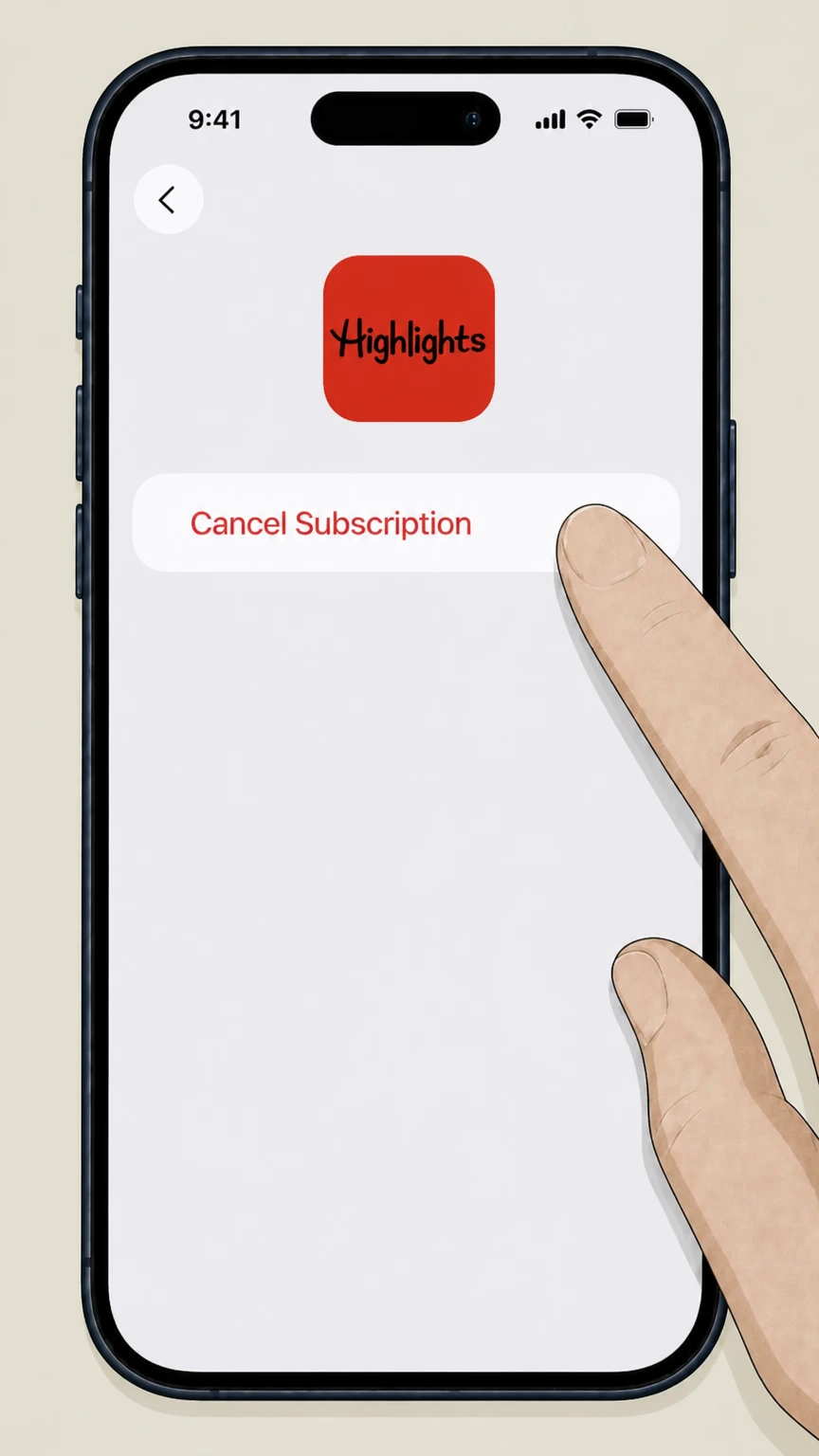
5Cancel the subscription
Tap Cancel Subscription and complete Apple’s prompts for Highlights Hidden Pictures.

Refund policy
Refunds when you cancel a Highlights subscription
Canceling a Highlights Hidden Pictures subscription through Apple or Google stops future charges but does not by itself refund previous payments; refunds, when available, must be requested under Apple or Google Play policies.
Check my refund options- Apple may refund eligible subscription charges
- Apple’s refund article explains that some App Store purchases, including subscriptions, may qualify for a refund that you request through the Report a Problem website; Apple reviews each request and may decline it depending on circumstances. support.apple.com
- Google Play generally does not refund subscriptions automatically
- Google Play’s subscription help notes that Google will not usually issue subscription refunds except where allowed under its refund policy, so canceling a Highlights subscription via Google Play mainly prevents future renewals. support.google.com
- Timing matters for free‑trial charges
- Both the Hidden Pictures app listings and the platform articles say the first charge occurs after the free‑trial period; canceling before the trial ends usually prevents that initial payment, whereas canceling afterward stops only later renewal charges. apps.apple.com
- Direct‑billed Highlights refunds not verified
- We found no Highlights‑authored or regulator‑authored refund policy for subscriptions billed directly by Highlights at the allowed domains, so we cannot state whether those plans are pro‑rated or refundable after shipment.
If you believe you were wrongly charged for a Highlights app subscription billed through Apple or Google Play, submit a refund request through the appropriate store (Apple’s Report a Problem site or Google Play’s refund process) and monitor email for the decision. Review Apple’s refund process
Highlights digital service
How Highlights Hidden Pictures subscriptions work
Highlights for Children runs Hidden Pictures Puzzle Play as a subscription service that delivers a large catalog of hidden‑object puzzles and related activities across mobile devices. apps.apple.com
Subscription‑based puzzle access
Hidden Pictures Puzzle Play on iOS and Android offers access to over 125 hidden‑object puzzles, daily challenges, and multiple puzzle modes through a recurring subscription managed by the app store where you subscribed. apps.apple.com
Cross‑device Highlights login
The app descriptions state that subscribers can log in to access Hidden Pictures content from smartphone, tablet, and desktop, tying access to a Highlights login plus the active subscription. apps.apple.com
Kid‑focused, ad‑free experience
Both the App Store and Google Play listings emphasize that Hidden Pictures Puzzle Play provides a safe, ad‑free environment designed for children and families. apps.apple.com
Operated by Highlights for Children, Inc.
On both app stores, the developer is listed as Highlights for Children, Inc., confirming this app is an official digital product of the Highlights brand. apps.apple.com
Who bills you
Who actually bills you for Highlights
For Hidden Pictures Puzzle Play, billing is handled by Apple or Google, not directly by Highlights, when you subscribe through their app stores.
Apple bills iOS in‑app subscriptions
In the iOS listing, Highlights explains that after a free trial, the first payment is charged to your Apple ID account and that you can manage and cancel subscriptions from your App Store settings, meaning Apple is the billing owner on iPhone and iPad. apps.apple.com
Google bills Android in‑app subscriptions
The Google Play listing says the first payment is charged to your Google Play account and that subscriptions automatically renew, which matches Google Play Help guidance that such subscriptions are billed and managed through your Google account. play.google.com
Use receipts to confirm the owner
Apple’s cancellation article advises searching your email for receipts from Apple to confirm whether a subscription is billed by Apple, while Google Play Help directs you to the Subscriptions section tied to your Google account; if a Highlights charge does not appear in either, it is likely billed elsewhere. support.apple.com
Direct‑billed print or book plans not documented here
None of the Apple or Google materials we reviewed describe cancellation steps for any Highlights subscriptions billed directly by Highlights or third‑party sellers, so this guide intentionally limits itself to Apple‑ and Google‑billed digital subscriptions. support.apple.com
After you cancel
When Highlights cancellation takes effect
Canceling a Highlights Hidden Pictures subscription through Apple or Google stops future renewals but generally does not end access immediately.
Access to content through period end
Apple’s guidance notes that once you cancel a subscription, you typically retain access until the end of the current billing cycle, and Google Play similarly explains that canceling a subscription stops the next renewal while leaving access in place until that date. support.apple.com
Cancellation must precede renewal
Both the Hidden Pictures app listings and the platform articles say that auto‑renew is turned off only if you cancel at least 24 hours before the end of a free‑trial or billing period, so plan to cancel slightly early to avoid the next charge. apps.apple.com
Deleting the app is not enough
Google Play Help explicitly warns that uninstalling an app does not cancel its subscription, and Apple’s subscription pages assume you cancel through account settings rather than by removing the app. support.google.com
Use subscription status as confirmation
Apple explains that if you see an expiration notice instead of a Cancel button for a subscription, it is already set to end, and Google Play directs you to the Subscriptions screen where a canceled plan will show an end date rather than an upcoming renewal. support.apple.com
Trials and renewals
Free trials and auto‑renew for Highlights apps
Hidden Pictures Puzzle Play promotes a time‑limited free trial that converts into an auto‑renewing subscription unless you cancel in time.
Free trial before first charge
Both the App Store and Google Play descriptions state that new users can join Hidden Pictures with a free trial period before the first subscription payment is charged to the store account. apps.apple.com
First payment after trial ends
The listings explain that the first payment is charged on the first day after the free‑trial period ends, indicating that canceling before the trial expires prevents the initial charge. apps.apple.com
Auto‑renew unless you turn it off
Hidden Pictures’ subscription details and the Apple and Google cancellation articles all emphasize that subscriptions renew automatically by default until you turn off auto‑renew in the Subscriptions settings. apps.apple.com
Unused trial time is forfeited on subscribe
Google Play’s listing notes that any unused portion of a free trial is forfeited when a user subscribes, which means you cannot pause or reclaim remaining trial days after converting to a paid Highlights subscription. play.google.com
Refund expectations
Refund options for Highlights subscriptions
Refunds for Highlights Hidden Pictures subscriptions are controlled by Apple or Google Play when those platforms bill you, and are separate from simply canceling auto‑renew.
Apple refunds requested via Report a Problem
Apple’s refund article explains that some App Store purchases, including subscriptions, may be eligible for a refund that you request by signing in to the Report a Problem site and selecting the item, subject to Apple’s review. support.apple.com
Cancellation does not automatically refund
Apple notes that canceling a subscription and requesting a refund are separate actions, while Google Play states that it generally does not issue subscription refunds except as provided in its refund policy, so stopping auto‑renew alone will not usually return past charges. support.apple.com
Google Play refunds follow Google’s policy
Google Play Help links cancellation guidance to its broader refund policy, indicating that any refunds for a Highlights subscription billed through Google Play depend on that policy rather than on Highlights itself. support.google.com
Provider‑billed refunds not documented
We did not locate any official refund terms for Highlights subscriptions billed directly by Highlights at the allowed domains, so this guide does not make claims about pro‑rating or refunding such plans. support.google.com
Accounts and data
Accounts, devices, and data after you cancel
Apple and Google describe Hidden Pictures subscription cancellation in billing terms only; data handling and account deletion are governed by Highlights’ own policies linked from the store listings.
Cancellation stops billing, not your account
Apple’s and Google’s subscription help pages focus on turning off renewals and do not state that your Highlights account or in‑app progress is deleted when you cancel, indicating that cancellation is a billing action rather than an account‑closure tool. support.apple.com
Privacy policy linked from app stores
Both the App Store and Google Play pages for Hidden Pictures Puzzle Play link to Highlights’ privacy policy and terms, which govern how your data and account are handled beyond the app stores’ own policies. apps.apple.com
Google Play notes you can request data deletion
The Data safety section on Google Play specifies that users can request that their data be deleted, signaling an additional path—outside cancellation—for managing personal information associated with a Highlights subscription. play.google.com
Family‑device access may continue until expiry
Because access is tied to an active subscription in your Apple ID or Google account, any family‑linked devices that share that account typically keep Highlights access until the subscription’s end date shown in the Subscriptions screen. support.apple.com
Scope limits
What this Highlights cancellation guide does not cover
Because of source limitations, this guide deliberately focuses on digital subscriptions to Hidden Pictures Puzzle Play sold through Apple and Google, and does not attempt to describe every Highlights product.
Print magazine subscriptions
We did not find official cancellation instructions for Highlights print magazines at any of the allowed domains, so this guide does not cover canceling postal magazine deliveries or related print‑only plans.
Book clubs or bundled offers
Questions about canceling Highlights book‑club memberships or bundles tied to direct mail or school offers cannot be answered from Apple or Google materials, so no book‑club procedure is provided here.
Third‑party resellers like retailers or fundraisers
If you bought a Highlights product through a retailer, fundraiser, or other channel, the Apple and Google articles do not address those scenarios, and you must follow the cancellation options given by that seller. support.apple.com
Non‑subscription questions about content or editorial stance
People‑also‑ask topics such as whether Highlights magazine is “woke” are unrelated to canceling a paid subscription and fall outside the scope of this cancellation‑focused guide.
Jurisdiction‑specific legal rights
Consumer‑protection rules can vary by country or state; we did not identify Highlights‑specific regulatory rulings on cancellation or refunds at the allowed regulator domains, so this guide avoids legal conclusions.
Highlights cancellation FAQ
Answers about Highlights billing ownership, cancellation timing, refunds, and access after cancellation.
Can you cancel a Highlights subscription?
How do I cancel Highlights Hidden Pictures on my iPhone or iPad?
How do I cancel Highlights Hidden Pictures on Android?
Does cancelling my Highlights subscription stop access right away?
Can I cancel a Highlights subscription that started with a free trial?
Can I get a refund after cancelling my Highlights app subscription?
How do I know my Highlights subscription is actually cancelled?
Can I manage a Highlights subscription from a different device?
What happens to my child’s progress in the Highlights app after cancellation?
Untangle this Highlights issue.
Let Pine handle the provider follow-up and keep the confirmation in one place.
