


YouTube Premium
Cancel subscription
How to Cancel YouTube Premium Subscription: Official Steps
Cancel YouTube Premium through YouTube, Google Play, or Apple, and review family-manager control, access timing, pauses, and refunds.
- YouTube Premium and billing-owner guidance rechecked August 14, 2026
- 3 supported billing paths separated
- Cancellation, access, and refund outcomes kept distinct
- Confirmation evidence and common failure paths included
Choose who bills your YouTube Premium subscription
Web · Verify this billing owner
Cancel on the provider website
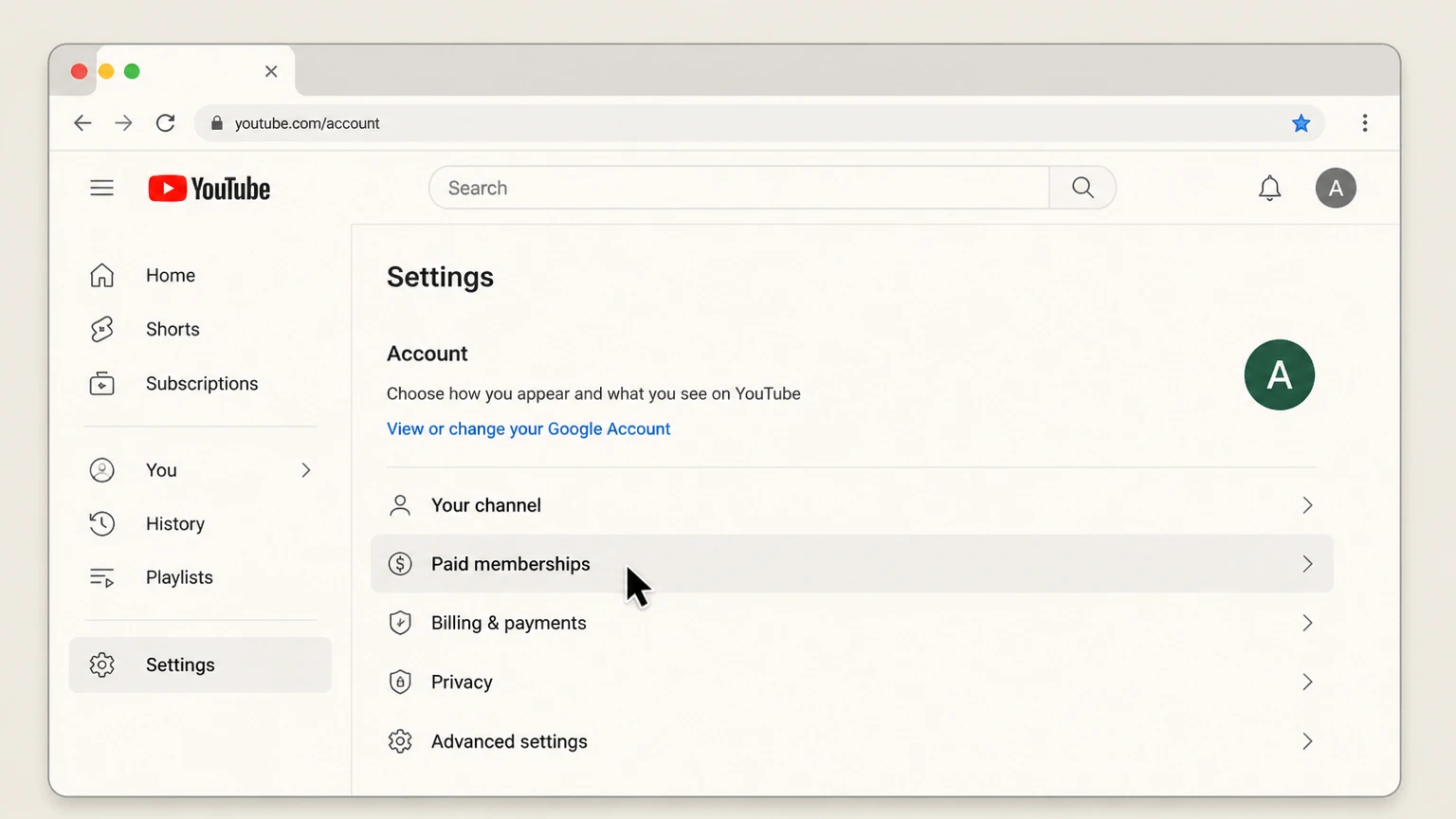 1
1Open Paid memberships
Sign in to the correct Google account and open youtube.com/paid_memberships.
 2
2Choose Manage membership
Confirm the plan and billing provider before changing it.
- Let Pine handle it
Pine can help
Too many steps?
Pine can find the right Web path and handle the cancellation for you.
 3
3Choose Deactivate
Select Deactivate, then Continue to cancel rather than pause.
 4
4Confirm the benefit end date
Save the canceled status and the date Premium benefits end.

Android · Verify this billing owner
Cancel on Android
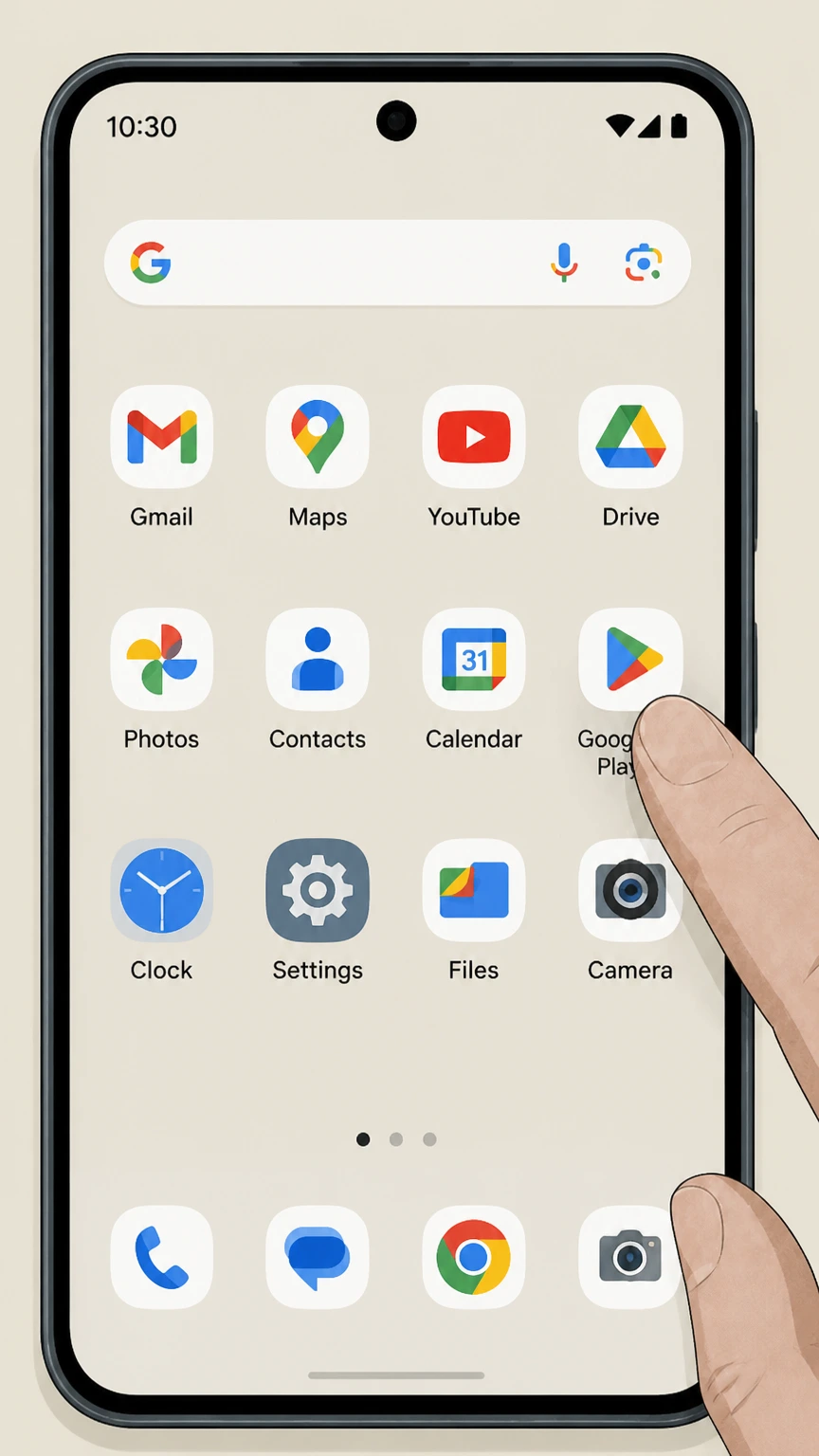 1
1Open Google Play
Use the Google account that purchased the subscription.
 2
2Open Payments & subscriptions
Tap the profile picture, then Payments & subscriptions.
- Let Pine handle it
Pine can help
Too many steps?
Pine can find the right Android path and handle the cancellation for you.
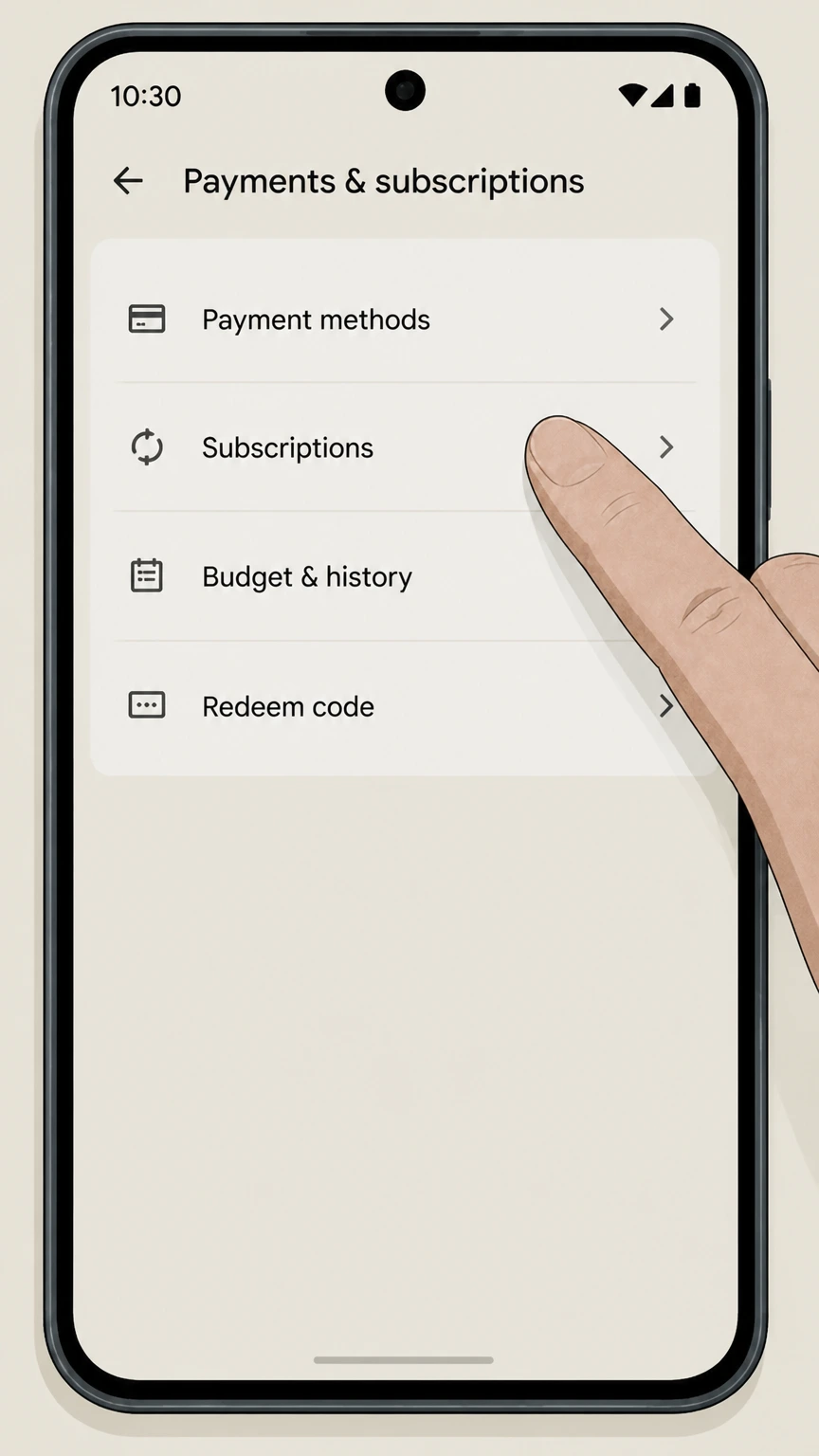 3
3Open Subscriptions
Find the provider in the active subscription list.
 4
4Choose Cancel subscription
Follow the reason and confirmation prompts without uninstalling the app.
 5
5Save the expiration date
Verify Google Play shows renewal off and keep the confirmation.
iOS · Verify this billing owner
Cancel an Apple-billed plan on iOS
 1
1Open Settings
On the iPhone, open Settings while signed in to the Apple Account used for purchase.
 2
2Tap your name
Open the Apple Account card at the top of Settings.
- Let Pine handle it
Pine can help
Too many steps?
Pine can find the right iOS path and handle the cancellation for you.
 3
3Open Subscriptions
Tap Subscriptions and wait for the active subscription list.
 4
4Choose the provider
Open the provider subscription and verify the plan and renewal date.
 5
5Tap Cancel Subscription
Confirm cancellation and keep the expiration date shown by Apple.
Refund policy
Canceling YouTube Premium does not automatically create a refund
Benefits normally continue through the paid period. YouTube, Google Play, or Apple handles refund eligibility according to the seller shown on the transaction.
Check my refund options- Renewal
- Paid memberships should show canceled and the date Premium benefits end.
- Billing owner
- The company shown on the receipt or account controls refund handling.
- Evidence
- Keep the receipt, cancellation status, effective date, and response from the seller.
Review the official refund or subscription terms for the company that posted the charge before requesting a reversal. YouTube — cancel Premium or Music Premium
Choose the right path
Billing owner and plan consequences
YouTube Premium uses different cancellation rules for youtube billing, google play billing, apple billing, and family plan. Identify the billed product and owner before following a path.
YouTube billing
Use youtube.com/paid_memberships.
Google Play billing
Manage the subscription in Google Play.
Apple billing
Manage it in Apple subscriptions.
Family plan
Only the family manager can end the paid family membership.
Keep proof
What to record before and after cancellation
For YouTube Premium, keep paid membership screen, store receipt, cancellation confirmation, and benefit end date. These records establish the effective date and help resolve another charge.
Paid membership screen
Shows account, plan, seller, and next bill date.
Store receipt
Identifies Apple or Google Play ownership.
Cancellation confirmation
Proves renewal stopped.
Benefit end date
Shows how long Premium access remains after cancellation.
Troubleshooting
Why a cancellation can appear to fail
If YouTube Premium still appears active or keeps billing, check wrong google account, store billing missed, pause confused with cancel, and family manager required before treating the subscription as canceled.
Wrong Google account
The paid membership may be attached to another login.
Store billing missed
YouTube controls do not cancel Apple or Google Play billing.
Pause confused with cancel
A paused membership can resume billing later.
Family manager required
Only the family manager can cancel a family membership.
YouTube Premium cancellation questions
Answers reflect the current provider and billing-owner sources listed on this page.
How do I cancel YouTube Premium?
What happens after I cancel YouTube Premium?
Who can cancel a YouTube Premium family plan?
Untangle this YouTube Premium issue.
Let Pine handle the provider follow-up and keep the confirmation in one place.
