


Harper's BAZAAR
Cancel subscription
Cancel Your Harper's BAZAAR Magazine Subscription
Learn how to cancel Harper's BAZAAR through the right billing provider. Follow official steps, understand access timing, refunds, and the confirmation to keep.
- 1 cancellation path matched to the billing owner
- Renewal timing and access outcome explained
- Refund requests routed to the company that billed you
- Confirmation steps included for every path
Choose the Harper's BAZAAR cancellation path that matches who bills you
Harper's BAZAAR in Apple Subscriptions · verify the billing owner
How to cancel Harper's BAZAAR through Harper's BAZAAR in Apple Subscriptions
 1
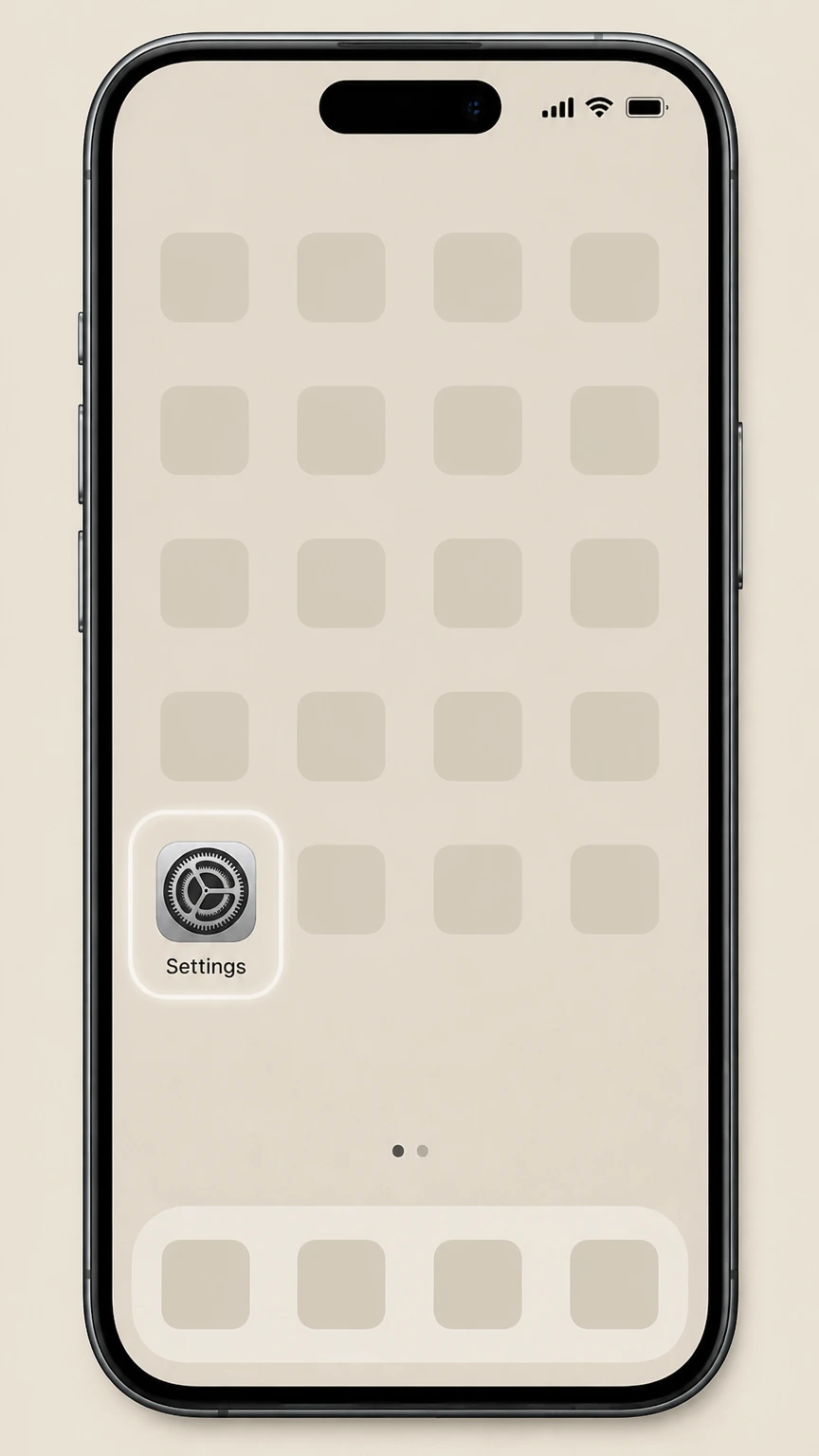
1Open Settings
Open Settings on the iPhone or iPad signed in to the Apple Account that owns the subscription.
 2
2Tap your name
Tap your name at the top of Settings to open the Apple Account controls.
- Let Pine handle it
Pine can help
Too many steps?
Pine can find the right Harper's BAZAAR in Apple Subscriptions path and handle the cancellation for you.
 3
3Open Subscriptions
Choose Subscriptions to display the recurring services billed to this Apple Account.
 4
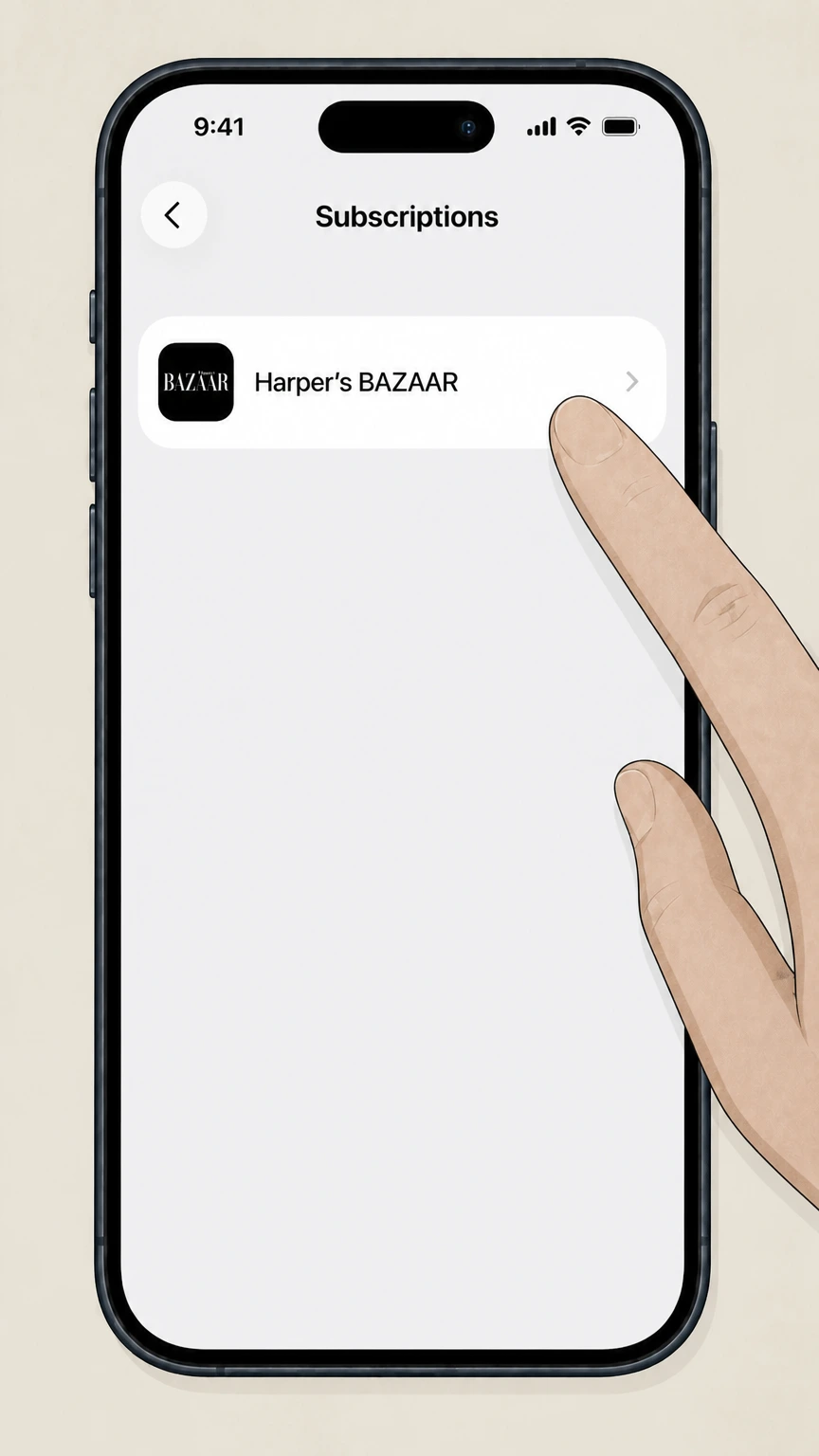
4Select Harper's BAZAAR
Choose Harper's BAZAAR from the subscription list to open its renewal details.
 5
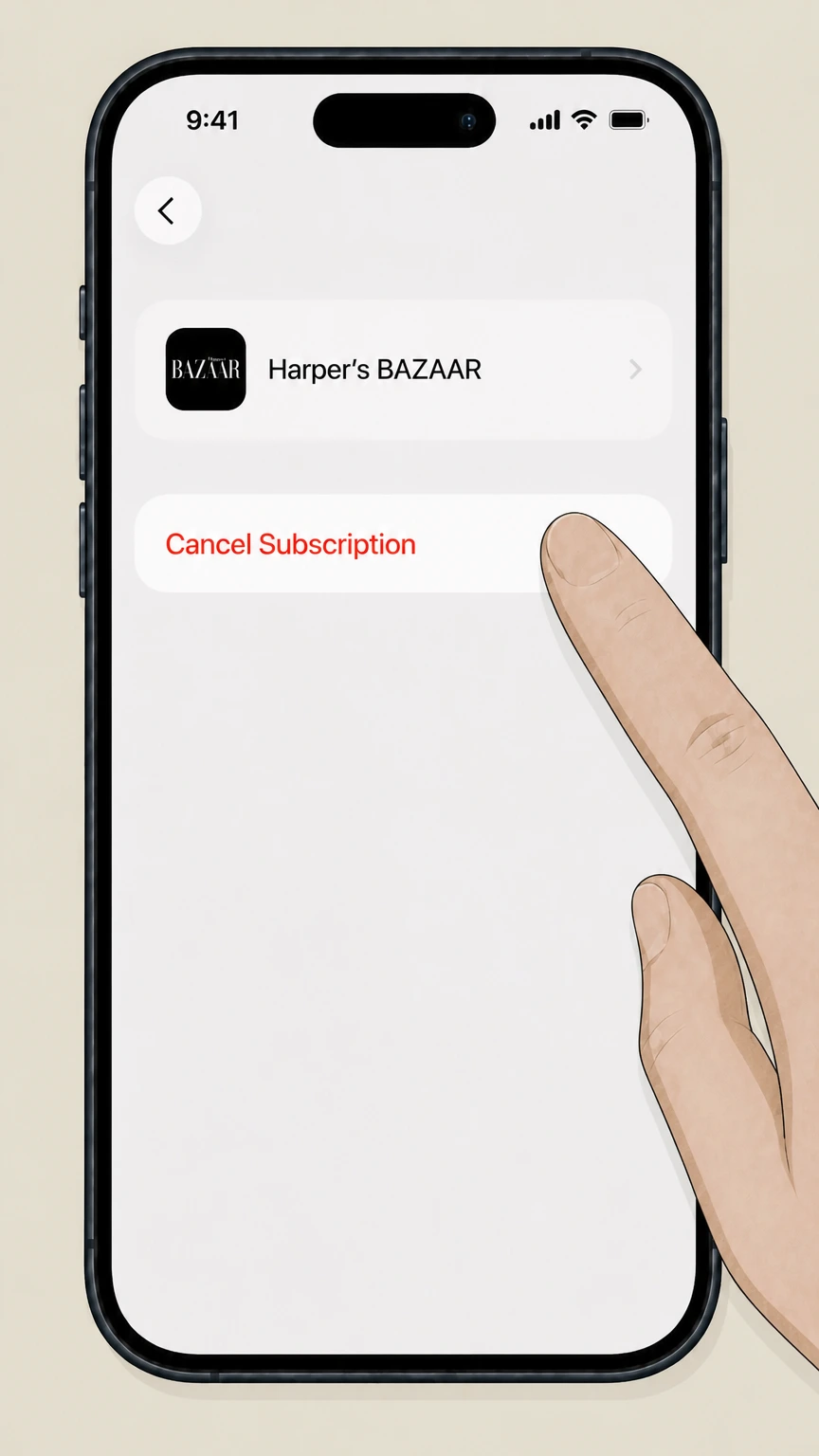
5Cancel the subscription
Tap Cancel Subscription and complete Apple’s prompts for Harper's BAZAAR.

Refund policy
Refunds on Harper's BAZAAR subscriptions
Refunds depend on where you bought Harper's BAZAAR. Cancelling stops future renewals, but getting money back for past charges must go through Apple, Google Play, PayPal, or your card issuer, each with its own rules and timelines.
Check my refund options- Apple-billed Harper's BAZAAR
- If you subscribed through an iOS app or Apple News+, cancelling only turns off future billing. To seek a refund, sign in to reportaproblem.apple.com, choose Request a refund, and select the Harper's BAZAAR or Apple News+ charge; Apple decides eligibility under its media terms.
- Google Play billing
- For Android subscriptions billed by Google Play, cancelling stops future renewals while leaving current-period access intact. You can request a refund for recent charges through Google Play’s refund form; older issues usually require contacting the app developer directly.
- PayPal automatic payments
- Stopping a PayPal automatic payment prevents future transfers to Harper's BAZAAR but doesn’t refund what you already paid. For unauthorized or disputed charges, you can open a case in PayPal’s Resolution Center and, if needed, escalate through your card issuer.
- Free trials and promotions
- With Apple News+ and similar offers, cancelling during a free trial can end Harper's BAZAAR access immediately and may forfeit the remainder of the promotional period. If you wait until near the trial’s end, you typically keep access for the full trial without paying.
- When to involve your bank or regulator
- If Harper's BAZAAR or a platform continues billing you after you have proof of cancellation or refuses to stop an unwanted subscription, US regulators advise disputing the charges with your card issuer and considering a complaint to the FTC or your state attorney general.
For subscriptions billed directly by Harper's BAZAAR, Hearst, or another retailer, current refund terms could not be sourced from the allowed domains; a human reviewer should check the latest publisher policies before adding any guarantees. Escalate direct-publisher refund terms for manual review
Service basics
Where Harper's BAZAAR subscriptions show up
Harper's BAZAAR now reaches readers through several digital channels, and knowing which one you used is the key to cancelling correctly.
Standalone magazine apps
There are dedicated Harper's BAZAAR Magazine apps in the Apple App Store for the US and some international editions; these can be subscribed to directly through Apple billing on iOS devices.
Apple News+ access
Harper's BAZAAR also appears as a magazine title inside Apple News+ in supported regions, so your access may be part of a broader Apple News+ bundle rather than a stand-alone subscription.
Aggregator services like PressReader
Digital newsstand apps such as PressReader list Harper's Bazaar among their fashion titles; access in those apps is governed by the aggregator’s subscription, not a direct Harper's BAZAAR bill.
Platform-managed billing
On iOS, subscriptions purchased in the Harper's BAZAAR or PressReader apps are billed through your Apple Account; on Android, many magazine apps use Google Play Billing, so Google appears as the merchant on your statement.
Third-party billing not covered
Print subscriptions or special bundles sold directly by Harper's BAZAAR, Hearst, or retailers like bookstores are billed outside Apple, Google, and PayPal; their exact cancellation steps are not documented here under the allowed source rules.
Apple & iOS
When Harper's BAZAAR is billed through Apple
If your Harper's BAZAAR access is tied to an Apple-billed subscription, Apple controls renewal, cancellation, and most refund handling.
Single Apple subscription hub
Any Harper's BAZAAR subscription purchased in an iOS app or via Apple News+ appears under Settings > your name > Subscriptions, alongside your other Apple-billed services.
Turn off auto-renew
Cancelling on iOS means turning off auto-renew for the Harper's BAZAAR or Apple News+ entry; once cancelled, you see an expiration date and won’t be billed again unless you resubscribe.
Access after cancellation
Apple states that you keep access to a subscription until the end of the current paid period; cancelling stops the next renewal but does not usually cut off immediate access.
In-app fine print
The Harper's BAZAAR Magazine US app listing notes that auto-renew is managed in the user’s Account Settings and that the current period normally can’t be cancelled mid-term, aligning with standard App Store subscription rules.
Refunds are separate from cancellation
To ask for a refund of an Apple-billed Harper's BAZAAR charge, you must go through Apple’s Report a Problem site; eligibility depends on Apple’s media services terms and is not automatic when you cancel.
Android & Google Play
When Harper's BAZAAR is billed through Google Play
Android purchases that use Google Play Billing are managed entirely through the Google Play subscription center, not inside the app alone.
Central subscriptions list
Google Play maintains a Subscriptions section, accessible from the Play Store app via your profile picture > Payments & subscriptions > Subscriptions, where you can see and manage all Play-billed subscriptions.
Uninstalling doesn’t cancel
Google Play’s help documentation makes clear that uninstalling an app does not cancel its subscription; you must explicitly cancel through the subscriptions screen to stop future charges.
Keep access until period end
After you cancel a Google Play subscription, you can continue using it for the time you’ve already paid for; future billing cycles are skipped, but the current one runs until its scheduled end.
Alternative or direct billing
Some Android apps may use alternative billing systems or send you to a website to complete purchase; in those cases, Google Play’s tools will not list the subscription, and you must follow the publisher’s own instructions.
Refund handling
Google allows refund requests for recent Play purchases through its refund request form, with tighter windows for automatic decisions; older issues are usually handled by the app’s developer under their refund policies.
PayPal payments
If Harper's BAZAAR charges you via PayPal
Some readers may have set up recurring Harper's BAZAAR payments through PayPal; cancelling there focuses on stopping the payment authorization.
Automatic payment profiles
PayPal treats repeating subscription charges as automatic payments or billing agreements, which appear under Settings > Payments > Automatic payments or Subscriptions and saved businesses.
Cancelling in PayPal
From the Automatic payments section you can select the Harper's BAZAAR merchant entry and click Cancel or Cancel automatic payments; this prevents PayPal from sending further scheduled payments to that merchant.
Underlying contract may persist
PayPal guidance notes that cancelling an automatic payment stops charges to your PayPal account but does not necessarily terminate your underlying contract with the magazine, so you may also need to contact the publisher or retailer.
Disputes and unauthorized charges
If you see a Harper's BAZAAR charge you don’t recognize, PayPal’s Resolution Center lets you report unauthorized transactions or billing problems and seek reversal under its buyer protection policies.
Subscription management in the app
The PayPal mobile app also exposes a Subscriptions or Linked businesses area where you can select a merchant and unlink PayPal as the payment method, achieving the same effect as cancelling on the website.
After cancellation
What changes after you cancel Harper's BAZAAR
Different billing platforms handle access and renewals slightly differently once you cancel, but all aim to stop future recurring charges.
Apple-billed subscriptions
For Harper's BAZAAR subscriptions managed by Apple, cancelling turns off auto-renew while preserving access until the end of the current billing period; Apple then marks the subscription with an expiration date rather than charging again.
Apple News+ bundles
If Harper's BAZAAR is included in Apple News+, cancelling Apple News+ through the News app ends access to all News+ magazines at the end of the billing cycle; cancelling during certain promotional free trials can end access immediately when the trial is stopped.
Google Play subscriptions
Google Play explains that after you cancel a subscription you still have access for the time you have already paid for, but you won’t be billed for the next cycle; Play Pass and other subscription examples follow this same pattern.
PayPal automatic payments
When you cancel an automatic payment in PayPal, no further transfers are made from your PayPal account, but when the publisher actually revokes your content access depends on its own account system and is not controlled by PayPal.
Unwanted or persistent charges
If a Harper's BAZAAR subscription continues billing you after you have cancelled through the appropriate platform, US regulators advise first working with the merchant and then disputing the charge with your card issuer if it remains unresolved.
Proof & records
Confirming your Harper's BAZAAR cancellation
Keeping clear evidence that you cancelled protects you if billing problems arise later.
Check Apple subscription status
After cancelling in iOS, revisit Settings > your name > Subscriptions and open the Harper's BAZAAR or Apple News+ entry to confirm it shows an expiration date instead of an active auto-renewal.
Review Google Play subscriptions list
In the Google Play Store, open Payments & subscriptions > Subscriptions and verify that Harper's BAZAAR no longer appears as an active subscription or that it shows a scheduled end date.
Download platform receipts
Apple and Google both email receipts or renewal notices; search your email for Apple, iTunes, or Google Play to locate messages that show the subscription’s status and keep them for your records.
PayPal automatic payments view
In PayPal’s Automatic payments section, confirm that the Harper's BAZAAR profile is marked as cancelled or no longer appears; take a screenshot of the cancellation screen or confirmation message.
Card and bank statements
Monitor your card or bank statements for one or two billing cycles after cancelling to ensure no further magazine charges post; retain statements or PDFs in case you need to support a dispute with your bank or provider.
Refunds & disputes
Refund expectations for Harper's BAZAAR
Stopping auto-renew and getting money back are different actions; each platform has its own refund process and time limits.
Apple subscription refunds
Some Apple-billed Harper's BAZAAR purchases may be refundable by signing in to reportaproblem.apple.com, choosing Request a refund, and selecting the relevant subscription; Apple reviews these requests case by case under its media services terms.
Google Play subscription refunds
Google Play allows you to request a refund for recent subscription payments through its online refund form; after the initial window, Google usually directs you to contact the app developer, who may or may not provide refunds for unused time.
PayPal refunds and disputes
Cancelling a PayPal automatic payment doesn’t refund past charges; for billing problems or unauthorized transactions, you can open a case in PayPal’s Resolution Center, which may reverse payments according to its buyer protection rules.
Card issuer chargebacks
If you cannot resolve recurring or unauthorized Harper's BAZAAR charges with the merchant or platform, FTC guidance recommends asking your credit or debit card issuer to dispute the transactions and, if needed, filing a consumer complaint.
Free trials and promos
With Apple News+ and similar services, cancelling during a promotional free trial can end access to Harper's BAZAAR immediately and may forfeit the remaining free period; waiting until just before the trial ends preserves access for the full promotional term.
Guide limits
What this Harper's BAZAAR guide does not cover
Because only certain domains were allowed for research, this guide intentionally omits some common Harper's BAZAAR cancellation routes.
Direct Hearst website cancellations
Many print and digital subscriptions are managed through Hearst or Harper's BAZAAR customer service websites that sit on publisher-owned domains; those domains were out of scope, so any online account-portal cancellation steps are not described here.
Mail and phone-in cancellations
Publisher phone numbers and postal addresses for cancelling Harper's BAZAAR could not be verified from the permitted domains, so this guide avoids listing or relying on any specific mail-in or call-in instructions.
Retailer-specific magazine programs
Programs run by retailers, bookstores, or third-party magazine consolidators may have their own cancellation terms; without current official pages on the allowed domains, their processes remain outside this guide.
Amazon magazine subscription flows
Although Amazon is known to sell print and digital magazines, we did not find a sufficiently specific, consumer-facing help page on the allowed amazon.com URLs to build a step-by-step, label-accurate Harper's BAZAAR cancellation route.
Non-US legal rights
Jurisdiction-specific consumer rights for magazine subscriptions (for example in the EU or Australia) were not exhaustively researched here; only high-level platform and US regulatory guidance is referenced.
Harper's BAZAAR cancellation FAQ
Answers about Harper's BAZAAR billing ownership, cancellation timing, refunds, and access after cancellation.
How do I cancel my Harper's BAZAAR subscription on iPhone?
How do I cancel Harper's BAZAAR if I subscribed through Google Play on Android?
Can I cancel my Harper's BAZAAR subscription through PayPal?
What happens to my Harper's BAZAAR access after I cancel?
Can I get a refund for a Harper's BAZAAR subscription I forgot to cancel?
How do I tell whether Apple, Google Play, PayPal, or Harper's BAZAAR is billing me?
If I subscribed to Harper's BAZAAR through Apple News+, how do I cancel it?
Does deleting the Harper's BAZAAR app cancel my subscription?
What should I do if Harper's BAZAAR keeps charging me after I cancel?
Untangle this Harper's BAZAAR issue.
Let Pine handle the provider follow-up and keep the confirmation in one place.
