


Esquire
Cancel subscription
How to Cancel a Esquire Subscription: 2026 Guide
Learn how to cancel Esquire subscriptions based on who bills you, with step‑by‑step guides for Apple App Store and Google Play purchases plus refund options.
- 1 cancellation path matched to the billing owner
- Renewal timing and access outcome explained
- Refund requests routed to the company that billed you
- Confirmation steps included for every path
Choose the Esquire cancellation path that matches who bills you
Esquire in Apple Subscriptions · verify the billing owner
How to cancel Esquire through Esquire in Apple Subscriptions
 1
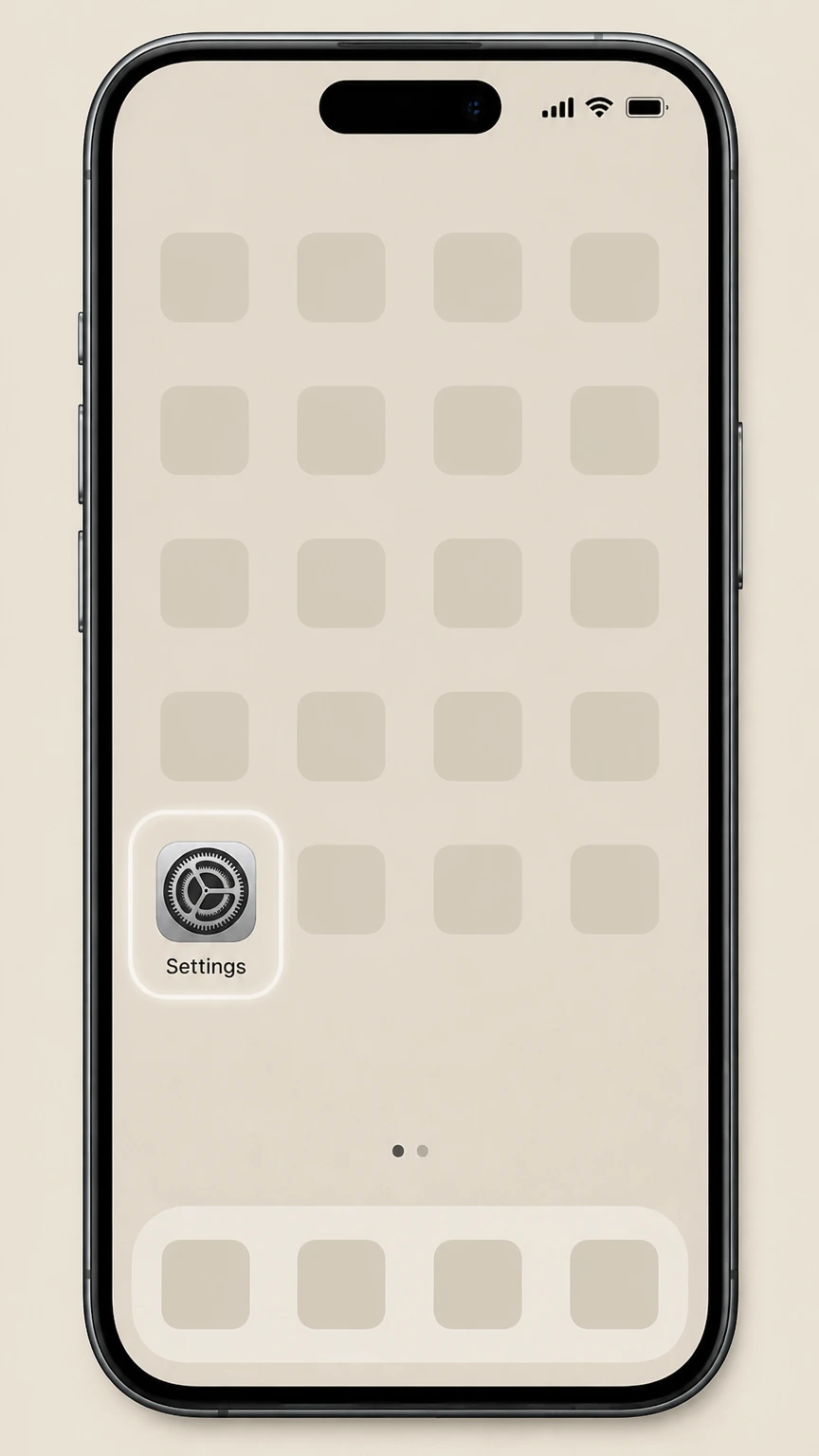
1Open Settings
Open Settings on the iPhone or iPad signed in to the Apple Account that owns the subscription.
 2
2Tap your name
Tap your name at the top of Settings to open the Apple Account controls.
- Let Pine handle it
Pine can help
Too many steps?
Pine can find the right Esquire in Apple Subscriptions path and handle the cancellation for you.
 3
3Open Subscriptions
Choose Subscriptions to display the recurring services billed to this Apple Account.
 4
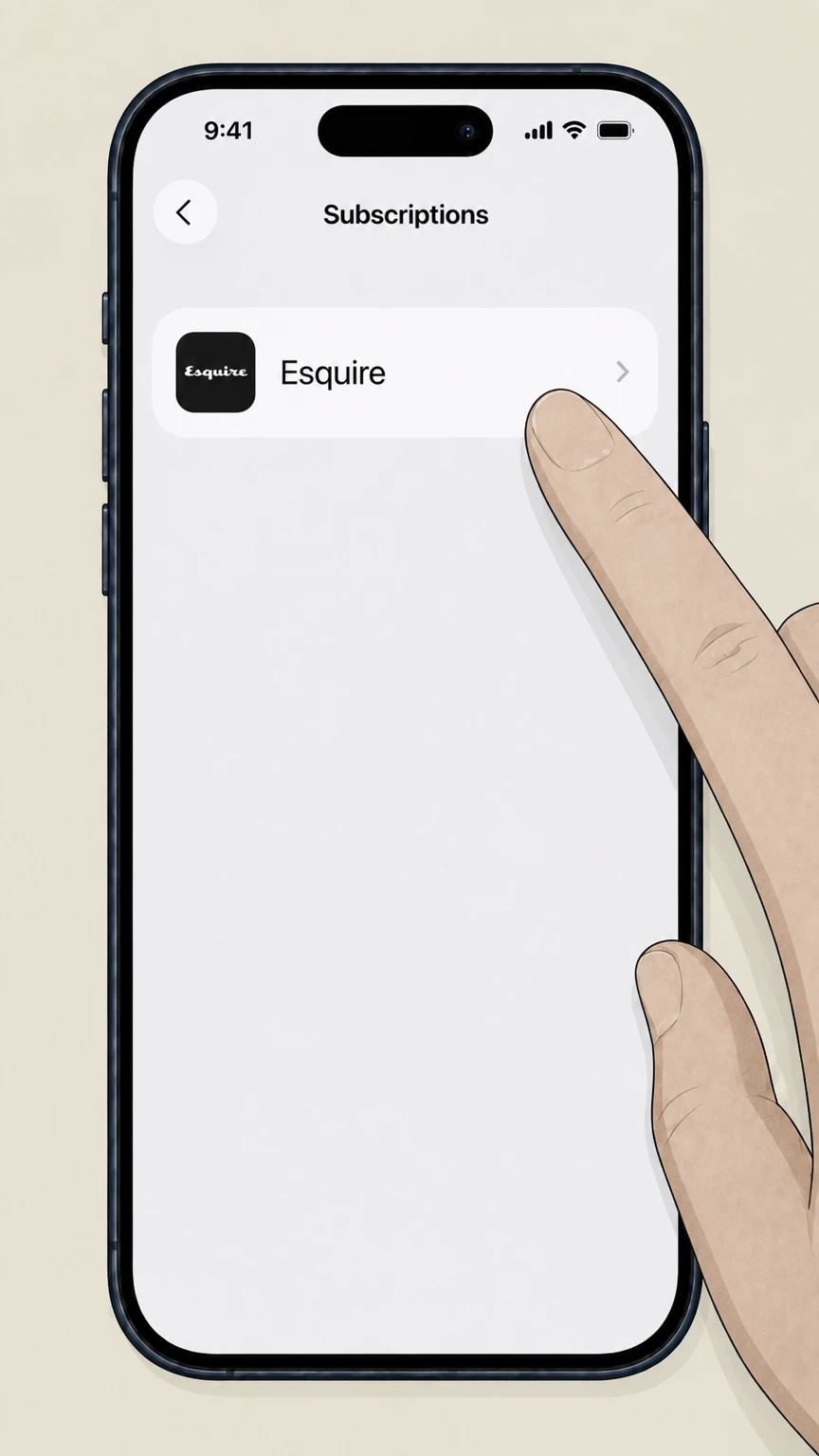
4Select Esquire
Choose Esquire from the subscription list to open its renewal details.
 5
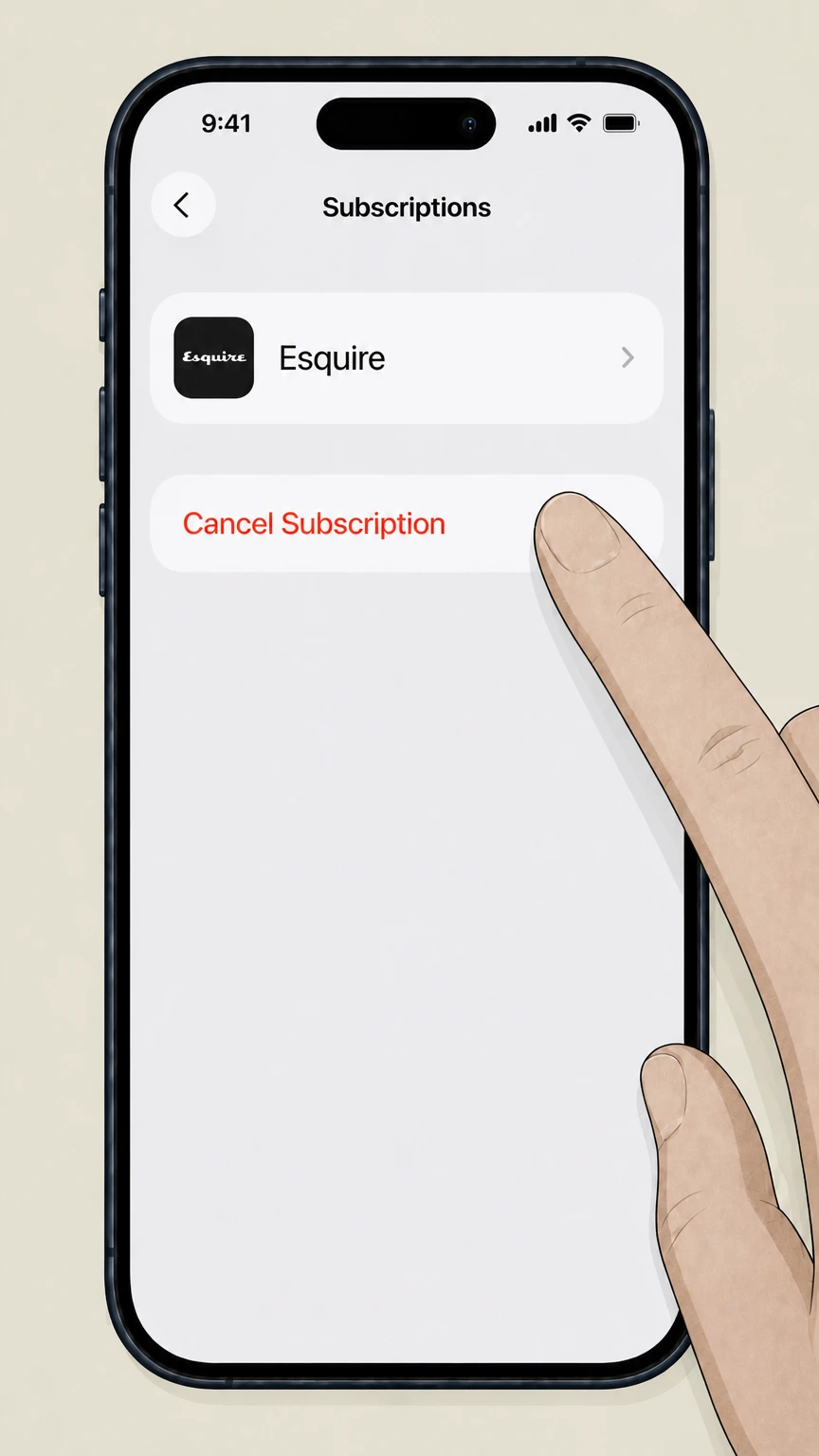
5Cancel the subscription
Tap Cancel Subscription and complete Apple’s prompts for Esquire.

Refund policy
Esquire subscription refunds and disputes
Esquire cancellation stops future renewals, but refunds for past charges are handled by Apple, Google Play, or whichever merchant sold you the subscription. Each platform has its own rules and time limits for considering refund requests.
Check my refund options- Apple refunds must be requested
- If your Esquire subscription was billed by Apple, canceling only stops future renewals; you must submit a separate refund request through reportaproblem.apple.com, where Apple reviews eligibility under its media services terms and local consumer laws.
- Google Play refunds follow Google policy
- For Esquire subscriptions billed by Google Play, Google’s subscription help and refund policy explain that you keep access through the paid term after canceling and that only some charges qualify for refunds, generally subject to strict timing and policy conditions.
- Direct Esquire or third-party seller refunds
- If you bought Esquire directly from Hearst or via a third‑party seller, only that seller can decide on any refund. Apple and Google explicitly state that subscriptions billed by other companies must be canceled and disputed with those companies or your card issuer.
- Unwanted or mistaken subscriptions
- FTC consumer guidance encourages you to act quickly if you discover Esquire charges you didn’t intend—demand cancellation, attempt a refund through the seller or platform, and if necessary dispute the charge with your bank and report the case to regulators.
If you’ve canceled Esquire through Apple or Google but charges continue—or you never ordered Esquire at all—review FTC guidance on recurring subscriptions, then contact your card issuer to dispute unauthorized charges and consider reporting the seller to the FTC. FTC advice on auto-renewing subscriptions
Service scope
What counts as an Esquire subscription today
Understanding how Esquire sells access helps you match your cancellation path to the right billing owner.
Mobile app editions
Esquire Magazine US is available as a dedicated app on both Apple’s App Store and Google Play, published by Hearst Communications, with in‑app purchases for recurring access to issues.
Auto-renewing in-app plans
Both the iOS and Android Esquire apps sell subscriptions that automatically renew through Apple or Google Play until you turn off renewal using those platforms’ subscription tools.
App doesn’t unlock Esquire.com paywall
The Esquire Magazine US App Store listing notes that app subscriptions do not include access to subscription‑only content on Esquire’s website, so canceling or keeping the app subscription does not directly control any separate web paywall account.
International Esquire apps
Hearst and its partners also publish Esquire apps for markets such as Italy, the UK, and Spain on Google Play, but these are separate regional products with their own subscription terms and billing relationships.
Billing owner
How to tell who bills you for Esquire
Correctly identifying the billing owner is the key to using the right cancellation process for Esquire.
Check for Apple receipts and charges
Search your email for receipts from Apple and review your Apple ID Subscriptions list; Apple explains that if Esquire appears there, it is an Apple‑billed subscription that must be canceled using Apple’s subscription management steps.
Check Google Play subscriptions
On Android, open the Subscriptions section of Google Play; if Esquire is listed, Google Play confirms it is billing you and gives you a Cancel subscription option that stops future renewals.
When it’s not Apple or Google
Apple’s cancellation guidance notes that if you can’t find a receipt from Apple for a subscription, you likely purchased it from another company; to cancel, you must contact that company, which for Esquire may mean Hearst/Esquire, a bundle provider, or a library or carrier program.
Carrier and other provider bundles
Apple also highlights that some subscriptions arrive through wireless carriers or other providers; if Esquire access is part of a phone plan or third‑party bundle, you must follow that provider’s own cancellation rules rather than Apple’s or Google’s tools.
After cancellation
What changes—and what doesn’t—after you cancel
Canceling Esquire stops future billing but does not undo past access or remove your Apple or Google accounts.
Access through the paid term
Google Play specifies that when you cancel a subscription you can continue using it for the time you’ve already paid, up to the end date shown in your subscriptions list; Apple subscriptions behave similarly, showing an expiration date once you cancel.
Esquire app vs website access
Because the Esquire Magazine US App Store listing states that app subscriptions do not include subscription‑only website content, canceling the app subscription only affects access sold through Apple or Google Play, not any separate Esquire.com account you may have.
Print delivery vs digital access
Print magazine delivery, if you purchased it directly from Esquire or a third‑party magazine agent, is separate from in‑app subscriptions; canceling an Apple or Google Play Esquire subscription will not by itself stop print issues, which must be handled with the print seller.
What stays the same
Canceling Esquire does not delete your Apple ID, Google account, or device data by itself. The Esquire app remains installed until you delete it manually, and Apple and Google keep your subscription history for reference and, where applicable, refund review.
Confirmation
Confirming your Esquire cancellation
Use platform confirmation screens and emails to verify that Esquire will stop renewing, and keep copies in case of disputes.
Apple subscription status cues
Apple’s subscription guide explains that after you tap Cancel Subscription, the Cancel button disappears and you see an expiration message in red text instead of a renewal date, confirming that auto‑renew for Esquire has been turned off.
Google Play confirmation and email
Google Play’s help article notes that after canceling a subscription through the Subscriptions page, the end date is shown there and future renewals stop; Google also typically emails a confirmation to the Google Account that manages the subscription.
Save screenshots and receipts
For both Apple and Google Play, it is prudent to capture screenshots of the subscription detail screen showing the expiration date and keep the confirmation email so you can prove when you canceled if billing problems arise later.
If charges continue after canceling
FTC consumer guidance on free trials and auto‑renewals advises that if a company continues billing after you’ve canceled, you should first work with the seller, then dispute the charges with your card issuer and consider reporting the problem to the FTC.
Refunds
Refunds and billing problems with Esquire
Cancellation stops future renewals; refunds for past Esquire charges depend on Apple, Google, or the original merchant’s policies.
Requesting an Apple refund for Esquire
Apple’s refund article explains that some App Store and in‑app subscription purchases may be eligible for a refund; you sign in to reportaproblem.apple.com, choose Request a refund, select a reason, then select the Esquire subscription charge and submit your request.
Google Play refund options
Google Play’s subscription help links to its refund policy and notes that in some situations you may be eligible for a refund after canceling; refund eligibility is limited and depends on timing, local law, and Google Play’s own policies.
Direct-billed Esquire refunds
If Esquire was purchased directly from Hearst or through another non‑Apple, non‑Google seller, refund rights will be governed by that seller’s own terms and applicable consumer‑protection law; you must review their terms or contact them because Apple and Google cannot refund those charges.
If you never ordered Esquire
FTC alerts on unwanted subscriptions specifically mention surprise magazine deliveries; if you are receiving Esquire you never ordered, you should demand cancellation from the seller, consider disputing charges with your card issuer, and report the situation to regulators if it isn’t resolved.
Special cases
Trials, bundles, and third-party Esquire access
Esquire can sometimes appear as part of a trial, bundle, or third‑party service; these cases follow the billing owner’s rules, not Esquire’s apps.
Free or discounted trials
Apple notes that if you start a free or discounted trial subscription and do not want it to renew, you must cancel at least 24 hours before the trial ends; otherwise the trial converts into a paid Esquire subscription billed by Apple until you turn off auto‑renew.
Carrier or bundle-included access
Apple’s subscription article clarifies that subscriptions received through a wireless carrier or other provider must be canceled with that provider; if Esquire access comes bundled with a phone or content plan, that provider’s cancellation process, not Apple’s, controls renewal.
Library and reading apps
Some reading apps listed on Google Play, such as PressReader, advertise access to magazines including Esquire; if your access comes via such an app or a library program, you generally manage or end that access inside the library or app account, not through Esquire directly.
International Esquire subscriptions
Regional Esquire apps like ESQUIRE Italia on Google Play state that Google Play handles automatic renewal and that subscription options can be changed from your Google account; if you use a non‑US edition, follow the instructions from that specific regional app and store.
Consumer rights
Your rights on recurring Esquire charges
US regulators provide general protections for auto‑renewing magazine subscriptions like Esquire, especially when cancellation is difficult or charges are unauthorized.
Negative option and auto-renew protections
FTC guidance on negative‑option marketing explains that businesses offering auto‑renewing plans, such as magazine subscriptions, must clearly disclose terms and provide a straightforward way to stop recurring charges; difficult cancellation flows can draw regulatory scrutiny.
Dealing with subscriptions you never ordered
FTC consumer alerts describe that if you receive magazine subscriptions you never ordered or can’t stop, you should insist on cancellation, monitor your accounts, dispute unauthorized charges, and report the company if it fails to resolve the issue.
Chargebacks through your card issuer
FTC advice notes that if a company keeps billing after you cancel, you can ask your credit or debit card issuer to reverse the charges, especially for clearly unauthorized or misrepresented recurring charges.
Record-keeping in disputes
Keeping copies of cancellation confirmations, emails, and billing statements makes it easier to show when you canceled an Esquire subscription and to support any complaint or chargeback you file with your bank or regulators.
Data & app
What happens to the Esquire app and data
Canceling Esquire stops billing but does not automatically uninstall the app or erase your Apple or Google account data.
App remains installed until removed
Apple and Google subscription tools only change billing status; canceling Esquire through these tools does not remove the Esquire app from your devices, so you can still open it or delete it manually at any time.
Downloaded issues and offline reading
Platform documentation focuses on billing status rather than content retention; in general, cancellation affects new entitlement periods, while access to previously downloaded content depends on how the Esquire app enforces its access rules.
Account and privacy controls
Your Apple ID and Google Account remain under your control after canceling; Esquire’s own handling of in‑app data is governed by its privacy policy and the data‑safety disclosures shown on the Esquire app’s store listings on Apple and Google Play.
Managing other subscriptions separately
Canceling Esquire in Apple or Google Play affects only that specific subscription; any other subscriptions (including other Hearst titles) must each be managed or canceled individually in your subscriptions list.
Esquire cancellation FAQ
Answers about Esquire billing ownership, cancellation timing, refunds, and access after cancellation.
How do I cancel my Esquire subscription on my iPhone or iPad?
How do I cancel my Esquire subscription on Android?
How do I cancel my Esquire subscription bought directly from Hearst?
How do I cancel my magazine subscription online?
Why am I getting Esquire magazine for free?
How do I stop Esquire charges if I never ordered it?
Does canceling my Esquire app subscription cancel my print magazine too?
How do I know my Esquire subscription is actually canceled?
Can I get a refund after canceling my Esquire subscription?
What happens to my Esquire app and data after I cancel?
Untangle this Esquire issue.
Let Pine handle the provider follow-up and keep the confirmation in one place.
