


Dwell Magazine
Cancel subscription
How to Cancel Your Dwell Magazine Subscription
Cancel Dwell Magazine, Dwell+, or All Access in Dwell Subscription Settings. Learn who bills you, when access ends, and how renewal timing works.
- Current provider-owned cancellation route verified
- Billing-owner boundary explained
- Renewal and access timing included
- One reviewed image for every visible step
Use the verified Dwell Magazine cancellation route
Website · verify the billing owner
Cancel Dwell subscriptions purchased on dwell.com
 1
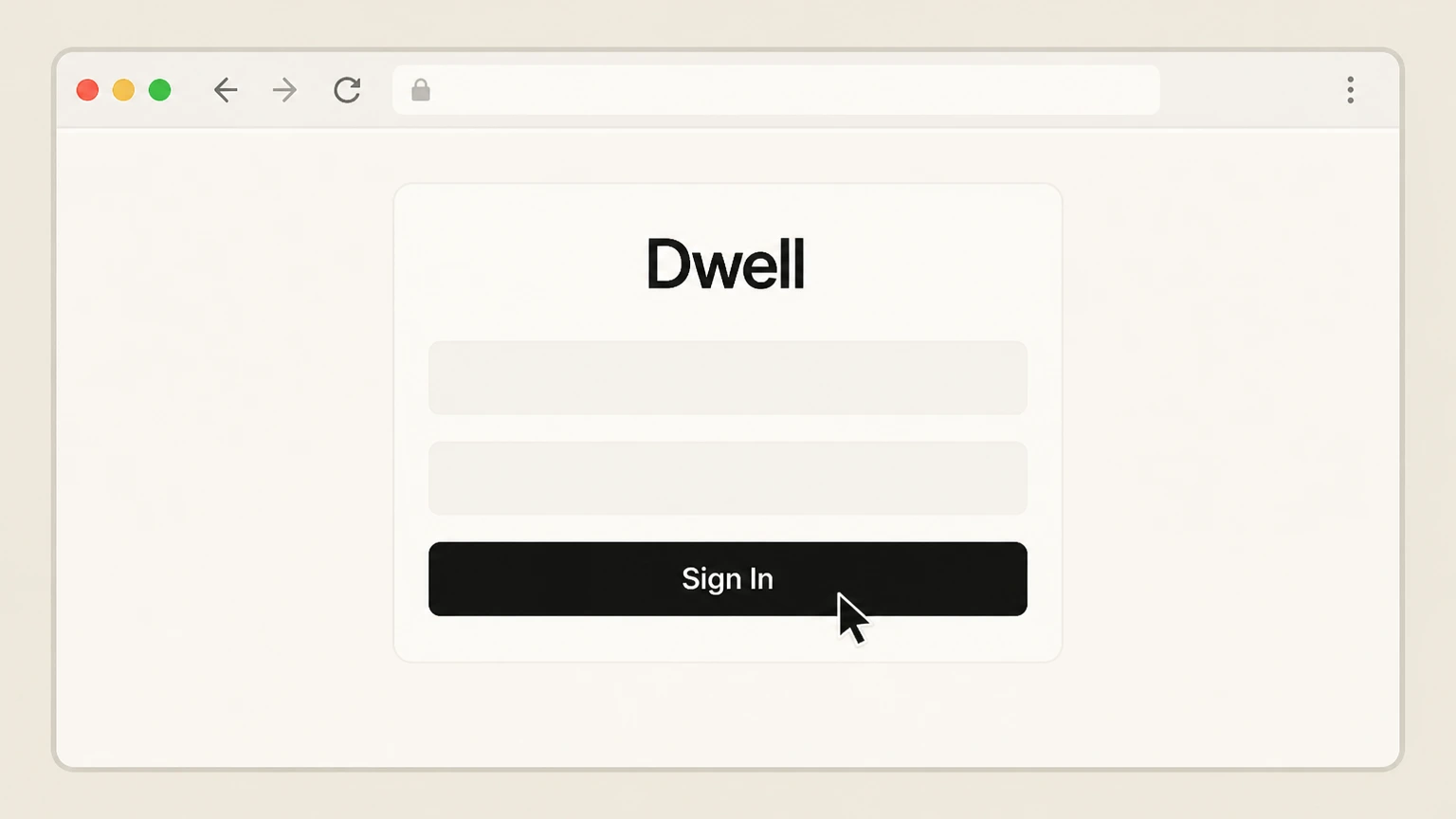
1Sign in to your Dwell account
Sign in at dwell.com with the same Dwell profile that was used to buy the subscription.
 2
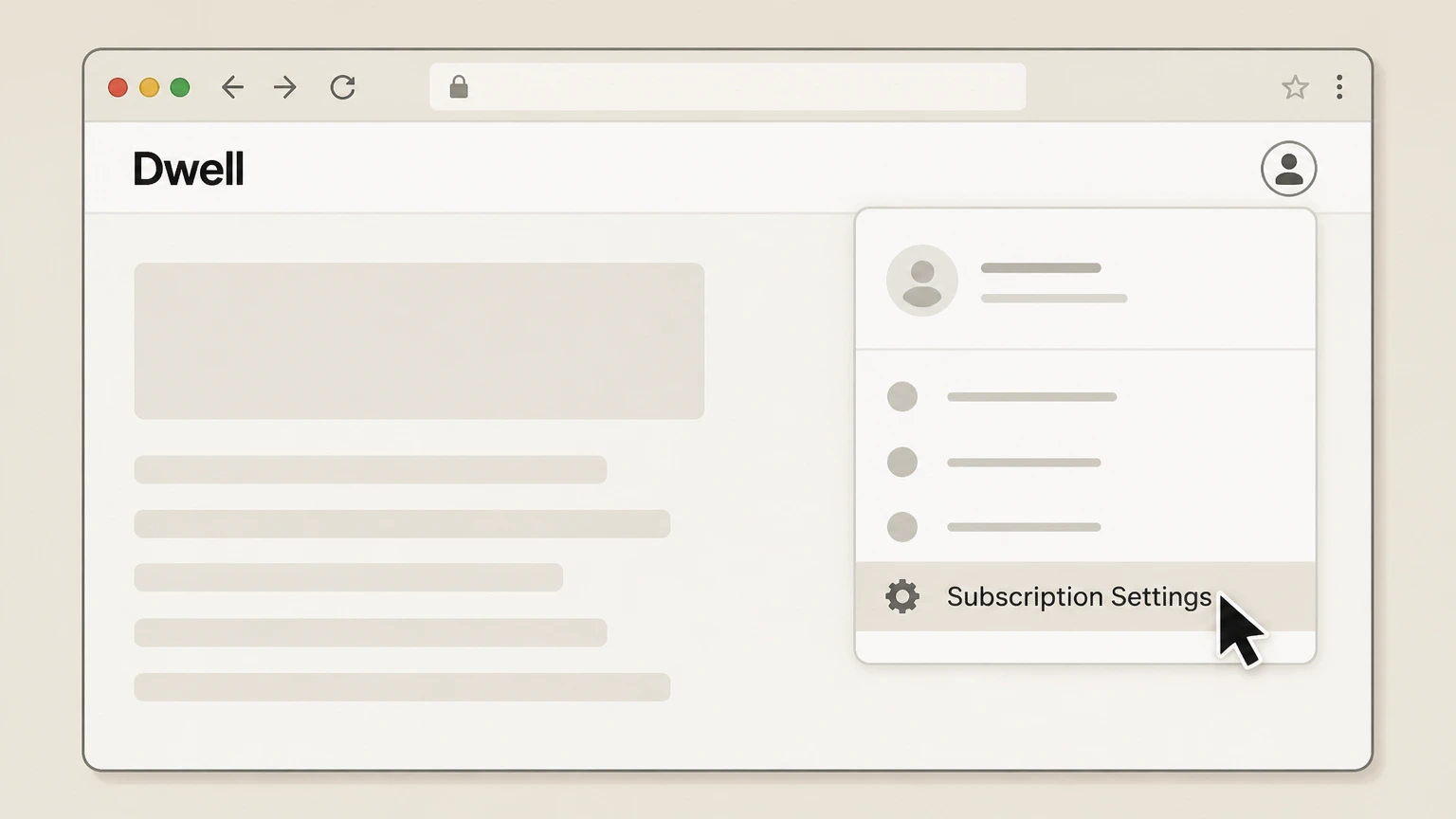
2Open Subscription Settings
Open Subscription Settings from your signed-in Dwell account.
- Let Pine handle it
Pine can help
Too many steps?
Pine can find the right Dwell.com (Dwell+, Dwell Magazine, All Access) path and handle the cancellation for you.
 3
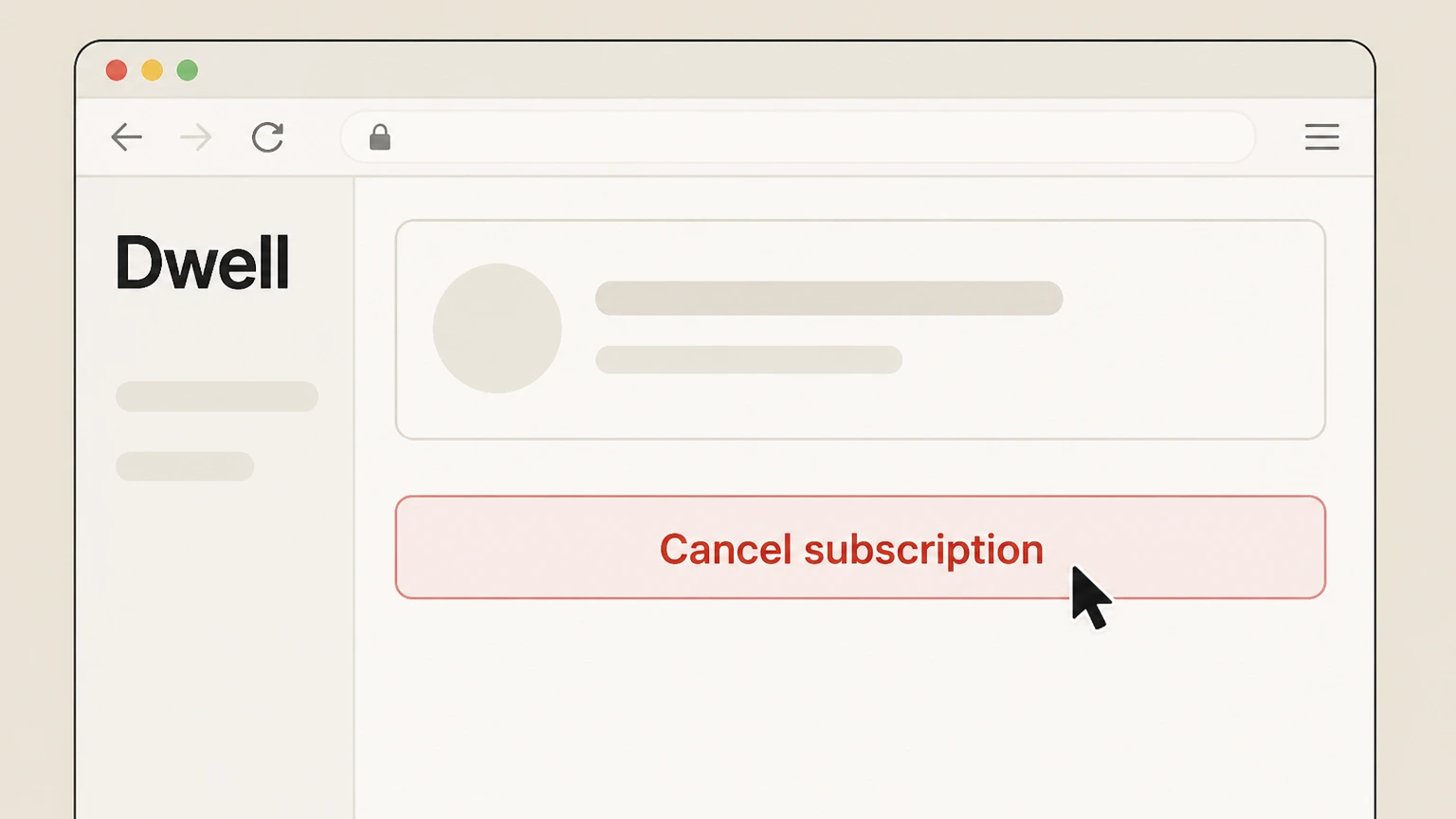
3Click Cancel subscription
Use the Cancel subscription button for the active Dwell plan.
 4
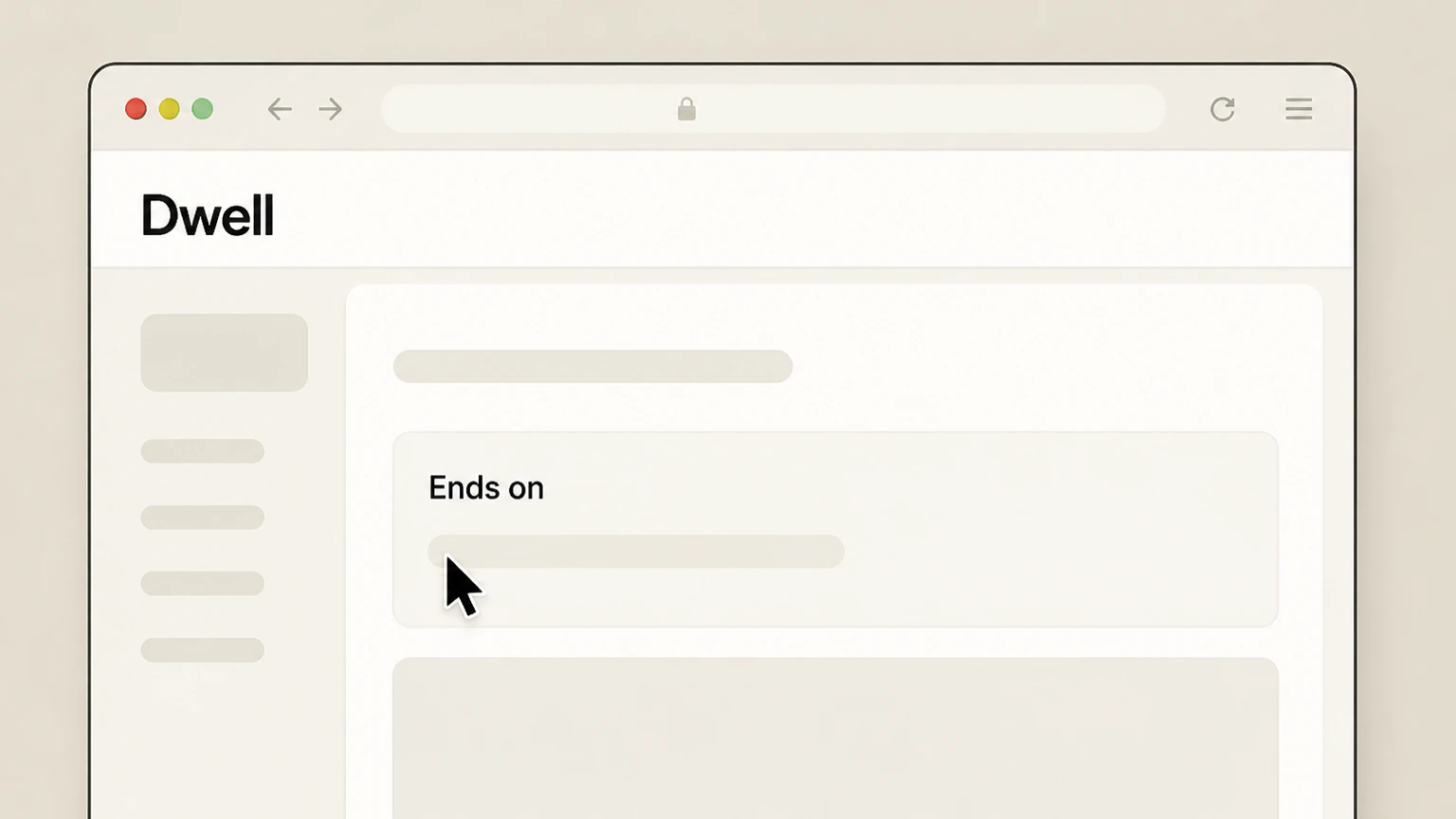
4Review the subscription end date
Review the updated subscription status and end date so you know when access or remaining print delivery will stop.

Refund policy
Refunds, renewals, and who handles them
Dwell’s public materials emphasize the ability to cancel at any time and the need to cancel before your renewal date to avoid an additional charge, but they do not promise automatic refunds for unused time. Apple separately controls refunds for Apple‑billed subscriptions. As a result, this guide treats cancellation and refunds as separate steps managed by each billing owner.
Check my refund options- Dwell-managed subscriptions focus on stopping renewal
- On the Dwell.com subscribe page and in help articles, Dwell highlights that you can cancel at any time, and that cancelling near a renewal date affects future charges, but it does not promise pro‑rated refunds; cancelling mainly prevents future auto‑renewals.
- Apple-billed subscriptions follow Apple’s refund process
- Apple’s Billing and Subscriptions support explains that App Store and iTunes purchases, including subscriptions, may be eligible for refunds via Apple’s own “Request a refund” flow, meaning any refund for an Apple‑billed Dwell‑related subscription is handled by Apple, not Dwell.
- Legacy print accounts and mailed renewals
- For older print subscriptions managed in Dwell’s Customer Care portal, Dwell’s guidance focuses on using the portal with your account number and ZIP/postal code to manage or cancel the subscription; no additional, general refund promises are described there, so outcomes likely depend on the specific offer attached to the account.
If you need a refund beyond stopping future renewals, check whether your charge is billed by Dwell or Apple, then use Dwell’s support channels or Apple’s refund process as appropriate. See Apple’s billing help
What this guide covers
Subscriptions and channels included for Dwell
Dwell confirms three main subscription plans sold on dwell.com—Dwell+ (digital), Dwell Magazine (print), and Dwell All Access (print + digital)—plus additional ways to read the magazine through Apple. This guide focuses on cancelling recurring charges for: (1) plans purchased directly on dwell.com and managed via Subscription Settings; (2) older print‑only subscriptions created before 2020 or through other channels and managed via Dwell’s Customer Care portal; and (3) Apple‑billed access to Dwell Magazine through Apple News+ or in‑app subscriptions on Apple devices.
Direct Dwell.com subscriptions
Dwell’s help center explains that subscriptions purchased on Dwell.com are cancelled by visiting your Subscription Settings and using the Cancel subscription button there.
Legacy or externally purchased print accounts
The same cancellation article distinguishes Dwell Magazine subscribers who subscribed before 2020, used a non‑dwell.com website, or replied to a postcard or letter, and sends them to a Customer Care portal on x.dwell.com to manage their magazine account with an account number and ZIP/postal code.
Apple‑billed access via Apple News+ and the Dwell app
Dwell notes that Dwell Magazine is available through Apple News+, and explicitly states those subscriptions are managed and cancelled via Apple device settings; Apple’s own support article then provides the concrete steps for cancelling any subscription billed by Apple.
After you cancel
What happens to Dwell access and issues after cancellation
Dwell’s cancellation article emphasizes that you must cancel before your renewal date if you don’t want to be charged again and explains that cancelling on the renewal date sets the subscription to end after the following year, indicating that access and deliveries typically continue through the prepaid term. Dwell’s pricing and plan descriptions further show that Dwell+ and All Access provide ongoing digital benefits (including Dwell app access for eligible plans), while print subscriptions deliver a fixed number of magazine issues during the paid period.
Digital access on Dwell.com and in the Dwell app
If you cancel a Dwell+ or All Access plan bought on dwell.com, your premium access on dwell.com and the complimentary digital issues in the Dwell app for those plans should continue until the end of the current paid term, then stop renewing. Dwell notes that the Dwell app provides complimentary issues only for paid All Access and Dwell+ subscribers and that free trials do not receive this benefit.
Print magazine deliveries
For Dwell Magazine print and All Access subscribers, cancellation stops future renewals, but already‑paid issues are normally still delivered, consistent with Dwell’s print plan structure and the note that cancelling around a renewal date affects the future term rather than immediately.
Apple‑billed access
When you cancel an Apple‑billed subscription (such as Apple News+) through Apple, Apple’s support explains that the subscription remains active until the current billing period ends, after which you lose access to the associated content, including Dwell Magazine within that bundle.
Special situations
Edge cases and limitations for cancelling Dwell
Some Dwell Magazine subscriptions are created through third‑party magazine sellers or bundles that are not operated by Dwell or Apple. Dwell’s official materials focus on direct dwell.com subscriptions, legacy print accounts managed via x.dwell.com, and Apple News+. Cancellation for reseller‑managed subscriptions is not documented publicly by Dwell and is therefore out of scope here.
Third‑party magazine resellers
Dwell’s help center describes cancellation only for subscriptions purchased on dwell.com or earlier print subscriptions managed via Dwell’s Customer Care portal; it does not provide instructions for subscriptions sold by generic magazine resellers, so customers in that situation likely need to cancel through the reseller rather than Dwell.
Non‑magazine services called “Dwell”
Search results also surface other services named “Dwell,” such as the Bible listening app at dwellapp.io, which has its own pricing and cancellation; these are separate providers and are not covered by Dwell Magazine’s cancellation instructions. Only dwell.com and support.dwell.com are used as official magazine sources in this guide.
Access issues after successful cancellation
If you have followed the applicable steps (Dwell Subscription Settings, Customer Care portal, or Apple Subscriptions) and still see unexpected charges or missing access, Dwell’s contact page and help center direct you to support@dwell.com for subscription‑specific help, while Apple provides separate support for App Store billing problems.
Dwell Magazine cancellation FAQ
Source-backed answers about timing, billing ownership, access, and refunds.
Will my Dwell Magazine or Dwell+ access stop immediately when I cancel?
How do I cancel if I read Dwell Magazine through Apple News+?
Does cancelling Dwell+ or All Access change my benefits in the Dwell app?
Untangle this Dwell Magazine issue.
Let Pine handle the provider follow-up and keep the confirmation in one place.
