


Adobe
Cancel subscription
How to Cancel Adobe Subscription: Official Steps
Cancel Adobe directly or through Apple, Google, or Microsoft, then review annual-plan fees, access, multiple plans, and refund limits.
- Adobe and billing-owner guidance rechecked August 14, 2026
- 3 supported billing paths separated
- Cancellation, access, and refund outcomes kept distinct
- Confirmation evidence and common failure paths included
Choose who bills your Adobe subscription
Web · Verify this billing owner
Cancel on the provider website
 1
1Check seller and plan type
Confirm Adobe versus app-store billing and whether the plan is monthly, annual paid monthly, or annual prepaid.
 2
2Open Manage plan
Sign in at account.adobe.com and select Manage plan for the exact subscription.
- Let Pine handle it
Pine can help
Too many steps?
Pine can find the right Web path and handle the cancellation for you.
 3
3Review cancellation details
Select Cancel your plan and review the displayed refund or early-cancellation terms before continuing.
 4
4Confirm every plan separately
Complete the confirmation and repeat for any other active plan; save the email and account status.

App Store · Verify this billing owner
Cancel an App Store subscription
 1
1Open Settings
On the iPhone, open Settings while signed in to the Apple Account used for purchase.
 2
2Tap your name
Open the Apple Account card at the top of Settings.
- Let Pine handle it
Pine can help
Too many steps?
Pine can find the right App Store path and handle the cancellation for you.
 3
3Open Subscriptions
Tap Subscriptions and wait for the active subscription list.
 4
4Choose the provider
Open the provider subscription and verify the plan and renewal date.
 5
5Tap Cancel Subscription
Confirm cancellation and keep the expiration date shown by Apple.
Google Play · Verify this billing owner
Cancel a Google Play subscription
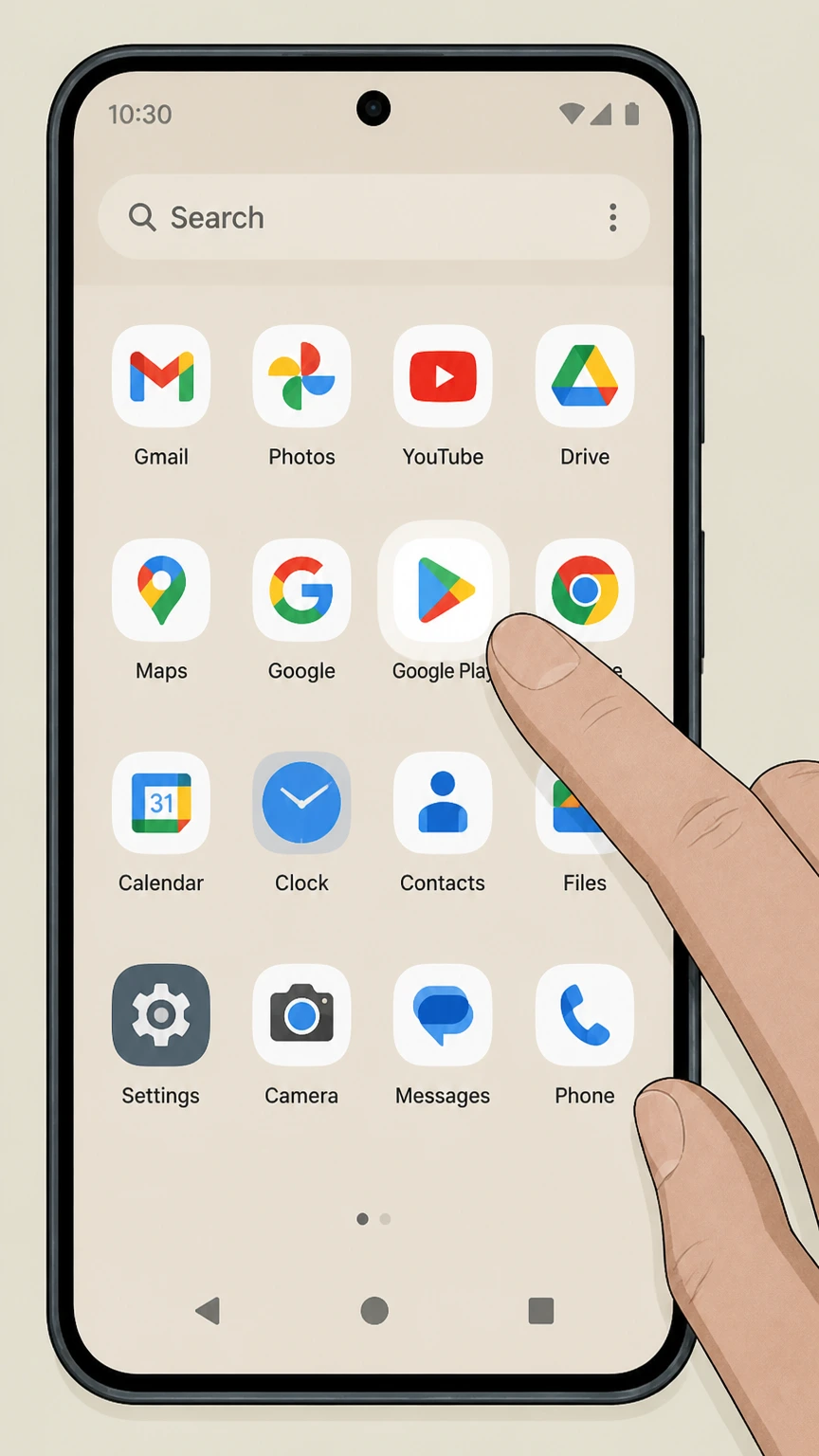 1
1Open Google Play
Use the Google account that purchased the subscription.
 2
2Open Payments & subscriptions
Tap the profile picture, then Payments & subscriptions.
- Let Pine handle it
Pine can help
Too many steps?
Pine can find the right Google Play path and handle the cancellation for you.
 3
3Open Subscriptions
Find the provider in the active subscription list.
 4
4Choose Cancel subscription
Follow the reason and confirmation prompts without uninstalling the app.
 5
5Save the expiration date
Verify Google Play shows renewal off and keep the confirmation.
Refund policy
Canceling Adobe does not automatically create a refund
Adobe says paid access continues through the current billing period. The account remains active, and the cancellation should appear on the account and in email.
Check my refund options- Renewal
- Adobe says paid access continues through the current billing period. The account remains active, and the cancellation should appear on the account and in email.
- Billing owner
- The company shown on the receipt or account controls refund handling.
- Evidence
- Keep the receipt, cancellation status, effective date, and response from the seller.
Review the official refund or subscription terms for the company that posted the charge before requesting a reversal. Adobe — cancel a trial or subscription
Choose the right path
Billing owner and plan consequences
Adobe uses different cancellation rules for adobe direct purchase, apple, google, or microsoft purchase, payment currently processing, and more than one adobe plan. Identify the billed product and owner before following a path.
Adobe direct purchase
Use the Adobe account cancellation flow.
Apple, Google, or Microsoft purchase
Use that store’s subscription controls and refund rules.
Payment currently processing
Adobe says cancellation may be unavailable; wait 24 hours and try again.
More than one Adobe plan
Cancel each plan separately because one cancellation does not stop the others.
Keep proof
What to record before and after cancellation
For Adobe, keep plan name and term, displayed cancellation terms, purchase channel, and confirmation. These records establish the effective date and help resolve another charge.
Plan name and term
Capture monthly versus annual terms and the renewal date.
Displayed cancellation terms
Save the fee, refund, or access-end details shown before confirmation.
Purchase channel
Keep the Adobe or app-store receipt that identifies the seller.
Confirmation
Save the Adobe email and account page showing the canceled status.
Troubleshooting
Why a cancellation can appear to fail
If Adobe still appears active or keeps billing, check annual commitment, wrong purchase channel, payment issue, and uncanceled second plan before treating the subscription as canceled.
Annual commitment
An annual paid-monthly plan can display an early-cancellation charge outside the initial refund window.
Wrong purchase channel
Adobe cannot directly cancel a subscription controlled by a third-party store.
Payment issue
The Cancel option may be temporarily unavailable while payment is processing or failed.
Uncanceled second plan
Separate Adobe plans can continue billing independently.
Adobe cancellation questions
Answers reflect the current provider and billing-owner sources listed on this page.
How do I cancel my Adobe subscription?
What happens after I cancel Adobe?
Why might Adobe hide cancellation while a payment is processing?
Do I need to cancel each Adobe plan separately?
Untangle this Adobe issue.
Let Pine handle the provider follow-up and keep the confirmation in one place.
