


Strava
Cancel subscription
How to Cancel Your Strava Subscription Safely
Learn how to cancel a Strava subscription step by step on the Strava website, Apple App Store, or Google Play, what happens to your data, and refund basics.
- Official Strava and billing-owner sources
- 3 provider-specific cancellation paths
- Refund and post-cancellation effects separated from renewal
- Verified August 16, 2026
Choose the Strava cancellation path that matches who bills you
Strava website (direct billing) · verify the billing owner
 1
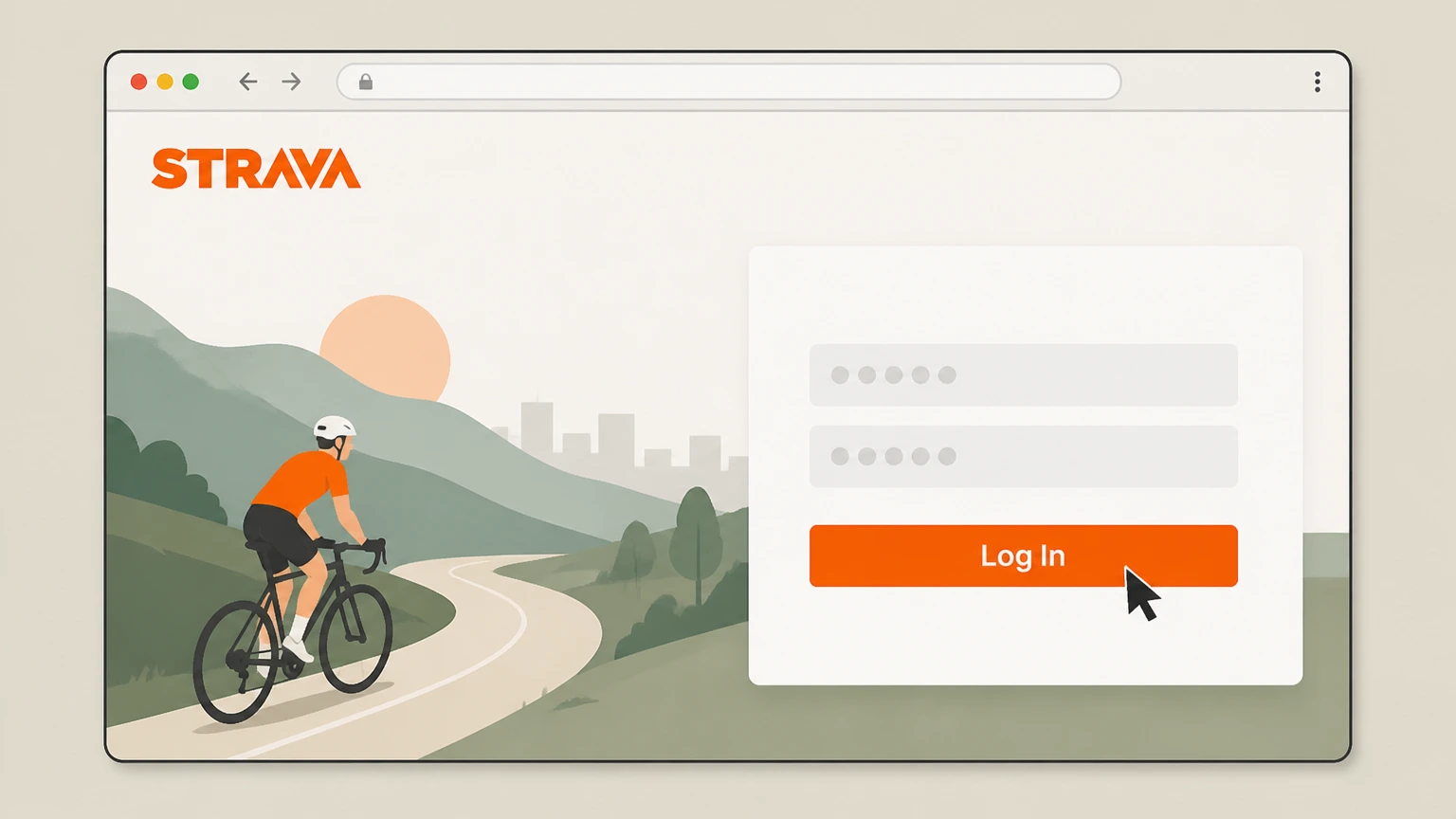
1Open Strava and log in
Go to strava.com in a web browser and sign in to the Strava account that has the subscription. Use the Strava account named on your receipt, and continue only after the next status in this cancellation path is visible.
 2
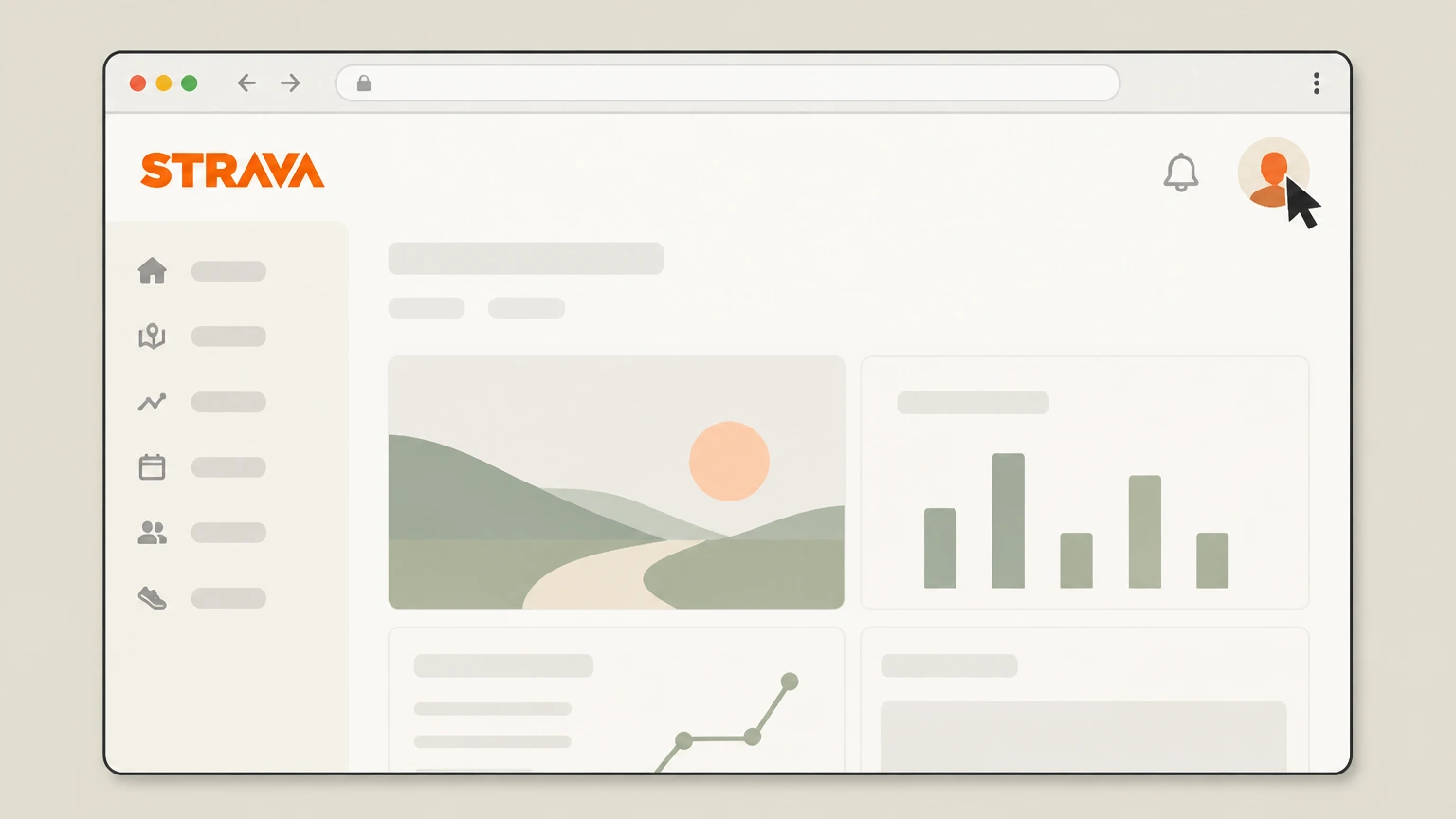
2Open your profile menu
Once signed in, click your profile picture in the top-right corner of the page to open the account menu. Use the Strava account named on your receipt, and continue only after the next status in this cancellation path is visible.
- Let Pine handle it
Pine can help
Too many steps?
Pine can find the right Strava website (direct billing) path and handle the cancellation for you.
 3
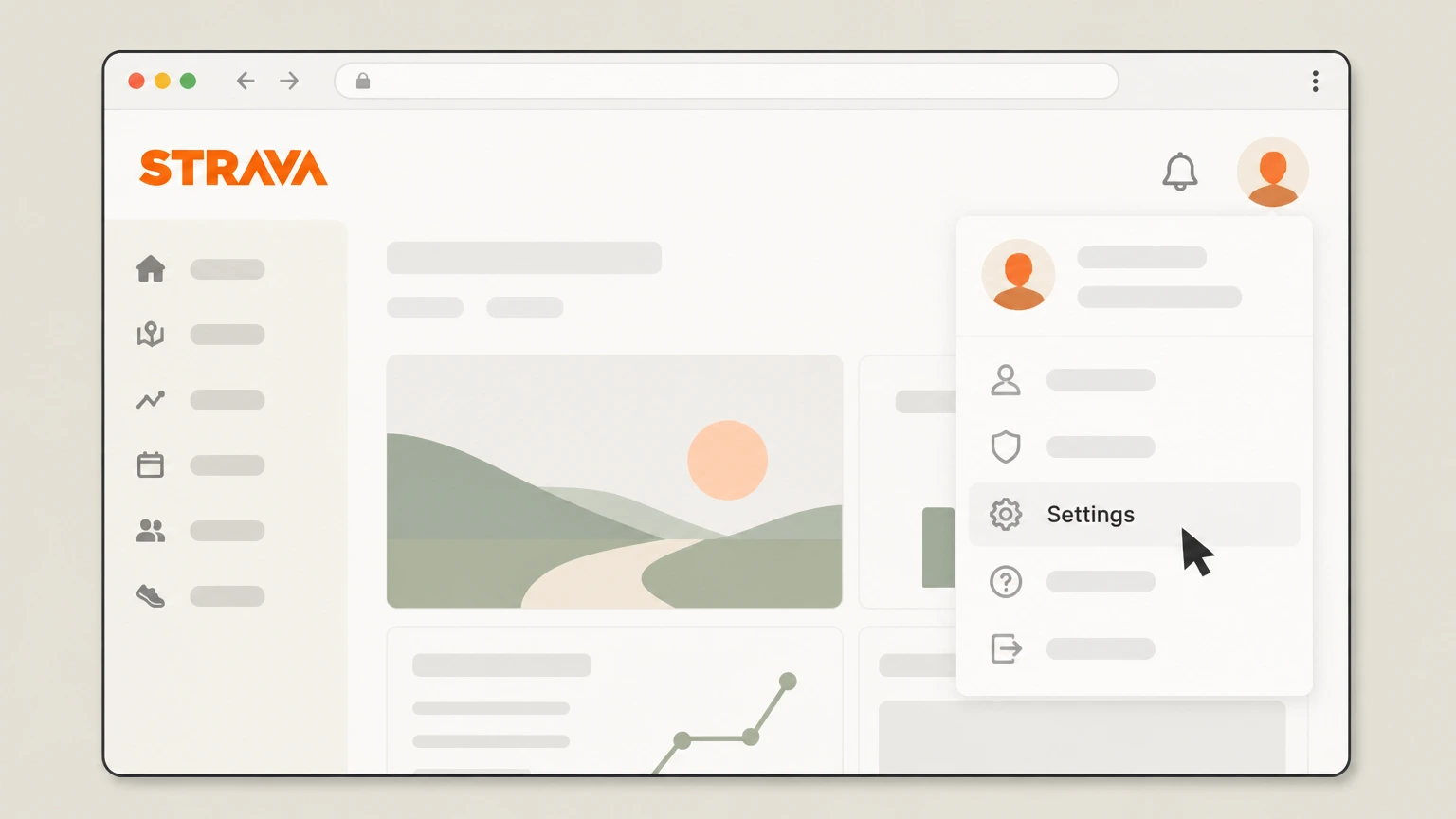
3Go to Settings
In the account menu, select “Settings” to open your account settings. Use the Strava account named on your receipt, and continue only after the next status in this cancellation path is visible.
 4
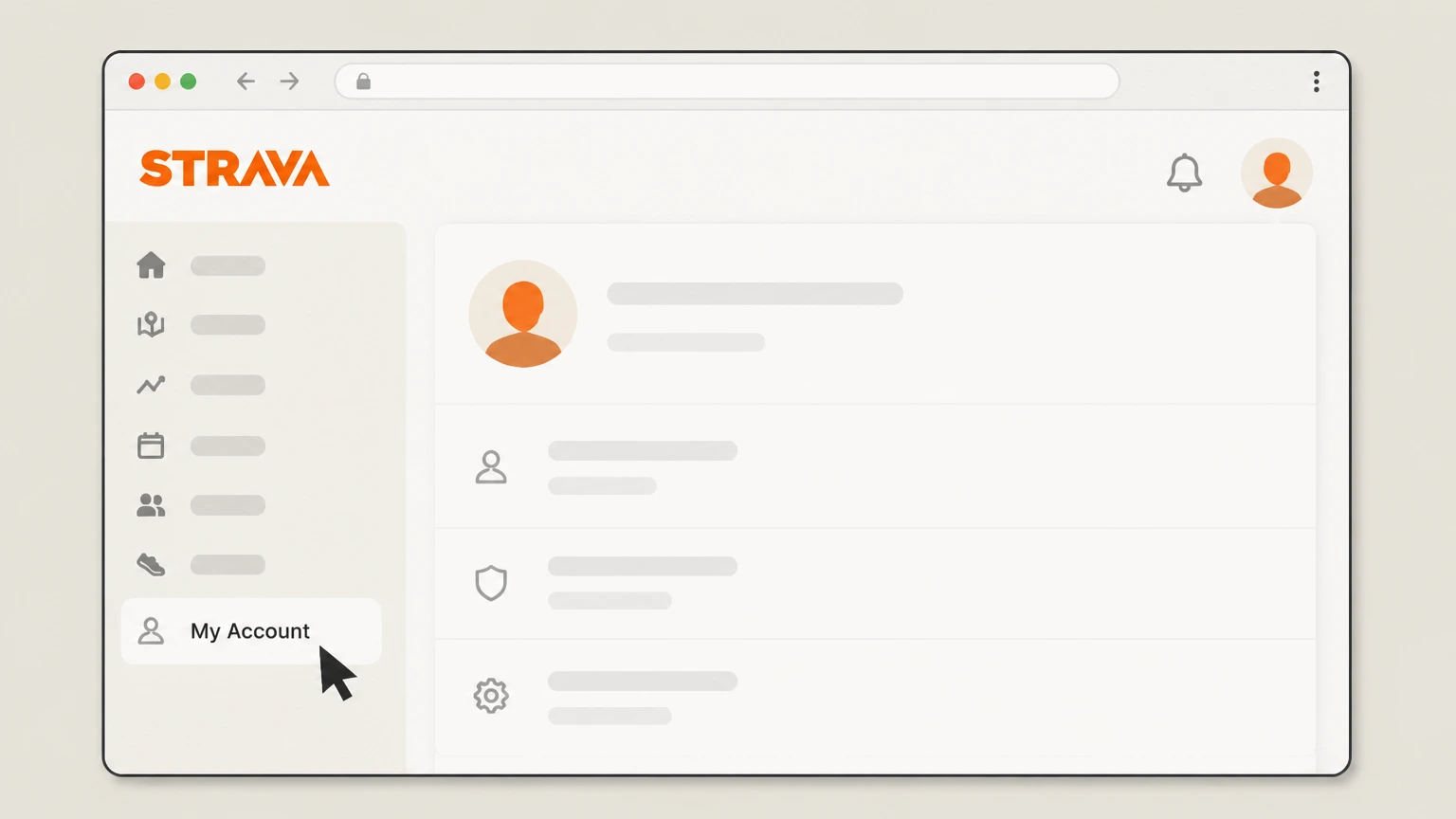
4Open the My Account tab
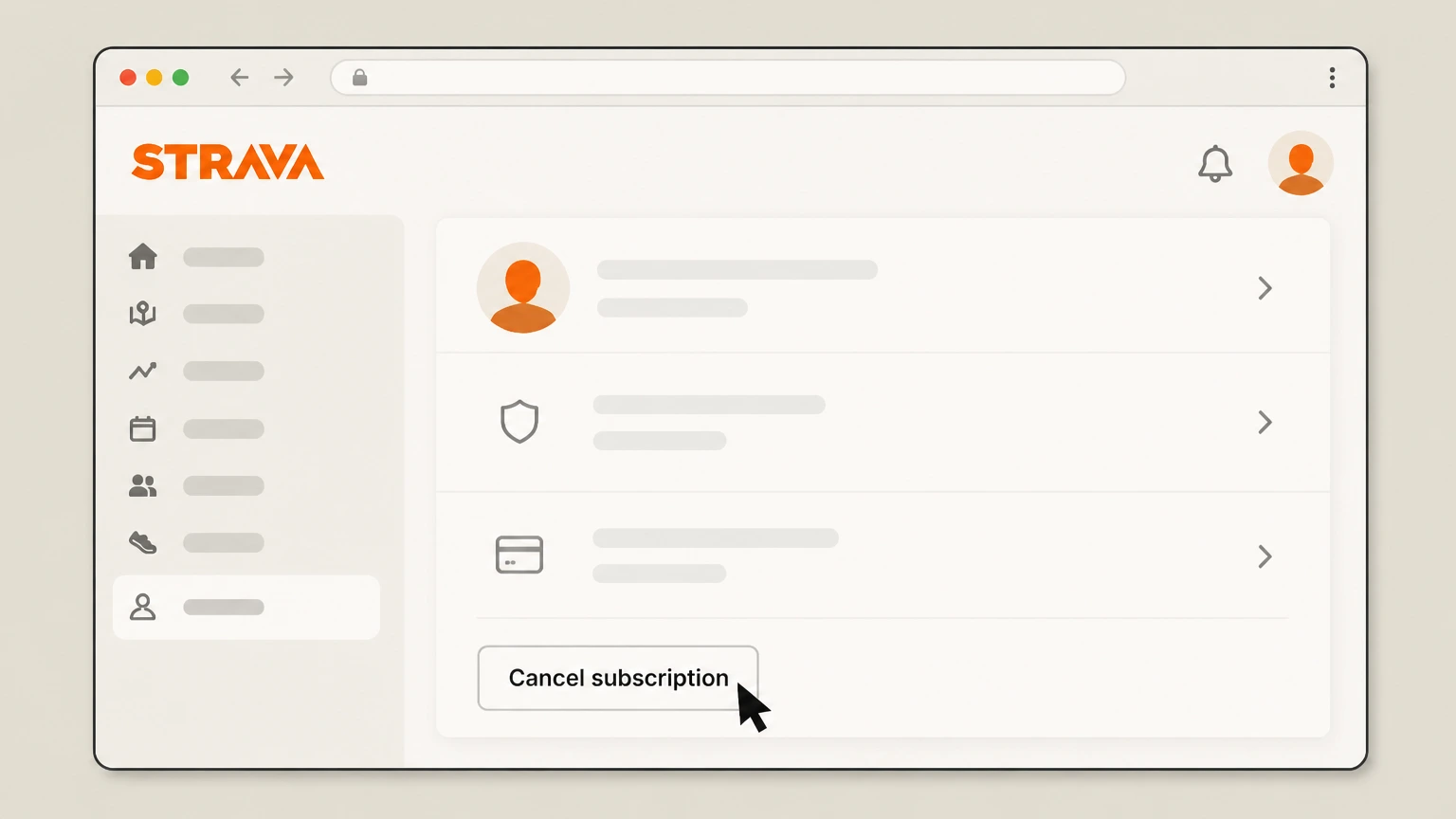
On the Settings page, click “My Account” in the left-hand navigation to view your subscription details. Use the Strava account named on your receipt, and continue only after the next status in this cancellation path is visible.
 5
5Select Cancel subscription
In the Membership or Subscription section, click “Cancel subscription.” Use the Strava account named on your receipt, and continue only after the next status in this cancellation path is visible.
 6
6Confirm cancellation
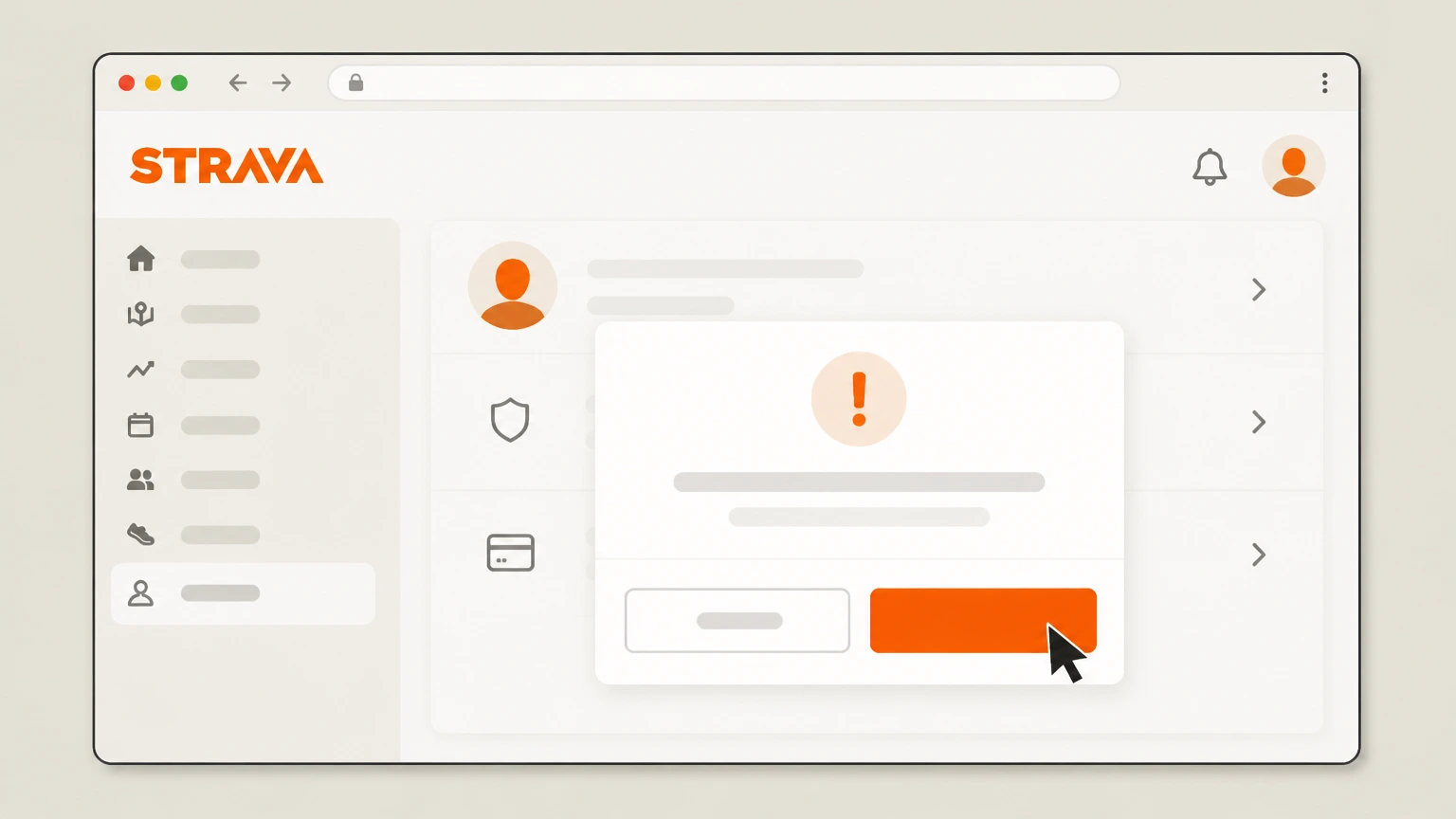
Follow the on-screen instructions to confirm so your Strava subscription will not renew at the end of the current billing period.

Apple iPhone (Apple‑billed subscriptions) · verify the billing owner
 1
1Open Settings
On your iPhone, open the Settings app. Use the Strava account named on your receipt, and continue only after the next status in this cancellation path is visible.
 2
2Tap your name
At the top of Settings, tap your name to open your Apple ID settings. Use the Strava account named on your receipt, and continue only after the next status in this cancellation path is visible.
- Let Pine handle it
Pine can help
Too many steps?
Pine can find the right Apple iPhone (Apple‑billed subscriptions) path and handle the cancellation for you.
 3
3Open Subscriptions
In your Apple ID settings, tap “Subscriptions.” Use the Strava account named on your receipt, and continue only after the next status in this cancellation path is visible.
 4
4Select Strava
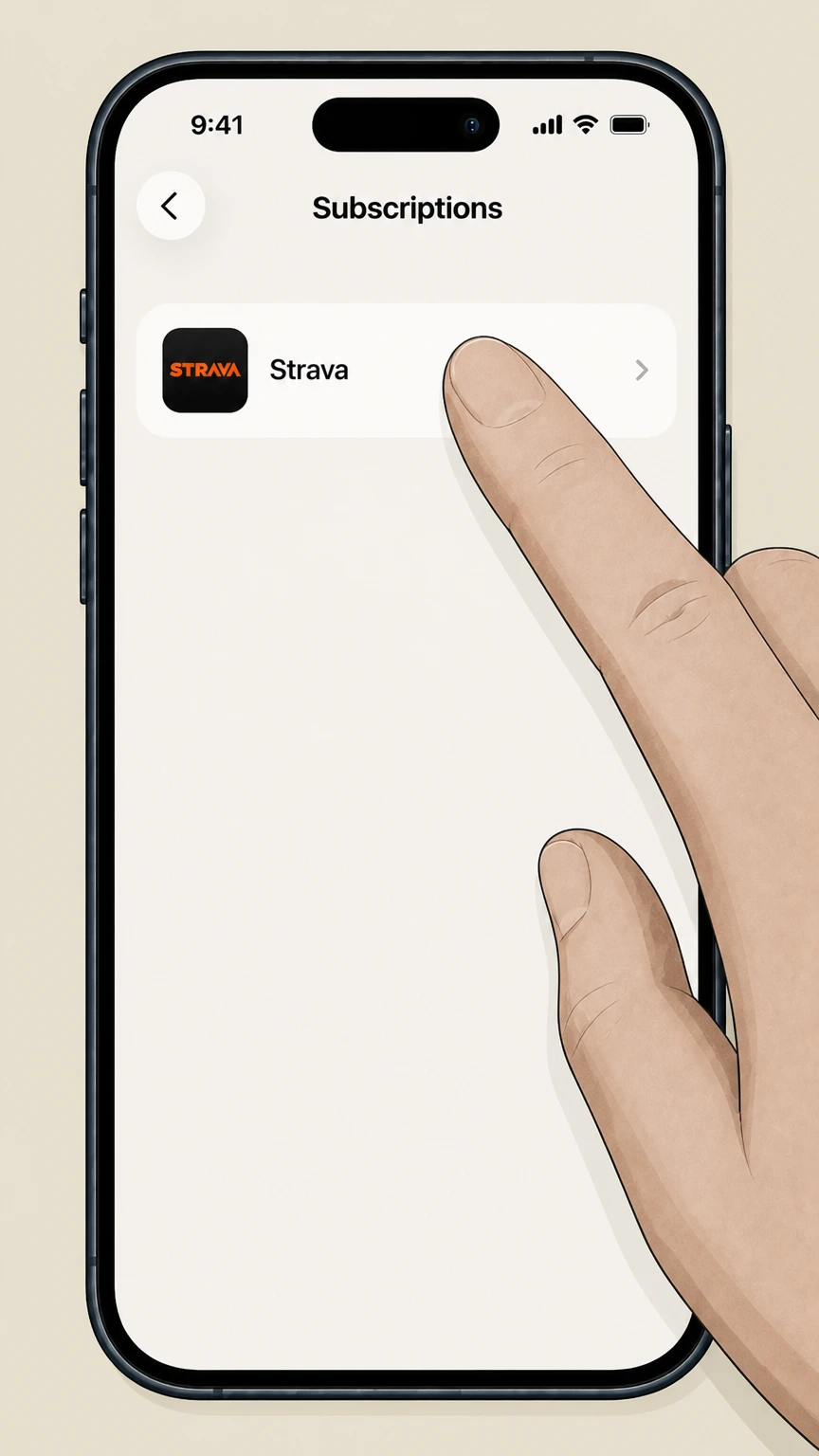
In the list of subscriptions, tap “Strava.” Use the Strava account named on your receipt, and continue only after the next status in this cancellation path is visible.
 5
5Cancel the subscription
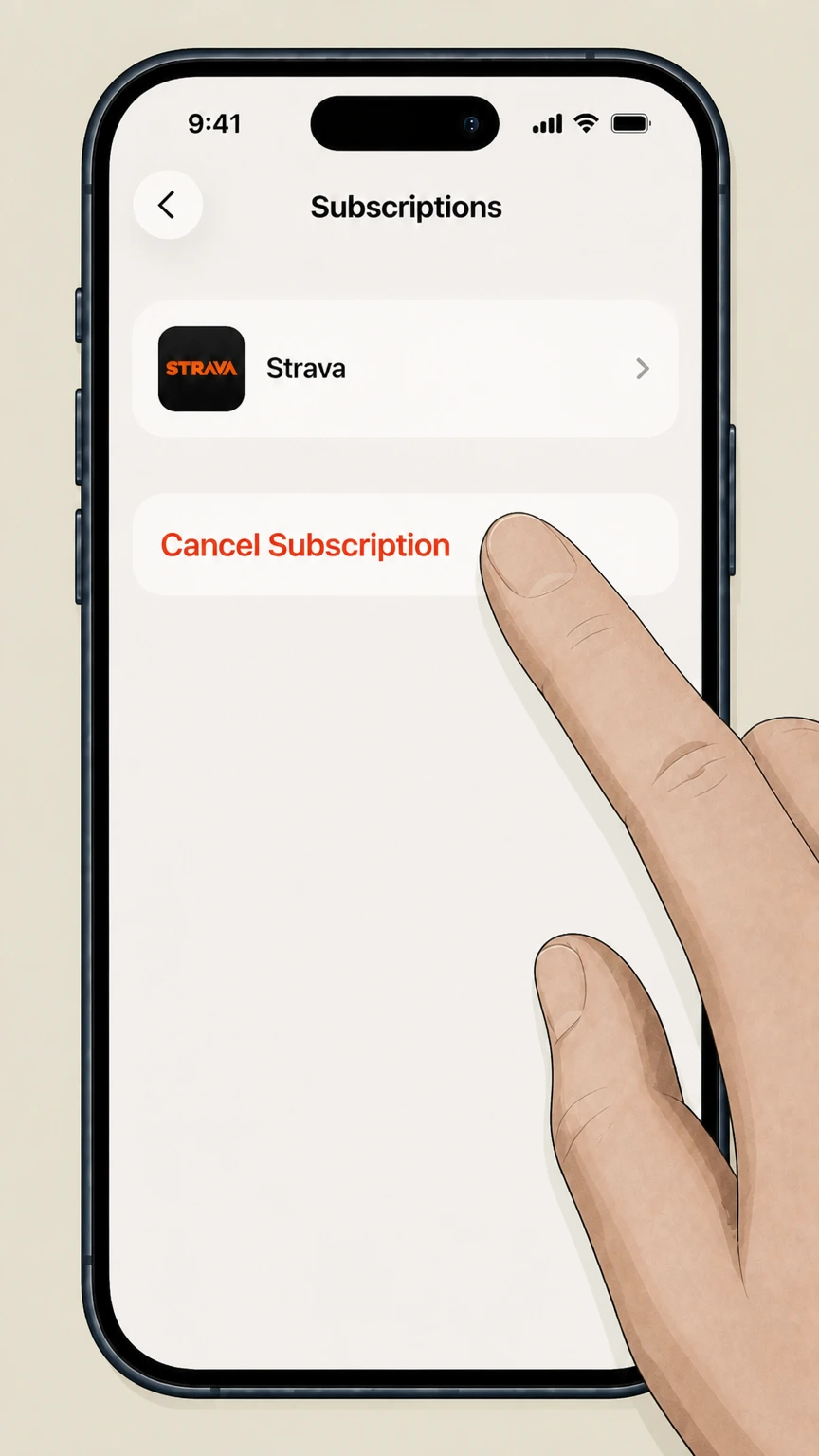
On the Strava subscription screen, tap “Cancel Subscription.” Use the Strava account named on your receipt, and continue only after the next status in this cancellation path is visible.
Google Play (Android‑billed subscriptions) · verify the billing owner
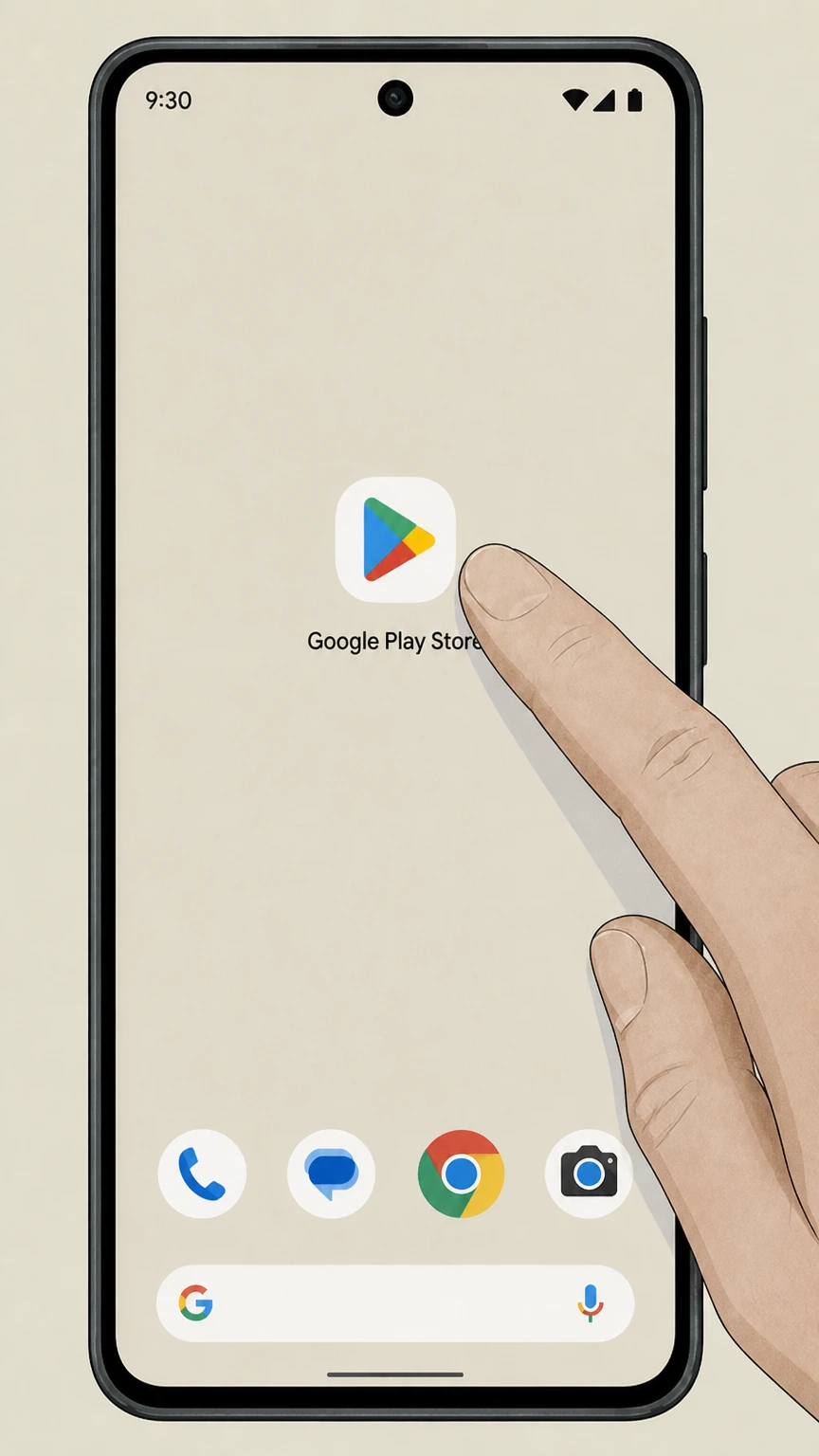 1
1Open Google Play
On your Android device, open the Google Play Store app. Use the Strava account named on your receipt, and continue only after the next status in this cancellation path is visible.
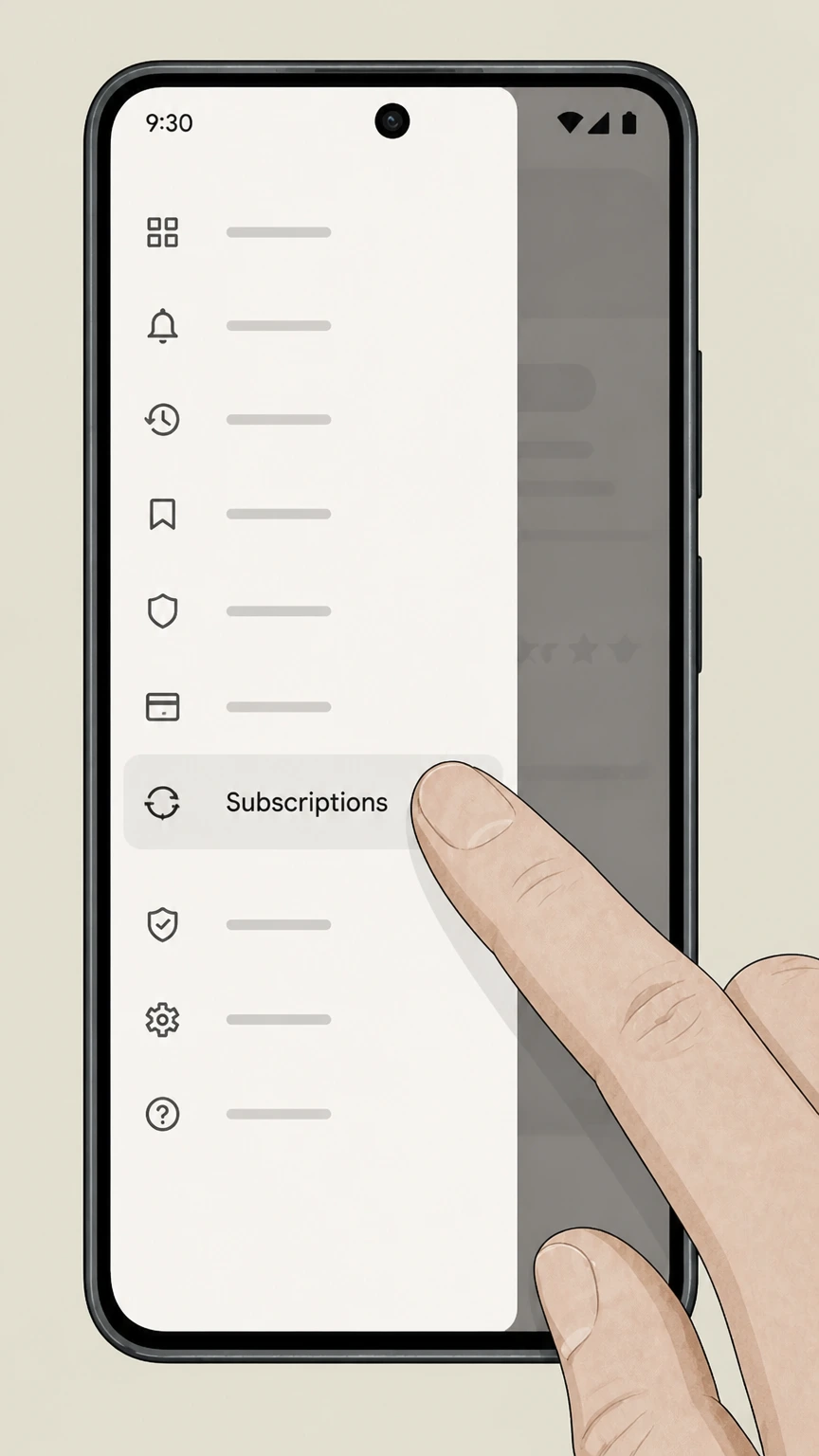 2
2Go to Subscriptions
In Google Play, open the menu and go to “Subscriptions.” Use the Strava account named on your receipt, and continue only after the next status in this cancellation path is visible.
- Let Pine handle it
Pine can help
Too many steps?
Pine can find the right Google Play (Android‑billed subscriptions) path and handle the cancellation for you.
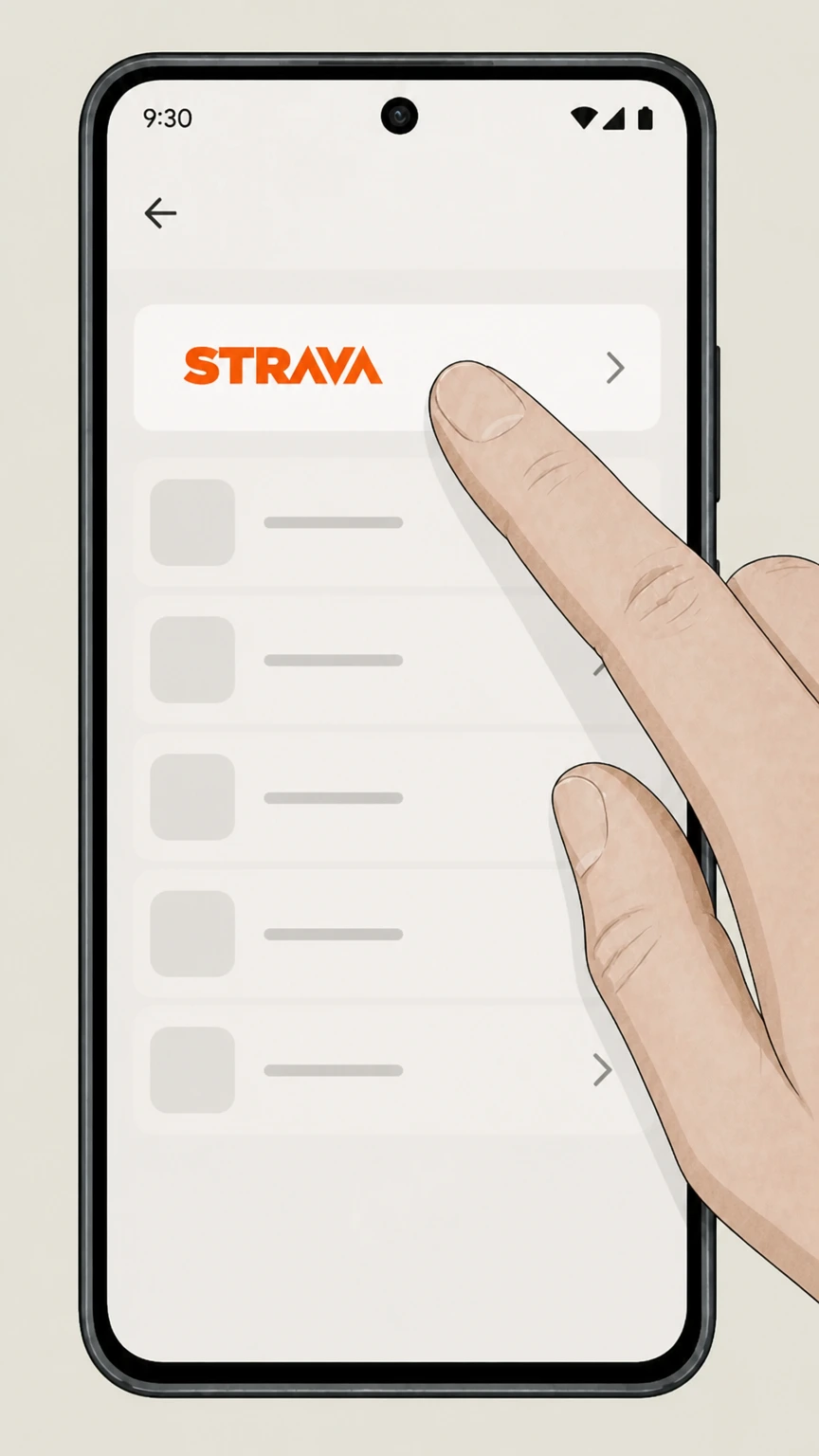 3
3Select Strava
In your list of subscriptions, select “Strava.” Use the Strava account named on your receipt, and continue only after the next status in this cancellation path is visible.
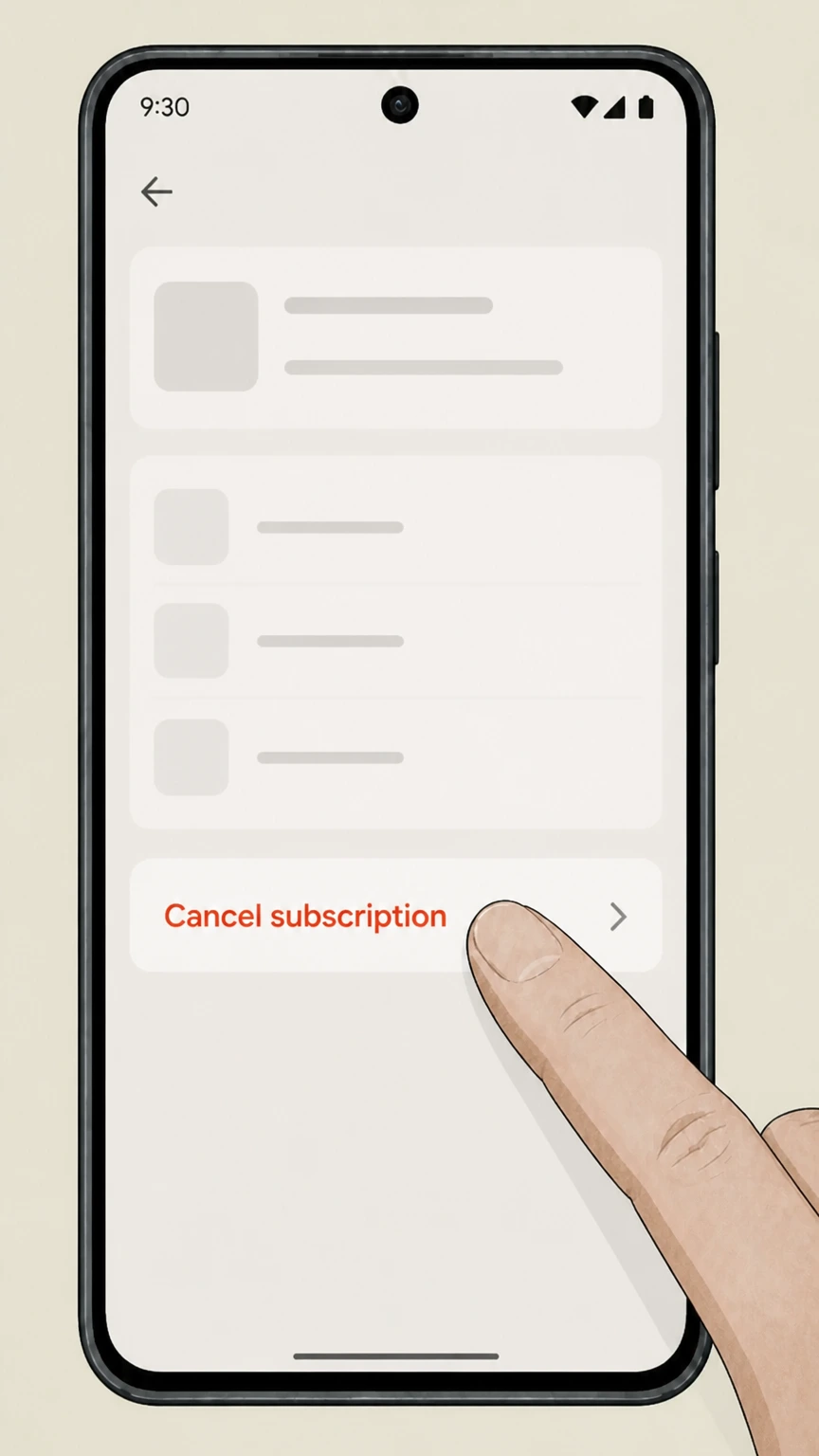 4
4Tap Cancel subscription
On the Strava subscription screen, tap “Cancel subscription” and follow any on-screen confirmation steps. Use the Strava account named on your receipt, and continue only after the next status in this cancellation path is visible.
Refund policy
Strava refunds and billing after cancellation
Refunds for Strava subscriptions depend on whether you paid Strava directly, Apple, or Google Play, and on timing and local law. Cancelling stops future auto‑renewals but usually does not automatically refund the last charge; you must submit a separate refund request through the correct platform.
Check my refund options- Direct Strava refunds within 14 days
- For subscriptions purchased directly from Strava, its cancellation help article states you may be eligible for a full refund within 14 days of purchase and that Strava subscriptions are non‑refundable after 14 days, subject to any applicable local rights.
- Cooling‑off rights outside the U.S.
- Strava’s Terms of Service add that if you live outside the United States, local law may give you a right to change your mind and receive a full refund within 14 days of subscribing, independent of Strava’s general no‑refund policy.
- Apple‑billed Strava refunds
- When you subscribe through the Apple App Store, Strava explains that refunds are handled entirely by Apple and must be requested through Apple’s reportaproblem.apple.com flow or Apple Support under Apple’s own media services terms and eligibility rules.
- Google Play‑billed Strava refunds
- For subscriptions billed via Google Play, Google’s refund policy notes that you may be able to get a refund if you request it within about 48 hours of purchase; after that, refunds are generally at Google’s discretion and depend on its policies and applicable law.
- Cancellation vs. refund distinction
- Strava’s support content stresses that cancelling a subscription—whether on Strava, Apple, or Google Play—prevents future renewals at the end of the current term but does not by itself reverse the last charge; refunds always require a separate request.
See Strava’s official cancellation and refund guidance for the most current platform-specific rules before submitting a refund request. Open Strava’s cancellation & refund help
Strava billing basics
Who actually bills your Strava subscription
Understanding who bills you is essential because Strava requires you to cancel on the same platform where you started the subscription.
Strava direct billing
If you subscribed on strava.com using a card, PayPal, or similar, Strava bills you directly and you must cancel from your Strava Account/My Account page on the website.
Apple App Store billing
If you started Strava subscription through the iOS in‑app purchase flow and it appears under your Apple ID Subscriptions, Apple controls billing and cancellations must be done in Apple settings, not inside Strava.
Google Play billing
If you subscribed in the Android app using Google Play Billing, Google bills you and you must cancel from Google Play’s Subscriptions section rather than from Strava’s own account page.
Same-platform cancellation rule
Strava’s help article states that you must cancel your subscription using the same platform where you originally subscribed; Strava cannot directly cancel or refund subscriptions billed by Apple or Google.
Checking renewal price and status
Strava’s Subscription Pricing FAQ shows how to view renewal prices and status in the Strava app or on the website and notes that subscriptions auto‑renew unless cancelled at least one day before renewal.
Cancel on strava.com
Cancelling a Strava subscription on the website
This section covers cancellations for subscriptions billed directly by Strava via its website.
Accessing My Account
From any page on strava.com after logging in, open your profile menu and go to Settings, then choose the My Account tab to see your subscription details and renewal date.
Finding Cancel subscription
Within My Account, Strava lists your Membership or Subscription section, where a “Cancel subscription” option lets you downgrade from paid to free at the end of your billing period.
Auto‑renewal timing
Strava explains that subscriptions auto‑renew for the next period unless you cancel at least 24 hours before the renewal date; cancellation becomes effective at the end of the current period, not immediately.
Family and bundle prerequisites
If you want to move to a Strava Family Plan or Strava + Runna bundle and already have a direct Strava subscription, Strava instructs you to cancel the current plan and wait for it to expire before starting the new one.
No data loss from cancelling
Strava’s help content clarifies that cancelling or allowing a subscription to expire does not delete your Strava activities or account; it only removes paid features once the term ends.
Apple‑billed subscriptions
Cancelling Strava through the Apple App Store
Use Apple’s subscription tools when Strava is billed through your Apple ID.
Use Apple ID Subscriptions, not the Strava app
Strava’s cancellation guide notes that Apple‑billed subscriptions must be managed with Apple. Apple’s own support article instructs you to use Settings > [your name] > Subscriptions to find and cancel Strava.
iPhone cancellation flow
On iPhone, Apple’s article says to tap your name in Settings, tap Subscriptions, tap the relevant subscription, then tap Cancel Subscription; this applies to Strava just like other App Store subscriptions.
Apple controls renewals and refunds
For purchases billed by Apple, Strava explains that Apple fully controls billing and refunds, and Strava Support cannot modify charges or grant refunds; refund requests must be made through Apple’s reportaproblem.apple.com or Apple Support.
Checking unknown Apple charges
Apple’s billing help page suggests searching your email for receipts and signing in to view charges associated with your Apple Account if you see an unexpected apple.com/bill charge that might be a Strava subscription.
Free trials via Apple
Apple’s subscription guidance notes you should cancel free or discounted trial subscriptions at least 24 hours before the trial ends to avoid renewal, which also applies if you started a Strava trial through the App Store.
Google Play‑billed
Cancelling Strava through Google Play on Android
For Android in‑app purchases, Google Play manages Strava subscription billing and cancellation.
Use Google Play Subscriptions list
Google’s help article on cancelling subscriptions instructs Android users to go to Subscriptions in Google Play, select the subscription they want to cancel, tap Cancel subscription, and follow the instructions; this includes Strava if it is billed via Google Play.
Uninstalling Strava does not cancel
Google Play explicitly warns that uninstalling an app does not cancel an active subscription, so removing the Strava app from your phone will not stop Google Play from billing you until you cancel the subscription itself.
Access after cancellation
Google Play’s guidance notes that after you cancel, you will retain access to your subscription content until the end of the current billing period, and you will not be charged on the next renewal date.
Refunds governed by Google policies
Google’s refund policy explains that you may be able to obtain a refund for app and in‑app purchases, including subscriptions, if you request it within about 48 hours, but refunds after that are discretionary and handled under Google’s rules.
Subscribe with Google and other flows
Google’s documentation on Subscribe with Google and Play subscriptions reiterates that subscriptions paid through Google’s billing systems, including those started on a website, are generally managed and cancelled via Google Play’s subscription tools.
Service effects
What changes after you cancel Strava
Cancelling changes which features you can use, but it does not immediately remove access or delete your account.
Access continues to end of term
Strava’s cancellation help states that when you cancel, you retain access to subscription features until the end of your current subscription term; after that, your account becomes a free account.
Loss of subscription‑only features
The Terms of Service note that when your subscription ends, you will no longer have access to subscription‑only features, though you can resubscribe later at current pricing.
No loss of activities or history
Strava’s help content and Family Plan FAQ both confirm that cancelling or letting a subscription expire does not delete your activities or data; your training history and routes remain associated with your account.
Auto‑renew stops, but past charges stay
Cancelling stops future automatic renewals. Strava’s Terms and help content clarify that cancellation takes effect at the end of the current billing period and does not by itself refund the last charge.
Bundles and Family Plans after cancel
When you cancel to move into a Family Plan or Strava + Runna bundle, your current paid access continues until expiry; once the new subscription starts, your existing Strava data and profile are carried forward into the new plan.
Refund boundaries
Refund expectations when cancelling Strava
Refund rules depend on where you purchased the subscription and on local law.
Strava direct 14‑day window
Strava’s cancellation article says you may be eligible for a full refund within 14 days of purchase for subscriptions bought directly from Strava; after 14 days, Strava subscriptions are described as non‑refundable.
Cooling‑off rights outside the U.S.
Strava’s Terms add that users who reside outside the United States may have a legal right to change their mind and receive a full refund within 14 days of subscribing, reflecting statutory cooling‑off rules in some jurisdictions.
Apple‑billed refunds handled by Apple
For subscriptions purchased through the Apple App Store, Strava states that refunds are handled entirely by Apple and must be requested via Apple’s refund process; Strava Support cannot issue or override these refunds.
Google Play‑billed refunds handled by Google
For Google Play subscriptions, Strava points to Google Play’s own refund instructions; Google’s policies generally allow refund requests within about 48 hours and treat later refunds as discretionary.
Cancellation vs refund
Strava explicitly notes that cancelling a subscription does not automatically initiate a refund, especially for recently renewed periods; refunds require a separate request to Strava (for direct billing), Apple, or Google Play, depending on who billed you.
Data & privacy
Data, account status, and subscription cancellation
Cancelling Strava affects billing and features but is different from deleting your Strava account or data.
Activities remain after cancelling
Strava’s cancellation FAQ answers that cancelling your subscription does not delete your uploaded activities or data; only access to subscription features is removed at the end of the billing period.
Account stays open as a free account
Under Strava’s Terms, when your subscription ends, you simply lose subscription‑only features and revert to using the free service, unless you separately choose to delete your account.
Account deletion is a separate action
Strava’s Privacy Policy and account deletion messaging explain that deleting your account is a distinct process that permanently removes your personal data and activities; it is not triggered by subscription cancellation alone.
Privacy controls still apply
Strava’s privacy materials note that your privacy settings, such as who can see your profile and activities, continue to apply whether or not you have a paid subscription.
No stated pause option
Strava’s official subscription and cancellation documentation describes how to subscribe, change, and cancel but does not document a way to pause a subscription; in practice, you keep it active or cancel and resubscribe later if you wish.
Family & bundles
Family Plans, Strava + Runna, and cancellation
Some Strava bundle and Family Plan scenarios require cancelling an existing subscription first.
Switching to Strava Family Plan
If you already subscribe to Strava and want to start or join a Family Plan, Strava instructs you to cancel your existing subscription and wait for it to expire before activating the Family Plan; you keep premium features until the end of the term.
Family Plan data retention
The Family Plan FAQ states that cancelling or changing subscriptions in connection with a Family Plan does not cause loss of your existing Strava data or activities; your profile and history carry over.
Moving to Strava + Runna bundle
Strava’s Runna bundle FAQ explains that if you already have a Strava or Strava+Runna subscription, you may need to cancel your current plan and let it end before purchasing the Strava + Runna subscription, depending on where you originally subscribed.
Family Plan vs Strava + Runna scope
The Strava + Runna FAQ clarifies that Runna access is not included in Strava’s Family Plan; to get Runna you must either cancel the Family Plan and buy the Strava + Runna bundle or maintain a separate Runna subscription.
Downgrading from Strava + Runna
If you want to go back to just a Strava subscription from the Strava + Runna bundle, Strava instructs you to cancel the bundle so it does not renew, then resubscribe to Strava alone after the bundle expires.
What official sources do not confirm
Limits of the public Strava cancellation guidance
These points are intentionally qualified because the official sources reviewed on August 16, 2026 do not publish a complete answer.
Documented limitation 1
Exact button placement and some labels in Strava, Apple, and Google Play interfaces may change over time; instructions here follow current official help but screenshots and wording can differ slightly in future app versions.
Documented limitation 2
Refund eligibility—especially outside the United States—can depend on local consumer law and individual case reviews by Strava, Apple, or Google, which are not fully detailed in public documentation.
Documented limitation 3
This guide does not cover potential subscription access obtained through third‑party bundles or resellers beyond what Strava documents for its own Family Plan and Strava + Runna bundle.
Documented limitation 4
Timing of email confirmations and bank processing for refunds can vary by payment provider and financial institution and is only described in approximate terms in official sources.
Strava cancellation FAQ
Questions people search about canceling Strava, answered with official provider or billing-platform sources checked on August 16, 2026.
How do I cancel my Strava subscription on my iPhone?
How do I cancel my Strava subscription on Android?
How do I cancel a Strava subscription purchased on strava.com?
Why can't I cancel my Strava subscription?
Will I get a refund if I cancel Strava?
What happens to my data and activities if I cancel Strava?
Does cancelling Strava stop auto-renewal immediately?
How do I cancel a Strava free trial before I’m charged?
How do I manage or check my current Strava subscription?
Can I pause my Strava subscription instead of cancelling?
Untangle this Strava issue.
Let Pine handle the provider follow-up and keep the confirmation in one place.
