Cancel Subscription with Pine AI
logo
pine
Try for free
nav-show-menu
Gaia

How to Cancel Your Gaia Subscription (2026)

Gaia, founded in 1988, is a streaming platform focused on yoga, meditation, and consciousness-expanding content. Plans range from $11.99 to $22.99 per month, available on iOS, Android, and desktop. Cancelling could save you up to $275 per year. Visit Gaia at gaia.com. With wellness content booming alongside trends like the 2026 mindfulness movement, many users signed up impulsively and now want out. Trustpilot reviews flag billing disputes and cancellation friction as recurring complaints. BBB records show moderate complaint volume around unexpected renewals. This guide helps you cancel cleanly and avoid surprise charges.

Last Edited on 02 Mar, 2026
Chloe Anne-Bennett, Streaming & Entertainment Editor
9 min read

How to Cancel Gaia on iPhone (iOS)

If you subscribed through the App Store, Apple manages your billing. You will need to cancel through your iPhone settings, not through the Gaia app itself.

1 Open the Settings App

Tap the Settings app on your iPhone home screen.

2 Tap Your Apple ID

Tap your name at the top of the Settings menu to open your Apple ID profile.

3 Go to Subscriptions

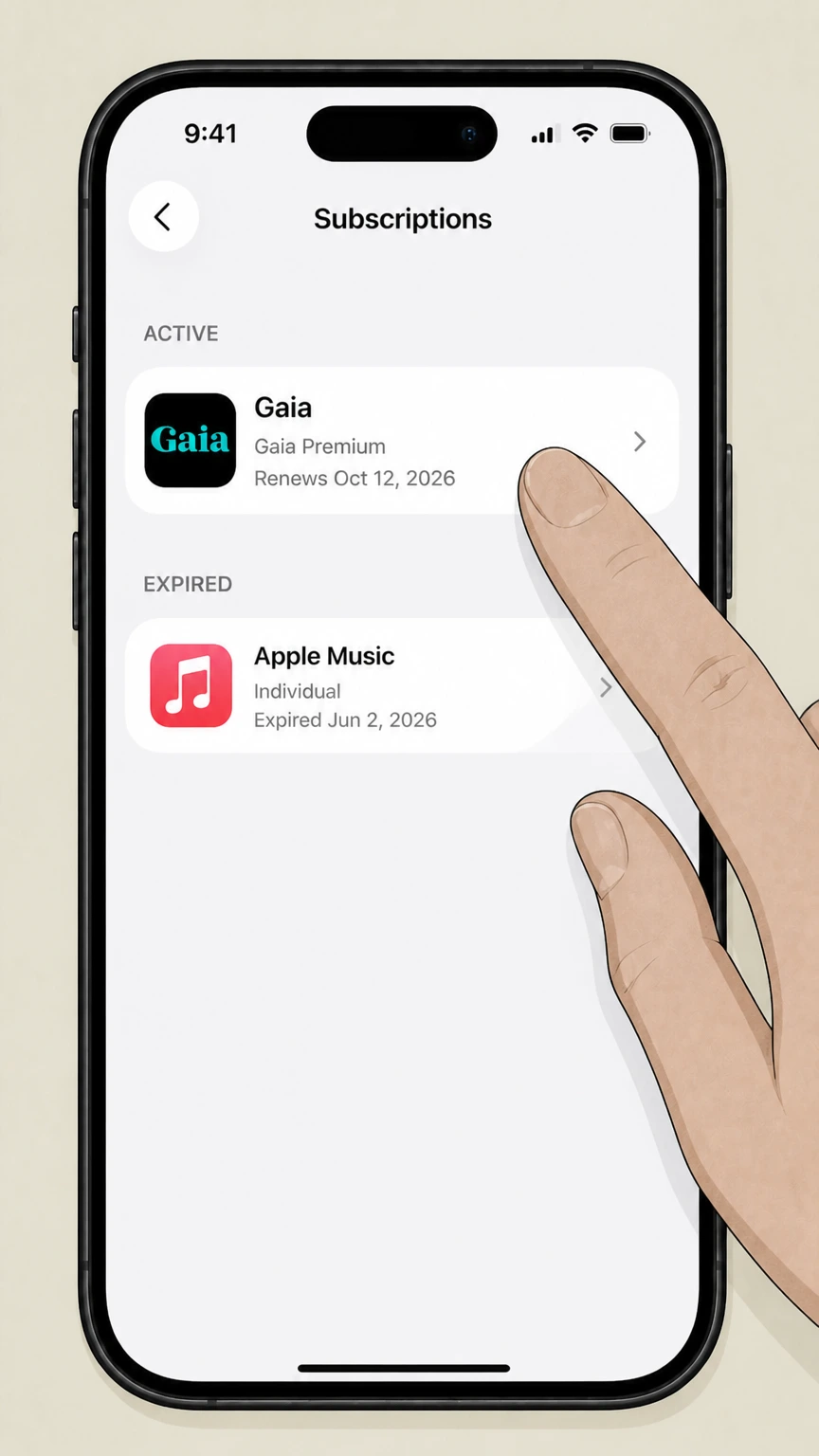
Tap Subscriptions to see a list of all active and expired App Store subscriptions.

4 Find Gaia

Scroll through the list and tap Gaia to open the subscription details.

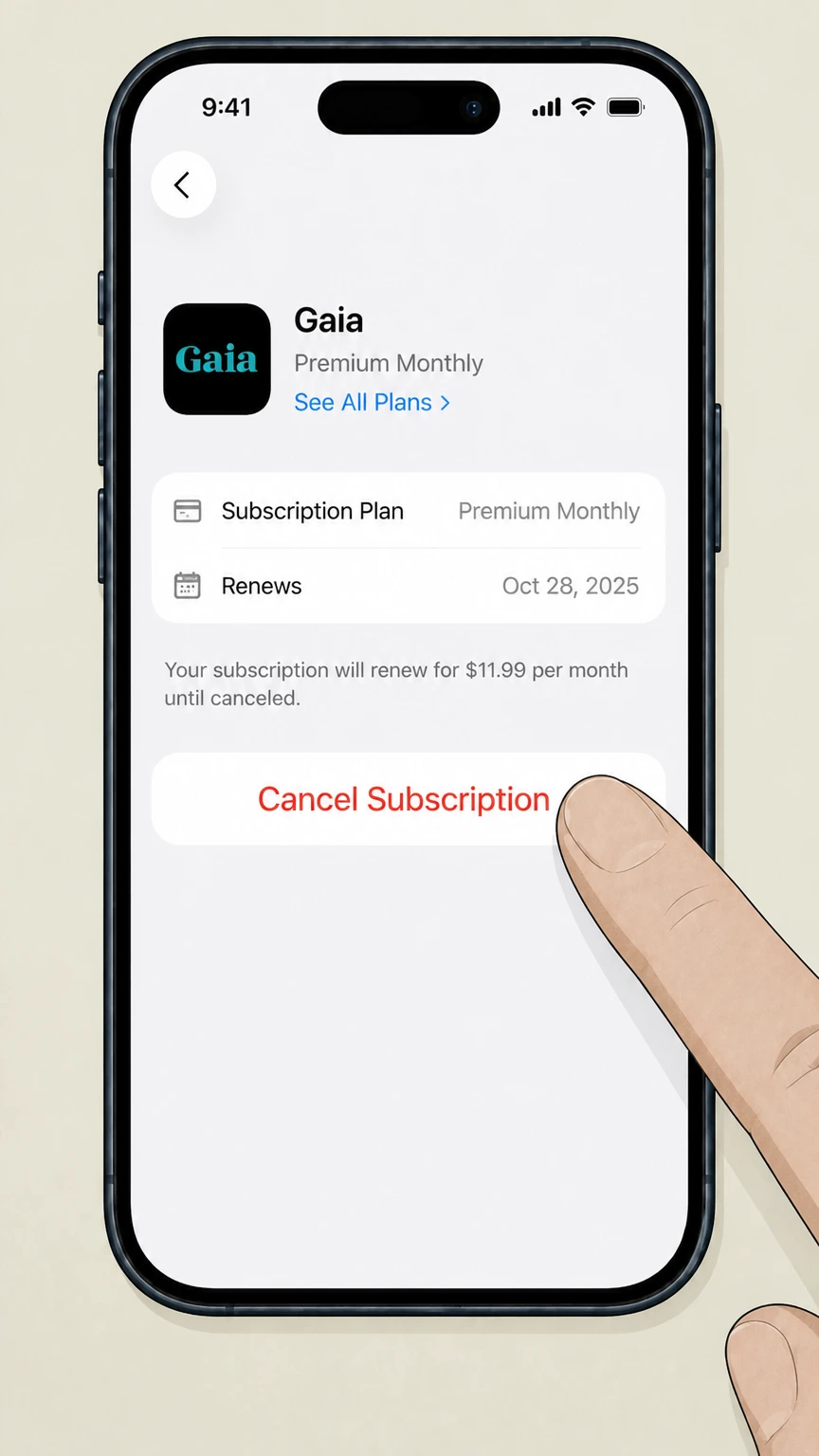
5 Cancel the Subscription

Tap Cancel Subscription at the bottom of the screen. Confirm when prompted. You will retain access until the current billing period ends.

How to Cancel Gaia on Android

Android users who subscribed via Google Play must cancel through the Play Store. Uninstalling the app does not cancel your subscription.

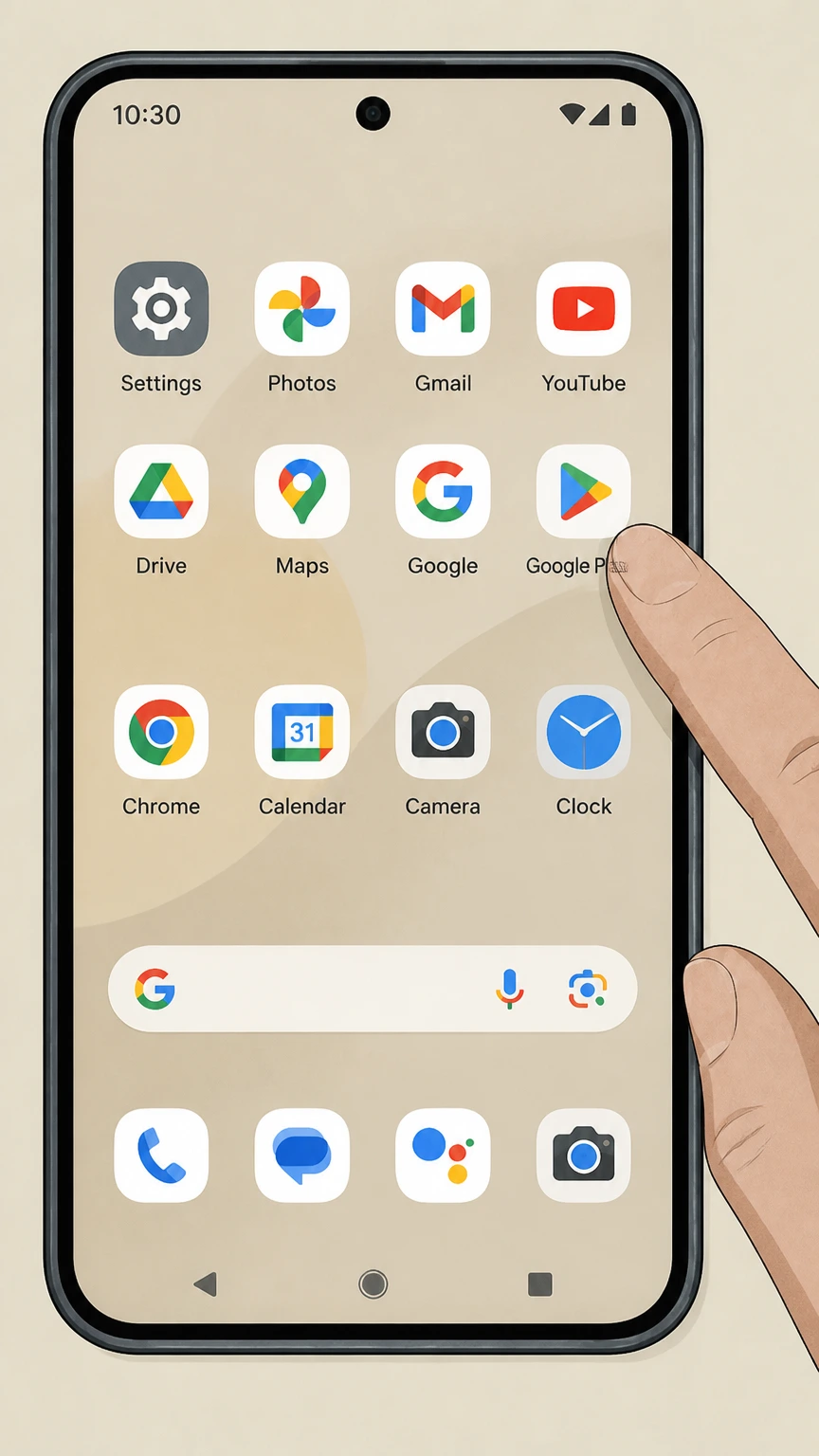
1 Open Google Play Store

Launch the Google Play Store app on your Android device.

2 Access Your Profile

Tap your profile icon in the top-right corner of the screen.

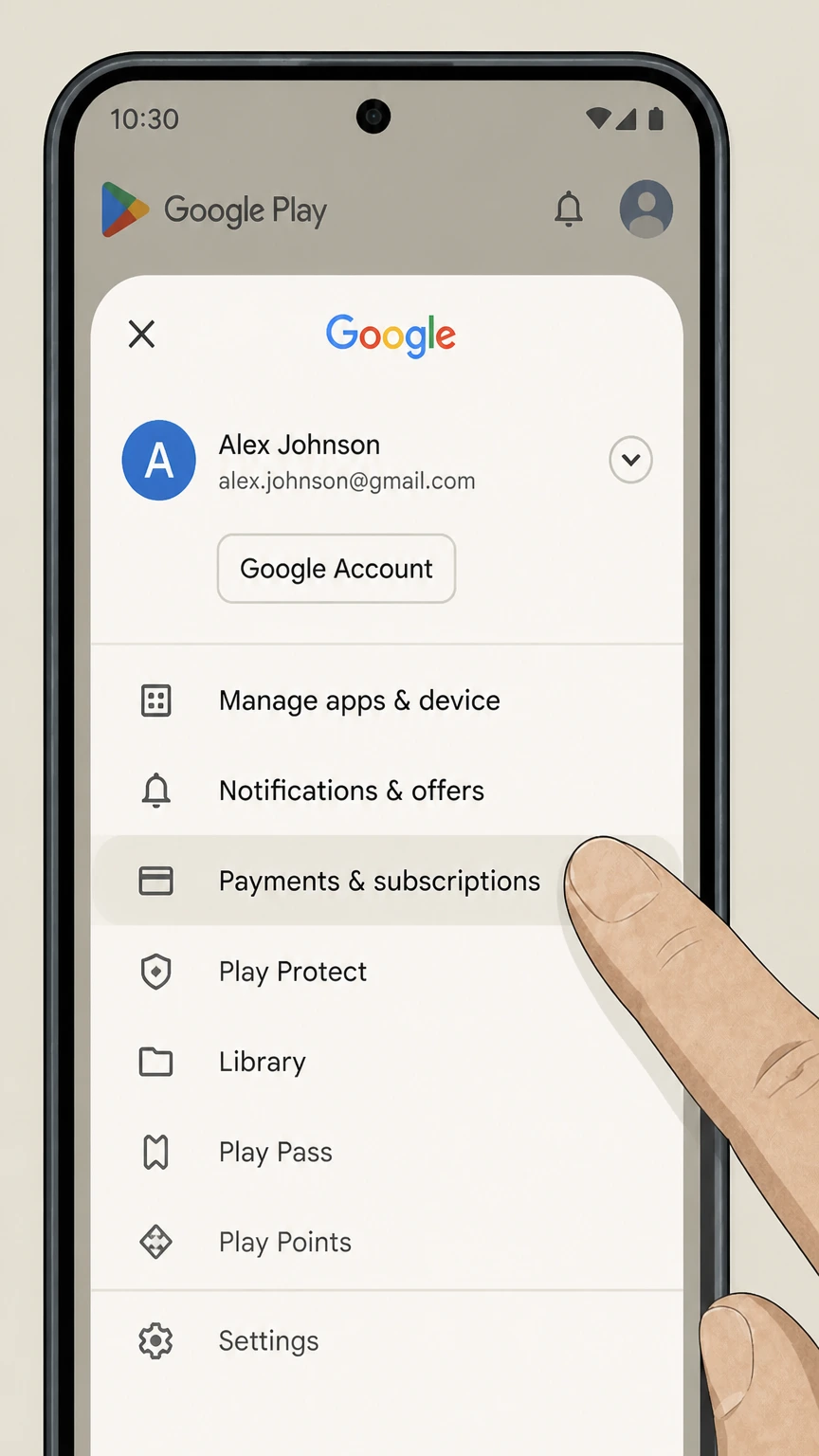
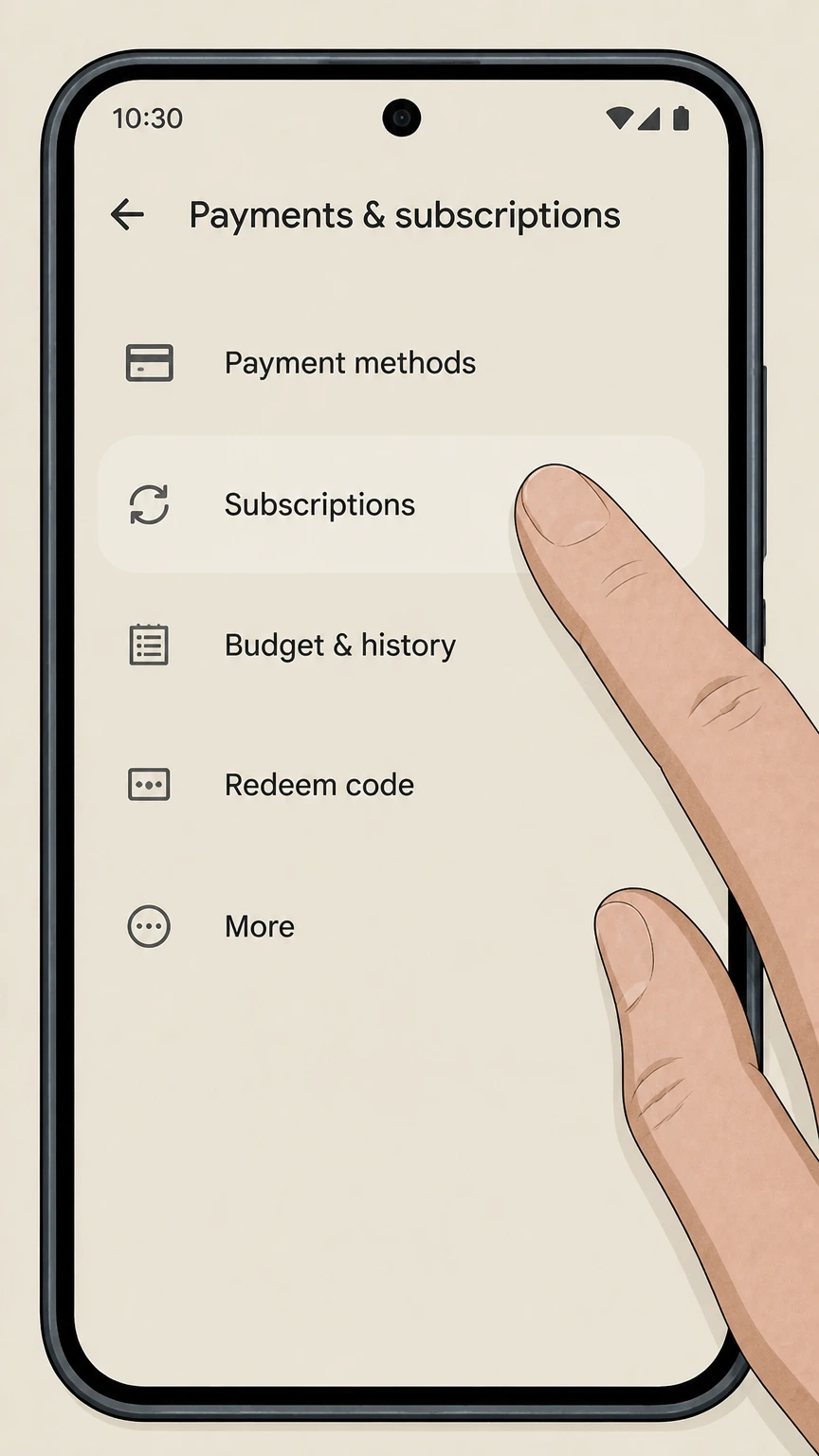
3 Go to Payments and Subscriptions

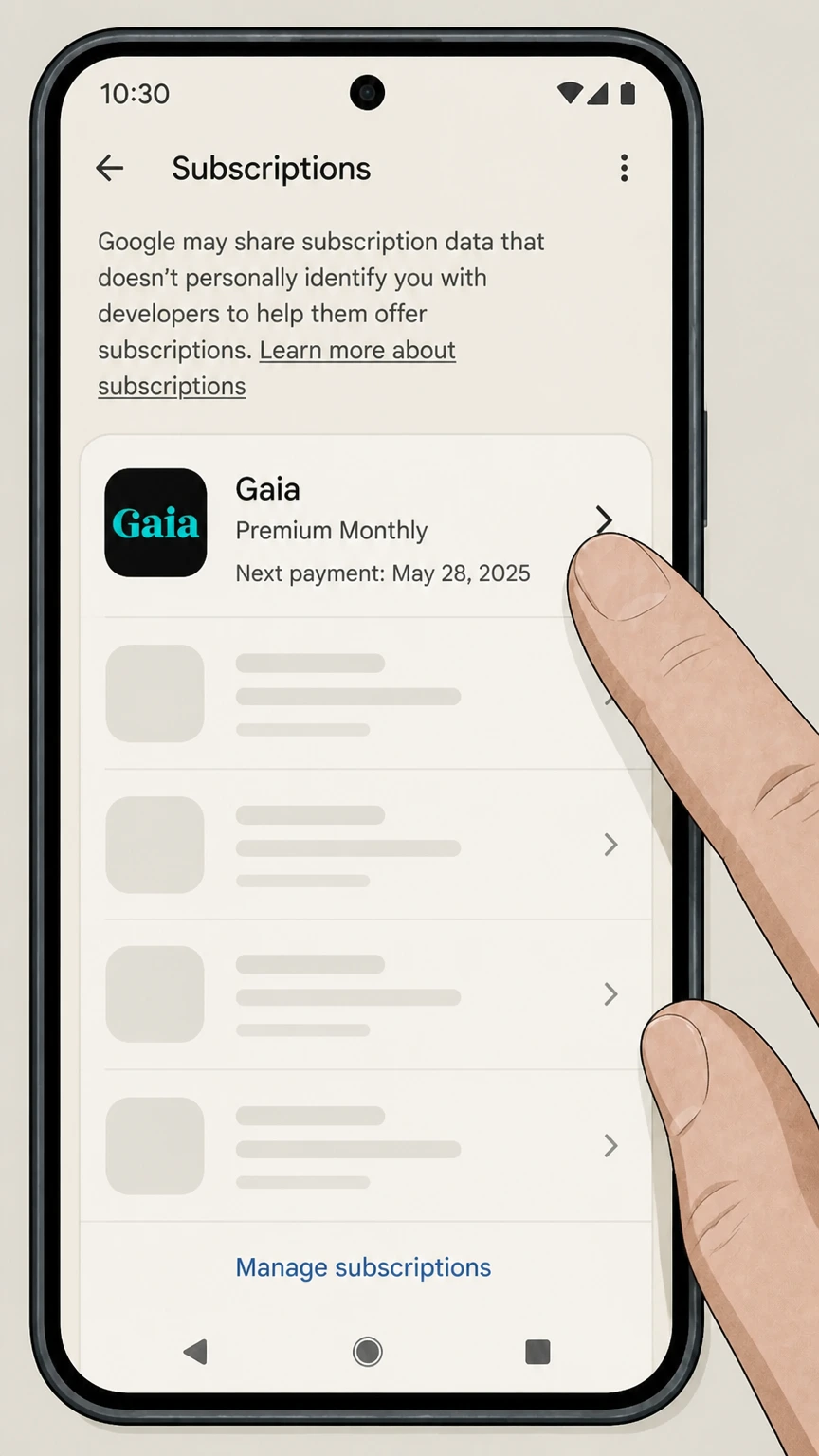
Tap Payments and subscriptions, then tap Subscriptions.

4 Select Gaia

Find Gaia in your subscriptions list and tap on it.

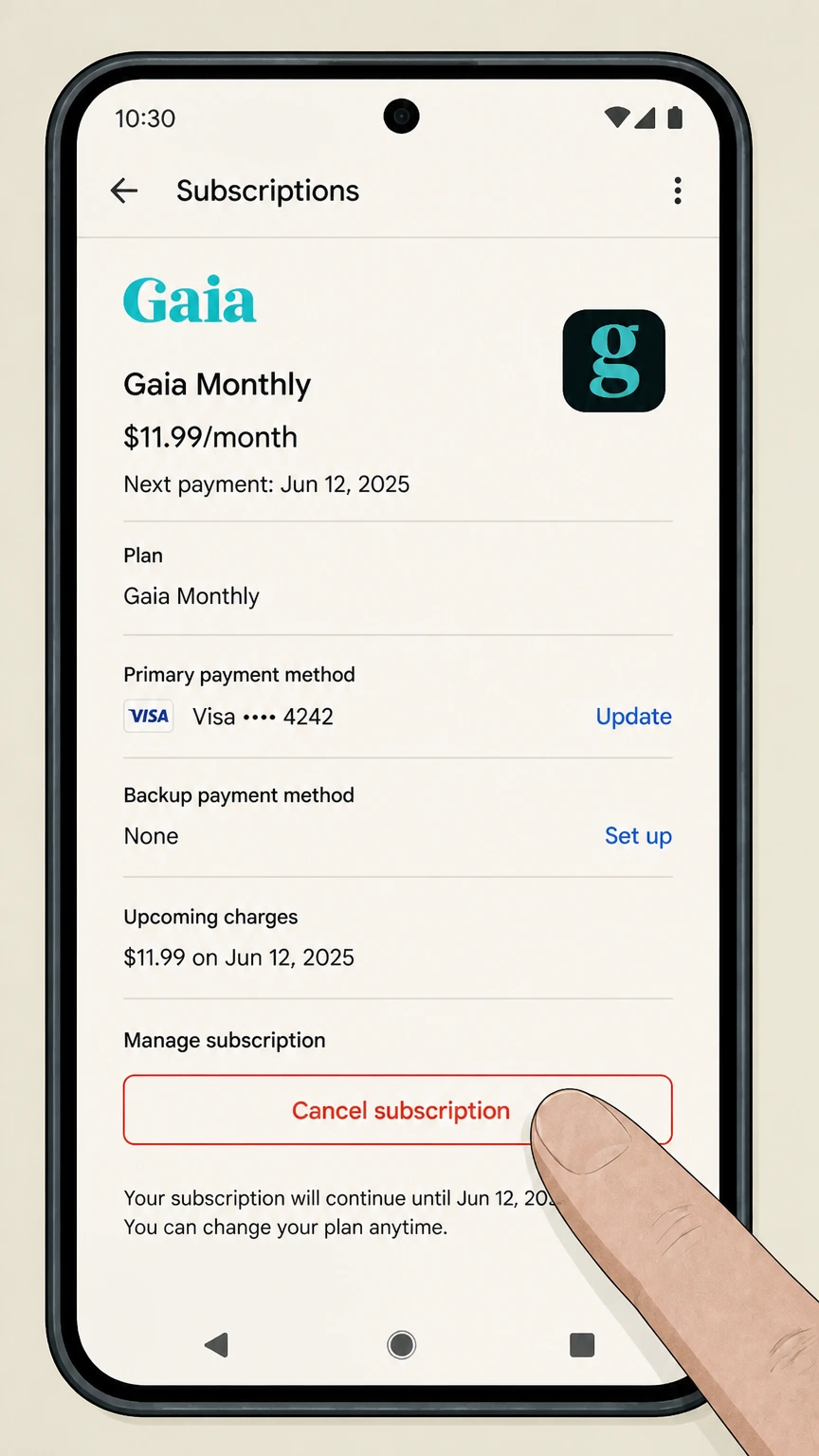
5 Cancel the Subscription

Tap Cancel subscription, follow the on-screen prompts, and confirm. Your access continues until the billing cycle ends.

How to Cancel Gaia on Desktop or Laptop

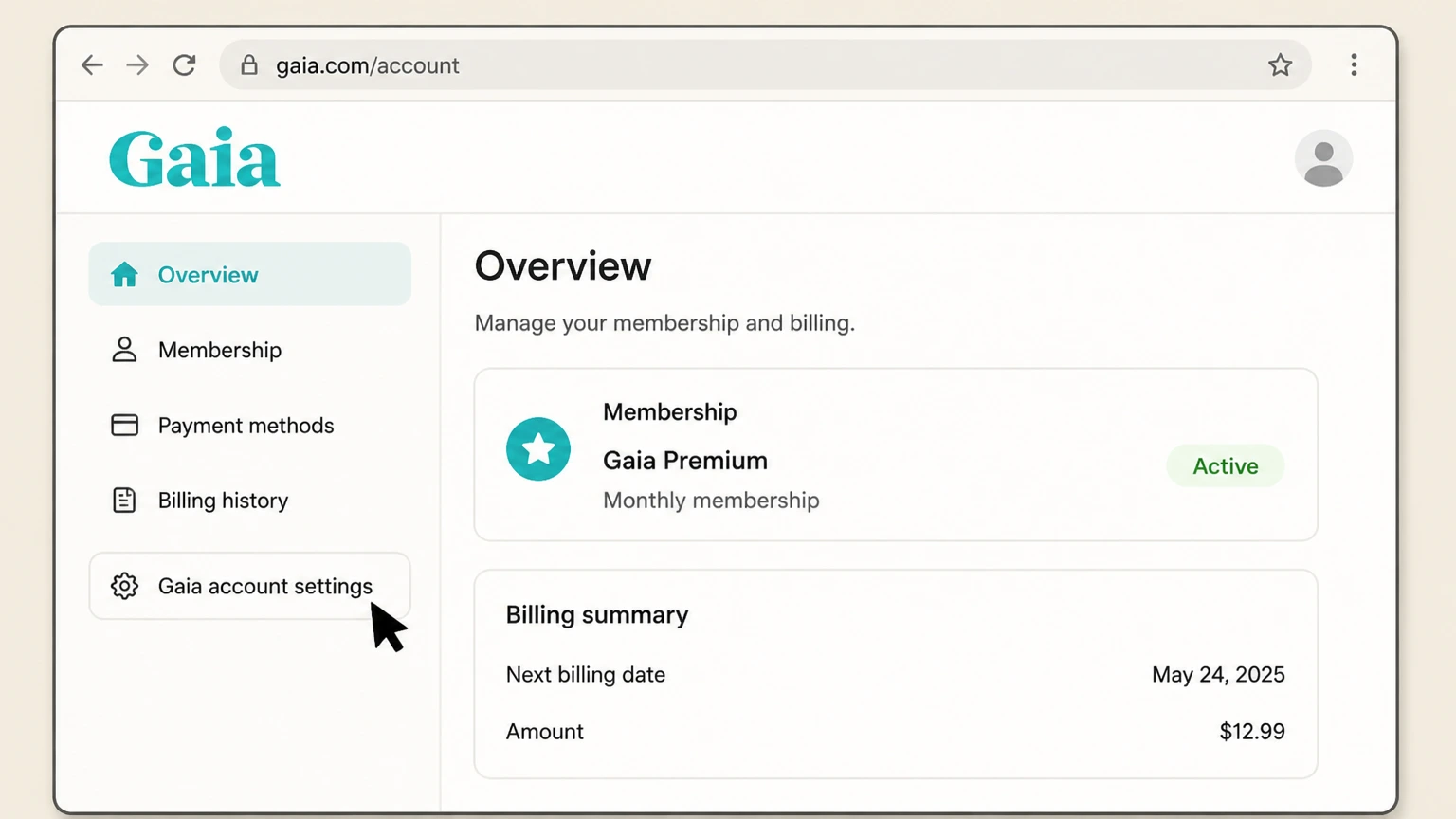
If you signed up directly on Gaia's website, you can cancel through your account settings online. This is often the most straightforward route.

1 Go to Gaia's Website

Open a browser and navigate to gaia.com. Log in with your account credentials.

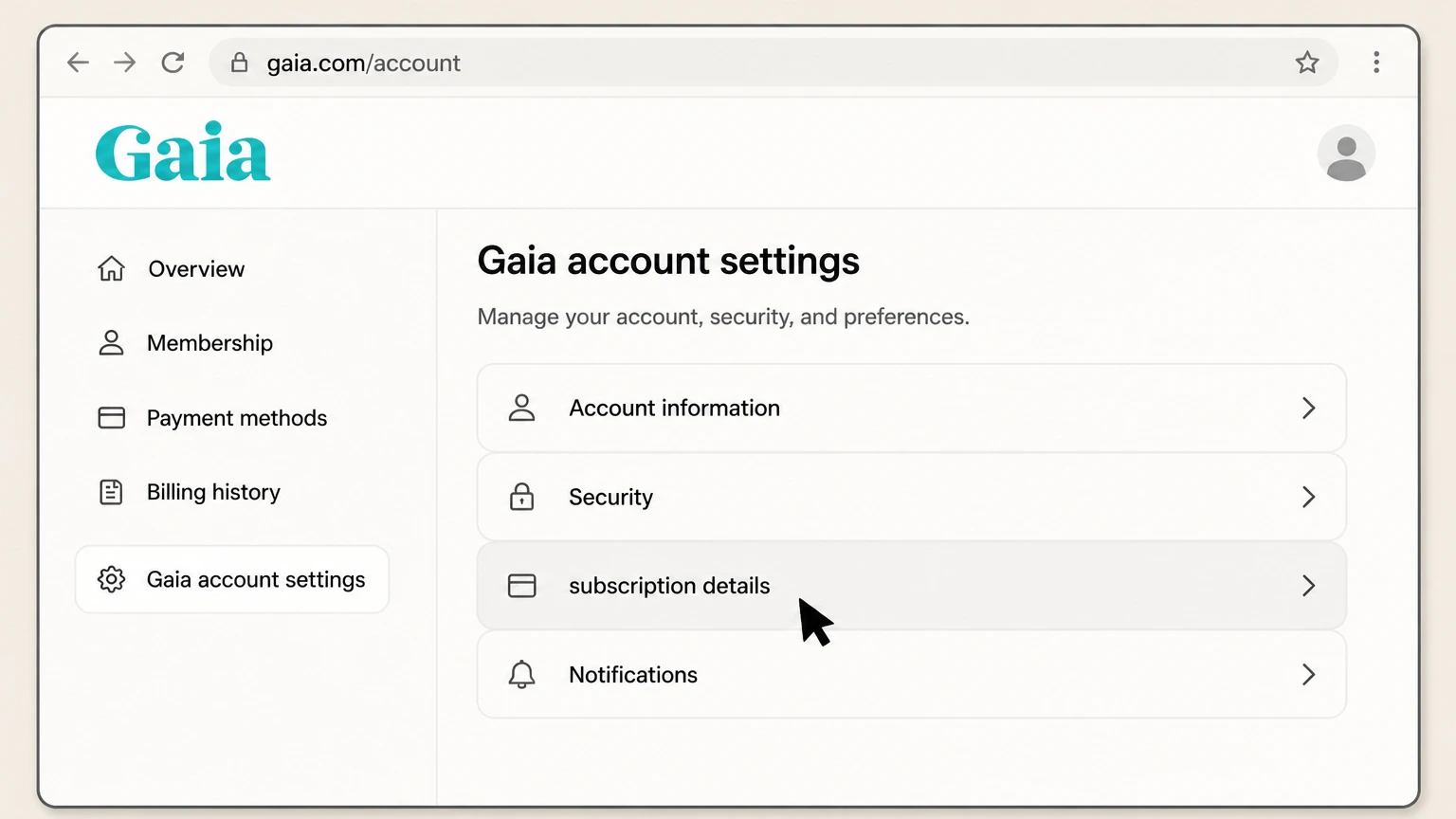
2 Open Account Settings

Click your profile icon or name in the top-right corner, then select Account Settings from the dropdown.

3 Navigate to Membership

Find the Membership or Subscription section within your account settings.

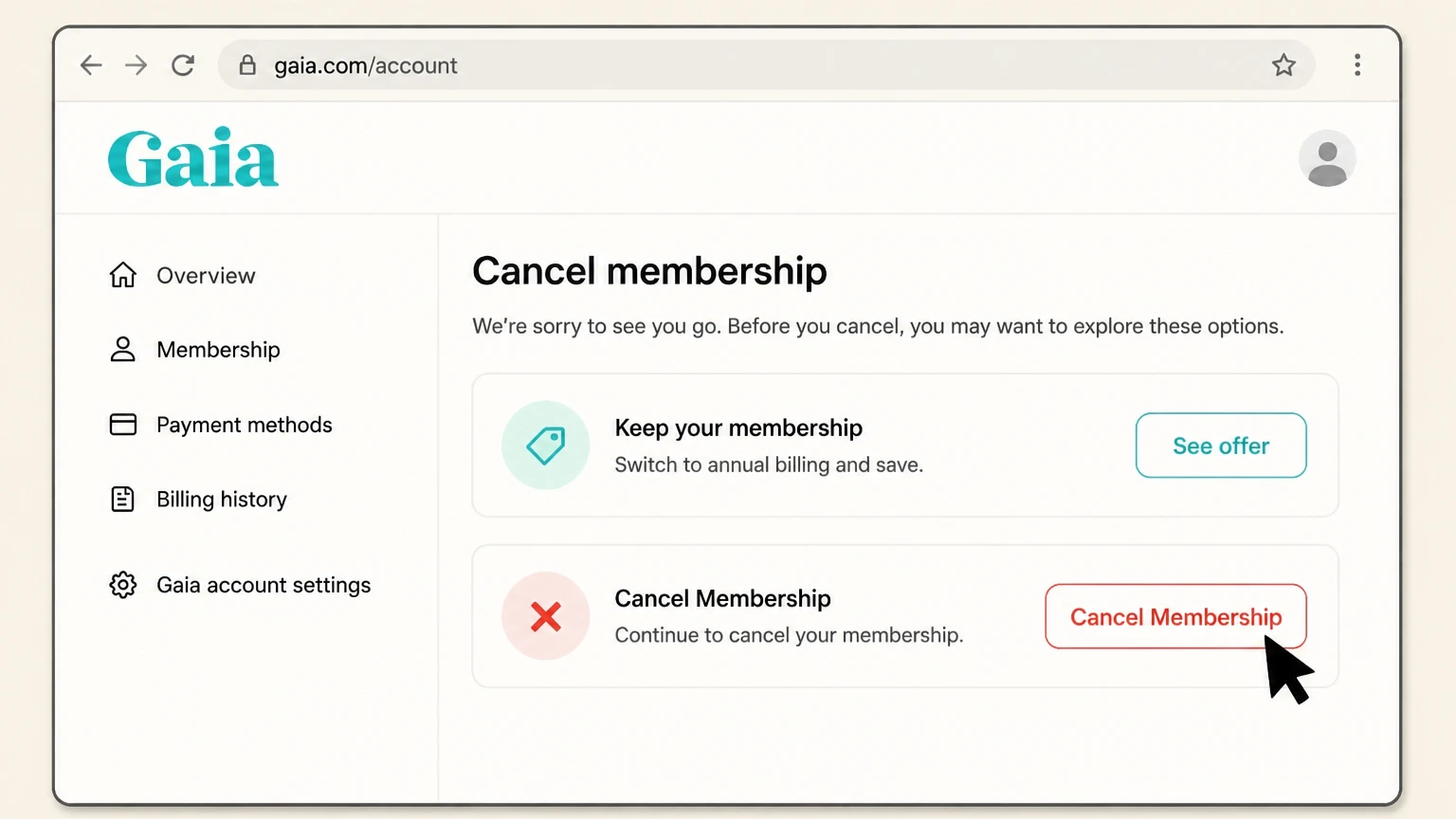
4 Select Cancel Membership

Click Cancel Membership or Cancel Subscription. Gaia may present a retention offer at this point. You can decline and proceed.

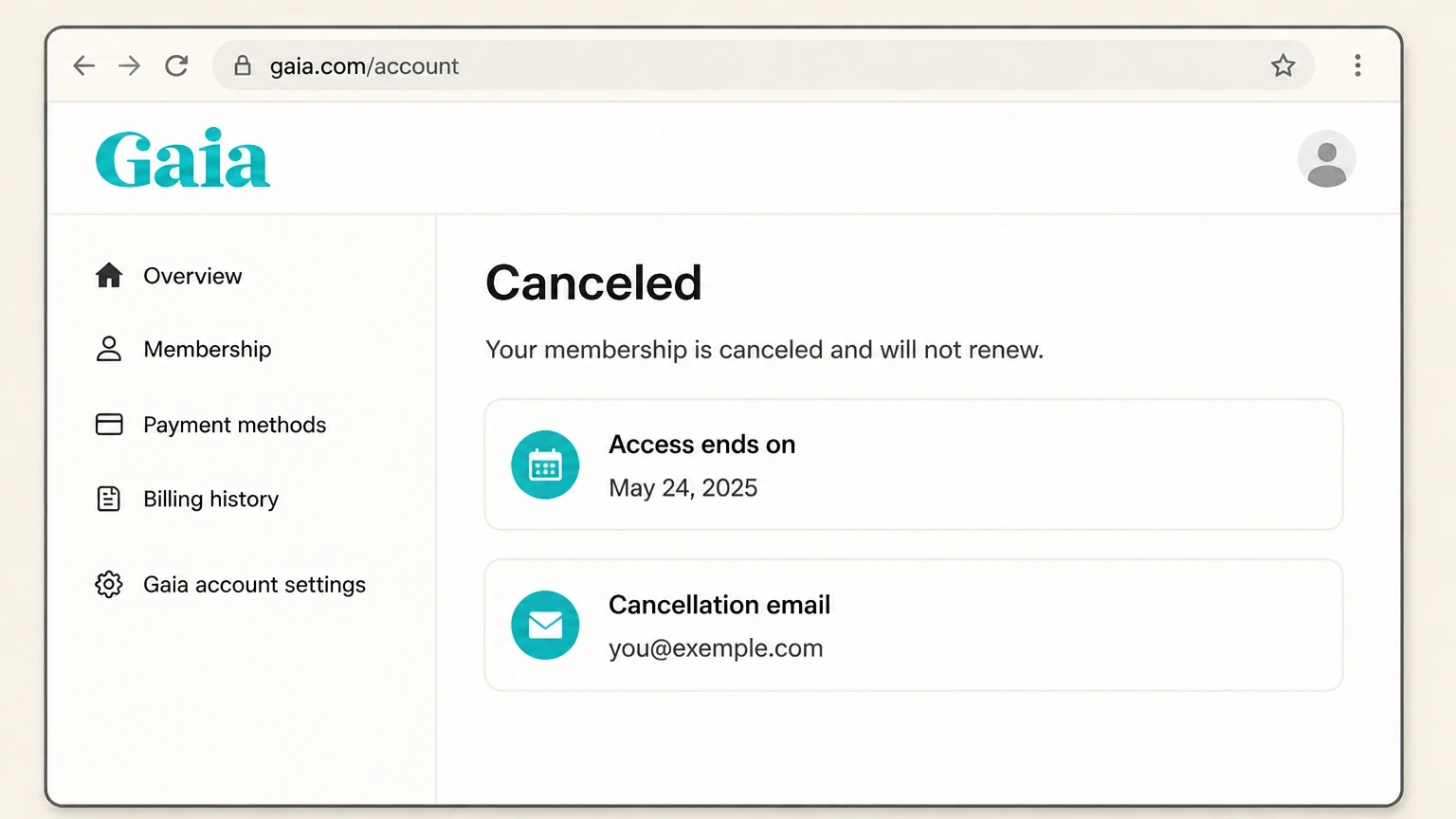
5 Confirm Cancellation

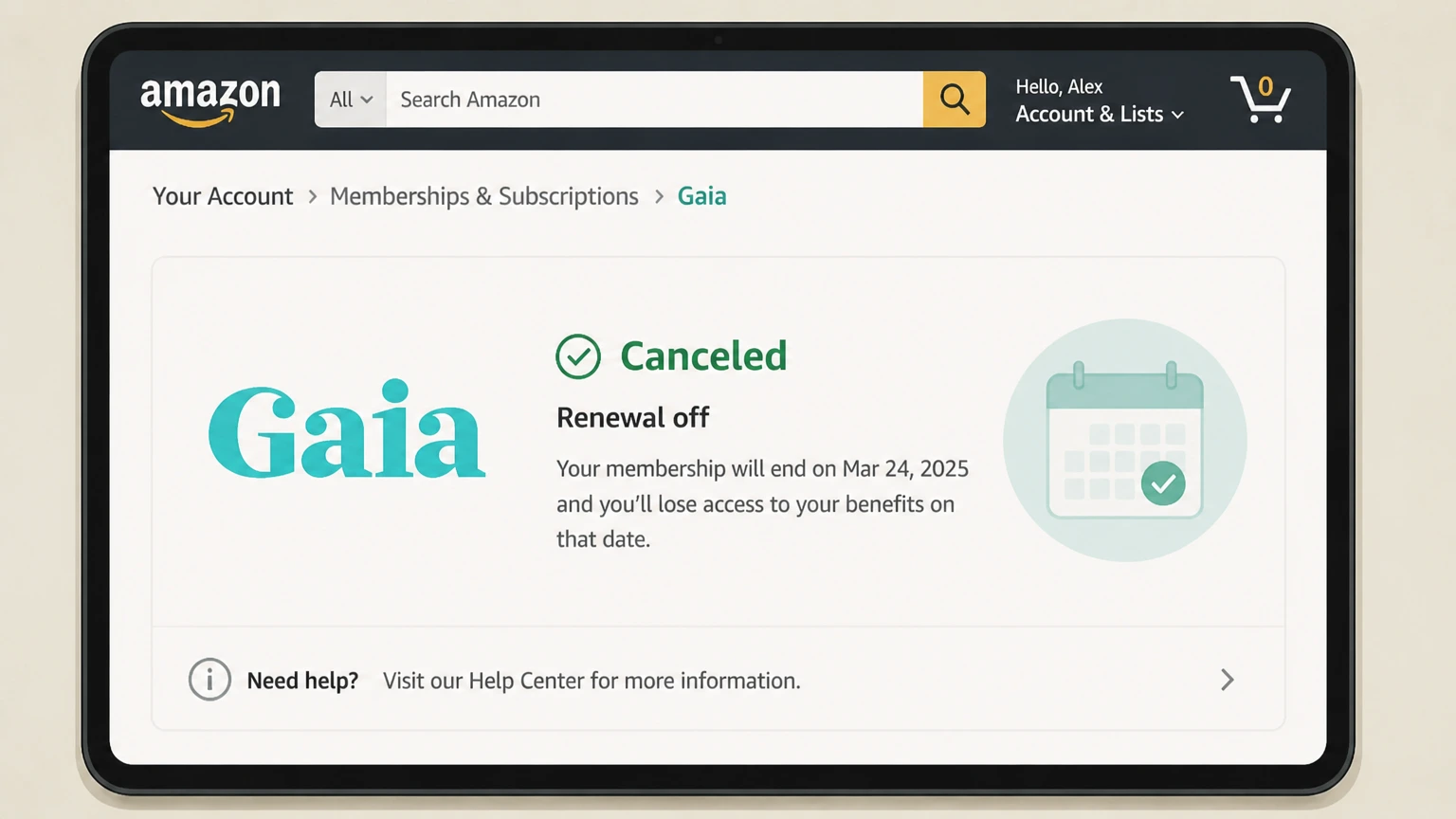
Follow the remaining prompts and confirm your cancellation. Look for a confirmation email as proof. Save it.

Cancel Gaia by Phone

Gaia does not prominently advertise a dedicated cancellation phone line. However, you can reach their customer support team by visiting the Help Center at gaia.com/help and requesting a callback or checking for a listed support number. Support hours are generally Monday through Friday during standard business hours (Mountain Time). If you do reach a representative, clearly state you want to cancel and ask for a confirmation number or email.

Cancel Gaia by Email or Live Chat

Gaia offers email support through their Help Center at gaia.com/help. Submit a cancellation request by filling out the contact form and selecting the billing or subscription topic. Response times typically range from 24 to 72 hours. Live chat availability varies, so check the Help Center for current options. If you do not receive a confirmation within 72 hours, follow up and keep records of all correspondence. This paper trail matters if a billing dispute comes up later.

What is Gaia's Cancellation Policy

Gaia operates on a subscription model with automatic renewal. Key policy points include:

  • No cancellation fee. You can cancel at any time without a penalty.
  • Access after cancellation. Your membership remains active through the end of the current billing period.
  • No automatic refunds. Gaia generally does not issue refunds for unused time after a billing date.
  • Free trial terms. If you cancel during a free trial, you will not be charged, provided you cancel before the trial ends.
  • Annual plans. If you are on an annual plan, cancelling stops future renewals but does not typically trigger a prorated refund.
  • Account status. After cancellation, your account may revert to a limited or inactive state. Your watch history may be retained if you resubscribe later.

Before You Cancel Gaia: What You Should Know

A few things worth checking before you pull the trigger:

  • Timing matters. Cancel at least 24 hours before your next renewal date to avoid being charged for another cycle.
  • Check your billing source. If you subscribed through Apple or Google, you must cancel there, not on Gaia's website. Cancelling in the wrong place is the most common mistake users report.
  • No pause option. As of 2026, Gaia does not appear to offer a subscription pause or freeze feature. It is all or nothing.
  • Refunds are not guaranteed. If you forgot to cancel and got charged, you can contact support, but refunds are handled case by case.
  • Download anything you want to keep. Gaia content is streaming only, so once your access ends, you lose it.
  • Annual plan holders. Consider whether you are close enough to renewal that waiting a few weeks makes more financial sense.

Having Trouble Cancelling Your Gaia Subscription?

Cancellation issues are more common than they should be. Here are the most frequent problems and how to fix them:

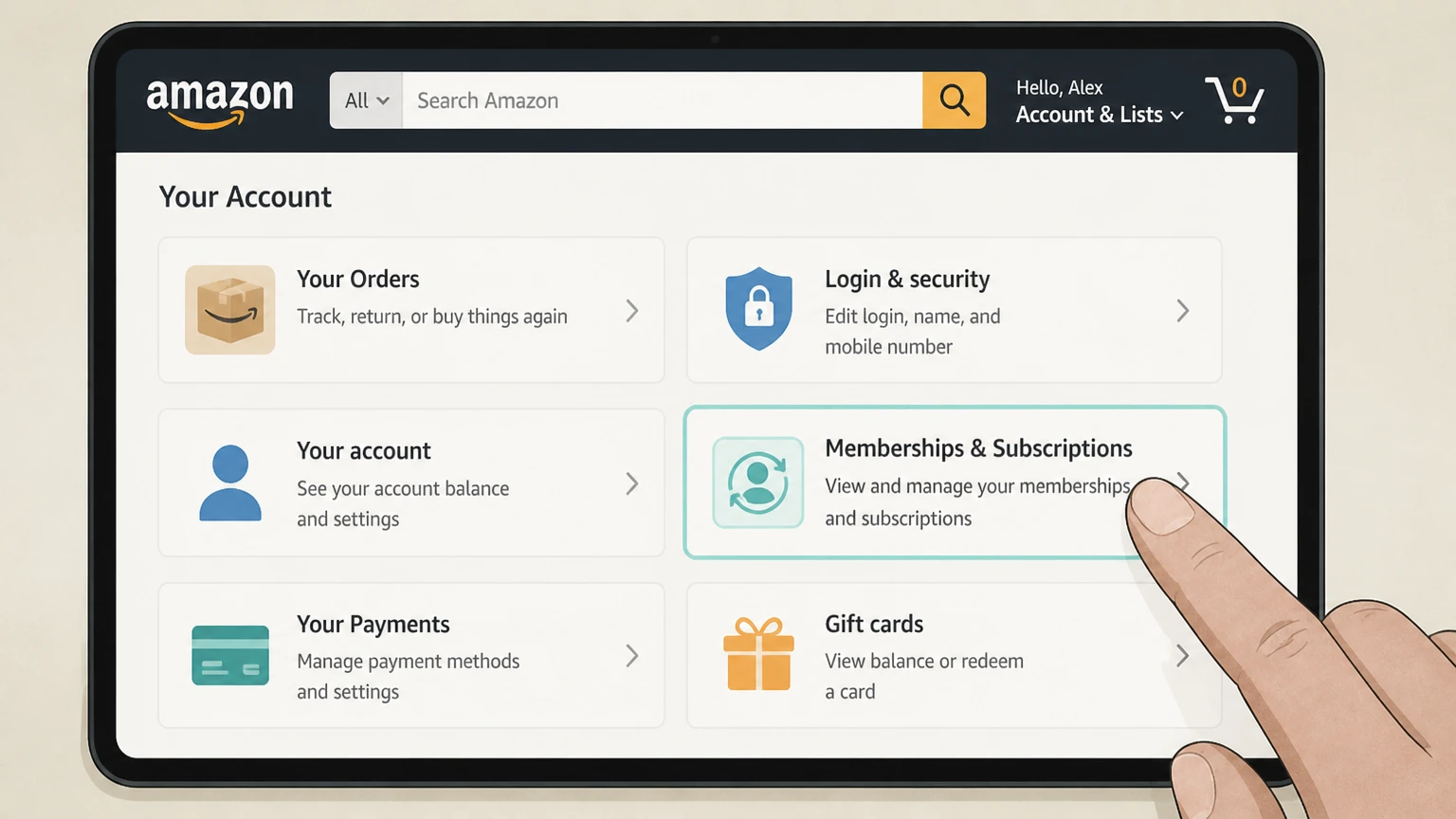
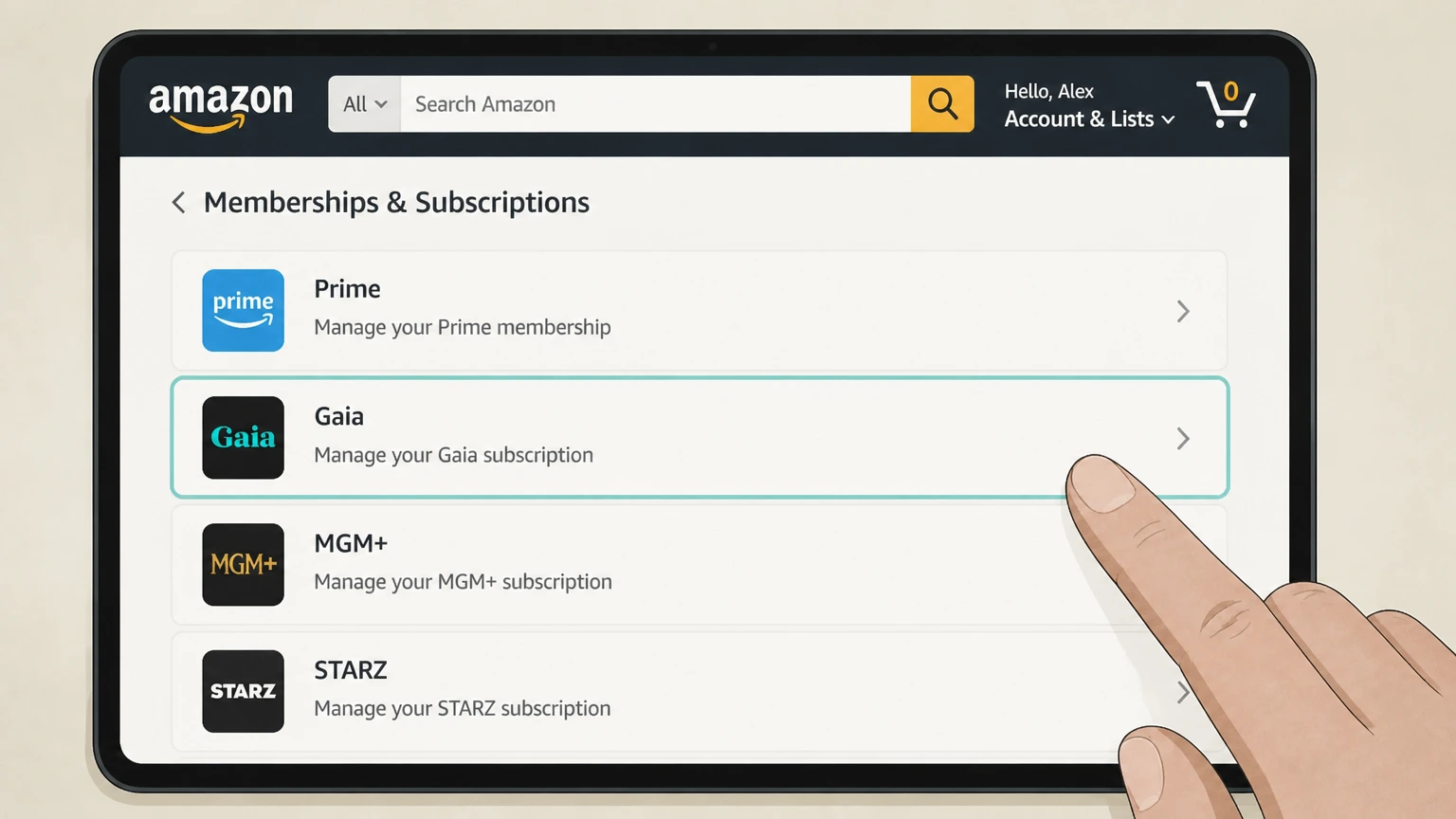
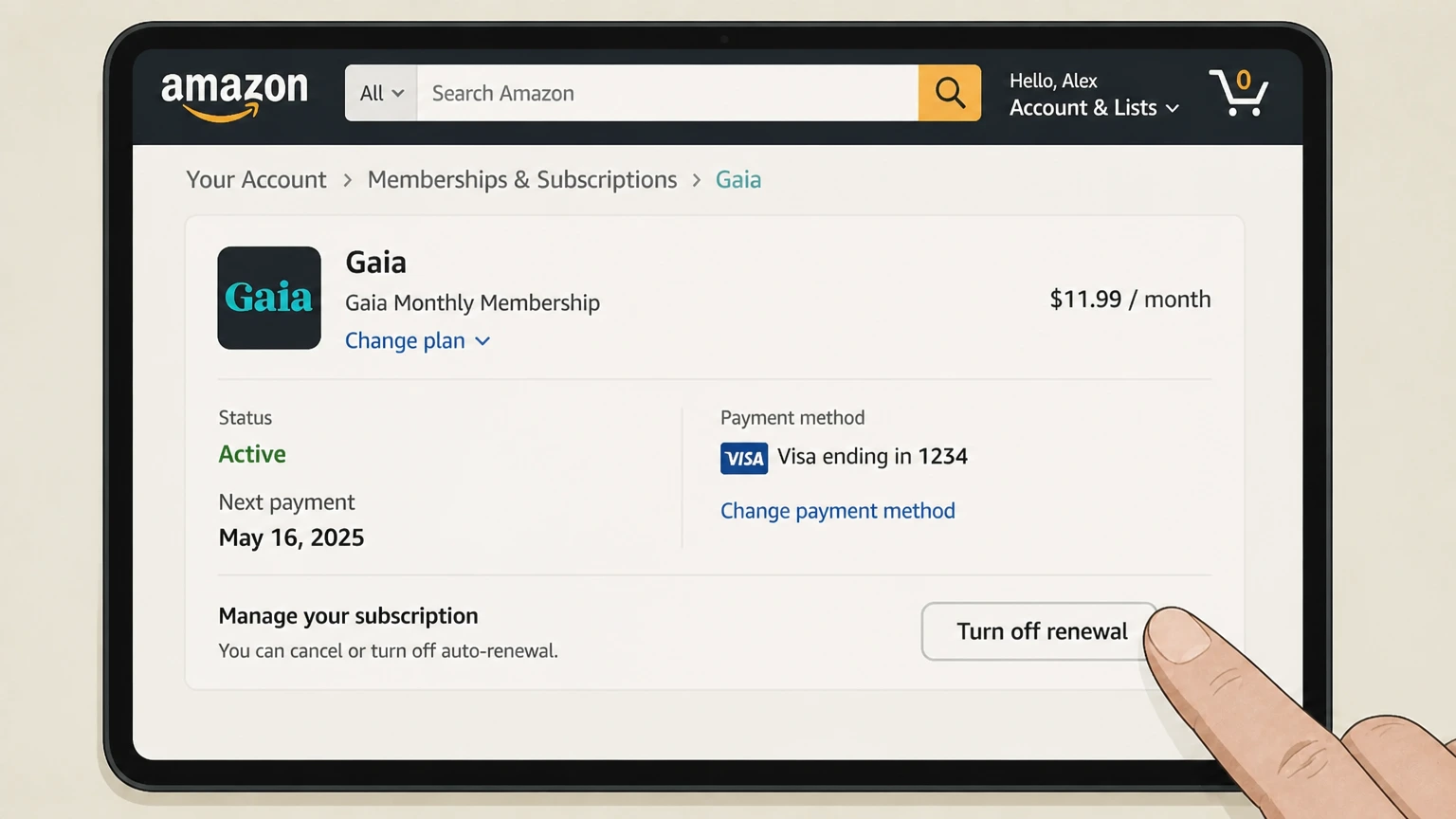
  • Wrong billing channel. If you subscribed through Apple, Google, or Amazon, you cannot cancel on Gaia's website. Go back to the platform where you originally subscribed.
  • Login issues. Make sure you are logged into the correct account. Some users have multiple emails and cancel the wrong one.
  • Page not loading. Clear your browser cache or try an incognito window. Sometimes a stale session blocks the cancellation flow.
  • No cancel button visible. This usually means your subscription is managed by a third party (Apple, Google, etc.). Check those platforms first.
  • Still getting charged after cancellation. Check for a confirmation email. If you never received one, the cancellation may not have gone through. Contact Gaia support immediately and dispute the charge with your bank if needed.
  • Support not responding. Escalate through the Help Center and consider filing a complaint with the BBB or your credit card provider.

Gaia Subscription Plans and Pricing (2026)

Plan Price Billing Interval Key Features
Monthly $11.99/month Monthly Full streaming access, cancel anytime
Annual $95.88/year (~$7.99/month) Yearly Same full access, lower effective monthly rate
Live Access (if available) $22.99/month Monthly Includes live events and premium content

Prices are in USD and subject to change. Check gaia.com for the most current pricing before subscribing or cancelling.

How Pine AI Can Help You Cancel Your Gaia Subscription

With Gaia's cancellation process involving multiple platforms and occasional friction, it is easy to make a mistake that costs you another billing cycle. Pine AI handles the process for you, cleanly and quickly.

Step 1: Let's get started to cancel Gaia Tell Pine you want to cancel your Gaia subscription. Pine identifies your billing source and the correct cancellation path.

Step 2: Pine gets to work Pine navigates the cancellation steps on your behalf, whether that is through Gaia's website, Apple, or Google. No hold music, no retention offers to sit through.

Step 3: You're free from Gaia Pine confirms your cancellation and flags any follow-up needed. You get peace of mind and your money stays in your pocket.

Frequently Asked Questions about Gaia

Can I unsubscribe from Gaia anytime?
icon-show
Can I get a refund from Gaia if I forgot to cancel?
icon-show
How do I know my Gaia subscription is cancelled?
icon-show
How long does it take for Gaia to cancel?
icon-show
What else should I know before I cancel my Gaia subscription?
icon-show
How do I raise a complaint to Gaia?
icon-show
How does Pine AI work with Gaia to cancel my subscription?
icon-show
Chloe Anne-Bennett

Chloe Anne-Bennett

Streaming & Entertainment Editor

Chloe Anne-Bennett is the Streaming & Entertainment Editor at Pine AI. Chloe is a leading voice on the business of streaming, entertainment and the evolving landscape of digital media. Before contributing to Pine AI, Chloe was an entertainment correspondent for a major news outlet, where she reported on everything from box office trends to the impact of streaming services on traditional media. At Pine AI, Chloe leverages her deep industry knowledge to provide our readers with insightful analysis of the latest trends, helping them make sense of their subscriptions and where to hit the sweet spots in how to handle customer service reps.

More Streaming and Entertainment providers for cancelling your subscription

Discover other popular Streaming and Entertainment providers, and see how Pine AI could help you with tricky subscription cancellation issues.

How to Cancel Blacked Raw Subscription

How to Cancel Blacked Raw Subscription

How to Cancel Playboy TV Subscription

How to Cancel Playboy TV Subscription

How to Cancel Brazzers Subscription

How to Cancel Brazzers Subscription

How to Cancel Plex Subscription

How to Cancel Plex Subscription

How to Cancel VR Bangers Subscription

How to Cancel Sky Zone Subscription

How to Cancel Vinyl Me, Please Subscription

How to Cancel YouTube TV Subscription

How to Cancel YouTube TV Subscription

How to Cancel WWE Network Subscription

How to Cancel Pandora Subscription

How to Cancel Pandora Subscription

How to Cancel Boomerang Subscription

How to Cancel Boomerang Subscription

How to Cancel Showtime Subscription

How to Cancel Showtime Subscription

How to Cancel Funimation Subscription

How to Cancel Funimation Subscription

How to Cancel OSN Subscription

How to Cancel OSN Subscription

How to Cancel PBS Subscription

How to Cancel PBS Subscription

How to Cancel JulesJordan Subscription

How to Cancel JulesJordan Subscription

How to Cancel PlayStation Plus Subscription

How to Cancel PlayStation Plus Subscription

How to Cancel Acorn TV Subscription

How to Cancel Acorn TV Subscription

How to Cancel YouTube Premium Subscription

How to Cancel YouTube Premium Subscription

How to Cancel Now That's TV Subscription

How to Cancel Now That's TV Subscription

How to Cancel Willow Subscription

How to Cancel Willow Subscription

How to Cancel Vidio Subscription

How to Cancel Vidio Subscription

How to Cancel KinoPoisk Subscription

How to Cancel KinoPoisk Subscription

How to Cancel Sling TV Subscription

How to Cancel Sling TV Subscription

How to Cancel Stan Subscription

How to Cancel Stan Subscription

How to Cancel Paramount Plus Subscription

How to Cancel Paramount Plus Subscription

How to Cancel ViX Subscription

How to Cancel ViX Subscription

How to Cancel Twitch Subscription

How to Cancel Twitch Subscription

How to Cancel Xbox Game Pass Subscription

How to Cancel Xbox Game Pass Subscription

How to Cancel Capcut Pro Subscription

How to Cancel Capcut Pro Subscription

How to Cancel StarTimes Subscription

How to Cancel StarTimes Subscription

How to Cancel C More Subscription

How to Cancel C More Subscription

How to Cancel Foxtel Subscription

How to Cancel Foxtel Subscription

How to Cancel BritBox Subscription

How to Cancel BritBox Subscription

How to Cancel OCS Subscription

How to Cancel OCS Subscription

How to Cancel TIMvision Subscription

How to Cancel TIMvision Subscription

How to Cancel Wavve Subscription

How to Cancel Wavve Subscription

How to Cancel iROKO Subscription

How to Cancel iROKO Subscription

How to Cancel MUBI Subscription

How to Cancel MUBI Subscription

How to Cancel Philo Subscription

How to Cancel Philo Subscription

How to Cancel U-Next Subscription

How to Cancel U-Next Subscription

How to Cancel Discovery Plus Subscription

How to Cancel Discovery Plus Subscription

How to Cancel SoundCloud Go Subscription

How to Cancel SoundCloud Go Subscription

How to Cancel TV4 Subscription

How to Cancel TV4 Subscription

How to Cancel NFL Plus Subscription

How to Cancel NFL Plus Subscription

How to Cancel Kyivstar Subscription

How to Cancel Kyivstar Subscription

How to Cancel MGM Plus Subscription

How to Cancel MGM Plus Subscription

How to Cancel Apple TV Subscription

How to Cancel Apple TV Subscription

How to Cancel Roku Subscription

How to Cancel Roku Subscription

How to Cancel Shudder Subscription

How to Cancel Shudder Subscription

How to Cancel Peacock Subscription

How to Cancel Peacock Subscription

How to Cancel Chegg Subscription

How to Cancel Chegg Subscription

How to Cancel BluTV Subscription

How to Cancel BluTV Subscription

How to Cancel WOW Subscription

How to Cancel WOW Subscription

How to Cancel ESPN Plus Subscription

How to Cancel ESPN Plus Subscription

How to Cancel Starz Subscription

How to Cancel Starz Subscription

How to Cancel Voyo Subscription

How to Cancel Voyo Subscription

How to Cancel TrueID Subscription

How to Cancel TrueID Subscription

How to Cancel BET Plus Subscription

How to Cancel BET Plus Subscription

How to Cancel ITV Subscription

How to Cancel ITV Subscription

How to Cancel Player Subscription

How to Cancel Player Subscription

How to Cancel Viu Subscription

How to Cancel Viu Subscription

How to Cancel Hulu Subscription

How to Cancel Hulu Subscription

How to Cancel Joyn Subscription

How to Cancel Joyn Subscription

How to Cancel Tivubu Subscription

How to Cancel Tivubu Subscription

How to Cancel TV 2 Subscription

How to Cancel TV 2 Subscription

How to Cancel TV2 Norge Subscription

How to Cancel TV2 Norge Subscription

How to Cancel FuboTV Subscription

How to Cancel FuboTV Subscription

How to Cancel Tencent Video Subscription

How to Cancel Tencent Video Subscription

How to Cancel Coupang Subscription

How to Cancel Coupang Subscription

How to Cancel Crunchyroll Subscription

How to Cancel Crunchyroll Subscription

How to Cancel AMC+ Subscription

How to Cancel AMC+ Subscription

How to Cancel ALTBalaji Subscription

How to Cancel ALTBalaji Subscription

How to Cancel ivi TV Subscription

How to Cancel ivi TV Subscription

How to Cancel Globoplay Subscription

How to Cancel Globoplay Subscription

How to Cancel Mediaset Subscription

How to Cancel Mediaset Subscription

How to Cancel Disney Plus Subscription

How to Cancel Disney Plus Subscription

How to Cancel A&E Crime Central Subscription

How to Cancel A&E Crime Central Subscription

How to Cancel movistar+ Subscription

How to Cancel movistar+ Subscription

How to Cancel Eros Now Subscription

How to Cancel Eros Now Subscription

How to Cancel TV+ Subscription

How to Cancel TV+ Subscription

How to Cancel History Vault Subscription

How to Cancel History Vault Subscription

How to Cancel iQIYI Subscription

How to Cancel iQIYI Subscription

How to Cancel BlazeTV Subscription

How to Cancel BlazeTV Subscription

How to Cancel HBO Max Subscription

How to Cancel HBO Max Subscription

How to Cancel Videoland Subscription

How to Cancel Videoland Subscription

How to Cancel Canal Plus Subscription

How to Cancel Canal Plus Subscription

How to Cancel Curiosity Stream Subscription

How to Cancel Curiosity Stream Subscription

How to Cancel Binge Subscription

How to Cancel Binge Subscription

How to Cancel Zee5 Subscription

How to Cancel Zee5 Subscription

How to Cancel Bein Subscription

How to Cancel Bein Subscription

How to Cancel RTL Plus Subscription

How to Cancel RTL Plus Subscription

How to Cancel MLB.TV Subscription

How to Cancel MLB.TV Subscription

How to Cancel Megogo Subscription

How to Cancel Megogo Subscription

How to Cancel SonyLiv Subscription

How to Cancel SonyLiv Subscription

How to Cancel Kayo Sports Subscription

How to Cancel Kayo Sports Subscription

How to Cancel Tidal Subscription

How to Cancel Tidal Subscription

How to Cancel DStv Subscription

How to Cancel DStv Subscription

How to Cancel Ubisoft Plus Subscription

How to Cancel Ubisoft Plus Subscription

How to Cancel Shahid Subscription

How to Cancel Shahid Subscription