


FOX Nation
Cancel subscription
How to Cancel FOX Nation Subscription
Cancel FOX Nation through the company that bills the subscription. Cancel with FOX Nation only when its account page owns billing; otherwise use Apple, Google Play, Roku, Amazon, or the TV provider named on the receipt. A completed cancellation stops the next renewal with the billing owner; the confirmation screen determines remaining access and any partner impact. Compare every supported billing route, cancellation effect, refund boundary, and proof to keep.
- 3 official sources checked
- 6 billing routes separated
- Cancellation and refund outcomes kept distinct
Cancel FOX Nation through the company that bills you
Web · Verify this billing owner
Cancel FOX Nation on the web
 1
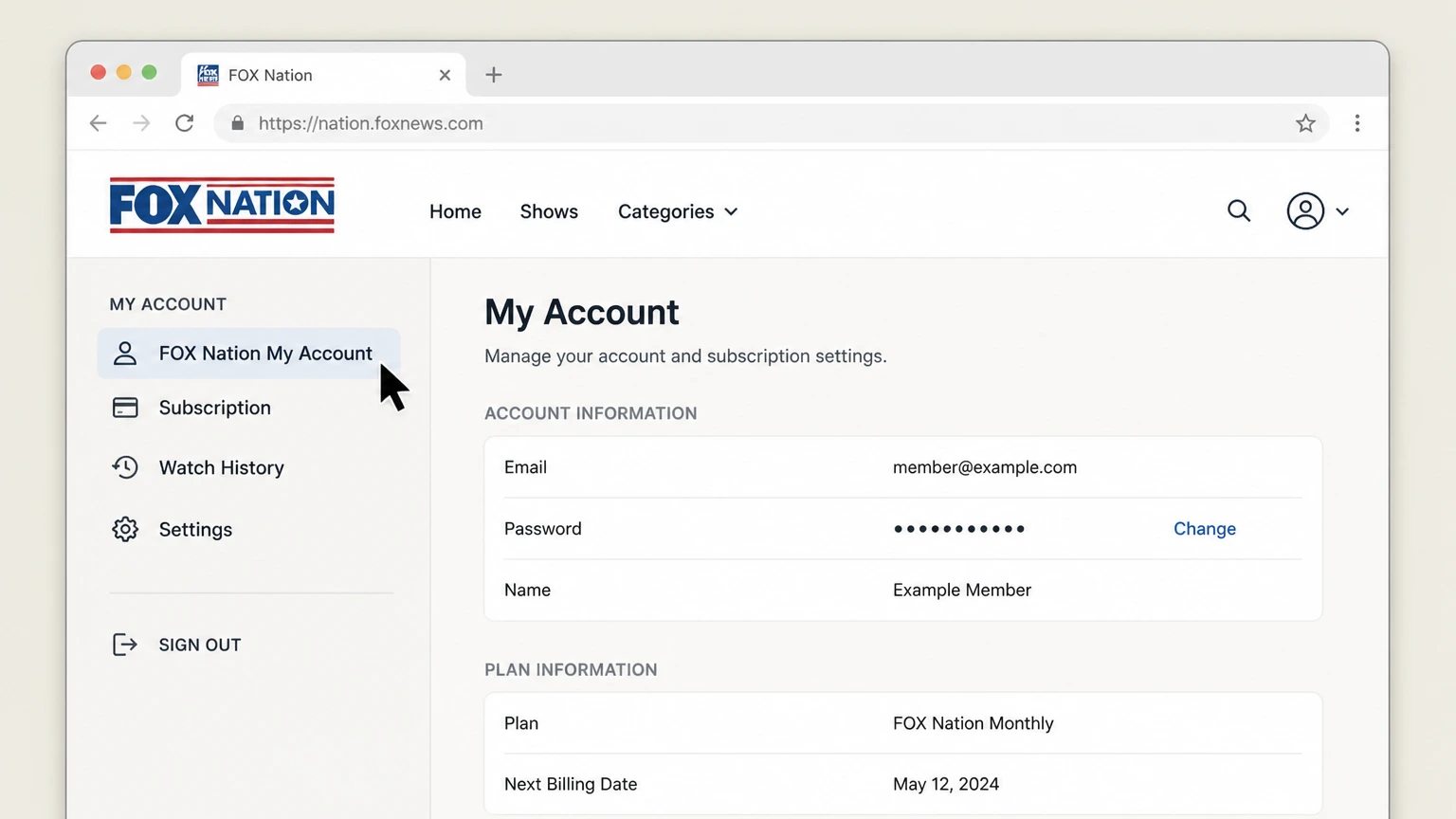
1Open FOX Nation My Account
Sign in on the website with the email connected to the direct subscription.
 2
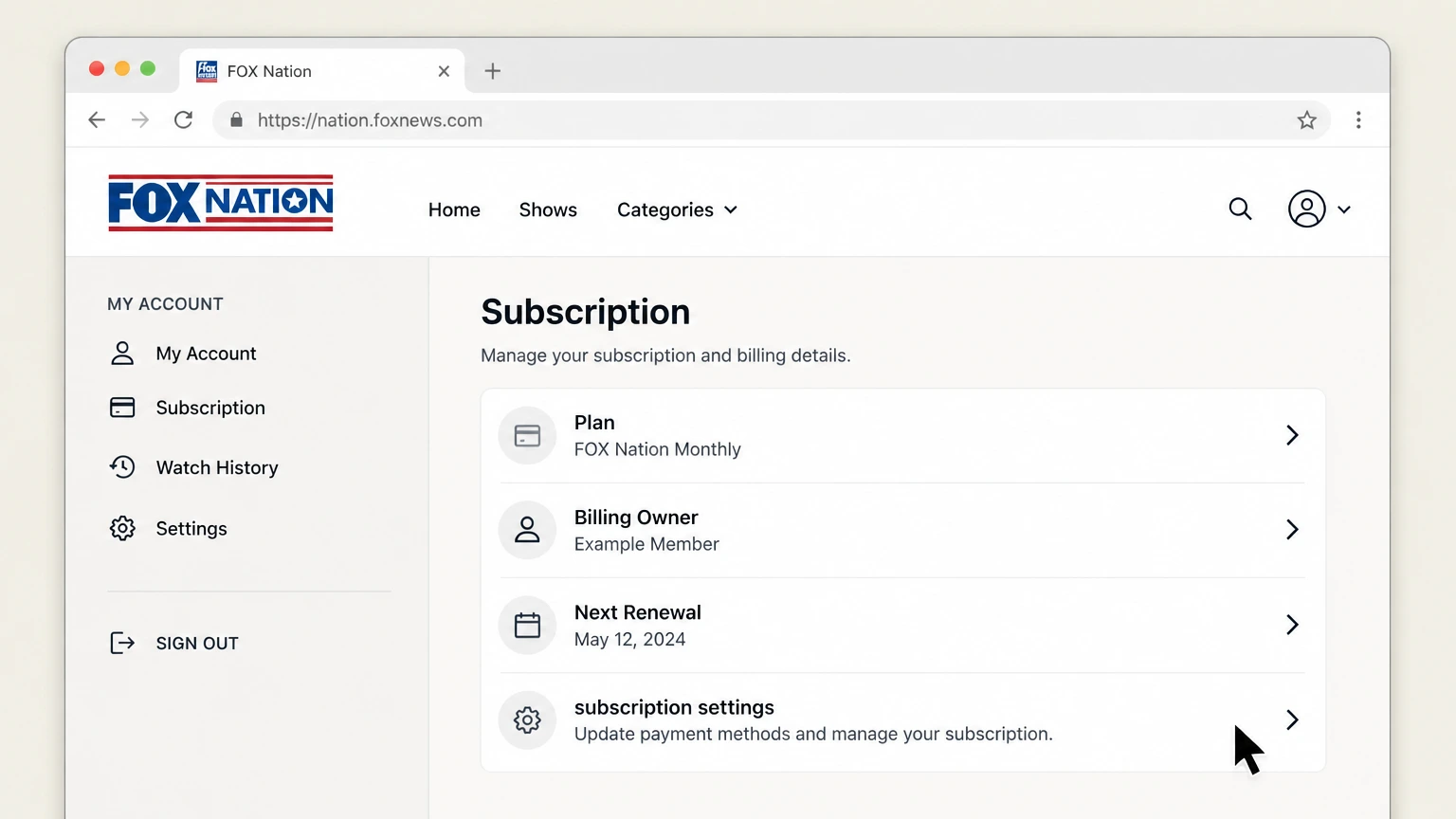
2Open subscription settings
Verify the plan, billing owner, and renewal date.
- Let Pine handle it
Pine can help
Too many steps?
Pine can find the right Web path and handle the cancellation for you.
 3
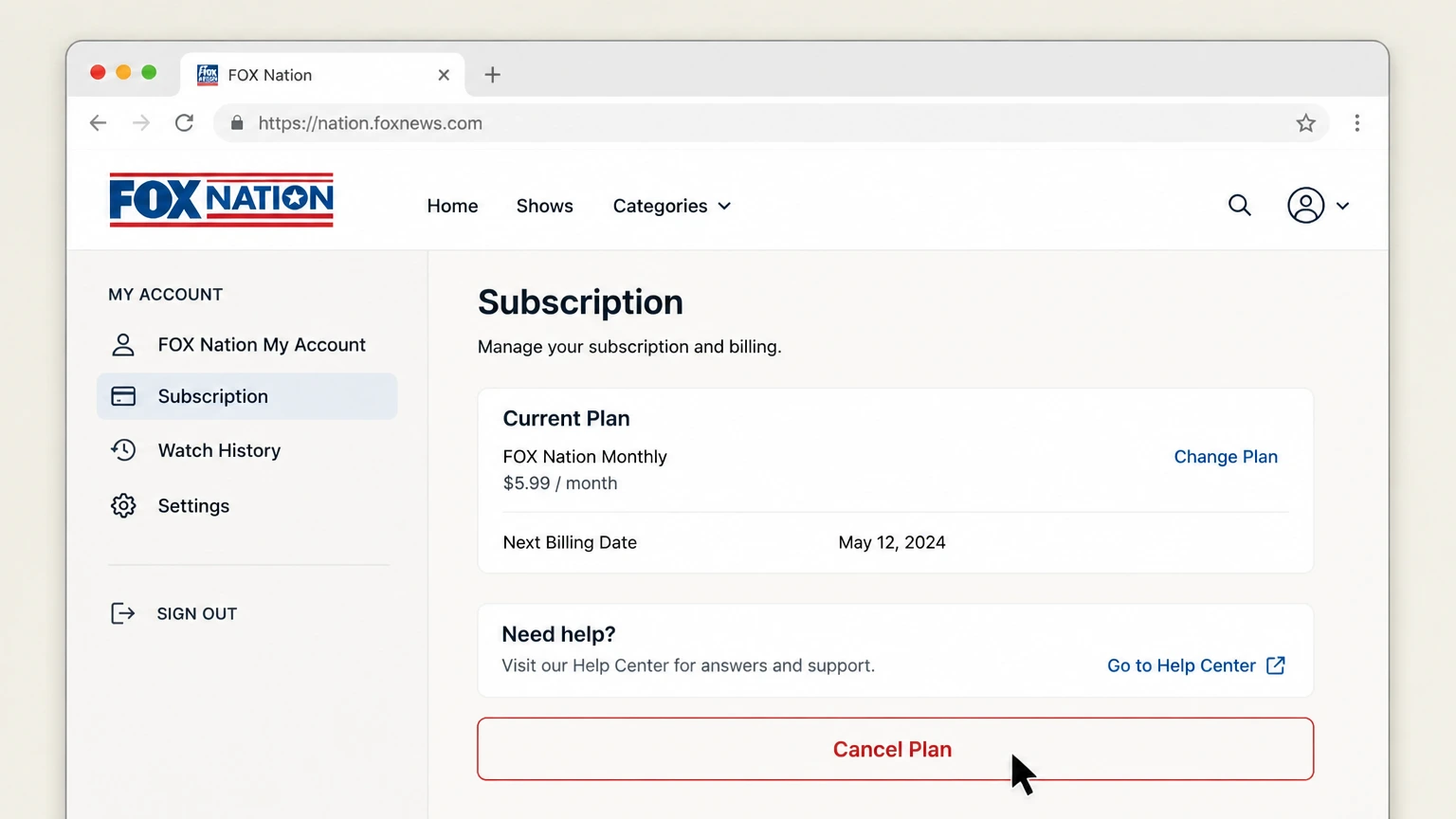
3Choose Cancel Plan
Follow the signed-in prompts without accepting a plan change unless intended.
 4
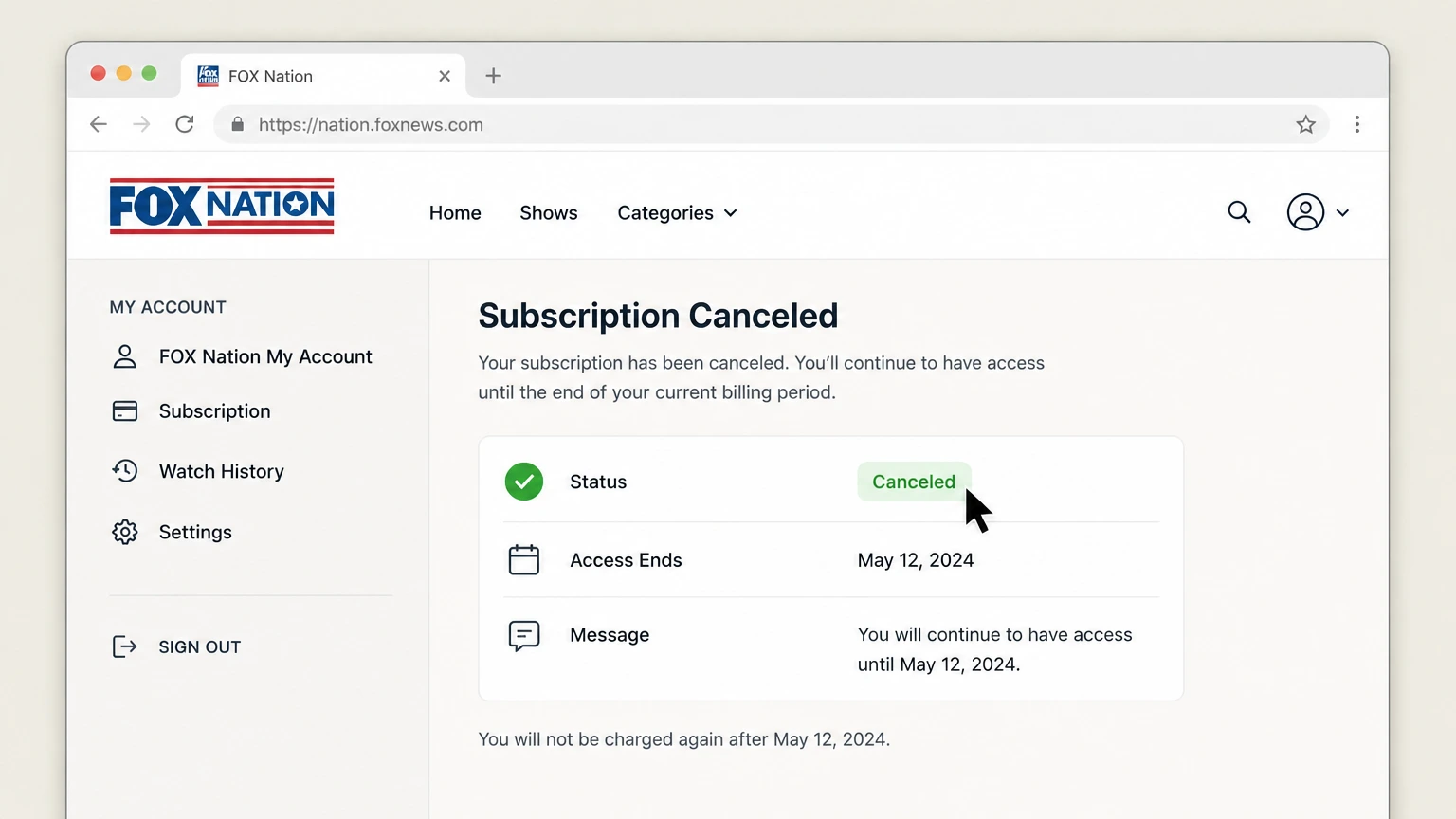
4Verify cancellation
Save the canceled status, effective date, and confirmation message.

iOS · Verify this billing owner
Cancel FOX Nation through iOS
 1
1Open Settings
On an iPhone, open Settings while signed in to the Apple Account used for the purchase.
 2
2Tap your name
Open the Apple Account card at the top of Settings.
- Let Pine handle it
Pine can help
Too many steps?
Pine can find the right iOS path and handle the cancellation for you.
 3
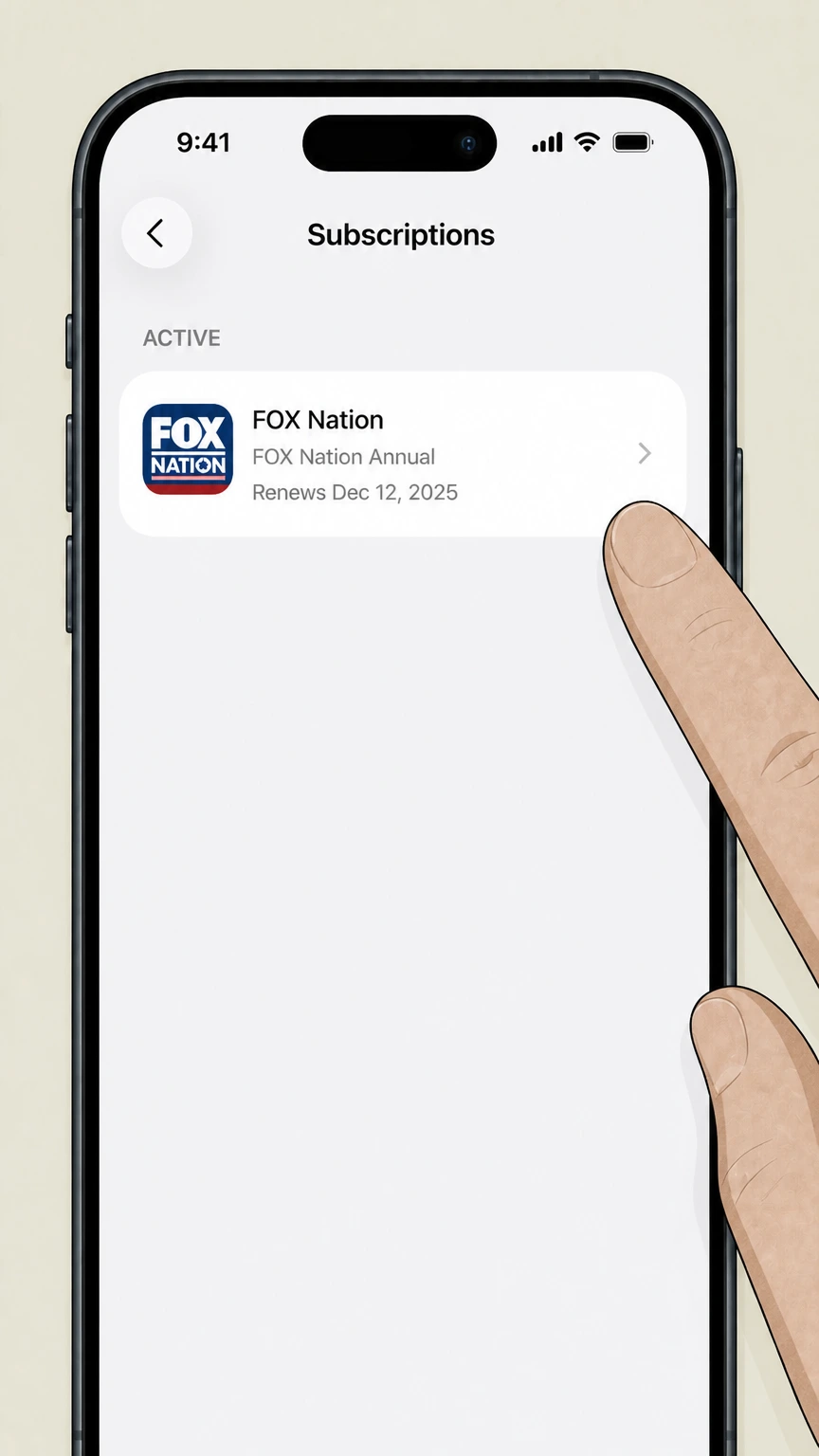
3Open Subscriptions
Tap Subscriptions and wait for the active subscription list.
 4
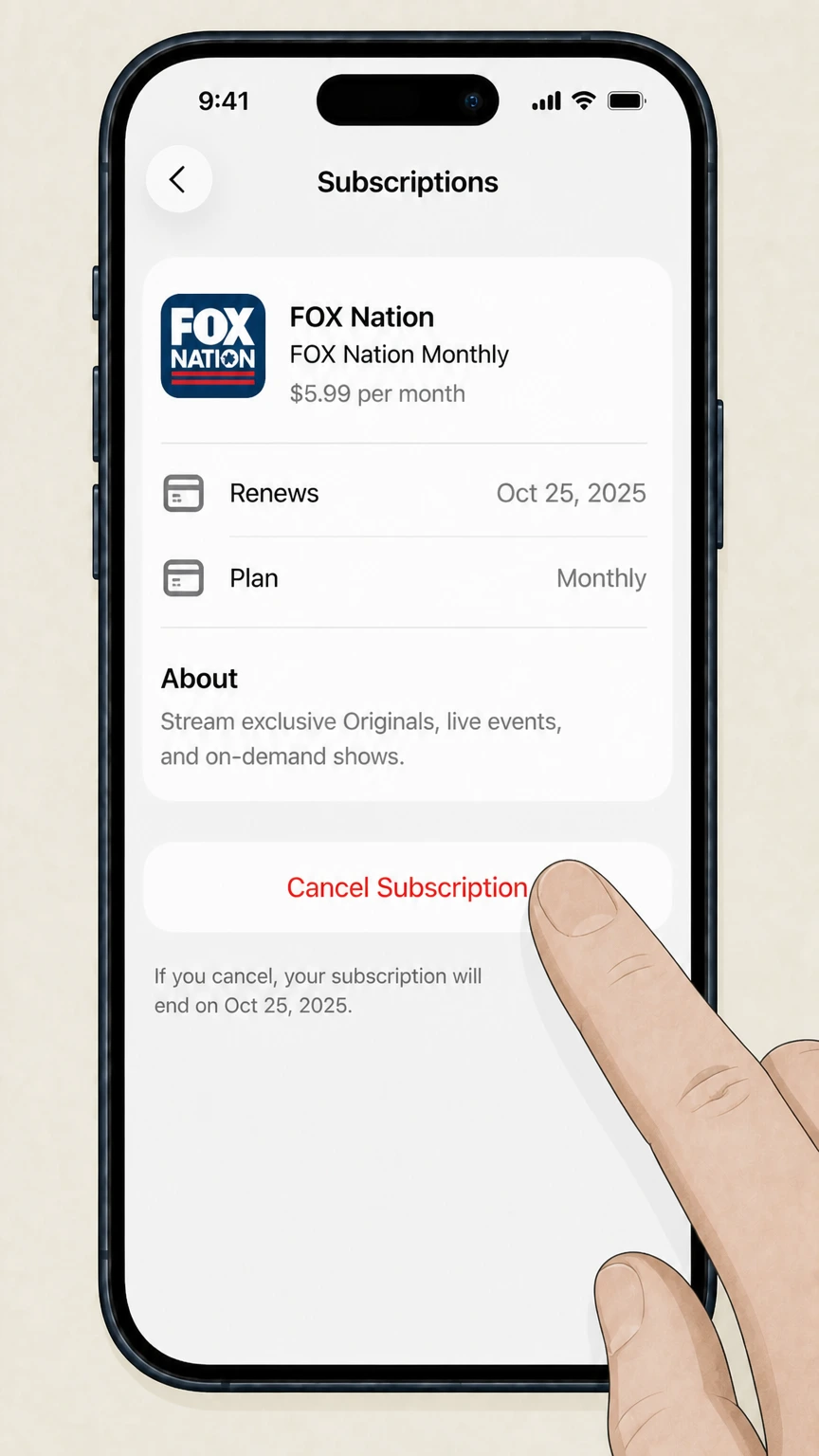
4Choose FOX Nation
Open the FOX Nation subscription and verify the plan and renewal date.
 5
5Tap Cancel Subscription
Confirm the change and keep the expiration date shown by Apple.
Google Play · Verify this billing owner
Cancel FOX Nation through Google Play
 1
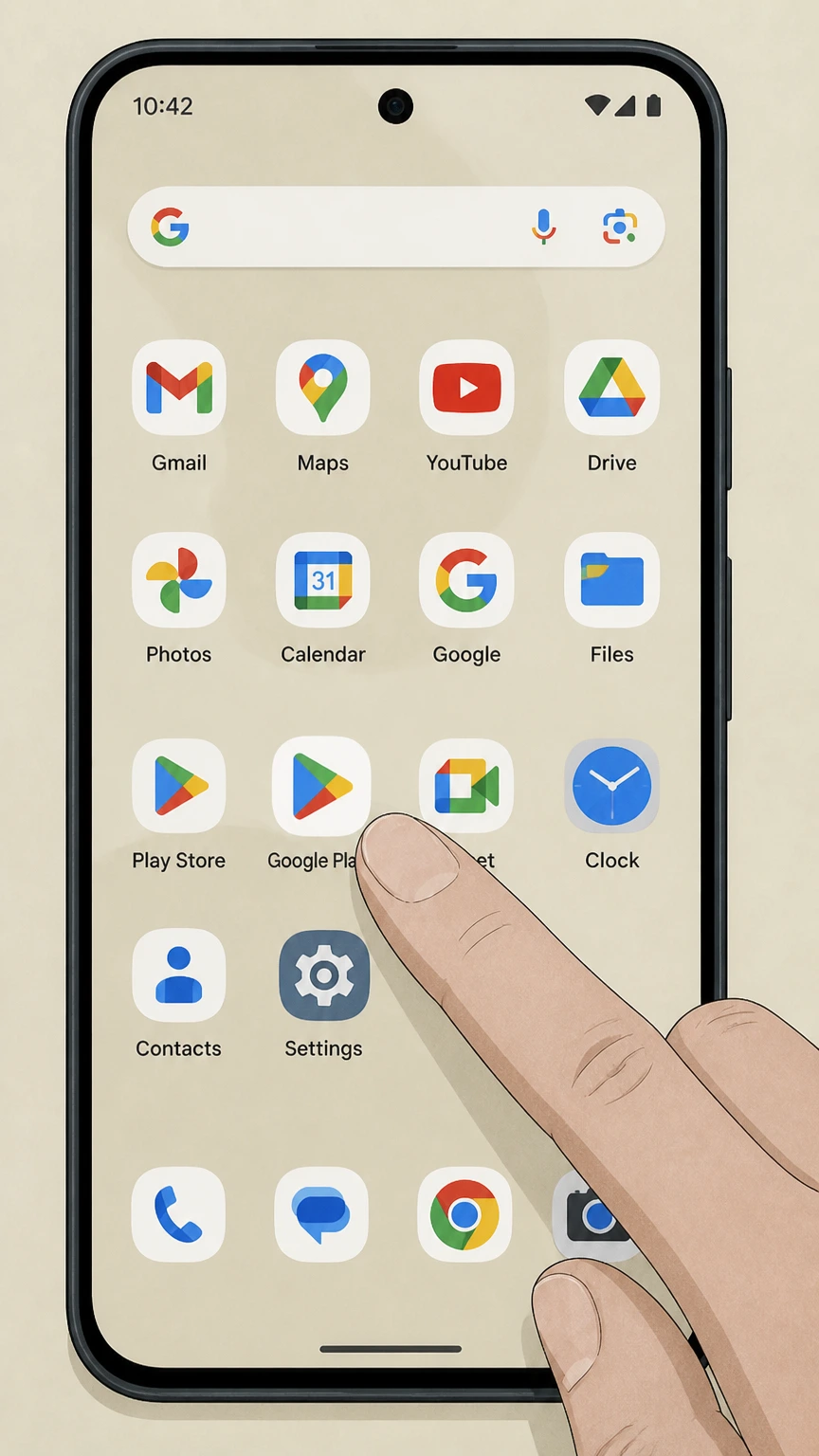
1Open Google Play
Use the Google account that purchased the subscription.
 2
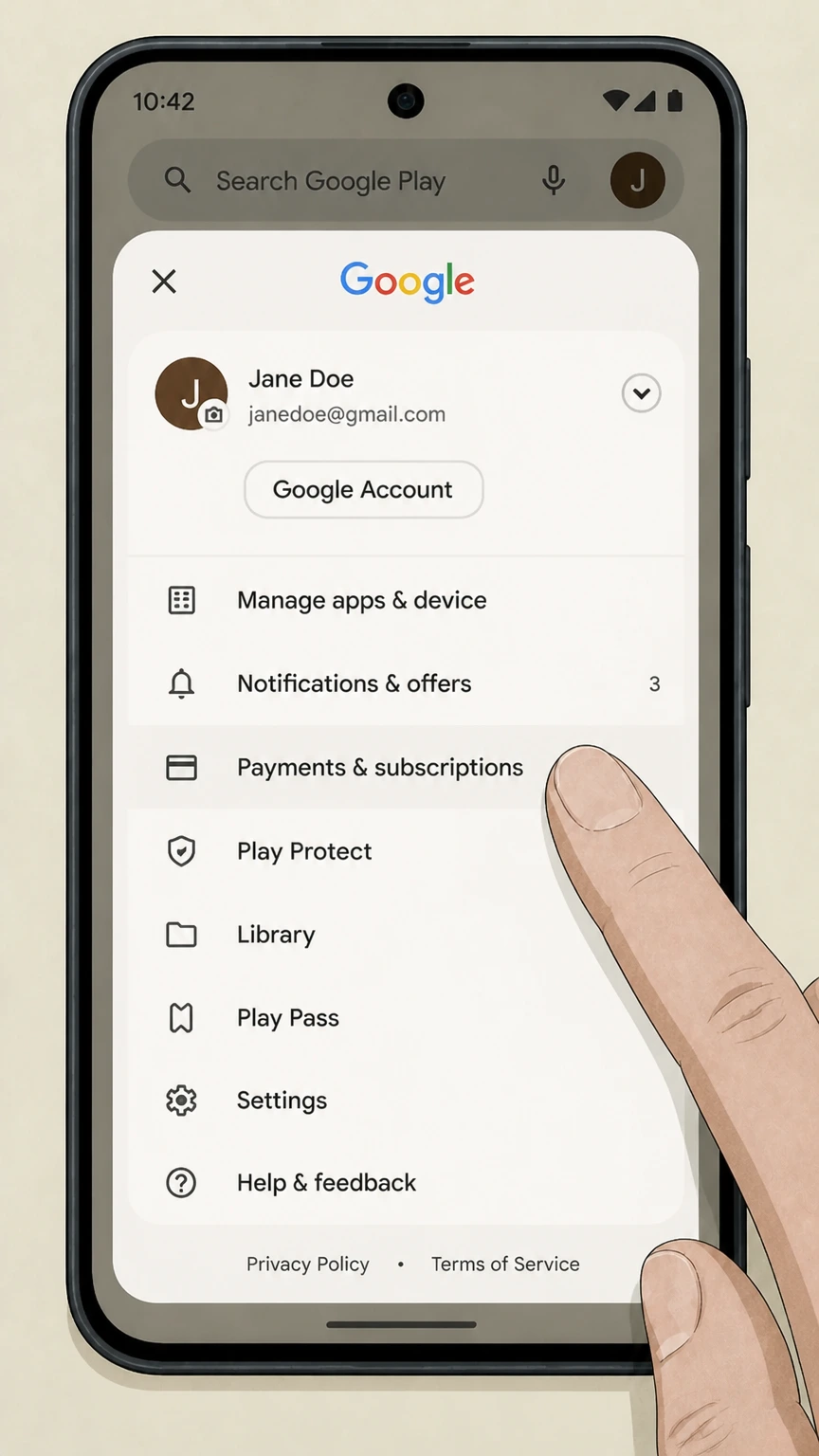
2Open Payments & subscriptions
Tap the profile picture, then Payments & subscriptions.
- Let Pine handle it
Pine can help
Too many steps?
Pine can find the right Google Play path and handle the cancellation for you.
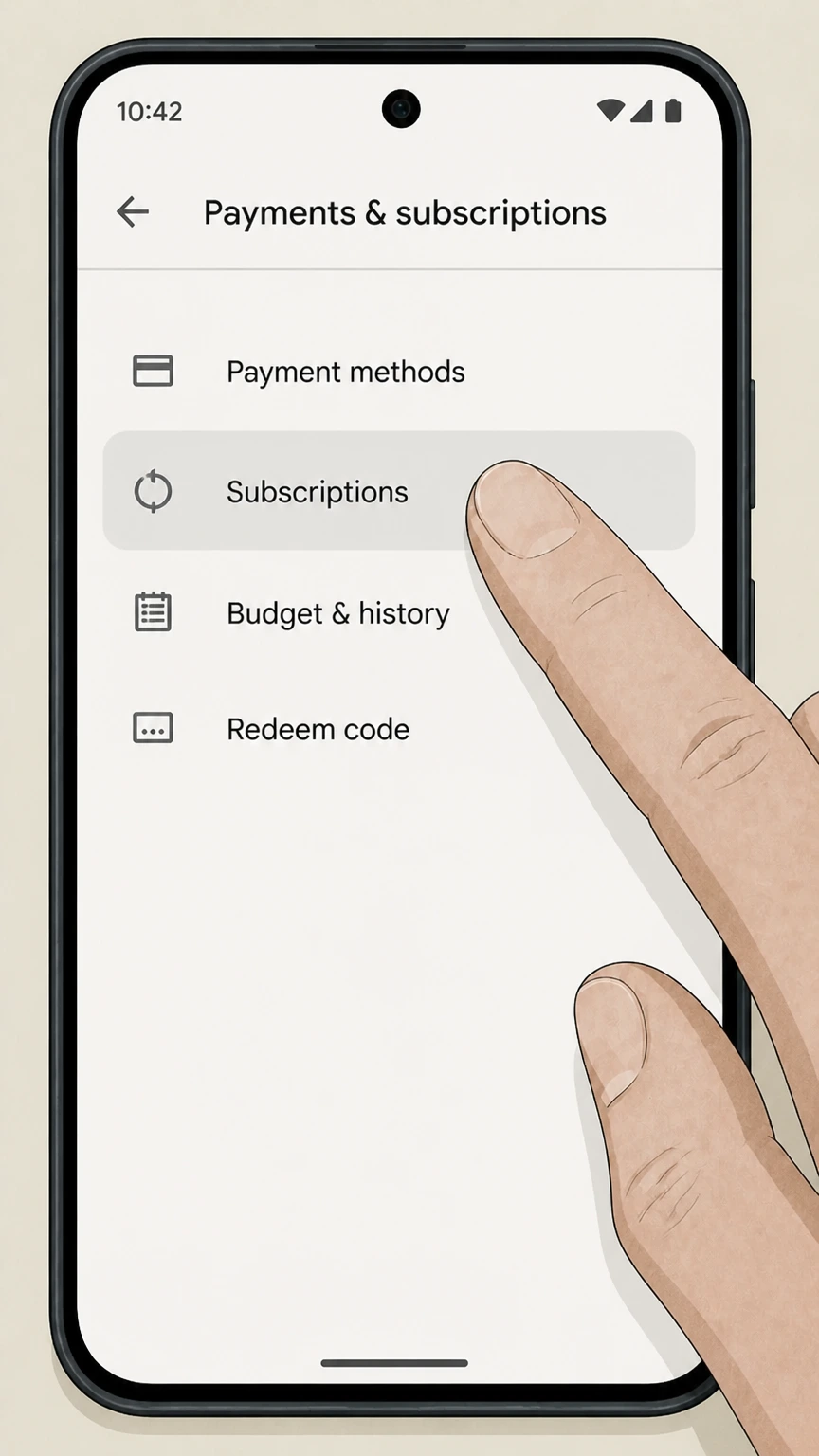 3
3Open Subscriptions
Find FOX Nation in the active subscription list.
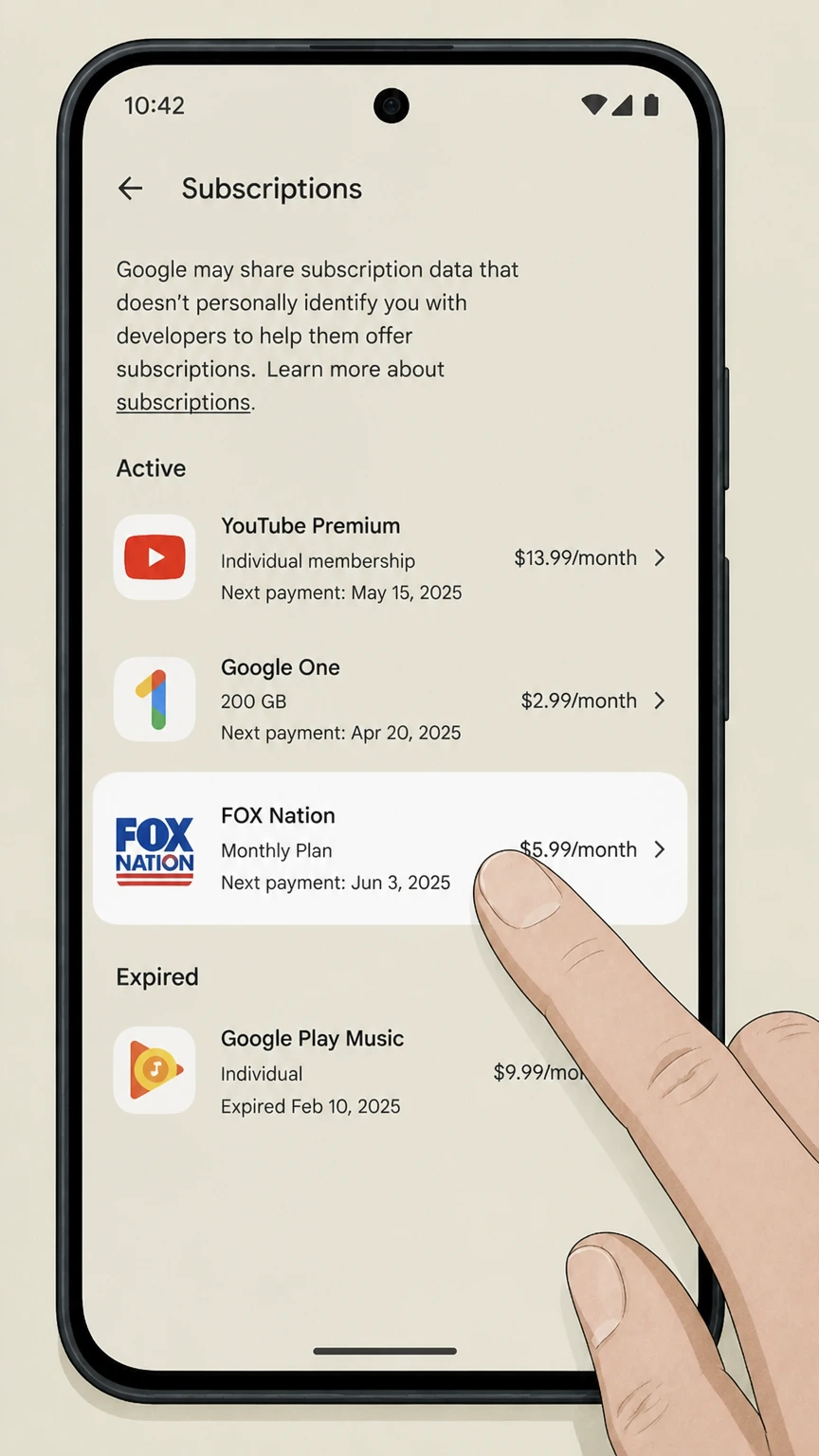 4
4Choose FOX Nation
Review the plan and next billing date before changing renewal.
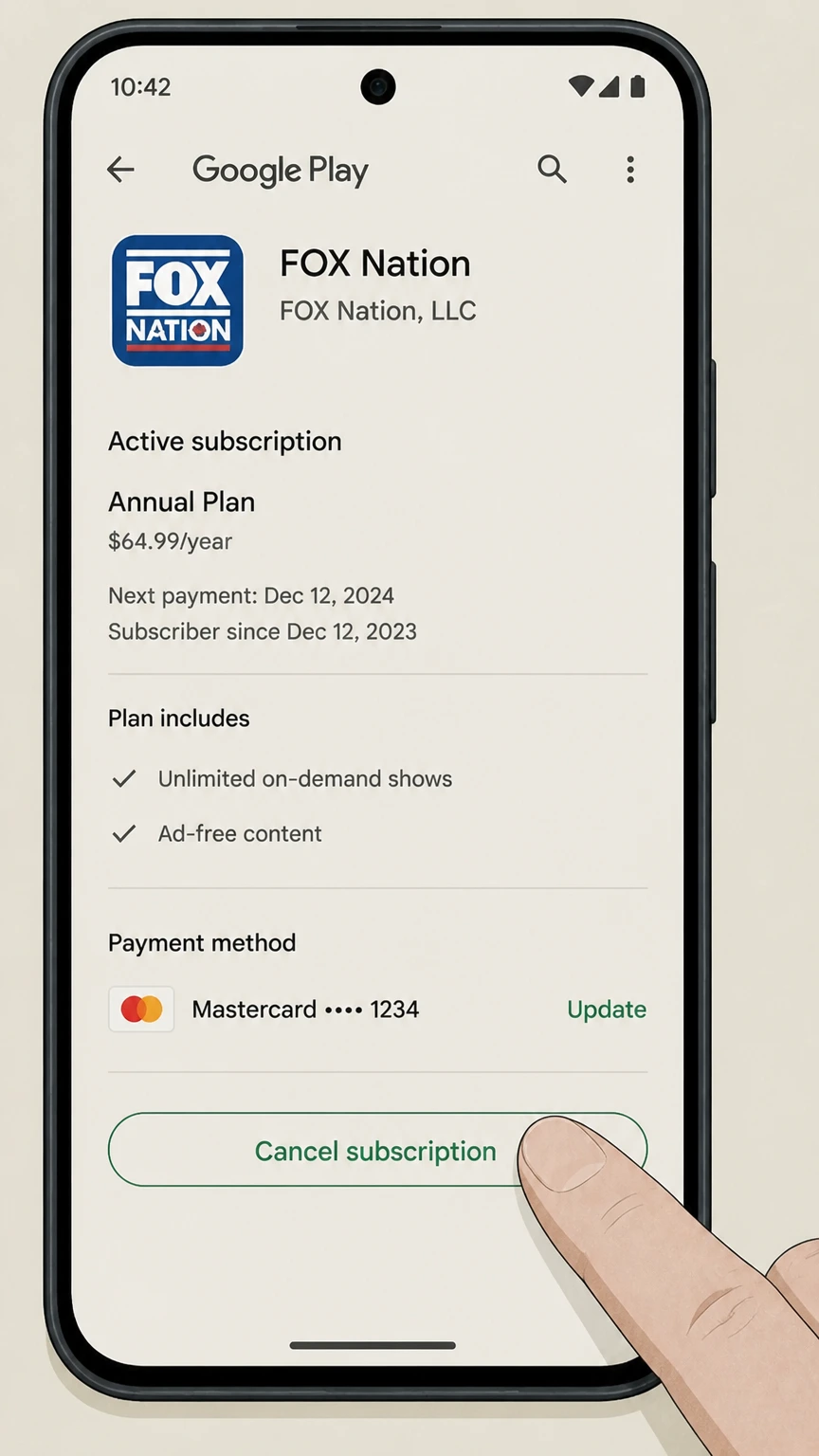 5
5Tap Cancel subscription
Choose a reason, finish the confirmation, and save the access end date.
Amazon · Verify this billing owner
Cancel FOX Nation through Amazon
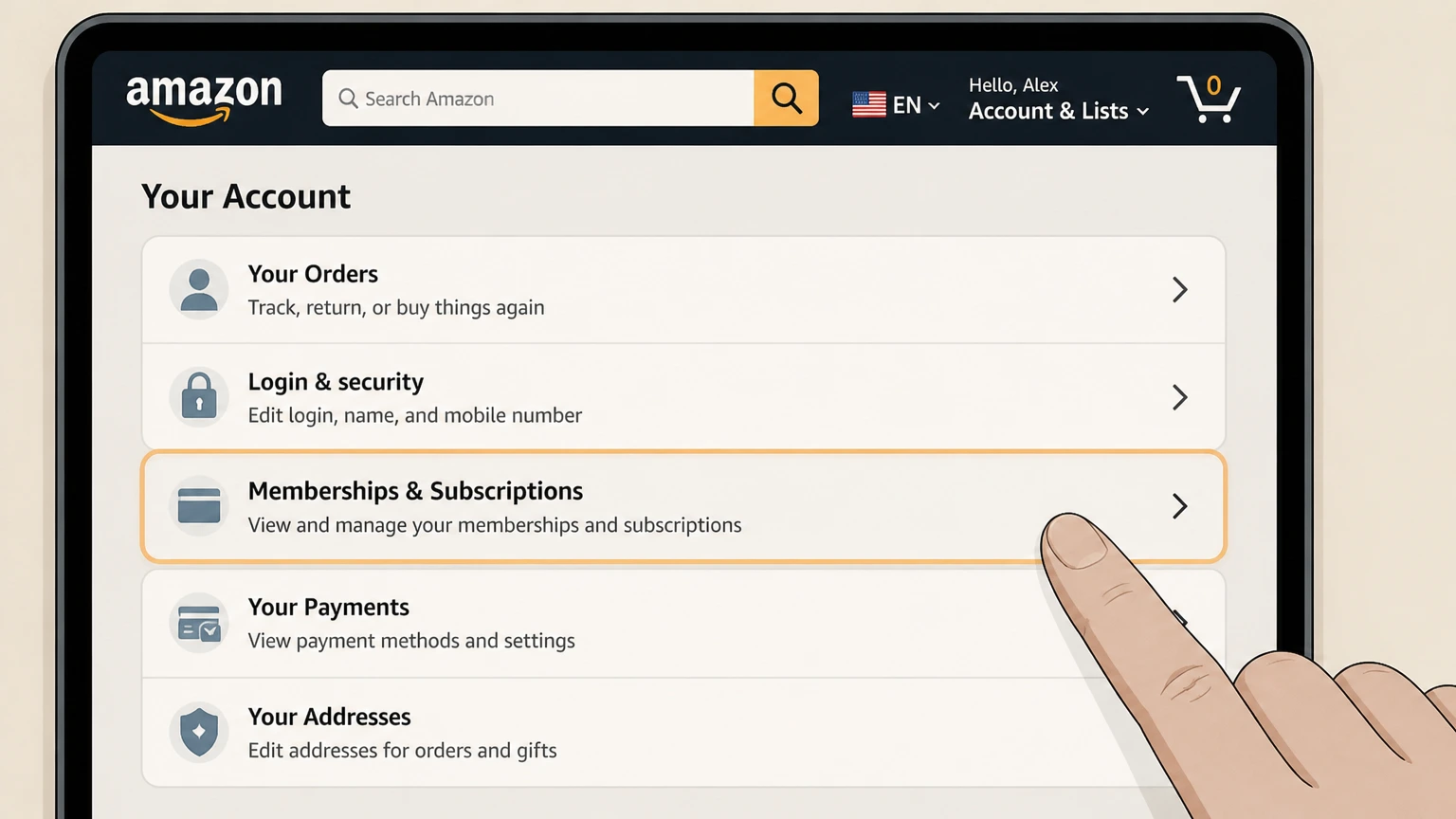 1
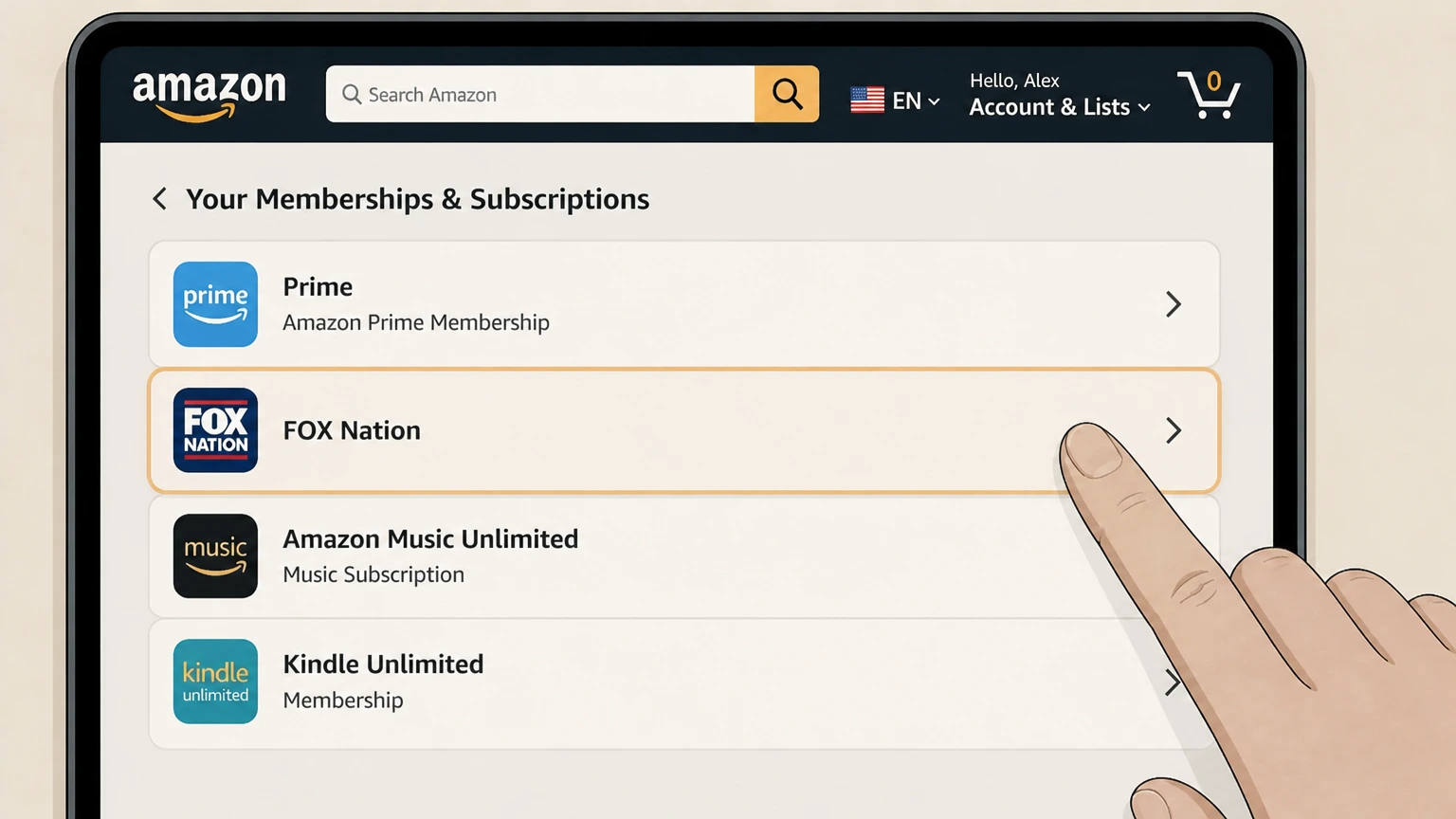
1Open Memberships & Subscriptions
Sign in to the Amazon account that purchased the subscription.
 2
2Find FOX Nation
Open its subscription or channel controls.
- Let Pine handle it
Pine can help
Too many steps?
Pine can find the right Amazon path and handle the cancellation for you.
 3
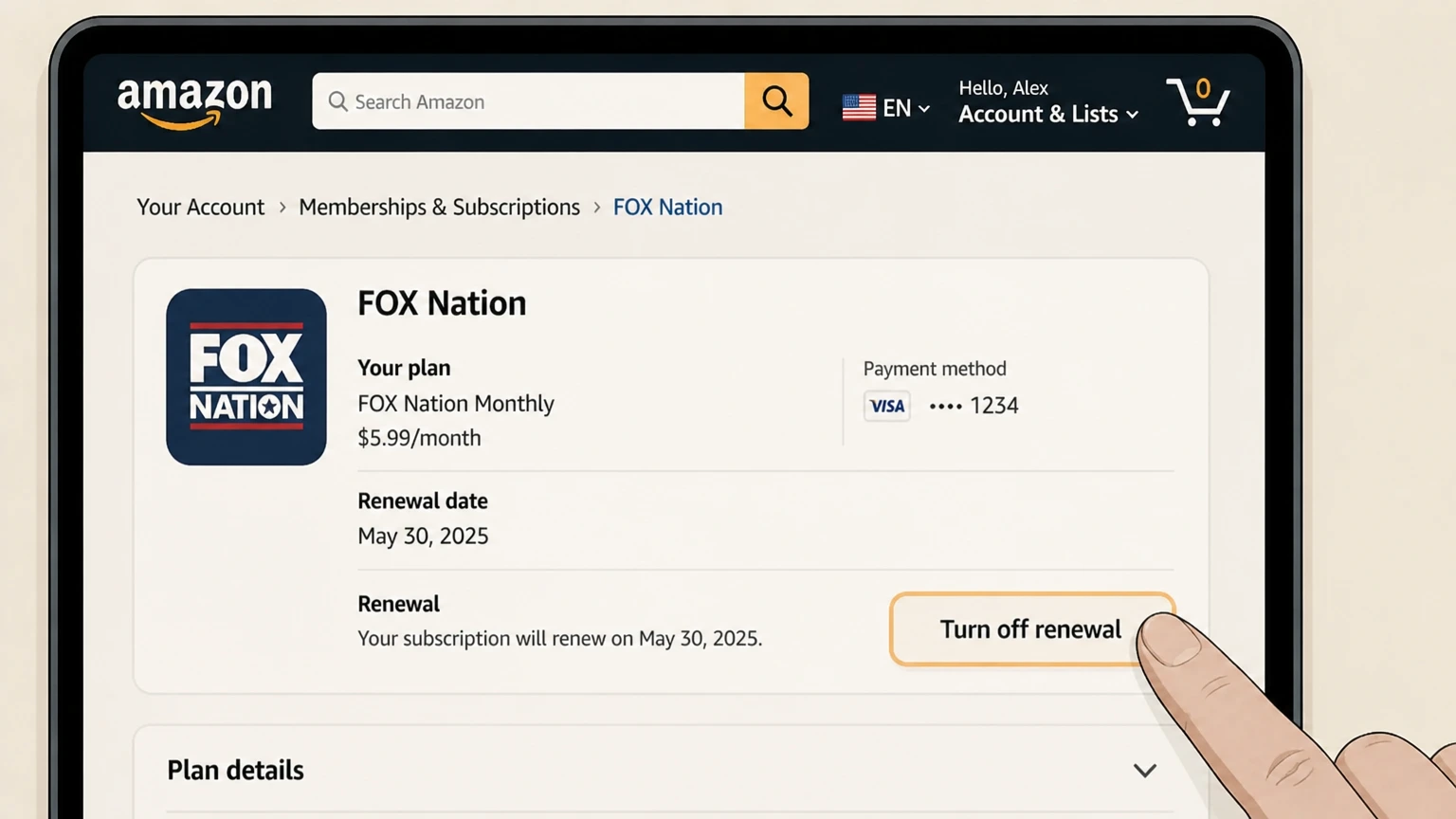
3Turn off renewal
Use the cancellation control shown for the active plan.
 4
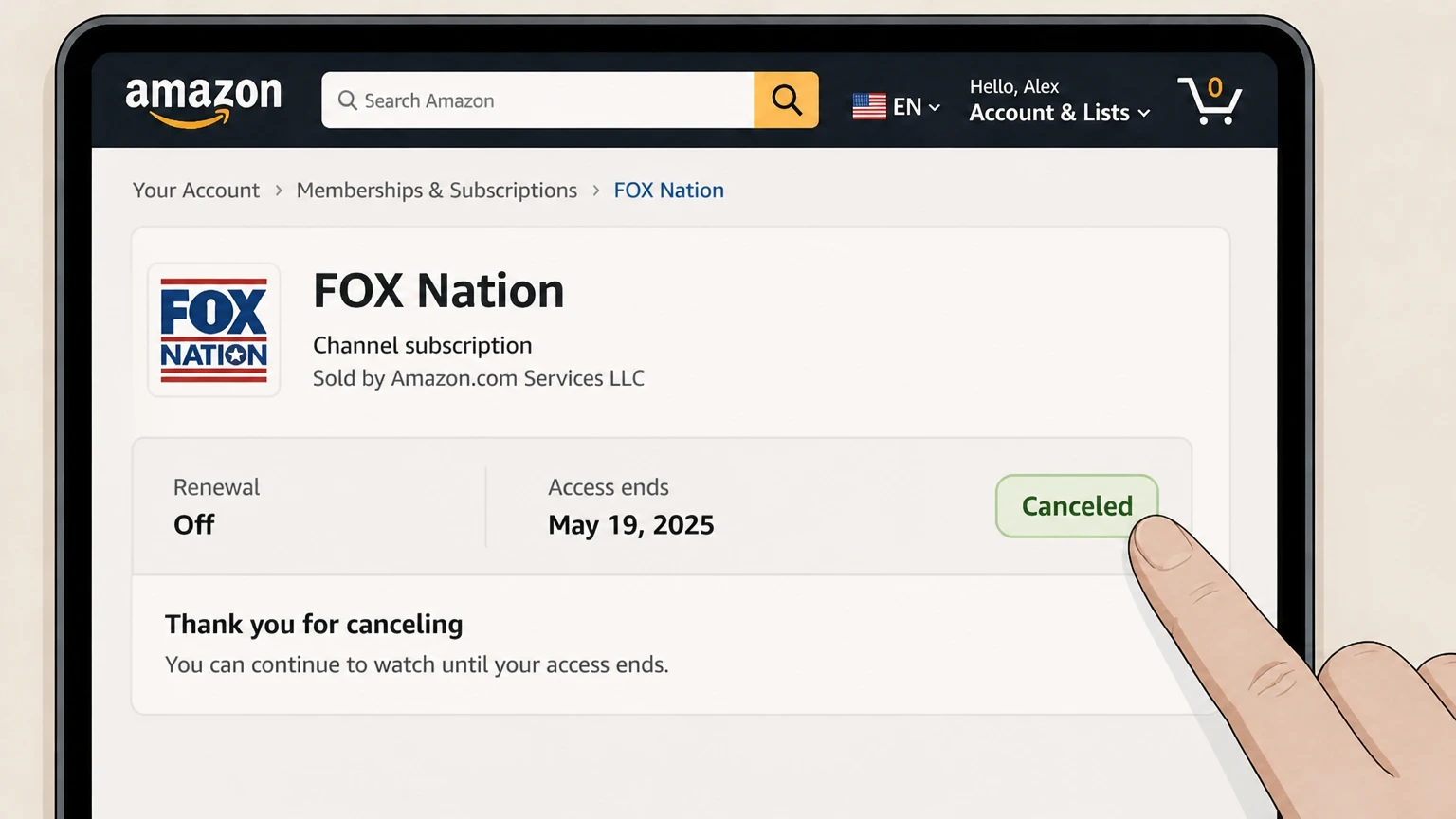
4Review the end date
Finish every prompt and keep the confirmation shown by Amazon.
Roku · Verify this billing owner
Cancel FOX Nation through Roku
 1
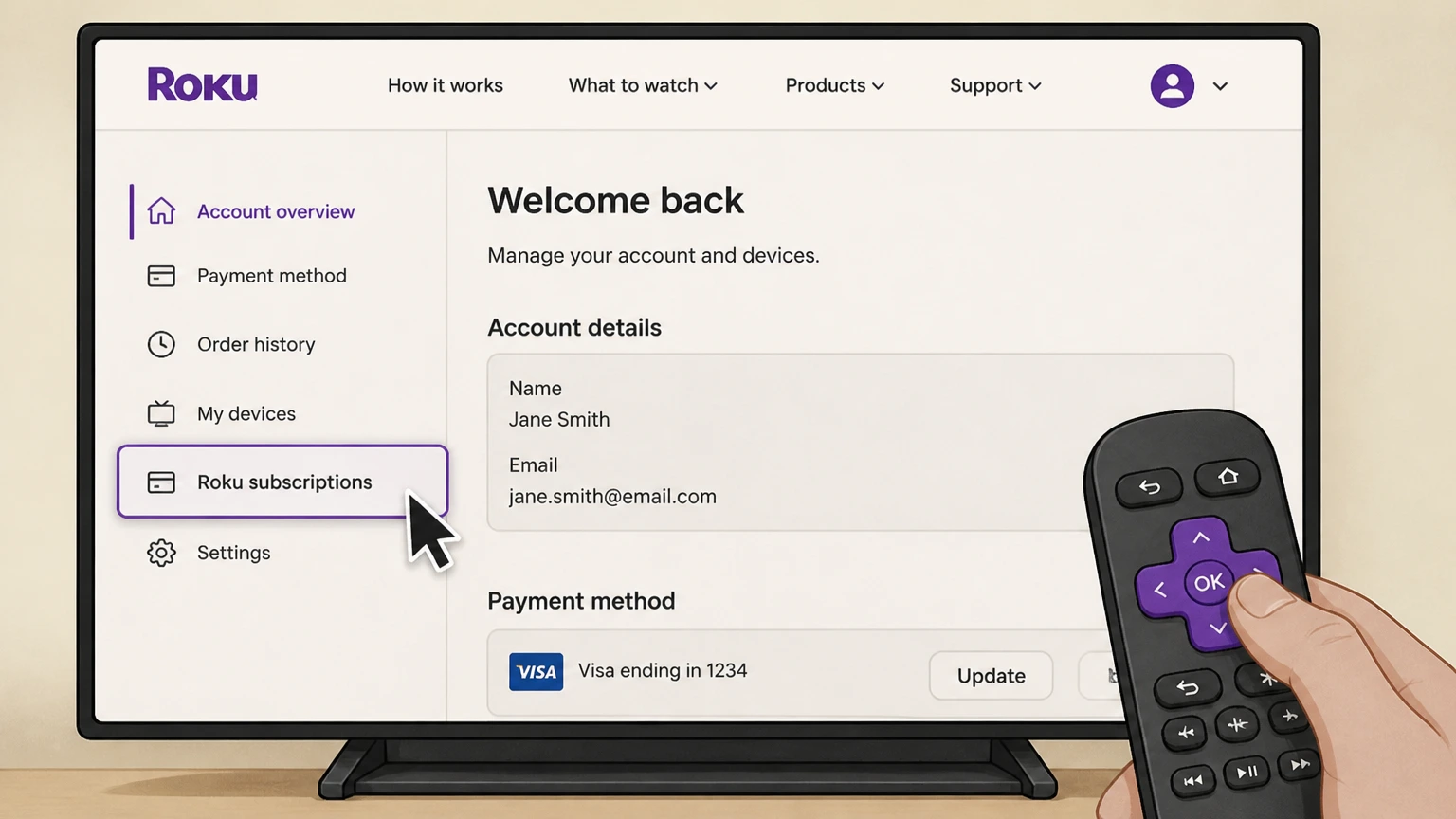
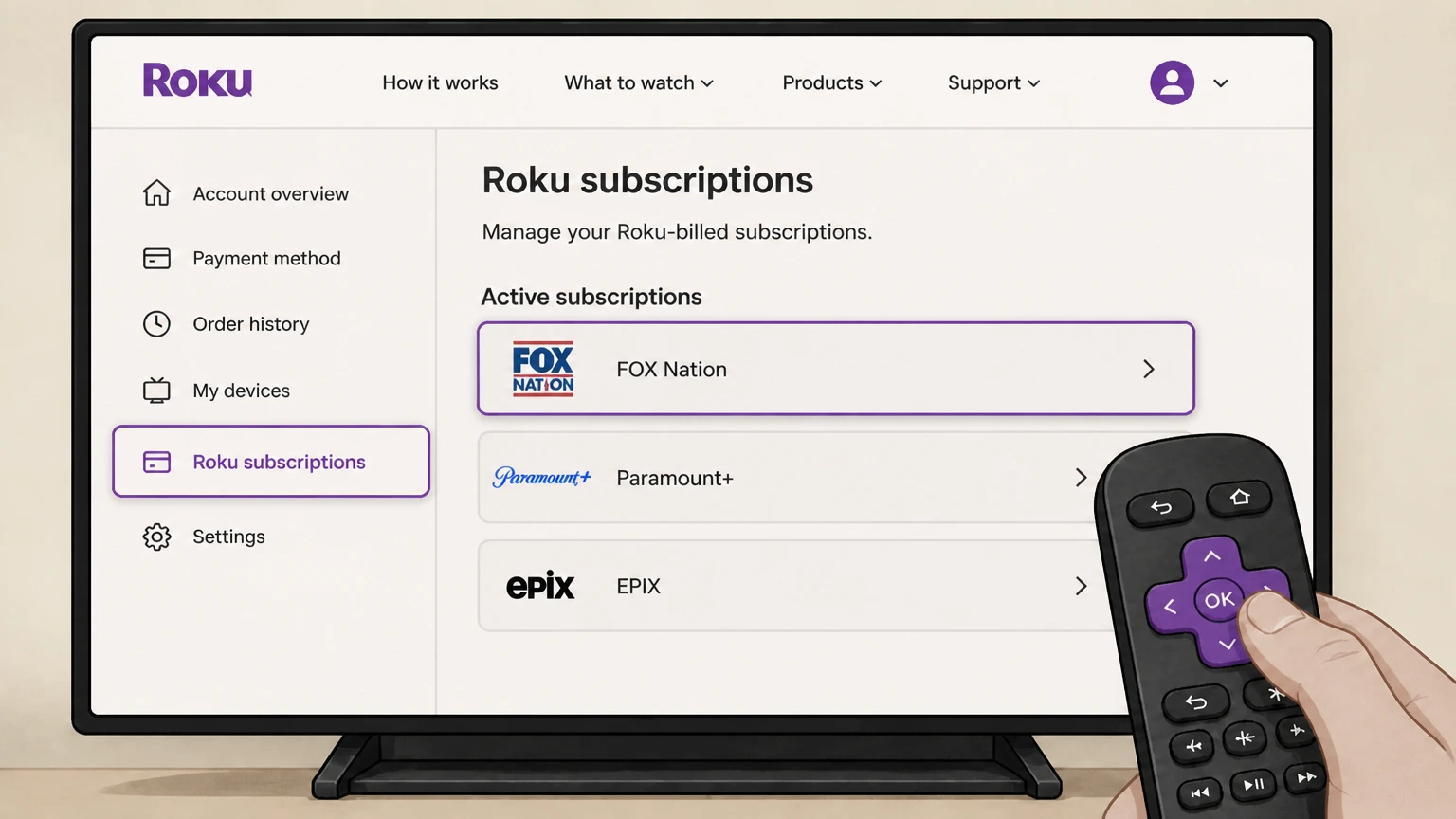
1Open Roku subscriptions
Sign in at my.roku.com and open Manage subscriptions.
 2
2Choose FOX Nation
Find the active subscription billed by Roku.
- Let Pine handle it
Pine can help
Too many steps?
Pine can find the right Roku path and handle the cancellation for you.
 3
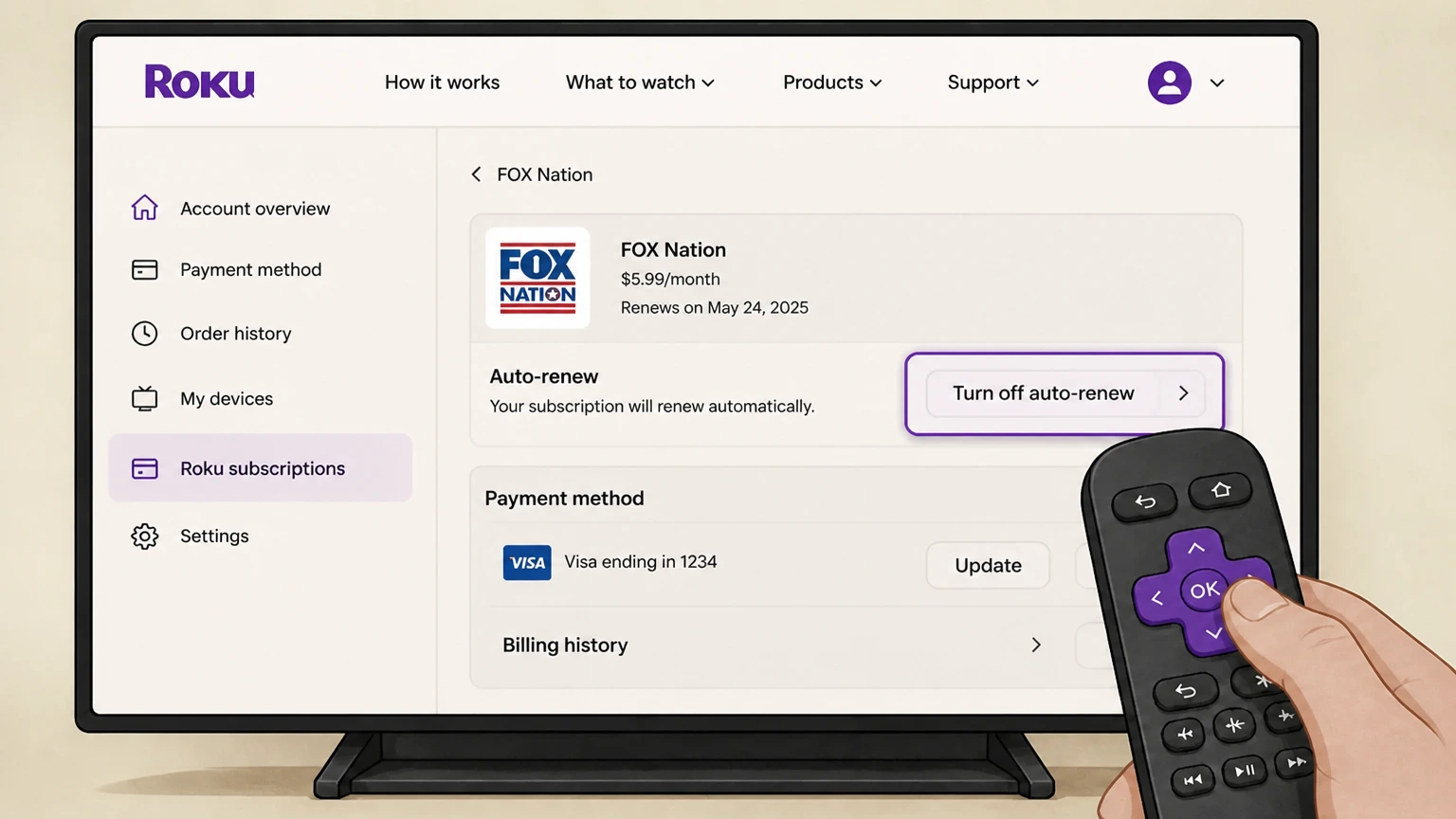
3Turn off auto-renew
Choose the cancellation control and review the terms.
 4
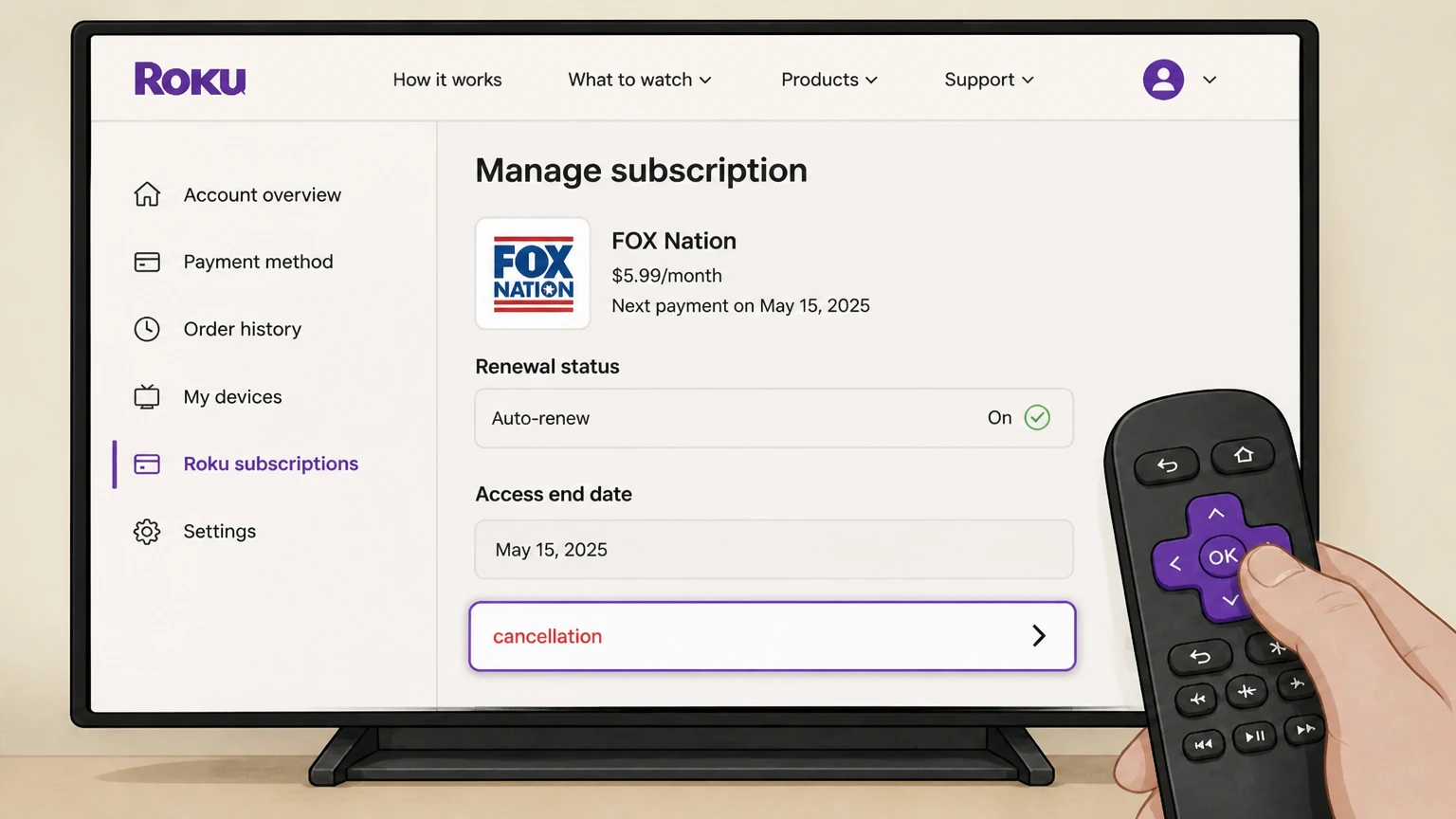
4Confirm cancellation
Save the renewal status and access end date.
TV provider · Verify this billing owner
Cancel FOX Nation through TV provider
 1
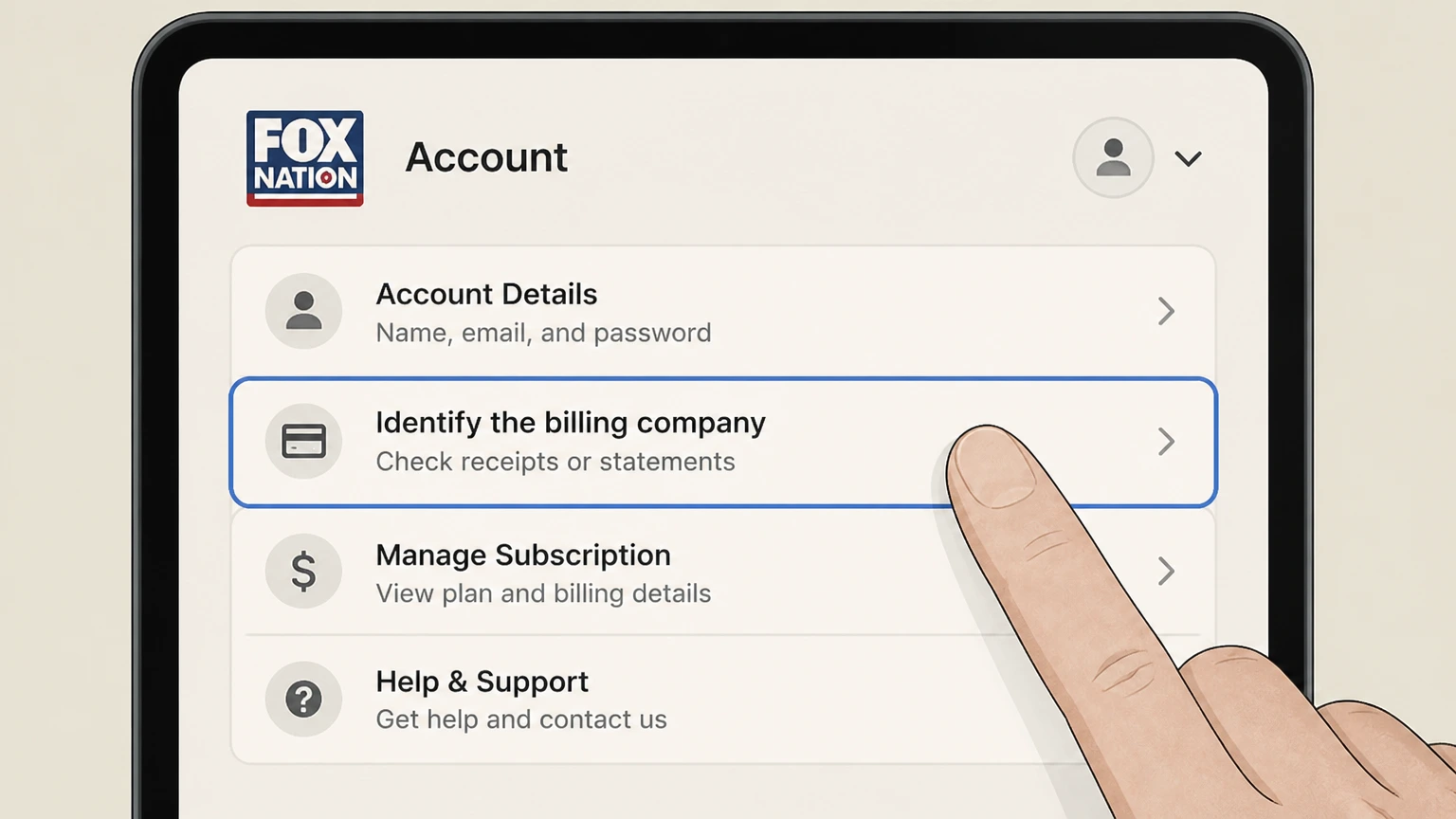
1Identify the billing company
Check the FOX Nation account, receipt, or card statement for the seller name.
 2
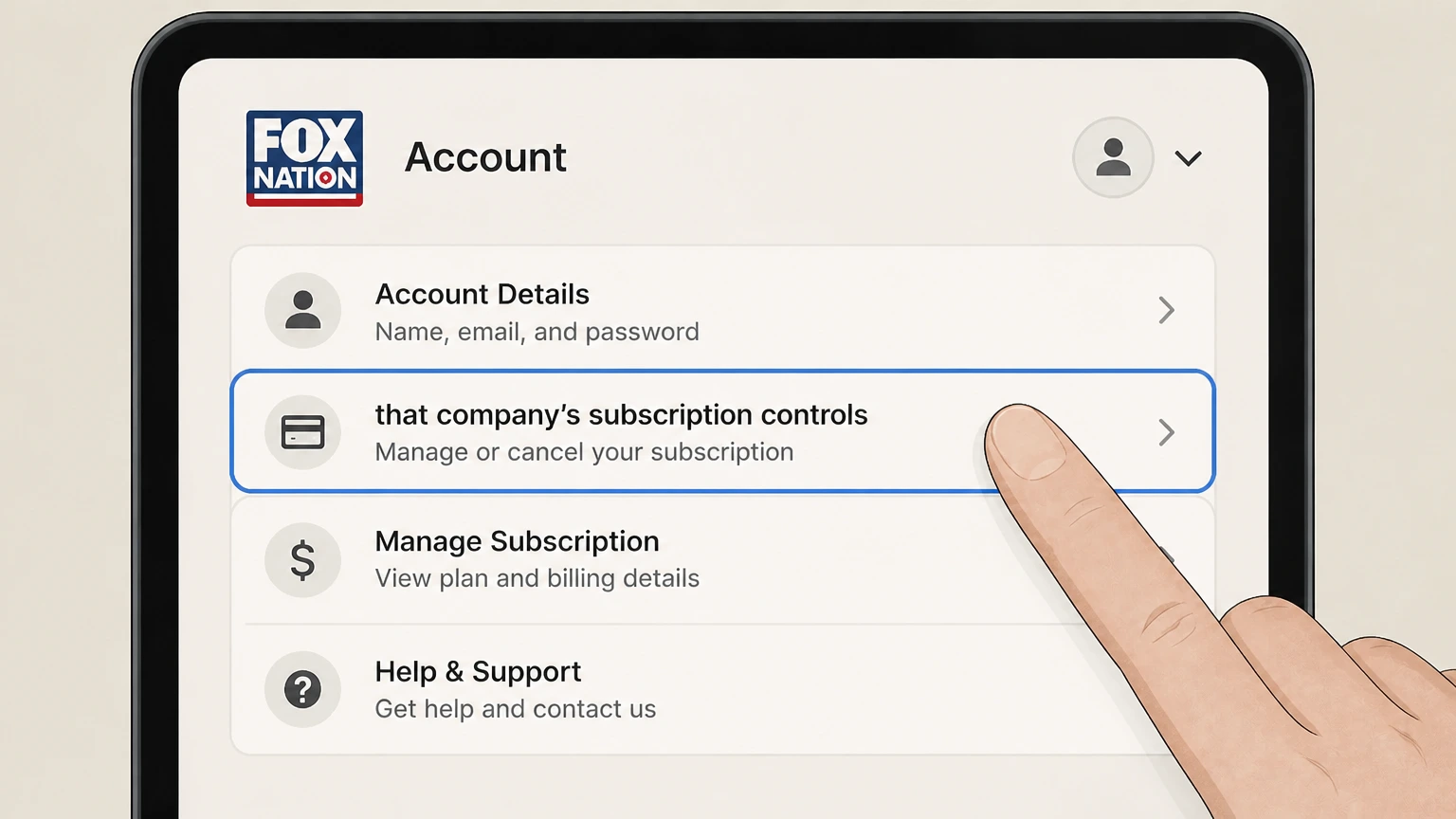
2Open that company’s subscription controls
Use the signed-in account connected to the charge.
- Let Pine handle it
Pine can help
Too many steps?
Pine can find the right TV provider path and handle the cancellation for you.
 3
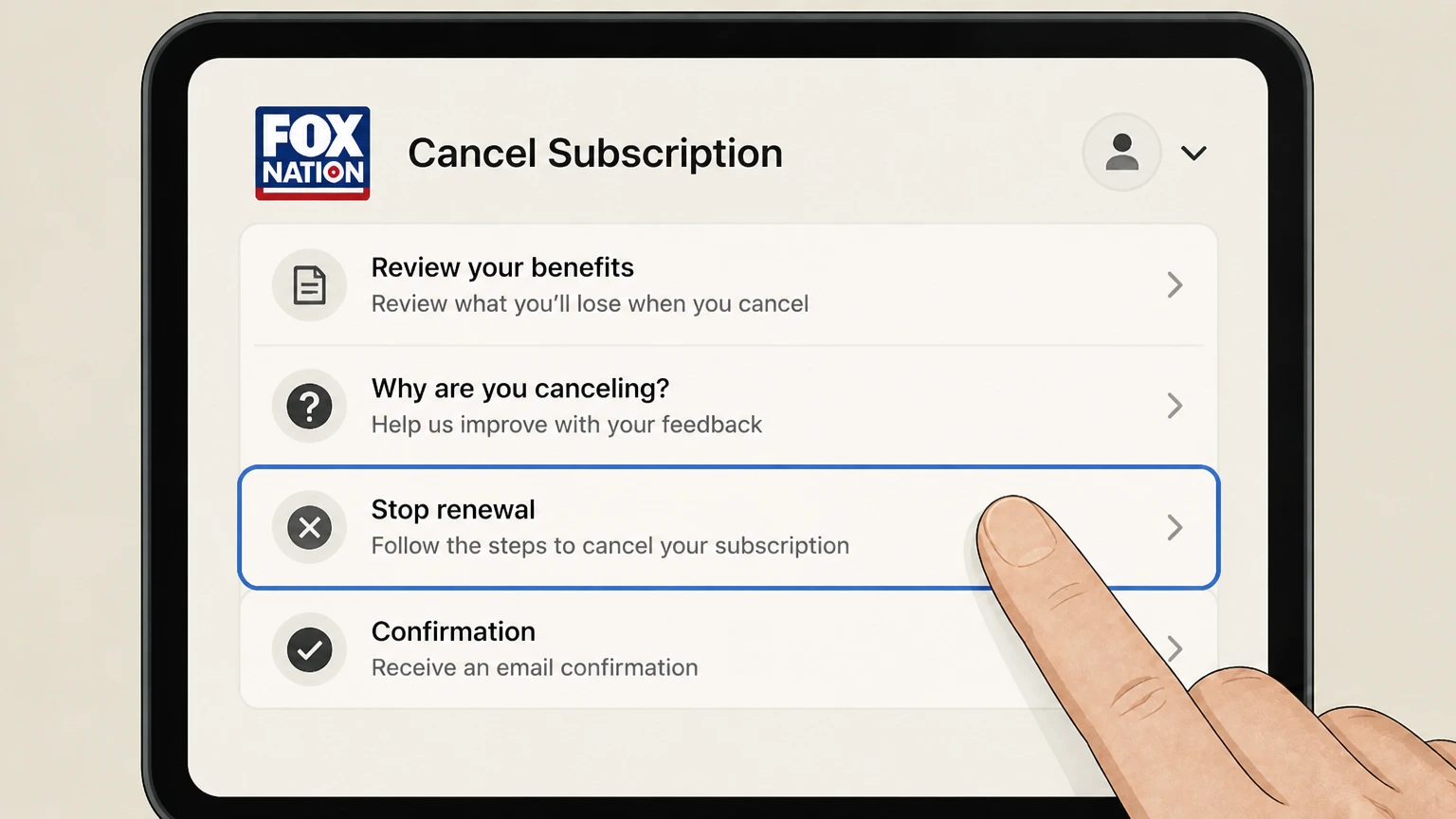
3Stop renewal
Follow the seller’s cancellation flow to the final confirmation.
 4
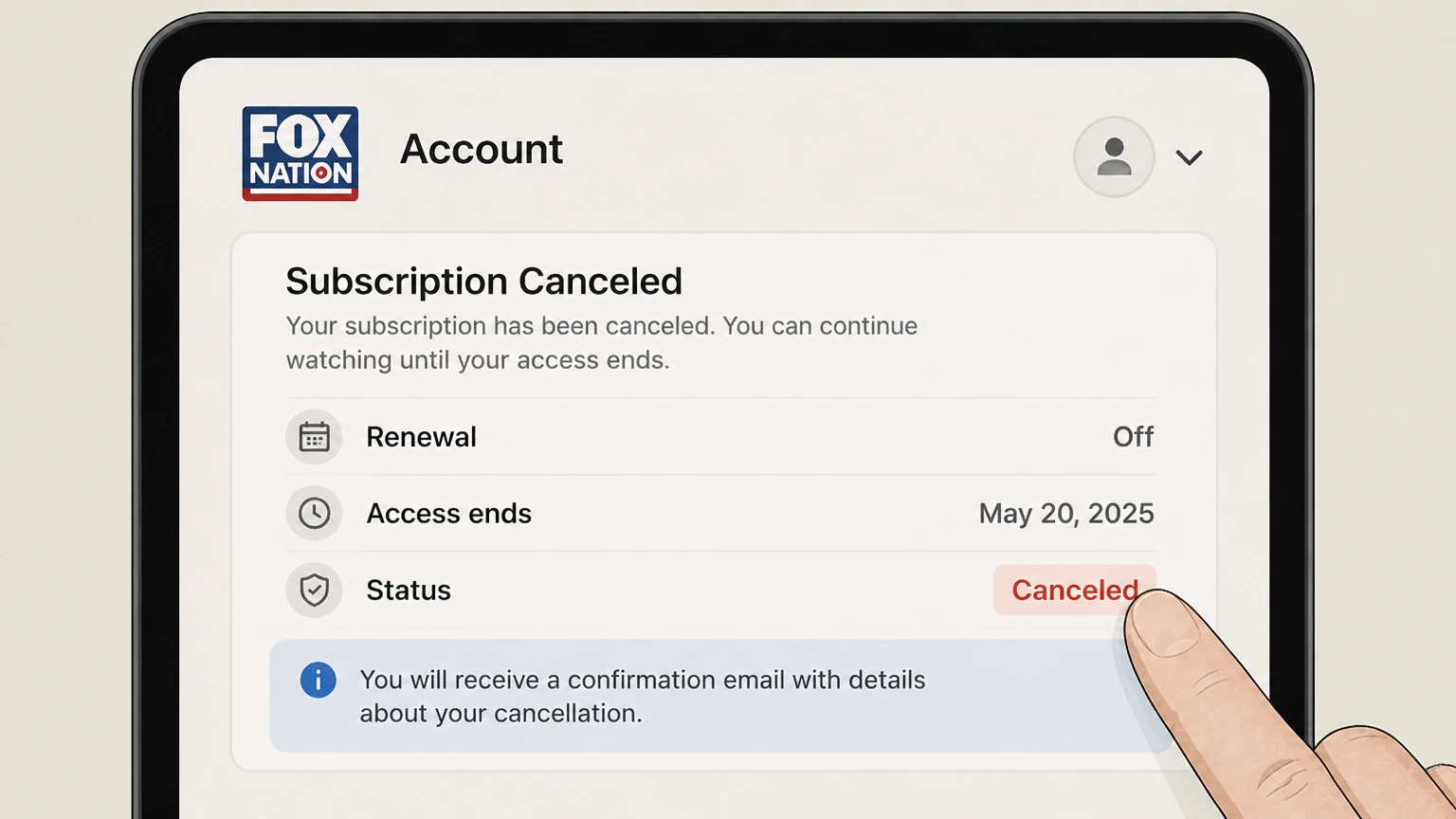
4Keep proof
Save the seller name, canceled status, effective date, and confirmation message.
Refund policy
Canceling FOX Nation does not automatically create a refund
Refunds are not implied by cancellation. The seller that charged the account applies its current terms and any rights required by law.
Check my refund options- Renewal
- A completed cancellation stops the next renewal with the billing owner; the confirmation screen determines remaining access and any partner impact.
- Refund boundary
- Refunds are not implied by cancellation. The seller that charged the account applies its current terms and any rights required by law.
Check the signed-in subscription terms and the seller’s refund process before requesting review of a specific charge. FOX Nation terms
Choose the right route
Who controls a FOX Nation cancellation
Cancel with FOX Nation only when its account page owns billing; otherwise use Apple, Google Play, Roku, Amazon, or the TV provider named on the receipt. Deleting an app, signing out, or removing a viewing profile does not by itself stop a recurring charge.
Direct versus TV access
A TV-provider login and a paid FOX Nation subscription are different billing relationships.
App-store purchase
Use the store subscription record even if viewing occurs in the FOX Nation app.
Source limitation
Exact signed-in labels can change; this guide avoids unsourced phone numbers and relies on the account and official terms.
Keep proof
What to record before and after cancellation
Capture the account and billing details before changing renewal, then retain the final result in case another charge appears.
Before cancellation
Save the plan, seller, amount, renewal date, and account email shown on the receipt or subscription page.
At confirmation
Save the canceled or expiring status, effective date, confirmation number, and email.
After cancellation
Check separately billed add-ons and compare any later charge with the seller shown in the saved receipt.
Troubleshooting
Why the cancellation control may be missing
A missing button usually means the subscription is under a different account, already set to expire, or billed by another company.
Wrong account
Search purchase emails and try the email or store account named on the receipt.
Wrong billing owner
If the provider page names a partner, finish cancellation in that partner account.
Incomplete flow
A retention offer, pause choice, or reason screen is not final confirmation.
FOX Nation cancellation questions
Answers are tied to the official sources checked on August 4, 2026; signed-in terms and local law still control your account.
How do I cancel FOX Nation?
Can I cancel FOX Nation in the app?
What happens after I cancel FOX Nation?
Will FOX Nation refund the latest charge?
Why can’t I find a FOX Nation cancel button?
Does deleting FOX Nation stop billing?
What proof should I keep after canceling FOX Nation?
Untangle this FOX Nation issue.
Let Pine handle the provider follow-up and keep the confirmation in one place.
