


Harvard Business Review
Cancel subscription
How to Cancel Harvard Business Review Subscriptions
Cancel Harvard Business Review using the correct billing route. Follow official steps, understand when access ends, how refunds work, and which confirmation to.
- Official Harvard Business Review and billing-owner sources
- 3 provider-specific cancellation paths
- Refund and post-cancellation effects separated from renewal
- Verified August 17, 2026
Choose the Harvard Business Review cancellation path that matches who bills you
Call Harvard Business Review customer service · verify the billing owner
 1
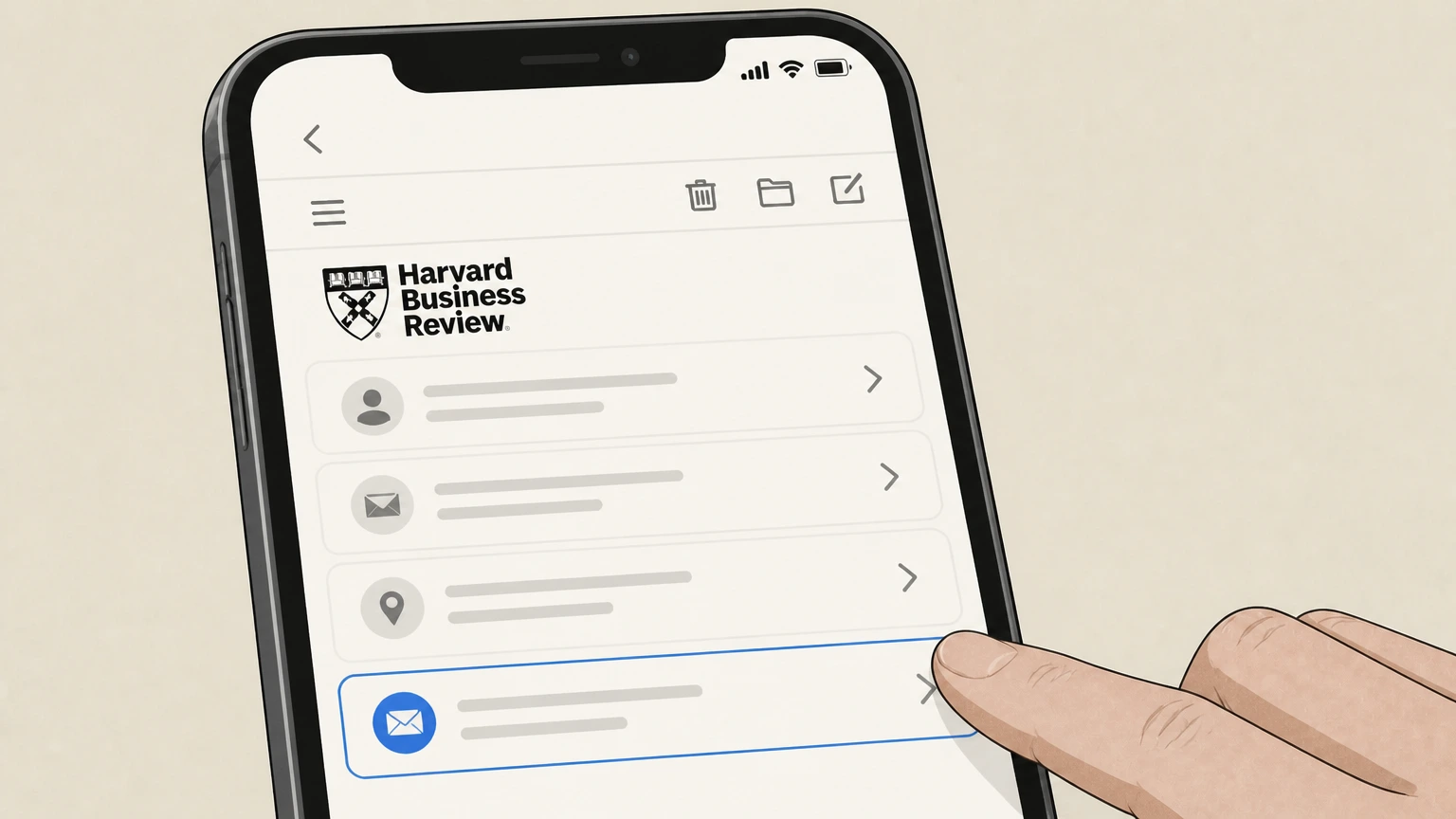
1Find your latest HBR billing statement or email
Locate a recent Harvard Business Review billing notice or order confirmation so you have your subscriber or order number handy before you call.
 2
2Call Harvard Business Review customer service
Dial the current U.S./Canada or international customer service number listed under "Contact Customer Service" on the HBR subscription information page on hbr.org.
- Let Pine handle it
Pine can help
Too many steps?
Pine can find the right Call Harvard Business Review customer service path and handle the cancellation for you.
 3
3Verify your subscription details
Provide your name, email address, mailing address, and any subscription or order number the agent asks for so they can locate the correct Harvard Business Review account.
 4
4Request cancellation of auto-renewal
Tell the agent you want to cancel your Harvard Business Review subscription and stop future automatic renewals at the end of the current billing period.
 5
5Ask for written confirmation
Before ending the call, ask the agent to send you an email confirmation that your Harvard Business Review subscription will not renew and note the date your access will end.

Cancel Harvard Business Review via Apple subscriptions on iPhone · verify the billing owner
 1
1Open Settings
On your iPhone, open the Settings app to manage subscriptions billed by Apple, including the Harvard Business Review app subscription.
 2
2Tap your name
At the top of Settings, tap your name to open your Apple ID account settings for subscriptions and purchases. Use the Harvard Business Review account named on your receipt, and continue only after the next status in this cancellation path is visible.
- Let Pine handle it
Pine can help
Too many steps?
Pine can find the right Cancel Harvard Business Review via Apple subscriptions on iPhone path and handle the cancellation for you.
 3
3Open Subscriptions
In your Apple ID settings, tap Subscriptions to see all active and expired subscriptions billed through Apple. Use the Harvard Business Review account named on your receipt, and continue only after the next status in this cancellation path is visible.
 4
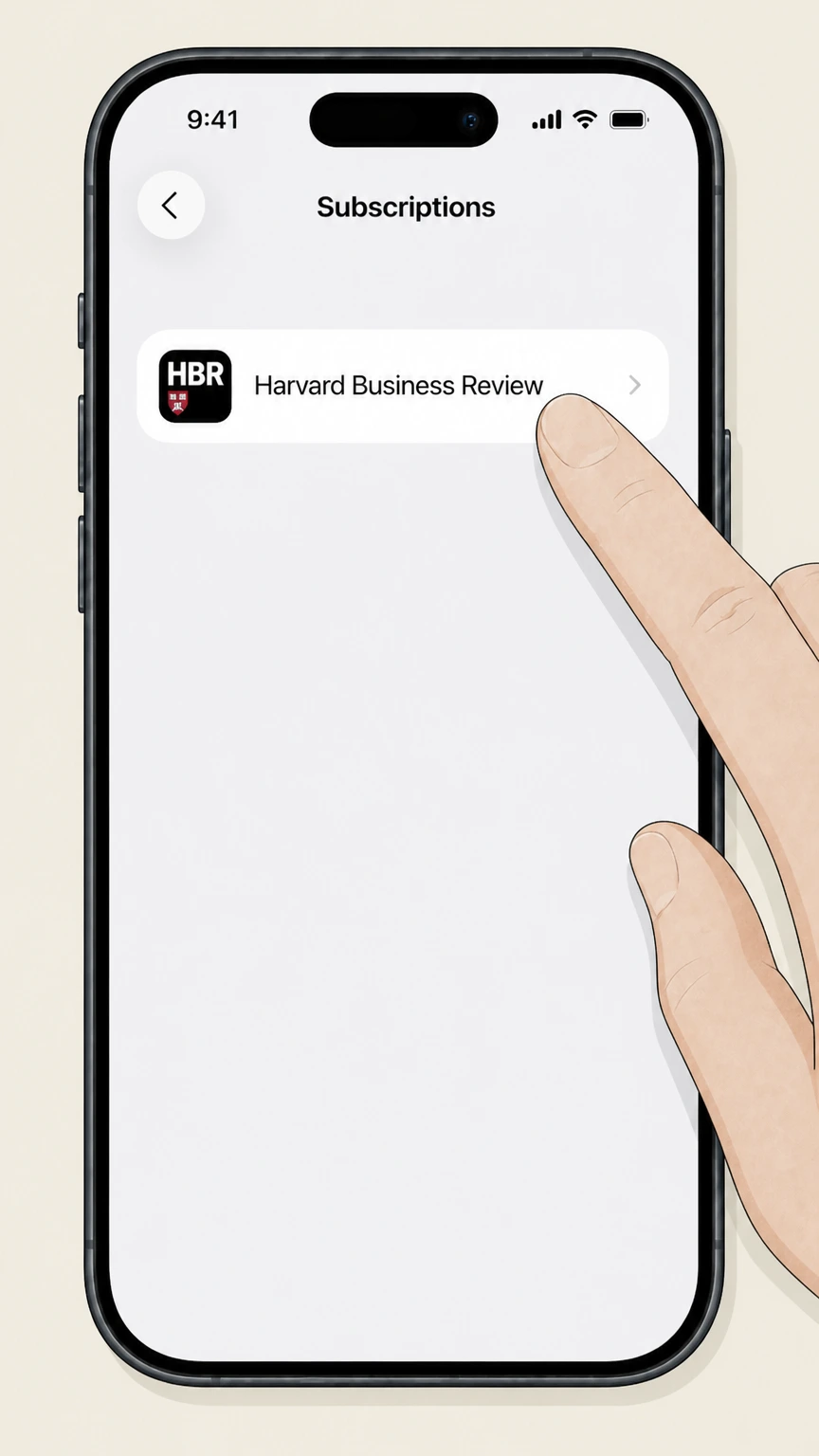
4Select Harvard Business Review
In the list of active subscriptions, tap Harvard Business Review to open the subscription details screen. Use the Harvard Business Review account named on your receipt, and continue only after the next status in this cancellation path is visible.
 5
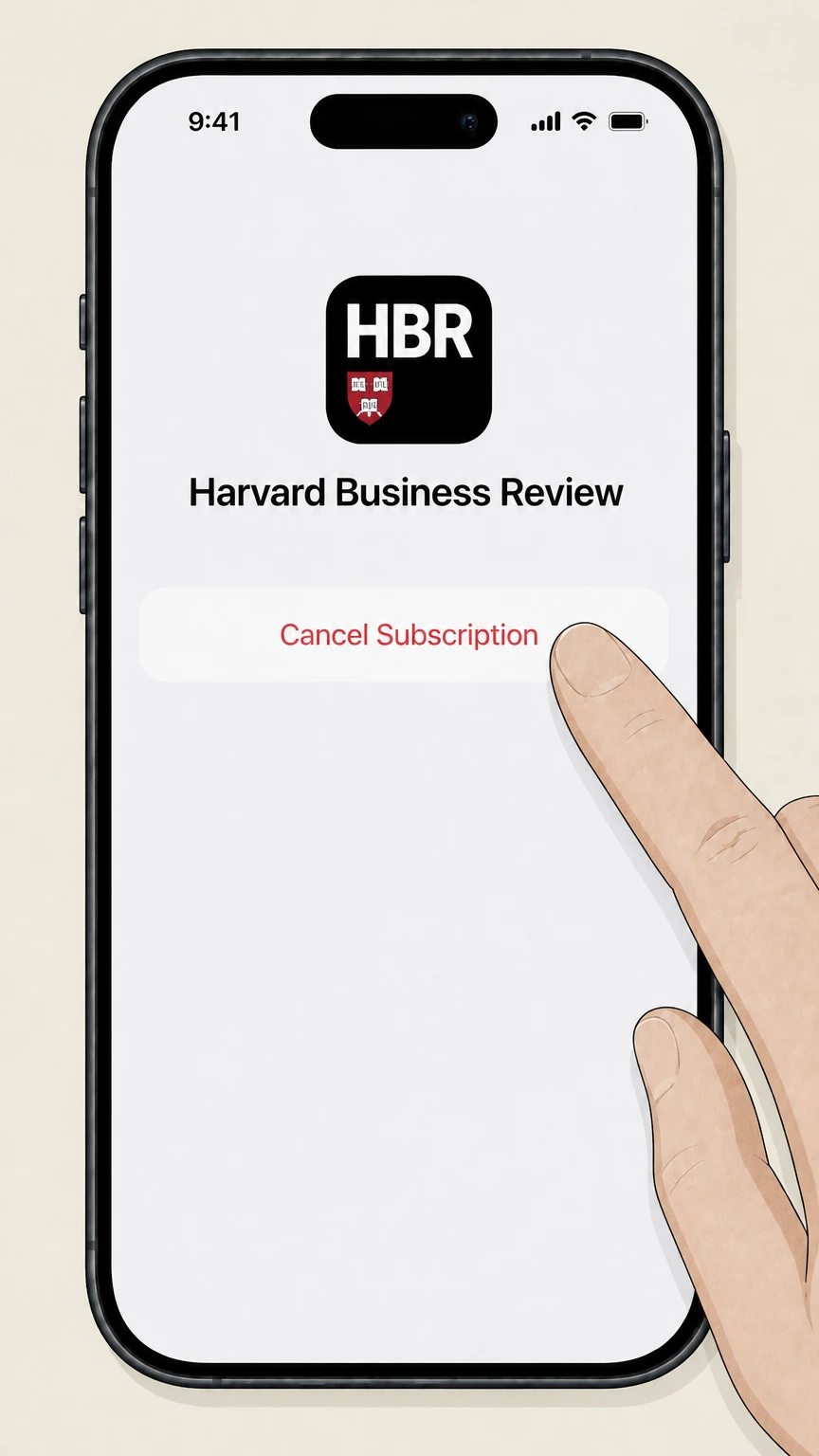
5Cancel the subscription
On the Harvard Business Review subscription screen, tap Cancel Subscription and confirm so Apple stops renewing it at the end of the current billing period.
Cancel Harvard Business Review via Google Play subscriptions · verify the billing owner
 1
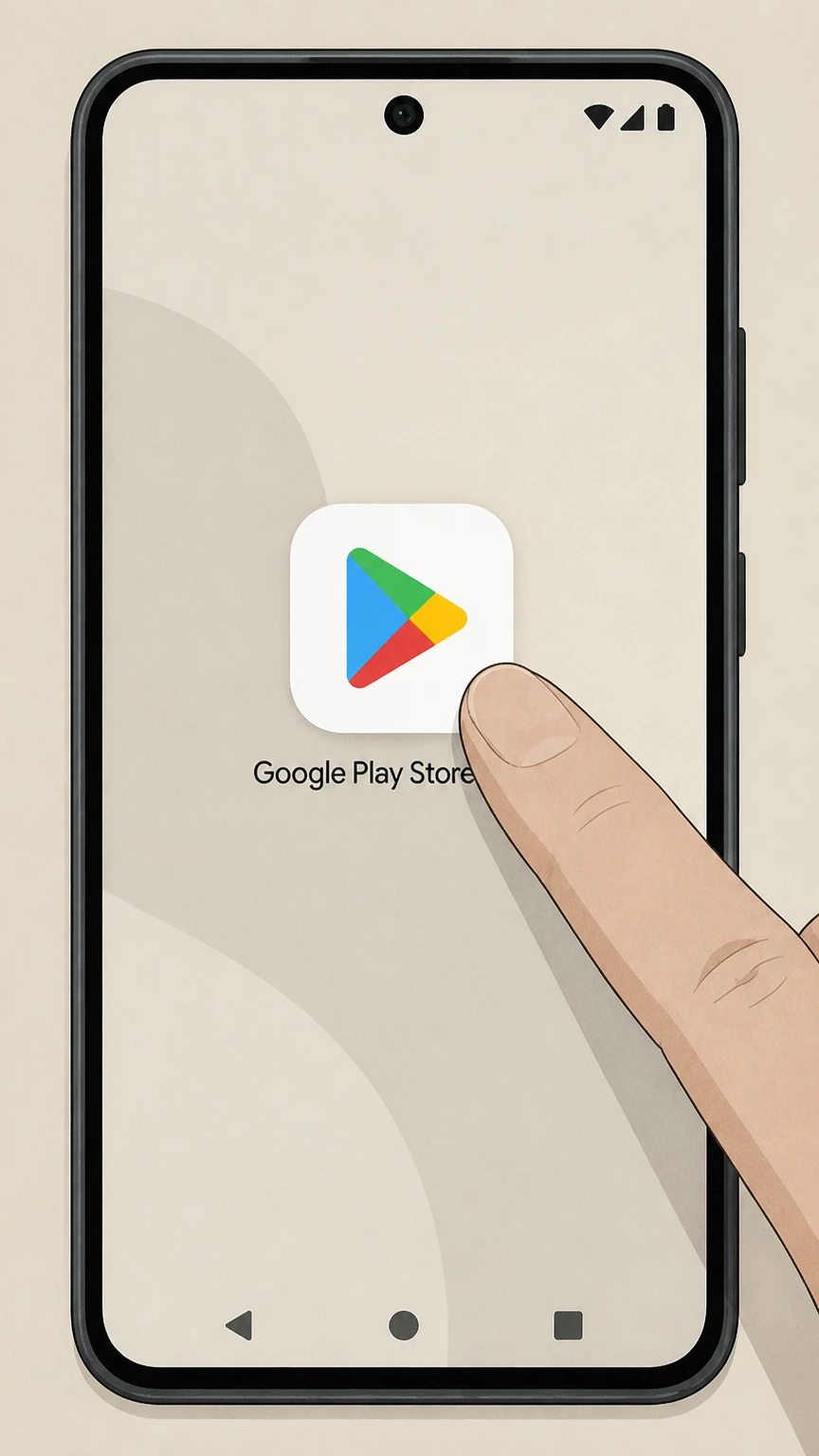
1Open Google Play
On your Android device, open the Google Play Store app using the same Google account that is billed for your Harvard Business Review subscription.
 2
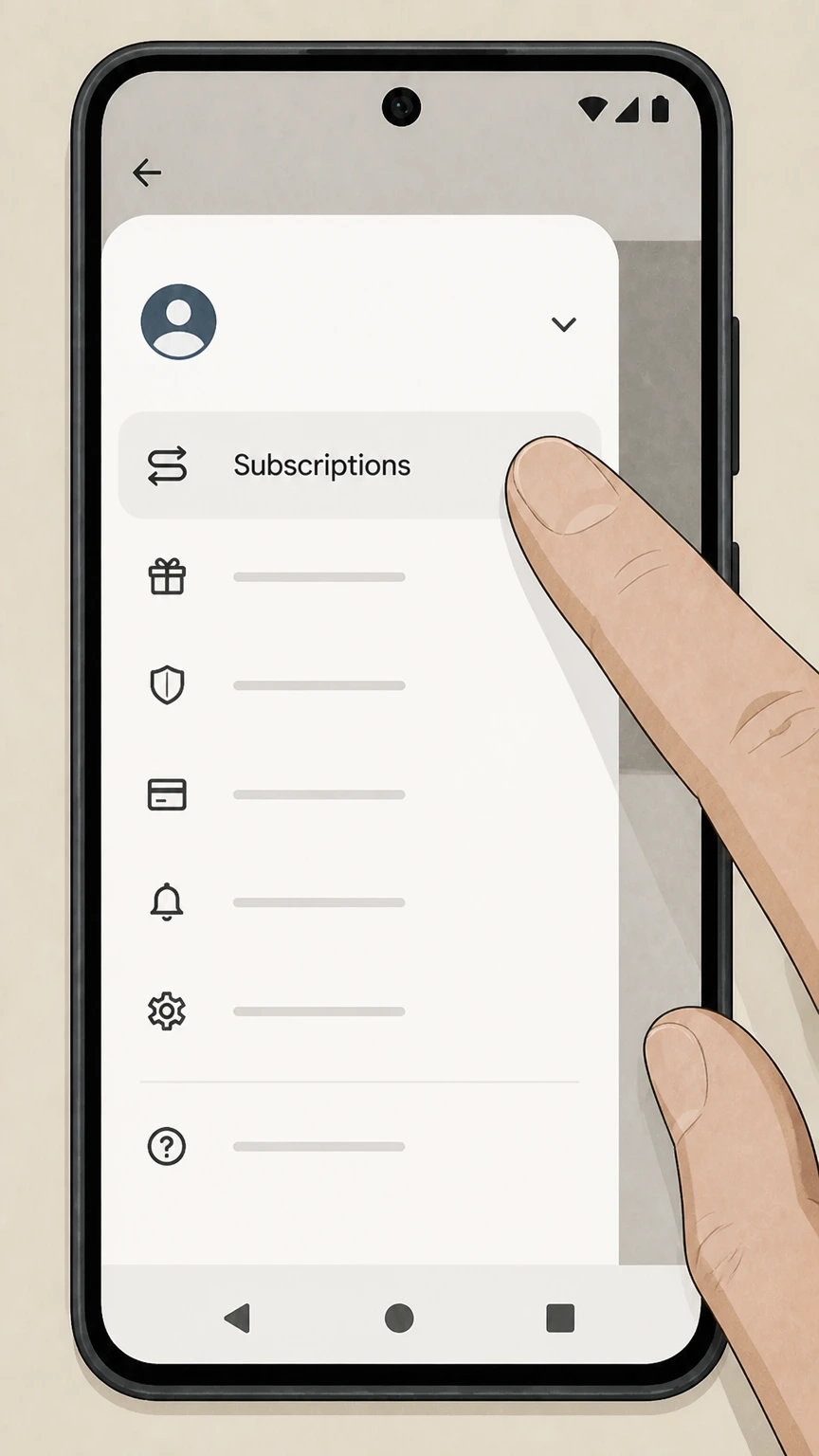
2Open Subscriptions
In Google Play, open the menu for your account and tap Subscriptions to view your active Google Play subscriptions. Use the Harvard Business Review account named on your receipt, and continue only after the next status in this cancellation path is visible.
- Let Pine handle it
Pine can help
Too many steps?
Pine can find the right Cancel Harvard Business Review via Google Play subscriptions path and handle the cancellation for you.
 3
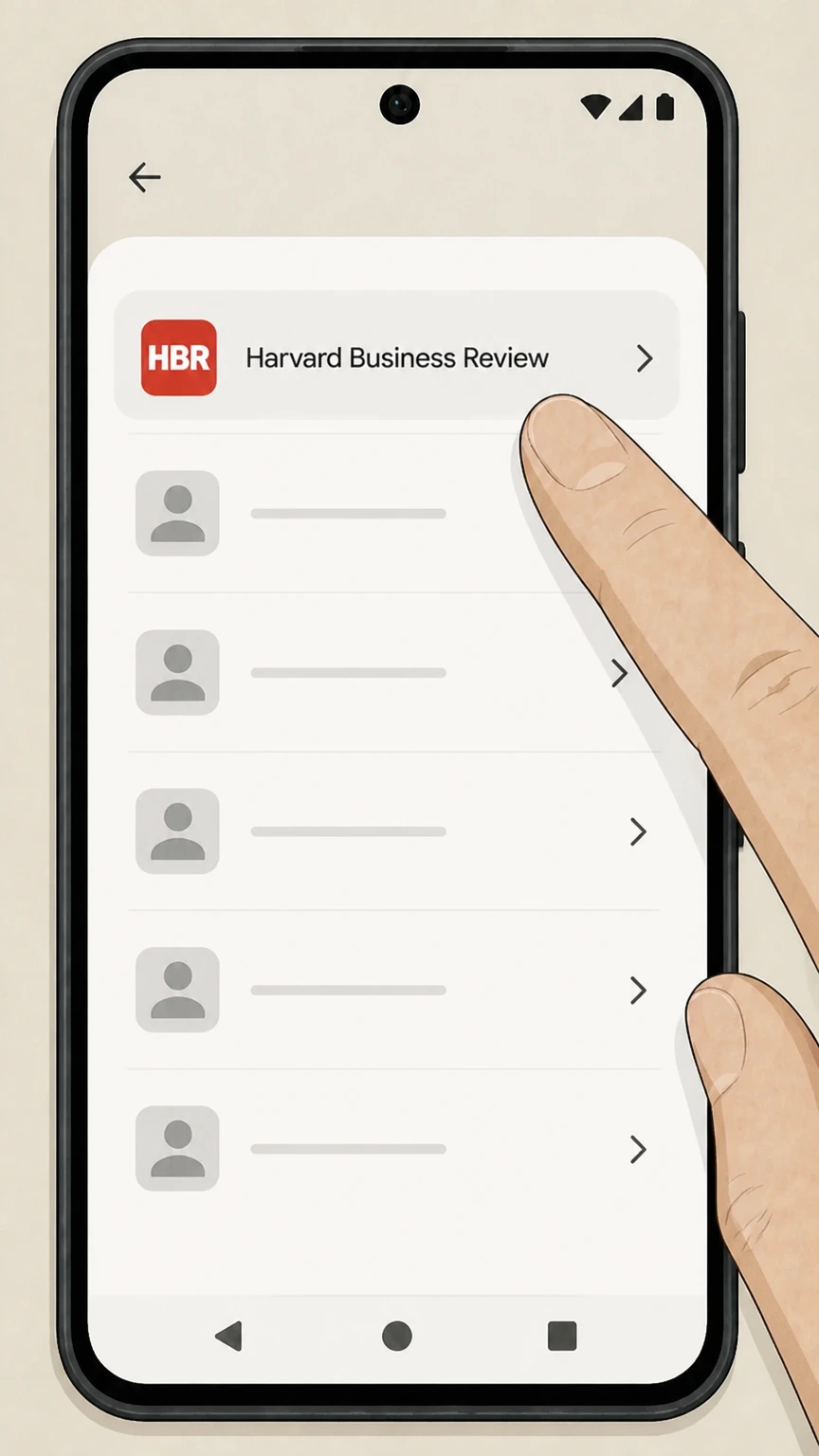
3Select Harvard Business Review
In the list of subscriptions, tap the Harvard Business Review or HBR Mobile subscription that you want to cancel. Use the Harvard Business Review account named on your receipt, and continue only after the next status in this cancellation path is visible.
 4
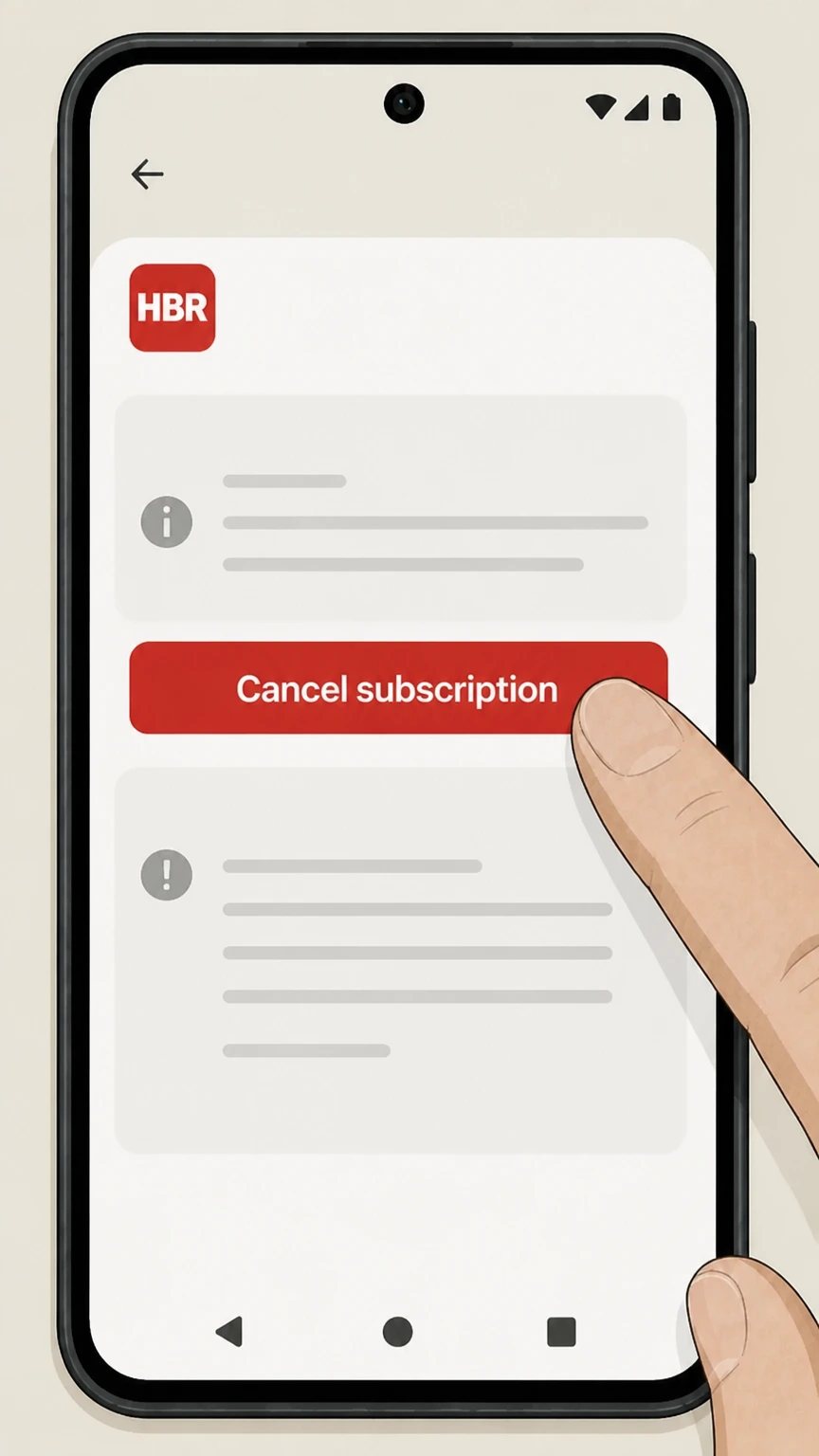
4Tap Cancel subscription
On the subscription details screen, tap Cancel subscription and review the on‑screen information about when your HBR access will end.
 5
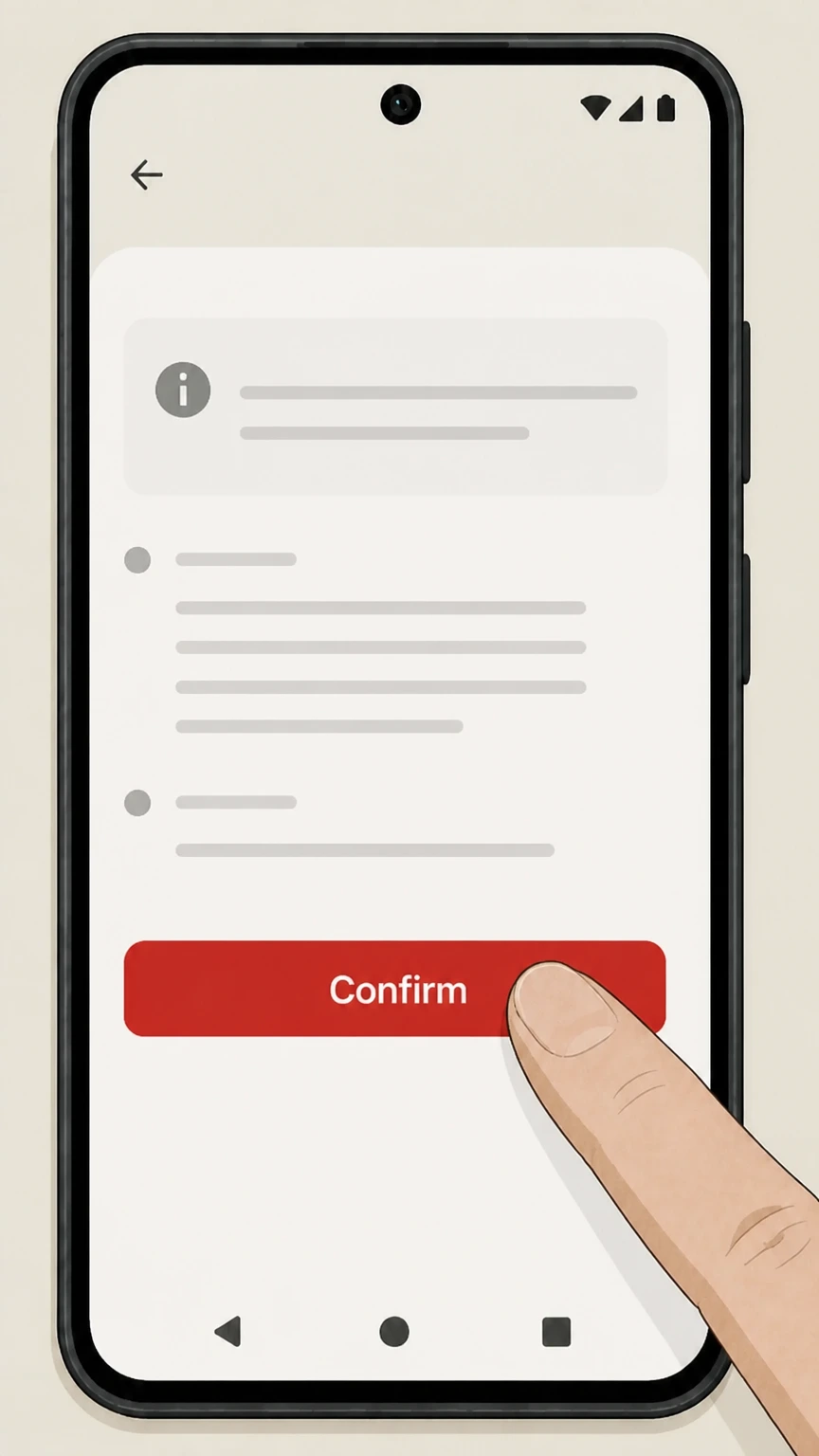
5Confirm cancellation
Follow the remaining prompts to confirm so Google Play turns off auto‑renew for your Harvard Business Review subscription. Use the Harvard Business Review account named on your receipt, and continue only after the next status in this cancellation path is visible.
Refund policy
Refunds when you cancel Harvard Business Review
Cancelling Harvard Business Review stops future renewals, but refunds for past charges depend on where you bought the subscription and the relevant platform’s policies.
Check my refund options- HBR-billed subscriptions
- Harvard Business Review’s public pages emphasize customer service contacts for subscription issues but do not publish a detailed refund policy for magazine or digital plans. You should contact HBR customer service directly to ask whether a refund or credit is available for your specific account and location.hbr.org
- Apple App Store refunds
- Apple states that some purchases from the App Store, including subscriptions, may be eligible for a refund, which you request through Apple’s report-a-problem site after cancelling. Refunds are discretionary and handled by Apple, not by HBR.support.apple.com
- Google Play refunds for HBR
- Google explains that it does not give refunds for most Google Play purchases but allows limited refunds for apps and in-app purchases, including subscriptions, especially within the first 48 hours; after that, you usually must work with the developer under its own policies.support.google.com
- Effect of refunds on access
- Both Apple and Google note that if a subscription payment is refunded, you can lose access to the associated content immediately; for HBR subscriptions processed through these stores, that means HBR app and digital access may end as soon as the refund is granted.support.google.com
- Disputes and unauthorized charges
- For unauthorized or mistaken app‑store charges related to HBR, Apple directs users to request a refund through its system, while Google Play provides separate flows for reporting unauthorized charges; if the dispute involves direct HBR billing, contact HBR customer service with your receipts.support.google.com
If you were billed directly by Harvard Business Review and need a refund beyond what Apple or Google can grant, contact HBR subscription customer service using the latest phone or email details listed on its "Getting the Most Out of Your Subscription" page and explain your situation. Harvard Business Review subscription information and service
Who bills you
How Harvard Business Review subscriptions are billed
Harvard Business Review subscriptions can be billed directly by HBR or through mobile app stores. Knowing who bills you determines where you must cancel.
Direct HBR billing
Subscriptions bought on hbr.org or via magazine offers are billed by Harvard Business Review or its fulfillment partners, and subscriber information is managed through HBR’s subscriber services pages and customer service contacts.hbr.org
Apple App Store billing
The Harvard Business Review iOS app sells a recurring digital-only plan as an in‑app subscription; Apple bills you and states that the subscription automatically renews until you turn off auto‑renew.apps.apple.com
Google Play billing
The HBR Mobile Android app offers an annual or monthly subscription sold through Google Play; HBR’s Android FAQs explain that these subscriptions automatically renew unless you turn off auto‑renew in Google Play.play.google.com
Other third parties
Harvard Business Review magazine may also be sold through third‑party newsstand or bundle services; when those parties bill you, their own cancellation and refund rules apply and you must cancel with them, not HBR.apps.apple.com
Find the right owner
How to tell if Apple, Google, or HBR bills you
Before cancelling, confirm which organization actually charges you by checking receipts and statements.
Check email receipts
Search your email for "receipt from Apple" or "Google Play"; Apple’s and Google’s receipts identify the billing account and subscription, guiding you to the correct cancellation flow.support.apple.com
Review card statements
If your statement shows Apple or GOOGLE* charges around your HBR renewal date, the subscription is likely app‑store‑billed; if the line item names Harvard Business Review or a fulfillment contractor, it is HBR‑billed.
Look in Apple subscriptions
On iPhone, go to Settings > your name > Subscriptions; if Harvard Business Review appears here, Apple is billing and you must cancel in this screen rather than through HBR customer service.support.apple.com
Look in Google Play subscriptions
In the Google Play Store app, open Subscriptions; if you see an HBR subscription listed, Google Play is billing you and you must cancel in Google Play.support.google.com
If you can’t find an app‑store entry
Apple notes that if you don’t see a subscription in your Apple subscriptions list, you may have subscribed directly with the provider; in that case, cancel with Harvard Business Review’s own customer service.discussions.apple.com
After cancellation
What changes after you cancel Harvard Business Review
Cancelling stops future renewals but does not immediately erase your account. Access changes depend on who billed the subscription.
Access until period end
Apple and Google both state that when you cancel a subscription, it normally remains active until the end of the current billing period; your HBR access continues through that date and then stops.support.apple.com
Loss of subscriber-only features
Once an HBR subscription expires, you lose access to subscriber-only benefits such as the full magazine, archived articles, and subscriber exclusives listed on HBR’s subscription information page.hbr.org
HBR.org account remains
Cancelling your subscription does not delete your free HBR.org registered account; you can still sign in to manage email preferences, saved items, and any separate store orders.hbr.org
App behavior after expiry
After expiry, the HBR mobile apps continue to function but premium content that requires an active subscription will be locked again until you resubscribe or sign in with another valid subscription.play.google.com
Subscription types
Print, digital, and app-only Harvard Business Review plans
Harvard Business Review offers several subscription configurations, which may behave differently when you cancel.
Magazine subscription
HBR’s magazine subscription includes six print issues per year plus associated subscriber benefits on HBR.org; cancellation normally stops new issues and related subscriber privileges after the current paid term.hbr.org
Digital-only plans
Digital-only subscriptions provide access to HBR.org content, archives, and subscriber exclusives without print delivery; app‑store subscriptions are marketed as granting access to this digital plan.apps.apple.com
Android app-only subscription
HBR’s Android FAQ notes that subscriptions purchased through Google Play provide Android access only and do not automatically include print delivery or full web subscription upgrades.hbr.org
Executive and premium tiers
HBR also promotes Executive and premium subscription tiers in its help center index; these are still managed through HBR subscription accounts or platforms like Apple and Google, with cancellation handled by the billing owner.hbr.org
Special access
Corporate, institutional, and third-party Harvard Business Review access
Some readers access HBR through employers, schools, or newsstand services; these arrangements require different cancellation steps.
Corporate and higher-education access
Harvard Business Publishing operates corporate learning and higher-education services separate from individual HBR magazine subscriptions; access from these programs is managed by your organization, not via app‑store subscriptions.hbr.org
Access codes and archives
Certain institutional or multi-user plans use access codes registered on hbr.org to unlock archives; questions about ending that access should go to the corporate customer service contacts provided on the access-code registration page.hbr.org
Newsstand platforms
Harvard Business Review is also sold through digital newsstands such as Zinio; if you subscribed via such a platform, follow that platform’s own instructions to cancel and manage renewals.apps.apple.com
No direct control from HBR apps
If your HBR access comes through an employer, library, or newsstand account, cancelling in the HBR app will not stop billing; you must change or cancel the subscription with the organization or platform that provides it.
Proving it’s cancelled
How to confirm your Harvard Business Review cancellation
Because HBR is often billed through platforms, it’s important to verify that auto‑renewal is actually off.
Check subscription status in Apple or Google
After cancelling, revisit the Subscriptions section in your Apple or Google Play account; Apple shows an expiration date in red when a subscription is cancelled, and Google lists the end date and status.support.apple.com
Watch for confirmation email
App stores usually send a confirmation email when you change or cancel a subscription; save this message in case you need to dispute future charges.
Confirm with HBR customer service
For HBR‑billed subscriptions cancelled by phone or email, ask the agent to confirm in writing and note the exact end date of your subscription in your own records.hbr.org
Monitor your next billing cycle
Check your credit-card or bank statement after the date your subscription was supposed to renew; if a new HBR or app‑store charge appears, contact the billing owner immediately with your prior cancellation proof.
Account & data
Account, saved content, and data when you cancel HBR
Cancelling a subscription affects access, but usually not your underlying HBR.org account or saved items.
HBR.org registration persists
HBR encourages users to register free accounts to access some content and manage email preferences; this registration remains even if your paid subscription expires.hbr.org For your Harvard Business Review account, compare this point with the billing owner and effective date shown in the signed-in account or latest receipt.
Saved library and reading lists
Features such as My Library and Reading Lists are tied to your HBR.org login; saved items typically remain in your account, but some subscriber-only articles may no longer open without an active subscription.hbr.org
Email preferences remain editable
You can continue to adjust newsletter and marketing email settings in Email Preferences after cancellation, allowing you to reduce or retain communications from HBR as desired.hbr.org
App data and downloads
Downloaded issues or articles in the HBR mobile apps may become inaccessible once your subscription lapses, consistent with app-store policies that remove access to refunded or expired subscription content.play.google.com
What official sources do not confirm
Limits of the public Harvard Business Review cancellation guidance
These points are intentionally qualified because the official sources reviewed on August 17, 2026 do not publish a complete answer.
Documented limitation 1
Harvard Business Review’s detailed subscription help articles are hosted on a Zendesk help center that sits outside the allowed domains, so this audit could not use their full text and instead relied on hbr.org pages and search snippets for high-level confirmation.
Documented limitation 2
No current, comprehensive refund policy specific to individual HBR magazine or digital subscribers is published on hbr.org within allowed domains; the guide therefore treats refunds for HBR-billed subscriptions as case-by-case matters handled via customer service rather than promising specific outcomes.
Documented limitation 3
The exact labels and placement of any self-service "Cancel" or auto-renew controls inside the authenticated HBR subscriber portal could not be verified due to sign-in requirements and domain constraints; the guide therefore emphasizes clearly documented routes (customer service and app-store subscription settings) rather than speculating about in-portal buttons.
Documented limitation 4
Third-party channels such as institutional site licenses, employer-provided access, library databases, and independent newsstand apps may have their own cancellation and refund rules that are not documented on HBR, Apple, or Google’s public pages; readers using those channels must follow the policies of the providing organization.
Harvard Business Review cancellation FAQ
Questions people search about canceling Harvard Business Review, answered with official provider or billing-platform sources checked on August 17, 2026.
How can I cancel my Harvard Business Review subscription?
How do I cancel Harvard Business Review on my iPhone if I subscribed in the app?
How do I cancel Harvard Business Review on Android if I subscribed through Google Play?
What happens to my Harvard Business Review access after I cancel?
Can I get a refund after cancelling my Harvard Business Review subscription?
How do I know if my Harvard Business Review subscription is billed through HBR, Apple, or Google?
Can I pause my Harvard Business Review subscription instead of cancelling?
Does cancelling my Harvard Business Review subscription delete my HBR.org account?
Is it worth it to subscribe to Harvard Business Review?
How trustworthy is Harvard Business Review?
Untangle this Harvard Business Review issue.
Let Pine handle the provider follow-up and keep the confirmation in one place.
