


DeepDyve
Cancel subscription
How to Cancel DeepDyve or Pause It for Three Months
Cancel DeepDyve from Account Settings or compare its three-month hold. Learn when access ends, how automatic resumption works, and what to verify afterward.
- Direct cancellation is available in Account Settings
- A three-month hold automatically resumes afterward
- A subscription can still be canceled while it is on hold
- Lost access alone does not prove renewal stopped
Cancel DeepDyve through the company that bills you
Web · DeepDyve account
Cancel DeepDyve from Account Settings
 1
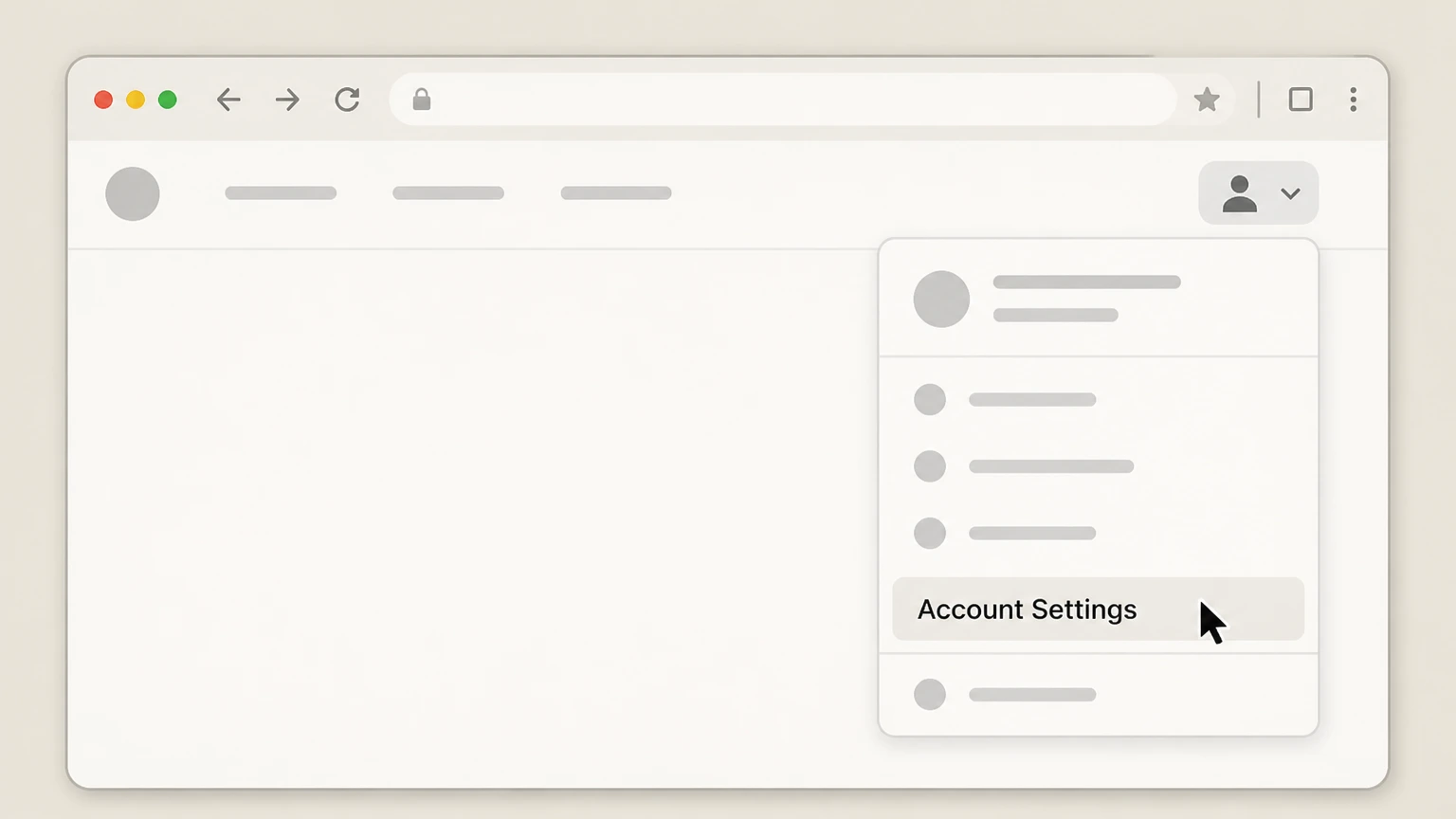
1Open Account Settings
Sign in, select your name in the top-right, and choose Account Settings.
 2
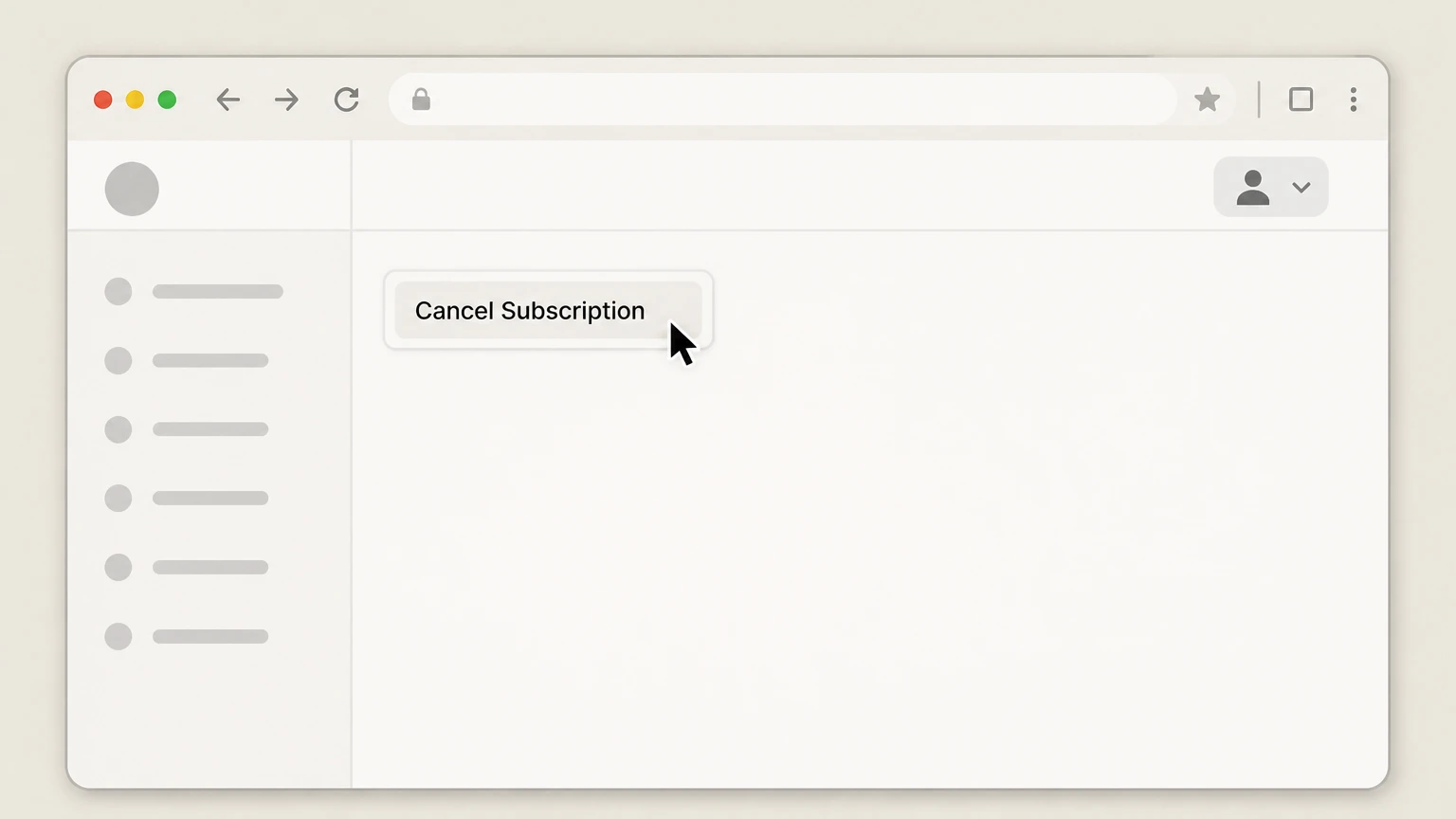
2Press Cancel Subscription
On Account Settings, select Cancel Subscription and complete any feedback or confirmation shown.
- Let Pine handle it
Pine can help
Too many steps?
Pine can find the right Web path and handle the cancellation for you.

Refund policy
DeepDyve refunds, access, and charge follow-up
The public cancellation help explains the cancellation control but does not promise a refund. Signed-in terms and applicable law control any charge review.
Check my refund options- No refund promise in the cancellation guide
- The official two-step cancellation article does not say that canceling returns a current-period payment.
- Hold and cancellation have different billing effects
- A hold pauses billing for the hold period and then resumes; cancellation is the route intended to stop the subscription.
- Ask support about a specific charge
- Use the account and transaction details when requesting a charge review rather than assuming cancellation creates a credit.
If Account Settings does not show the documented control, contact DeepDyve while signed into the paying account. Open DeepDyve cancellation help
Cancel or hold
A DeepDyve hold is temporary
A hold can be useful for a planned break, but it does not permanently stop renewal.
Cancellation uses Account Settings
DeepDyve instructs members to open Account Settings from their name and press Cancel Subscription.
A hold lasts three months
DeepDyve says a hold begins at the end of the current billing cycle, prevents billing during the hold, and removes article and journal access during that period.
A held subscription resumes automatically
At the end of the three-month hold, the normal subscription resumes unless the member returns to cancel it.
Verification
How to verify the correct account was canceled
Research accounts and institutional access can make identity confusing.
Use the paying personal account
Open Account Settings from the signed-in identity that owns the recurring DeepDyve subscription.
Do not infer cancellation from lost access
A hold also removes article access temporarily. Check subscription status rather than treating access loss alone as proof of cancellation.
Keep any confirmation
Save the final status or support correspondence in case the billing state must be reviewed later.
DeepDyve cancellation questions
Questions discovered from current search behavior are answered only with the official sources checked on August 16, 2026.
How do I cancel a DeepDyve subscription?
Can I put DeepDyve on hold instead of canceling?
Can I cancel DeepDyve while the subscription is on hold?
Does losing DeepDyve access prove that the subscription is canceled?
Untangle this DeepDyve issue.
Let Pine handle the provider follow-up and keep the confirmation in one place.
