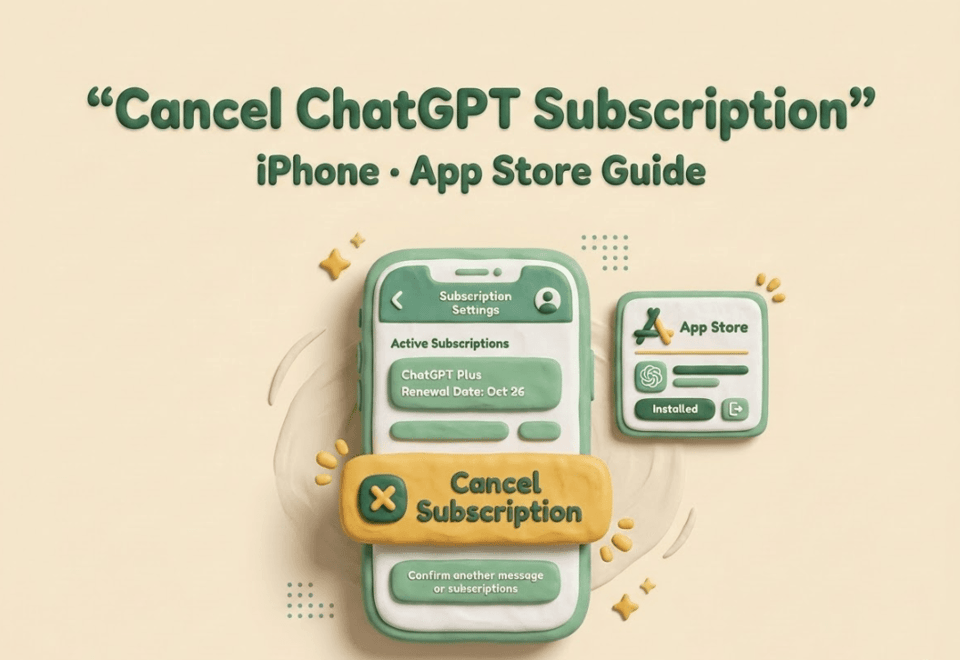
Here is the short version: If you subscribed via the App Store, the ChatGPT app cannot help you cancel. No matter how many times you tap through the app's settings, the button simply isn't there. I’m MIllie, and having managed dozens of AI tool subscriptions, I know the Apple billing ecosystem is designed to be secure, but it's often opaque. In this guide, I’ll walk you through exactly how to cancel your Apple subscription for ChatGPT via your Apple ID settings. Crucially, I'll also show you how to verify the cancellation is "real" so you don't get hit with an auto-renewal fee while you're sleeping.
Why App Store, not the ChatGPT app
This is the bit most people miss: the place you cancel depends on who bills you.
If you subscribed on an iPhone through Apple's in-app purchase, Apple is the merchant of record. That means the ChatGPT app can't "reach into" Apple's billing system and undo it, even if the app looks like it should.
If Apple bills you, canceling in ChatGPT does nothing
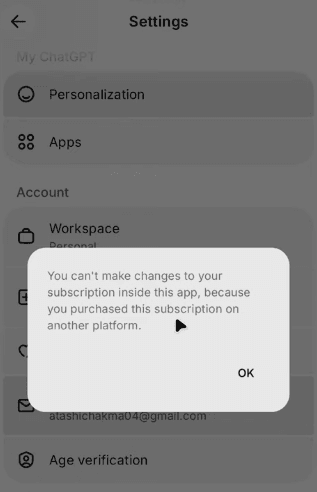
When Apple is handling the charge, canceling inside the ChatGPT app (or even deleting the app) doesn't stop the renewal. You can log out, uninstall, change your password, none of that matters.
What matters is whether you have an active App Store subscription. If you do, you must cancel via your Apple ID subscriptions.
This is why people end up saying things like "I already canceled" and then still get charged. They canceled in the wrong billing system.
How to confirm Apple is your billing source
Here's how I confirm Apple is billing me before I touch anything else:
- I open Settings on my iPhone.
- I tap [my name] at the top (Apple ID).
- I tap Subscriptions.
If ChatGPT is listed there, you're in Apple-land. You'll want to cancel ChatGPT App Store style, through those subscription settings.
If ChatGPT is not listed, don't panic (yet). It usually means OpenAI bills you directly, or you're signed into a different Apple ID than the one that subscribed. It could also mean you previously used an Android device, so you might need to cancel, pause, or change a subscription on Google Play. We'll handle the "chatgpt subscription not showing iphone" scenario below.
Cancel ChatGPT on iPhone — exact steps
I don't like cancellation instructions that read like a scavenger hunt, so here's the straight path. This is the process for cancel ChatGPT iOS when Apple is billing you, following the official Apple Support steps to cancel a subscription from Apple.
Settings → [your name] → Subscriptions → ChatGPT
- Open Settings.
- Tap your name (Apple ID banner at the top).
- Tap Subscriptions.
- Find and tap ChatGPT.
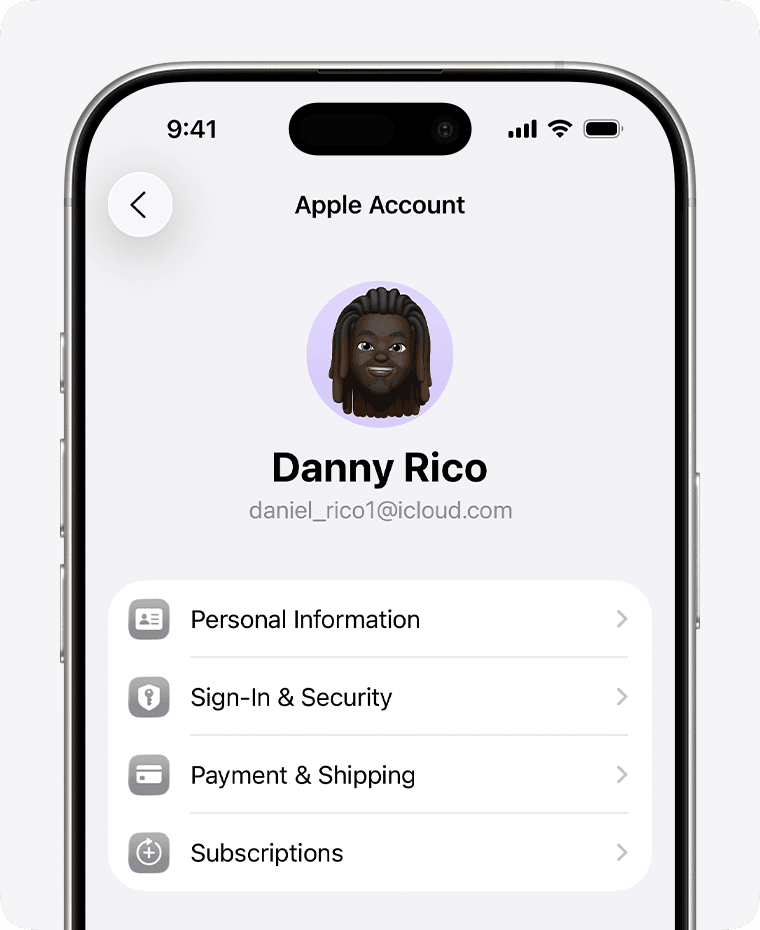
If you're like me and you subscribe to a few too many tools "just to test," use the list's ordering to your advantage: Apple typically shows active subscriptions prominently.
Tap Cancel Subscription → Confirm
Once you're on the ChatGPT subscription page:
- Tap Cancel Subscription.
- Confirm when prompted.
That's it. No phone calls, no support tickets, no explaining yourself twice.
A small note: sometimes you'll see a button that says Cancel Free Trial instead. Same idea, tap it and confirm.
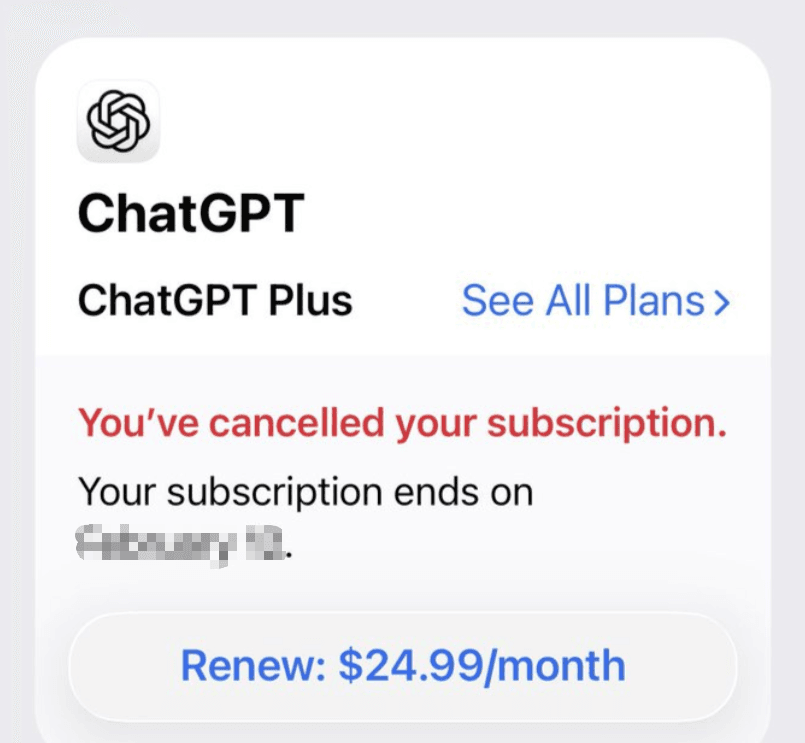
What "Expires on [date]" means
After you cancel, Apple will usually show something like:
- Expires on April 18, 2026 (example)
That wording matters. It means:
- You've stopped the auto-renewal.
- You still have access to the subscription until the end of the current billing period.
- You won't be charged again as long as it stays canceled.
So if your goal is "ChatGPT iPhone cancel immediately," the reality is: most App Store subscriptions don't cut off instantly, they run through the paid period. That's normal. Also, keep in mind that canceling billing doesn't delete your history; your data remains subject to OpenAI's US Privacy Policy and their specific chat and file retention policies.
If you want extra peace of mind, scroll on that same subscription screen and look for confirmation language that indicates it's no longer renewing (wording varies by iOS version).
ChatGPT not in App Store subscriptions?
If you went to Settings → Subscriptions and ChatGPT isn't there, you're not alone. This is exactly where the "I can't find it, hence I can't cancel it" spiral starts.
In my experience, it's usually one of two things:
- OpenAI bills you directly (not Apple), or
- You're checking the wrong Apple ID.
This section focuses on the most common: OpenAI direct billing.
OpenAI bills you directly, use web path instead
If OpenAI is billing you, you won't be able to stop ChatGPT Apple billing, because there isn't any Apple billing to stop.
Instead, you cancel from your ChatGPT account on the web (even if you mostly use the iPhone app). This is the correct method to cancel my ChatGPT Plus subscription if you paid via credit card directly.
- Open a browser (Safari is fine).
- Sign in to ChatGPT.
- Go to Settings (inside your ChatGPT account).
- Find Plan / Subscription.
- Choose Manage and then Cancel.
The exact labels can shift as OpenAI updates the UI, but the logic stays the same: account settings → subscription management → cancel.
If you're trying to cancel ChatGPT iOS and you're stuck, this is usually the unlock.
Check email receipt to confirm
I don't guess. I verify.
The fastest way to confirm who's charging you is to search your email for the receipt:
- Search terms I use: "Apple receipt," "App Store," "OpenAI," "ChatGPT Plus," "invoice," and the last 4 digits of the card if your email includes it.
What you're looking for:
- Apple receipt / "Apple Media Services" / App Store style receipt → you subscribed through Apple, so it should appear under Apple subscriptions (possibly under a different Apple ID).
- OpenAI receipt/invoice → OpenAI is billing you directly, so cancel via the web path.
If you have the charge on a statement but no matching receipt in your inbox, check spam/promotions, then look at the email address tied to the account. (Yes, I've done the "wrong Gmail tab" dance too many times.)
Proof checklist
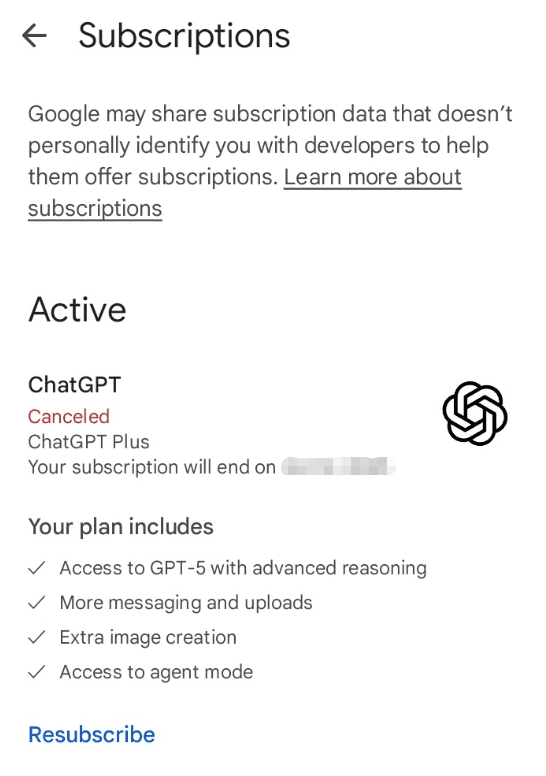
Canceling is one thing. Knowing you won't be charged again is the part that lets your brain stop background-polling your bank app.
Here's the proof checklist I use after I chatgpt iphone cancel a subscription, especially if I'm doing it quickly between calls.
Apple confirmation email
If you canceled through Apple, you'll typically get an email confirming the subscription change.
What I check:
- It's from Apple (and looks like a standard App Store/Apple Services email).
- It references the subscription (ChatGPT) and indicates it was canceled or won't renew.
No email doesn't always mean it failed, but if you do get one, it's the cleanest artifact to keep.
Screenshot subscription status
This feels slightly paranoid until it saves you.
Right after canceling, I take a screenshot of:
- Settings → [my name] → Subscriptions → ChatGPT
Specifically, I want the screen that shows:
- the current plan, and
- the Expires on [date] (or equivalent) status
If you ever need to confirm you did it (to yourself, to your accounting folder, or because you're untangling a month of subscriptions while traveling), that screenshot is the quickest "done means done" receipt.
If you've laid out everything you need and ChatGPT still isn't showing in Apple subscriptions, go back to the billing-source question: it's either direct OpenAI billing or a different Apple ID. Once you match the charge to the right system, cancellation gets boring, which is exactly how it should be.
Tired of checking your bank app just to see if a subscription actually stopped? We built Pine AI to eliminate that "background polling" anxiety by acting as your autonomous completion agent. Explore how Pine can step in to cancel your unwanted memberships and handle the proof checklist for you.