



McAfee
Cancel subscription
How to Cancel McAfee Subscription
Sign in to McAfee My Account and change or cancel auto-renewal for the specific subscription. McAfee says cancellation can be done after purchase, but turning off auto-renewal may remove benefits tied to enrollment, so record the paid-through date and coverage changes before confirming.
- Official McAfee and billing-partner guidance
- 4 billing paths separated
- Cancellation, access, and refund outcomes kept distinct
- Legacy cancellation content reviewed before redirect planning
The Pine workflow
How the Pine app helps you cancel your McAfee subscription
Pine turns a scattered cancellation process into one clear, trackable workflow—from finding the right billing path to confirming the outcome.
Step 1
Start the task
Tell Pine you want to cancel McAfee and share any billing details you already know.
Start my cancellationStep 2
Confirm the billing path
Pine identifies whether McAfee, Apple, Google Play, or another partner controls the subscription.
Step 3
Follow the official route
Pine uses the correct cancellation path and keeps you informed if approval or more information is needed.
Step 4
Track the result
Get a clear outcome record and know what happens next, including when access is expected to end.
Choose who bills your McAfee subscription
Sign in to McAfee My Account and change or cancel auto-renewal for the specific subscription. McAfee says cancellation can be done after purchase, but turning off auto-renewal may remove benefits tied to enrollment, so record the paid-through date and coverage changes before confirming.
Web · Verify this billing owner
Cancel on the provider website
Use this path only when the McAfee account, receipt, or payment statement identifies the provider website as the billing owner.
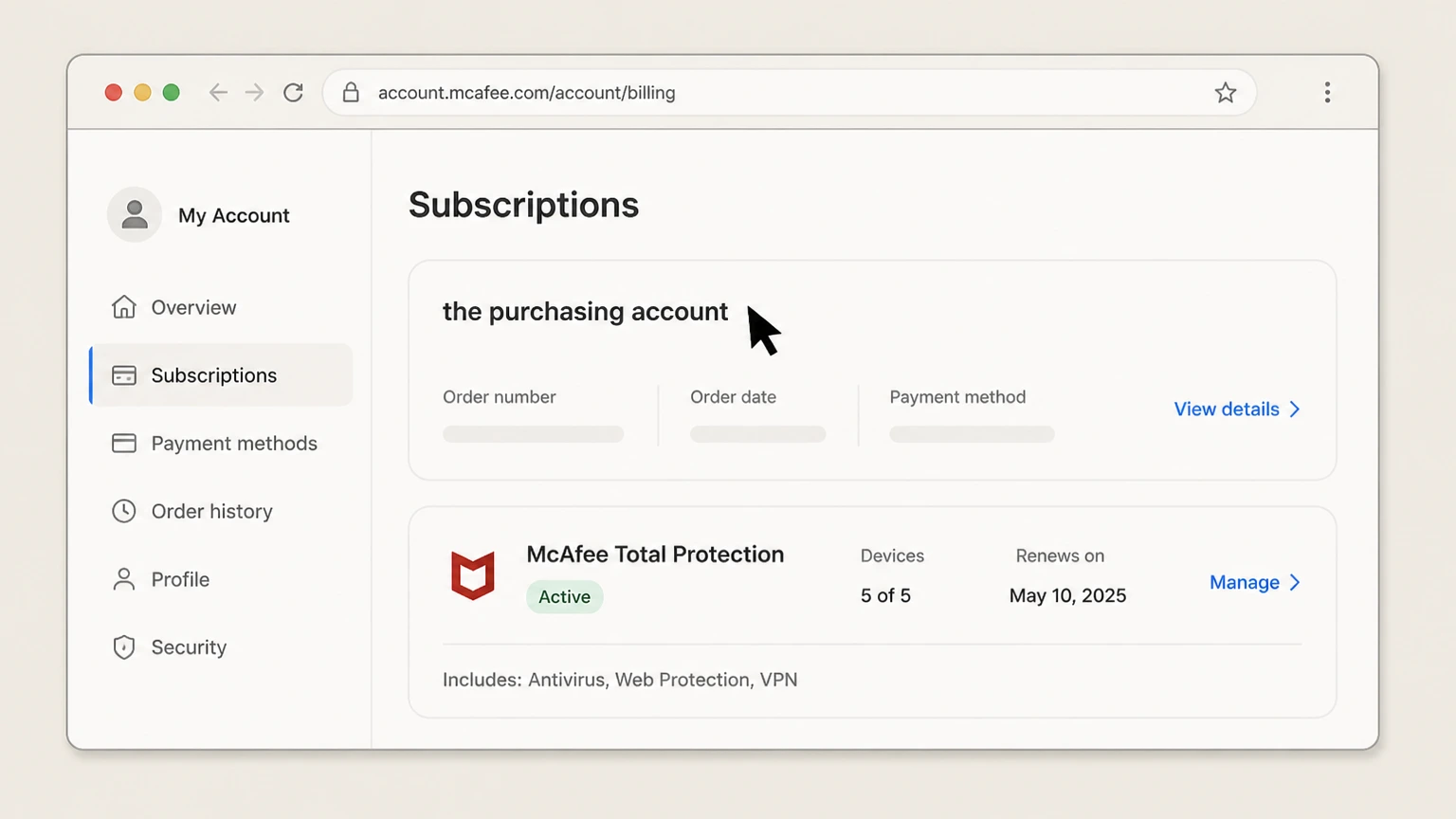
Find the purchasing account
Match order, product, devices, and renewal to the McAfee login.
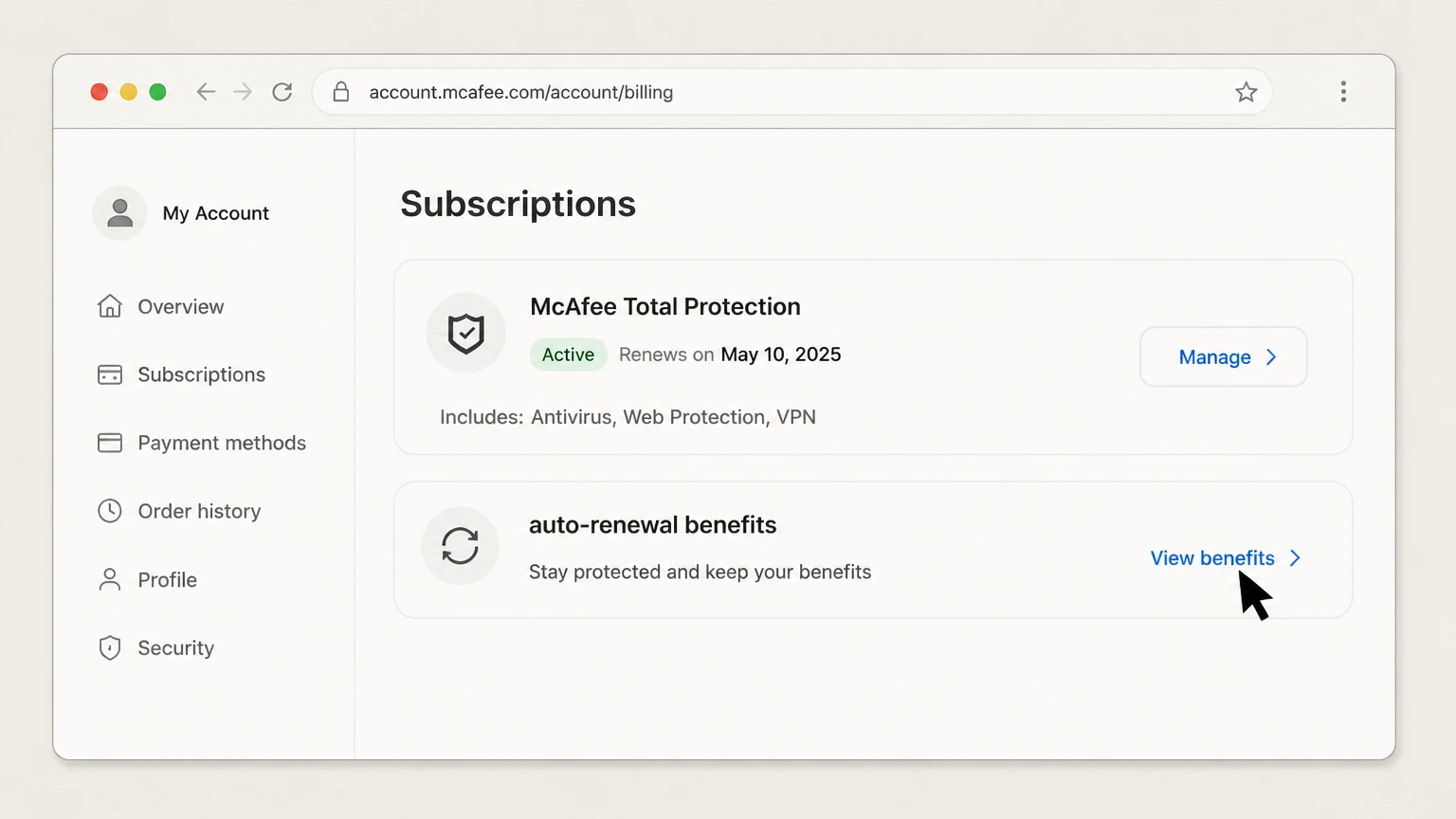
Review auto-renewal benefits
Check whether Virus Protection Pledge or other features depend on enrollment.
- Let Pine handle it
Pine can help
Too many steps?
Pine can find the right Web path and handle the cancellation for you.
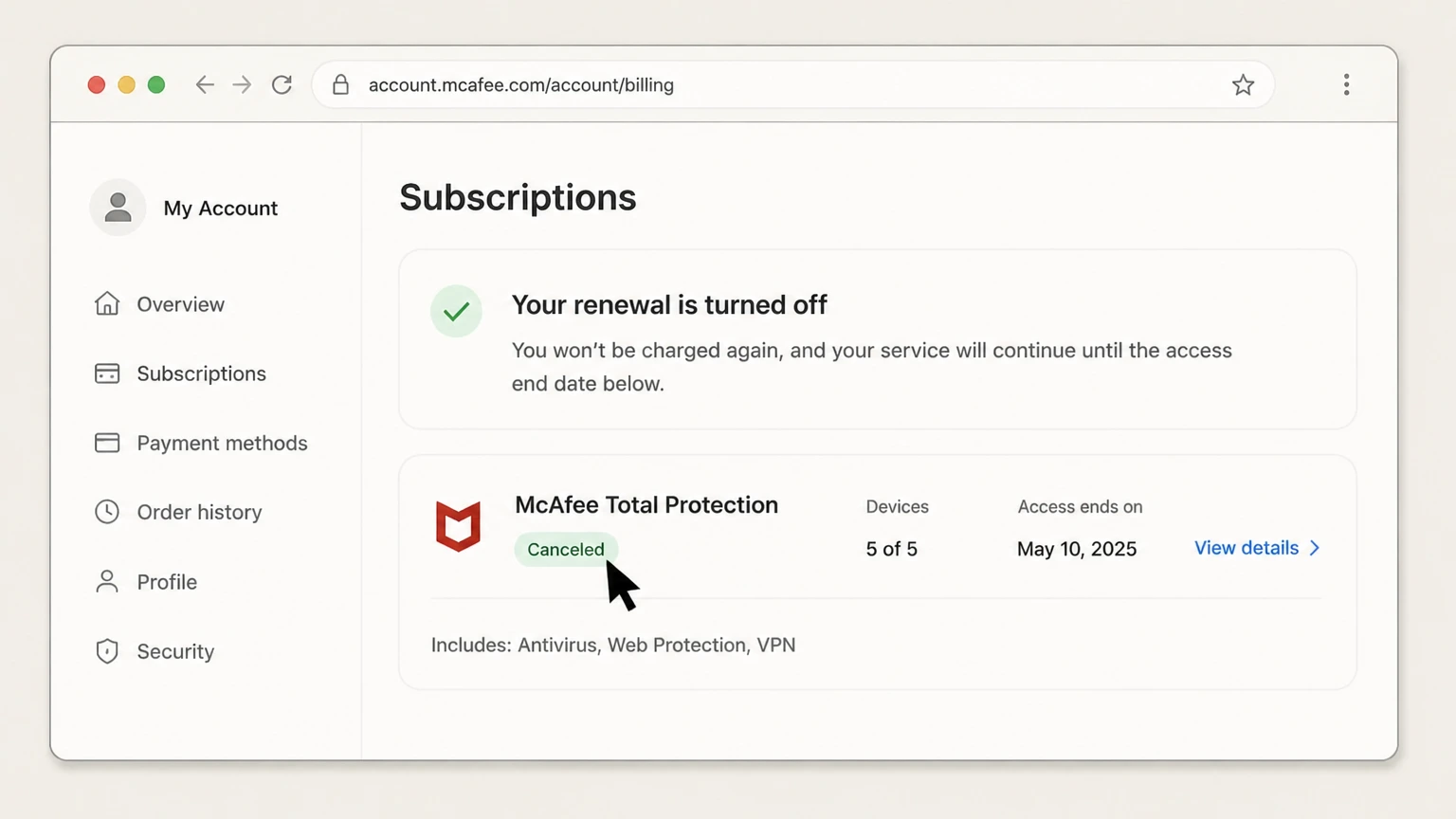
Turn off the correct renewal
Use My Account and save the final subscription status.
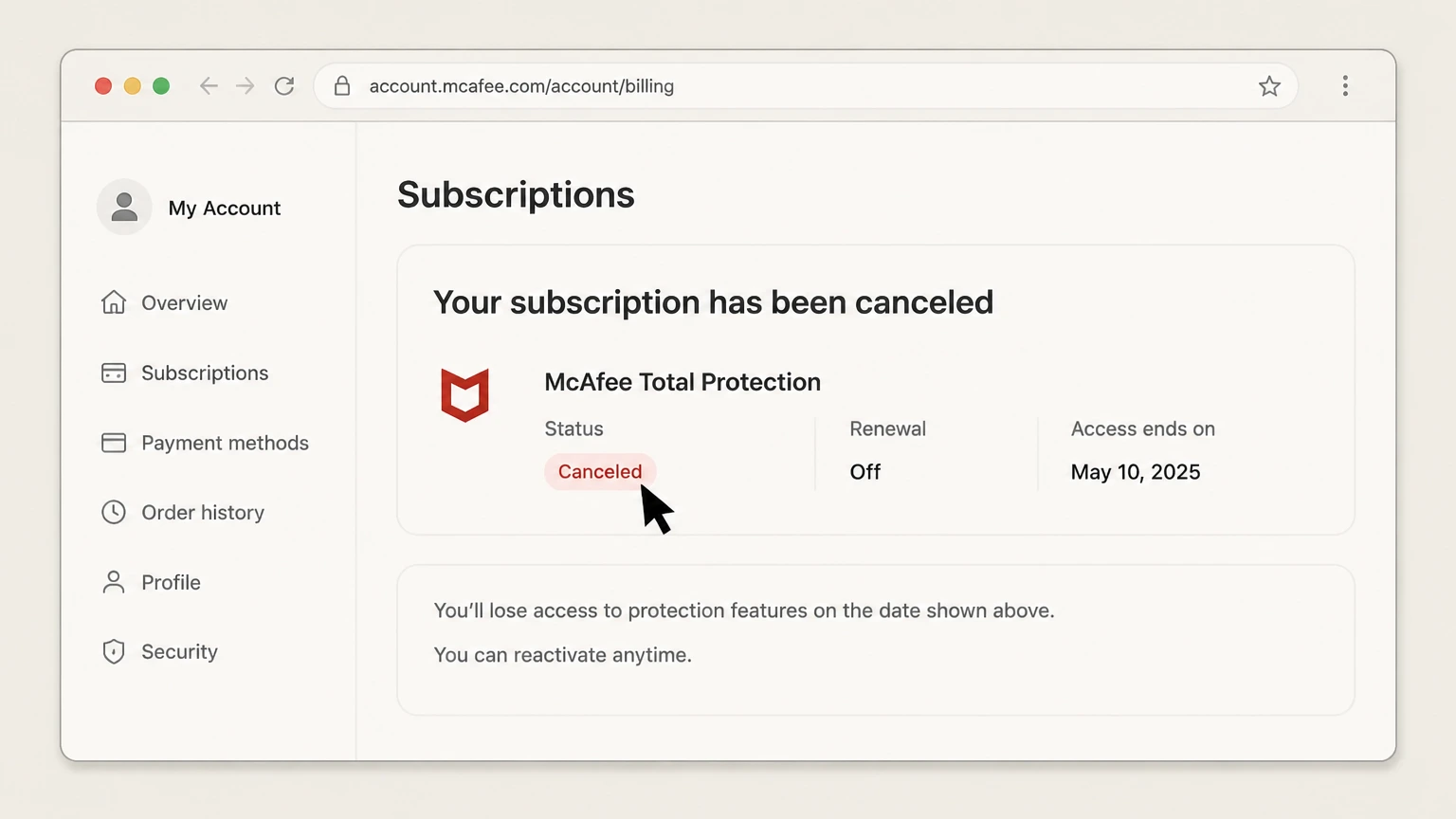
Verify the paid-through date
Confirm renewal is off for the intended product and record when protection ends.

App Store · Verify this billing owner
Cancel an App Store subscription
Use this path only when the McAfee account, receipt, or payment statement identifies the App Store as the billing owner.

Open Settings
On the iPhone, open Settings while signed in to the Apple Account used for purchase.

Tap your name
Open the Apple Account card at the top of Settings.
- Let Pine handle it
Pine can help
Too many steps?
Pine can find the right App Store path and handle the cancellation for you.

Open Subscriptions
Tap Subscriptions and wait for the active subscription list.
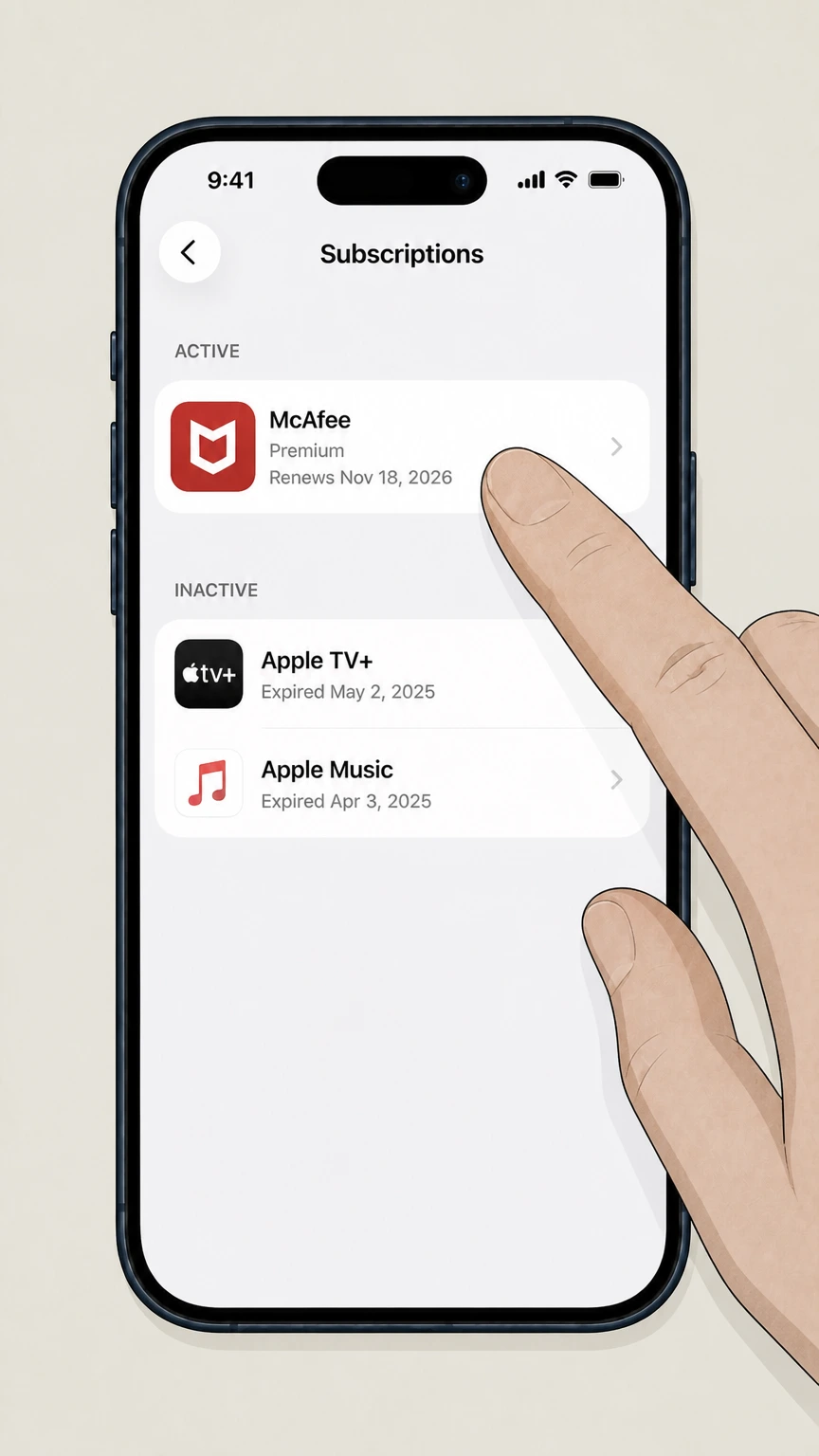
Choose the provider
Open the provider subscription and verify the plan and renewal date.
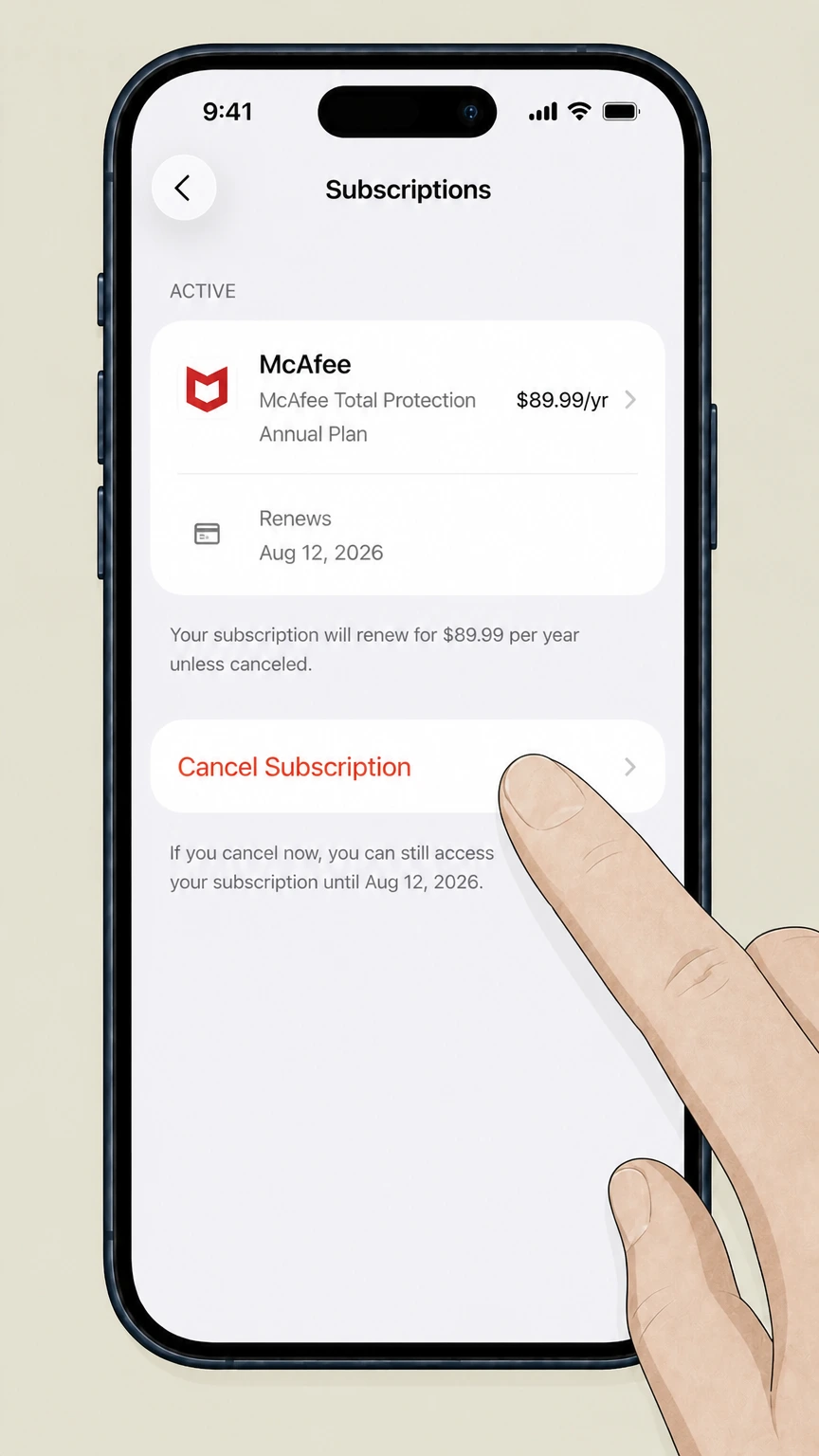
Tap Cancel Subscription
Confirm cancellation and keep the expiration date shown by Apple.
Google Play · Verify this billing owner
Cancel a Google Play subscription
Use this path only when the McAfee account, receipt, or payment statement identifies Google Play as the billing owner.
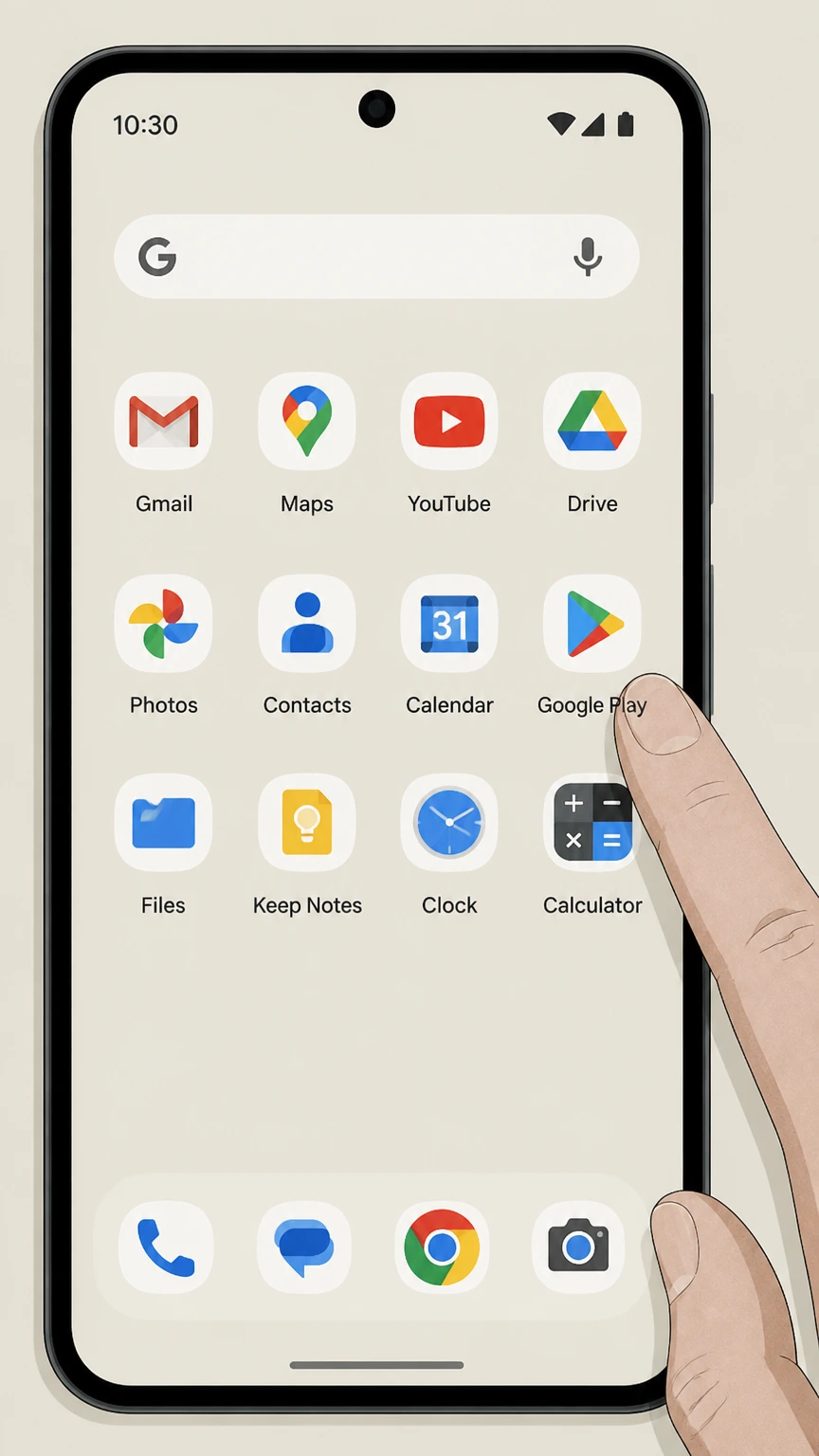
Open Google Play
Use the Google account that purchased the subscription.
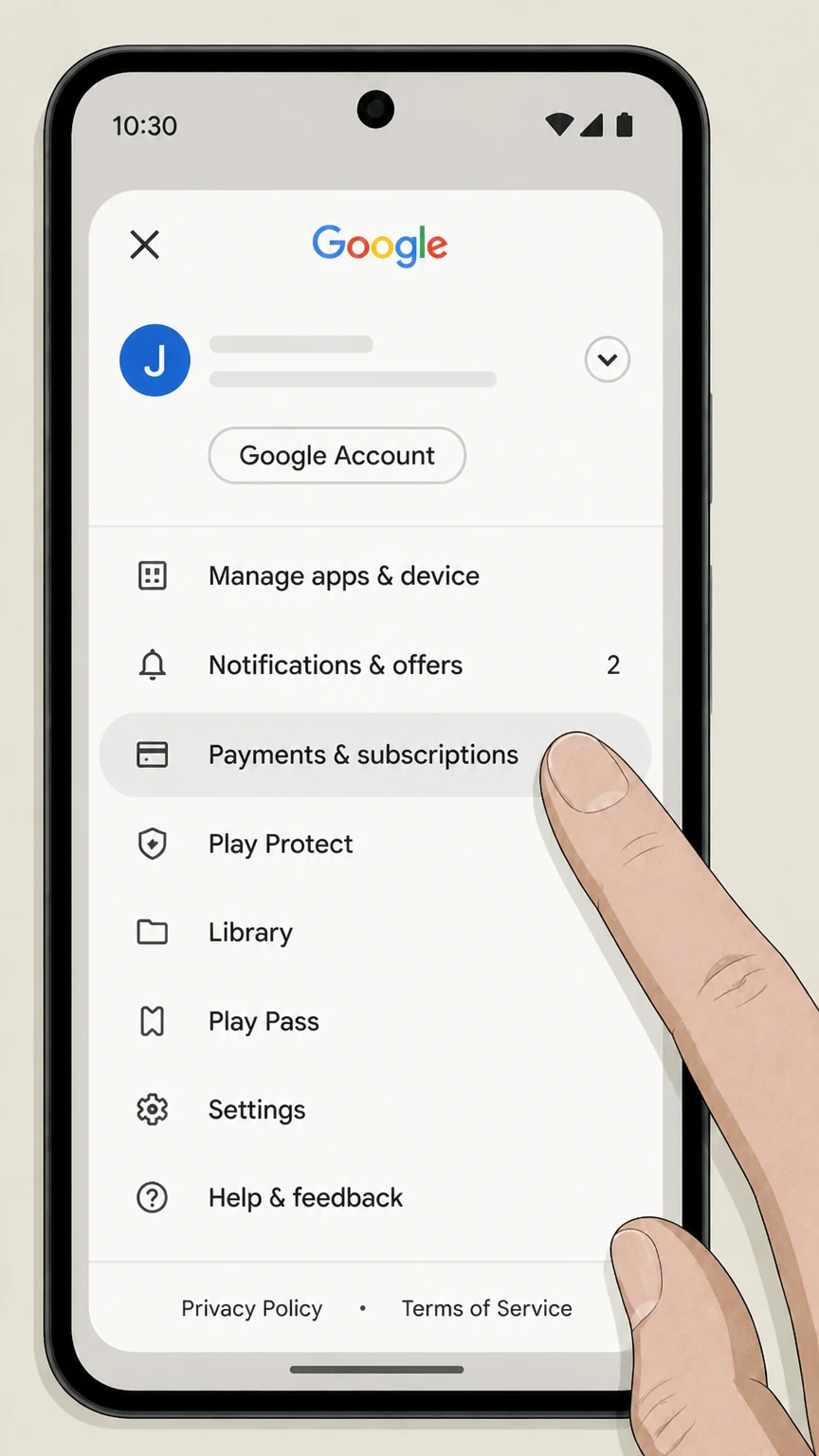
Open Payments & subscriptions
Tap the profile picture, then Payments & subscriptions.
- Let Pine handle it
Pine can help
Too many steps?
Pine can find the right Google Play path and handle the cancellation for you.
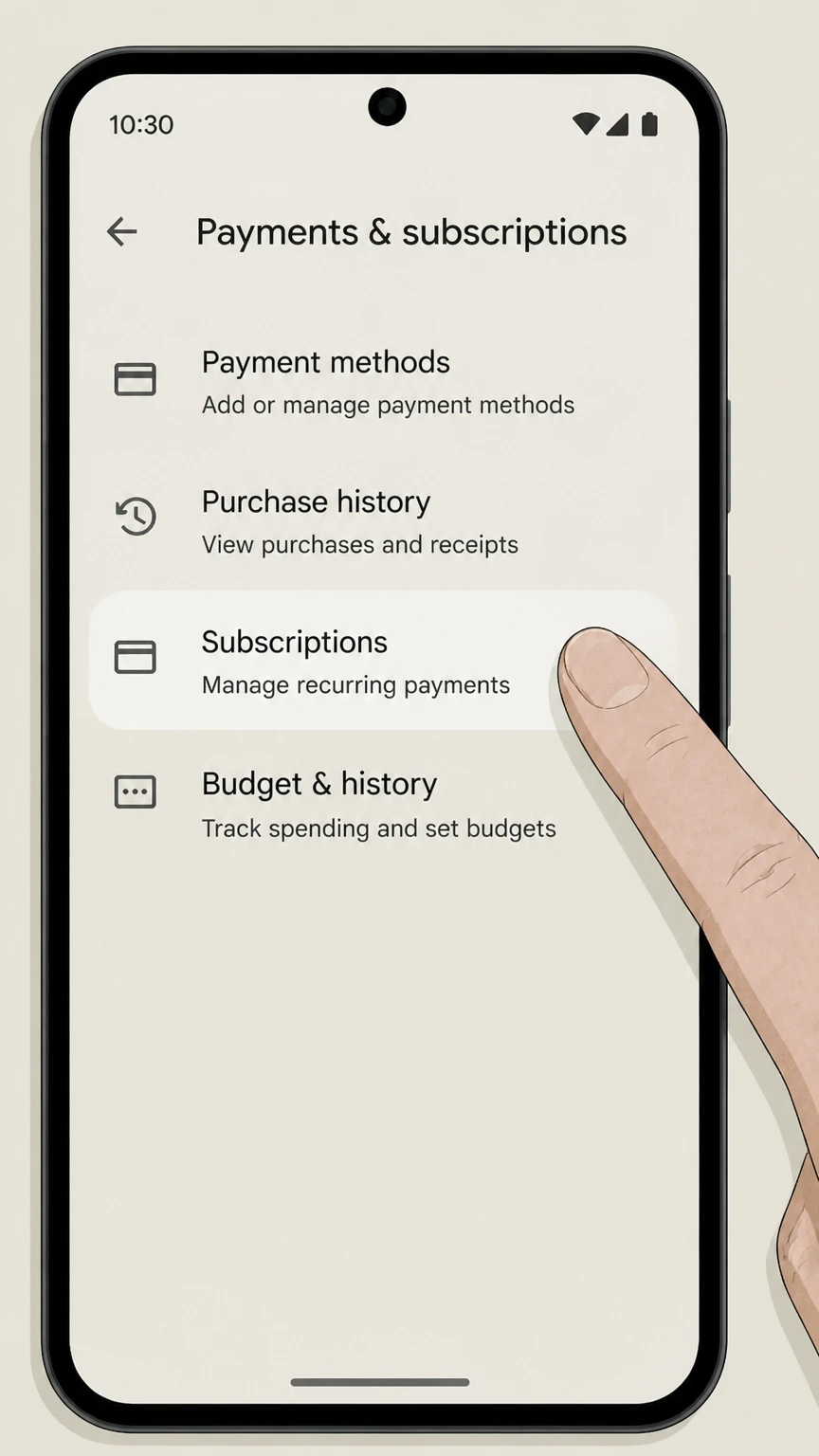
Open Subscriptions
Find the provider in the active subscription list.
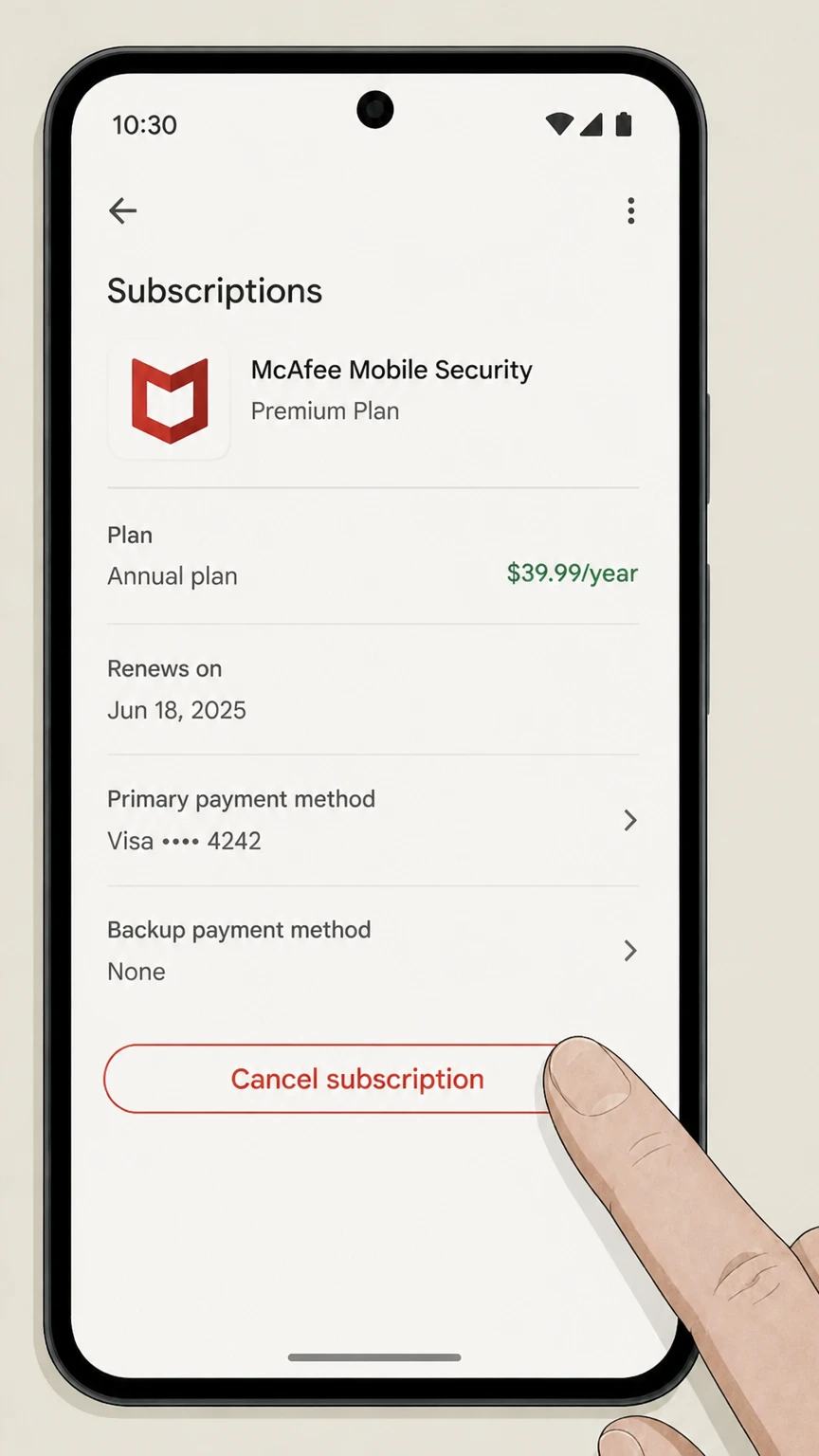
Choose Cancel subscription
Follow the reason and confirmation prompts without uninstalling the app.
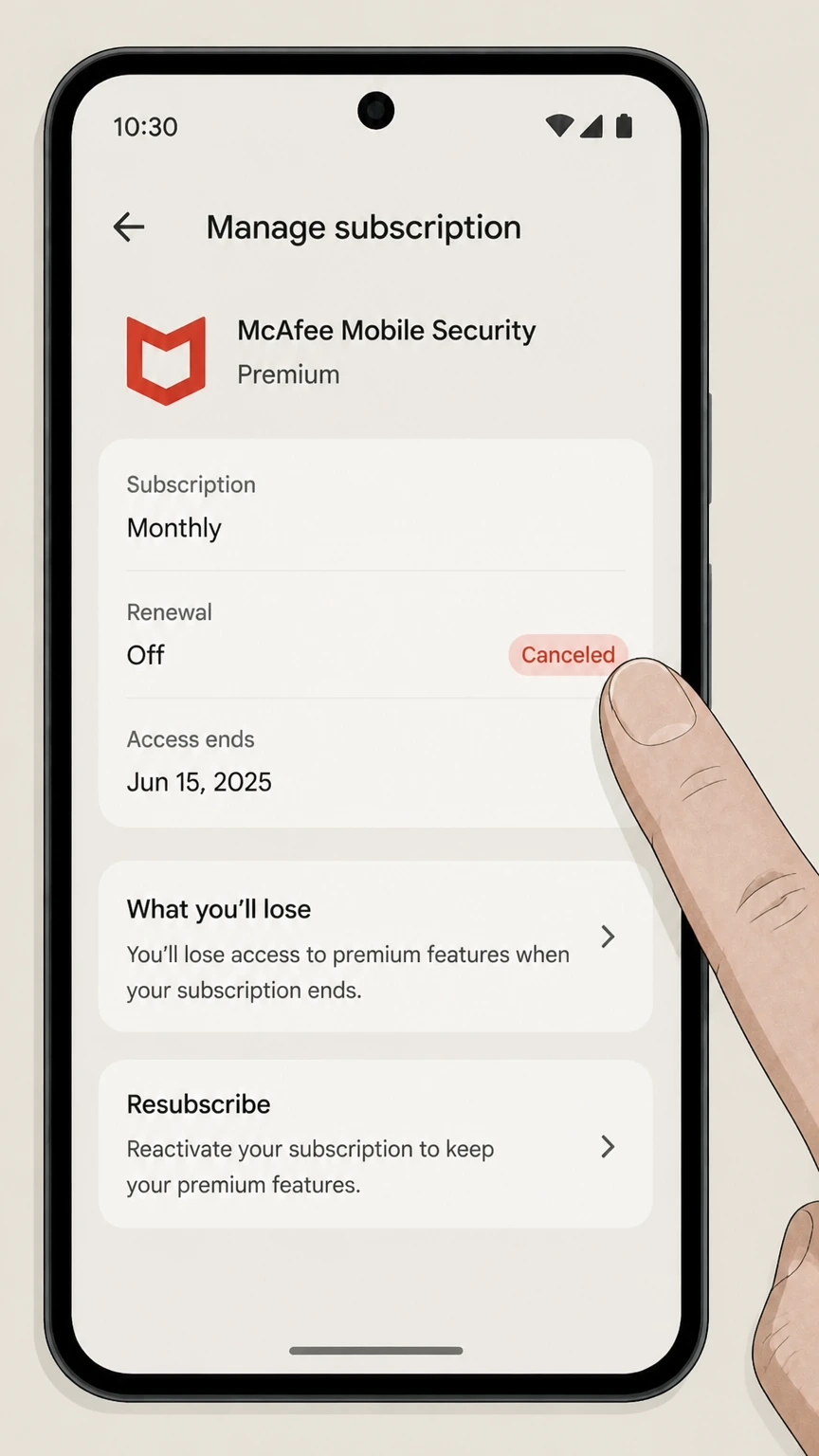
Save the expiration date
Verify Google Play shows renewal off and keep the confirmation.
Retail partner · Verify this billing owner
Cancel through retail partner
Use this path only when the McAfee account, receipt, or payment statement identifies retail partner as the billing owner.
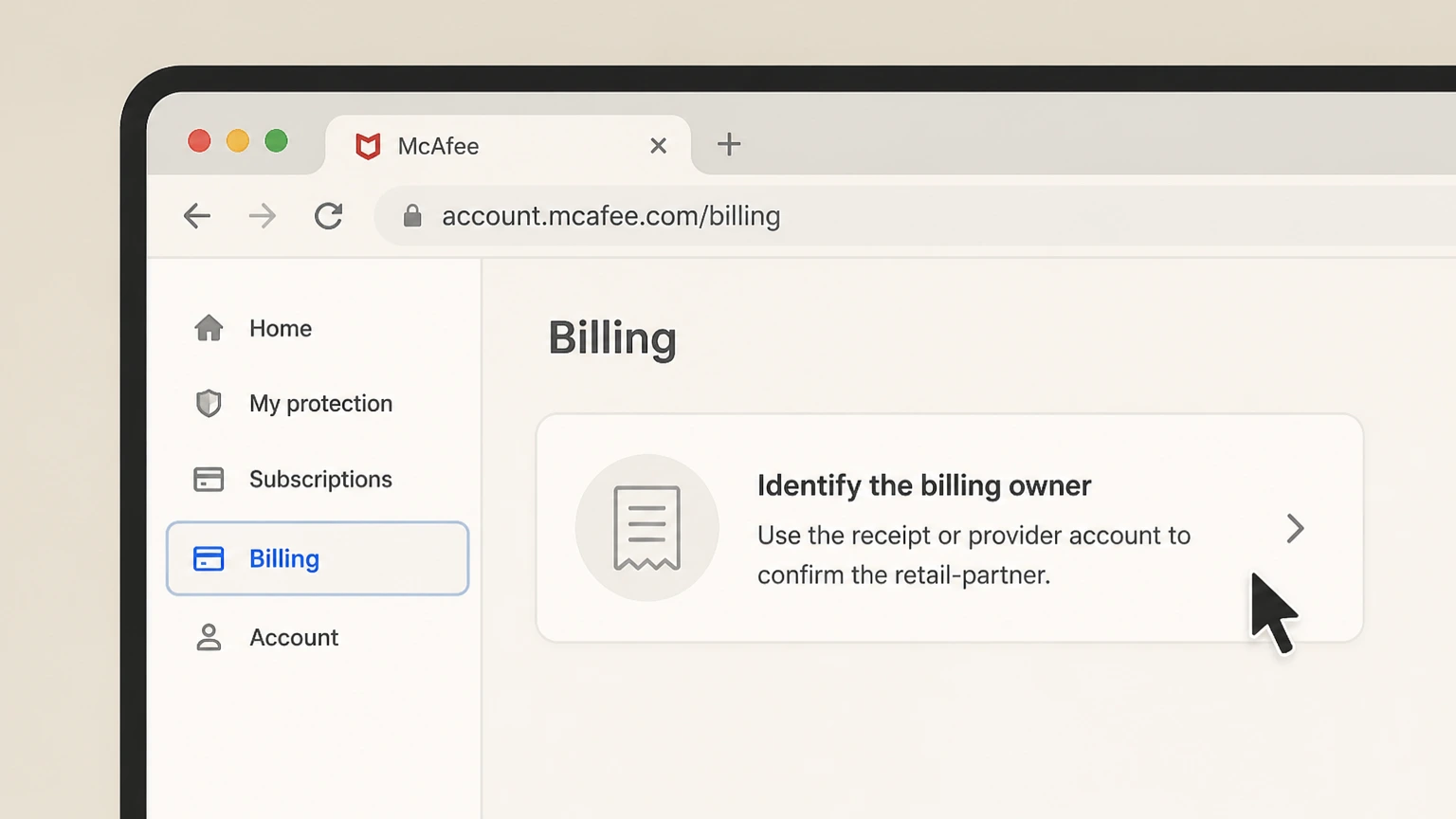
Identify the billing owner
Use the receipt or provider account to confirm the retail-partner.
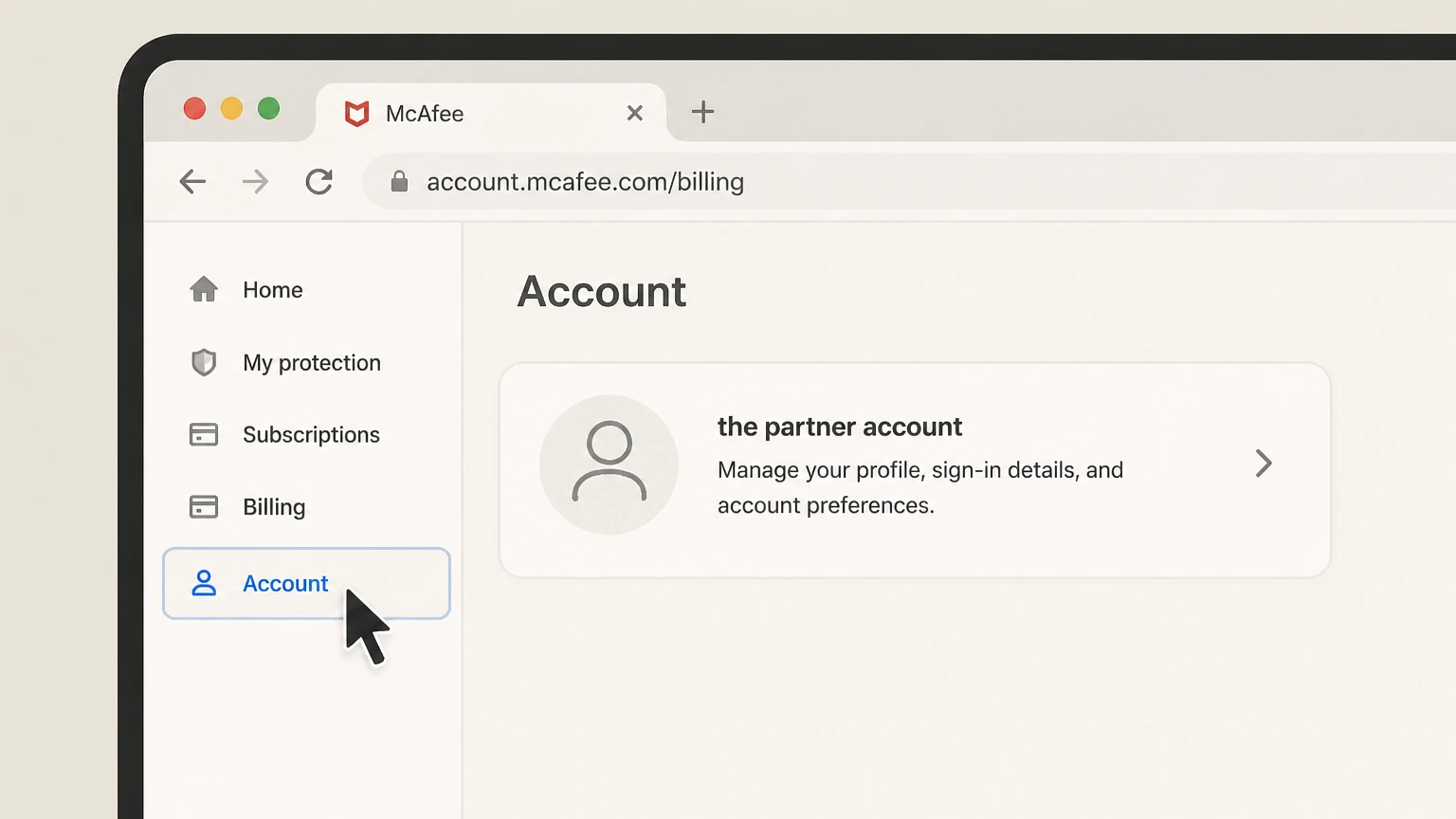
Open the partner account
Sign in with the account that owns the paid subscription or bundle.
- Let Pine handle it
Pine can help
Too many steps?
Pine can find the right Retail partner path and handle the cancellation for you.
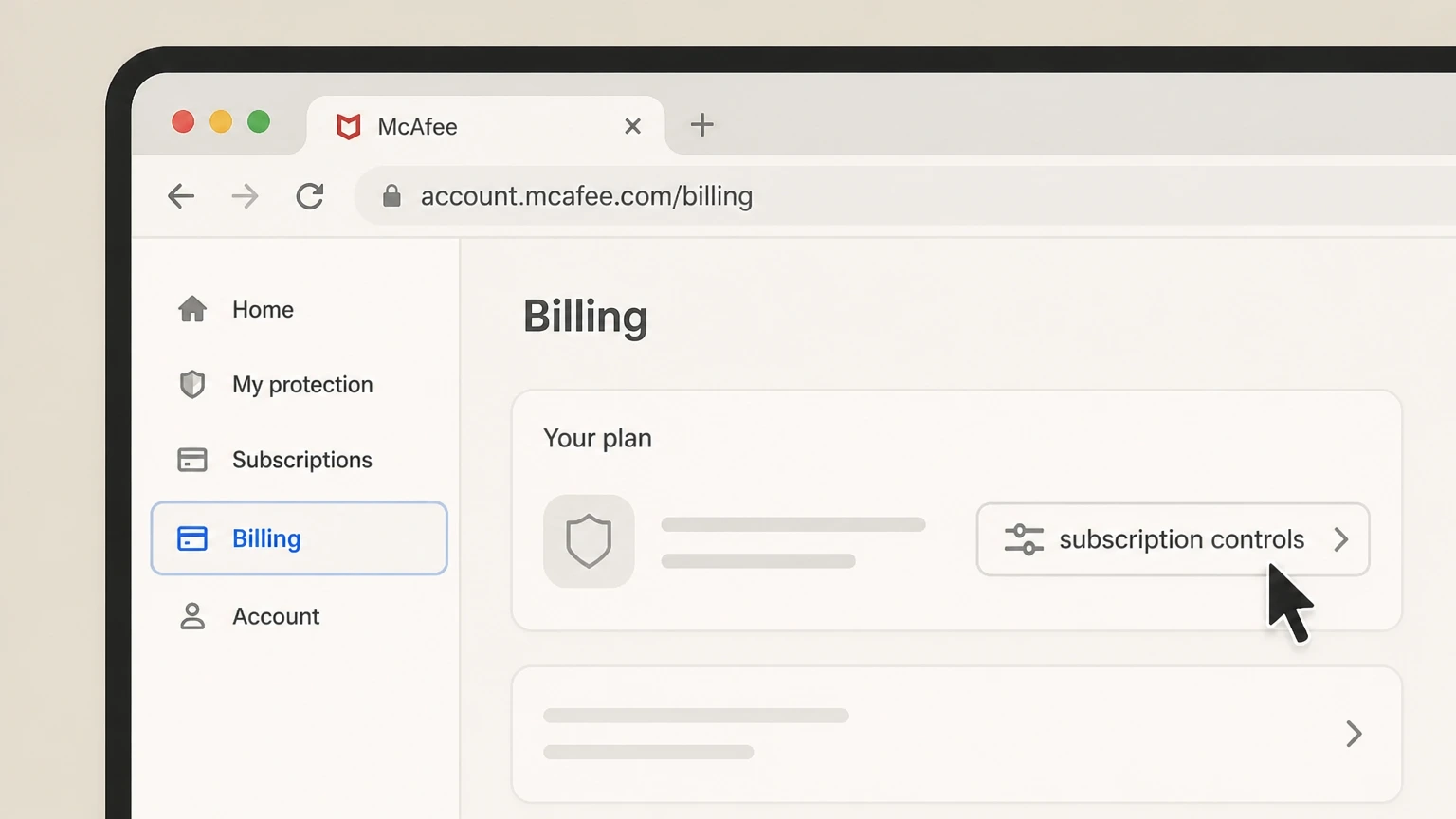
Find subscription controls
Open the plan, add-on, or subscription entry tied to the provider.
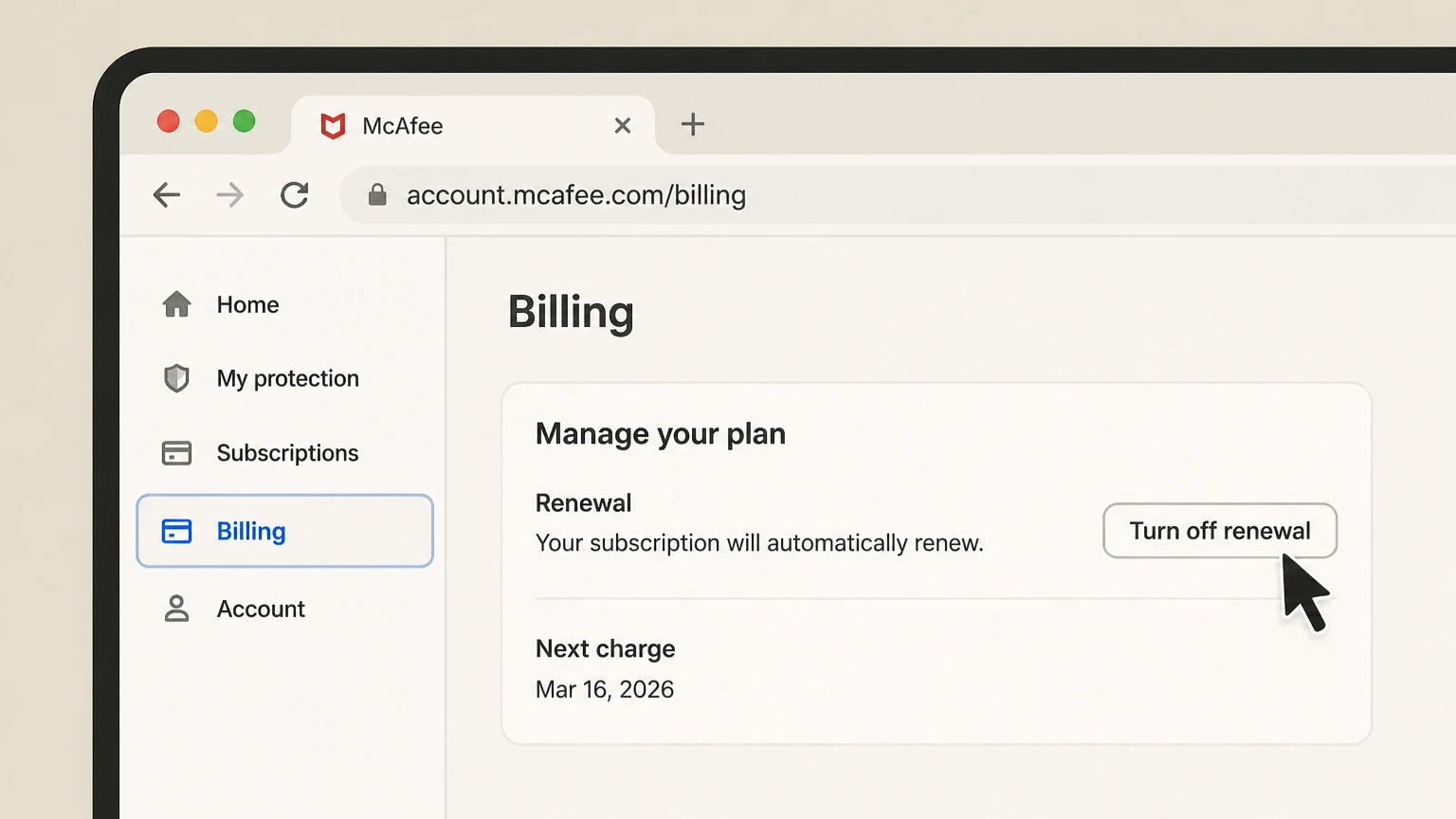
Turn off renewal
Complete the partner-specific cancellation and review effects on the bundle.
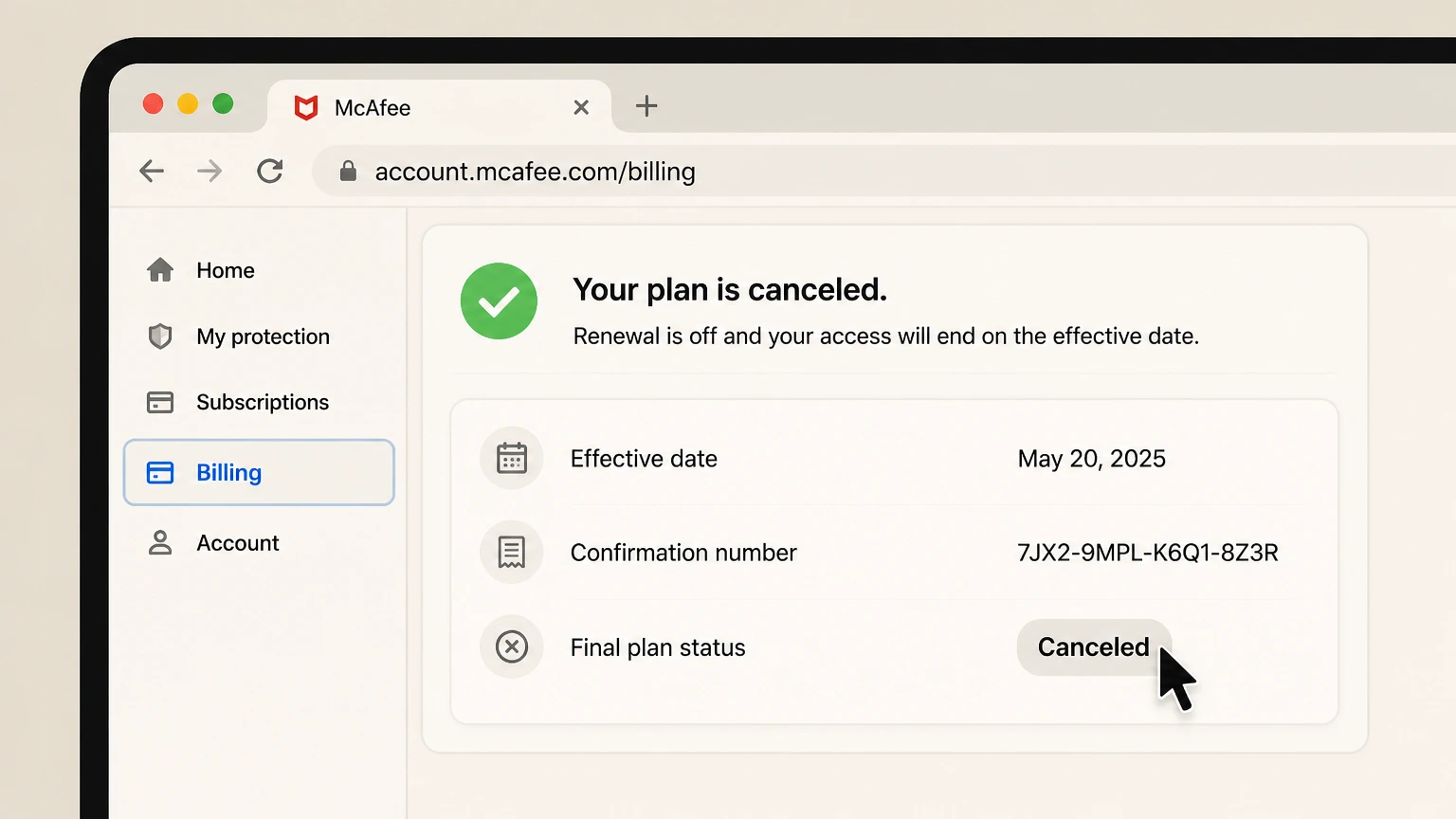
Keep partner confirmation
Save the effective date, confirmation number, and final plan status.
Refund policy
Canceling McAfee does not automatically create a refund
My Account should show auto-renewal off, the coverage end date, and any benefit changes.
Check my refund options- Renewal
- My Account should show auto-renewal off, the coverage end date, and any benefit changes.
- Billing owner
- The company shown on the receipt or account controls refund handling.
- Evidence
- Keep the receipt, cancellation status, effective date, and response from the seller.
Review the official refund or subscription terms for the company that posted the charge before requesting a reversal. McAfee — change or cancel auto-renewal
Choose the right path
Billing owner and plan consequences
The seller shown on the account or receipt controls the cancellation. Review shared plans, bundles, promotions, credits, and add-ons before confirming.
McAfee direct subscription
Use My Account or Customer Support.
Retailer or device bundle
The seller’s cancellation and return terms can control.
Multiple subscriptions
Cancel only the order tied to the unwanted renewal.
Auto-renewal benefit
Record which protection changes when enrollment ends.
Keep proof
What to record before and after cancellation
Keep enough account-specific evidence to verify that renewal stopped and to identify the correct seller if another charge appears.
Order and subscription
Identify product, account, term, and renewal date.
Device and benefit list
Shows active coverage and auto-renewal benefits.
Cancellation confirmation
Proves renewal status.
Paid-through date
Shows when the current protection term ends after renewal is off.
Troubleshooting
Why a cancellation can appear to fail
Most failures come from the wrong account, the wrong billing provider, an incomplete confirmation flow, or a plan change being mistaken for cancellation.
Wrong McAfee account
The subscription may be tied to another email.
Duplicate products
A second subscription can continue charging.
Protection impact missed
Auto-renewal can be linked to extra benefits.
Third-party billing
An app store, retailer, or device bundle can control cancellation.
McAfee cancellation FAQ
Answers checked against the official provider and billing-owner sources listed on this page.
How do I cancel McAfee?
What happens after I cancel McAfee?
What if mcafee direct subscription applies?
What if retailer or device bundle applies?
What if multiple subscriptions applies?
What if auto-renewal benefit applies?
Why is wrong mcafee account blocking cancellation?
Why is duplicate products blocking cancellation?
Why is protection impact missed blocking cancellation?
Why is third-party billing blocking cancellation?
Ready to make your McAfee request clearer?
Start with McAfee auto-renewal cancellation help, then use Pine to organize the evidence and follow-up for this McAfee cancel subscription request.
