


Guitar Tricks
Cancel subscription
How to Cancel Your Guitar Tricks Subscription Safely
Step-by-step guide to canceling a Guitar Tricks subscription online, on iPhone, or through Google Play. Covers who bills you, confirmations, and refund rules.
- Official Guitar Tricks and billing-owner sources
- 3 provider-specific cancellation paths
- Refund and post-cancellation effects separated from renewal
- Verified August 17, 2026
Choose the Guitar Tricks cancellation path that matches who bills you
GuitarTricks.com website (direct billing) · verify the billing owner
 1
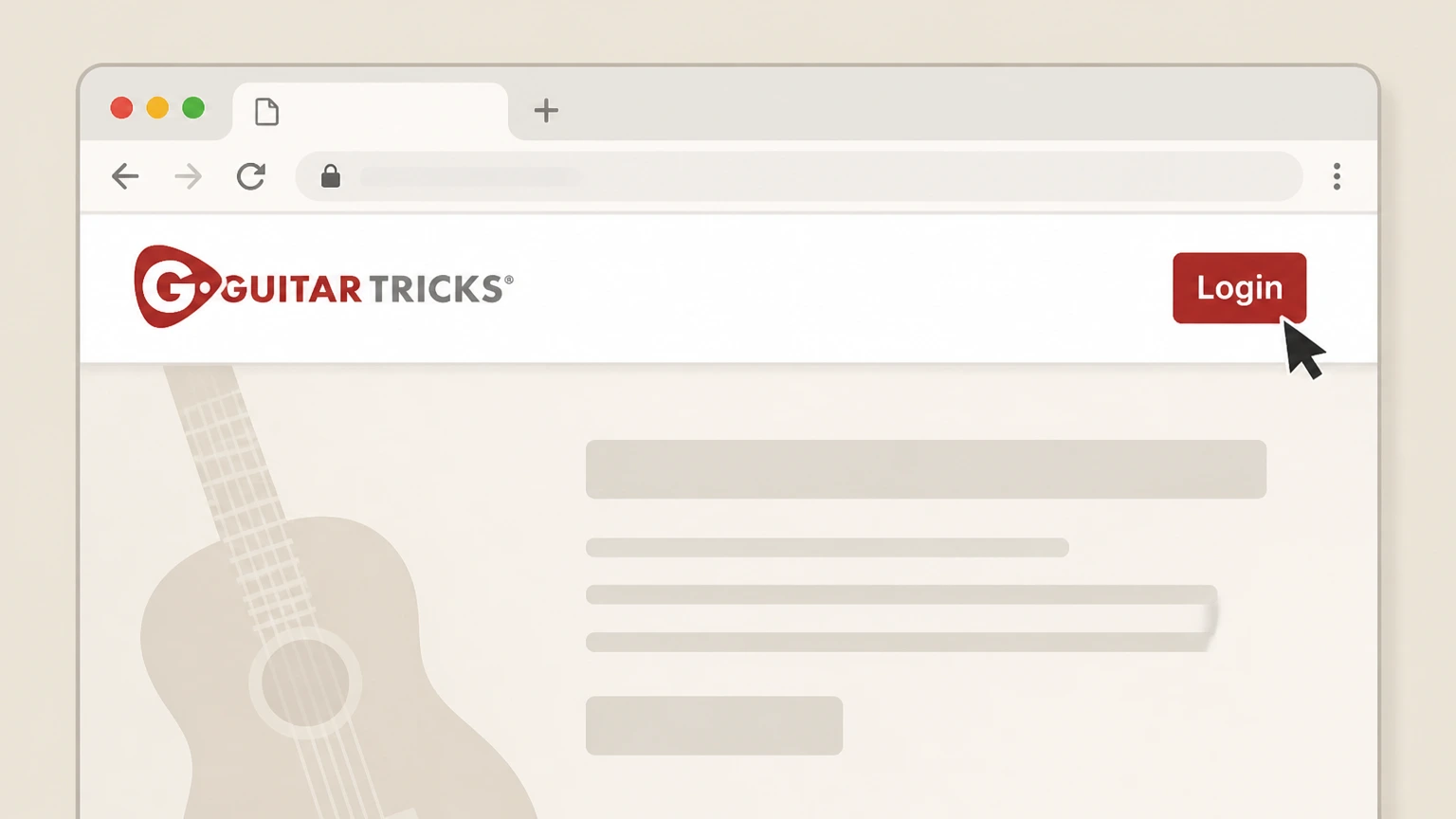
1Sign in at GuitarTricks.com
Go to GuitarTricks.com in a web browser and log in to your account using the Login option. Use the Guitar Tricks account named on your receipt, and continue only after the next status in this cancellation path is visible.
 2
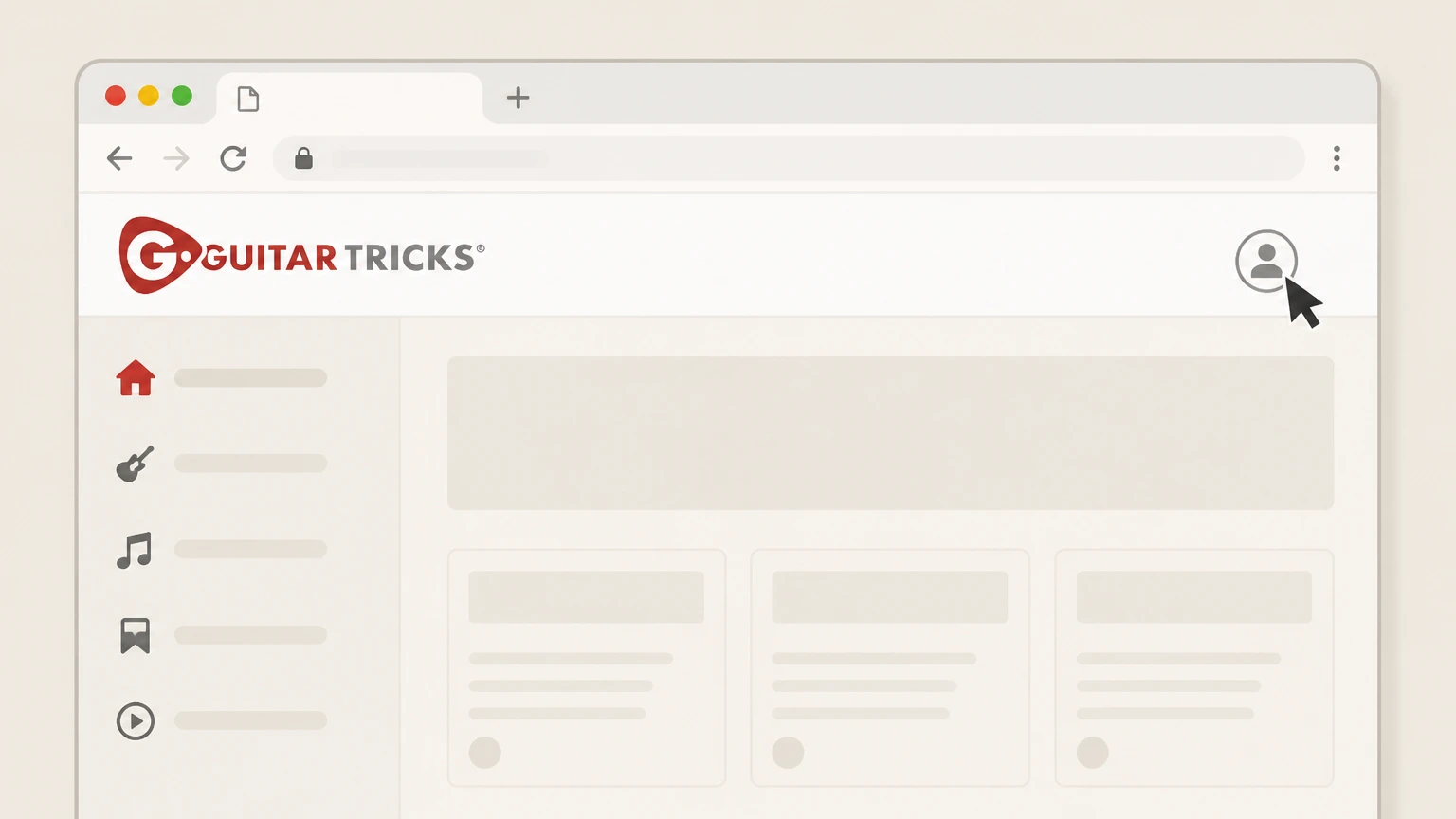
2Open your account menu
After signing in, click the user icon in the top‑right corner of the page to open your account menu. Use the Guitar Tricks account named on your receipt, and continue only after the next status in this cancellation path is visible.
- Let Pine handle it
Pine can help
Too many steps?
Pine can find the right GuitarTricks.com website (direct billing) path and handle the cancellation for you.
 3
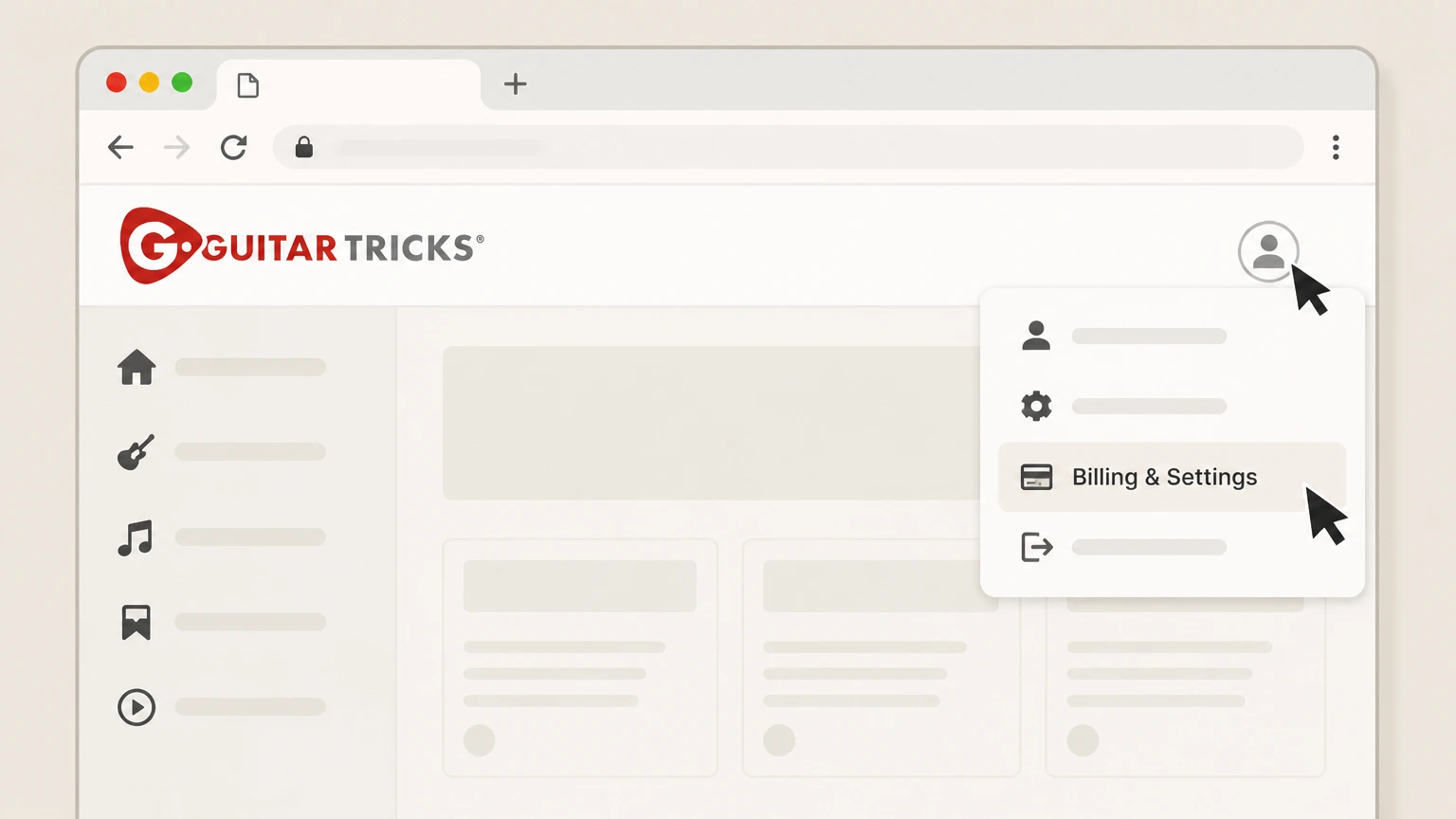
3Open Billing & Settings
In the account menu, select Billing & Settings to view your membership billing options. Use the Guitar Tricks account named on your receipt, and continue only after the next status in this cancellation path is visible.
 4
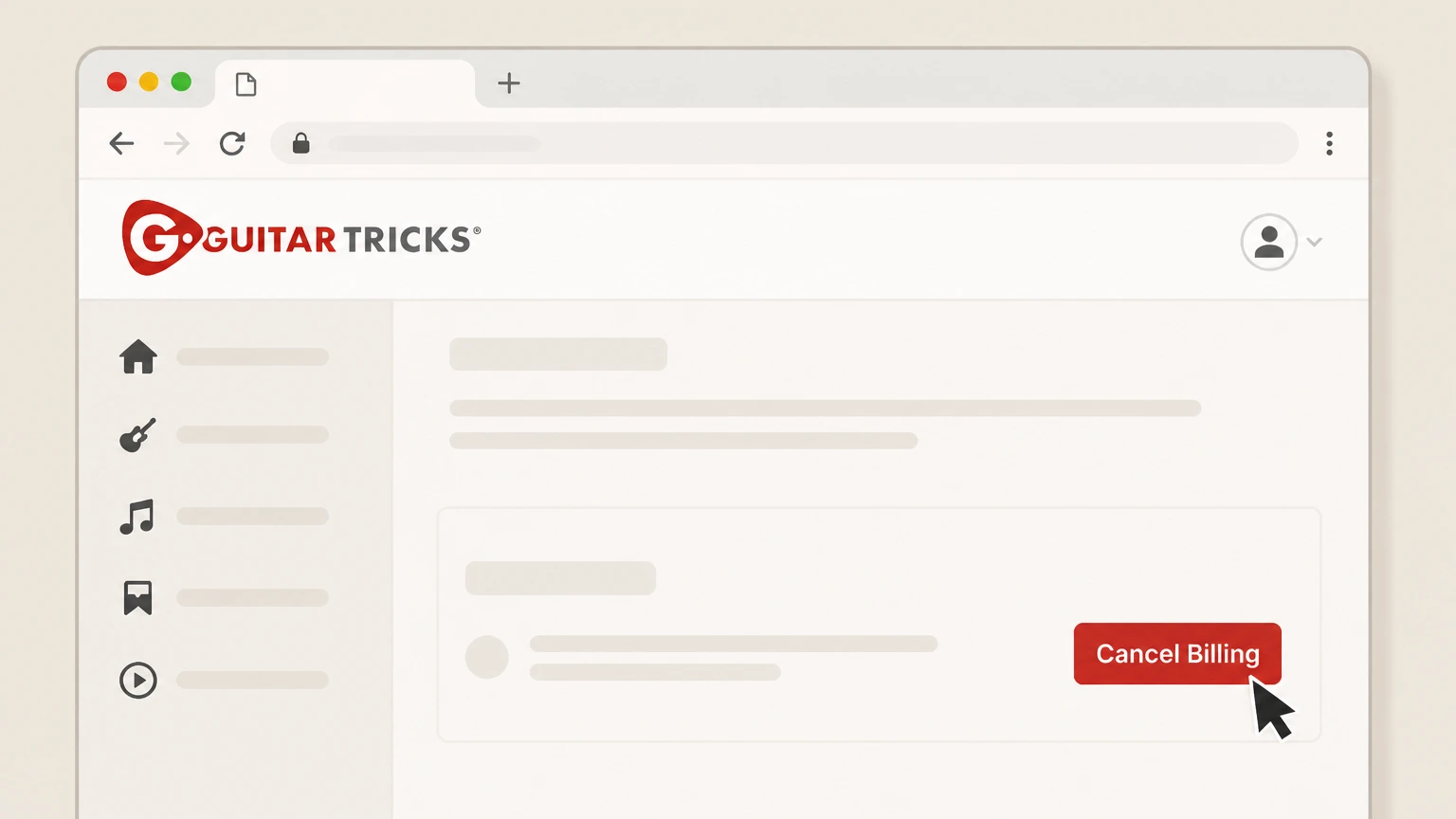
4Click Cancel Billing
In the Billing section of the page, click Cancel Billing to begin cancelling your membership charges. Use the Guitar Tricks account named on your receipt, and continue only after the next status in this cancellation path is visible.
 5
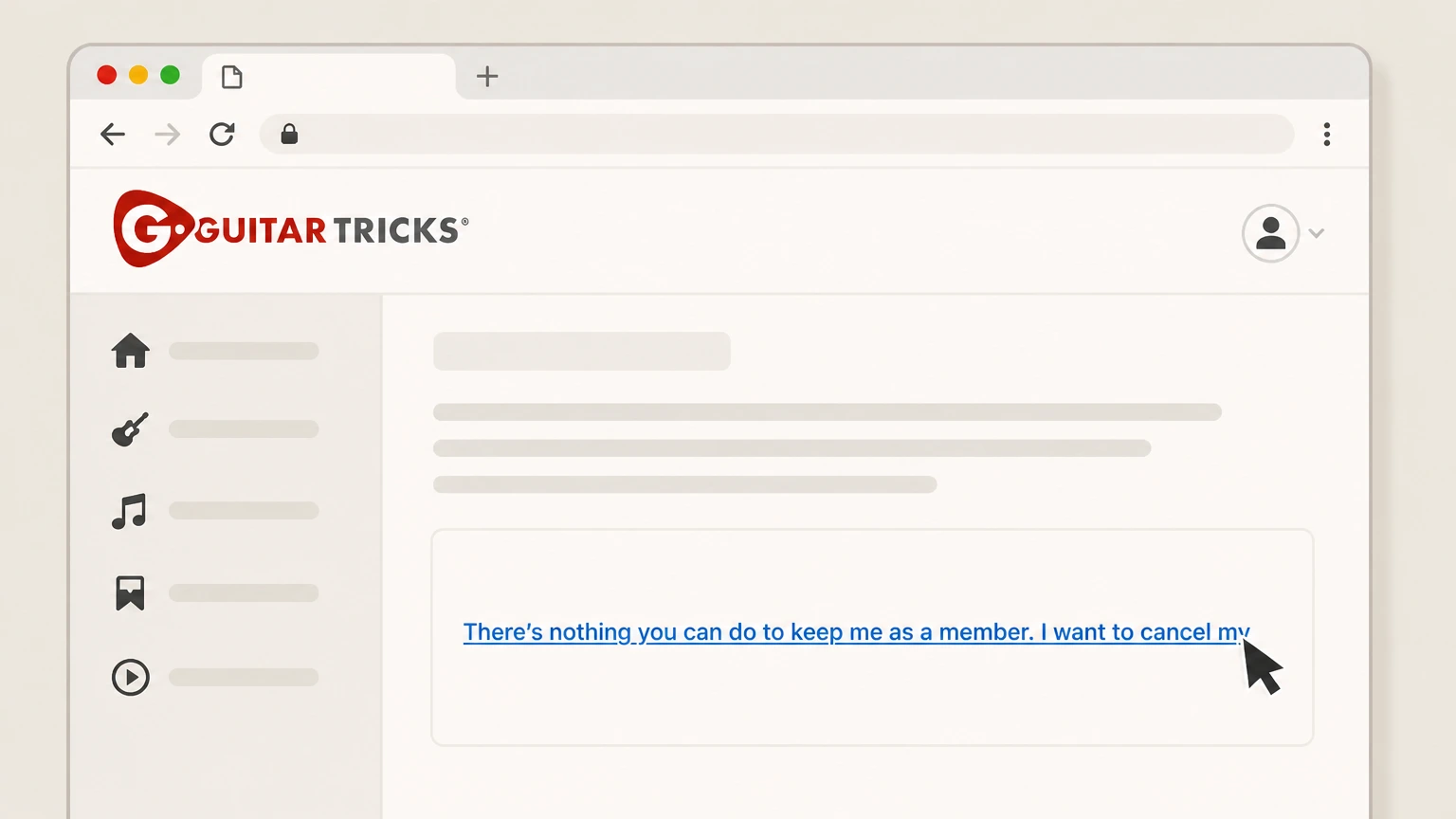
5Confirm you still want to cancel
On the next screen, click the link that says "There’s nothing you can do to keep me as a member. I want to cancel my subscription." to continue.
 6
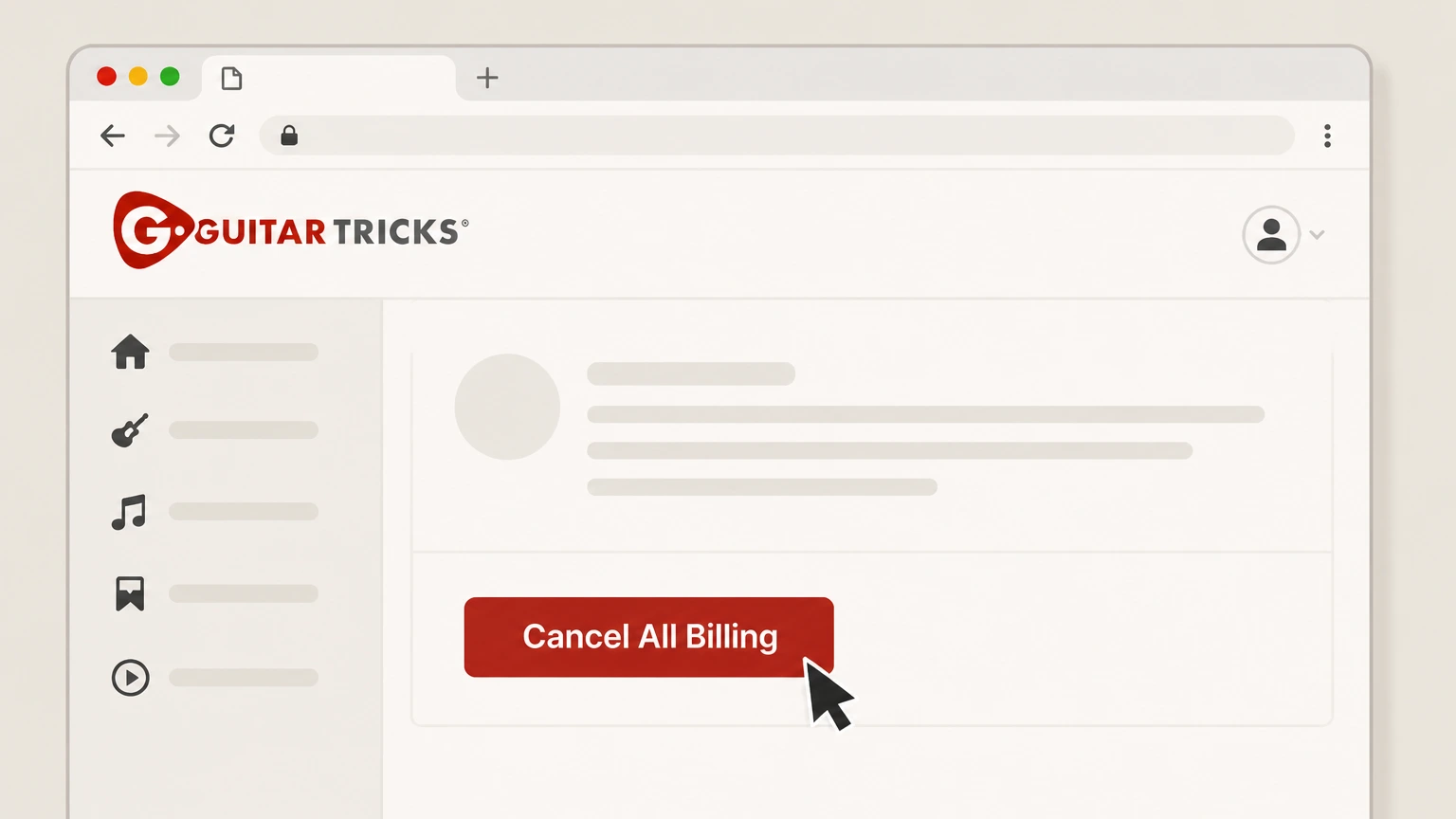
6Finalize Cancel All Billing
On the final confirmation screen, click Cancel All Billing to stop future subscription renewals. Use the Guitar Tricks account named on your receipt, and continue only after the next status in this cancellation path is visible.

Apple App Store (iOS in-app subscription) · verify the billing owner
 1
1Open Settings
Unlock your iPhone and open the Settings app. Use the Guitar Tricks account named on your receipt, and continue only after the next status in this cancellation path is visible.
 2
2Tap your name
At the top of Settings, tap your Apple ID name to open your account settings. Use the Guitar Tricks account named on your receipt, and continue only after the next status in this cancellation path is visible.
- Let Pine handle it
Pine can help
Too many steps?
Pine can find the right Apple App Store (iOS in-app subscription) path and handle the cancellation for you.
 3
3Open Subscriptions
On the Apple ID screen, tap Subscriptions to view your active Apple‑billed subscriptions. Use the Guitar Tricks account named on your receipt, and continue only after the next status in this cancellation path is visible.
 4
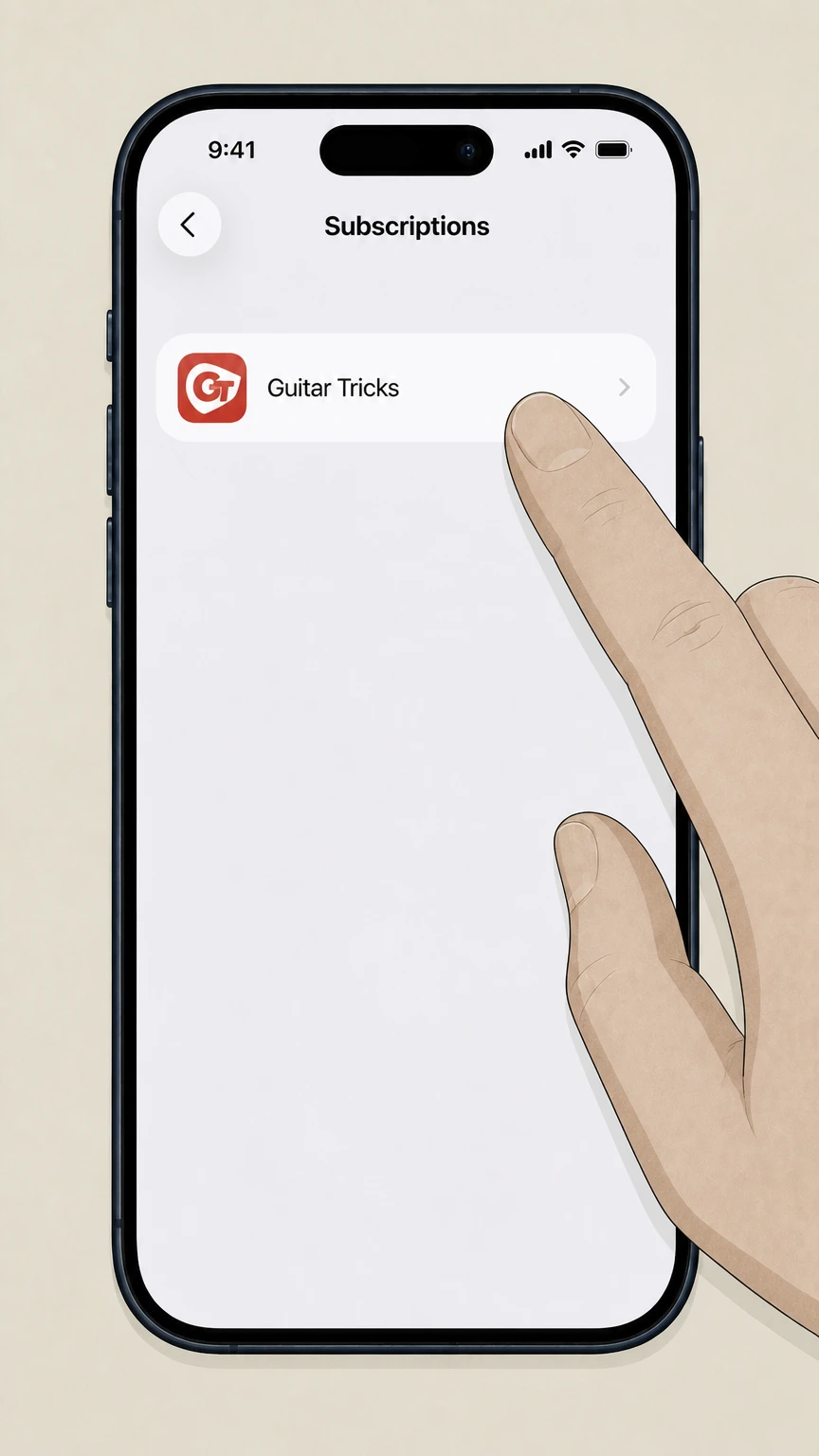
4Select Guitar Tricks
In the list of active subscriptions, tap Guitar Tricks to open its details. Use the Guitar Tricks account named on your receipt, and continue only after the next status in this cancellation path is visible.
 5
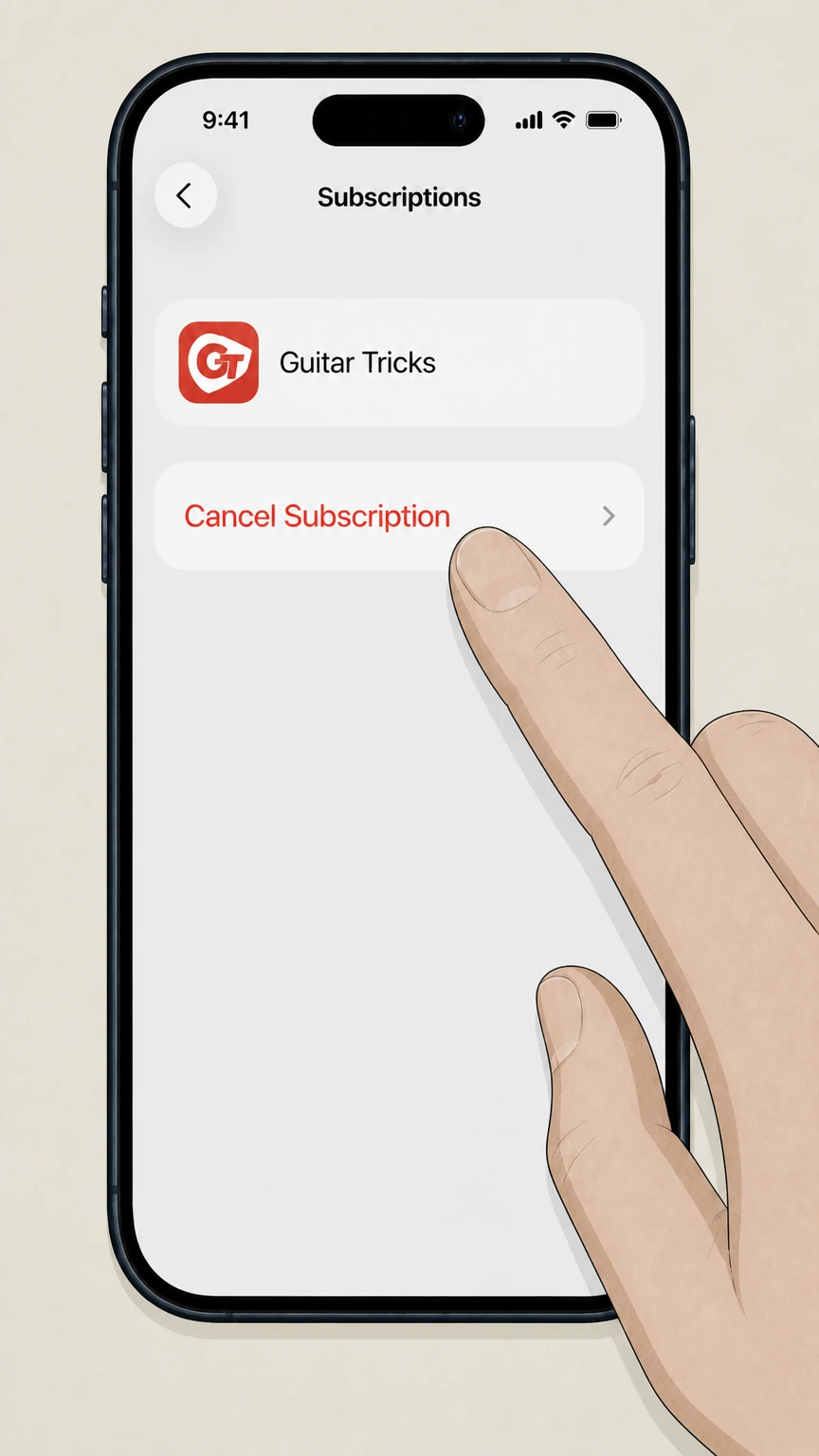
5Cancel the subscription
Tap Cancel Subscription and confirm when prompted to stop future Apple billing for Guitar Tricks. Use the Guitar Tricks account named on your receipt, and continue only after the next status in this cancellation path is visible.
Google Play (Android in-app subscription) · verify the billing owner
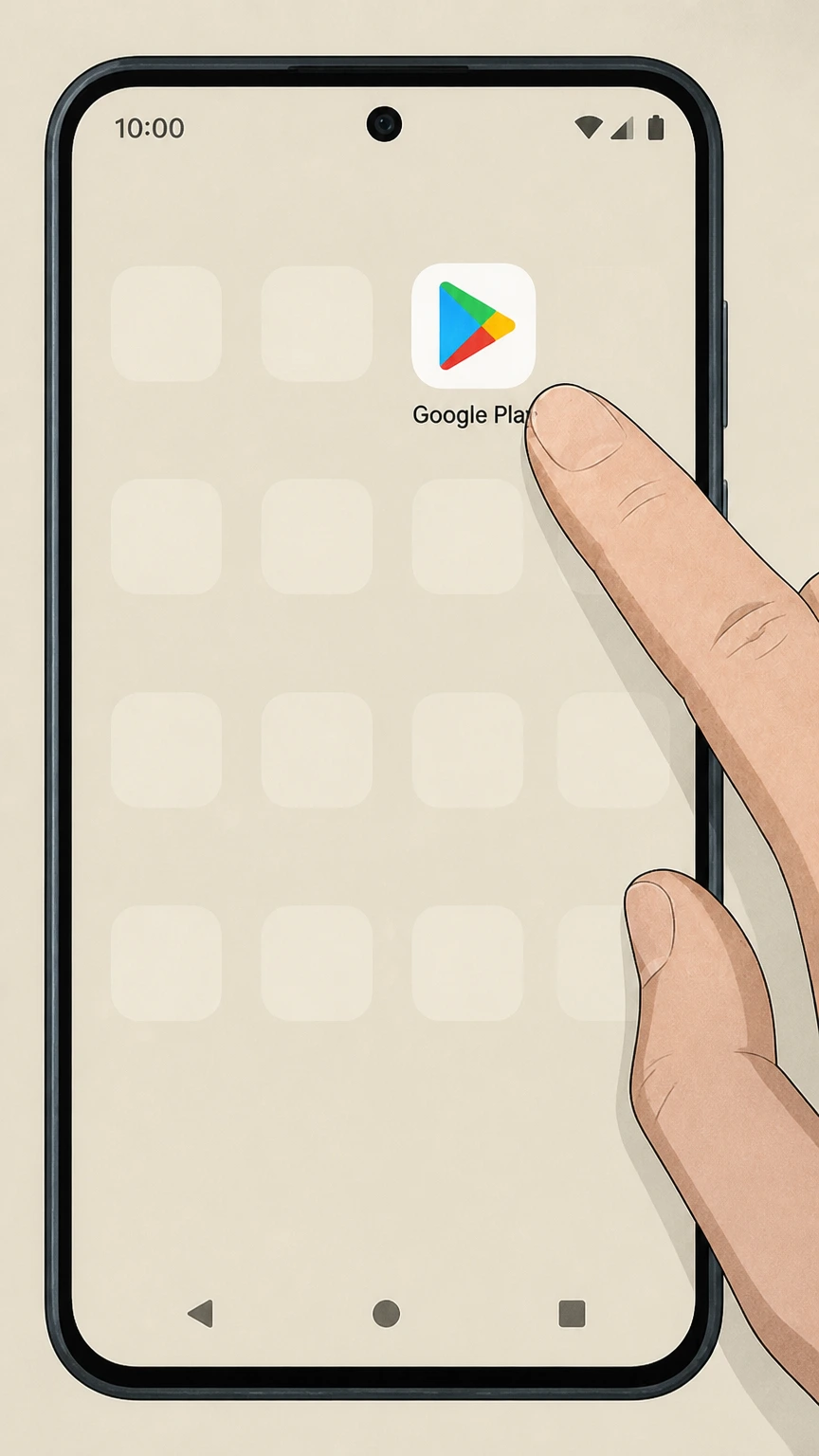 1
1Open Google Play
On your Android device, open the Google Play app that you used to install Guitar Tricks. Use the Guitar Tricks account named on your receipt, and continue only after the next status in this cancellation path is visible.
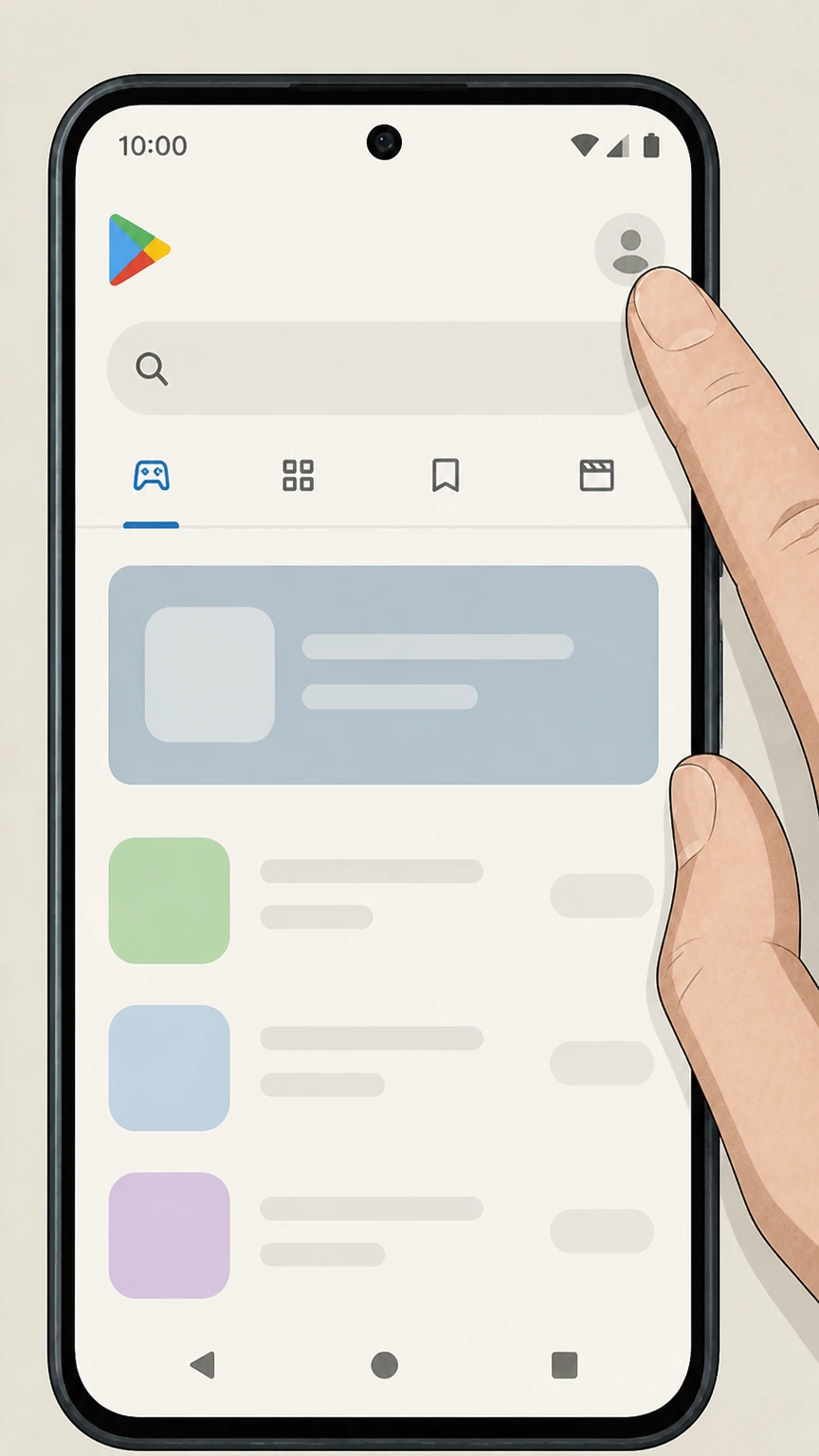 2
2Open your account menu
In Google Play, tap your profile icon in the top‑right corner to open the account menu. Use the Guitar Tricks account named on your receipt, and continue only after the next status in this cancellation path is visible.
- Let Pine handle it
Pine can help
Too many steps?
Pine can find the right Google Play (Android in-app subscription) path and handle the cancellation for you.
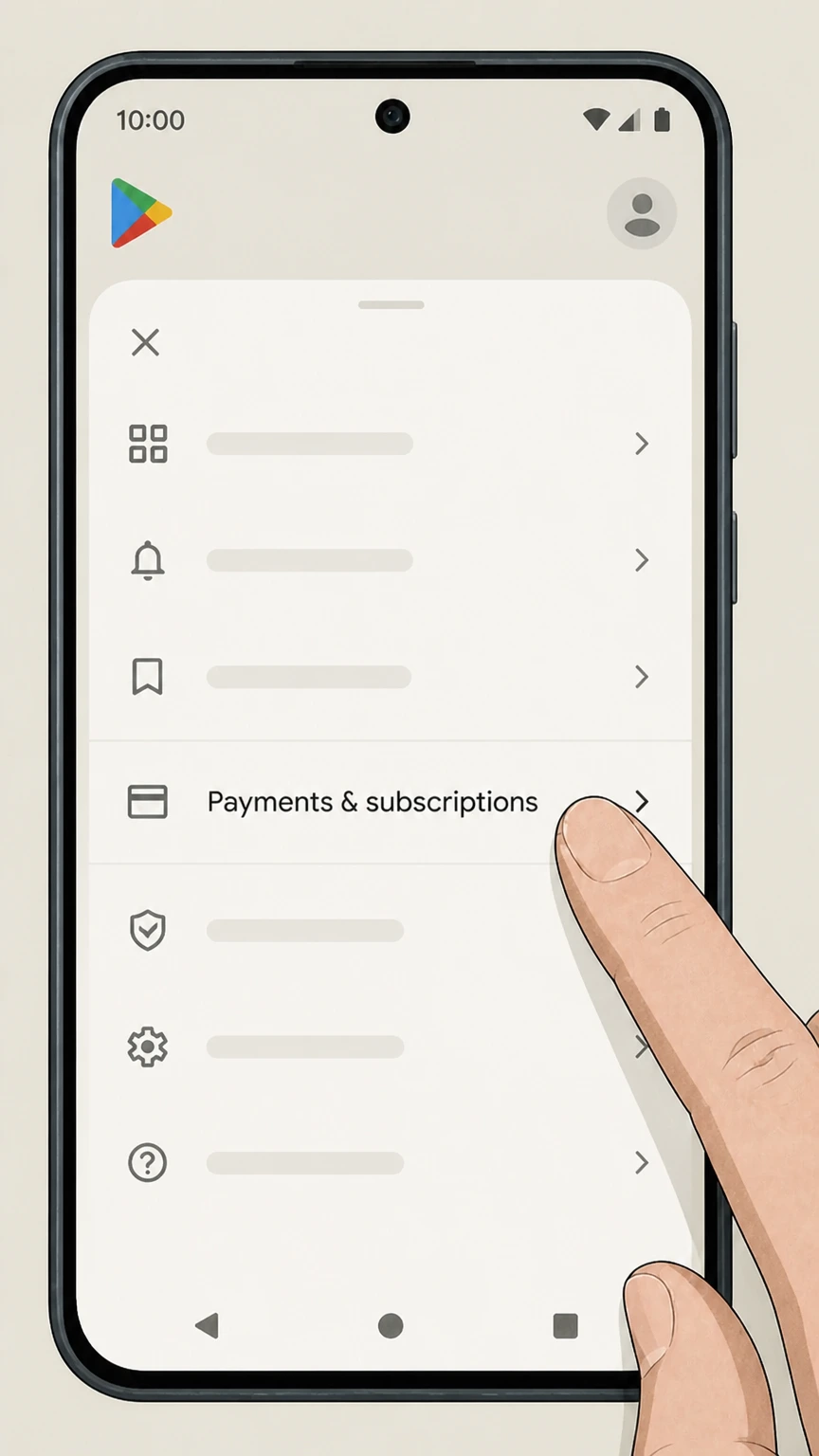 3
3Open Payments & subscriptions
From the account menu, tap Payments & subscriptions to manage your Google Play billing. Use the Guitar Tricks account named on your receipt, and continue only after the next status in this cancellation path is visible.
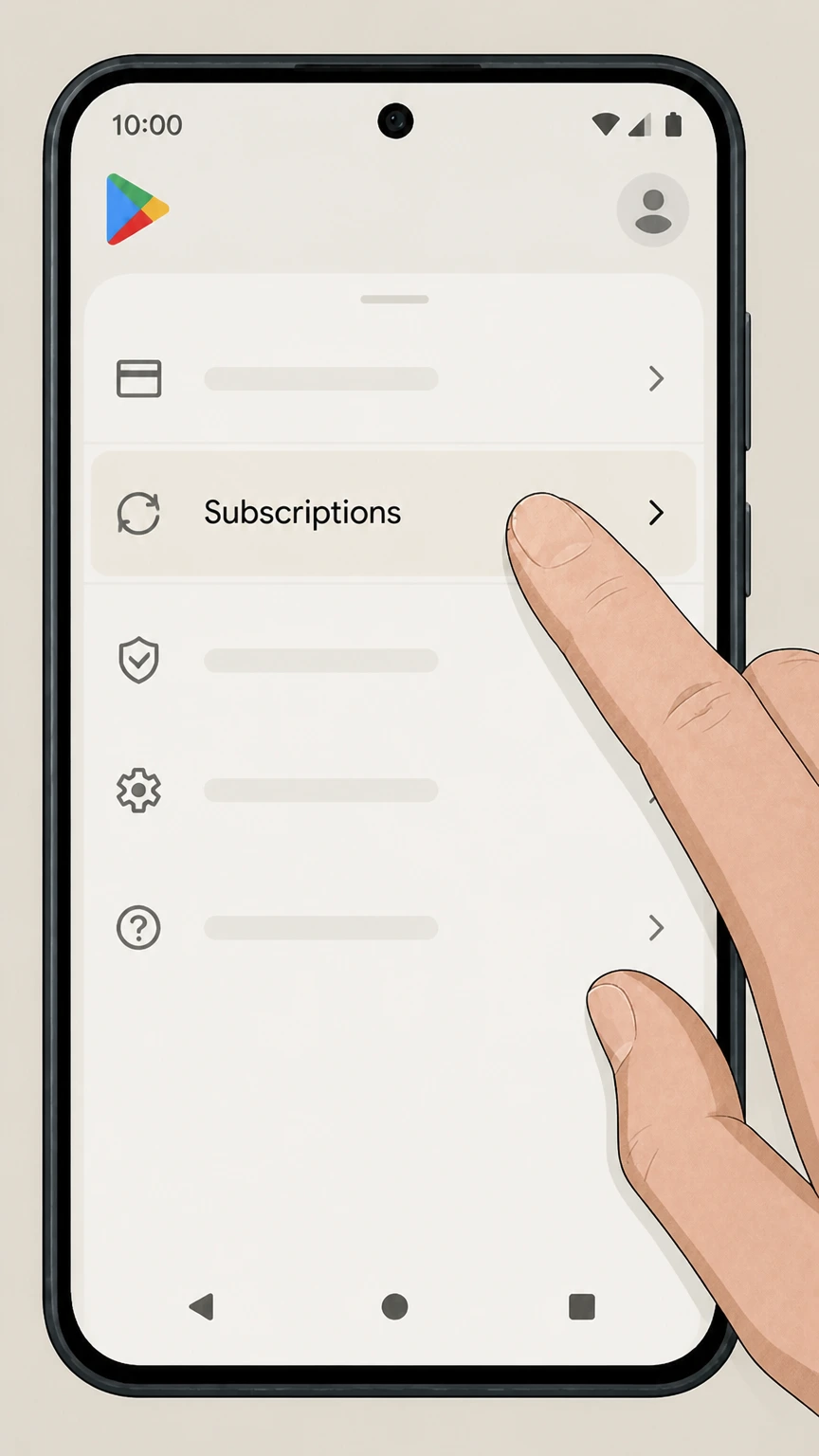 4
4Open Subscriptions
On the Payments & subscriptions screen, tap Subscriptions to see your active subscriptions. Use the Guitar Tricks account named on your receipt, and continue only after the next status in this cancellation path is visible.
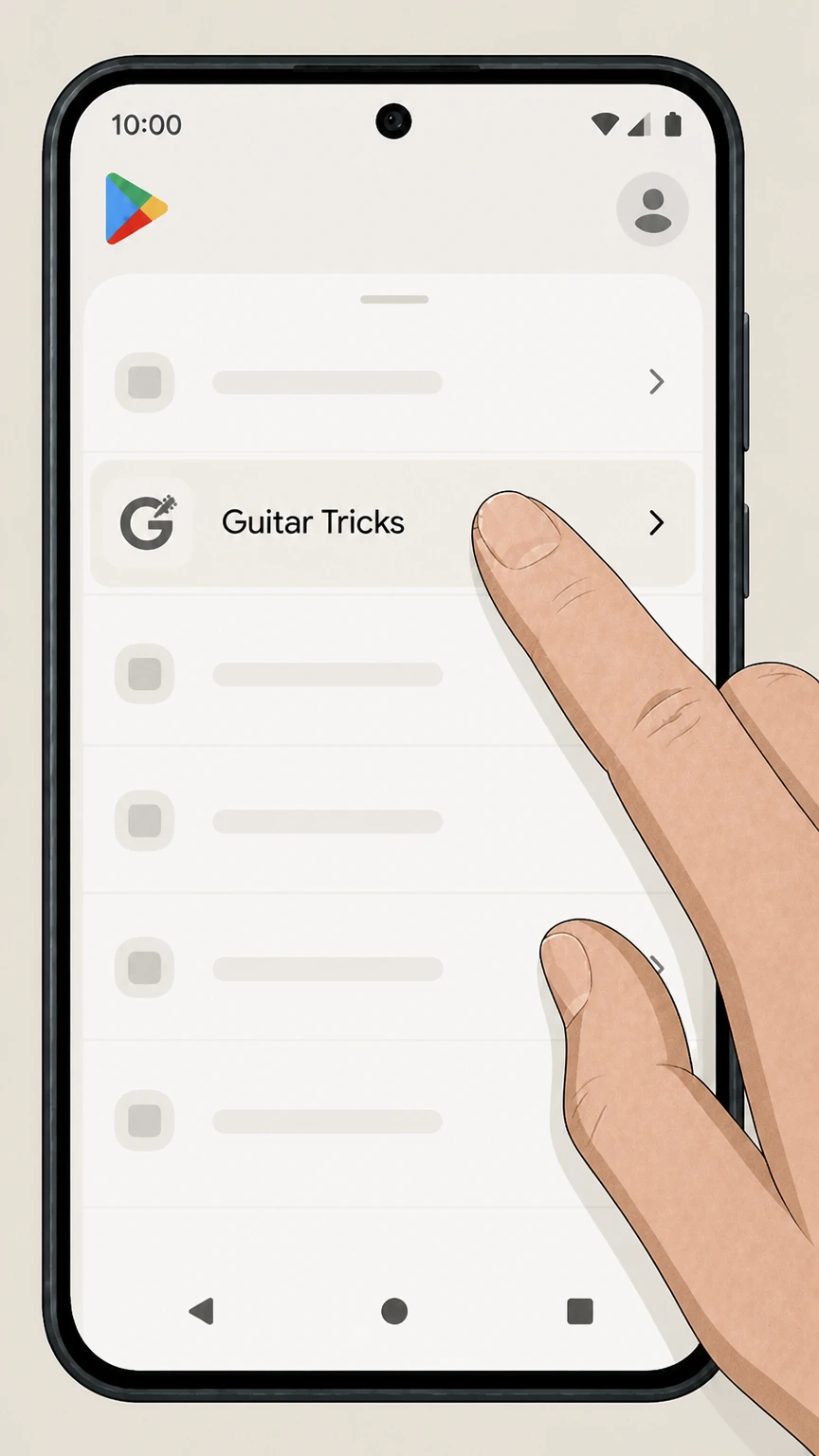 5
5Select Guitar Tricks
In the list of subscriptions, tap the Guitar Tricks subscription entry. Use the Guitar Tricks account named on your receipt, and continue only after the next status in this cancellation path is visible.
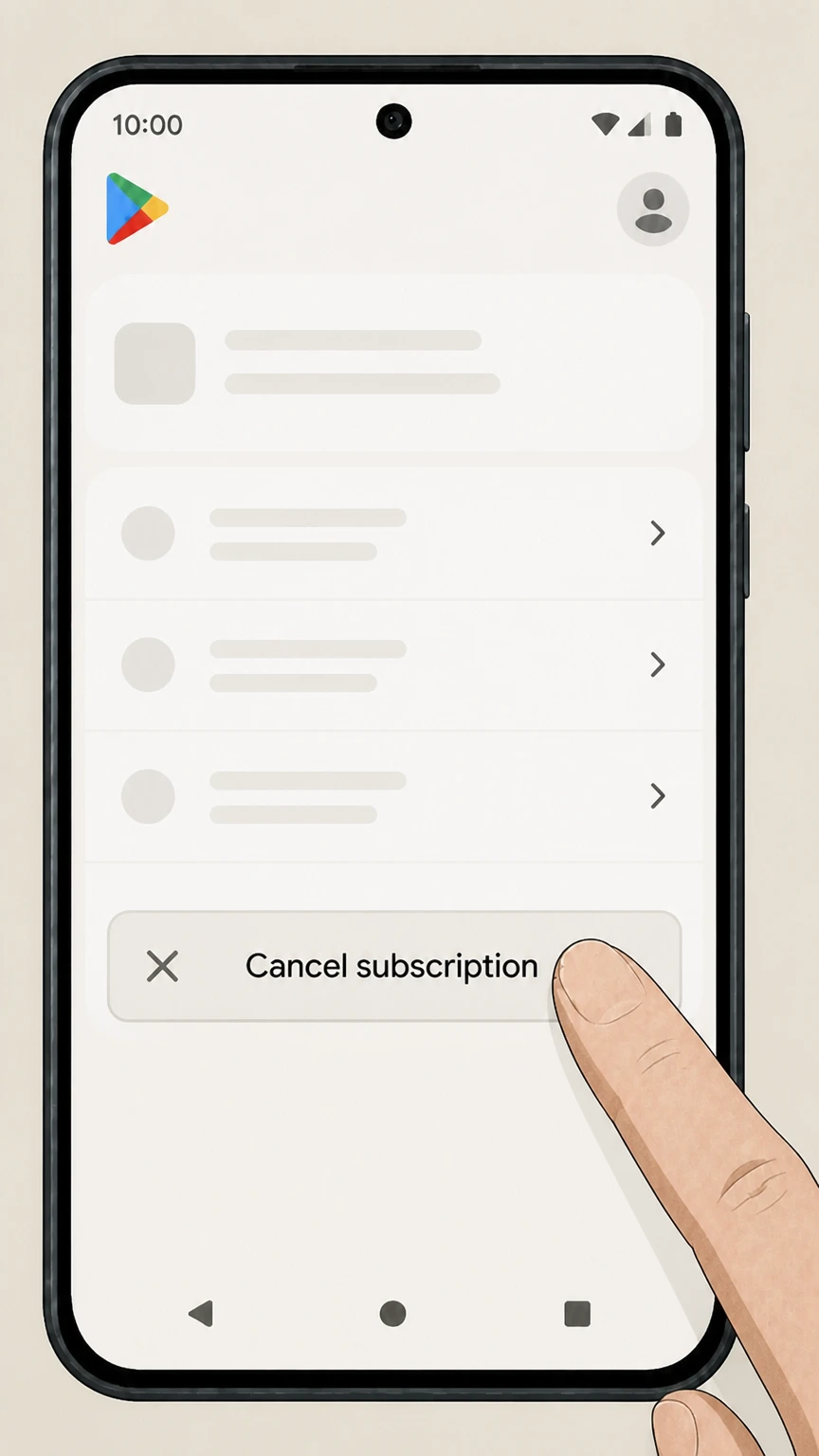 6
6Cancel subscription
On the Guitar Tricks subscription page, tap Cancel subscription and follow the on‑screen confirmation prompts. Use the Guitar Tricks account named on your receipt, and continue only after the next status in this cancellation path is visible.
Refund policy
Guitar Tricks refunds and money‑back guarantee
Guitar Tricks offers a 60‑day money‑back guarantee for qualifying website Full Access purchases and has distinct refund rules for Apple and Google Play subscriptions.
Check my refund options- 60‑day guarantee for website subscriptions
- The refund FAQ states that Guitar Tricks offers a 60‑Day Money Back Guarantee for users who are not satisfied and that users must cancel within 60 days of signing up for Full Access on the website in order to receive a refund. The Terms echo that the company will refund any payment made within 60 days of the payment date.support.guitartricks.comguitartricks.com
- How to request a refund from Guitar Tricks
- To use the guarantee for website or eligible Android purchases, users are directed to contact the billing department via a dedicated refund‑request link in the Help Center, providing identifying details such as account email and, for Android, the Google Play order ID.support.guitartricks.com
- Android in‑app purchase refunds
- For users who subscribed through Google Play on Android, Guitar Tricks indicates it can issue a refund for purchases within 60 days when the user supplies the Google Play order ID beginning with “GPA”; cancellation itself is still handled via the app or Google Play settings.support.guitartricks.comsupport.guitartricks.com
- Apple iOS refunds controlled by Apple
- For subscriptions purchased through the iOS app, Guitar Tricks explains that Apple controls 100% of the billing and that users seeking a refund must go through Apple’s own refund process; Guitar Tricks cannot directly refund these payments.support.guitartricks.comsupport.apple.com
- Effect of cancellation on refund eligibility
- Cancelling stops future renewals but doesn’t automatically trigger a refund; users generally need to both cancel and contact Guitar Tricks (or Apple/Google, for store‑billed subscriptions) within the applicable 60‑day or store‑specific window to request money back.guitartricks.comsupport.guitartricks.comsupport.google.com
For the most precise and current refund instructions, including any region‑specific variations, review Guitar Tricks’ official refund article and, if you purchased through an app store, the relevant Apple or Google Play refund help pages. View Guitar Tricks’ refund help
Membership types
How Guitar Tricks memberships and plans are structured
Guitar Tricks offers several ways to access its lessons, each affected differently when you cancel.
Full Access subscriptions
The core paid product is a recurring Full Access subscription, offered on monthly and annual terms, which unlocks the full lesson library and tools while billing continues until cancelled.guitartricks.comguitartricks.com
Basic (free) membership
Guitar Tricks also offers a free Basic Membership with limited lessons and tools; this does not renew for a fee and is separate from paid Full Access billing.guitartricks.com
In‑app subscriptions on iOS and Android
The mobile apps support in‑app subscriptions billed through Apple’s App Store or Google Play; these are managed in your Apple or Google account rather than on GuitarTricks.com.support.guitartricks.complay.google.com
Lifetime courses and other store products
Guitar Tricks sells one‑time “Lifetime Courses” and other products in its store; access to these is tied to your Guitar Tricks account rather than to an ongoing Full Access subscription.guitartricks.comguitartricks.com
Website subscribers can use the apps
If you already have Full Access on GuitarTricks.com, you can sign into the iOS or Android apps with the same credentials without buying an extra in‑app subscription.support.guitartricks.com
Direct billing
How website billing, auto‑renewal, and cancellation work
If you subscribed on GuitarTricks.com, your billing relationship is directly with Guitar Tricks.
Automatic renewal by default
Full Access website subscriptions renew automatically at the end of each subscription period, and the company charges the payment method on file until you cancel renewal.guitartricks.comsupport.guitartricks.com
Cancellation from your account
The Help Center directs you to cancel by opening Billing & Settings from the user icon and using the Cancel Billing option, which leads through confirmation screens to stop billing.support.guitartricks.com
Alternative cancellation by contacting support
The Terms of Service also say you may cancel automatic renewal at any time by contacting Guitar Tricks through the methods listed on its contact page, providing your account username or email; they state accounts are processed within two business days.guitartricks.com
Changes after cancelling billing
Cancelling billing stops future renewals but doesn’t retroactively remove time you have already paid for; you normally keep Full Access until the end of the current paid period or trial, then lose paid‑only lessons and tools.guitartricks.comsupport.guitartricks.com
Pausing instead of cancelling (monthly only)
On the cancellation screen, monthly subscribers may see an option to pause subscription billing instead of cancelling; the Help Center notes that annual subscriptions cannot be paused this way.support.guitartricks.com
Apple & Google
Apple App Store and Google Play billing specifics
In‑app subscriptions are controlled by Apple or Google, not by Guitar Tricks directly.
Apple controls iOS billing and refunds
Guitar Tricks’ app support states that if you purchased Full Access through the iOS app, Apple “controls 100% of the billing” and you must cancel and request any refund through Apple’s subscription tools.support.guitartricks.com
Standard Apple cancellation path
Apple’s official guide explains that to cancel an in‑app subscription you open Settings, tap your name, tap Subscriptions, select the subscription (such as Guitar Tricks), and tap Cancel Subscription.support.apple.com
Google Play subscriptions tied to your Google Account
For Android users who subscribed via Google Play, Google’s Help Center notes that subscriptions recur until you unsubscribe, and you cancel from the Subscriptions section in Google Play using the Cancel subscription option.support.google.com
Guitar Tricks Android cancellations in app or Google Play
Guitar Tricks’ app article explains that Android users can cancel from the app’s Account page and also manage auto‑renewal from their Google Play subscription settings, which lead back to the same Google subscription record.support.guitartricks.com
App store refunds follow store policies
Guitar Tricks notes that it cannot issue refunds for iOS purchases and directs users to Apple for refunds, while for Android it can generally refund purchases within 60 days when provided with the Google Play order ID (starting with GPA).support.guitartricks.comsupport.guitartricks.com
Trials
Free trials, conversion, and how to avoid being charged
Guitar Tricks promotes time‑limited trials that convert to paid membership if you don’t cancel in time.
14‑day trial converts to paid monthly
The trial FAQ explains that the standard free trial runs for 14 days with no charge, then automatically converts into a paid Full Access monthly membership unless you cancel before it expires.support.guitartricks.com
Billing details collected upfront
Guitar Tricks collects billing details when you start the trial for convenience but emphasizes that there is no charge during the stated trial period and that auto‑conversion triggers only after the trial ends.support.guitartricks.com
Cancelling a trial in account settings
The same article instructs that you can cancel before the trial expires from your Guitar Tricks account settings page, which prevents the automatic conversion to a paid Full Access membership.support.guitartricks.com
Trial cancellation via support
As an alternative, Guitar Tricks notes you can cancel your trial by emailing their support team, which aligns with the Terms of Service allowing cancellation via contact methods listed on the site.support.guitartricks.comguitartricks.com
Guarantee still applies to converted memberships
Once a trial converts to a paid website Full Access subscription, it becomes eligible for the standard 60‑day money‑back guarantee window counted from the initial Full Access signup date, subject to the refund policy conditions.support.guitartricks.comguitartricks.com
After cancellation
What changes — and what doesn’t — after you cancel
Cancelling affects your paid access but does not automatically erase your presence on Guitar Tricks.
Website billing stops for future periods
Under the Terms of Service, website subscriptions automatically renew but can be cancelled; once cancelled, future renewals stop and Guitar Tricks will refund payments made within 60 days of the payment date in line with its guarantee.guitartricks.com
Access normally continues until period end
Guitar Tricks’ materials and Google Play’s subscription policy both state that when you cancel, you retain access for the time you’ve already paid for, and the subscription simply does not renew afterward.guitartricks.comsupport.google.com
Lifetime courses remain tied to your account
The Terms describe Lifetime Courses as one‑time purchases that remain accessible so long as the user’s account is active and not cancelled, so stopping Full Access billing should not itself revoke Lifetime Course purchases.guitartricks.com
Basic membership and login may remain
Help articles distinguish between managing billing and removing personal information; they do not state that your Guitar Tricks login or free Basic access is automatically deleted when you cancel billing, suggesting you can still sign in unless you separately request data removal.support.guitartricks.comsupport.guitartricks.com
App access depends on store subscription status
For iOS and Android in‑app subscriptions, continued app access after cancellation is determined by Apple and Google’s subscription rules; once the store‑managed period ends, app‑only subscription benefits cease unless you still have an active website Full Access membership to sign in with.support.guitartricks.comsupport.google.comsupport.guitartricks.com
Extras
Lifetime courses, add‑ons, and how cancellation affects them
Guitar Tricks sells additional products whose status isn’t always identical to your subscription.
Lifetime Courses are separate from Full Access
The Terms define Lifetime Courses as collections of courses sold for a one‑time fee that remain available as long as the associated Guitar Tricks account remains active, independent of a recurring Full Access subscription.guitartricks.com
Lifetime Courses may change over time
Guitar Tricks reserves the right to alter, add, or remove Lifetime Courses at its discretion, so the exact contents may evolve even though your right to access the purchased collection continues while your account is active.guitartricks.com
Add‑ons and Full Access Plus
Help center and forum discussions reference add‑on subscriptions and extras like Full Access Plus, managed separately from basic Full Access; their cancellation may require direct support assistance, and is one reason the Terms emphasize contacting support for some billing changes.guitartricks.comguitartricks.com
Store items like gift certificates and lessons
The Guitar Tricks Store offers gift certificates and one‑on‑one lessons sold outside the core subscription; cancelling Full Access does not automatically cancel already‑purchased one‑off store products, though their scheduling and refund rules may differ.guitartricks.com
Refund coverage may not extend to all extras
The refund FAQ and guarantee language focus on Full Access memberships and Android in‑app purchases, not on every possible add‑on or Lifetime Course, so you should review specific product terms or contact support for clarification before assuming refunds apply.support.guitartricks.comguitartricks.com
Help options
Where to get help if you can’t cancel online
Guitar Tricks provides multiple official support channels if you run into trouble cancelling.
Help Center for account and billing
The Frequently Asked Questions area includes a “How to Manage Your Account” section with articles on checking account status, updating billing information, getting a refund, and cancelling your account, plus links to contact support.support.guitartricks.com
Dedicated cancellation and refund articles
The specific “How do I cancel my account?” and “How do I get a refund?” articles walk through web cancellation steps, explain the 60‑day money‑back guarantee, and distinguish handling for Apple and Google Play purchases.support.guitartricks.comsupport.guitartricks.com
Contact Support section
A Contact Support section in the Help Center aggregates links for account or billing questions, cancellations, technical support, and membership info, and points users to phone and email options maintained by Guitar Tricks.support.guitartricks.com
Email and phone options surfaced via links
The “Give us a call or send us an email” article provides current phone and email contact methods for customer support; following that link is the safest way to obtain up‑to‑date contact details if online cancellation fails.support.guitartricks.com
Store and website contact links
Site footers and the lesson search page include CONTACT US links, and the Terms reference a contact page URL, providing additional routes to reach Guitar Tricks staff about subscription issues if needed.guitartricks.comguitartricks.com
Watch‑outs
Common pitfalls when cancelling Guitar Tricks
Official materials highlight a few situations that can cause confusion or unintended renewals.
Cancelling in the wrong place
Guitar Tricks repeatedly reminds users that app‑store purchases must be cancelled in the relevant store (Apple or Google), and website subscriptions through the account or by contacting support; cancelling in only one place can leave another subscription still active.support.guitartricks.comsupport.guitartricks.com
Uninstalling the app does not cancel
Google’s subscription help explicitly warns that uninstalling an app does not cancel subscriptions, and Guitar Tricks’ app article assumes you’ll use account or Google Play settings instead, so always cancel the subscription itself.support.google.comsupport.guitartricks.com
Confusing trials with refunds
The trial FAQ notes that trials convert automatically to paid memberships if not cancelled; separately, the refund policy requires that users cancel within 60 days of signing up to claim the guarantee, so simply stopping use without cancelling may not prevent charges.support.guitartricks.comsupport.guitartricks.com
Pausing versus cancelling
On the web, some users may see an option to pause monthly billing when starting cancellation; this defers charges but is not the same as a full cancellation, and annual plans cannot be paused via this option.support.guitartricks.com
Multiple billing methods over time
Forum and support content indicate that members may end up with subscriptions through cards, PayPal, Apple, or Google; when in doubt about where you’re billed, check receipts and the payment method in your Guitar Tricks account, Apple ID, or Google Play Subscriptions.guitartricks.comguitartricks.com
What official sources do not confirm
Limits of the public Guitar Tricks cancellation guidance
These points are intentionally qualified because the official sources reviewed on August 17, 2026 do not publish a complete answer.
Documented limitation 1
Some privacy and data‑removal procedures are referenced only at a category level in the Help Center; the detailed article on removing personal information was not accessible during this audit, so guidance on data deletion remains high‑level.
Documented limitation 2
Historic forum posts and older Help Center versions mention PayPal‑specific cancellation behavior; because the current 2026 cancellation article no longer repeats this and PayPal integrations can change, this guide does not describe a dedicated PayPal cancellation flow.
Documented limitation 3
The exact in‑app navigation labels on iOS and Android (for example, Payment & subscriptions layout in Google Play) can change with OS updates; this guide relies on the latest Apple and Google support articles plus current Guitar Tricks help content but may not match every minor UI variation.
Guitar Tricks cancellation FAQ
Questions people search about canceling Guitar Tricks, answered with official provider or billing-platform sources checked on August 17, 2026.
How do I completely cancel my subscription?
How do I cancel Guitar Tricks from the website?
How do I cancel my Guitar Tricks subscription on iPhone?
How do I cancel my Guitar Tricks subscription on Android or Google Play?
How do I cancel my subscription and get a refund?
Why won’t it let me cancel my subscription?
How do I cancel my Guitar Tricks free trial?
How do I contact Guitar Tricks customer service about billing or cancellation?
Does cancelling Guitar Tricks delete my account or data?
Is Guitar Tricks hard to cancel?
Untangle this Guitar Tricks issue.
Let Pine handle the provider follow-up and keep the confirmation in one place.
