Cancel Subscription with Pine AI
logo
pine
Try for free
nav-show-menu
Videoland

How to Cancel Your Videoland Subscription (2025)

Videoland, established in 2010, offers Dutch originals and international series, but maybe you are finally over the Mocro Maffia hype or just tired of the glitchy interface. With subscription pricing ranging from $5.45 to $13.00 per month, you could save up to $156 annually by cancelling. Visit Videoland. The service works on iOS, Android, and desktop. Trustpilot data shows a rough 1.6-star rating, where users frequently flag "technical support" and "incorrect billing amount" as major headaches. With recent price hikes causing backlash similar to the Netflix password crackdown, it is no wonder complaints about "poor customer service" are piling up on Pissed Consumer. Cancel now to stop the bleeding.

Last Edited on 23 Dec, 2025
Chloe Anne-Bennett, Streaming & Entertainment Editor
7 min read

How to Cancel Videoland on iPhone (iOS)

If you subscribed via the App Store, you must cancel through Apple. Deleting the app does absolutely nothing to stop the payments.

1 Open Settings

Tap the grey Settings gear icon on your home screen. Do not try to cancel through the Videoland app itself because Apple usually blocks that to manage billing directly.

2 Tap Your Name

Click your Apple ID name at the very top of the list. It is usually right above Airplane Mode.

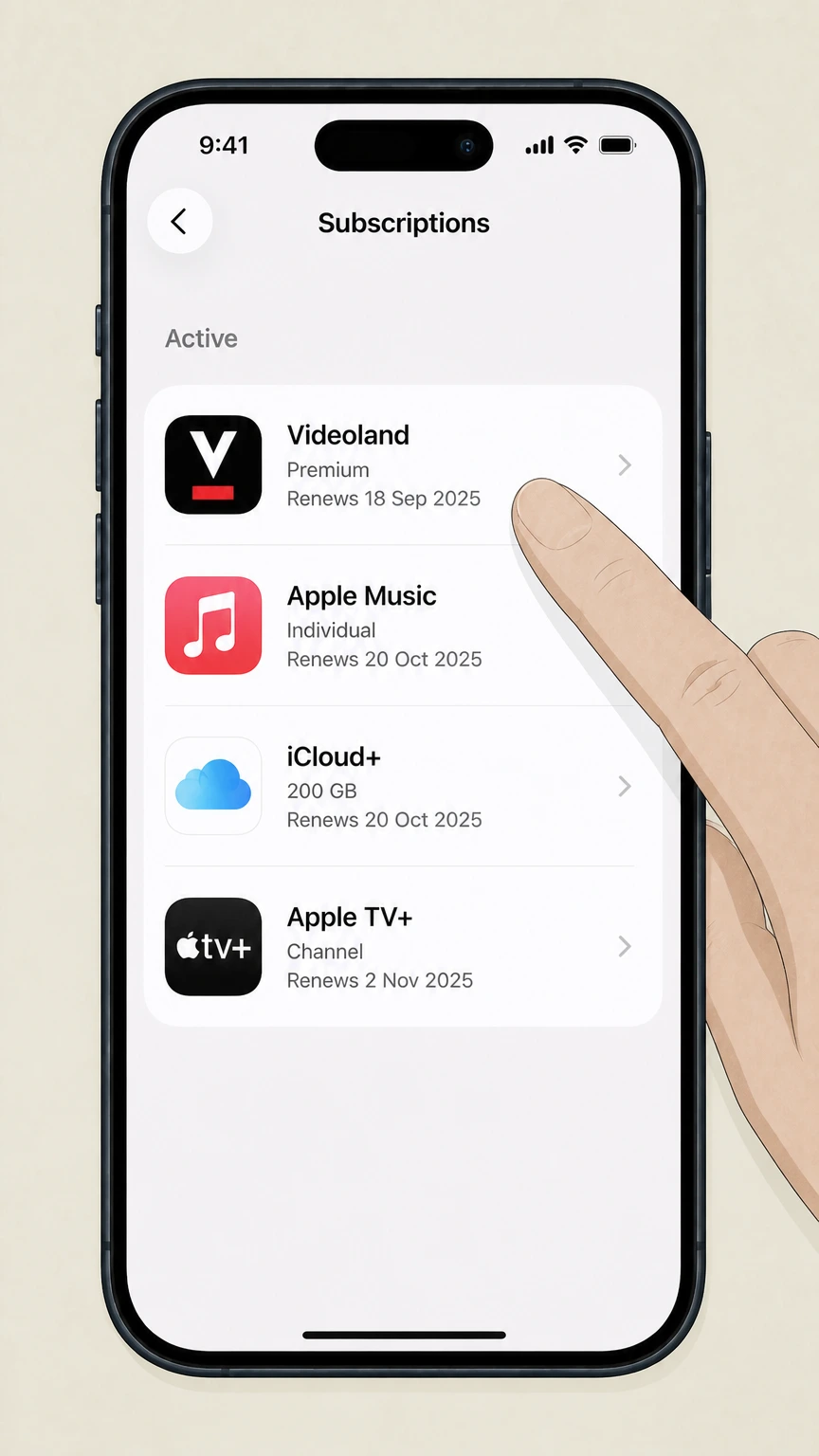
3 Select Subscriptions

Tap Subscriptions. If you do not see it, look for Media & Purchases instead. It might take a second to load your active list.

4 Choose Videoland

Find Videoland in the list and tap it. If it is not there, you might have subscribed directly via their website, so check the desktop guide below.

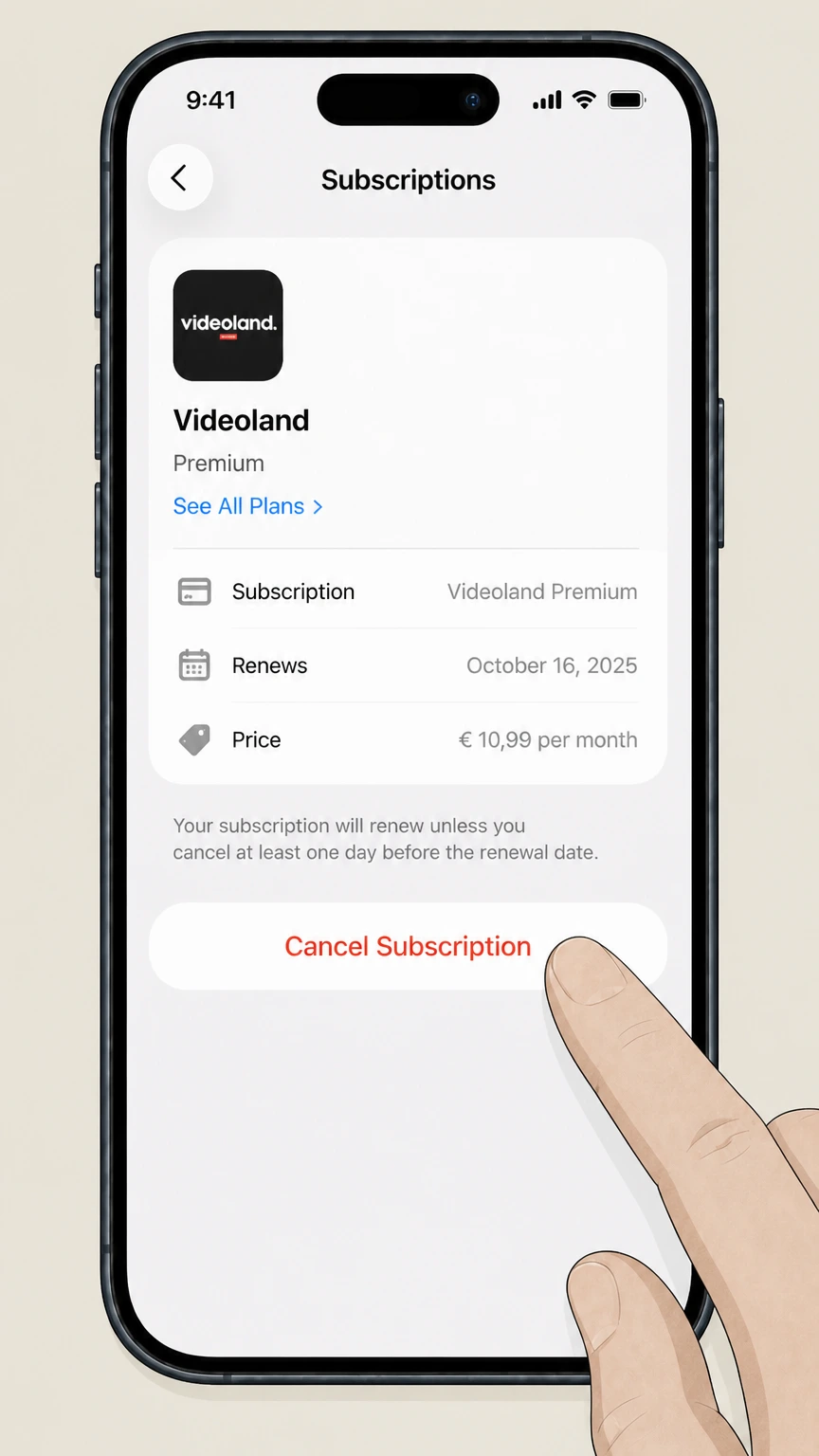
5 Cancel Subscription

Tap Cancel Subscription (or Cancel Free Trial). Confirm your choice. If you only see "Renew," you have already successfully cancelled.

How to Cancel Videoland on Android

Android users often get confused here. You cannot cancel inside the Videoland app settings usually; you have to go through the Play Store infrastructure.

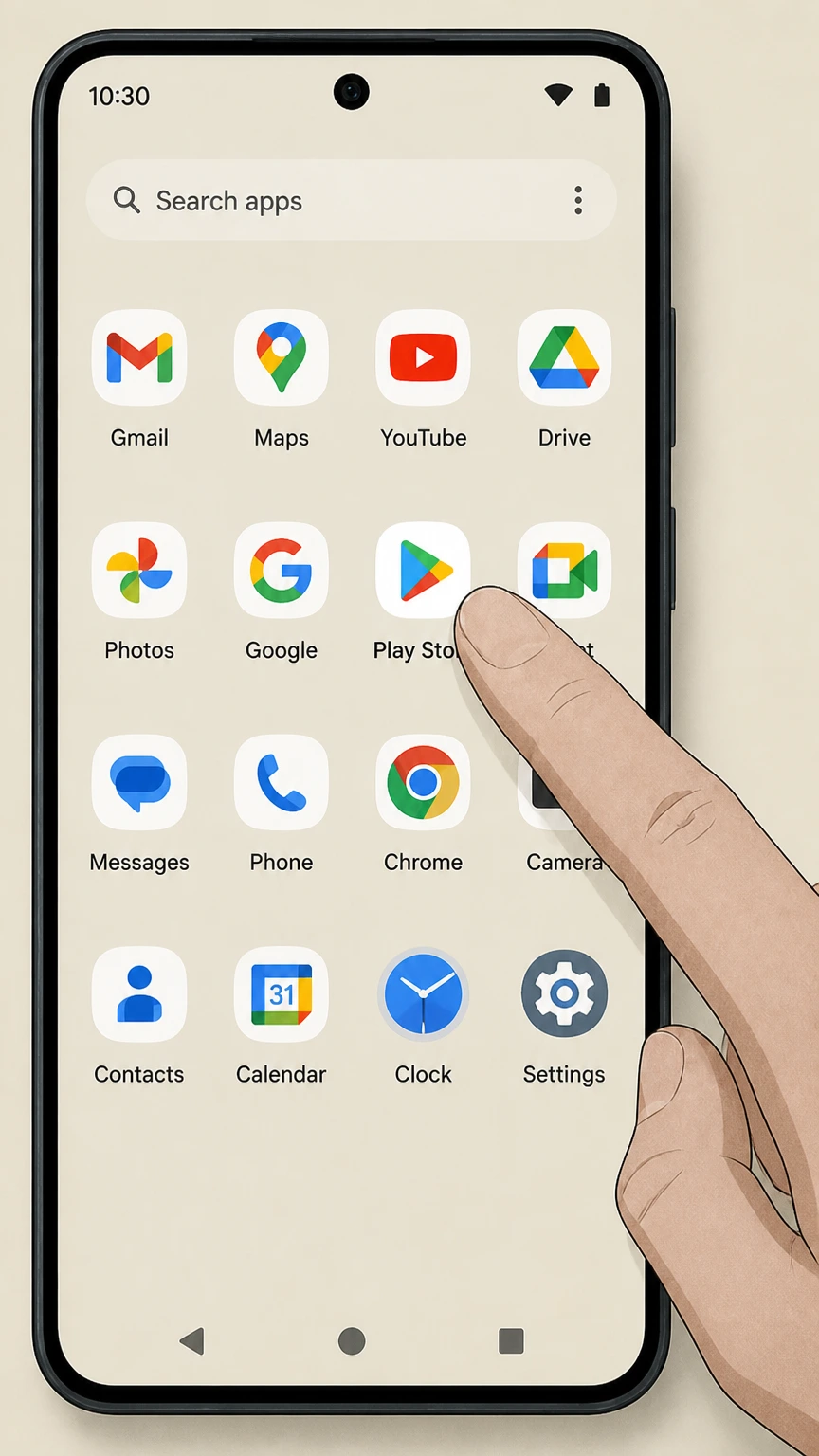
1 Open Google Play Store

Launch the Google Play Store app. Make sure you are signed into the correct Google account used for the purchase.

2 Tap Profile Icon

Tap your profile picture in the top right corner. A menu will slide up.

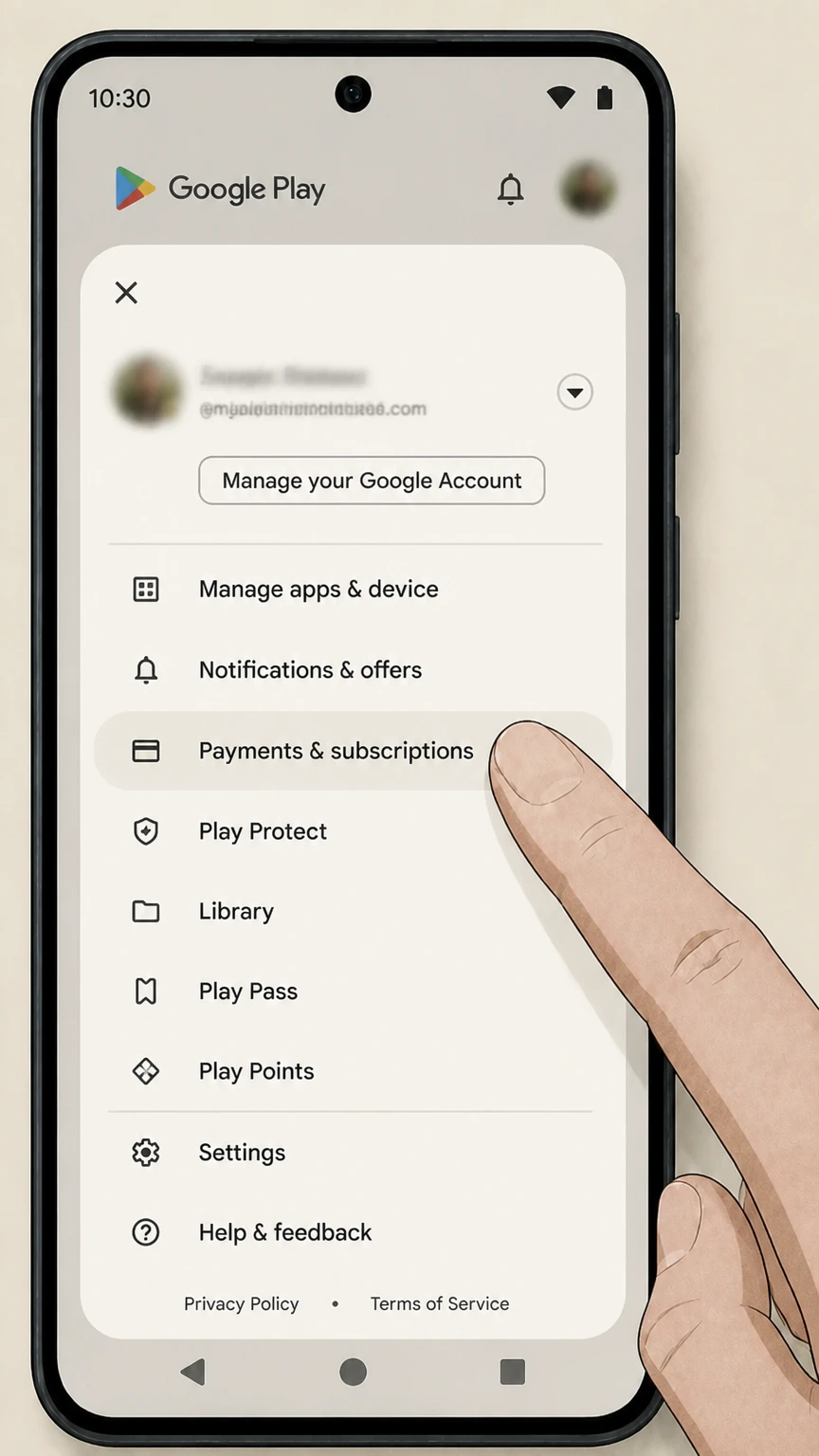
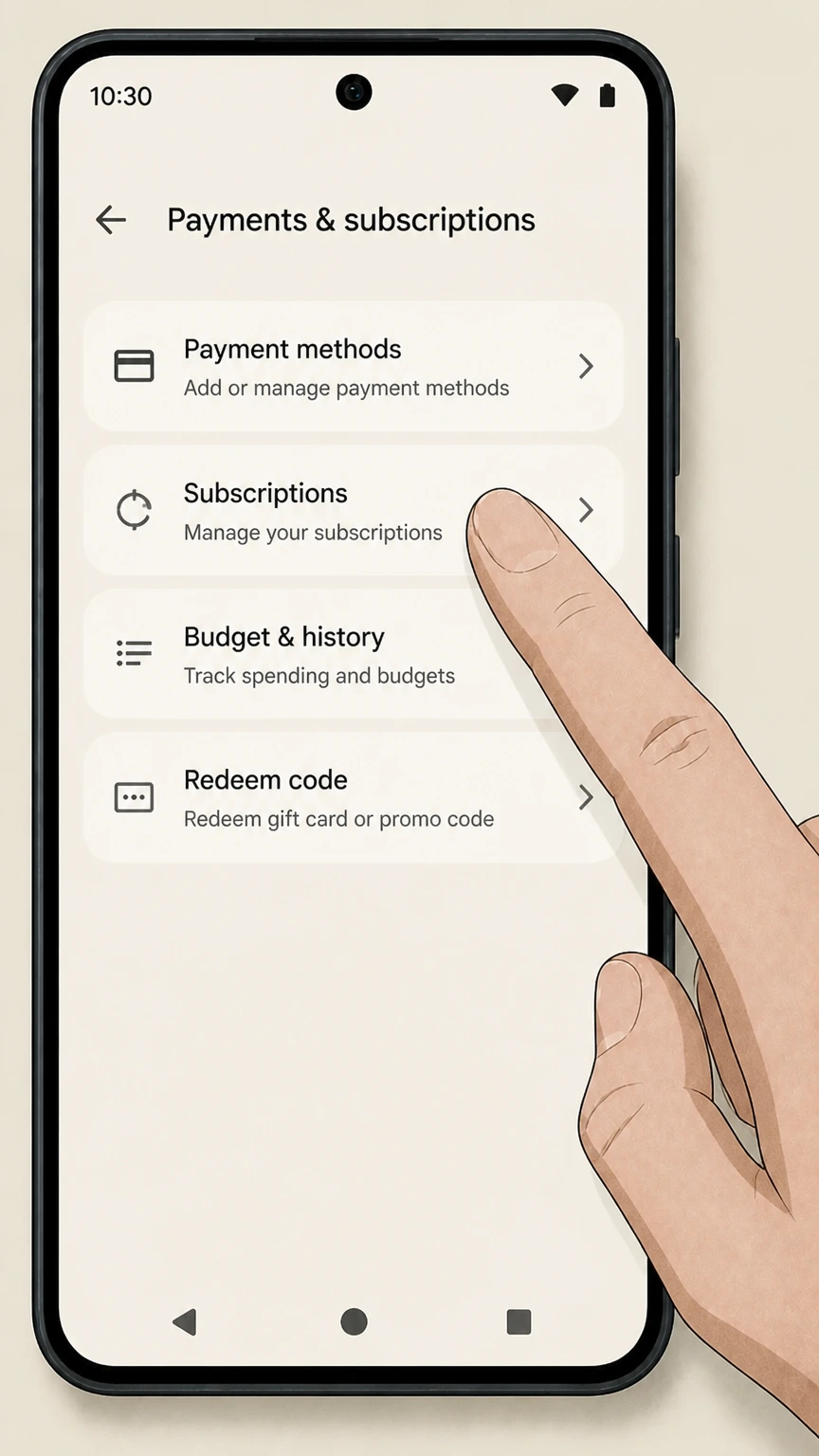
3 Payments & Subscriptions

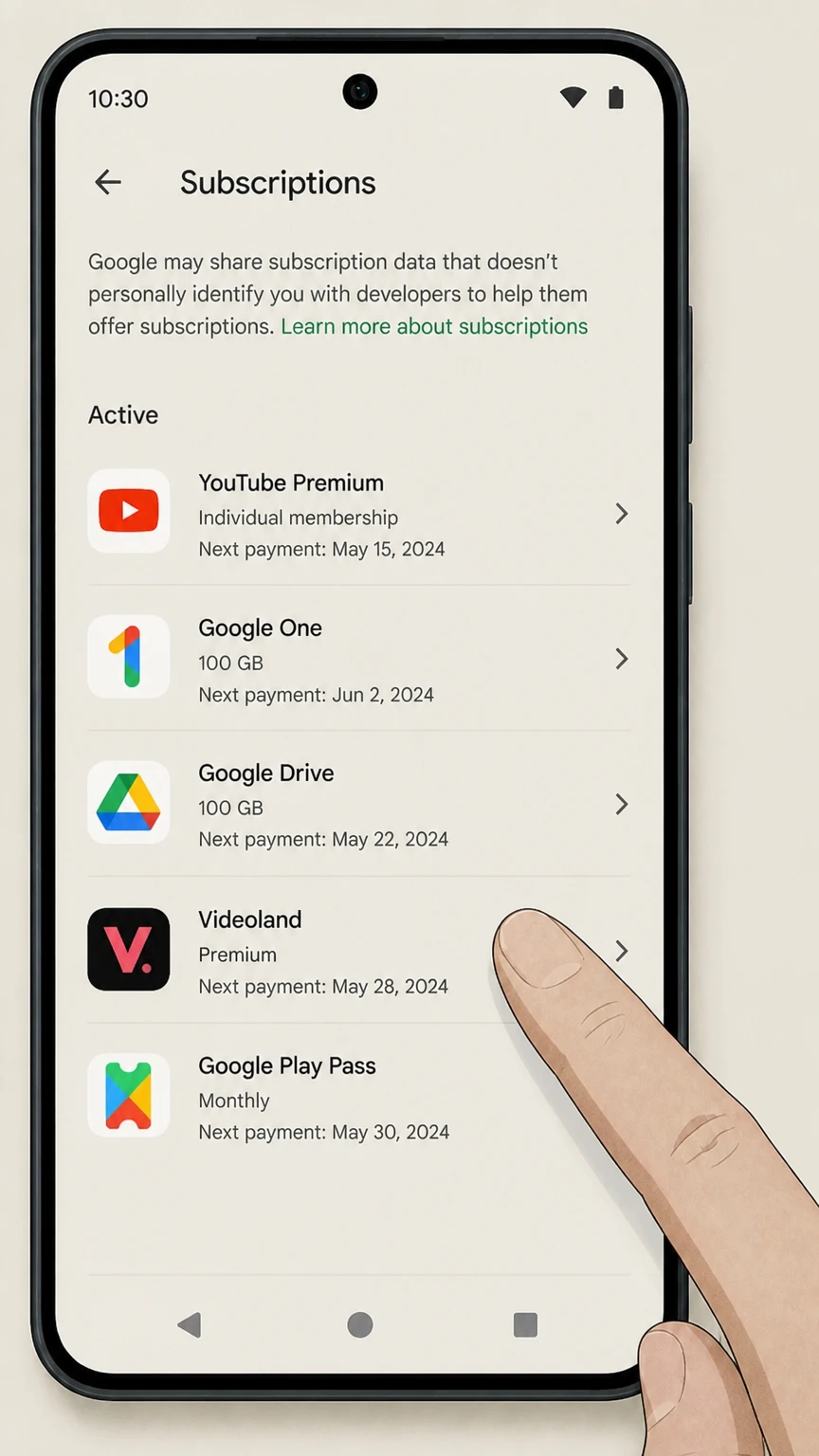
Select Payments & subscriptions, then tap on Subscriptions.

4 Select Videoland

Locate Videoland in your list of active apps. Tap on it to view details.

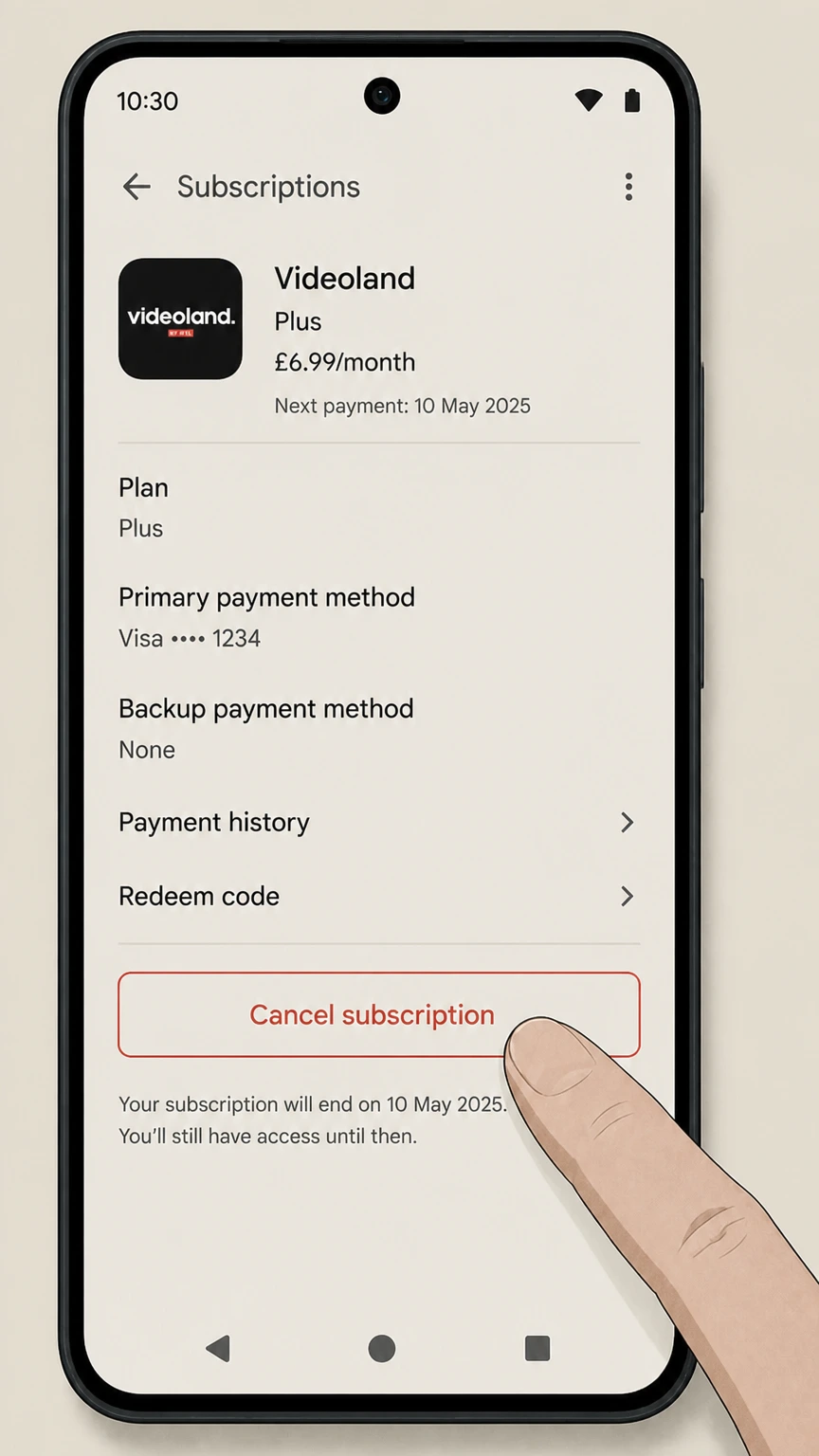
5 Cancel Subscription

Tap Cancel subscription at the bottom. Follow the on-screen instructions and pick a reason for leaving. Google might try to make you stay, just confirm the cancellation.

How to Cancel Videoland on Desktop

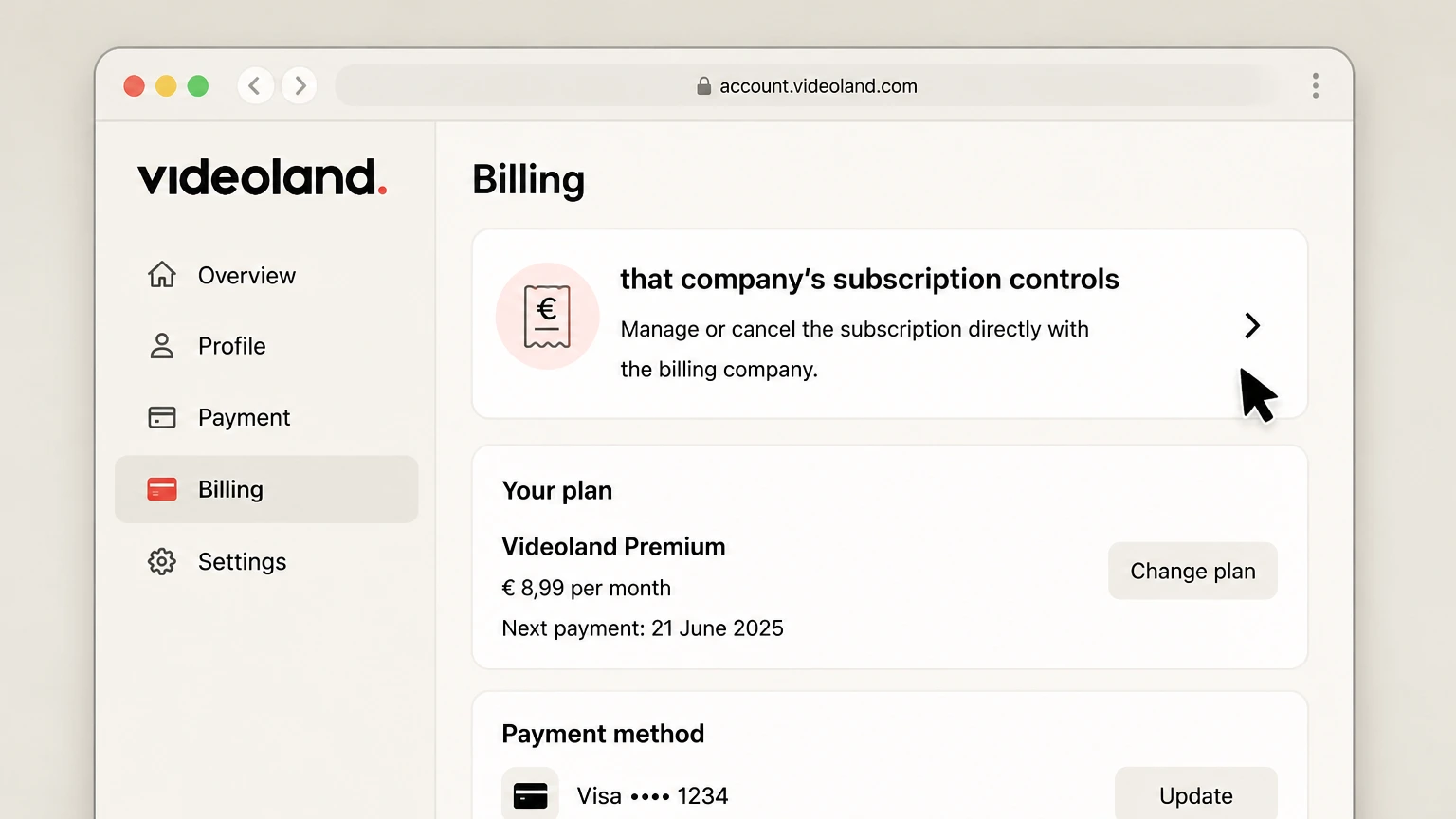
This is the method to use if you signed up directly on their website with a credit card or PayPal. It is often the most reliable way to ensure the account is actually closed.

1 Log In

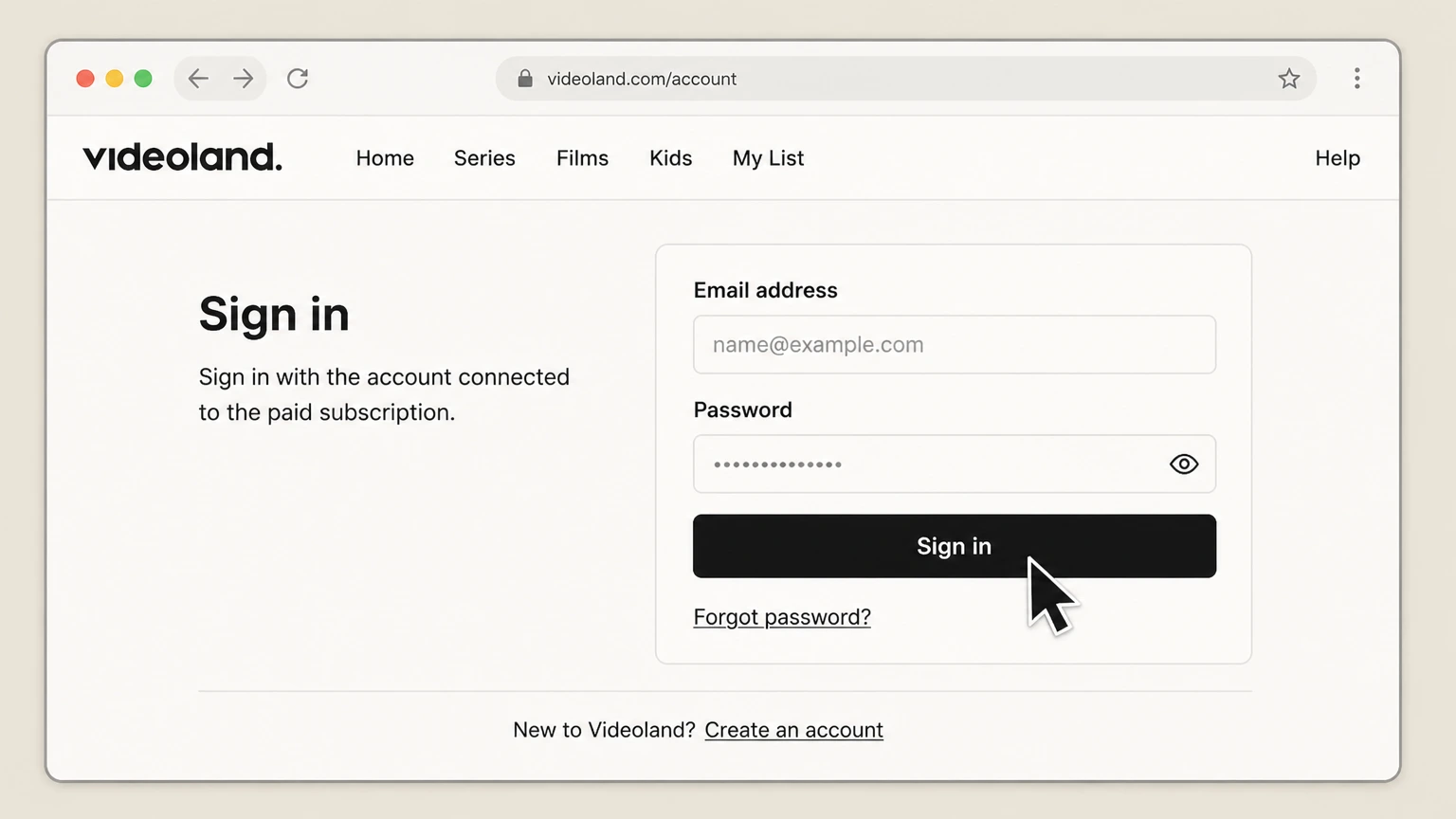
Go to the Videoland website and log in. If you forgot your password, reset it now because you cannot cancel without access.

2 Go to Profile

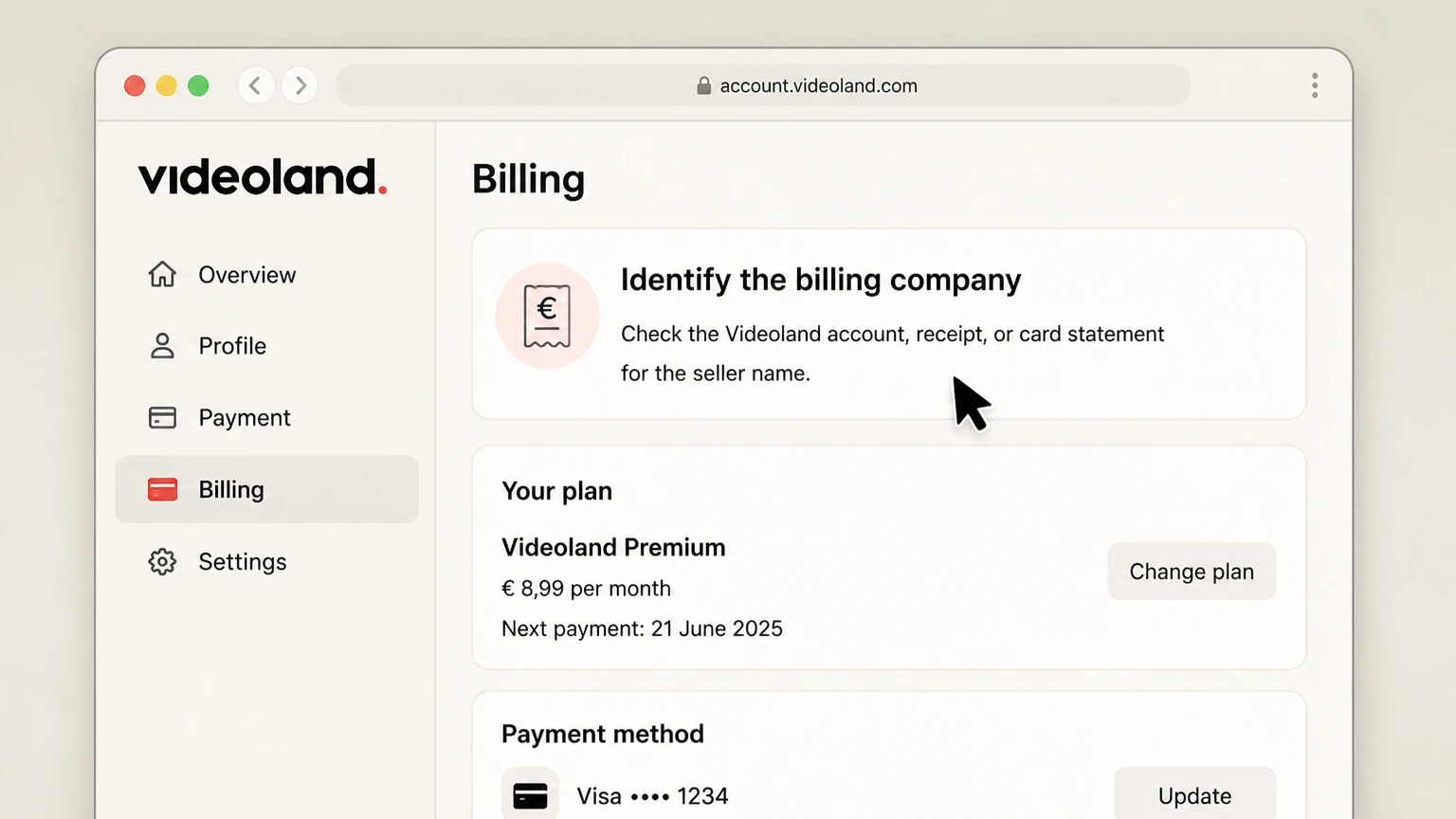
Click on your Profile icon in the top right corner and select Account or Settings from the dropdown menu.

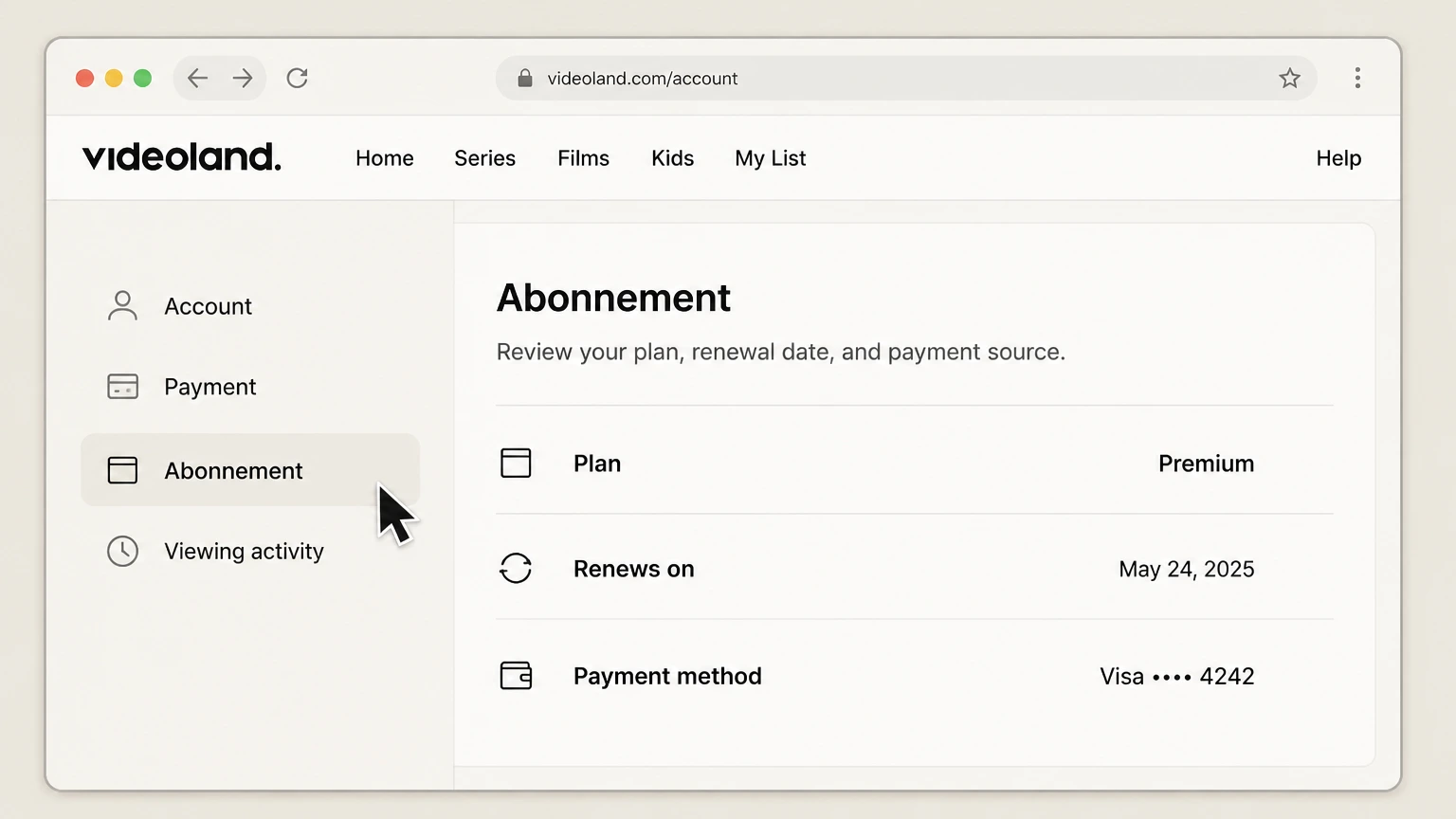
3 Navigate to Subscription Info

Look for a section labeled Subscription or Abonnement. It is sometimes buried under 'Payment Details'.

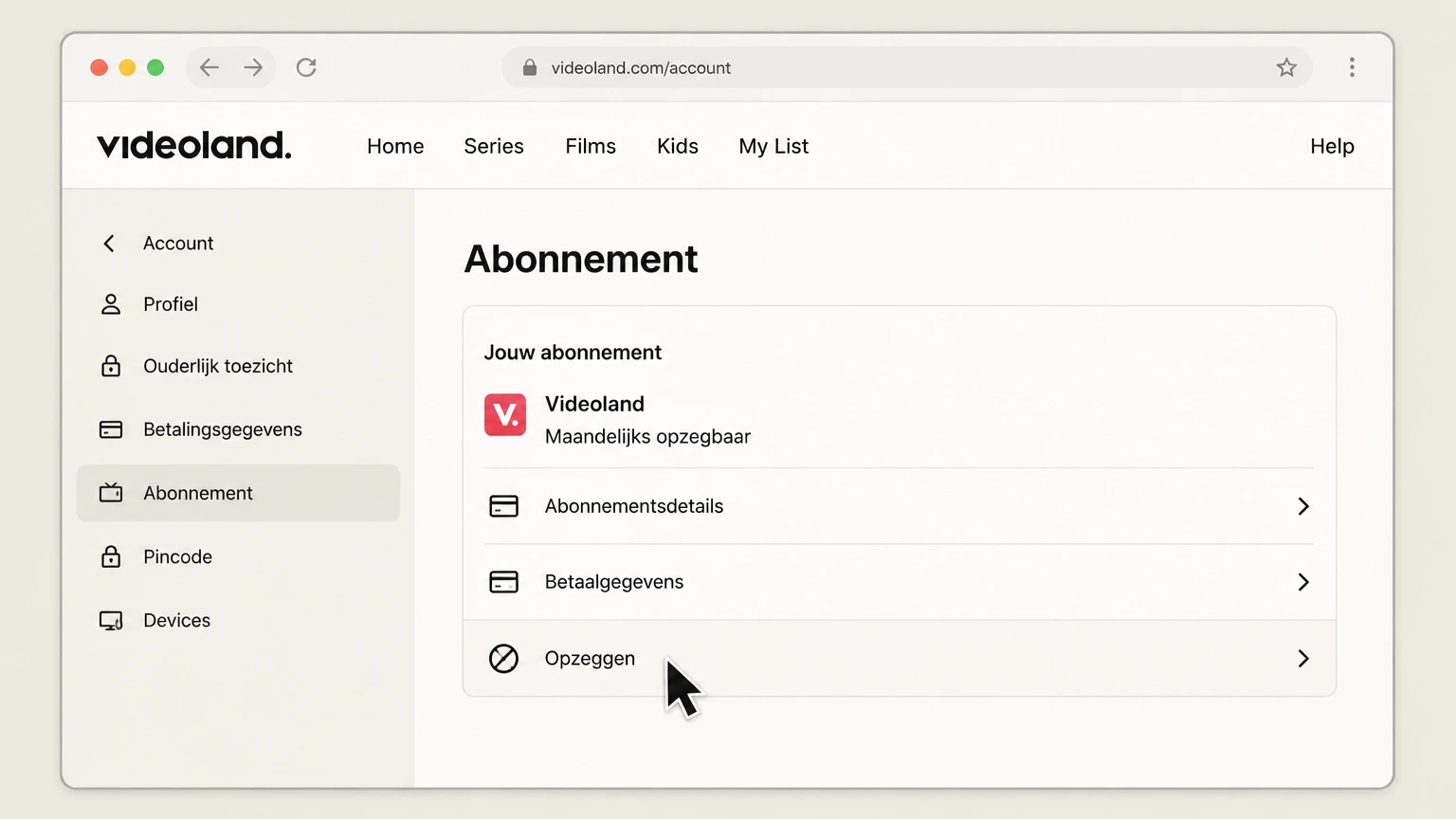
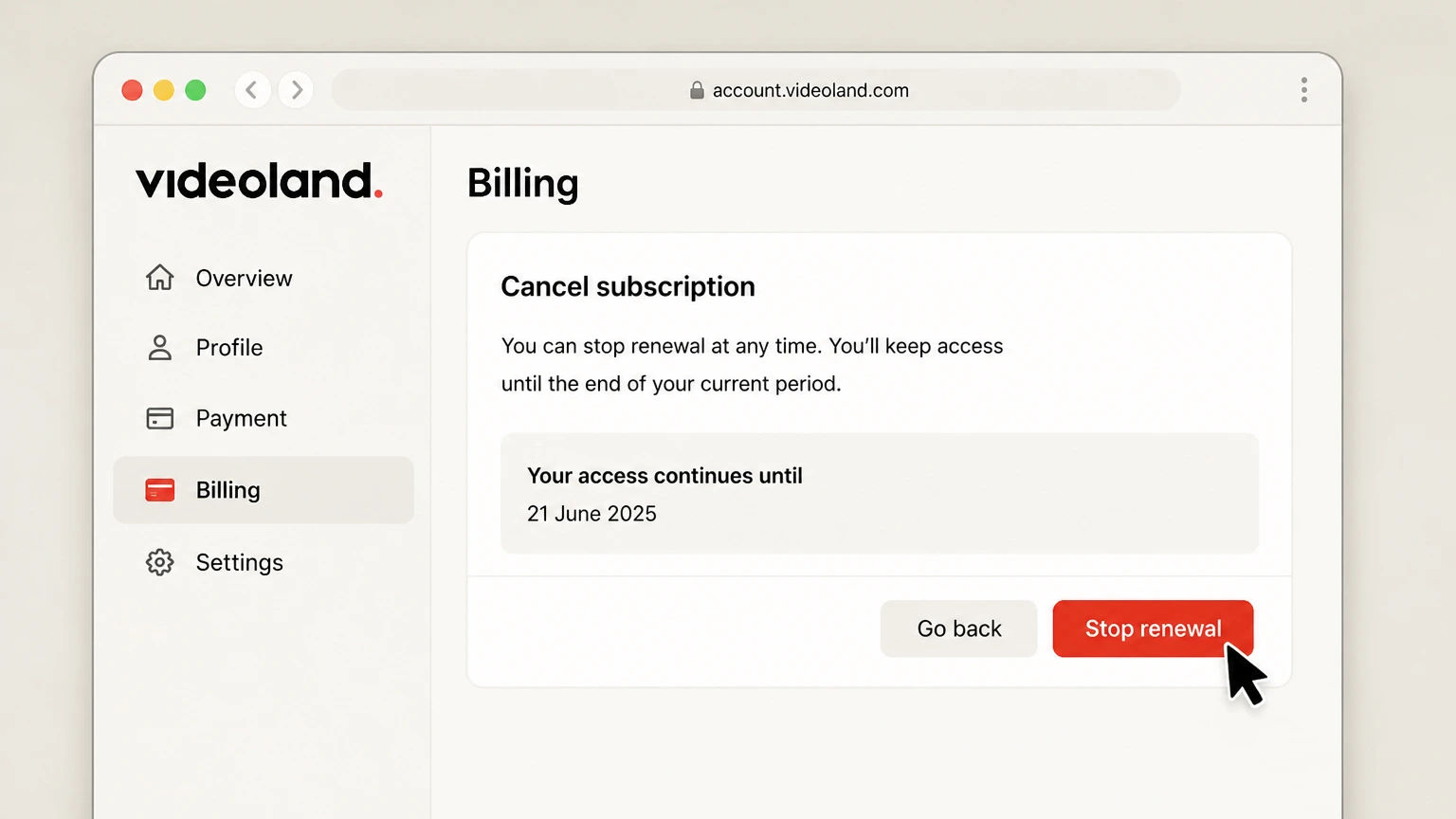
4 Click Cancel

Click Cancel Subscription (or Opzeggen if the interface is in Dutch). You might have to click through a few "Are you sure?" screens.

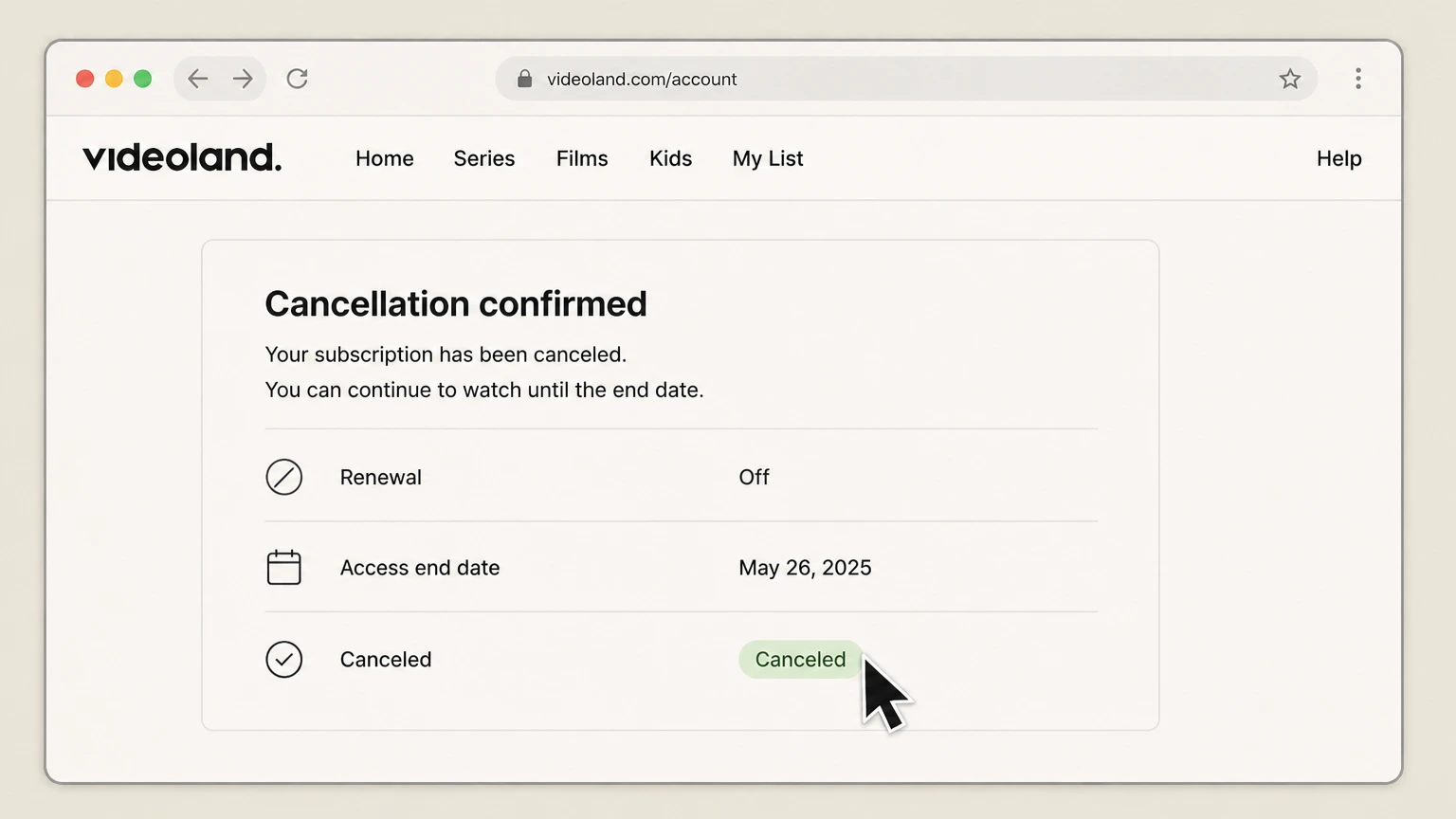
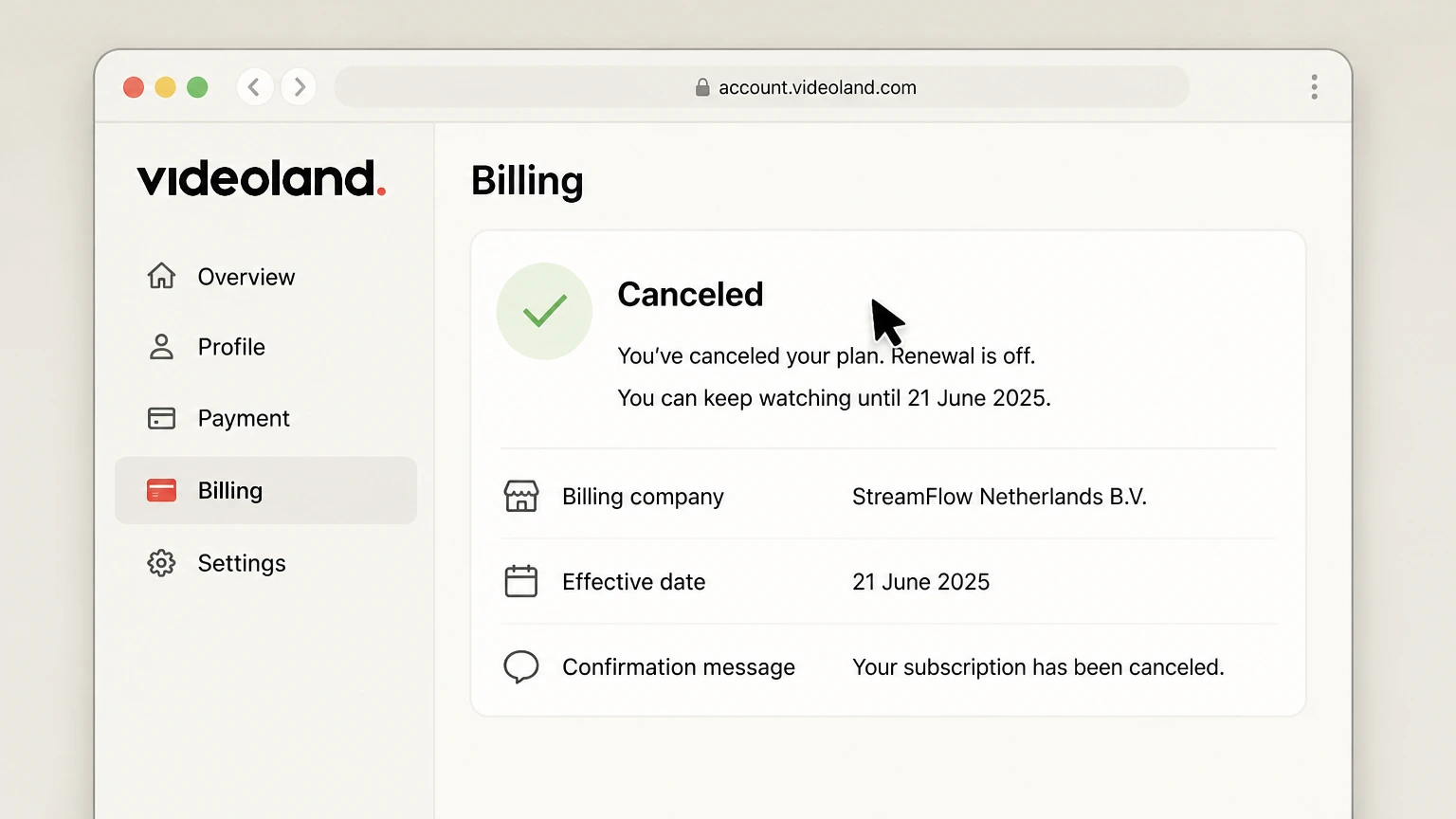
5 Confirm Cancellation

Finalize the process. Ensure you receive a confirmation email immediately. If you do not get an email, assume it did not work and try again.

What is Videoland Cancellation Policy

Videoland operates on a month-to-month basis for most plans. You can cancel at any time, but your access continues until the end of the current billing cycle. They are strict about this. No refunds for partial months. If you cancel one day after your renewal date, you are paying for that whole month. Users on Trustpilot frequently complain that the cancellation button is "hard to find" or that the system "glitches" right before the renewal date, forcing another charge. Always cancel at least 24 hours before your renewal date to be safe.

Having Trouble Cancelling Your Videoland Subscription?

If the steps above failed, you are not alone. Here are a few tricks that might help:

  • Check Third-Party Billing: Did you sign up via a bundle with your internet provider (like KPN or Ziggo)? If so, you must cancel through their portal, not Videoland directly.
  • Use Incognito Mode: Sometimes browser cache hides the cancel button. Try logging in via an Incognito/Private window on a desktop.
  • Check PayPal: If you pay via PayPal, you can block the recurring payment from the PayPal dashboard directly as a last resort.
  • Contact Support: If the button is missing, email their support immediately to create a paper trail before your next billing date.

Subscription Plans and Pricing (2025)

Plan Monthly Price (Est. USD) Ads Screens Details
Basis ~$5.45 Yes 1 Lowest tier, includes commercials.
Plus ~$10.90 No 2 Ad-free viewing, download to go.
Premium ~$13.00 No 4 4K support, family sharing.

How Pine AI Can Help You Cancel Your Videoland Subscription

Streaming costs are creeping up in 2025, and keeping a service you barely watch is just throwing money away. Pine AI makes cancelling Videoland effortless.

  • Step 1: Let's get started to cancel Videoland Simply tell us you want to cancel Videoland. We will ask for a few basic account details to locate your subscription securely.

  • Step 2: Pine gets to work We navigate the confusing Dutch menus, wait on hold if necessary, and handle the awkward retention tactics so you do not have to. We do not just suggest it; we finish it.

  • Step 3: You're free from Videoland The payments stop and you get your time back. No "retention offers," no run-around, just a confirmed "one-and-done" result.

Frequently Asked Questions about Videoland

Can I unsubscribe from Videoland anytime?
icon-show
Can I get a refund from Videoland if I forgot to cancel?
icon-show
How do I know my Videoland subscription is cancelled?
icon-show
How long does it take for Videoland to cancel?
icon-show
What else should I know before I cancel my Videoland subscription?
icon-show
How do I raise a complaint to Videoland?
icon-show
How does Pine AI work with Videoland to cancel my subscription?
icon-show
Chloe Anne-Bennett

Chloe Anne-Bennett

Streaming & Entertainment Editor

Chloe Anne-Bennett is the Streaming & Entertainment Editor at Pine AI. Chloe is a leading voice on the business of streaming, entertainment and the evolving landscape of digital media. Before contributing to Pine AI, Chloe was an entertainment correspondent for a major news outlet, where she reported on everything from box office trends to the impact of streaming services on traditional media. At Pine AI, Chloe leverages her deep industry knowledge to provide our readers with insightful analysis of the latest trends, helping them make sense of their subscriptions and where to hit the sweet spots in how to handle customer service reps.

More Videoland Resources

Need help with other Videoland services? Check out these helpful guides:

More Streaming and Entertainment providers for cancelling your subscription

Discover other popular Streaming and Entertainment providers, and see how Pine AI could help you with tricky subscription cancellation issues.

How to Cancel Blacked Raw Subscription

How to Cancel Blacked Raw Subscription

How to Cancel Playboy TV Subscription

How to Cancel Playboy TV Subscription

How to Cancel Brazzers Subscription

How to Cancel Brazzers Subscription

How to Cancel Plex Subscription

How to Cancel Plex Subscription

How to Cancel VR Bangers Subscription

How to Cancel Sky Zone Subscription

How to Cancel Vinyl Me, Please Subscription

How to Cancel YouTube TV Subscription

How to Cancel WWE Network Subscription

How to Cancel Pandora Subscription

How to Cancel Pandora Subscription

How to Cancel Boomerang Subscription

How to Cancel Boomerang Subscription

How to Cancel Showtime Subscription

How to Cancel Showtime Subscription

How to Cancel Funimation Subscription

How to Cancel Funimation Subscription

How to Cancel OSN Subscription

How to Cancel OSN Subscription

How to Cancel PBS Subscription

How to Cancel PBS Subscription

How to Cancel JulesJordan Subscription

How to Cancel JulesJordan Subscription

How to Cancel PlayStation Plus Subscription

How to Cancel PlayStation Plus Subscription

How to Cancel Acorn TV Subscription

How to Cancel Acorn TV Subscription

How to Cancel YouTube Premium Subscription

How to Cancel YouTube Premium Subscription

How to Cancel Now That's TV Subscription

How to Cancel Now That's TV Subscription

How to Cancel Willow Subscription

How to Cancel Willow Subscription

How to Cancel Vidio Subscription

How to Cancel Vidio Subscription

How to Cancel KinoPoisk Subscription

How to Cancel KinoPoisk Subscription

How to Cancel Sling TV Subscription

How to Cancel Sling TV Subscription

How to Cancel Stan Subscription

How to Cancel Stan Subscription

How to Cancel Paramount Plus Subscription

How to Cancel Paramount Plus Subscription

How to Cancel ViX Subscription

How to Cancel ViX Subscription

How to Cancel Twitch Subscription

How to Cancel Twitch Subscription

How to Cancel Xbox Game Pass Subscription

How to Cancel Xbox Game Pass Subscription

How to Cancel Capcut Pro Subscription

How to Cancel Capcut Pro Subscription

How to Cancel StarTimes Subscription

How to Cancel StarTimes Subscription

How to Cancel C More Subscription

How to Cancel C More Subscription

How to Cancel Foxtel Subscription

How to Cancel Foxtel Subscription

How to Cancel BritBox Subscription

How to Cancel BritBox Subscription

How to Cancel OCS Subscription

How to Cancel OCS Subscription

How to Cancel TIMvision Subscription

How to Cancel TIMvision Subscription

How to Cancel Wavve Subscription

How to Cancel Wavve Subscription

How to Cancel iROKO Subscription

How to Cancel iROKO Subscription

How to Cancel MUBI Subscription

How to Cancel MUBI Subscription

How to Cancel Philo Subscription

How to Cancel Philo Subscription

How to Cancel U-Next Subscription

How to Cancel U-Next Subscription

How to Cancel Discovery Plus Subscription

How to Cancel Discovery Plus Subscription

How to Cancel SoundCloud Go Subscription

How to Cancel SoundCloud Go Subscription

How to Cancel TV4 Subscription

How to Cancel TV4 Subscription

How to Cancel NFL Plus Subscription

How to Cancel NFL Plus Subscription

How to Cancel Kyivstar Subscription

How to Cancel Kyivstar Subscription

How to Cancel MGM Plus Subscription

How to Cancel MGM Plus Subscription

How to Cancel Apple TV Subscription

How to Cancel Apple TV Subscription

How to Cancel Roku Subscription

How to Cancel Roku Subscription

How to Cancel Shudder Subscription

How to Cancel Shudder Subscription

How to Cancel Peacock Subscription

How to Cancel Peacock Subscription

How to Cancel Chegg Subscription

How to Cancel Chegg Subscription

How to Cancel BluTV Subscription

How to Cancel BluTV Subscription

How to Cancel WOW Subscription

How to Cancel WOW Subscription

How to Cancel ESPN Plus Subscription

How to Cancel ESPN Plus Subscription

How to Cancel Starz Subscription

How to Cancel Starz Subscription

How to Cancel Voyo Subscription

How to Cancel Voyo Subscription

How to Cancel TrueID Subscription

How to Cancel TrueID Subscription

How to Cancel BET Plus Subscription

How to Cancel BET Plus Subscription

How to Cancel ITV Subscription

How to Cancel ITV Subscription

How to Cancel Player Subscription

How to Cancel Player Subscription

How to Cancel Viu Subscription

How to Cancel Viu Subscription

How to Cancel Hulu Subscription

How to Cancel Hulu Subscription

How to Cancel Joyn Subscription

How to Cancel Joyn Subscription

How to Cancel Tivubu Subscription

How to Cancel Tivubu Subscription

How to Cancel TV 2 Subscription

How to Cancel TV 2 Subscription

How to Cancel TV2 Norge Subscription

How to Cancel TV2 Norge Subscription

How to Cancel FuboTV Subscription

How to Cancel FuboTV Subscription

How to Cancel Tencent Video Subscription

How to Cancel Tencent Video Subscription

How to Cancel Coupang Subscription

How to Cancel Coupang Subscription

How to Cancel Crunchyroll Subscription

How to Cancel Crunchyroll Subscription

How to Cancel AMC+ Subscription

How to Cancel AMC+ Subscription

How to Cancel ALTBalaji Subscription

How to Cancel ALTBalaji Subscription

How to Cancel ivi TV Subscription

How to Cancel ivi TV Subscription

How to Cancel Globoplay Subscription

How to Cancel Globoplay Subscription

How to Cancel Mediaset Subscription

How to Cancel Mediaset Subscription

How to Cancel Disney Plus Subscription

How to Cancel Disney Plus Subscription

How to Cancel A&E Crime Central Subscription

How to Cancel A&E Crime Central Subscription

How to Cancel movistar+ Subscription

How to Cancel movistar+ Subscription

How to Cancel Eros Now Subscription

How to Cancel Eros Now Subscription

How to Cancel TV+ Subscription

How to Cancel TV+ Subscription

How to Cancel History Vault Subscription

How to Cancel History Vault Subscription

How to Cancel iQIYI Subscription

How to Cancel iQIYI Subscription

How to Cancel BlazeTV Subscription

How to Cancel BlazeTV Subscription

How to Cancel HBO Max Subscription

How to Cancel HBO Max Subscription

How to Cancel Canal Plus Subscription

How to Cancel Canal Plus Subscription

How to Cancel Curiosity Stream Subscription

How to Cancel Curiosity Stream Subscription

How to Cancel Binge Subscription

How to Cancel Binge Subscription

How to Cancel Zee5 Subscription

How to Cancel Zee5 Subscription

How to Cancel Bein Subscription

How to Cancel Bein Subscription

How to Cancel RTL Plus Subscription

How to Cancel RTL Plus Subscription

How to Cancel MLB.TV Subscription

How to Cancel MLB.TV Subscription

How to Cancel Megogo Subscription

How to Cancel Megogo Subscription

How to Cancel SonyLiv Subscription

How to Cancel SonyLiv Subscription

How to Cancel Kayo Sports Subscription

How to Cancel Kayo Sports Subscription

How to Cancel Tidal Subscription

How to Cancel Tidal Subscription

How to Cancel DStv Subscription

How to Cancel DStv Subscription

How to Cancel Ubisoft Plus Subscription

How to Cancel Ubisoft Plus Subscription

How to Cancel Shahid Subscription

How to Cancel Shahid Subscription

How to Cancel Steam Subscription

How to Cancel Steam Subscription